

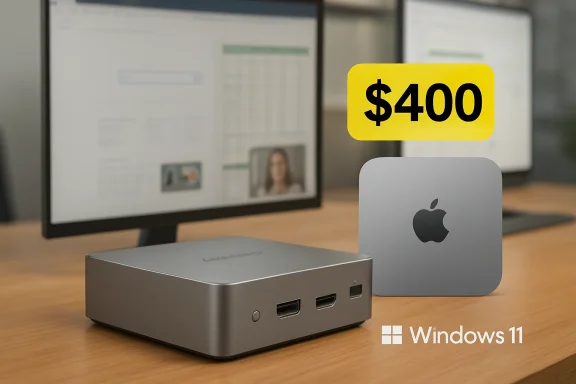
AceMagic’s K1 Windows 11 Pro mini PC is being promoted this week as a Mac mini alternative after Gizmodo highlighted an Amazon deal cutting the Core i5-12600H model from about $580 to $400, with 16GB of RAM, 512GB of SSD storage, and triple-display support. The pitch is simple: shrink the desktop, keep the ports, and spend far less than Apple asks for its smallest Mac. But the more interesting story is not that one Amazon listing got cheaper. It is that the Windows mini PC market has become good enough, messy enough, and cheap enough to force a more skeptical kind of bargain hunting.
For decades, the desktop PC was defined by expandability. A tower meant spare drive bays, full-length graphics cards, chunky power supplies, and the comforting idea that whatever you bought today could become something else tomorrow. That mattered when processors aged faster, storage was expensive, and external connectivity was a tangle of compromises.
Most home and office workloads no longer need that kind of machine. The browser became the primary application platform, integrated graphics became competent, SSDs became ordinary, and USB-C quietly absorbed half the old cable drawer. A compact box that can sit behind a monitor, disappear under a riser, or ride in a backpack is not a novelty anymore; for many users, it is the saner default.
That is why the AceMagic K1 lands in a receptive moment. It is not trying to be a workstation, and it is certainly not a gaming tower. It is selling something more prosaic but more broadly useful: enough CPU, enough memory, enough display output, and enough Windows compatibility in a chassis that does not ask for floor space.
The Mac mini comparison is inevitable because Apple helped mainstream the idea that a real desktop can be a small, silent-ish slab. But the Windows mini PC boom is different in texture. It is less polished, more fragmented, more coupon-driven, and far more willing to trade brand certainty for spec-sheet aggression.
That matters because the low end of the mini PC market is full of machines that look identical until you inspect the processor. A cheap box with an older low-power Celeron or N-series chip can be perfectly fine for signage, media playback, or a single-purpose kiosk. It is a different thing entirely from a system that can handle office multitasking, heavier browser sessions, light photo work, development tools, and a pile of background services without immediately feeling underwater.
The rest of the configuration is conventional in the best possible way. Sixteen gigabytes of DDR4 RAM is the practical floor for a Windows 11 Pro machine that expects to be used seriously in 2026, and a 512GB PCIe SSD is enough for a primary work system if the user is disciplined about cloud storage and media libraries. The ability to expand memory and storage gives the K1 one of the psychological advantages Apple has spent years surrendering: the buyer is not locked into every decision at checkout.
That is the part of the Mac mini comparison that stings. Apple’s entry desktop is beautifully engineered, fast, quiet, and efficient, but the base-model buying experience still nudges customers into expensive memory and storage decisions upfront. A Windows mini PC like the K1 may not match Apple’s silicon efficiency or industrial design, but it gives tinkerers and cost-conscious buyers something Apple rarely does: a screwdriver-shaped escape hatch.
Triple 4K display support at 60Hz is overkill for many homes, but it is exactly the sort of overkill that makes a small Windows box feel credible in an office. One monitor for email and Teams, one for spreadsheets or a browser, and one for dashboards or documentation is not an exotic setup anymore. If the machine can drive that arrangement without a dock, it removes one of the quiet tax lines from a cheap desktop build.
The same logic applies to networking. Wi-Fi 6 is table stakes now, but it still matters in small offices and apartments where Ethernet is not conveniently placed. Gigabit LAN is not glamorous, yet it remains essential for anyone moving large files to a NAS, running a home lab, or simply wanting predictable connectivity during video calls.
This is where many budget desktops lose the plot. They may have a capable processor but skimp on ports, or they ship with a layout that turns every cable into a minor ergonomic penalty. A good mini PC is not merely a small PC. It is a small hub, and the hub has to be boringly complete.
The discount framing does real work here. A $580 mini PC with a 12th-gen Intel mobile processor feels vulnerable in 2026, especially with newer AMD and Intel chips appearing in competing boxes. At $400, the same machine becomes easier to defend because it moves from “premium compact desktop” to “useful small computer with room to upgrade.”
That distinction matters because Amazon mini PC pricing can be theatrical. Coupons, limited-time deals, strike-through prices, and brand promotions often create the sense of urgency that powers impulse buys. The buyer should assume the final price is the only price that matters, not the claimed discount.
There is also a broader market lesson hiding inside the sale. The Windows mini PC category has become brutally competitive, which is good for prices and bad for clarity. A buyer can find dozens of systems with similar chassis shapes, overlapping component choices, and brand names that seem to appear fully formed out of the supply chain. The deal is attractive precisely because this market is crowded enough to punish patience.
But preinstalled Windows is also where budget mini PCs invite the hardest questions. Enthusiasts have learned to be wary of mystery images, odd recovery partitions, suspicious activation channels, and vendor utilities that do more than they say. A clean Windows desktop is a productivity feature; an unknown factory image is a supply-chain trust exercise.
AceMagic has extra baggage here. In early 2024, multiple reports said some AceMagic or related mini PCs shipped with malware or suspicious software preinstalled, and the company said the issue had been addressed. That history does not mean every later AceMagic system is compromised, and it does not prove anything about this K1 listing. It does mean the burden of trust is higher than it would be for a Dell, Lenovo, HP, or Apple desktop.
For WindowsForum readers, the practical advice is straightforward even if the market rarely says it out loud: treat any aggressively priced mini PC from a lesser-known vendor as hardware first and software second. If the machine is worth buying, it should still be worth using after a clean Microsoft installation, fresh drivers, firmware checks, and a full security review. That is not paranoia; it is the cost of buying deep into the bargain stack.
The K1’s value comes from a different contract. It offers Windows compatibility, familiar x86 software support, upgradeable memory and storage, and more flexible display and peripheral assumptions at a lower sale price. It is less a Mac mini clone than a reminder that the desktop category still has room for machines that prioritize practical abundance over elegance.
For users already invested in Apple’s ecosystem, the K1 is not a clean substitute. iMessage, AirDrop, Continuity, Final Cut workflows, Logic projects, and the broader Mac app environment do not transfer just because the box is small. A Windows mini PC can replace the physical footprint of a Mac mini, but it cannot replace the software gravity that makes a Mac mini appealing.
For Windows users, however, that same ecosystem argument runs in reverse. The K1 can run legacy Windows applications, random vendor utilities, niche business tools, local game launchers, development environments, and peripherals that macOS may not support cleanly. In that world, Apple’s polish is less important than the ability to plug in an old scanner, join a domain, run a Windows-only accounting package, and not think about translation layers.
AceMagic advertises a low-noise cooling system, which is the claim every mini PC vendor must make because fan behavior is where small boxes can become irritating. A tower can hide a big heatsink and slow fans. A mini PC has less air volume, fewer places to move heat, and a smaller acoustic margin before “quiet” becomes “noticeable.”
For office use, this is usually fine. Browsing, Office apps, remote desktop sessions, Slack, Teams, light coding, and media playback rarely pin a CPU for long enough to expose the worst-case thermals. The machine will feel fast because modern processors are excellent at short bursts, and most desktop annoyance comes from lag rather than sustained throughput.
The caution applies to users who hear “12 cores” and imagine workstation behavior. Heavy compiling, constant virtualization, local AI experiments, 4K editing, and long CPU-bound jobs are possible to varying degrees, but they are not what a $400 mini PC is optimized to do. The chip may be willing; the cooling system, power delivery, and integrated graphics will set the real boundaries.
For a living-room PC, the K1 makes sense. Windows gives it broad format support, browser flexibility, VPN compatibility, local file playback, and the ability to run services or media tools that a streaming stick cannot. If the goal is Plex, YouTube, web video, light emulation, remote access, or a general-purpose screen attached to a television, the hardware is more than adequate.
For modern gaming, the story changes. Older titles, indie games, cloud gaming clients, and light esports settings may be realistic, but this is not the machine to buy for high-end native PC gaming. The triple-display support should not be mistaken for triple-display 3D horsepower.
That honesty actually strengthens the case for the K1. A good deal does not have to do everything. It only has to do the right things well enough at the right price, and integrated graphics are one of the clearest boundaries between a compact productivity PC and a true performance desktop.
Upgradeability changes how people think about risk. A 512GB SSD is less concerning if it can become 2TB later. Sixteen gigabytes of RAM is less limiting if a future workload can justify a 32GB or 64GB upgrade. The machine can begin as a cheap office desktop and eventually become a lab node, media server, backup target, or dedicated controller for a workshop, printer, camera system, or smart-home stack.
Apple has taken the opposite path with most of its mainstream hardware. The company’s argument is that tightly integrated systems deliver better performance, reliability, security, and efficiency. That argument has merit, but it also moves power from the user to the checkout page.
The Windows mini PC market is not noble just because it has SO-DIMM slots and M.2 storage. Some designs are awkward to service, documentation can be thin, firmware support may be uncertain, and component compatibility is not always as predictable as it should be. Still, the principle matters: a cheap box with replaceable parts is a different kind of ownership than a sealed appliance.
For individual enthusiasts, that trade can be acceptable. A technically confident buyer can reinstall Windows, inspect firmware settings, run diagnostics, stress-test memory and storage, monitor temperatures, and replace components if needed. For a hobbyist, that process is part of the fun.
For businesses, schools, clinics, law offices, and other environments with sensitive data, the calculus is different. The cheapest Windows 11 Pro box on Amazon may not be the cheapest computer once staff time, security validation, warranty risk, imaging, asset management, and replacement logistics are included. Procurement departments do not buy Dell OptiPlex Micros and Lenovo ThinkCentres because they are exciting; they buy them because boring is a feature.
That is the dividing line the deal coverage often skips. A $400 mini PC can be a terrific personal workstation, lab machine, or home-theater brain. It is harder to recommend as a fleet endpoint unless the organization has the tooling and appetite to treat it like an untrusted platform until proven otherwise.
That matters because mini PC buyers need to compare more than CPU, RAM, and SSD capacity. They should care about the exact wireless chipset, the number and speed of USB ports, whether USB-C supports display output or only data, whether the Ethernet port is Intel or Realtek, how many M.2 slots are present, whether the RAM is single-channel or dual-channel, what power adapter is included, and whether BIOS updates are available.
The K1 looks strong on several of those fronts. Its display outputs are useful, its memory ceiling is sensible, and the i5-12600H remains a respectable productivity processor. But the buyer still has to confirm the exact Amazon listing, seller, coupon behavior, return window, and warranty language at purchase time because those details can change faster than a review page.
This is the paradox of the modern deal post. The article tells you a price, but the market tells you a moving story. By the time a buyer clicks, the discount may have shifted, the coupon may have disappeared, or a rival mini PC may have undercut it with newer silicon.
That role suits the hardware. A mini PC does not need a battery, keyboard, screen, hinge, webcam, or trackpad, so the budget goes into the parts that make a stationary system feel responsive. Pair it with a good monitor and a decent keyboard, and a $400 desktop can feel more comfortable than a laptop costing much more.
It also fits the way many homes now use computers. The primary personal device may be a phone, tablet, or work-issued laptop, but there is still value in a shared Windows machine that can print, scan, store files locally, run oddball utilities, and provide a stable workspace. The mini PC is the new family desktop, minus the beige monument.
For enthusiasts, the second-computer role becomes even more compelling. The K1 could be a Proxmox experiment, a Windows test bench, a light development box, a streaming endpoint, a retro-gaming setup, or a dedicated machine for radio, 3D printing, CNC, security cameras, or home automation. The appeal is not just smallness. It is that smallness lowers the friction of finding a use.
That puts pressure on every mainstream desktop vendor. If a buyer can get a Windows 11 Pro mini PC with 16GB of RAM, a half-terabyte SSD, multiple monitor outputs, and upgrade options for around $400, then a lot of entry-level desktops start to look lazy. Big brands can still win on support, manageability, quality control, and trust, but they can no longer assume the cheap machines are unusable.
It also puts pressure on Apple in a subtler way. The Mac mini remains one of the best values in Apple’s lineup, but Apple’s storage and memory pricing keeps creating oxygen for Windows alternatives. Every time a buyer sees a small PC with user-upgradeable RAM and storage at a discount, Apple’s base-model discipline looks less like simplicity and more like segmentation.
The mini PC market is therefore not merely a bargain bin. It is a protest vote against bloated desktops, soldered configurations, and the idea that a useful computer must be expensive or large. Like many protest votes, it is imperfect, occasionally chaotic, and worth taking seriously.
That homework starts before checkout. Confirm the seller, the final price, the coupon, the return window, and the exact configuration. Mini PC listings can vary by RAM, SSD, processor, and even port layout, and the difference between a good buy and a mediocre one may be buried in a dropdown or a revised product page.
After arrival, the responsible path is equally clear. Update firmware if a trustworthy update is available, reinstall Windows from Microsoft media if you want maximum confidence, run Windows Update thoroughly, check Device Manager for unknown components, install only necessary drivers, and perform a full security scan before trusting the machine with credentials or sensitive files. For many WindowsForum readers, that process is routine. For everyone else, it is the hidden labor behind the low price.
The important point is not that AceMagic should be singled out as uniquely suspect. The point is that the lower-cost mini PC ecosystem has not earned the same default trust as the enterprise desktop channel. Until it does, the buyer has to supply some of that trust manually.
Here is the practical read for anyone tempted by the current AceMagic offer:
Source: Gizmodo https://gizmodo.com/mac-mini-altern...-pc-drops-to-record-low-on-amazon-2000755274/
 The Mini PC Has Become the Anti-Tower for People Who Never Needed a Tower
For decades, the desktop PC was defined by expandability. A tower meant spare drive bays, full-length graphics cards, chunky power supplies, and the comforting idea that whatever you bought today could become something else tomorrow. That mattered when processors aged faster, storage was expensive, and external connectivity was a tangle of compromises.Most home and office workloads no longer need that kind of machine. The browser became the primary application platform, integrated graphics became competent, SSDs became ordinary, and USB-C quietly absorbed half the old cable drawer. A compact box that can sit behind a monitor, disappear under a riser, or ride in a backpack is not a novelty anymore; for many users, it is the saner default.
That is why the AceMagic K1 lands in a receptive moment. It is not trying to be a workstation, and it is certainly not a gaming tower. It is selling something more prosaic but more broadly useful: enough CPU, enough memory, enough display output, and enough Windows compatibility in a chassis that does not ask for floor space.
The Mac mini comparison is inevitable because Apple helped mainstream the idea that a real desktop can be a small, silent-ish slab. But the Windows mini PC boom is different in texture. It is less polished, more fragmented, more coupon-driven, and far more willing to trade brand certainty for spec-sheet aggression.
AceMagic Is Selling the Spec Sheet Apple Refuses to Sell
The K1’s headline processor, Intel’s Core i5-12600H, is not new, but it remains a meaningful chip for ordinary desktop work. With 12 cores and 16 threads, it has the hybrid architecture Intel pushed into laptops during the Alder Lake generation: performance cores for heavier bursts and efficiency cores for background tasks. In a mini PC, that gives the K1 a useful identity as a repurposed laptop-class platform with desktop ambitions.That matters because the low end of the mini PC market is full of machines that look identical until you inspect the processor. A cheap box with an older low-power Celeron or N-series chip can be perfectly fine for signage, media playback, or a single-purpose kiosk. It is a different thing entirely from a system that can handle office multitasking, heavier browser sessions, light photo work, development tools, and a pile of background services without immediately feeling underwater.
The rest of the configuration is conventional in the best possible way. Sixteen gigabytes of DDR4 RAM is the practical floor for a Windows 11 Pro machine that expects to be used seriously in 2026, and a 512GB PCIe SSD is enough for a primary work system if the user is disciplined about cloud storage and media libraries. The ability to expand memory and storage gives the K1 one of the psychological advantages Apple has spent years surrendering: the buyer is not locked into every decision at checkout.
That is the part of the Mac mini comparison that stings. Apple’s entry desktop is beautifully engineered, fast, quiet, and efficient, but the base-model buying experience still nudges customers into expensive memory and storage decisions upfront. A Windows mini PC like the K1 may not match Apple’s silicon efficiency or industrial design, but it gives tinkerers and cost-conscious buyers something Apple rarely does: a screwdriver-shaped escape hatch.
The Real Feature Is Not Size, It Is I/O
Mini PC marketing loves photos of a tiny chassis beside a coffee mug, but the more important story is around the back. A small computer becomes practical only when it does not require a nest of dongles to behave like a desktop. The K1’s combination of HDMI, DisplayPort, and USB-C display output is therefore more than a spec-sheet flourish.Triple 4K display support at 60Hz is overkill for many homes, but it is exactly the sort of overkill that makes a small Windows box feel credible in an office. One monitor for email and Teams, one for spreadsheets or a browser, and one for dashboards or documentation is not an exotic setup anymore. If the machine can drive that arrangement without a dock, it removes one of the quiet tax lines from a cheap desktop build.
The same logic applies to networking. Wi-Fi 6 is table stakes now, but it still matters in small offices and apartments where Ethernet is not conveniently placed. Gigabit LAN is not glamorous, yet it remains essential for anyone moving large files to a NAS, running a home lab, or simply wanting predictable connectivity during video calls.
This is where many budget desktops lose the plot. They may have a capable processor but skimp on ports, or they ship with a layout that turns every cable into a minor ergonomic penalty. A good mini PC is not merely a small PC. It is a small hub, and the hub has to be boringly complete.
The $400 Price Is the Argument, but Also the Warning Label
At $400, the K1 sits in the zone where compromises become negotiable. It is cheap enough to tempt someone who was considering a used office desktop, a low-end laptop, or a base Mac mini. It is also expensive enough that buyers should not treat it like a disposable gadget.The discount framing does real work here. A $580 mini PC with a 12th-gen Intel mobile processor feels vulnerable in 2026, especially with newer AMD and Intel chips appearing in competing boxes. At $400, the same machine becomes easier to defend because it moves from “premium compact desktop” to “useful small computer with room to upgrade.”
That distinction matters because Amazon mini PC pricing can be theatrical. Coupons, limited-time deals, strike-through prices, and brand promotions often create the sense of urgency that powers impulse buys. The buyer should assume the final price is the only price that matters, not the claimed discount.
There is also a broader market lesson hiding inside the sale. The Windows mini PC category has become brutally competitive, which is good for prices and bad for clarity. A buyer can find dozens of systems with similar chassis shapes, overlapping component choices, and brand names that seem to appear fully formed out of the supply chain. The deal is attractive precisely because this market is crowded enough to punish patience.
Windows 11 Pro Is a Selling Point Only If the License Is Clean
Gizmodo’s copy leans on Windows 11 being preinstalled, and for many buyers that is a major convenience. Nobody wants to turn a bargain PC into a weekend installation project if the goal is simply to get a desk machine online. Windows 11 Pro, in particular, adds business-friendly features such as BitLocker, Remote Desktop hosting, Hyper-V, Group Policy controls, and domain-join capabilities that can be useful for power users and small offices.But preinstalled Windows is also where budget mini PCs invite the hardest questions. Enthusiasts have learned to be wary of mystery images, odd recovery partitions, suspicious activation channels, and vendor utilities that do more than they say. A clean Windows desktop is a productivity feature; an unknown factory image is a supply-chain trust exercise.
AceMagic has extra baggage here. In early 2024, multiple reports said some AceMagic or related mini PCs shipped with malware or suspicious software preinstalled, and the company said the issue had been addressed. That history does not mean every later AceMagic system is compromised, and it does not prove anything about this K1 listing. It does mean the burden of trust is higher than it would be for a Dell, Lenovo, HP, or Apple desktop.
For WindowsForum readers, the practical advice is straightforward even if the market rarely says it out loud: treat any aggressively priced mini PC from a lesser-known vendor as hardware first and software second. If the machine is worth buying, it should still be worth using after a clean Microsoft installation, fresh drivers, firmware checks, and a full security review. That is not paranoia; it is the cost of buying deep into the bargain stack.
The Mac Mini Comparison Flatters Both Machines for Different Reasons
Calling the K1 a Mac mini alternative is useful shorthand, but it can also flatten the differences that matter. Apple’s Mac mini is not merely a small desktop; it is the cheapest gateway into Apple Silicon on a stationary machine. Its value comes from performance per watt, noise behavior, build quality, macOS integration, and Apple’s unusually strong control over the whole stack.The K1’s value comes from a different contract. It offers Windows compatibility, familiar x86 software support, upgradeable memory and storage, and more flexible display and peripheral assumptions at a lower sale price. It is less a Mac mini clone than a reminder that the desktop category still has room for machines that prioritize practical abundance over elegance.
For users already invested in Apple’s ecosystem, the K1 is not a clean substitute. iMessage, AirDrop, Continuity, Final Cut workflows, Logic projects, and the broader Mac app environment do not transfer just because the box is small. A Windows mini PC can replace the physical footprint of a Mac mini, but it cannot replace the software gravity that makes a Mac mini appealing.
For Windows users, however, that same ecosystem argument runs in reverse. The K1 can run legacy Windows applications, random vendor utilities, niche business tools, local game launchers, development environments, and peripherals that macOS may not support cleanly. In that world, Apple’s polish is less important than the ability to plug in an old scanner, join a domain, run a Windows-only accounting package, and not think about translation layers.
The Processor Is Capable, but the Chassis Gets a Vote
The Core i5-12600H gives the K1 a credible heart, but mini PCs live or die by thermals. Laptop-class chips inside compact boxes can perform well in short bursts and then become more conservative under sustained load. That does not make them bad; it simply means buyers should understand the difference between a benchmark sprint and an afternoon of video encoding.AceMagic advertises a low-noise cooling system, which is the claim every mini PC vendor must make because fan behavior is where small boxes can become irritating. A tower can hide a big heatsink and slow fans. A mini PC has less air volume, fewer places to move heat, and a smaller acoustic margin before “quiet” becomes “noticeable.”
For office use, this is usually fine. Browsing, Office apps, remote desktop sessions, Slack, Teams, light coding, and media playback rarely pin a CPU for long enough to expose the worst-case thermals. The machine will feel fast because modern processors are excellent at short bursts, and most desktop annoyance comes from lag rather than sustained throughput.
The caution applies to users who hear “12 cores” and imagine workstation behavior. Heavy compiling, constant virtualization, local AI experiments, 4K editing, and long CPU-bound jobs are possible to varying degrees, but they are not what a $400 mini PC is optimized to do. The chip may be willing; the cooling system, power delivery, and integrated graphics will set the real boundaries.
Integrated Graphics Keep the K1 Honest
The K1’s Intel Iris Xe graphics are fine for desktop composition, streaming, video acceleration, and light creative work. They are not a substitute for a discrete GPU. That sounds obvious, but the mini PC category often dances around the line between “small desktop” and “cheap gaming rig” in ways that can mislead casual buyers.For a living-room PC, the K1 makes sense. Windows gives it broad format support, browser flexibility, VPN compatibility, local file playback, and the ability to run services or media tools that a streaming stick cannot. If the goal is Plex, YouTube, web video, light emulation, remote access, or a general-purpose screen attached to a television, the hardware is more than adequate.
For modern gaming, the story changes. Older titles, indie games, cloud gaming clients, and light esports settings may be realistic, but this is not the machine to buy for high-end native PC gaming. The triple-display support should not be mistaken for triple-display 3D horsepower.
That honesty actually strengthens the case for the K1. A good deal does not have to do everything. It only has to do the right things well enough at the right price, and integrated graphics are one of the clearest boundaries between a compact productivity PC and a true performance desktop.
Upgradeability Is the Quiet Rebellion Against Sealed Computing
One reason these mini PCs resonate with enthusiasts is that they preserve a small but meaningful part of the old PC bargain. If the RAM can go to 64GB and the SSD can be replaced or supplemented, the machine has a second life waiting inside it. That matters even if most buyers never open the case.Upgradeability changes how people think about risk. A 512GB SSD is less concerning if it can become 2TB later. Sixteen gigabytes of RAM is less limiting if a future workload can justify a 32GB or 64GB upgrade. The machine can begin as a cheap office desktop and eventually become a lab node, media server, backup target, or dedicated controller for a workshop, printer, camera system, or smart-home stack.
Apple has taken the opposite path with most of its mainstream hardware. The company’s argument is that tightly integrated systems deliver better performance, reliability, security, and efficiency. That argument has merit, but it also moves power from the user to the checkout page.
The Windows mini PC market is not noble just because it has SO-DIMM slots and M.2 storage. Some designs are awkward to service, documentation can be thin, firmware support may be uncertain, and component compatibility is not always as predictable as it should be. Still, the principle matters: a cheap box with replaceable parts is a different kind of ownership than a sealed appliance.
The Bargain PC Market Runs on Trust It Has Not Fully Earned
The uncomfortable truth is that many of the most interesting mini PC deals come from brands without long institutional reputations in the U.S. PC market. That does not make them bad products. It does mean buyers are often accepting a trade: better specs for the money in exchange for weaker assurances around support, firmware cadence, warranty handling, and supply-chain transparency.For individual enthusiasts, that trade can be acceptable. A technically confident buyer can reinstall Windows, inspect firmware settings, run diagnostics, stress-test memory and storage, monitor temperatures, and replace components if needed. For a hobbyist, that process is part of the fun.
For businesses, schools, clinics, law offices, and other environments with sensitive data, the calculus is different. The cheapest Windows 11 Pro box on Amazon may not be the cheapest computer once staff time, security validation, warranty risk, imaging, asset management, and replacement logistics are included. Procurement departments do not buy Dell OptiPlex Micros and Lenovo ThinkCentres because they are exciting; they buy them because boring is a feature.
That is the dividing line the deal coverage often skips. A $400 mini PC can be a terrific personal workstation, lab machine, or home-theater brain. It is harder to recommend as a fleet endpoint unless the organization has the tooling and appetite to treat it like an untrusted platform until proven otherwise.
Amazon Makes the Deal Easy and the Due Diligence Hard
Amazon is the accelerant for this whole category. It gives small PC vendors instant access to buyers, visible reviews, fast shipping, familiar returns, and a shopping interface where a coupon can turn a niche product into a mass-market temptation. It also creates a fog in which identical-looking listings, shifting brand names, and promotional pricing make careful comparison difficult.That matters because mini PC buyers need to compare more than CPU, RAM, and SSD capacity. They should care about the exact wireless chipset, the number and speed of USB ports, whether USB-C supports display output or only data, whether the Ethernet port is Intel or Realtek, how many M.2 slots are present, whether the RAM is single-channel or dual-channel, what power adapter is included, and whether BIOS updates are available.
The K1 looks strong on several of those fronts. Its display outputs are useful, its memory ceiling is sensible, and the i5-12600H remains a respectable productivity processor. But the buyer still has to confirm the exact Amazon listing, seller, coupon behavior, return window, and warranty language at purchase time because those details can change faster than a review page.
This is the paradox of the modern deal post. The article tells you a price, but the market tells you a moving story. By the time a buyer clicks, the discount may have shifted, the coupon may have disappeared, or a rival mini PC may have undercut it with newer silicon.
The K1 Makes Most Sense as a Second Serious Computer
The best use case for the AceMagic K1 is not necessarily as a household’s only computer. It is as a second serious computer: the machine that anchors a desk, powers a guest office, runs a media setup, handles remote work, or gives a student a full Windows environment without consuming space or money like a tower.That role suits the hardware. A mini PC does not need a battery, keyboard, screen, hinge, webcam, or trackpad, so the budget goes into the parts that make a stationary system feel responsive. Pair it with a good monitor and a decent keyboard, and a $400 desktop can feel more comfortable than a laptop costing much more.
It also fits the way many homes now use computers. The primary personal device may be a phone, tablet, or work-issued laptop, but there is still value in a shared Windows machine that can print, scan, store files locally, run oddball utilities, and provide a stable workspace. The mini PC is the new family desktop, minus the beige monument.
For enthusiasts, the second-computer role becomes even more compelling. The K1 could be a Proxmox experiment, a Windows test bench, a light development box, a streaming endpoint, a retro-gaming setup, or a dedicated machine for radio, 3D printing, CNC, security cameras, or home automation. The appeal is not just smallness. It is that smallness lowers the friction of finding a use.
The Record-Low Price Is Less Important Than the New Normal
Gizmodo’s “record low” framing is useful for urgency, but the broader trend is more durable than one AceMagic coupon. Competent Windows mini PCs under $400 are no longer rare. Some use older Intel H-series chips, some use AMD Ryzen mobile parts, and some lean on newer low-power processors that trade peak performance for efficiency and quiet operation.That puts pressure on every mainstream desktop vendor. If a buyer can get a Windows 11 Pro mini PC with 16GB of RAM, a half-terabyte SSD, multiple monitor outputs, and upgrade options for around $400, then a lot of entry-level desktops start to look lazy. Big brands can still win on support, manageability, quality control, and trust, but they can no longer assume the cheap machines are unusable.
It also puts pressure on Apple in a subtler way. The Mac mini remains one of the best values in Apple’s lineup, but Apple’s storage and memory pricing keeps creating oxygen for Windows alternatives. Every time a buyer sees a small PC with user-upgradeable RAM and storage at a discount, Apple’s base-model discipline looks less like simplicity and more like segmentation.
The mini PC market is therefore not merely a bargain bin. It is a protest vote against bloated desktops, soldered configurations, and the idea that a useful computer must be expensive or large. Like many protest votes, it is imperfect, occasionally chaotic, and worth taking seriously.
The Deal Only Works If the Buyer Acts Like an Adult
The AceMagic K1 is the sort of product that rewards a careful buyer and punishes a lazy one. If you buy it because it is small, cheap, and looks like a Mac mini, you may miss the questions that actually matter. If you buy it as a capable Windows box with a few caveats and a little setup homework, the value proposition becomes much stronger.That homework starts before checkout. Confirm the seller, the final price, the coupon, the return window, and the exact configuration. Mini PC listings can vary by RAM, SSD, processor, and even port layout, and the difference between a good buy and a mediocre one may be buried in a dropdown or a revised product page.
After arrival, the responsible path is equally clear. Update firmware if a trustworthy update is available, reinstall Windows from Microsoft media if you want maximum confidence, run Windows Update thoroughly, check Device Manager for unknown components, install only necessary drivers, and perform a full security scan before trusting the machine with credentials or sensitive files. For many WindowsForum readers, that process is routine. For everyone else, it is the hidden labor behind the low price.
The important point is not that AceMagic should be singled out as uniquely suspect. The point is that the lower-cost mini PC ecosystem has not earned the same default trust as the enterprise desktop channel. Until it does, the buyer has to supply some of that trust manually.
A $400 Box Draws the New Desktop Map
The K1 deal is concrete enough to be useful, but it also sketches a broader map of where desktop computing is headed. Small machines are becoming normal, laptop chips are becoming desktop chips, and the distinction between a home PC, a media box, and a lab node is blurring. The tower is not dead, but it is increasingly specialized.Here is the practical read for anyone tempted by the current AceMagic offer:
- The AceMagic K1 is best understood as a compact Windows productivity desktop, not as a gaming PC or professional workstation.
- The Core i5-12600H, 16GB of RAM, and 512GB SSD configuration is credible at $400, especially because memory and storage can reportedly be upgraded.
- Triple 4K display support gives the machine more desk utility than its size suggests, particularly for office and multitasking setups.
- The Mac mini comparison is fair on footprint and price pressure, but not on ecosystem, polish, efficiency, or long-term platform trust.
- Buyers should treat the preinstalled Windows image with caution and consider a clean install, especially given AceMagic’s reported 2024 malware controversy.
- Amazon deal pricing can change quickly, so the only meaningful discount is the final checkout price from a seller and return policy you are comfortable with.
Source: Gizmodo https://gizmodo.com/mac-mini-altern...-pc-drops-to-record-low-on-amazon-2000755274/
