

Acronis has added a native Windows on Arm agent to Acronis Cyber Protect Cloud, extending core backup, recovery, anti-malware, self-protection, remote management, and scripting support to supported ARM64 Windows 11 and Windows Server 2025 systems. The move is small in release-note terms and larger in operational meaning. Windows on Arm is no longer just a curiosity for reviewers, executives, and battery-life obsessives; it is becoming another endpoint class that managed service providers have to defend, recover, and explain. Acronis is effectively saying that ARM laptops should stop being treated as exceptions.
The most important thing about Windows on Arm in 2026 is not that it is exciting. It is that it is becoming ordinary enough to create mundane IT problems.
For years, Windows on Arm lived in the awkward space between promise and exception. The hardware was efficient, the battery life was attractive, and the fanless designs were easy to like, but application compatibility, driver support, and enterprise tooling often lagged behind the pitch. That made ARM Windows machines easier to admire than standardize.
The current generation of Snapdragon-powered Windows laptops has changed the conversation. Copilot+ PCs pushed ARM64 hardware into mainstream business procurement channels, and Microsoft’s Prism emulation layer in Windows 11 24H2 made the old compatibility objection less absolute. x86 and x64 applications still do not magically become native ARM applications, but more of them run well enough that users can plausibly forget which architecture is underneath.
That is precisely when endpoint management gets messy. Once a device is good enough for sales, consulting, health care, legal, finance, field work, or executive travel, it stops being a pilot and starts being part of the fleet. The risk is not that every organization will standardize on Arm overnight. The risk is that enough ARM machines will arrive through refresh cycles, special purchases, and user-driven demand that IT’s old assumptions quietly rot.
The new Windows on Arm agent extends that model to ARM64 Windows workloads. Acronis says the supported feature set includes remote installation, disk-level backup and recovery, file-level backup and recovery, backup and recovery through bootable media, anti-malware protection, self-protection, remote management, and cyber scripting. That is not the entire universe of endpoint management, but it covers the functions MSPs usually need before they can responsibly call a machine “managed.”
The distinction matters. A backup product that merely installs on ARM through emulation would be a halfway answer. Endpoint protection and recovery tooling touches low-level system behavior, storage, boot media, drivers, security hooks, and management workflows. Those are precisely the places where architecture differences tend to surface.
Acronis’s move is therefore less about checking a compatibility box and more about reducing the number of operational exceptions MSPs must carry. If a customer has Intel desktops, AMD workstations, cloud workloads, and ARM-based mobile PCs, the business case for a unified protection platform depends on the word unified surviving contact with the real inventory.
That is why disk-level and file-level recovery support is more important than it may sound. File recovery handles the common human disasters: deleted documents, overwritten spreadsheets, misplaced project folders, or browser-exported data that suddenly matters. Disk-level recovery addresses the uglier cases where the system itself is compromised, corrupted, or unrecoverable through normal Windows tools.
Bootable media support is especially notable because it reaches beyond sunny-day backup. A running operating system is a cooperative patient. A dead, encrypted, infected, or unbootable machine is not. Recovery workflows that depend entirely on an installed agent and a healthy OS can fail at the exact moment the customer most needs them.
For MSPs, this is where confidence is built or destroyed. A protection dashboard full of green checkmarks means little if no one has tested whether an ARM laptop can be restored on a bad day. Acronis adding the capability is the first step. Service providers still have to prove their own runbooks.
The danger in mixed fleets is that policy coverage becomes uneven. A new class of device arrives, the backup agent is not quite ready, the anti-malware feature set is partial, remote scripts are avoided because no one is sure what works, and the endpoint ends up living in a gray zone. It is present in asset inventory but absent from the organization’s real control plane.
Acronis’s ARM support does not make Windows on Arm invulnerable, nor does it eliminate the need for Microsoft Defender, Intune, conditional access, patch discipline, least privilege, or identity hardening. What it does is remove one excuse for leaving ARM endpoints outside the MSP’s normal protection pattern. In security operations, removing excuses has practical value.
Self-protection support is also worth noting. Security and backup agents are frequent targets during ransomware intrusions because attackers want to disable the systems that would detect them or undo the damage. If ARM machines are going to be first-class business endpoints, their protection stack has to defend itself like one.
A user does not ask whether a laptop’s endpoint protection stack supports ARM64. They ask whether it is light, fast, quiet, and lasts through a flight. A department head does not run a boot media recovery test before approving a purchase. They see a new Windows laptop that runs Office, Teams, Edge, Chrome, line-of-business web apps, and enough legacy software to get through the week.
This is how fleet heterogeneity creeps in. Not through a grand architecture migration, but through dozens of reasonable local decisions. A sales team gets ARM laptops because battery life matters. A consulting group gets Copilot+ PCs because they are modern and portable. Executives get premium devices because they look and feel like the future. Suddenly the MSP is supporting a mixed estate whether or not the service catalog says so.
The irony is that Microsoft’s success in hiding the rough edges of Windows on Arm makes third-party management support more urgent, not less. If ARM devices felt obviously exotic, IT would quarantine them as special cases. As they become normal, they need normal controls.
That means identifying ARM64 systems deliberately, grouping them separately, and applying policies that match the supported feature set. It also means resisting the temptation to copy every x86 workstation policy onto ARM machines and assume parity. The right posture is not suspicion; it is controlled normalization.
A dedicated protection plan for ARM devices is a practical first move. It lets MSPs enable supported services such as backup, anti-malware, self-protection, remote management, and cyber scripting while avoiding features that may not yet behave identically across architectures. It also gives account teams a clean way to explain coverage to customers.
Testing has to go beyond installation. Remote deployment success is not the same thing as recovery readiness. MSPs should validate file restore, full disk recovery, bootable media workflows, anti-malware policy behavior, and scripted management on at least one representative ARM device model before scaling the plan across customers.
ARM servers already matter in hyperscale and cloud contexts, even if traditional Windows Server shops remain x86-dominated. If Microsoft’s ARM server story expands over time, backup and security vendors will need to be ready for workloads that do not fit the old Intel-and-AMD default. Acronis planting a flag here gives MSPs and service providers a cleaner story if customer infrastructure becomes more architecture-diverse.
Still, the near-term impact is endpoint-heavy. Windows 11 on Arm laptops are the devices likely to show up first in MSP-managed environments. They are also the devices most likely to be purchased outside a carefully staged infrastructure plan.
That makes the server support line more of a future-proofing signal than the headline. The operational urgency today is the laptop in the consultant’s bag, not the ARM Windows server in the rack.
A single console is only meaningful if it covers the devices customers actually use. The moment ARM laptops require a separate tool, a manual exception, or an unsupported workaround, the MSP loses some of the platform advantage. The cost is not just another login. It is another policy model, another audit gap, another place where technicians have to remember the caveat.
Mixed x86 and ARM environments are the real test. Most customers will not become ARM-only organizations. They will run standard x86 desktops, Intel or AMD laptops, specialized workstations, cloud services, Microsoft 365, and a growing number of ARM mobile endpoints. The operational question is whether the MSP can apply consistent protection expectations across that mixture.
Acronis’s answer is now stronger than it was. But the burden shifts to MSPs to update their onboarding checklists, procurement guidance, and customer conversations. Support that exists in the product does not protect devices that no one discovers, groups, or assigns to the right plan.
That does not mean every admin needs to become a processor expert. It does mean asset management needs to become less lazy. Knowing the OS version is not enough. Knowing the hardware architecture, device model, firmware state, security baseline, and management capability is increasingly part of basic endpoint hygiene.
The Windows ecosystem has been here before in different forms. The transitions from 32-bit to 64-bit Windows, from BIOS to UEFI, from spinning disks to SSDs, and from domain-joined PCs to cloud-managed endpoints all created periods where assumptions became dangerous. Windows on Arm is another such transition, though likely a slower and more uneven one.
Acronis is not solving that entire industry problem. No backup vendor can. But by supporting ARM64 Windows systems in its cloud protection platform, it reduces one area where MSPs might otherwise have postponed the work.
A device that cannot be backed up consistently is not ready for sensitive business use. A device that cannot be remotely managed is more expensive to support than its purchase price suggests. A device that cannot be protected with the same anti-malware and self-defense expectations as the rest of the fleet is an exception waiting to become an incident.
That framing should also shape customer advice. MSPs do not need to discourage Windows on Arm adoption. In many roles, these machines make sense. But procurement should be tied to manageability, and manageability should be verified before a department buys twenty laptops because the first one impressed a vice president.
Acronis’s new agent gives MSPs a better basis for saying yes. It also gives them fewer excuses for not having a policy.
MSPs should expect some differences to remain across architectures, especially around drivers, boot environments, low-level tooling, and third-party integrations. Windows on Arm can emulate many user-mode x86 and x64 applications, but emulation is not a universal answer for kernel-mode components or hardware-specific dependencies. Endpoint protection and backup products often live close to those boundaries.
That is why documentation, pilot groups, and recovery drills matter. The correct question is not merely “Does the agent install?” It is “Can we deploy it remotely, apply the right policy, detect threats, prevent tampering, run scripts, recover files, recover disks, and explain the supported state to the customer?”
If the answer is yes, Windows on Arm becomes just another managed class of endpoint. If the answer is assumed rather than tested, it becomes a liability dressed up as modernization.
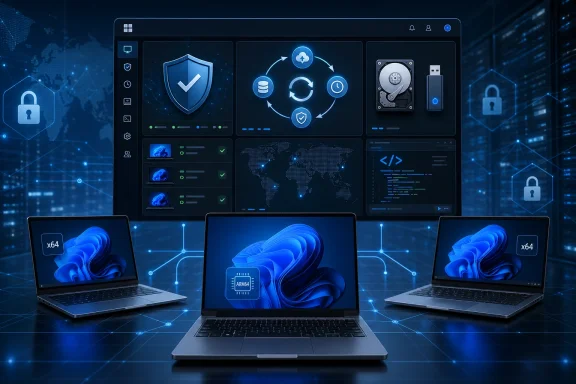 The Arm PC Has Reached the Boring Part of the Adoption Curve
The most important thing about Windows on Arm in 2026 is not that it is exciting. It is that it is becoming ordinary enough to create mundane IT problems.For years, Windows on Arm lived in the awkward space between promise and exception. The hardware was efficient, the battery life was attractive, and the fanless designs were easy to like, but application compatibility, driver support, and enterprise tooling often lagged behind the pitch. That made ARM Windows machines easier to admire than standardize.
The current generation of Snapdragon-powered Windows laptops has changed the conversation. Copilot+ PCs pushed ARM64 hardware into mainstream business procurement channels, and Microsoft’s Prism emulation layer in Windows 11 24H2 made the old compatibility objection less absolute. x86 and x64 applications still do not magically become native ARM applications, but more of them run well enough that users can plausibly forget which architecture is underneath.
That is precisely when endpoint management gets messy. Once a device is good enough for sales, consulting, health care, legal, finance, field work, or executive travel, it stops being a pilot and starts being part of the fleet. The risk is not that every organization will standardize on Arm overnight. The risk is that enough ARM machines will arrive through refresh cycles, special purchases, and user-driven demand that IT’s old assumptions quietly rot.
Acronis Is Chasing the Fleet, Not the Hype Cycle
Acronis Cyber Protect Cloud already sits in a crowded but important category: platforms that try to collapse backup, security, and endpoint operations into one service-provider-friendly console. For MSPs, that integration story matters because tool sprawl is not an abstract inconvenience. It is how tickets get missed, policies drift, and exceptions become habits.The new Windows on Arm agent extends that model to ARM64 Windows workloads. Acronis says the supported feature set includes remote installation, disk-level backup and recovery, file-level backup and recovery, backup and recovery through bootable media, anti-malware protection, self-protection, remote management, and cyber scripting. That is not the entire universe of endpoint management, but it covers the functions MSPs usually need before they can responsibly call a machine “managed.”
The distinction matters. A backup product that merely installs on ARM through emulation would be a halfway answer. Endpoint protection and recovery tooling touches low-level system behavior, storage, boot media, drivers, security hooks, and management workflows. Those are precisely the places where architecture differences tend to surface.
Acronis’s move is therefore less about checking a compatibility box and more about reducing the number of operational exceptions MSPs must carry. If a customer has Intel desktops, AMD workstations, cloud workloads, and ARM-based mobile PCs, the business case for a unified protection platform depends on the word unified surviving contact with the real inventory.
Backup Is Where Architecture Exceptions Become Business Risk
Windows on Arm often gets discussed through the lens of app compatibility, but backup and recovery are where the architecture question becomes more severe. If an accounting app runs slowly under emulation, the user complains. If a device cannot be restored cleanly after loss, ransomware, disk failure, or botched update work, the customer asks why the MSP allowed an unsupported endpoint into production.That is why disk-level and file-level recovery support is more important than it may sound. File recovery handles the common human disasters: deleted documents, overwritten spreadsheets, misplaced project folders, or browser-exported data that suddenly matters. Disk-level recovery addresses the uglier cases where the system itself is compromised, corrupted, or unrecoverable through normal Windows tools.
Bootable media support is especially notable because it reaches beyond sunny-day backup. A running operating system is a cooperative patient. A dead, encrypted, infected, or unbootable machine is not. Recovery workflows that depend entirely on an installed agent and a healthy OS can fail at the exact moment the customer most needs them.
For MSPs, this is where confidence is built or destroyed. A protection dashboard full of green checkmarks means little if no one has tested whether an ARM laptop can be restored on a bad day. Acronis adding the capability is the first step. Service providers still have to prove their own runbooks.
Security Coverage Cannot Stop at the Processor Boundary
The security case is more straightforward and more unforgiving. ARM-based Windows laptops hold the same kinds of business data as x86 machines: cached credentials, Teams conversations, OneDrive-synced files, browser sessions, VPN profiles, customer documents, and local copies of email attachments. Attackers do not care whether the CPU is elegant.The danger in mixed fleets is that policy coverage becomes uneven. A new class of device arrives, the backup agent is not quite ready, the anti-malware feature set is partial, remote scripts are avoided because no one is sure what works, and the endpoint ends up living in a gray zone. It is present in asset inventory but absent from the organization’s real control plane.
Acronis’s ARM support does not make Windows on Arm invulnerable, nor does it eliminate the need for Microsoft Defender, Intune, conditional access, patch discipline, least privilege, or identity hardening. What it does is remove one excuse for leaving ARM endpoints outside the MSP’s normal protection pattern. In security operations, removing excuses has practical value.
Self-protection support is also worth noting. Security and backup agents are frequent targets during ransomware intrusions because attackers want to disable the systems that would detect them or undo the damage. If ARM machines are going to be first-class business endpoints, their protection stack has to defend itself like one.
Prism Solved Enough of the App Problem to Expose the Management Problem
Microsoft’s investment in Prism has changed the Windows on Arm conversation in a subtle way. The better emulation gets, the less users think about architecture. That is a win for adoption, but it also means architecture differences become less visible to the very people creating demand for the devices.A user does not ask whether a laptop’s endpoint protection stack supports ARM64. They ask whether it is light, fast, quiet, and lasts through a flight. A department head does not run a boot media recovery test before approving a purchase. They see a new Windows laptop that runs Office, Teams, Edge, Chrome, line-of-business web apps, and enough legacy software to get through the week.
This is how fleet heterogeneity creeps in. Not through a grand architecture migration, but through dozens of reasonable local decisions. A sales team gets ARM laptops because battery life matters. A consulting group gets Copilot+ PCs because they are modern and portable. Executives get premium devices because they look and feel like the future. Suddenly the MSP is supporting a mixed estate whether or not the service catalog says so.
The irony is that Microsoft’s success in hiding the rough edges of Windows on Arm makes third-party management support more urgent, not less. If ARM devices felt obviously exotic, IT would quarantine them as special cases. As they become normal, they need normal controls.
MSPs Need Segmentation Before Standardization
Acronis’s support gives MSPs a path, but not an excuse to blur architectural differences immediately. The smart rollout pattern is to treat Windows on Arm as a defined endpoint class before folding it fully into the everyday fleet.That means identifying ARM64 systems deliberately, grouping them separately, and applying policies that match the supported feature set. It also means resisting the temptation to copy every x86 workstation policy onto ARM machines and assume parity. The right posture is not suspicion; it is controlled normalization.
A dedicated protection plan for ARM devices is a practical first move. It lets MSPs enable supported services such as backup, anti-malware, self-protection, remote management, and cyber scripting while avoiding features that may not yet behave identically across architectures. It also gives account teams a clean way to explain coverage to customers.
Testing has to go beyond installation. Remote deployment success is not the same thing as recovery readiness. MSPs should validate file restore, full disk recovery, bootable media workflows, anti-malware policy behavior, and scripted management on at least one representative ARM device model before scaling the plan across customers.
The Server Angle Is Early, but Not Irrelevant
The mention of Windows Server 2025 and later ARM versions is intriguing because the Windows on Arm discussion is still overwhelmingly client-focused. The server ecosystem is not where mainstream Windows administrators are feeling ARM pressure today. But support statements have a way of becoming strategically useful before they become operationally common.ARM servers already matter in hyperscale and cloud contexts, even if traditional Windows Server shops remain x86-dominated. If Microsoft’s ARM server story expands over time, backup and security vendors will need to be ready for workloads that do not fit the old Intel-and-AMD default. Acronis planting a flag here gives MSPs and service providers a cleaner story if customer infrastructure becomes more architecture-diverse.
Still, the near-term impact is endpoint-heavy. Windows 11 on Arm laptops are the devices likely to show up first in MSP-managed environments. They are also the devices most likely to be purchased outside a carefully staged infrastructure plan.
That makes the server support line more of a future-proofing signal than the headline. The operational urgency today is the laptop in the consultant’s bag, not the ARM Windows server in the rack.
The Single Console Promise Now Has to Survive Real Inventory
Acronis’s broader pitch has long been that service providers can manage protection, security, and endpoint operations from a single console with centralized policies. That pitch becomes more valuable as customer environments get more fragmented. It also becomes easier to disprove.A single console is only meaningful if it covers the devices customers actually use. The moment ARM laptops require a separate tool, a manual exception, or an unsupported workaround, the MSP loses some of the platform advantage. The cost is not just another login. It is another policy model, another audit gap, another place where technicians have to remember the caveat.
Mixed x86 and ARM environments are the real test. Most customers will not become ARM-only organizations. They will run standard x86 desktops, Intel or AMD laptops, specialized workstations, cloud services, Microsoft 365, and a growing number of ARM mobile endpoints. The operational question is whether the MSP can apply consistent protection expectations across that mixture.
Acronis’s answer is now stronger than it was. But the burden shifts to MSPs to update their onboarding checklists, procurement guidance, and customer conversations. Support that exists in the product does not protect devices that no one discovers, groups, or assigns to the right plan.
The Blind Spot Problem Is Bigger Than Acronis
This release also points to a larger issue in Windows endpoint management. The industry is entering a period where “Windows device” is no longer a sufficiently precise category. Architecture, silicon generation, AI hardware, emulation behavior, driver model, and firmware support can all affect the management experience.That does not mean every admin needs to become a processor expert. It does mean asset management needs to become less lazy. Knowing the OS version is not enough. Knowing the hardware architecture, device model, firmware state, security baseline, and management capability is increasingly part of basic endpoint hygiene.
The Windows ecosystem has been here before in different forms. The transitions from 32-bit to 64-bit Windows, from BIOS to UEFI, from spinning disks to SSDs, and from domain-joined PCs to cloud-managed endpoints all created periods where assumptions became dangerous. Windows on Arm is another such transition, though likely a slower and more uneven one.
Acronis is not solving that entire industry problem. No backup vendor can. But by supporting ARM64 Windows systems in its cloud protection platform, it reduces one area where MSPs might otherwise have postponed the work.
Customers Will Hear “AI PC,” but MSPs Should Hear “Recoverability”
The market language around Copilot+ PCs is heavy on AI acceleration, battery life, instant-on behavior, and premium mobility. Those are real selling points, but they are not the terms that should dominate MSP planning. For a service provider, the more important phrase is recoverable endpoint.A device that cannot be backed up consistently is not ready for sensitive business use. A device that cannot be remotely managed is more expensive to support than its purchase price suggests. A device that cannot be protected with the same anti-malware and self-defense expectations as the rest of the fleet is an exception waiting to become an incident.
That framing should also shape customer advice. MSPs do not need to discourage Windows on Arm adoption. In many roles, these machines make sense. But procurement should be tied to manageability, and manageability should be verified before a department buys twenty laptops because the first one impressed a vice president.
Acronis’s new agent gives MSPs a better basis for saying yes. It also gives them fewer excuses for not having a policy.
The Fine Print Still Belongs in the Runbook
The responsible reading of this release is positive but not breathless. ARM support for core Acronis Cyber Protect Cloud functions is useful, timely, and operationally relevant. It is not a declaration that every x86 management habit automatically transfers without testing.MSPs should expect some differences to remain across architectures, especially around drivers, boot environments, low-level tooling, and third-party integrations. Windows on Arm can emulate many user-mode x86 and x64 applications, but emulation is not a universal answer for kernel-mode components or hardware-specific dependencies. Endpoint protection and backup products often live close to those boundaries.
That is why documentation, pilot groups, and recovery drills matter. The correct question is not merely “Does the agent install?” It is “Can we deploy it remotely, apply the right policy, detect threats, prevent tampering, run scripts, recover files, recover disks, and explain the supported state to the customer?”
If the answer is yes, Windows on Arm becomes just another managed class of endpoint. If the answer is assumed rather than tested, it becomes a liability dressed up as modernization.
The New Acronis Agent Turns Arm Adoption Into an Operations Checklist
The useful lesson from this release is not that every business should rush into ARM laptops. It is that MSPs should stop treating ARM endpoints as oddities that can be handled later. Later is how unmanaged assets become breach reports.- Acronis Cyber Protect Cloud now supports core protection and management functions on supported Windows on Arm devices through a dedicated ARM agent.
- MSPs should identify ARM64 Windows systems in asset inventory before applying standard protection assumptions.
- ARM endpoints should initially receive their own policy group so supported features can be enabled cleanly and unsupported assumptions can be avoided.
- Backup validation should include file recovery, disk recovery, and bootable media workflows, not just successful job completion.
- Windows on Arm adoption is most likely to appear first in mobile business roles where battery life, portability, and quiet operation are valued.
- The practical risk is not ARM itself, but ARM devices entering customer environments faster than management standards are updated.
References
- Primary source: Acronis
Published: 2026-05-21T17:40:08.061206
Acronis Cyber Protect Cloud adds support for Windows on ARM devices
Windows on ARM is becoming increasingly relevant for business endpoints. Newer ARM-based Windows laptops are built for mobility, long battery life, quiet operation and on-device AI workloads. Acronis Cyber Protect Cloud now supports Windows on ARM devices for the core services MSPs need first... www.acronis.com
- Official source: learn.microsoft.com
How emulation works on Arm | Microsoft Learn
Learn how emulation for x86 and x64 apps makes the rich ecosystem of existing Win32 apps available on Arm devices.learn.microsoft.com - Related coverage: windowscentral.com
Your Windows 11 on Arm PC can now run even more x86 apps and games thanks to Microsoft's latest Prism emulation update | Windows Central
Microsoft has released an update for its Prism emulator that adds support for x86 apps that require AVX and AVX2 extensions, such as Ableton Live 12.www.windowscentral.com - Related coverage: beebom.com
Prism Emulation For Windows on ARM Explained | Beebom
We have explained the new Prism emulation layer for Windows on ARM PCs. It offers much better performance when running x86 apps.beebom.com - Official source: devblogs.microsoft.com
A Step Forward for Gaming on Arm Devices - DirectX Developer Blog
This year at Microsoft Build 2024 we announced a new set of Windows devices, Copilot+ PCs. Copilot+ PCs are a new class of Windows 11 PCs, includingdevblogs.microsoft.com - Related coverage: windowslatest.com
Windows 11 Build 27744 upgrades ARM support, improves Task Manager dark mode
Windows 11 Build 27744 is now available for testers with ARM support for running more x86 (64-bit) apps and games on Copilot+ PCs. www.windowslatest.com
- Related coverage: techradar.com
It took nearly a year, but Microsoft has finally improved Windows 11 to run more PC games on Arm laptops | TechRadar
Big Prism upgrade with Windows 11's October updatewww.techradar.com - Related coverage: tomshardware.com
Xbox app is now available on all Arm-based Windows 11 devices — Microsoft says ‘more than 85% of Game Pass catalog is compatible with these PCs’ | Tom's Hardware
This move opens gaming to Snapdragon X-powered laptops.www.tomshardware.com - Related coverage: dl.acronis.com
- Related coverage: signal65.com
- Related coverage: promo.acronis.com
- Related coverage: partners.acronis.com
FAQ Acronis Cyber Protect Cloud Licensing and Pricing Changes EN US
PDF documentpartners.acronis.com
