

Microsoft has pushed a late‑year security shift that changes the calculus for millions of Windows 10 users: an urgent Patch Tuesday plus a servicing-path correction mean that if you are still on Windows 10 you need to act now — and the choices you make this week could determine whether your PC stays patched or becomes a high‑value target.
Windows 10 reached the end of mainstream support in mid‑October, and Microsoft designed a short, time‑boxed bridge — the Consumer Extended Security Updates (ESU) program — to keep eligible devices receiving security‑only fixes through October 13, 2026. That bridge requires users to complete an in‑OS enrollment flow (or use a paid/rewards route) and to have specific prerequisite updates installed. Microsoft’s November and subsequent patch activity exposed a servicing gap: some eligible Windows 10 machines were not being enrolled and therefore were not receiving critical post‑EOL security rollups until Microsoft issued an out‑of‑band fix to restore the enrollment path.
At the same time, industry commentary and OEM disclosures have crystallized what had been a rumor: a very large population of Windows 10 devices will not migrate to Windows 11 in the near term. Dell’s public remarks and subsequent reporting put the scale of the problem in stark terms, describing roughly one‑billion active PCs that remain on Windows 10 and splitting that pool roughly in half between machines that could upgrade but haven’t, and machines that are not eligible for Windows 11. That split — commonly quoted as “about 500 million” non‑upgradable PCs — is directional and should be treated as an estimate, but it underpins the urgency: too many endpoints will be exposed if they’re not enrolled in ESU or upgraded.
The headlines called this a “security disaster” to light a fire under lagging action; the real answer is disciplined, practical maintenance: inventory, patch, enroll or migrate, and monitor. Failing to treat a post‑EOL Windows 10 device as a real security risk is no longer an acceptable posture — the cost of procrastination is now measured in exploitability, not just inconvenience.
Source: Forbes ‘Security Disaster’—Microsoft Fixes Windows 10, Act Now
 Background / Overview
Windows 10 reached the end of mainstream support in mid‑October, and Microsoft designed a short, time‑boxed bridge — the Consumer Extended Security Updates (ESU) program — to keep eligible devices receiving security‑only fixes through October 13, 2026. That bridge requires users to complete an in‑OS enrollment flow (or use a paid/rewards route) and to have specific prerequisite updates installed. Microsoft’s November and subsequent patch activity exposed a servicing gap: some eligible Windows 10 machines were not being enrolled and therefore were not receiving critical post‑EOL security rollups until Microsoft issued an out‑of‑band fix to restore the enrollment path.At the same time, industry commentary and OEM disclosures have crystallized what had been a rumor: a very large population of Windows 10 devices will not migrate to Windows 11 in the near term. Dell’s public remarks and subsequent reporting put the scale of the problem in stark terms, describing roughly one‑billion active PCs that remain on Windows 10 and splitting that pool roughly in half between machines that could upgrade but haven’t, and machines that are not eligible for Windows 11. That split — commonly quoted as “about 500 million” non‑upgradable PCs — is directional and should be treated as an estimate, but it underpins the urgency: too many endpoints will be exposed if they’re not enrolled in ESU or upgraded.
What changed this month: Patch cadence and the enrollment fix
The servicing problem Microsoft fixed
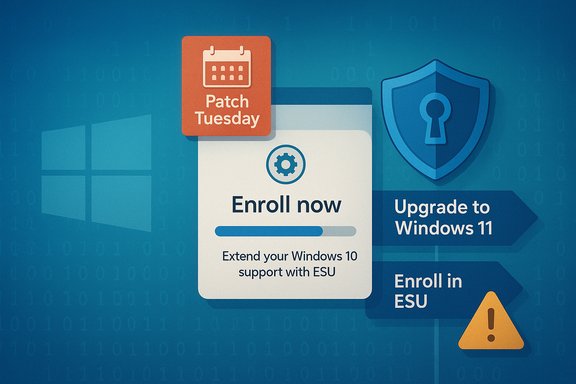
Microsoft released a small out‑of‑band update that repairs a broken ESU enrollment wizard on Windows 10 consumer devices. Without that fix, eligible PCs could see “Something went wrong” or simply never surface the “Enroll now” option in Settings → Update & Security → Windows Update. Once the out‑of‑band update is installed, the enrollment path is restored and devices can claim ESU entitlements and begin receiving the security rollups retroactively. This corrective update was rolled out because the staged enrollment rollout and a prerequisite cumulative update caused a subset of eligible devices to be blocked.Patch Tuesday reality: kernel zero‑days and active exploitation
Microsoft’s recent monthly security bundles included several high‑priority fixes, including a kernel elevation‑of‑privilege zero‑day that was reported as “exploited in the wild” and a clutch of critical RCE (remote code execution) items affecting UI subsystems. The presence of actively exploited zero‑days is the practical reason headlines became urgent: once a vulnerability is publicly disclosed and a patch is published, automated scanners and exploit tooling make unpatched machines attractive targets. For Windows 10 devices that are not enrolled in ESU, that window of exposure could be days or weeks.Who is affected — unpacking the numbers and the uncertain estimates
The population at risk
- Roughly one‑billion active PCs still run Windows 10 in current industry estimates; that pool includes machines that are eligible for a free upgrade to Windows 11 but haven’t been upgraded, plus a large chunk of devices that don’t meet Windows 11’s hardware baseline.
- Public statements and earnings commentary from OEMs suggested a split of about 50/50 between upgradeable-but-unupgraded machines and incompatible machines — a split that has been widely quoted as “about 500 million” devices in each category. Treat the figure as directional, not definitive; it’s useful for scale but organizations must run inventories to know their exact exposure.
Why the exact counts are hard to pin down
Hardware eligibility for Windows 11 depends on several factors (TPM 2.0 presence, Secure Boot, supported CPU generations, memory and disk minimums). OEM telemetry, manufacturer statements, and vendor market‑share data are imperfect proxies; they give a sense of scale but not device‑level truth. Public “500M” figures are estimates drawn from large vendor datasets and investor presentations — valuable as wake‑up signals, but insufficient to plan an enterprise migration without per‑device inventories.Extended Security Updates (ESU) — what it is and how it works
Consumer ESU: the essentials
- ESU is security‑only (no new features) and is time‑boxed to run through October 13, 2026 for consumer devices that enroll.
- Enrollment routes for consumers include: free enrollment by signing into the device with a Microsoft Account and enabling settings sync/backup; redeeming Microsoft Rewards points; or a one‑time paid purchase that can be applied across devices under the same Microsoft Account. Microsoft requires Windows 10, version 22H2 and specific servicing prerequisites for enrollment to appear.
Enrollment prerequisites and the KBs you must install
Several cumulative and servicing stack updates act as prerequisites for the ESU enrollment flow. If a device lacks those updates the “Enroll now” control may not appear. Microsoft patched a bug in an earlier cumulative that prevented enrollment for some users; the out‑of‑band corrective update further repaired the pathway for affected machines. If your device shows the Enroll control and you complete the wizard, ESU updates are delivered via Windows Update going forward — and enrollment is retroactive so backfilled updates are delivered to newly enrolled machines.Technical snapshot: the nature of the vulnerabilities patched
High‑risk vulnerability classes in the recent rollups
The most operationally significant items in the recent security waves include:- Kernel elevation‑of‑privilege zero‑days — these allow an attacker with any foothold on the machine to escalate to SYSTEM by exploiting a race condition or memory corruption in kernel code; Microsoft marked some as “Exploitation Detected.” Such vulnerabilities are force multipliers for attackers.
- GDI+ and UI subsystem RCEs — remote code execution bugs in graphics or windowing code that can be triggered by crafted content and used to run arbitrary code in the context of the logged‑in user.
- Credential disclosure and NTLM/LSA risks — certain vulnerabilities were reported to expose NTLM hashes or other sensitive materials that ease lateral movement once an account is compromised.
Immediate actions for consumers and IT admins
For consumers (clear, ordered steps)
- Verify your Windows 10 release: open Settings → System → About and confirm you’re on Windows 10, version 22H2. If not, install the latest cumulative updates first.
- Check Windows Update and install any offered cumulative updates and servicing stack updates (SSUs). If Windows Update offers KB5071959 (or the KB that repairs ESU enrollment), install it and reboot.
- Sign in to the PC with your Microsoft Account (if you are comfortable doing so) and look for Settings → Update & Security → Windows Update → Enroll now. Complete the wizard if present.
- If you prefer not to sign in with a Microsoft Account, consider the paid ESU route or plan to migrate/replace hardware. Keep a current, offline backup of your data before changing OS settings or performing upgrades.
For IT and enterprise teams (priorities and tactics)
- Inventory and triage: run an accurate hardware and OS inventory to classify devices into (a) Windows 11‑capable and upgradeable, (b) Windows 10 that can enroll in consumer ESU, and (c) Windows 10 devices that need another plan (isolation, segmentation, or replacement). OEM‑level numbers are directional; device‑level facts are mandatory.
- Enroll eligible endpoints in ESU where migration is not immediately possible; apply the Windows Update prerequisites and the enrollment repair patch where required. Consider network segmentation and compensating controls for remaining Windows 10 holdouts.
- Harden detection and monitoring: enable rich endpoint telemetry (PowerShell logging, Sysmon, EDR), centralize logs, and run aggressive hunts for indicators associated with local privilege escalation and post‑exploit behaviors, particularly during the first days after a large patch.
Strategic analysis — what Microsoft did well and where risks remain
Notable strengths in Microsoft’s response
- Rapid remediation of the enrollment pathway: Microsoft identified the enrollment problem and delivered an out‑of‑band corrective update to restore consumer ESU enrollments. That repair reduced the exposure window for many affected home users who otherwise would have been unable to receive post‑EOL security rollups. This is a pragmatic fix that prevented a more chaotic public fallout.
- Time‑boxed consumer ESU design: Microsoft’s decision to provide a one‑year, consumer ESU with flexible enrollment options (free via Microsoft Account, rewards, or paid purchase) gives households breathing room while still nudging long‑term migration to supported platforms. The backfill model (updates delivered after enrollment) is operationally sensible.
Where the approach creates operational and security risk
- Staged rollout fragility: The enrollment rollout and prerequisite KB dependencies created a brittle chain: missing a specific SSU or cumulative meant the in‑OS wizard never appeared. That fragility produced exactly the scenario we now see — many machines eligible for ESU could not claim it without additional fixes. Microsoft fixed it, but the incident highlights a process risk in staged servicing.
- Scale versus precision tradeoff: Public estimates that half a billion PCs are incompatible with Windows 11 are useful headline signals, but they mask wide variance by region, industry, and device age. The real problem for enterprise IT is not the headline number but device‑level risk and the cost of replacement, segmentation, or extended paid support. Overreliance on OEM aggregate numbers without device inventories risks under‑ or over‑investing in migrations.
- Privacy and account requirements: The free ESU enrollment option requires a Microsoft Account and settings sync — a point that will cause friction for privacy‑sensitive users and organizations that minimize cloud account linking on consumer devices. The account tie is a reasonable anti‑abuse control, but it does add a behavioral barrier to enrollment.
Longer‑term implications: migration, e‑waste, and vendor responsibility
The scale of remaining Windows 10 devices creates a three‑way policy choice for vendors, enterprises, and consumers: accelerate device refresh (costly and environmentally consequential), rely on paid/consumer ESU and treat the next year as a migration runway, or accept increased risk for legacy endpoints with compensating controls.- For enterprises, the correct path is inventory, segmentation, strict patch discipline, and a funded migration runway. ESU is a bridge, not a destination.
- For consumers, the realistic choices are to upgrade where supported, enroll in ESU, or plan device replacement. The availability of a paid ESU option and a free Microsoft Account pathway eases the immediate pressure but does not substitute for a durable upgrade plan.
- From a sustainability and vendor trust perspective, the industry must reconcile how to support older hardware without forcing wasteful replacement cycles. OEMs, Microsoft, and policymakers will be pressed to offer clear, affordable, and verifiable paths for secure computing that minimize environmental impact.
What to watch next (and what claims to treat with caution)
- Watch for follow‑up servicing notes from Microsoft and third‑party advisories: when Patch Tuesday publishes a fix, automated scanning and attacker activity usually follow. If you are unenrolled and a new bulletin appears, your exposure window may be measurable in days.
- Treat the “500 million” incompatible device number as an estimate. It is a directional warning that underscores the scale of the migration challenge rather than a precise, auditable metric. Device inventories are the only reliable source for operational planning.
- Verify KB identifiers and prerequisite update names before installing: the ESU enrollment path requires specific cumulative updates and SSUs. If the Enroll control doesn’t appear after installing updates, consult official update guidance or install the out‑of‑band fix that restores enrollment behavior.
Checklist: a concise to‑do for the next 48 hours
- Check Windows 10 build and install all pending Windows Update items now.
- If eligible, install the out‑of‑band enrollment repair KB if offered by Windows Update (or manually from Microsoft Update Catalog if required). Reboot and verify Enroll now appears.
- If you manage many devices: run an inventory, stage ESU enrollment for eligible devices, and harden network segmentation and detection on holdouts.
- Back up critical data before making major changes (upgrades, enrollment, or clean installs). Maintain offline copies and verify backups. (Best practice.
Conclusion
This episode is a practical reminder that lifecycle decisions have security consequences. Microsoft’s corrective out‑of‑band repair reduced the immediate servicing gap and the ESU program provides a pragmatic bridge, but the underlying reality remains: millions of Windows 10 machines — some upgradeable, many not — will need a managed path to stay secure. The safe play is clear: if your device is eligible for ESU, install the prerequisite updates, apply the enrollment fix if needed, and enroll; if your device can run Windows 11 and you want long‑term security, plan and execute an upgrade; if neither option is viable, isolate and harden the device while planning replacement.The headlines called this a “security disaster” to light a fire under lagging action; the real answer is disciplined, practical maintenance: inventory, patch, enroll or migrate, and monitor. Failing to treat a post‑EOL Windows 10 device as a real security risk is no longer an acceptable posture — the cost of procrastination is now measured in exploitability, not just inconvenience.
Source: Forbes ‘Security Disaster’—Microsoft Fixes Windows 10, Act Now
