

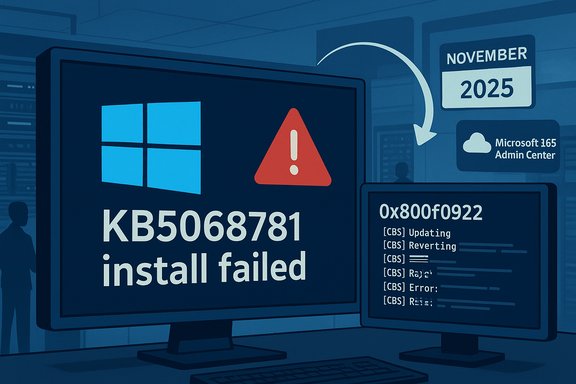
Microsoft’s November Patch Tuesday for Windows 10 — the first formal Extended Security Update (ESU) roll‑out since mainstream support ended — stumbled out of the gates when the ESU cumulative update KB5068781 failed to install on a subset of commercial devices, rolling back with error code 0x800f0922 (CBS_E_INSTALLERS_FAILED) for machines activated via subscription activation in the Microsoft 365 admin center; Microsoft acknowledged the problem and said it was under investigation as administrators scrambled to triage exposure and avoid a patching-induced outage.
Microsoft ended free mainstream support for Windows 10 on October 14, 2025, and offered an Extended Security Updates (ESU) pathway to provide continued security coverage for eligible devices that cannot immediately move to Windows 11. The ESU program is a short‑term bridge intended to keep critical and important security fixes flowing to Windows 10 endpoints through controlled entitlements. On November 11, 2025 Microsoft published the ESU cumulative update KB5068781 for ESU‑eligible Windows 10 builds (OS Builds 19044.6575 and 19045.6575). The KB included security hardenings and a servicing‑stack update (SSU) designed to improve update reliability. The package also corrected a misreported message introduced by October’s release that incorrectly told some systems, “Your version of Windows has reached the end of support.” Microsoft’s KB article described the update and initially listed no known issues. Simultaneously, Microsoft pushed an out‑of‑band (OOB) update, KB5071959, to repair an unrelated but time‑sensitive ESU enrollment bug that prevented some consumer devices from successfully enrolling in ESU. That emergency OOB was intended to restore enrollment flow for devices that saw a “Something went wrong” failure in the ESU wizard. The enrollment fix was published the same day administrators began reporting KB5068781 install rollbacks.
For administrators, the practical path is straightforward but time consuming: inventory activation methods, pause risky rollouts for subscription‑activated rings, apply KB5071959 where enrollment problems exist, verify SSU baselines, collect logs, and escalate with Microsoft when necessary. For Microsoft, the incident is a reminder that servicing reliability matters at least as much as visionary AI roadmaps; the safest route to acceptance for any new agentic capabilities is sustained confidence in the basics — updates that install cleanly and predictably on every activation path.
Source: theregister.com First Windows 10 ESU Patch Tuesday release fails for some
 Background / Overview
Microsoft ended free mainstream support for Windows 10 on October 14, 2025, and offered an Extended Security Updates (ESU) pathway to provide continued security coverage for eligible devices that cannot immediately move to Windows 11. The ESU program is a short‑term bridge intended to keep critical and important security fixes flowing to Windows 10 endpoints through controlled entitlements. On November 11, 2025 Microsoft published the ESU cumulative update KB5068781 for ESU‑eligible Windows 10 builds (OS Builds 19044.6575 and 19045.6575). The KB included security hardenings and a servicing‑stack update (SSU) designed to improve update reliability. The package also corrected a misreported message introduced by October’s release that incorrectly told some systems, “Your version of Windows has reached the end of support.” Microsoft’s KB article described the update and initially listed no known issues. Simultaneously, Microsoft pushed an out‑of‑band (OOB) update, KB5071959, to repair an unrelated but time‑sensitive ESU enrollment bug that prevented some consumer devices from successfully enrolling in ESU. That emergency OOB was intended to restore enrollment flow for devices that saw a “Something went wrong” failure in the ESU wizard. The enrollment fix was published the same day administrators began reporting KB5068781 install rollbacks. What actually went wrong
Symptom summary
- The November 11 ESU cumulative, KB5068781, appeared to install on affected devices but then rolled back after reboot with error 0x800f0922 and CBS logs showing CBS_E_INSTALLERS_FAILED. The rollback left machines at their pre‑update OS build and reported the install failure in Windows Update history. Microsoft said the failures are isolated to devices activated via subscription activation through the Microsoft 365 admin center.
- Separately, some consumer systems could not enroll in ESU because the enrollment wizard failed; Microsoft fixed that enrollment path with OOB update KB5071959 so eligible consumer devices could complete ESU enrollment and then receive cumulative security updates. The enrollment fix does not—per Microsoft—address the KB5068781 installation failures affecting subscription‑activated devices.
Where the error presents itself
Affected machines typically show the update apply stage succeed, reboot, and then roll back during the finalization phase. Administrators reported CBS log entries that indicate the servicing stack or installer components failed to complete configuration actions, yielding the 0x800f0922 / CBS_E_INSTALLERS_FAILED trace. The pattern points to a servicing or entitlement check that fails only when a device’s activation path is the subscription activation workflow.Why subscription activation matters
Subscription activation (sometimes called “Windows subscription activation” or activation via the Microsoft 365 Admin Center) is a relatively new activation vector where device entitlement is managed via Microsoft 365 tooling rather than traditional MAK/KMS or OEM retail activation. That path centralizes licensing for Microsoft 365 customers but introduces a dependency on cloud‑side entitlement and token validation during servicing operations. When servicing logic introduces checks that differ by activation method, you can get asymmetric outcomes across the estate. Microsoft’s acknowledgment narrowed the vector to subscription‑activated devices — a vital clue for admins doing rapid triage.Technical analysis — what the failure suggests
Servicing stack and certificate logic
KB5068781 shipped as a combined LCU + SSU package; Microsoft’s KB notes the SSU contains enhanced logic to verify whether a device is hosted on Azure and to validate an updated certificate chain. When SSU logic changes interact with activation/entitlement checks (especially those relying on cloud certificate chains or token validation), installation can fail if the device cannot complete a remote verification or if activation metadata is absent or unexpected. Missing or mismatched SSUs have long been a root cause for update failures, which is why Microsoft now bundles the SSU with LCUs and warns administrators to ensure the servicing stack baseline is current.Entitlement checks and installer flow
The CBS_E_INSTALLERS_FAILED marker is a generic way the Component Based Servicing (CBS) engine reports installer failures; the adjacent 0x800f0922 code often (but not always) appears when required installation actions cannot be completed because of servicing stack errors, insufficient disk space for system reserved partitions, or entitlement/license validation problems. In this case, because the failure correlates with subscription activation only, the most plausible failure point is a licensing/entitlement validation step in the LCU finalization that expects a different activation token type or certificate chain and then aborts. Microsoft’s early communications indicated they have isolated the activation vector and are investigating, which supports that hypothesis.Differentiation from the enrollment bug
It is crucial to separate two contemporaneous issues: one prevented enrollment into ESU (fixed with KB5071959); the other prevented the installation of the ESU cumulative on already‑entitled subscription‑activated devices (ongoing investigation). KB5071959 resolved the enrollment wizard failures for consumers and was published as an out‑of‑band update specifically for that purpose. That fix does not resolve the installation rollback on subscription‑activated commercial devices.Impact assessment — who is affected and how badly
Commercial customers using subscription activation
Enterprises or SMBs that have standardized on Microsoft 365 subscription activation for Windows licensing are the primary risk group. If large segments of an estate are subscription‑activated, administrator tooling (SCCM/MECM, WSUS, Intune) may show inconsistent compliance — some devices will report successful installation while subscription‑activated machines will continue to roll back. For organizations with regulatory patching requirements, this undermines compliance until Microsoft provides a fix or a documented workaround.Consumer and unmanaged devices
Most consumer devices were impacted by the enrollment wizard bug, not the KB5068781 installer failure. For consumers with enrollment issues, Microsoft’s OOB KB5071959 restored enrollment so those devices can now receive ESU monthly rollups. Consumers who are already enrolled were not required to install KB5071959 and, if enrolled correctly, should not see the subscription‑activation installer failure described for commercial devices.Operational and security risk
A failed cumulative rollup leaves endpoints unpatched for the set of CVEs addressed in that KB. Missing a November security update can be material if the LCU fixes high‑severity or actively exploited issues. The combination of an enrollment bug and an installer rollback in the first ESU month erodes confidence in the ESU path and increases the operational burden on patch teams forced to:- inventory activation types,
- pause or reroute deployments,
- open support cases with Microsoft, and
- apply compensating controls until a fix is available.
Practical triage and mitigation steps (for admins)
- Inventory activation methods across the estate immediately:
- Query your management stacks (Intune, SCCM/MECM, WSUS) to enumerate which devices are subscription‑activated vs. KMS/MAK/OEM.
- Pause automatic deployment of KB5068781 to subscription‑activated device rings:
- Use deployment rings and device groups to prevent widescale impact; allow non‑subscription‑activated cohorts to proceed if validated.
- Install KB5071959 where consumer enrollment failed:
- For consumer devices that cannot enroll, run Windows Update and install the out‑of‑band KB5071959 to restore enrollment functionality.
- Verify SSUs and servicing‑stack baselines:
- Confirm preconditions stated in Microsoft KBs are met (required prior SSUs or LCU baselines). Installing the correct SSU prior to an LCU can reduce install failure risk.
- Collect logs and open a Microsoft support case:
- Gather CBS logs (%windir%\Logs\CBS\CBS.log), WindowsUpdateClient logs, and slmgr output; escalate with Microsoft if you have purchased ESU entitlements and compliance obligations.
- Deploy compensating controls:
- Increase monitoring, tighten network segmentation, enforce least‑privilege, and apply virtual patching or WAF rules for services that may be exposed until endpoints are patched.
- Test fixes in small pilot rings:
- Once Microsoft publishes a remedial update or a KIR, validate the fix in a controlled pilot group before mass rollout.
Microsoft’s response and communications — strengths and weaknesses
Microsoft acted quickly on the enrollment problem: the company shipped an out‑of‑band update on the same day the problem became public to repair ESU enrollment for consumers (KB5071959) and documented the resolution in the Windows Release Health pages. That rapid OOB demonstrates Microsoft can and will ship emergency fixes outside the monthly cadence when enrollment or security flow is broken. However, the installation rollback for KB5068781 — affecting subscription‑activated devices — was only acknowledged and left under investigation without a published workaround or ETA for remediation at the time Microsoft made the statement. For organizations depending on predictable servicing and clear remediation timelines, the absence of a documented workaround or specific rolling timeline for a fix is problematic. The incident underscores the complexity introduced when activation, cloud entitlement, and servicing logic interact in unexpected ways.Broader context: quality, timing, and the optics of the Ignite week
Microsoft’s stumble arrives just ahead of its Ignite conference and amid an executive‑level push to position Windows as increasingly AI‑centric. Pavan Davuluri, head of Windows and Devices, publicly described Windows as “evolving into an agentic OS,” a message that triggered widespread user backlash and sharpened scrutiny of Microsoft’s priorities — many customers say they want stability and reliability before new agentic features. The ESU rollout problems therefore arrive at a sensitive moment: marketing that leans into AI agents can look tone‑deaf to administrators who are wrestling with basic update reliability. From a PR perspective, shipping an emergency enrollment fix is the right move. But releasing a cumulative that fails in a narrowly defined but impactful activation scenario undermines confidence in the ESU service model at a time when customers are deciding whether to invest in short‑term ESU entitlements or accelerate migrations to Windows 11. That decision is influenced not only by feature sets but by trust in Microsoft’s core servicing machinery.Risks and uncertainties (what we still don’t know)
- Microsoft’s public statement did not include an ETA for the KB5068781 fix; timing for a remedial patch and the mechanics (whether it will be a KIR, an updated LCU/SSU, or a targeted hotfix) were unspecified at publication time. Administrators should treat that as a live unknown and prioritize containment and logging.
- The interaction between subscription activation and cloud certificate/token validation in the servicing flow is plausible but not formally documented by Microsoft as the root cause. Until Microsoft publishes root‑cause analysis, any technical explanation is an informed inference based on observed symptoms and the servicing components involved. Flag such inferences in remediation communications.
- The scope of the installer failure across mixed‑platform estates (e.g., devices managed by third‑party MDMs, different network egress configurations, on‑prem Azure AD vs. hybrid devices) is not fully mapped. Organizations should assume edge cases exist and test broadly.
What this incident teaches IT teams about lifecycle planning
- Inventory activation and entitlement paths now — activation method matters for servicing. Enterprises must record whether endpoints are using subscription activation, KMS, MAK, or retail/OEM activation because that metadata can materially affect update outcomes.
- Keep servicing stack baselines current and validate required prerequisites before mass deployment. SSUs are not optional plumbing; they are often the gating factor for successful LCUs.
- Build playbooks for rapid triage of failed updates that include log collection, device classification by activation method, and staged rollback/pause strategies.
- Treat emergent OOB updates like critical emergency procedures: test quickly in small rings, then widen deployment once validated.
- Maintain a communications plan for non‑technical stakeholders — clear, factual messages prevent panic and clarify the organization’s approach to risk and compliance.
Conclusion
The first Windows 10 ESU Patch Tuesday release exposed a brittle seam in Microsoft’s servicing pipeline: when activation vectors, cloud entitlements, and updated servicing logic collide, the result can be asymmetric failures that leave certain populations of devices unpatched and administrators scrambling. Microsoft’s prompt out‑of‑band response to the enrollment wizard problem shows the company can act quickly, but the KB5068781 installer rollback on subscription‑activated devices — acknowledged but unresolved at the time of reporting — is a sharper test of operational trust.For administrators, the practical path is straightforward but time consuming: inventory activation methods, pause risky rollouts for subscription‑activated rings, apply KB5071959 where enrollment problems exist, verify SSU baselines, collect logs, and escalate with Microsoft when necessary. For Microsoft, the incident is a reminder that servicing reliability matters at least as much as visionary AI roadmaps; the safest route to acceptance for any new agentic capabilities is sustained confidence in the basics — updates that install cleanly and predictably on every activation path.
Source: theregister.com First Windows 10 ESU Patch Tuesday release fails for some
