

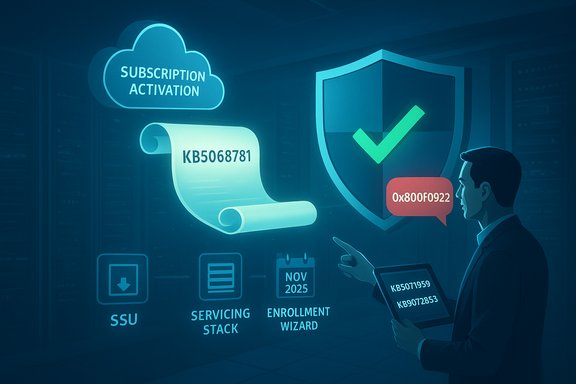
Microsoft’s first Extended Security Updates (ESU) rollup for Windows 10 hit a rocky patch in November — the security-only KB5068781 began rolling out on November 11, 2025, but some commercial devices activated via Windows Subscription Activation failed to apply the update and rolled back with installer errors (0x800f0922 / CBS_E_INSTALLERS_FAILED). Microsoft confirmed the installation failures were tied to subscription-activated devices and published targeted fixes and guidance to unblock affected systems.
Windows 10 reached its end of mainstream support on October 14, 2025. Microsoft provided a one‑year, time‑boxed safety net for eligible devices via the Windows 10 Extended Security Updates (ESU) program so that organizations and consumers who cannot upgrade immediately can still receive critical security patches through October 13, 2026. The ESU pathway for consumer and many commercial scenarios is gated by enrollment and licensing checks — a change that introduces new servicing dependencies compared with the regular Windows Update flow. The first ESU monthly cumulative for Windows 10 — KB5068781 — was issued on November 11, 2025 and included fixes to the OS update UI and a set of critical and important security mitigations published with Patch Tuesday. At the same time, Microsoft pushed an out‑of‑band consumer repair (KB5071959) to fix an enrollment wizard failure that prevented some home devices from completing ESU enrollment. For commercial scenarios, however, a different problem emerged: machines activated through the Microsoft 365 / Windows Subscription Activation path experienced installation failures for KB5068781 until Microsoft recommended and released additional preparatory licensing packages.
If a device still shows rollbacks after following Microsoft’s guidance, collect servicing logs, confirm activation state, and open a case with Microsoft support; provide CBS logs and the device’s activation/tenant metadata to accelerate resolution. The remediation path exists, but the episode underlines the need for clear prechecks and automation when the update pipeline depends on cloud‑connected licensing systems.
Source: heise online Windows 10: Out-of-Band Update Fixes Issues with First ESU Update
 Background / Overview
Windows 10 reached its end of mainstream support on October 14, 2025. Microsoft provided a one‑year, time‑boxed safety net for eligible devices via the Windows 10 Extended Security Updates (ESU) program so that organizations and consumers who cannot upgrade immediately can still receive critical security patches through October 13, 2026. The ESU pathway for consumer and many commercial scenarios is gated by enrollment and licensing checks — a change that introduces new servicing dependencies compared with the regular Windows Update flow. The first ESU monthly cumulative for Windows 10 — KB5068781 — was issued on November 11, 2025 and included fixes to the OS update UI and a set of critical and important security mitigations published with Patch Tuesday. At the same time, Microsoft pushed an out‑of‑band consumer repair (KB5071959) to fix an enrollment wizard failure that prevented some home devices from completing ESU enrollment. For commercial scenarios, however, a different problem emerged: machines activated through the Microsoft 365 / Windows Subscription Activation path experienced installation failures for KB5068781 until Microsoft recommended and released additional preparatory licensing packages. What happened: symptoms, scope and timeline
- November 11, 2025 — Microsoft releases KB5068781 (first ESU rollup) and publishes outage notes for the update channel. The same release window includes an out‑of‑band enrollment repair for consumers (KB5071959).
- After installation begins, some devices appear to download and install KB5068781 but then reboot and revert the changes. Logs and event traces recorded the error 0x800f0922 (CBS_E_INSTALLERS_FAILED) and the servicing stack reported installer rollback. Administrators observed the behavior primarily on devices activated via Windows Subscription Activation in the Microsoft 365 Admin Center.
- Microsoft narrowed the problem to subscription‑activated devices and recommended installing a licensing preparation package (KB5072653) where appropriate; after the preparatory package is applied, the ESU rollup can be applied successfully.
- Windows Update shows the ESU cumulative as installing, then after restart the system reports rollback and shows error 0x800f0922.
- CBS.log and Windows Update traces note servicing or installer component failures and entitlement/activation checks around the time of servicing.
- Affected devices predominantly used the subscription activation path (Microsoft 365 Admin Center) rather than retail/OEM activation or consumer in‑OS enrollment flows.
- Commercial / managed devices using Windows Subscription Activation via Microsoft 365 Admin Center were the primary group reporting KB5068781 failures. Consumer devices with enrollment wizard issues were addressed separately by KB5071959. Devices with standard retail/OEM activation that were already enrolled in ESU generally did not show the same rollbacks. Exact population size and geographic distribution were not published publicly and remain unknown.
The official fixes and the correct sequence
Microsoft published multiple artifacts to address the situation. The order and selection matter.- KB5068781 — November 11, 2025 ESU cumulative (first ESU monthly rollup). This is the security-only cumulative intended for ESU‑entitled machines. It includes fixes that resolve an incorrect “end of support” message in Settings and the latest security mitigations for Windows 10 ESU builds.
- KB5071959 — Out‑of‑band cumulative (published November 11, 2025) for consumer devices. It fixes an ESU enrollment wizard failure so consumer PCs that could not enroll can do so. This package is targeted at consumer 22H2 devices that are not yet enrolled in ESU.
- KB5072653 — Extended Security Updates (ESU) Licensing Preparation Package for Windows 10 (released November 17, 2025). Microsoft states this package must be applied after the October 2025 security update (KB5066791) and before certain ESU rollups in some commercial subscription activation scenarios; it prepares licensing/servicing metadata and was the recommended remediation for subscription‑activated devices facing KB5068781 failures.
Why the break occurred (technical analysis)
The publicly disclosed pattern and community traces point to three interacting causes:- Servicing stack / installer expectations and SSU sequencing. Microsoft now routinely bundles servicing stack updates (SSUs) with cumulative packages to reduce chained failures, but when servicing logic changes and entitlement checks are introduced, devices with certain activation paths can fail if the required servicing baseline or licensing metadata is not present. The KB packaging and SSU sequencing reduce that risk but aren’t immune to edge cases.
- Activation and entitlement differences (subscription activation). Windows Subscription Activation is a cloud‑managed entitlement model where device activation state is linked to Microsoft 365 tenant records. When servicing processes perform entitlement or licensing validations that differ by activation type, managed machines that rely on subscription tokens or tenant‑side metadata can present unexpected states to the installer. Those mismatches can cause the installer to abort and roll back rather than completing the servicing transaction. Microsoft acknowledged the failure was scoped to the subscription activation workflow.
- New gating for ESU delivery. ESU entitlements introduce new gating logic: devices must be correctly enrolled/licensed to receive ESU rollups. That extra check is intentional but introduces more moving parts into the update pipeline. Conditional gating plus regional rules and enrollment methods (MSA vs. org account, Rewards redemption, paid purchase, subscription activation) increase the surface for rollout friction.
What administrators and advanced users should do now — prioritized checklist
Follow this prioritized sequence to remediate and validate ESU installations on affected devices.- Confirm device eligibility and activation type
- Run winver to confirm Windows 10 version (22H2 or 21H2 builds). Check Settings → System → About for build numbers. If your fleet uses 22H2, that is the primary consumer ESU target; other SKUs and LTSC have different guidance.
- Check enrollment / licensing status
- For consumer devices: open Settings → Update & Security → Windows Update → look for the Enroll now flow; if it’s missing or failing, KB5071959 is the targeted repair.
- For commercial devices using Microsoft 365 subscription activation: verify the device shows subscription activation in the Microsoft 365 Admin Center or via your device management console. If the device is subscription‑activated, treat it as potentially impacted by the KB5068781 rollback behavior.
- Ensure prerequisite updates are installed (order matters)
- Confirm KB5066791 (October 14, 2025 baseline) or a later baseline is present. Microsoft’s KB for KB5072653 states that KB5066791 must be installed before KB5072653.
- Apply Microsoft’s recommended packages
- Consumer enrollment failures: install KB5071959 (OOB cumulative) and reboot. After reboot, re‑run the ESU Enroll now flow.
- Subscription‑activated commercial failures: install KB5072653 (ESU Licensing Preparation Package) after the October baseline, reboot, then reattempt KB5068781. If Windows Update doesn’t offer KB5072653 automatically, obtain it via the Microsoft Update Catalog and install in the correct order.
- Monitor installation logs and validate
- Review the servicing logs: %windir%\Logs\CBS\CBS.log and Windows Update logs to confirm success or to capture the 0x800f0922 traces for further triage. Check local activation state via Settings → System → Activation and confirm the device shows the expected entitlement after remediation.
- For offline or tightly controlled environments
- Download the MSU/CAB packages for the SSU, KB5072653 (if required), and KB5068781 and stage them. Install SSU first if manual ordering is necessary. Validate checksums and test on a pilot group before broad deployment.
- If installations still fail
- Escalate to Microsoft support and provide CBS logs, systeminfo output, and clear evidence of subscription activation state. Where appropriate, open a ticket through the Microsoft 365 Admin Center and reference the Microsoft KB guidance for the specific packages.
Practical examples (commands and checks)
- Confirm OS/build: run winver or view Settings → System → About.
- Inspect activation: Settings → System → Activation (shows “Windows is activated with a digital license linked to your Microsoft account” or “Activated by organization via Subscription Activation”).
- Look at servicing logs: open %windir%\Logs\CBS\CBS.log (or use Event Viewer → Applications and Services Logs → Microsoft → Windows → Servicing).
- Manual package retrieval: use the Microsoft Update Catalog and filter by KB number (e.g., KB5072653, KB5071959, KB5068781) for MSU/CAB files.
Wider implications and risk assessment
- Operational fragility of ESU gating. The ESU model introduces licensing/entitlement gating that is necessary for a paid/managed extended support model, but it also increases the complexity of servicing. The KB5071959 and KB5072653 interventions show how quickly small state mismatches can cascade into failed servicing for a subset of devices. Organizations should treat ESU as a temporary runway and minimize long-term reliance on it.
- Cloud‑driven activation introduces subtle failure modes. Subscription activation simplifies license management at scale, but it creates a coupling between cloud entitlement state and local servicing behavior. Where cloud calls fail or token state is inconsistent, installers may abort rather than completing, which can leave devices in a partially serviced state. IT teams must include activation verification in update playbooks.
- Security urgency remains real. November’s ESU rollup included high‑severity and actively exploited vulnerabilities, including a Windows kernel elevation‑of‑privilege zero‑day tracked as CVE‑2025‑62215. The combination of a patched zero‑day and blocked rollouts made the remediation priority higher: devices that could not successfully enroll or apply ESU rollups remained exposed to active attacks. Administrators should prioritize applying the Microsoft‑recommended preparations and patches before a threat actor finds and exploits that window.
- Compliance tooling considerations. Organizations that perform compliance checks using WSUS Scan Cab or similar metadata‑driven systems should expect updated scan cabs and metadata. Microsoft continues to publish updated Scan Cab artifacts for administrators who use offline compliance tooling; if you rely on such tooling, monitor Microsoft’s message center or internal update feeds for updated scan cab releases.
Strengths in Microsoft’s response — and where it could improve
Strengths- Rapid triage and targeted fixes. Microsoft pushed both a consumer out‑of‑band repair (KB5071959) and a licensing preparation package (KB5072653) rather than waiting for the normal monthly cadence, minimizing windows of exposure for vulnerable systems.
- Bundled servicing stack updates. Pairing SSUs with cumulative updates reduces a common root cause of update failures and simplifies manual remediation for administrators who must stage updates.
- Clear, actionable guidance for installers. Microsoft specified prerequisites and installation order for the ESU preparation package, which helps admins reduce trial‑and‑error during remediation.
- Transparency and telemetry for enrollment failures. The enrollment wizard and subscription activation paths exposed vague errors to end users (e.g., “Something went wrong” or “Temporarily unavailable in your region”), creating unnecessary confusion. Better client diagnostics and clearer error messages would speed remediation and reduce help‑desk load.
- Staged validation for subscription activation scenarios. Subscription activation is widely used by organizations, and problems in that path should be included earlier in staged rollouts and automated validation before a mass ESU cumulative is issued.
- More proactive guidance for large managed fleets. Organizations with mixed activation types need clear, centralized guidance on how to detect subscription‑activated devices and what prechecks to automate ahead of ESU rollups. Microsoft’s KBs provide the instructions, but earlier and more prominent tooling guidance for large IT estates would reduce exposure.
Red flags and unverifiable items (caveats)
- Public reporting and community telemetry corroborate the failure patterns and Microsoft’s diagnosis, but Microsoft has not published exact counts of impacted devices or a detailed timeline of which tenants or regions were temporarily affected. Any claims about the percentage of devices impacted should be treated as estimates unless Microsoft releases firm telemetry.
- The deliverability and staging of Scan Cab updates vary by environment and third‑party tooling; administrators should verify with their patch management vendor whether they need to import a revised Scan Cab for their compliance checks. Microsoft posts Scan Cab updates separately and those notices should be monitored by WSUS/SCUP/third‑party patch teams.
Practical recommendations (operational checklist for the next 30–90 days)
- Prioritize remediation of devices that fail with 0x800f0922:
- Confirm activation type and enrollment state.
- Install KB5066791 (October baseline) if missing, then KB5072653 where applicable, reboot, and reattempt KB5068781.
- Automate entitlement verification:
- Add activation‑type checks to update orchestration scripts or device inventory reports so subscription‑activated devices are flagged for the KB5072653 preparatory step before ESU rollup deployment.
- Run a pilot group:
- Always stage the SSU + LCU sequence on a small, representative pilot (including subscription‑activated devices) before broad deployment. Document failure modes and establish a rapid rollback and support path.
- Keep an eye on high‑risk endpoints:
- Patch jump hosts, domain controllers, and administrative workstations first because kernel privilege escalation vulnerabilities (e.g., CVE‑2025‑62215) make local privilege escalation especially valuable to attackers.
- Review compliance tooling:
- Ensure Scan Cab metadata is current for your WSUS/patch management tools; import Microsoft’s updated Scan Cab when published and cross‑check compliance reports for devices flagged as non‑compliant.
Conclusion
Microsoft’s November ESU rollout illustrated a classic engineering tradeoff: gating updates behind license and entitlement checks protects commercial business models and enforces program constraints, but it also adds operational complexity to the update pipeline. The installer rollbacks (0x800f0922) on subscription‑activated Windows 10 devices were real and disruptive — but Microsoft responded quickly with targeted fixes (KB5071959 for consumer enrollment issues and KB5072653 as a licensing preparation package for commercial devices), and the November ESU cumulative (KB5068781) can be installed on properly prepared systems. Administrators should treat the incident as a reminder that end‑of‑life scenarios demand careful sequencing, activation validation, and pilot testing — and that ESU is a temporary bridge, not a permanent substitute for migration to a supported platform.If a device still shows rollbacks after following Microsoft’s guidance, collect servicing logs, confirm activation state, and open a case with Microsoft support; provide CBS logs and the device’s activation/tenant metadata to accelerate resolution. The remediation path exists, but the episode underlines the need for clear prechecks and automation when the update pipeline depends on cloud‑connected licensing systems.
Source: heise online Windows 10: Out-of-Band Update Fixes Issues with First ESU Update
