

I spent more than five years inside Notion’s orbit, but quitting it for AFFiNE has been the single most practical change to how I capture, plan, and organize work—and the experience is instructive for anyone considering a self-hosted, open-source Notion alternative. rview
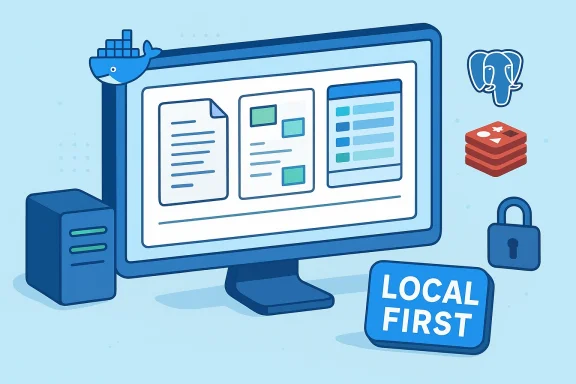
AFFiNE bills itself as a local‑first, open‑source workspace that blends documents, whiteboards, and databases into a single canvas. The project’s repository and public documentation emphasize an edgeless canvas model where blocks—rich text, sticky notes, embedded content, multi‑view databases, shapes, and more—coexist and interact in the same space. That pitch puts AFFiNE squarely in the same functional neighborhood as Notion and Miro, while steering users toward self‑management and data ownership.
MakeUseOf’s first‑person report (the piece I’m responding to) follows a typical migration arc: skepticism about a new tool, a staged move of core workflows, and a mixture of delight and friction once self‑hosting enters the picture. The author highlights three core attractions: a merged docs/whiteboard experience, improved table and spreadsheet workflows compared with Notion’s databasesal/security benefits of local‑first storage.
This article unpacks those claims, verifies technical specifics, and offers a practical playbook for anyone thinking about switching—covering features, self‑host mechanics, real‑world tradeoffs, and the hidden costs of running your own platform.
Notion became the internet’s go‑to “second brain” because it’s flexible and integrates docs, databases, and simple task flows. Still, a few recurring complaints push users toward alternatives:
If you decide to try AFFiNE, plan your migration as a deliberate refactor: rebuild the critical workflows first, establish robust backups, and choose a network exposure strategy (DDNS for simplicity, reverse tunnel for reliability). Those pragmatic steps will turn the initial friction of self‑hosting into a long‑term win: a single workspace that lives on your terms, not theirs.
In short: AFFiNE is not a drop‑in perfect Notion clone—and it doesn’t have to be. For people who want a self‑hosted Notion alternative with a local‑first design, merged docs and whiteboards, and a Docker‑friendly deployment footprint, it’s absolutely worth a principled try.
Source: MakeUseOf I switched from Notion to AFFiNE, here's how it's going
AFFiNE bills itself as a local‑first, open‑source workspace that blends documents, whiteboards, and databases into a single canvas. The project’s repository and public documentation emphasize an edgeless canvas model where blocks—rich text, sticky notes, embedded content, multi‑view databases, shapes, and more—coexist and interact in the same space. That pitch puts AFFiNE squarely in the same functional neighborhood as Notion and Miro, while steering users toward self‑management and data ownership.
MakeUseOf’s first‑person report (the piece I’m responding to) follows a typical migration arc: skepticism about a new tool, a staged move of core workflows, and a mixture of delight and friction once self‑hosting enters the picture. The author highlights three core attractions: a merged docs/whiteboard experience, improved table and spreadsheet workflows compared with Notion’s databasesal/security benefits of local‑first storage.
This article unpacks those claims, verifies technical specifics, and offers a practical playbook for anyone thinking about switching—covering features, self‑host mechanics, real‑world tradeoffs, and the hidden costs of running your own platform.
 Why people break up with Notion: the common pain points
Notion became the internet’s go‑to “second brain” because it’s flexible and integrates docs, databases, and simple task flows. Still, a few recurring complaints push users toward alternatives:- Subscription creep and vendor lock‑in. Paying for storage/advanced features and worrying about data permanence are common motivators for leaving a hosted SaaS.
- Data modeling limits. Power users who live in spreadsheets often find Notion’s databases restrictive compared with Excel/Sheets, especially when you want arbitrary cell references and complex ranges rolumn‑centric formulas.
- Feature dependency. Relying on a proprietary roadmap means you can’t always shape the tool to your workflow.
What AFFiNE brings to the table
A single canvas for multiple modes
AFFiNE’s core architectural claim is the convergence of docs, whiteboards, and databases into one “edgeless canvas.” The GitHub project and marketing materials describe a block‑based editor where structured data and freeform visual thinking live together. That means you can draft a structured outline, visually map relationships on the same page, and add spreadsheet‑style tables without switching apps. This is a deliberate design that differentiates AFFiNE from purely document‑first or purely canvas‑first apps.Local‑first, with optional cloud sync
AFFiNE promotes a local‑first philosophy: your data is stored locally (in the client/browser) and can sync to a backend when configured. That reverses the SaaS default—where the cloud is primary—and it’s the core privacy/ownership selling point. The documentation, product pages, and community threads make this explicit: self‑hosting gives you the same features, but the hosting model is yours.Open source and self‑hostable stack
The project is available on GitHub and the team provides an official Docker deployment approach. The community and repo document the typical stack for self‑hosting: an AFFiNE service container, Redis for caching/ephemeral state, and PostgreSQL for persistent storage. The official Docker repository and docs provide compose examples and explain where to map persistent volumes for config and blob storage. These technical references validate the MakeUseOf author’s account of the usual Docker‑Compose based self‑host pattern.Moving in: migration and workflow changes that matter
Treat it as a refactor, not a 1:1 port
The MakeUseOf author’s migration strategy is instructive: instead of bulk importing years of notes, focus on daily active systems—your editorial calendar, living databases, and active projects—and rebuild the rest as needed. AFFiNE accepts Markdown‑like imports from Notion exports, but the most produecreate* critical pages in AFFiNE’s block editor and archive the rest. That’s practical: migrations are opportunities to clean up cruft and rethink data models.Expect to rebuild some structure manually
Notion’s internal database linking and unique formulas don’t always map perfectly to other systems. AFFiNE’s block model makes building wikis and linked notes straightforward, but some advanced Notion database features will need manual redesign. If your Notion workspace is heavih cross‑database rollups, count on designing equivalent database views and relations in AFFiNE rather than automating a perfect conversion.Under the hood: self‑hosting AFFiNE step‑by‑step (technical deep dive)
If you’re comfortable with Docker and basic Linux administration, self‑hosting AFFiNE is achievable. Here’s what to validate and expect.Typical architecture
- AFFiNE application container (official image variants are published and referenced in community examples).
- Redis for caching and real‑time state.
- PostgreSQL for persistent data (workspaces, users, metadata).
- Volumes mapped for persistent config and blob storage (attachments, documents).
- Optional reverse proxy (Nginx/Traefik) to handle TLS and virtual hosts.
Minimal Docker Compose checklist
- Define a Postgres service with a persistent data volume and secure credentials.
- Define Redis with a healthcheck; AFFiNE waits for both services during startup.
- Mount host paths for config (/root/.affine/config) and blob storage (/root/.affine/storage) into the AFFiNE container.
- Expose ports you plan to proxy (many examples show ports 3010 and 5555).
- Use environment variables to set DB and Redis connection strings and admin credentials.
- Use a migration/predeploy job (many Compose templates include a self‑host predeploy script to initialize schemas).
Common gotchas from the community
- Some users report difficulties creating the initial admin account unless environment variables and migration jobs are correct—community issues show this crop up and point to Compose versions and volume mapping as the usual suspects. Test in a VM and validate that the migration job runs successfully before trusting the instance with production data.
- The “Ask AI / Copilot” features require extra configuration (API keys and environment variables) on self‑hosted deployments if you want integrated AI features; community threads document how to inject an OpenAI API key into the plugin configuration for the copilot. If you expect on‑box AI functionality, plan that work into the deployment. ([github.comtoeverything/AFFiNE/discussions/10549)
Networking realities: exposing AFFiNE beyond your LAN
Self‑hosting at home works great until your external IP or router complicates remote access. The MakeUseOf author documented this tension: the software side was simple, but consumer ISP realities—dynamic WAN IPs and NAT—made remote reachability an operational headache.Practical options
- Dynamic DNS (DDNS): Use a DDNS provider such as DuckDNS or FreeDNS to map a stable hostname to your changing home IP. Most routers support DDNS clients or you can run a small updater inside your network. This is the simplest path for single‑user setups. Authoritative DDNS docs and community tutorials explain the process in detail.
- Reverse SSH tunnel / autossh: If you have a small public VPS, run an outbound tunnel from your home server to the VPS and proxy connections through the VPS. This avoids exposing your home IP and sidesteps ISP dynamic IP headaches at the cost of running and securing an external host. Guides and blog posts show autossh + systemd as a reliable pattern.
- VPN terminator or third‑party tunneling services: Tools like Tailscale or Cloudflare Tunnel provide simpler ways to expose services securely, at the cost of depending on another provider/service.
The maintenance tradeoffs: what you gain vs what you must run
Self‑hosting promises control, but it also demands resources and attention.- Gains
- Data ownership: Your blobs and workspace metadata remain under your control when you self‑host. AFFiNE’s local‑first design reduces the risk of losing access due to corporate policy changes.
- Customizability: You can add plugins, change retention policies, or alter authentication—something impossible on a locked hosted SaaS.
- Cost flexibility: While AFFiNE offers hosted plans, self‑hosting lets you amortize costs into infrastructure you already run (a home server, VPS, or cloud VM).
- Costs
- Operational overhead: Backups, updates, TLS rg become your responsibility. Community reports show updates can break admin creation or require reconfiguration if the deployment isn’t disciplined. Plan backups of both Postgres and blob storage and test restores regularly.
- Network reliability: Home ISPs and dynamic IPs create intermittent availability unless you invest in a static IP or a more robust tunneling solution. The user’s frustration when DNS lags or the IP flips is real and will bite during travel or critical remote work.
- Security responsibility: You must secure the reverse proxy, TLS keys, and the server itself. A misconfigured proxy or exposed Docker socket can become a major risk.
Security & privacy analysis
AFFiNE’s local‑first model reduces systemic risk from a privacy perspective—your data is accessible locally and only syncs when you point a workspace at your server. That said:- Self‑hosted is not automatically secure. Running AFFiNE behind a properly configured reverse proxy with HTTPS, enforcing strong admin passwords, enabling fail2ban/ufw, and keeping the container images up to date are non‑optional if you care about confidentiality and integrity.
- Third‑party dependencies matter. The stack includes Redis and PostgreSQL; misconfigured Redis instances or exposed Postgres ports have historically been a large attack surface for self‑hosted apps. Treat these services as production services: firewall them, use local sockets when possible, and restrict access to the application network.
- AI features introduce data flow risks. Copilot and “Ask AI” plugins may require sending content to external APIs. On self‑hosted instances you must explicitly provide API keys and decide which data can leave your environment; review logs and plugin configs before enabling AI features. Community issues show those features do not magically work the same in self‑hosted mode without extra configuration.
A pragmatic migration playbook (step‑by‑step)
- Audit: list active Notion pages, daildatabases you use most often. Prioritize which must move first.
- Export & archive: run a Notion export for historical content and store a copy in an immutable archive (zip + cloud backup).
- Test server: spin up AFFiNE in a disposable VM or cloud droplet using the official Docker Compose examples; confirm migrations run and that you can create an admin user.
- Rebuild core pages: manually recreate the editorial calendar, personal KB, and mission‑critical dashboards first—cleaning up duplicates in the process. AFFiNE’s block editor and canvas model often rewards rethinking layouts rather than slavishly copying Notion structures.
- Configure backups: schedule consistent Postgres dumps and blob storage syncs; test restore procedures.
- Plan remote access: set up DDNS for single‑user use or an autossh reverse tunnel/VPS for team access; put a reverse proxy with TLS in front of the app.
- Harden: close unneeded ports, enable account lockouts, and avoid publishing container management endpoints (like Portainer) to the internet without strong auth.
- Roll forward: migrate a small team or a subset of workflows for 2–4 weeks before committing fully; use that period to tweak sync, access, and backups.
Strengths, weaknesses, and verdict
Strengths
- Control and ownership. AFFiNE’s local‑first stance and self‑hosting options reduce vendor lock‑in and support long‑term ownership of your knowledge base.
- Unified canvas. Documents, visuals, and structured data living on one canvas is a real productivity multiplier if your work mixes freeform thinking with structured tracking.
- Open‑source ecosystem. You can inspect, modify, and extend the software—an important distinction from closed SaaS.
Weaknesses / Risks
- Operational overhead. Expect to spend a nontrivial amount of time on updates, backups, and networking if you self‑host. Community threads show that small misconfigurations can cause startup/admin issues after updates.
- Edge cases in migration. Complex Notion database formulas, rollups, and cross‑workspace automations rarely translate directly.
- Managed hosted parity. Some hosted features (especially integrated AI or managed backups) may require additional configuration or simply be less convenient on self‑hosted instances.
Who should switch to AFFiNE (and who should not)
Switch if:- You run other self‑hosted services and want knowledge data to live under the same backup and security regime.
- You prioritize data ownership and are comfortable with the tools required to maintain a small server stack.
- You value a unified canvas approach that mixes documents, whiteboards, and databases.
- You need absolute zero‑maintenance reliability and 100% uptime with minimal admin work.
- Your workspace depends on complex Notion automations, third‑party Notion integrations, or you’re part of a large organization that needs guaranteed vendor SLAs.
Final thoughts
The MakeUseOf author’s move from Notion to AFFiNE reads like a pattern many of us will repeat in the next few years: as the subscription economy grows, more people will seek ownership over how they work. AFFiNE’s local‑first, open‑source approach is a credible Notion alternative for people who are willing to trade some convenience for control and privacy. The developer resources and Docker‑based deployment are mature enough for technically inclined users; the community has already documented common pitfalls and workarounds for initial admin creation, AI plugin setup, and blob storage mapping.If you decide to try AFFiNE, plan your migration as a deliberate refactor: rebuild the critical workflows first, establish robust backups, and choose a network exposure strategy (DDNS for simplicity, reverse tunnel for reliability). Those pragmatic steps will turn the initial friction of self‑hosting into a long‑term win: a single workspace that lives on your terms, not theirs.
In short: AFFiNE is not a drop‑in perfect Notion clone—and it doesn’t have to be. For people who want a self‑hosted Notion alternative with a local‑first design, merged docs and whiteboards, and a Docker‑friendly deployment footprint, it’s absolutely worth a principled try.
Source: MakeUseOf I switched from Notion to AFFiNE, here's how it's going
