Agentic Modernization: Microsoft AI Driven End to End Cloud Modernization

  • Thread Author
Microsoft’s latest push to reframe cloud modernization is not a single product update—it’s a new operating model: agentic, connected, and designed to fold developers and IT into one continuous modernization motion that runs from discovery through deployment.

Blue infographic showing AI cloud migration workflow with code assessments and upgrade plan.Background / Overview​

Microsoft this month unveiled what it calls the first end‑to‑end, agentic modernization solution that stitches Azure Copilot and GitHub Copilot into a coordinated workflow for discovery, assessment, planning, migration, and code modernization. The headline elements are two purpose‑built agents—an Azure Copilot migration agent that surfaces inventory, dependencies, cost, and migration plans, and a GitHub Copilot modernization agent that analyzes code, produces tailored upgrade plans, and can execute framework and runtime upgrades inside developer workflows. Those software agents are reinforced by Microsoft’s delivery program (Cloud Accelerate Factory as part of Azure Accelerate) to move proofs‑of‑concept toward production with hands‑on expert support.
This is important because modernization is increasingly framed as the foundation for AI adoption: without modernized applications and data estates, organizations cannot reliably deploy AI at scale. Microsoft positions its multi‑agent approach as a way to collapse months of manual assessment into minutes of agent‑driven conversation, while keeping humans in control of decisions, validation, and governance.

Why "agentic" modernization matters​

Modernization projects routinely fail or stall because the work is fragmented across teams, tools, and organizational boundaries. Developers change code without a clear view of landing zones and governance; migration teams plan infrastructure without enough code context; data teams find data locked in systems that are hard to adapt for AI workloads.
Agentic modernization promises to address those gaps by:
  • Offering parallel, specialized agents that each observe different signals (telemetry, code, infra, databases) and produce coordinated outputs.
  • Creating one connected workflow where insights produced by a code‑level agent feed migration planners and landing‑zone decisions, and vice versa.
  • Turning a single migration project into an ongoing modernization motion so teams continually assess, prioritize, and upgrade workloads rather than treating modernization as a one‑off activity.
This matters in practice because the cost of late discovery—security gaps, incompatible runtimes, governance mismatches—routinely dwarfs the cost of earlier investment in discovery and planning. Bringing context into the planning phase through automated code analysis and dependency mapping reduces that late‑stage rework.

What Microsoft announced (the product pieces)​

Azure Copilot migration agent (public preview)​

The migration agent is described as an agent that automates discovery, dependency mapping, cost estimation, and wave planning for VMs, servers, applications, and databases. The pitch: use what you already know about your environment to create a continuous modernization system that produces decision‑ready plans in minutes rather than months.
Key characteristics:
  • Automated inventory and dependency mapping spanning servers, VMs, databases, and applications.
  • Cost visibility and workload prioritization to recommend migration waves.
  • Integration with existing Azure migration tooling to move from assessment to execution.
  • Public preview availability so organizations can trial the agent under controlled conditions.

GitHub Copilot modernization agent (public preview)​

This agent focuses on the code side of modernization. It can:
  • Run multiple code assessments in parallel.
  • Create a tailored modernization plan per application (framework upgrades, dependency updates, recommended refactors).
  • Execute automated upgrades (for .NET, Java, and other runtimes where supported), and deploy changes to Azure while keeping developers in the loop for review and validation.
GitHub’s agentic tooling is embedded where developers work—IDEs, pull requests, the Copilot Agents panel—so modernization becomes part of developer workflows instead of a distant program run by a separate migration team.

Cloud Accelerate Factory / Azure Accelerate​

Microsoft couples these product capabilities with a delivery vehicle—Cloud Accelerate Factory—designed to operationalize modernization at scale. The Factory combines zero‑cost, hands‑on delivery from Microsoft engineers with structured delivery across applications, infra, and data. The goal: move from discovery and planning to measurable engineering delivery, often in days or weeks, not months.

How the agents "play together" — the orchestration model​

The single most strategic piece of Microsoft’s pitch is not any one agent; it’s the integration across agents and the handoff between discovery, code modernization, and migration planning.
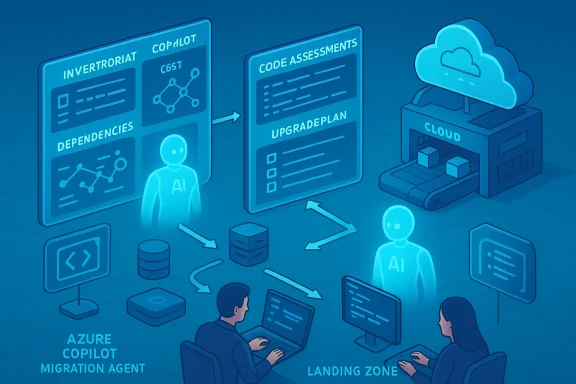
  • GitHub Copilot modernization agents scan codebases and output detailed assessment reports: breaking changes, runtime incompatibilities, suggested refactors.
  • Azure Copilot migration agent consumes those reports to refine readiness assessments and pick the right Azure target for each workload.
  • Migration planning then factors in code‑level signals (e.g., “this app needs a major framework upgrade”) against infra-level constraints (networking, landing zone governance, cost targets) to generate wave recommendations.
  • Execution is coordinated: code upgrades, CI/CD changes, infrastructure setup, and database migration steps are executed as an orchestrated sequence with guardrails and human approvals.
In other words: developer‑level insights inform migration planning, and migration planning constrains developer choices—closing the historical loop of late mismatches.

Why databases matter in the agentic model​

Databases are the crown jewels of modernization because AI depends on data quality, freshness, and accessibility. Microsoft’s position is straightforward: moving databases to managed Azure services unlocks scale, observability, and AI‑native capabilities (semantic search, memory integration, native model invocation). The practical benefits of managed services include:
  • Offloading operational burden (patching, high availability, backups).
  • Enabling centralized security and governance controls.
  • Providing built‑in integrations for analytics and AI workloads.
  • Creating a single data fabric where models can access current, trusted business signals.
Agentic workflows can discover where data is fragmented, recommend which databases to modernize, and include data migration steps in migration waves—reducing the risk that an app is modernized while its data remains a bottleneck.

What this can actually change for enterprises​

The combination of code agents, migration agents, and delivery programs aim to deliver these real outcomes:
  • Faster time to action: assessments and initial plans in hours or days instead of months.
  • Reduced manual toil: automated dependency mapping, assessment, and upgrade suggestions.
  • Better alignment between teams: shared artifacts and reports minimize handoff friction.
  • Repeatability and scale: agents can run across hundreds of applications in parallel and create unique plans for each.
  • Data readiness for AI: coordinated database modernization positions teams to deploy AI applications on trustworthy, timely data.
Microsoft’s marketing highlights customer wins that illustrate this approach—enterprises report significantly reduced effort and faster delivery when the agentic tooling and delivery programs are combined with partner support and internal change programs.

Technical analysis: strengths and immediate capabilities​

1) Parallel, targeted automation​

Agents are specialized and can operate concurrently: discovery agents map inventory, code agents analyze code, migration agents synthesize plans. That parallelism is a genuine productivity multiplier versus serial manual processes.

2) Context‑rich planning​

By incorporating code‑level analysis into migration planning, planners get a much more accurate readiness signal. This reduces surprises during cutover—fewer blocked migrations and rollback scenarios.

3) Developer‑centric delivery​

Embedding modernization suggestions and automated edits into the IDE and GitHub workflows keeps developers in control while reducing manual refactor work. This is important: developers drive the final changes, the agents automate the heavy lifting and surface validation checkpoints.

4) Operationalization through Cloud Accelerate Factory​

Pairing tooling with a delivery engine addresses the classic “last mile” problem. Tools produce plans; expert delivery converts plans into production artifacts with operational governance and monitoring.

5) Product maturity signals​

Public preview releases and documentation updates show Microsoft moving from research/demos to production oriented capabilities—agents in Azure Copilot and GitHub Copilot are maturing quickly.

Risks, gaps, and governance considerations​

Agentic modernization is powerful, but it amplifies several operational and security risks. Leaders should weigh these carefully.

Data privacy and exposure​

Agents analyze code and infrastructure metadata—and may ingest production telemetry and configuration details. That raises questions about:
  • What data leaves your tenant for model inference or training?
  • How long are assessment artifacts retained?
  • Does the agent upload code or PII to third‑party model providers?
Enterprises must validate data handling policies, tenant isolation options, and whether the tooling supports enterprise data protection controls (DLP, private endpoints, in‑tenant processing).

Model reliability and hallucinations​

Agents will make recommendations (mappings, wave plans, code changes) that require trust. Risks include:
  • Incorrect code edits that compile but break business logic.
  • Misidentified dependencies causing runtime regressions.
  • Cost or sizing recommendations that underestimate cloud spend.
Mitigations: strong human‑in‑the‑loop approvals, staged rollouts, thorough automated testing, and robust change‑monitoring.

Agent sprawl and lifecycle management​

Once agents can act, organizations risk sprawl—many persistent, long‑running agents with different permissions. Governance must include:
  • Agent identity and entitlement management.
  • Audit trails and explainability for agent actions.
  • Lifecycle controls: activation, revocation, and versioning.
Microsoft’s evolving agent control plane and identity constructs aim to address this, but enterprise rollouts should test governance scenarios early.

Integration debt and toolchain complexity​

Paradoxically, introducing agents can increase toolchain complexity if organizations don’t standardize how agents operate and present results. Recommended practice:
  • Define a single, auditable pipeline for how agent outputs become accepted artifacts.
  • Maintain a canonical source of truth for inventory and dependency mappings.

Cost control​

Faster modernization is valuable, but uncontrolled automation may increase cloud consumption. Ensure cost governance is embedded in wave proposals and automated guardrails.

Operational recommendations: how do you start safely?​

  • Start small with high‑value, low‑risk applications.
  • Pick a handful of non‑customer‑facing services or internal apps for early trials.
  • Define clear acceptance gates.
  • Agent recommendations move to code review and automated tests before merge; migration waves include canary deployments and rollback plans.
  • Lock down data flows and retention policies.
  • Ensure agent telemetry and artifacts remain subject to corporate DLP and retention laws.
  • Create an agent governance playbook.
  • Treat agents like employees: assign owners, audit logs, entitlement reviews, and lifecycle policies.
  • Pair tooling pilots with delivery support.
  • Use accelerators or factory‑style delivery engagements to convert early wins into standardized practices.
  • Measure the right metrics.
  • Track modernization velocity, post‑migration incidents, cost delta, and developer time reclaimed—not just number of applications migrated.

The human factor: skills, change, and organizational impact​

Agents reduce toil but don’t replace expertise. Instead they change where expertise is applied:
  • Architects spend more time on policy, design, and guarding against systemic risk rather than chasing inventory spreadsheets.
  • Developers spend less time on boilerplate upgrades and more on feature work, validation, and complex refactors.
  • Migration teams evolve into delivery orchestrators who validate agent outputs and manage cross‑team dependencies.
This shift requires reskilling (automations, CI/CD practices, modern testing) and strong leadership to reframe modernization as continuous engineering rather than a single project.

Real customer signals and evidence​

Microsoft and early customers report material improvements in speed and coordination using agentic approaches. Public customer accounts highlight reductions in effort and faster delivery times when modernization tooling is paired with structured delivery programs.
Be cautious: vendor case studies are useful for direction and plausibility but often present optimized scenarios. Verify claims against your workloads with a pilot before extrapolating enterprise‑wide savings.

Where agentic modernization will likely go next​

  • Broader language and runtime support: more languages, frameworks, and database engines covered by automated modernization flows.
  • Tighter model governance: tenant‑localized or private model execution to reduce data egress concerns.
  • More partner‑delivered factories: specialized modernization factories for industry verticals (finance, telco, retail) that combine agentic tooling with domain expertise.
  • Deeper observability integration: automated, post‑migration telemetry baselines and drift detection driven by the same agentic controls that performed the migration.
  • Pricing and commercial evolution: subscription and capacity models that balance agent usage, compute cost, and delivery guarantees.

A balanced verdict​

Agentic modernization is a meaningful evolution in how organizations approach cloud transformation. The combination of automated discovery, code‑level analysis, and orchestration can materially shrink time‑to‑insight and time‑to‑value—especially for organizations with large, heterogeneous application portfolios.
However, the technology is not a drop‑in replacement for disciplined engineering, governance, and financial controls. Organizations that succeed will be those that pair agents with robust governance, human validation, staged rollouts, and a delivery engine that turns plans into operational outcomes.

Final checklist — questions to answer before you adopt agentic modernization​

  • Data handling: Where do agent artifacts and telemetry go? Can you enforce tenant‑only processing?
  • Governance: How will you manage agent identities, entitlements, and audit trails?
  • Testing: What automated test and validation gates will catch incorrect agent changes?
  • Economics: How will you model cloud cost changes from automated upgrades and newly modernized landing zones?
  • Delivery: Do you have partners or an internal factory model to operationalize agent outputs into production?
Answer these before you widen adoption. Agents accelerate execution—but they require the same discipline you’d use to manage any other high‑impact automation.

Conclusion
Microsoft’s agentic modernization story is more than product marketing—it’s an architectural plea to reorganize how modernization work gets done: parallelize specialized automation, keep humans in control, and industrialize delivery through factories and structured programs. The combination of Azure Copilot migration capabilities, GitHub Copilot code agents, and Cloud Accelerate Factory delivery creates a compelling, pragmatic route to modernization for organizations that pair the tooling with governance, testing discipline, and change management.
For teams ready to modernize at scale, agentic approaches are worth piloting now. For cautious enterprises, treat early projects as controlled experiments: measure outcomes, tighten governance, and only then scale the agents across the estate. When done right, this model can turn modernization from a quarterly project into a continuous capability that keeps systems, data, and AI initiatives aligned and production‑ready.

Source: Microsoft Azure Many agents, one team: Scaling modernization on Azure | Microsoft Azure Blog
 

Microsoft’s latest push into agentic AI is designed to make modernization less a multi-year scramble and more a continuous, governed workflow — and it arrives with two linked promises: shrink the calendar time and lower the risk surface for migrating legacy systems, and give developers automated, code-aware tools that can turn monolithic apps into cloud- and AI-ready services. The new wave centers on an Azure Copilot Migration Agent that Microsoft says converts migration from a one‑time project into a continuous modernization motion, a GitHub Copilot modernization agent that operates as a code‑level orchestrator for application upgrades, and a public preview of Fireworks AI on Microsoft Foundry which adds high‑performance inference for popular open models — all intended to operate together under Microsoft’s agent governance and delivery frameworks.

Azure Copilot Migration Agent coordinates planning, assessment, and deployment in the cloud.Background​

Enterprises have long struggled with three persistent realities: sprawling inventories of mission‑critical systems, manual migration planning that stretches months, and a persistent disconnect between developernd the operational teams who must run it at scale. Microsoft’s new announcements aim to address all three by tying agentic automation to a structured delivery model: discover, assess, plan, and execute — repeatedly, audibly, and with governance. Microsoft frames this as moving from one‑off agent experiments to repeatable, auditable agentic delivery at scale.
This is not a single product launch so much as a coordinated platform update across three vectors:
  • Discovery and migration orchestration through Azure Copilot Migration Agent;
  • Code modernization and automated remediation via GitHub Copilot’s modernization agent and related tooling; and
  • Open‑model inference at scale via Fireworks AI integrated into Microsoft Foundry.
Taken together, Microsoft’s pitch is that organizations can shorten planning cycles, reduce risky manual interventions, and deliver consistent modernization outcomes across heterogeneous estates. That pitch is strong — and plausible — but many of the transformational claims remain vendor‑led and should be scrutinized during pilot phases.

What Microsoft announced (the essentials)​

Azure Copilot Migration Agent — continuous modernization, now in public preview​

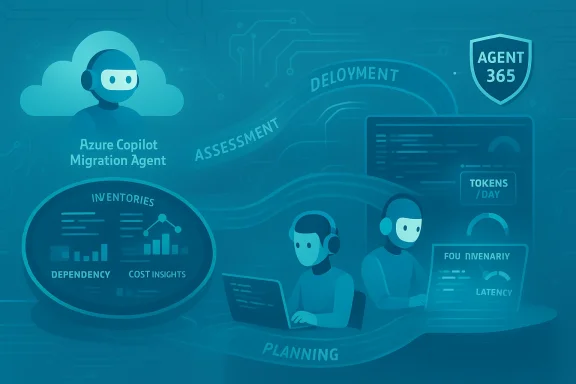
Microsoft introduced the Azure Copilot Migration Agent as a capability intended to embed AI across the discovery → assessment → planning → deployment lifecycle. The company positions the agent as a system that captures what customers already know about their environments, surfaces inventory, dependency maps, cost insights, and prioritization guidance, and then produces an executable, data‑driven plan. Microsoft explicitly markets this as turning migrations from discrete projects into a continuous modernization motion, and the agent is available in public preview.
Key advertised behaviors:
  • Continuous inventory and discovery across mission‑critical servers, apps, and databases.
  • Rapid generation of migration plans based on conversational inputs to the agent.
  • Integration into the broader Azure Copilot and Agent 365 governance plane so assessments and recommendations are auditable and repeatable.
Caveat: Microsoft’s language about "minutes instead of months" reflects a vendor claim about time‑to‑value that deserves independent validation in your environment; the true reduction will depend on estate size, complexity, compliance needs, and human approvals.

GitHub Copilot modernization agent — code to cloud, at scale​

The GitHub Copilot modernization agent (public preview) is aimed directly at developers and engineering teams. It acts as an orchestrator that can:
  • Run parallel code assessments across many repositories,
  • Produce per‑application modernization plans,
  • Create pull requests and automated remediations (framework/runtime upgrades, dependency shifts), and
  • Integrate with CI/CD to verify builds and tests after transformations.
This agentic experience is available in multiple places: IDE extensions, CLI workflows, and integration points that create assessment reports and actionable GitHub artifacts for each app. Microsoft’s guidance describes a flow where GitHub Copilot produces the actionable code changes and Azure Copilot ingests those outputs, connecting code change to operational reality.

Fireworks AI on Microsoft Foundry — open‑model inferencing in preview​

Separately, Microsoft announced Fireworks AI on Microsoft Foundry (public preview), a partnership that brings Fireworks’ low‑latency, high‑throughput inference engine into the Foundry model catalog. Foundry customers can access several open models with serverless and provisioned throughput options; Microsoft lists models such as DeepSeek v3.2, OpenAI gpt‑oss‑120b, Kimi K2.5, and MiniMax M2.5 as part of the preview. Microsoft also published performance and quota details for serverless and provisioned deployments.
Microsoft and Fireworks provide published performance figures (tokens per day, requests per second, latency targets), but again, those are manufacturer‑provided benchmarks and will vary under real workloads and custom models. Fireworks’ own documentation corroborates the model families and recommended use cases.

How the pieces fit together: from code to cloud to inference​

A single modernization feedback loop​

The strategic design here is explicit: connect code‑level modernization (GitHub Copilot) with infrastructure and migration planning (Azure Copilot), and then run inference workloads (Foundry + Fireworks) on modernized services — all under a governance plane for identity, billing, and policy. In practical terms, Microsoft shows a flow where:
  • GitHub Copilot performs an application assessment and produces code remediation PRs and a modernization report.
  • Azure Copilot Migration Agent consumes the assessment outputs, models infrastructure changes, and produces a deployment plan that factors in cost and priority.
  • Fireworks on Foundry becomes an execution target for AI workloads or custom models once applications are modernized.
This is intended to eliminate the common mismatch where developers “modernize the code” without a clear, executable path for how that code will run, scale, or be governed in the target environment. Microsoft frames the integration as closing that loop via an orchestrated, repeatable agentic delivery model.

Orchestration, not autonomy​

It’s important to parse language: Microsoft emphasizes orchestration and structured delivery rather than standalone autonomous action. The modernization agent can generate PRs and run automated upgrades, but these flows are designed to be operator‑driven with approvals, tests, and policy gates. Enterprises should treat the automation as a catalyst that speeds tasks, not a replacement for release controls.

What enterprises gain — and where the value is real​

Enterprise value claims are anchored to a few measurable outcomes:
  • Faster assessment cycles. Manual discovery and mapping often bottleneck modernization; an agent that catalogs dependencies and surface‑level costs can compress that phase significantly if discovery instrumentation is comprehensive.
  • Consistent modernization patterns. Agents can encode organizational standards (approved frameworks, identity patterns, telemetry hooks), which reduces variance across teams and environments.
  • Developer productivity. GitHub Copilot’s modernization features can reduce the manual toil of dependency upgrades and repetitive code transforms, freeing engineers to focus on design and verification.
  • Choice and performance for open models. Fireworks on Foundry gives organizations a fast path to run open models with pay‑per‑token and provisioned throughput options, lowering inference latency and operational friction.
Benefits are strongest where an organization already has:
  • A cataloged estate or CMDB to seed agent discovery;
  • CI/CD and test coverage to validate automated remediations; and
  • Cloud governance guardrails that can operationalize agent recommendations safely.

Risks, gaps, and governance considerations​

Agentic tools magnify both upside and downside: they automate scale but also accelerate mistakes if controls are missing. Here are the primary risk vectors enterprises must address.

1) Accuracy and false confidence​

AI agents can generate plausible remediation suggestions that are syntactically correct but semantically risky. A PR that upgrades a framework might pass unit tests but break behavior in production due to subtle runtime changes. Treat agent outputs as accelerated hypotheses that require staged verification. Vendor claims about dramatic time reductions should be validated in controlled pilots.

2) Dependency on tool ecosystems​

These agents tie modernizations into Microsoft and GitHub ecosystems by design. That tight integration brings a lot of convenience — and some vendor lock‑in risk. Organizations that must maintain multi‑cloud or on‑prem commitments should evaluate portability and export paths before full adoption.

3) Security and secret leakage​

Automated discovery and code scanning raise important questions about how credentials, secrets, and PII are handled. Microsoft’s agent fabric is governed under Agent 365 constructs, but enterprises must audit where telemetry, scans, and temporary artifacts are stored and who can access them. The community is already discussing credential detection and agent governance as central concerns.

4) Testing and observability gaps​

Agents can create PRs or make infra recommendations faster than teams can test them. Robust, automated QA pipelines and observability (tracing, canaries, feature flags) are prerequisites for safe agent‑driven modernization at scale.

5) Cost and quota management​

Fireworks on Foundry introduces per‑token and provisioned throughput models; these must be integrated into procurement and cost‑management practices to avoid surprise bills. Microsoft provides quota defaults and price tables during preview, but real workload costs depend on prompt design, caching, and traffic patterns.

Implementation guide — how to pilot with low risk​

If you’re a CIO, CDO, or engineering leader evaluating these tools, here’s a practical sequence that balances speed with control.
  • Define a pilot scope. Start with a small set of representative applications (2–6) that reflect diverse tech stacks (e.g., .NET, Java, databases). Aim for apps with decent test coverage.
  • Inventory seed. Use an existing CMDB or run a one‑time discovery to give the Azure Copilot Migration Agent accurate starting data. Agents perform best with good telemetry and existing metadata.
  • Run GitHub Copilot modernization agent assessments in read‑only mode. Generate reports and review suggested PRs in a separate, sandboxed repo to understand change patterns. Validate build/test pass rates.
  • Integrate into CI/CD with human gates. Allow the agent to create PRs but require code review and a gated pipeline for production merges. Use canary deployments and feature flags for runtime verification.
  • Bring up Foundry + Fireworks for inference experiments. If your modernization includes AI workloads, deploy a non‑critical inference service to measure latency, cost, and throughput before migrating critical traffic. Pay attention to regional quoduring preview.
  • Monitor and iterate. Track key metrics: time to assessment, PR acceptance rate, post‑deployment incidents, and total cost of ownership pre‑ and post‑modernization.
This stepwise approach converts the vendor’s automation capability into controlled incremental value, minimizing risk while proving impact.

Technical verification: what we checked and what remains vendor claims​

We cross‑checked Microsoft’s product announcements and technical claims with multiple public sources:
  • Microsoft’s Azure blog post explaining the migration agent and the vision for agentic modernization.
  • The Microsoft Learn documentation and community posts that detail GitHub Copilot’s modernization CLI experience and IDE integrations.
  • Microsoft Foundry’s blog announcement and Fireworks’ documentation confirming the Fireworks model catalog, the models available in preview (DeepSeek v3.2, gpt‑oss‑120b, Kimi K2.5, MiniMax M2.5), and pricing/quota details for serverless and provisioned modes.
  • Fireworks’ own product documentation and changelog that corroborate the model families and recommended use cases.
What we validated:
  • Public preview status for Azure Copilot Migration Agent and GitHub Copilot modernization agent is confirmed by Microsoft announcements and Learn documentation.
  • Fireworks AI availability on Microsoft Foundry and the initial model list were published by Microsoft Foundry and mirrored in Fireworks documentation. Pricing and quota numbers for the preview are published in the Foundry announcement.
What remains a vendor claim and should be validated in pilot:
  • Specific time‑savings (e.g., “months collapsed into minutes”) and efficiency multipliers are case‑dependent and not independently verified.
  • Performance numbers published by Fireworks (e.g., internet‑scale tokens processed) are vendor benchmarks; real performance will vary with payload, prompt patterns, and model selection. Treat those numbers as directional until tested in your environment.

Governance, security, and organizational readiness​

Agentic modernization requires more than technical pilots — it requires governance and organizational changes.

Identity and lifecycle management​

Treat agents like first‑class identities. Agent registration, audit trails, and lifecycle controls should be part of the onboarding checklist, and these are native to Microsoft’s Agent 365 control plane. Ensure agents inherit least privilege principles and that their actions are traceable to human approval or automated policy decisions.

Data residency and compliance​

If agents scan code and data, regulators will demand clarity on where analysis artifacts and telemetry are stored, who owns them, and how they’re purged. Use Foundry’s Data Zone and Foundry project isolation features to maintain control during preview and beyond.

Change management and upskilling​

Automation will shift work rather than eliminate it. Train developers and operators to interpret agent outputs, validate automated PRs, and manage exceptions. Invest in SRE and QA practices that can absorb higher change velocity without increasing incidents.

Competitive and ecosystem context​

Microsoft’s move is part of a broader industry trend: vendors are packaging agentic automation into developer and cloud workflows (other cloud providers and niche vendors are pursuing similar visions for agentic modernization). What distinguishes Microsoft’s approach is the explicit link between GitHub (developer workflows), Azure (infrastructure), and Foundry (model operations), which can reduce friction for customers already invested in the Microsoft ecosystem. Community conversations and partner integrations confirm both excitement and caution about rapid automation in enterprise estates.

Practical checklist for decision makers​

  • Start small: pilot with representative apps that have solid test coverage.
  • Map policies: define approval gates and retention policies for agent artifacts.
  • Budget for tokens: if using Fireworks on Foundry, model token consumption and provisioned throughput costs into the pilot budget.
  • Measure outcomes: track assessment time, PR success rate, post‑deploy incidents, and TCO changes.
  • Plan exit paths: ensure you can export scripts, IaC, and artifacts for portability.

Conclusion​

Microsoft’s announcements — the Azure Copilot Migration Agent, GitHub Copilot’s modernization capabilities, and Fireworks AI on Microsoft Foundry — together signal a significant step toward making agentic modernization operationally realistic for enterprises. The technical plumbing is thoughtful: developer‑centric modernization combined with infrastructure orchestration and high‑performance open‑model inference addresses many of the practical gaps that previously made modernization slow, expensive, and risky.
That said, the most important lesson is pragmatic: these tools amplify both benefits and risks. The right path is measured — pilot narrow, validate often, and fold agentic automation into existing governance, testing, and observability practices. For organizations that get that balance right, Microsoft’s integrated approach could materially reduce the friction of modernization. For those that treat agents as a magic button, the result will be faster failures rather than faster migrations.
Adopt with curiosity, instrument aggressively, and demand empirical evidence inside your own estate before converting vendor‑promised leaps into enterprise policy.

Source: AI Business New Microsoft AI Agents to Help Modernize Enterprises
 

I tripped over GitHub Store this week and kept thinking: why hasn’t something like this existed sooner? The app converts GitHub’s sprawling releases pages into a browsable, categorized app storefront for Android — and a desktop companion for Windows — making discoverability, installation, and (to some extent) updates far friendlier for end users and open‑source authors alike. The idea is elegantly simple: treat GitHub releases that include installable binaries as the source of truth, present them with app‑store metaphors (trending, hot releases, categories), and hand the right artifact to your device — APKs for Android, EXEs for Windows, DMGs for macOS, and so on.

Stylized GitHub Store interface on a monitor displaying APK, EXE, and DMG tiles.Background​

GitHub has long been the canonical home for open‑source projects, but it’s designed around source code, issues, and pull requests — not casual discovery. That gap has encouraged a cottage industry of tools and repositories that build user‑facing interfaces on top of GitHub releases. GitHub Store is one of the more polished implementations of that concept: a cross‑platform client that indexes repositories which publish installers in releases, surfaces them in app‑store style categories, and lets users install with a tap. The project is available through the app’s own repository and is packaged for distribution on Android as an APK and for desktop platforms.
This conversation also sits inside a larger change in the Windows ecosystem: Microsoft has been actively expanding how Android apps appear and run on Windows (via the Microsoft Store, the Amazon Appstore partnership, and the Windows Subsystem for Android), which makes the idea of discovering mobile apps from places other than Google Play feel especially relevant to PC users. That cross‑device trend — Android apps visible and hines — is part of Microsoft’s recent platform narrative.

What GitHub Store is and how it works​

GitHub Store presents a curated, app‑store style frontend for GitHub releases. It intentionally targets repositories that provide directly installable binaries so the user experience resembles a conventional app store.
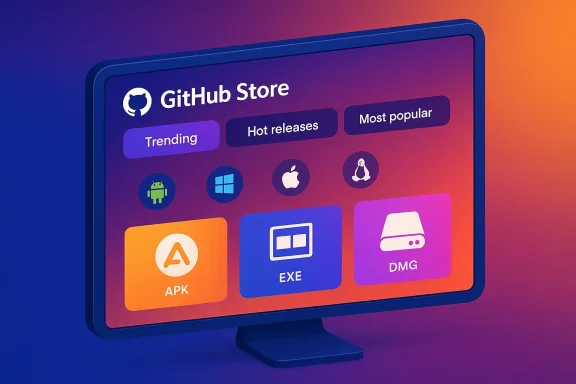
  • The front page uses familiar filters: Trending, Hot Releases, and Most Popular, which makes digging through GitHub’s millions of repos feel less like panning for gold and more like browsing a categorized catalog.
  • You can filter by platform (Android, Windows, macOS, Linux, etc.), which is helpful when you only want mobile apps or desktop tools.
  • For Android, the app will download APK files and hand them to the system installer. For Windows, it offers EXE/ZIP/portable formats and will surface desktop‑friendly projects first.
The core user flows are intentionally straightforward: find an app, view its release notes, confirm the binary you want (the app shows available assets for a release), and install. On Android this means the APK is downloaded and the system installer invoked; on Windows it hands off the installer file — the platform performs the final install step.

Why this approach matters​

GitHub Store solves two interrelated problems:
  • Discoverability — GitHub’s UI is optimized for developers working on projects, not for ordinary users looking for apps. GitHub Store translates repository metadata and release artifacts into consumer‑facing listings, complete with screenshots and release notes when available.
  • Trust and provenance — By sourcing binaries directly from a project’s GitHub releases, users often get builds published by the project authors themselves, avoiding middlemen who may repackage or modify apps. That doesn’t guarantee safety (more on that below), but it can provide a clearer chain of custody than many third‑party download sites.

The ecosystem that makes this usable: Obtainium and update workflows​

One inevitable weakness of any sideloading model is updates. When you install outside a managed app store, automatic updates are usually not available. GitHub Store acknowledges this and integrates with the existing ecosystem rather than inventing a replacement.
  • Obtainium is an app designed to monitor remote release sources and fetch updates directly from GitHub releases (and some other hosts), notifying you when a new release appears and optionally automating the download/install step. Using Obtainium alongside GitHub Store gives a workable update model for apps that publish official APKs on GitHub releases. The Obtainium project is actively maintained, documents supported source types, and publishes crowdsourced app configuration files that make it easier to track projects.
  • Community guides and posts show Obtainium being used as a practical updater: people add sources (a project’s release URL), let Obtainium watch for new releases, and install new APKs when they appear. That combination brings much of the convenience of an app store to the GitHub releases model — at the cost of more manual setup and vigilance.

Cross‑platform: yes, there’s a Windows client too​

GitHub Store isn’t just an Android curiosity. The project has a desktop app that presents desktop‑oriented projects first and supports the same release‑driven install flow. The developer of GitHub Store intentionally targeted multiple platforms (Android, Windows, macOS, Linux), so the same discovery model is available to users who want to find niche desktop utilities, experimental tools, or installable builds that aren’t published in the Microsoft Store or other centralized repositories. This is useful in a Windows context where the Microsoft Store doesn’t always include smaller open‑source utilities and where developers sometimes prefer direct distribution.

What’s good: strengths and practical benefits​

The GitHub Store concept and execution have a number of clear strengths worth calling out.
  • Design and discoverability: The app converts GitHub’s release metadata into an accessible catalog. Thebed tabs (trending, hot, popular) and platform filters mean hobbyists and power users can browse for the “unknown gem” without crawling project pages manually. This makes open‑source tools genuinely discoverable for non‑developers.
  • Direct provenance: When a binary is published in a repository’s release assets, you are often getting what the maintainer published. That’s a better provenance model than many random APK mirrors, provided the maintainer is honest and the repository hasn’t been compromised.
  • Cross‑device parity: Because GitHub Store supports multiple platforms, you can discover the same project’s Android build and desktop build from the same catalog. This helps users who want to keep their phone and desktop toolchains aligned.
  • Open‑source ethos: The app itself is open source. That matters: community review of the client increases its credibility and reduces the “mystery app” problem that plagues many third‑party app stores. The client’s source also allows forkability and self‑hosting for organizations that want tighter control.

What’s risky: trust, supply chain, and platform policy​

GitHub Store is promising, but it also amplifies several nontrivial risks. Any responsible feature piece must be blunt about them.

1) Supply‑chain and authenticity concerns​

Just because an APK is in a GitHub release doesn’t automatically mean the binary matches the source or that the project hasn’t been compromised. Projects occasionally publish binaries built from different sources, or a repository may be taken over by an account that publishes malicious builds.
  • Best practice for end users is to verify signatures and checksums (if the project publishes them) and prefer releases from well‑known maintainers. Some projects include signature artifacts or SHA‑256 sums; GitHub Store can surface release notes and files, but verification remains the user’s responsibility. Tools like Obtainium can help automate downloads, but they can’t guarantee the binary’s integrity unless the user verifies signatures.
  • Projects that publish only source code and not reproducible builds present a further problem: an arbitrary binary can be uploaded and labeled as a release even if it doesn’t match the repo state. That’s a supply‑chain integrity gap that no frontend can fully mitigate unless the developer publishes proven, reproducible build artifacts. This is an area where the open‑source community and maintainers must be diligent.

2) Platform policy and sideloading limits​

Installing outside the Play Store — even when the APK comes from a trusted GitHub repo — depends on the device’s sideloading settings and on broader platform policy. Android historically allowed sideloading after users enable “install unknown apps,” but device manufacturers and enterprises can restrict that. Moreover, there have been ongoing conversations and policy changes around safety, Play Protect, and how manufacturers manage verified devices.
The popular Windows Central piece that drew attention to GitHub Store flagged an upcoming Google restriction affecting installs on “verified Android devices” by developers not in a formal program. I could not find a single authoritative Google policy document clearly matching that exact description during verification, so I’m flagging that claim as not fully verified. Readers should interpret such assertions cautiously and keep an eye on official Android platform communications and Play Protect/Play Integrity updates for concrete policy changes. Official Android documentation still describes the user‑driven “unknown sources” model and Play Protect’s role, but any shift to further restrict sideloading would be significant and require explicit developer and OEM guidance.

3) Update and maintenance expectations​

A user installing an app from GitHub expects updates. The reality is fragmented:
  • Some projects publish regular release APKs and playing with Obtainium makes updates smooth.
  • Many projects do not publish signed, installable builds, or they release only as source. In those cases, there’s no easy way to receive updates except watching the repo and manually rebuilding or reinstalling.
  • Mixing sources (F‑Droid vs GitHub vs Play Store) can create package name, signature, and update conflicts. Obtainium and similar tools have limitations when an app appears from multiple sources with different signing keys.

How to evaluate apps you find in GitHub Store: a checklist​

If you’re going to use GitHub Store or any release‑based installer, adopt a disciplined intake process. Here’s a practical checklist you can use before installing:
  • Verify the author of the repository — is it the official project org or a trusted maintainer?
  • Check release artifacts for SHA‑256 checksums or signatures and verify them against published values.
  • Inspect the release notes and commit history to see if the binary aligns with the codebase at that tag.
  • Prefer projects with reproducible builds or binaries published by multiple channels (e.g., releases + F‑Droid) that confirm consistency.
  • Use an updater like Obtainium if you trust the source and want automated update alerts; otherwise, manually monitor development and releases.

Practical scenarios where GitHub Store shines​

  • You want a well‑maintained open‑source app that the author distributes via GitHub (for example, small utilities, niche clients, or privacy‑focused apps). GitHub Store makes installing those builds as easy as any other store, without hunting through release pages.
  • You’re a Windows user interested in experimental desktop tools that aren’t in the Microsoft Store. The desktop client surfaces those executables and installers in a browsable catalog and can be easier to navigate than raw GitHub. This is particularly helpful for hobbyists, power users, and IT professionals who want to sample community tools quickly.
  • You’re an open‑source developer who wants your release assets to be immediately discoverable by a broader audience. Publishing installable artifacts in releases and tagging them clearly increases the chance your project appears in GitHub Store listings.

Developer and maintainer responsibilities​

If GitHub Store gains traction, developers should adopt practices that protect users and reduce friction.
  • Publish clear release notes, include checksums and signatures, and document the build environment to support reproducible builds.
  • Consider multi‑channel distribution if appropriate (releases, F‑Droid, Play Store) and document how users should safely install and update your app.
  • If you do not want your project listed in third‑party discovery clients, make that explicit in your README or release metadata — but understand that public release artifacts are discoverable by desiglower the bar for safe adoption and reduce the chance of confusion or supply‑chain incidents.

The policy question: will platform makers try to block this?​

There’s an inevitable tension between app‑store convenience and platform‑level security policies. Centralized app stores like Google Play and the Microsoft Store provide convenience and a layer of vetting; sideloading offers freedom and faster access to experimental software but opens vector for abuse.
  • Microsoft’s strategy has included making Android apps accessible on Windows through the Microsoft Store and the Amazon Appstore partnership; that’s a store‑centric model where the vendor retains visibility and some control over distribution and updates on Windows. Those efforts make the idea of alternative discovery tools more interesting for users who want apps outside the official channels.
  • On Android, historic policy has allowed sideloading with user consent, but vendors and device management policies can curtail it. If Google or OEMs were to enact a policy that blocks installations from non‑registered developers on verified devices, that would materially change the landscape for tools like GitHub Store — but such a change would require explicit, public policy documents and technical enforcement mechanisms, neither of which I could substantiate in the sources I checked at the time of writing. Until such change is announced and documented by Google or OEMs, sideloading remains technically possible where the device and policy allow it. Readers should monitor official Android announcements for any confirmed policy shift.

Security recommendations for users and admins​

If you plan to use GitHub Store or similar tools, here’s a concise set of recommendations to reduce risk:
  • Only install apps from repositories you can verify. Prefer maintainers with clear identity and an established history.
  • Require cryptographic verification where possible: check checksums and signatures when projects publish them.
  • Use sandboxing and least privilege: don’t grant unnecessary permissions to sideloaded apps.
  • For enterprises or managed devices, define an allowlist and use management tools to control sideloading policy rather than leaving it to individual users. Many enterprise device management policies already offer application allowlisting to prevent unauthorized installs.
  • Use tools like Obtainium judiciously: they improve convenience but also centralize trust in the updater. Verify the updater’s configuration and the sources it monitors.

The community and the product: maturity and next steps​

GitHub Store’s core UX and concept address a genuine gap in software discoverability. The app’s cross‑platform support, attractive UI, and open‑source nature give it a credible starting position. There are clear product directions that would strengthen it:
  • Built‑in verification helpers — surfacing checksums, signatures, and reproducible‑build metadata more visibly would make it easier for users to make safe choices.
  • Maintainer verification badges — mechanisms that highlight official maintainers (for example, matching a repo to an organization with an established history) would reduce fake or forked repo confusion.
  • Integration with reproducible‑build tooling — encouraging maintainers to provide reproducible artifacts and integrating automated checks would materially improve trust in release artifacts.
  • Enterprise features — allow orgs to self‑host catalogs, or provide admin modes to allowlist specific projects for managed devices.
These are feasible product investments that could move the project from a hobbyist‑friendly catalog to a more production‑ready distribution channel for open‑source software.

Verdict: a welcome bridge, not a replacement​

GitHub Store is an elegantly pragmatic bridge between the developer‑centric world of GitHub releases and the user‑centric expectations shaped by app stores. It delivers genuine utility: easier discovery, a unified catalog for platform‑specific builds, and a cleaner install flow for release artifacts. Coupled with tools like Obtainium, GitHub‑based distribution can deliver a near‑store experience for many open‑source projects.
That said, this model is not a panacea. Supply‑chain integrity, update semantics, and possible future platform policy changes mean GitHub Store should be treated as a powerful convenience tool that requires measured skepticism. Users should adopt verification practices and prefer projects with clear signatures and reproducible builds. Developers who want to be discoverable through clients like GitHub Store should publish clear, signed releases and document their update processes.
Open source thrives on discoverability and reuse. GitHub Store is an important, community‑driven attempt to make that happen in a way that feels familiar to users who expect app‑store browsing. It won’t replace official stores overnight, but it can and should become part of the installer toolkit for people who value openness, provenance, and the sheer joy of finding that “tool you didn’t know you needed.”

Conclusion
GitHub Store is a smart, timely tool that makes open‑source apps on GitHub far more discoverable and accessible on both Android and Windows. Its strengths are practical: clear UI, cross‑platform parity, and direct access to project releases. Its limits are structural: supply‑chain verification, update mechanics, and the unresolved question of how platform policies may evolve around sideloading and “verified” device installs. For curious users and responsible hobbyists, GitHub Store is worth trying — but do so with the same critical habits you’d apply to any non‑Play Store install: verify signatures, prefer reputable maintainers, and consider using an updater like Obtainium only when you trust the source.

Source: Windows Central This app turns GitHub into an app store for your phone and Windows PC
 

Back
Top