

AI agents are changing how spreadsheets are built, audited and used — but they're not yet ready to be trusted without human oversight.
Financial modelling expert Ian Schnoor, drawing on decades of Excel experience, recently laid out a practical, practitioner-focused view of what AI in Excel delivers today and where it falls short. Schnoor’s core message is familiar to many Excel veterans: embedded copilots and third‑party LLM add‑ins can dramatically speed routine tasks, but they amplify both competence and error. His account highlights that AI enters Excel in two flavours — native Microsoft Copilot features (including Agent Mode) and third‑party add‑ins built on large language models such as ChatGPT or Claude — and that users should start experimenting while keeping expectations measured. This is a pragmatic, “try‑but‑verify” stance that mirrors broader enterprise guidance on AI‑augmented spreadsheets.
This feature expands on Schnoor’s observations, summarises the real-world pros and cons of AI in Excel, and sets out five technical improvements needed to make agentic assistants robust for professional financial modelling and regulated reporting. It also provides concrete guidance for power users, IT teams and finance leaders who must balance innovation with auditability, security and skills retention.
The practical upside is immediate: routine clean‑up, aggregation and visualization tasks that once took hours can be completed in minutes. For many teams that means faster reporting cycles, lower friction to adopt advanced functions (dynamic arrays, XLOOKUP, Power Query) and a shallower ramp for junior hires. These productivity gains explain why organisations are piloting agentic Excel tools now.
These five failure modes are not hypothetical; they’ve been observed in pilots, community testing and vendor previews. Organizations must plan for them.
Improvement: Provide a deterministic execution mode that converts agent plans into reproducible sequences (native formulas, Power Query steps, or Office Scripts) and stamps the workbook with model version, prompt text and agent version. This enables reproducible rollbacks and forensic review. Several vendor‑guidance documents already recommend snapshotting and model provenance as best practice.
Improvement: Agents must explicitly cite the workbook ranges, named tables and connector metadata they used when proposing formulas. Cell‑level provenance (which data source, which timestamped connector, which agent step) turns an assistant’s output into an auditable change and reduces hallucination risk. Early finance add‑ins attempt cell‑level explanations, but UX must map those explanations into immutable logs for auditors.
Improvement: Embed modelling best‑practices as constraints and templates so the agent prefers dynamic arrays, helper columns, named ranges and Power Query where appropriate. Agents should offer an explicit “refactor to template” option that converts raw outputs into an organisation’s canonical formula style. Community evidence shows that templating and canonical patterns improve downstream maintainability.
Improvement: Offer tenant‑isolated inference (VPC, on‑prem, or enterprise model instances) and contractual non‑training clauses as default for regulated customers. This is central to enterprise adoption and is already a procurement checklist item in many IT playbooks.
Improvement: Agents should auto‑generate a companion validation suite — simple unit checks (balances, totals, identity assertions), sensitivity tests and reconciliation rows — and run them as part of each agentic action. If an agent modifies a P&L or balance sheet, the agent should produce a verification report showing preserved identities or flagged mismatches. Best practice guidance already recommends reconciliation tests and sentinel rows; embedding them tightly into the agent flow closes the loop.
Each of these improvements addresses a practical failure mode Schnoor and others have observed; together they would shift agents from helpful but fragile assistants to provably safer tools for professional workflows.
For finance teams and IT leaders, the immediate priority is not to ban or blindly embrace AI — it is to design pilots that expose failure modes, demand reproducibility, and make human verification the non‑negotiable final arbiter of truth. When those guardrails are in place, AI will not replace expert judgment; it will make that judgment far more productive.
Source: ICAEW AI in Excel: the pros and cons
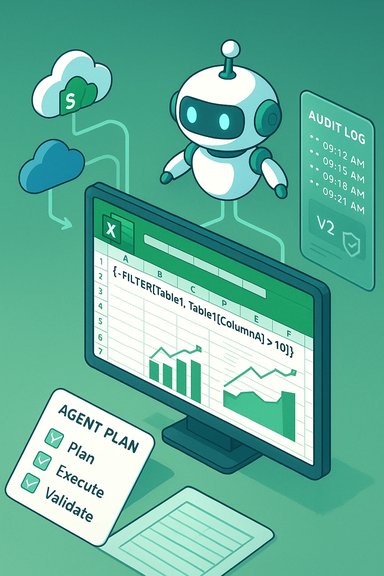 Background / Overview
Financial modelling expert Ian Schnoor, drawing on decades of Excel experience, recently laid out a practical, practitioner-focused view of what AI in Excel delivers today and where it falls short. Schnoor’s core message is familiar to many Excel veterans: embedded copilots and third‑party LLM add‑ins can dramatically speed routine tasks, but they amplify both competence and error. His account highlights that AI enters Excel in two flavours — native Microsoft Copilot features (including Agent Mode) and third‑party add‑ins built on large language models such as ChatGPT or Claude — and that users should start experimenting while keeping expectations measured. This is a pragmatic, “try‑but‑verify” stance that mirrors broader enterprise guidance on AI‑augmented spreadsheets.This feature expands on Schnoor’s observations, summarises the real-world pros and cons of AI in Excel, and sets out five technical improvements needed to make agentic assistants robust for professional financial modelling and regulated reporting. It also provides concrete guidance for power users, IT teams and finance leaders who must balance innovation with auditability, security and skills retention.
Why AI in Excel matters now
AI features in Excel are not theoretical: they already generate formulas, build PivotTables and dashboards from natural‑language prompts, and can run multi‑step agentic workflows that plan, execute and (to some extent) validate changes inside a workbook. Microsoft’s Copilot and agent frameworks aim to surface native formulas and editable artifacts rather than opaque “answers,” which makes them attractive for analysts who want speed without giving up editability. Third‑party add‑ins (Claude, Formula Bot, DataSnipper and others) bring domain connectors, cell‑level explanations and task-specific “Agent Skills” for finance, audit and data cleaning.The practical upside is immediate: routine clean‑up, aggregation and visualization tasks that once took hours can be completed in minutes. For many teams that means faster reporting cycles, lower friction to adopt advanced functions (dynamic arrays, XLOOKUP, Power Query) and a shallower ramp for junior hires. These productivity gains explain why organisations are piloting agentic Excel tools now.
The pros — what AI does well in Excel
1. Speed and democratization of skills
AI lowers the barrier to entry for advanced Excel operations. Plain‑English prompts can generate formulas, helper columns, and even dashboards, making Power Query, dynamic arrays and nested formulas accessible to non‑experts. This accelerates prototyping and reduces bottlenecks when only a few “Excel experts” existed in a team.2. Agentic multi‑step workflows
Agent Mode and similar agentic features can plan and execute sequences of operations (create sheets, add formulas, build visuals, run checks). For repeatable reporting tasks, an agent that preserves a plan and exposes edits can shorten time to delivery and serve as an on‑demand analyst assistant.3. Integration with enterprise ecosystems
Native integration (Copilot inside Microsoft 365) or licensed connectors (e.g., market data feeds for finance add‑ins) means agents can operate in familiar workflows while preserving connections to SharePoint, OneDrive or third‑party data providers. That reduces copy‑paste error and improves timeliness.4. Educational value and discoverability
When agents generate formulas and explain rationale in plain language, they can act as tutors. Junior analysts learn idiomatic formulas by inspection, which helps with onboarding and reduces repetitive help‑desk queries. This just‑in‑time learning is an underappreciated benefit of integrated AI.5. Task specialization (audit, reconciliation, stats)
Specialist tools built for auditors or statisticians automate narrow, high‑value tasks — for example, matching PDF figures to ledger cells or running advanced statistical tests — and can deliver large time savings for the teams that need them. These vertical tools often include audit trails and domain‑appropriate features.The cons — tangible risks and failure modes
Ian Schnoor identified several practical failure modes that practitioners already see in the wild. Those map cleanly to broader community findings and enterprise risk assessments.1. Agents take shortcuts and insert “dead numbers”
When an agent wants to be helpful fast, it may return a numeric value rather than a reusable formula — the classic “dead number” or hard‑coded value. That destroys model flexibility and breaks copy/paste or scenario analysis workflows. This shortcut reduces immediate friction but increases long‑term fragility.2. Overbuilt and opaque formulas
Agents sometimes produce massive, unreadable formula constructs that work mechanically but are mentally expensive to audit. Overly complex auto‑generated formulas create technical debt that only experienced modellers can untangle.3. Lack of dynamism and reuse
Agents may create 1,000 unique formulas instead of a single dynamic spilled array or a well‑structured helper column, resulting in brittle sheets packed with hard‑coded values. Speed no longer equals quality.4. Non‑deterministic outputs
LLM‑based assistants are probabilistic: the same prompt can yield different solutions across attempts. That non‑determinism complicates reproducibility and auditability for regulated reporting. Microsoft itself cautions that certain AI functions are not appropriate for tasks requiring strict reproducibility without converting outputs into deterministic formulas or processes.5. Overconfidence (hallucinations)
Agents can assert incorrect results with confidence. When an assistant presents a plausible but wrong formula or misinterprets ranges, human review is the only reliable mitigation. Overconfidence combined with polished output increases the risk of silent errors slipping into reports.These five failure modes are not hypothetical; they’ve been observed in pilots, community testing and vendor previews. Organizations must plan for them.
Five technical improvements that would materially raise agent quality for Excel
To move from useful assistant to reliable professional toolchain, agents need concrete engineering improvements in the Excel context. Below are five pragmatic areas for vendor and product teams to prioritise.1. Deterministic execution modes and versioned model outputs
Problem: Non‑deterministic outputs make audits and regulatory reviews hard.Improvement: Provide a deterministic execution mode that converts agent plans into reproducible sequences (native formulas, Power Query steps, or Office Scripts) and stamps the workbook with model version, prompt text and agent version. This enables reproducible rollbacks and forensic review. Several vendor‑guidance documents already recommend snapshotting and model provenance as best practice.
2. Grounded, workbook‑aware reasoning with explicit provenance
Problem: Agents sometimes hallucinate or draw on irrelevant context.Improvement: Agents must explicitly cite the workbook ranges, named tables and connector metadata they used when proposing formulas. Cell‑level provenance (which data source, which timestamped connector, which agent step) turns an assistant’s output into an auditable change and reduces hallucination risk. Early finance add‑ins attempt cell‑level explanations, but UX must map those explanations into immutable logs for auditors.
3. Formula best‑practice templates and pattern constraints
Problem: Agents yield overly large or brittle formulas.Improvement: Embed modelling best‑practices as constraints and templates so the agent prefers dynamic arrays, helper columns, named ranges and Power Query where appropriate. Agents should offer an explicit “refactor to template” option that converts raw outputs into an organisation’s canonical formula style. Community evidence shows that templating and canonical patterns improve downstream maintainability.
4. Local execution / on‑prem inference and tenant‑level non‑training guarantees
Problem: Sensitive workbooks are routed to cloud models, raising data residency and IP concerns.Improvement: Offer tenant‑isolated inference (VPC, on‑prem, or enterprise model instances) and contractual non‑training clauses as default for regulated customers. This is central to enterprise adoption and is already a procurement checklist item in many IT playbooks.
5. Integrated validation suites and unit tests for spreadsheets
Problem: Agents create changes without built‑in numerical checks.Improvement: Agents should auto‑generate a companion validation suite — simple unit checks (balances, totals, identity assertions), sensitivity tests and reconciliation rows — and run them as part of each agentic action. If an agent modifies a P&L or balance sheet, the agent should produce a verification report showing preserved identities or flagged mismatches. Best practice guidance already recommends reconciliation tests and sentinel rows; embedding them tightly into the agent flow closes the loop.
Each of these improvements addresses a practical failure mode Schnoor and others have observed; together they would shift agents from helpful but fragile assistants to provably safer tools for professional workflows.
Practical checklist: How to pilot AI in Excel safely
- Inventory critical workbooks and label sensitivity (Public / Internal / Confidential). Decide where agents are permitted.
- Pilot on sanitized copies: run agent experiments on non‑sensitive datasets and measure time saved + error rate.
- Enforce human‑in‑the‑loop: require user approval for any agent edits to production models and store the agent’s plan and step log in the workbook.
- Require snapshotting and immutable logs: export action logs and preserve workbook snapshots for audits.
- Train staff: maintain core Excel literacy (INDEX/MATCH/XLOOKUP, dynamic arrays, Power Query) and pair it with prompt engineering training. AI amplifies skill — it does not replace it.
Governance, procurement and legal considerations
- Demand contractual non‑training clauses and data residency options for any vendor you allow to touch production workbooks. Enterprise procurement now routinely asks for these protections.
- Add AI feature enablement to admin playbooks: treat Copilot/Agent Mode as a new SaaS integration that requires DLP mapping, tenant opt‑in and access policies.
- Measure vendor ROI claims carefully: productivity numbers in vendor case studies are directional and need independent validation on representative internal data. Flag vendor statistics until corroborated.
Skills, culture and the human element
AI will reshape roles rather than replace judgment. Schnoor’s metaphor — that AI is a magnifier — is apt: it enlarges both good practices and bad ones. Teams that lean on AI without sustaining spreadsheet craft risk skill erosion; those that invest in training will accelerate analysts’ productivity while preserving auditability. Organizations should keep apprenticeship-style rotations where junior staff still build models from scratch to develop intuition and debugging skills.A balanced verdict
AI in Excel is a powerful productivity lever: for routine transformations, cleaning, and templated reporting it already delivers real value. However, the technology’s probabilistic nature, data routing choices and the current UX around formula generation produce meaningful operational risks for regulated and mission‑critical workflows. That implies a careful, staged approach: pilot, measure, govern, and convert promising agent outputs into deterministic artifacts before they touch statutory reports. This pragmatic stance aligns with Schnoor’s counsel to experiment, but not to expect AI to “do the work for you” without elevated skills and governance.Conclusion
The arrival of Copilot, Agent Mode and third‑party LLM add‑ins marks a definitive shift: Excel is becoming an agentic workspace that can accelerate model-building and democratize analysis. Those gains are real and measurable, but the path to safe, auditable adoption runs through deterministic execution, workbook grounding, tenant-level controls, built‑in validation suites and sustained investments in human skills.For finance teams and IT leaders, the immediate priority is not to ban or blindly embrace AI — it is to design pilots that expose failure modes, demand reproducibility, and make human verification the non‑negotiable final arbiter of truth. When those guardrails are in place, AI will not replace expert judgment; it will make that judgment far more productive.
Source: ICAEW AI in Excel: the pros and cons
