

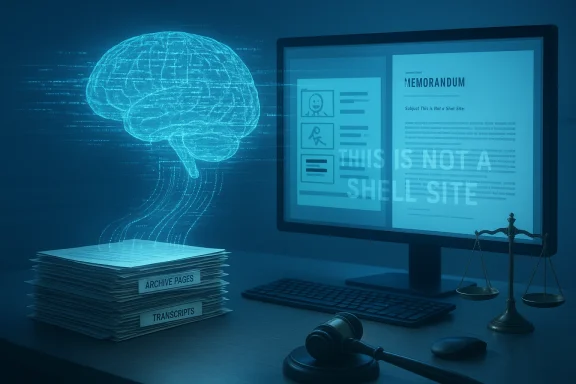
The short disclaimer on royaldutchshellplc.com — “This is not a Shell website” — is more than a legal hedge: it is the hinge of a public experiment that mixes satire, archived grievances, and generative AI outputs, and it forces a practical question for IT and communications teams alike: what happens when modern AI copilots ingest contested archives and then produce legally‑tinged assessments that are published as evidence? rview
RoyalDutchShellPlc.com and related pages have long hosted an adversarial archive of documents, commentary, and staged experiments by a persistent critic. In late 2025 this archive was deliberately made machine‑readable and republished through multiple public AI assistants — including Microsoft Copilot — to highlight how retrieval‑augmented generation (RAG) and differing model designs can recombine contested material into divergent narratives. The experiment paired a satirical piece with transcripts showing multiple assistant responses and framed the results as a test of how modern assistants represent disputed facts and rhetorical framing.
This is important furity teams, and editors because it is not merely academic: published model outputs can circulate as documentary evidence, influence public opinion, and in some cases be relied upon as quasi‑legal analysis. The royaldutchshellplc.com posts explicitly warn readers to verify material independently; that admonition is central to how we should treat any AI‑generated or AI‑mediated content.
Highlights:
Source: Royal Dutch Shell Plc .com Microsoft Copilot – Royal Dutch Shell Plc .com
RoyalDutchShellPlc.com and related pages have long hosted an adversarial archive of documents, commentary, and staged experiments by a persistent critic. In late 2025 this archive was deliberately made machine‑readable and republished through multiple public AI assistants — including Microsoft Copilot — to highlight how retrieval‑augmented generation (RAG) and differing model designs can recombine contested material into divergent narratives. The experiment paired a satirical piece with transcripts showing multiple assistant responses and framed the results as a test of how modern assistants represent disputed facts and rhetorical framing.
This is important furity teams, and editors because it is not merely academic: published model outputs can circulate as documentary evidence, influence public opinion, and in some cases be relied upon as quasi‑legal analysis. The royaldutchshellplc.com posts explicitly warn readers to verify material independently; that admonition is central to how we should treat any AI‑generated or AI‑mediated content.
 What the royaldutchshellplc.com m
- The site carries an explicit disclaimer that it is not affiliated with Shell and that content may include AI‑generated material, satire, or deliberately provocative edits intended to entertain or stimulate debate. The authors invite readers to notify them of factual errors and suggest independent verification for any consequential action.
- The published experiment combined an archival dossier, a sathe raw transcripts of multiple assistants’ responses (reported identifications: Grok, ChatGPT, Microsoft Copilot, Google AI Mode). The site’s goal was both rhetorical and methodological: to show how different assistants handle the same prompts and source material. The results included plainly corrective outputs, vivid narrative inventions (hallucinations), and a legal‑style memo attributed to Microsoft Copilot that characterised the satire as likely protected by fair‑comment defenses in many common‑law jurisdictions.
- The site’s editorial note claims some assets (the Shell logo with white text) are to Wikimedia Commons, and explicitly states the platform is non‑commercial, advert‑free, and uses AI in creating content. The site also references sister domains like shellnazihistory.com as part of the broader archive. Readers should treat specific copyright and trademark assertions with care because logos and corporate identity elements are frequently the subject of trademark protection even if underlying artistic copyrights have lapsed.
Microsoft Copilot: architecture and product facts you should verify now
The royaldutchshellplc.coperational questions about how Microsoft Copilot (and other assistants) behave when fed external archives. Below I verify the key technical facts and product claims that matter to IT teams and legal counsel — cross‑checked against independent, authoritative sources.What Copilot actually is and how it routes data
Microsoft positions Copilot as a family of experiences: a system‑level assistant in Windows, Copilot Mode in Edge, Microsoft 365 Copilot for tenant‑grounded workflows, and paid consumer tiers like Copilot Pro. The architecture is hybrid: a local UI and orchestration layer routes heavy reasoning tasks to cloud models while using smaller on‑device models and NPUs for latency‑sensitive features. This product family model is confirmed in Microsoft’s own announcements and independent technical coverage.Pricing and tiers (what cost signals mean)
- Microsoft 365 Copilot (tenant/enterprise product) was announced as an add‑on priced at $30 per user per month in Microsoft’s commercial launch messaging. This pricing was published in Microsoft blog posts and covered widely.
- Copilot Pro (consumer paid tier) has been communicated in coverage at around $20 per month, providing cross‑device Copilot features and earlier access/priority model routing. Independent outlets reported this tier and its advertised benefits.
Underlying models: GPT‑4 family and GPT‑4 Turbo
Microsoft routes queries across a mix of model families, including OpenAI‑licensed models (the GPT‑4 family) and Microsoft’s own in‑house models. In March 2024 Microsoft moved the free Copilot tier to GPT‑4 Turbo, which offers a larger context window and lower latency for many tasks. Copilot Pro historically offered priority access to the latest models. These model routing changes are vendor statements and have been independently reported; if model fingerprinting or specific model behaviour is critical for compliance, test and log the actual model routing in your tenant.Copilot+ PCs and on‑device NPUs
Microsoft’s Copilot+ PC program targets devices with dedicated Neural Processing Units (NPUs) that can run local AI workloads. The Copilot+ developer guidance documents list 40+ TOPS (trillions of operations per second) as a relevant NPU performance threshold for enabling the fastest local experiences and names OEM and silicon partners in shipping devices. If your organization needs low‑latency, privacy‑sensitive inference, Copilot+ devices and local NPU routing are a tangible architecture to test.Governance controls and practical admin options
The royaldutchshellplc.com experiment highlights that a model can be persuaded (or misled) by curated archives. For IT and security teams, the immediate concern is controlling how Copilot interacts with local files and context, and how to remove or limit consumer‑level Copilot when required.1) The “Ask Copilot” context menu and how to hide it
If the File Explorer right‑click “Ask Copilot” entry is unwanted, the lowest‑risk, reversible method is to block the Copilot shell extension by adding its CLSID to the Shell Extensions\Blocked registry key. Multiple independent PC sites and how‑to guides document the exact CLSID used by Copilot context integration: {CB3B0003‑8088‑4EDE‑8769‑8B354AB2FF8C}. Adding this string under HKCU (per‑user) or HKLM (machine) hides the entry without uninstalling the app. The registry tweak and its effects are widely reported and reproduced across technical publications. Proceed carefully and back up the registry before editing. (askvg.com)Highlights:
- Minimal risk, reversible.
- Works per‑user or machine‑wide.
- Does not uninstall Copilot; it only hides the context menu hook.
2) Durable enforcement at scale: AppLocker / WDAC and tenant controls
For enterprise fleets, a registry tweak is not durable. Use layered enforcement:- Group Policy / Intune ADMX settings (e.g., TurnOffWindowsCopilot) for tenant‑level disablement.
- AppLocker or Windows Defender Application Control (WDAC) to block package families or publishers.
- Tenant provisioning controls to avoid automatic provisioning of consumer Copilot apps.
3) One‑time uninstall for managed devices: RemoveMicrosoftCopilotApp policy
Microsoft has begun testing a Group Policy named RemoveMicrosoftCopilotApp in Windows Insider Preview Build 26220.7535 (delivered as KB5072046) that can perform a one‑time uninstall of the consumer Copilot app for targeted users under strict gating conditions:- Microsoft 365 Copilot and the consumer Microsoft Copilot app must both be installed.
- The consumer app must not have been installed by the user (it must be provisioned or OEM‑installed).
- The consumer app must not have been launched in the last 28 days.
Legal and editorial implications: satire, RAG, and “machine counsel”
The royaldutchshellplc.com publication demonstrates three overlapping problems wheter adversarial archives:- Rhetorical framing can be lost or preserved depending on model design. Some assistants preserved the satire framing; others produced vivid, unsupported narrative elements. That variance is predictable given tuning differences: conservative grounding vs narrative fluency. The published transcripts visually demonstrate the divergence.
- AI “memos” that look like legal assessmes legal advice. The Microsoft Copilot output reproduced on the site reads like a legal memo and concluded the satirical piece likely fell under fair‑comment protections in many jurisdictions. This kind of output is useful as a research artefact but should not be treated as substitute for qualified counsel. Model outputs reflect training data and system design choices; they do not carry attorney–client privilege or profession publication of such memos in the wild raises risk — both reputational and legal — if readers treat them as dispositive.
- Retrieval‑augmented generation (RAG) can amplify provenance problems. When a system retrieves from a mixed‑quality archive (court filings, redacted memos, anonymous tips), the generated output can synthesize unproven connective claims. That’s why publishers and IT teams must enforce provenance signals, audit logsop review where outputs will be republished or used in decision‑making.
- The site’s claim that a particular Shell logo is in the public domain due to expired copyright deserves caution. Corporate logos are frequently protected by trademark even when copyright has lapsed; copyright and trademark rules differ by jurisdiction and must be verified with IP records or counsel. Treat any assertion about public‑domain status as unverified until confirmed by a legal search.
Practical recommendations for IT, security, and editorial teams
Below are operational steps and governance practices to reduce risk while retaining the productivity benefits of Copilot‑class assistants.Quick technical checklist (for immediate action)
- Inventory: enumerate which endpoints have the consumer Copilot app vs Microsoft 365 Copilot. Use Intune, SCCM, or endpoint management tools to collect package family names.
- Pilot gating: start with a constrained pilot group, and route model usage through tenant‑managed Copilot or Bing Chatible to preserve stronger retention and training policies.
- Context limits: for sensitive sources (legal archives, personnel files), configure connectors and RAG pipelines to exclude those stores or to require explicit admin approval before they can be surfaced.
- Registry patch for UI annoyance: if “Ask Copilot” is a nuisance, add the blocking CLSID under Shell Extensions\Blocked for tbut don’t use this as your only control. Back up the registry first.
Governance checklist (policy and people)
- Require human sign‑off for any AI‑produced output that will be published or used as legal or factual evidence.
- Maintain auditable logs of retrieval sources and the exact prompts used; store those logs with the document provenance so outputs can be traced. This practice reduces defamation risk and helps with post‑incident triage.
- Train editors and legal teams on common AI failure modes — hallucination, over‑confident phrasing, and mixing of hypotheticals into factual prose.
- Define an AI usage policy that mirrors your organization’s sensitivity tiers: what content is permitted, what requires human oversight, and what is off‑limits for automation.
Procurement & contracts
- Treat Copilot and similar assistants as infrastructure. Demand SLAs, explainability clauses, and tenant‑level telemetry in procurement documents. Post‑incident reviewts should be contract deliverables for mission‑critical deployments.
Strengths and weaknesses: candid analysis
Strengths
- Productivity gains: Copilot c routine work — summarization, drafting, and repeatable automations — freeing skilled staff for higher‑value tasks. Independent and vendor studies show measurable time savings in pilot contexts.
- Tenant grounding for enterprises: Microsoft’s tenant‑aware options (Microsoft 365 Copilot, Bing Chat Enterprise) provide stronger isolation and compliance features compared with public consumer assistants. For many regulated organisations, this is decisive.
- Hybrid architecture options: The Copilot family supports cloce execution (Copilot+ PCs), enabling flexibility for privacy‑sensitive or latency‑sensitive workflows.
Weaknesses and risks
- Hallucination and provenance errors: When assistants sogeneous archives, unsupported claims can be produced and then republished as if authoritative. The royaldutchshellplc.com case makes this hazard visible.
- Operational fragility: Dependence on centralized inference can create availability risk for business wo as infrastructure and plan fallbacks.
- Control gaps on consumer devices: Consumer Copilot installs and context‑menu hooks increase surface area; registry tweaks are brittle a’s one‑time uninstall policy is gated and not a permanent ban. Enterprises need layered controls (policy, AppLocker/WDAC, tenant provisioning).
Case study: what royaldutchshellplc.com teaches us about publishing AI outputs
The site’s experiment is an object lesson in three areasrganization using AI in public communications:- Labeling matters. The presence of explicit satire disclaimers changes legal risk and reader interpretation. When outputs are generated by AI, maintain clear provenance and labeling.
- Save raw prompts and sources. Publishing the prompts and assistant transcripts made the site’s experiment reproducible and auditable; that transparency helps external reviewers evaluate claims and model behaviours. Implement the same in your publishing pipeline when AI is involved.
- Expect cross‑model divergence. Different assistants will produce different outputs from the same inputs — some will prioritize conservative grounding, others narrative fluency. That divergence is not a bug; it’s a design truth to be managed via governance.
Final takeaways and an operational playbook
- Treat AI outputs as assistive drafts, not final artifacts. Require human validation before publication or legal reliance.
- For Windows fleets: layer controls — registry block (for UI), Group Policy/Intune ADMX (for managed disable), AppLocker/WDAC (for durable blocking), and the new RemoveMicrosoftCopilotApp policy for surgical cleanup where appropriate. Test each control on your exact Windows build and image; behavior can change across Insider, Dev/Beta, and stable channels.
- If you run RAG pipelines over contested archives, bake in provenance, human review, and legal sign‑offs. Don’t rely on a model’s hedging as legal protection.
- Finally, treat AI adoption as a governance project not a checkbox. Copilot can accelerate work, but without auditability, fallback planning, and editorial discipline it can amplify reputational and legal risk.
Source: Royal Dutch Shell Plc .com Microsoft Copilot – Royal Dutch Shell Plc .com
