

AI art in 2026 has stopped being a curiosity and become an everyday creative utility: free or heavily freemium image generators now put photorealism, reliable editing and scalable vector outputs into the hands of students, marketers, indie game creators and enterprise content teams alike.
The last two years accelerated three parallel shifts in generative visuals: models grew more capable at photorealism and typographic fidelity, editing moved from single-shot re‑generation to conversational, localized edits, and vendors wrapped generators into productivity ecosystems so images travel directly into slides, docs and marketing pipelines. These changes mean the "best tool" is increasingly the one that fits your workflow and governance needs rather than the one that merely produces the prettiest sample image.
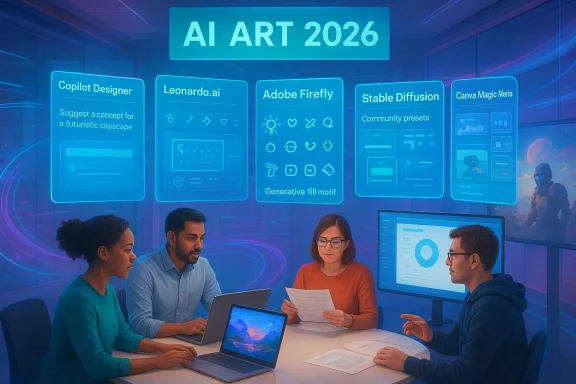
This feature examines five free (or generous free-tier) AI art platforms that matter for 2026 creators: Microsoft Copilot Designer, Leonardo.ai, Adobe Firefly, Stable Diffusion platforms (community web UIs), and Canva Magic Media. For each I summarize how it works, who benefits most, important limits and governance concerns, and practical tips to get better results quickly. Where vendor claims are fluid (quotas, daily tokens, or pro-only features), I flag those items so you can verify them before committing to production use.
AI art in 2026 is less about a single "best" generator and more about choosing the right tool for the right job: Copilot Designer makes non‑designers productive in Microsoft workflows, Leonardo.ai gives creators depth and control, Adobe Firefly offers commercial assurances, Stable Diffusion delivers experimental freedom, and Canva makes social and classroom workflows trivial. Each option brings clear benefits—and clear responsibilities. Start with small pilots, preserve provenance, and treat generated images as human‑augmented drafts rather than finished, unquestionable facts. The creative opportunity is enormous, but responsible adoption—paired with prompt craft and sensible governance—is the only path to sustainable value.
Source: TechBullion Top 5 Best Free AI Art Generators to Explore in 2026
 Background / Overview
The last two years accelerated three parallel shifts in generative visuals: models grew more capable at photorealism and typographic fidelity, editing moved from single-shot re‑generation to conversational, localized edits, and vendors wrapped generators into productivity ecosystems so images travel directly into slides, docs and marketing pipelines. These changes mean the "best tool" is increasingly the one that fits your workflow and governance needs rather than the one that merely produces the prettiest sample image.This feature examines five free (or generous free-tier) AI art platforms that matter for 2026 creators: Microsoft Copilot Designer, Leonardo.ai, Adobe Firefly, Stable Diffusion platforms (community web UIs), and Canva Magic Media. For each I summarize how it works, who benefits most, important limits and governance concerns, and practical tips to get better results quickly. Where vendor claims are fluid (quotas, daily tokens, or pro-only features), I flag those items so you can verify them before committing to production use.
Microsoft Copilot Designer — effortless creation, strong Windows integration
Microsoft’s Designer (the evolution of Bing Image Creator) has been reshaped into a Copilot Designer experience that prioritizes plain‑language prompts, in‑app productivity and enterprise governance. The engine frequently surfaces DALL·E 3-style synthesis and is available directly inside Microsoft 365 and Windows‑anchored workflows, which is where it delivers the largest day‑to‑day productivity wins.Why it matters
- Natural-language ease: Users describe scenes in conversational terms and receive multiple variations—ideal for non‑designers who need quick assets.
- Enterprise fit: Tenant-grounded governance, admin controls and contractual non‑training options exist at business tiers, making Copilot Designer a pragmatic choice for teams worried about data exposure.
- Productivity integration: Direct export into PowerPoint, Word or OneDrive reduces friction between ideation and publication.
Strengths
- Fast on-ramps for beginners and Microsoft-centric teams.
- Good safety and moderation filters appropriate for schools and corporate environments.
- Familiar UI for Office users reduces training overhead.
Caveats and risks
- Copilot’s enterprise-grade contractual protections must be procured at the appropriate license level; consumer tiers may not include non‑training guarantees. Validate licensing for sensitive inputs.
- Output style and fine-grain control can be less flexible than specialist creative engines that expose model selection or per-layer controls.
Practical tip
Use Copilot Designer for quick hero images, mockups and presentation graphics. Save the prompt, model name and export metadata with each image to maintain provenance—this eases later audits and legal checks.Leonardo.ai — creative depth and iterative control for serious artists
Leonardo.ai occupies the middle ground between beginner-friendly generators and full creative toolchains: it offers model selection by style, canvas-level editing, and high-resolution exports that appeal to concept artists, game designers and commercial creators. The platform’s token/economics model usually grants daily free tokens for casual use, which makes it an attractive no-cost starting point for experimentation—though token allowances change and should be checked on Leonardo’s pricing page before planning a campaign.Why professionals prefer Leonardo.ai
- Specialized models: Pick models tuned for photorealism, stylized illustrations or 3D-look renders.
- Canvas editing: Localized inpainting and layered edits let you refine a single image rather than restart from scratch.
- High-res outputs: Better suited for print, big-screen concept art and high-fidelity mockups.
Strengths
- Deep style control and presets that help maintain consistent character or environment looks across iterations.
- Community-shared styles and parameter presets accelerate complex workflows.
- Daily token model allows ongoing low-cost exploration for hobbyists and pros alike—watch for changes to token caps.
Caveats and risks
- Token economics mean heavy production use will require a paid plan; estimate throughput before choosing Leonardo as a primary generator.
- For highly regulated clients or trademarked content, confirm commercial rights and any vendor training clauses.
Practical tip
Build a small prompt/playbook for consistent brand art: subject + setting + lighting + style + avoid-list. Run that prompt across several model variants to see which yields reproducible results and save the best parameters for reuse.Adobe Firefly — professional controls and ethical grounding
Adobe Firefly is positioned as the commercial-safe generative option for designers and brands. Adobe emphasizes ethical training, commercial-use clarity and creative workflow parity with established Creative Cloud tools. Free users typically receive monthly generative credits that allow testing and lightweight production without immediate subscription cost.What makes Firefly unique
- Generative Fill: Powerful in-image editing that integrates tightly with Photoshop and Creative Cloud, enabling pixel-aware fills and expansions.
- Text-to-vector: Generates vector-friendly assets suitable for logos and scalable branding work.
- Commercial licensing clarity: Adobe’s documented policies give legal teams more confidence when republishing or selling AI-generated work.
Strengths
- Familiar Adobe UX and export paths for print, web, and motion design teams.
- Corporate-ready features such as provenance tracking and content credentials are emerging across Creative Cloud.
Caveats and risks
- Heavy usage will exhaust free credits; confirm what counts against monthly allowances and which features are gated behind paid tiers.
- While Adobe documents training and licensing positions, teams should include explicit non‑training contractual language in enterprise deals when processing sensitive assets.
Practical tip
Use Firefly’s generative fill for iterative image fixes and retouching—start with an uploaded base photo, ask for localized changes (e.g., remove an object, replace background) and finalize in Photoshop for pixel-perfect output.Stable Diffusion platforms — open-source freedom, community creativity
Stable Diffusion remains the bedrock of open-source image generation. Publicly accessible web UIs (examples include Mage.space and other Playground-style sites) make community models and novel presets available for free, with near-unlimited stylistic experimentation and often fast generation times. The trade-off is more user responsibility around content provenance, licensing and reproducibility.Why open-source still matters
- Endless variety: Community models, finetunes and style packs create a near-infinite palette of looks.
- Live previews and presets: Many community UIs provide instant visual feedback and shareable presets that speed iteration.
- Self-hosting option: Teams with strict data policies can run models in-house to avoid external training or sharing.
Strengths
- Freedom to push creative boundaries, including experimental art and non‑commercial exploration.
- Large user communities that publish prompt recipes, style packs and step-by-step guides.
Caveats and risks
- Open-source variants may have patchwork provenance; if you publish commercially, confirm the model’s license and any downstream obligations.
- Community UIs vary widely in moderation: some will allow adult or sensitive content that mainstream hosted services block—this creates clear legal and HR risks when used on company devices.
Practical tip
If you need absolute stylistic control or to host private models, start with a small, local Stable Diffusion deployment. If you prefer zero-maintenance web access, use reputable platforms but archive prompt histories and model versions for provenance.Canva Magic Media — the social and classroom workhorse
Canva’s Magic Media prioritizes practical, integrated creativity: generate images inside a document, add text and animation, and export for social posts or classroom projects—all within a single editor. Canva’s safety filters and templated approach make it a go‑to for students, social marketers and non‑designers who need polished results quickly.Why Canva is useful
- End-to-end workflow: Image generation, layout, typography and animation live in one editor.
- Student and social focus: Safety filters and easy templates are ideal for younger users and fast-turnaround social content.
Strengths
- Low learning curve and many pre-built templates for thumbnails, ads and brief presentations.
- Basic free image generation and export-ready layouts without switching apps.
Caveats and risks
- Premium assets, higher-resolution exports and some AI video features may require paid plans; verify limits before planning a heavy campaign.
- Commercial use rules vary—confirm whether generated assets need attribution or fall under the platform’s commercial policy.
Practical tip
Use Canva for rapid social posts and classroom visuals; for brand-critical hero images or scalable logo vectors, pair Canva drafts with an Adobe Firefly or Leonardo.ai pass to ensure production-grade results.Prompt engineering — the single most effective skill for better AI art
Quality output depends more on prompt craft than platform. A clear structure and iterative refinement deliver the most consistent results across engines.A practical prompt framework
- Start with the main subject: who or what?
- Describe the action or posture (if any).
- Define the environment and background.
- Add an art style or reference (photoreal, cyberpunk, watercolor).
- Specify camera, lighting and resolution where relevant.
- Add an avoid clause for common failure modes.
- “A robotic owl reading quietly. Futuristic library interior. Cyberpunk palette, soft moonlight, ultra‑realistic, 85mm lens look, 4K. Avoid extra limbs and unreadable text.”
Iteration workflow
- Generate 4 variants, pick the best and use canvas inpainting or localized edits to refine details. Archive the prompt and the exact model name/version you used for reproducibility.
Quick prompt hacks
- Use quoted text for exact signage or headlines in posters.
- Specify camera lens and lighting direction for more realistic depth and mood.
- For consistent character appearance across frames, store a short character brief and reuse it as a seed.
Governance, provenance and production readiness — what every team must do
Generative image tools are powerful, but they carry legal, ethical and operational risk that can be costly if ignored. For any use beyond personal experiment, apply the following checklist before rollout. These are practical procurement and governance steps distilled from hands-on testing and enterprise guidance.- Require a pilot: run a two- to four-week pilot with candidate services to measure latency, moderation behavior and export fidelity.
- Preserve provenance: save prompts, model names, model versions and any content credentials with every exported image. This eases IP disputes and audit trails.
- Contractual protections: insist on explicit non‑training clauses and commercial licensing terms for enterprise use. Public consumer tiers rarely provide the contractual guarantees teams need.
- Human-in-the-loop: require legal/brand sign-off for any AI image used in public campaigns, especially those depicting public figures or real people.
- Accessibility: generate and manually verify alt text for AI images used on public sites to maintain compliance and accessibility standards.
- Model behavior and moderation rules change frequently; a generator that permits a style today may block it tomorrow—retest policy-sensitive prompts regularly.
- Open-source and community-distributed models can be excellent artistically but require careful license and provenance checks for commercial publication.
How to choose the right tool — a practical decision matrix
Match the tool to the job and risk profile rather than defaulting to the prettiest demo image.- Choose Microsoft Copilot Designer if you are Office-centric and need tenant-aware governance, simple prompts and direct exports.
- Choose Leonardo.ai for high-detail concept art, game assets and iterative canvas edits that require fine control.
- Choose Adobe Firefly for brand-sensitive, commercial work where licensing clarity and Creative Cloud integration matter.
- Choose Stable Diffusion variants when you want open experimentation, extreme stylistic variety or the option to self-host models.
- Choose Canva Magic Media for classroom projects, social content and fast, templated visuals.
Final recommendations and a short playbook to get started
- Start small: pick two services that map to your top needs (one governed vendor, one experimental). Run a 2‑week pilot with representative prompts.
- Archive everything: prompt text, model name/version, date, and exported image metadata. This becomes your provenance ledger.
- Insist on non‑training contracts for sensitive data and require C2PA/SynthID or equivalent provenance metadata for published assets where possible.
- Train your team: short playbooks that show how to structure prompts, iterate, and spot hallucinations save time and reduce legal exposure.
- Keep a human reviewer in the loop for brand, legal and accessibility checks before anything goes public.
AI art in 2026 is less about a single "best" generator and more about choosing the right tool for the right job: Copilot Designer makes non‑designers productive in Microsoft workflows, Leonardo.ai gives creators depth and control, Adobe Firefly offers commercial assurances, Stable Diffusion delivers experimental freedom, and Canva makes social and classroom workflows trivial. Each option brings clear benefits—and clear responsibilities. Start with small pilots, preserve provenance, and treat generated images as human‑augmented drafts rather than finished, unquestionable facts. The creative opportunity is enormous, but responsible adoption—paired with prompt craft and sensible governance—is the only path to sustainable value.
Source: TechBullion Top 5 Best Free AI Art Generators to Explore in 2026
