
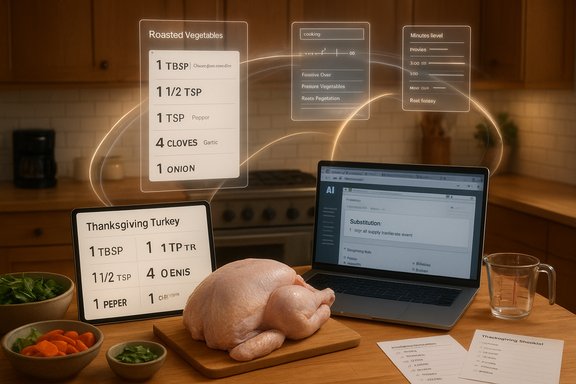
If you’ve ever wished for a calm, organized Thanksgiving instead of a kitchen marathon and aunts with opinions, this year’s small revolution is that artificial intelligence can be a practical sous‑chef — helping you choose menus, scale recipes, manage budgets and even work around broken ovens — while still keeping the human touch where it matters.
The idea is simple: modern conversational AIs — notably Microsoft’s Copilot family integrated into Edge and Microsoft 365 — can read web pages, reason across tabs, convert recipe measurements, propose substitutions and produce shopping lists and timelines when given a few constraints (skill level, budget, equipment). Microsoft’s own Copilot Mode in Edge explicitly positions the browser as an interactive, permissioned assistant that can “convert recipe measurements,” compare recipes across tabs and surface shopping options while you browse. Many consumer articles and hands‑on writeups have shown these behaviors in practice: scale a New York Times gravy recipe for 20 people, ask for onion‑free green bean casserole swaps, or tell the assistant you only have a large pot and no oven and get a poached‑turkey plan in return. These are practical, first‑pass tasks where AI shines at removing repetitive planning overhead and surfacing options quickly.
That said, the practical use of AI for holiday cooking sits at the intersection of three realities:
Practical tips:
Best practice for allergies:
Source: CNET How to Use AI to Help Plan Your Thanksgiving Dinner
 Background / Overview
The idea is simple: modern conversational AIs — notably Microsoft’s Copilot family integrated into Edge and Microsoft 365 — can read web pages, reason across tabs, convert recipe measurements, propose substitutions and produce shopping lists and timelines when given a few constraints (skill level, budget, equipment). Microsoft’s own Copilot Mode in Edge explicitly positions the browser as an interactive, permissioned assistant that can “convert recipe measurements,” compare recipes across tabs and surface shopping options while you browse. Many consumer articles and hands‑on writeups have shown these behaviors in practice: scale a New York Times gravy recipe for 20 people, ask for onion‑free green bean casserole swaps, or tell the assistant you only have a large pot and no oven and get a poached‑turkey plan in return. These are practical, first‑pass tasks where AI shines at removing repetitive planning overhead and surfacing options quickly.That said, the practical use of AI for holiday cooking sits at the intersection of three realities:
- AI is excellent at drafting plans, handling arithmetic, and suggesting sensible substitutions.
- AI is not a food safety authority and can be overconfident or wrong on details — human verification is essential.
- Local prices, appliance failures, and household allergies are highly variable; AI must be given accurate constraints to be useful.
Which AI tool should you pick? Choose capabilities, not buzzwords
What to prioritize when you pick a kitchen AI
- Ability to act on web context — If you want to pull recipes from the web and have the assistant convert measurements or summarize steps, pick a tool that can analyze open web pages or documents with your permission. Microsoft’s Copilot Mode in Edge is built for that use case; it can read tabs and perform conversions and comparisons with user opt‑in.
- Citation and source awareness — Tools that show where they drew a recipe or technique from help you verify and follow the original instructions. If an assistant can’t show sources or clearly describe the origin of a recipe, treat its steps as suggestions that need validation.
- Offline or on‑device capability — If privacy or bandwidth matters, check whether the assistant does processing locally or sends data to the cloud. Many advanced reasoning features still rely on cloud models, while simple arithmetic and unit conversions may run on device.
- Cost and limits — Some Copilot/AI features are free for limited previews; deeper integrations or higher usage may require paid tiers. Expect usage limits or rate caps on intensive tasks like long recipe conversions or bulk shopping list generation.
Popular options to consider
- Browser‑based assistants (Copilot Mode in Edge, Chrome extensions that have web access) — Best when you want the assistant to read several recipes, summarize instructions and make comparisons while you browse. Microsoft’s Copilot Mode explicitly supports multi‑tab reasoning and recipe conversions.
- Standalone chat AIs (ChatGPT, Google Bard, Copilot in its web app) — Useful for brainstorming menus, substituting ingredients and generative timelines; however, they may need you to paste recipes or upload documents if you want exact sourcing.
- Dedicated meal‑planning apps with AI features — These often add grocery list syncing and dietary filters, but they might not analyze arbitrary webpages. Use them for structured grocery management and shopping‑list automation.
- Hybrid approach — Use Edge/Copilot Mode to research and gather recipes, then paste the chosen set into a meal‑planning app or spreadsheet for shopping‑list automation.
Step‑by‑step workflow: Use AI to plan Thanksgiving (practical checklist)
- Set constraints up front — Number of guests, budget, dietary restrictions, equipment available, time available, and how much hands‑on cooking you want to do. Tell these to the AI as the first prompt; the quality of recommendations depends on these constraints.
- Ask for menu options, not a single menu — Request 3–5 menu variants (classic, low‑budget, vegetarian, family‑friendly) and have the assistant list difficulty, prep time and estimated cost for each.
- Pick your menu and ask the AI to produce:
- Scaled recipes for your headcount.
- An aggregated grocery list (consolidated quantity by ingredient).
- A timed cooking schedule to maximize use of a single oven/limited equipment.
- Request substitutions and allergy safe variants for key dishes — ask explicitly for nut‑free or dairy‑free options and a list of potential cross‑contact hotspots.
- Validate critical steps — food‑safety temperatures, fryer safety, oven timing and unique techniques should be verified against authoritative sources (USDA, FSIS or professional cookbooks).
- Run a quick price check — ask the AI for an itemized budget, then verify against your local grocery prices or a retailer promotion (prices vary widely by region and by store); discount baskets from major retailers can swing your cost significantly.
- Print or export the shopping list, timeline and recipe pack for the day.
Head count and recipe scaling: what AI handles well — and when to verify
AI is excellent at performing the arithmetic of scaling a recipe and reformatting instructions for clarity. If you ask it to convert a sauce or gravy recipe for 20 servings, it will multiply ingredient quantities and can suggest batch‑cooking tips to reduce stirring and timing conflicts.Practical tips:
- Ask the assistant to output both ingredient totals and per‑dish quantities so you can cross‑check.
- Request instructions for batch techniques (e.g., make gravy in two pots simultaneously, or cook stuffing in a slow cooker) to keep oven load manageable.
- For timing, have the AI create a minute‑by‑minute or hour‑by‑hour timeline that includes resting and carving time; AI does well here if you give it oven capacity and pan sizes.
Ingredient swaps, allergies and special diets: AI as a menu editor
AI can be fast and creative at substitution suggestions: swap dairy for oat‑milk and coconut cream for whipped cream; replace wheat flour with a 1:1 gluten‑free blend; remove raw onion from a casserole and recommend cooked shallot or onion powder alternatives.Best practice for allergies:
- Ask the AI to flag common allergens in each dish and propose fully segregated alternatives (separate prep utensils, dedicated pans or separate serving lines).
- Use color‑coded serving labels and a separate dish or even a separate table for allergy‑safe options to avoid cross‑contact.
- Save ingredient packaging photos and label lists if you include premade or canned goods; these help guests verify safety later. Guidance on cross‑contact and label auditing is standard food‑safety practice and recommended by allergy advocacy and clinical sources.
Budgeting and shopping: how to get an accurate cost estimate
AI tools can provide helpful ballpark budgets and even itemized lists, but grocery pricing is highly local and promotion‑driven.- Use AI to construct an itemized shopping list and ask for a cost estimate.
- Then verify by checking your local grocery app or price aggregator. Many retailers offer promotional Thanksgiving baskets that drastically change cost per person; for example, broad retailer promotions can bring a full meal for ten into the $40 range depending on the year and market. Verify such deals directly with the retailer before you plan around them.
Failure modes and safety: ovenless cooks, deep‑fryer hazards and food safety
AI will happily suggest alternatives when equipment fails — “poach a turkey in a large pot,” “use slow cookers,” or “spatchcock and grill.” Many traditional and professional recipes support alternate methods like poaching or braising whole birds (Bresse‑style poaching is a recognized technique), but these are best used with care and verified timing and temperature checks. Poaching a whole bird is feasible for smaller turkeys if your pot can accommodate the bird and you verify doneness with a thermometer. Important safety alerts (must verify every time):- Deep‑frying a turkey can deliver spectacular results but carries a high risk of fire, burns and property damage if done incorrectly. Authorities strongly warn against deep‑frying a frozen bird and recommend only fully thawed birds in a properly sized outdoor setup. If you use a fryer, follow official safety steps and have an extinguisher ready. Federal and firefighting authorities document these hazards; take them seriously.
- Never trust a pop‑up timer as your only check — always verify internal temperature with a calibrated food thermometer, checking the thigh, wing and breast. The USDA and FSIS provide authoritative internal‑temperature targets and cooking timetables.
- Leftovers safety — refrigerate perishable leftovers within two hours and eat within recommended windows (FSIS guidance recommends refrigerating and consuming within 3–4 days or freezing for longer storage).
When AI can mislead: hallucinations, source drift and recipe fidelity
AI assistants are fluent synthesizers of language and instructions — that’s their power — but that fluency can mask errors:- Ingredient hallucinations: AI may invent an unlikely ingredient that isn’t required in the canonical recipe.
- Timing misestimates: AI might recommend oven times that don’t account for crowded ovens or large pans.
- Nutrition or allergen oversight: an AI might recommend “dairy‑free whipped topping” that contains caseinate if it misreads labeled ingredients.
- Ask the assistant to quote the source of a recipe or claim and then open the original link yourself to check exact ingredients and technique.
- For anything that affects safety (frying, internal temperatures) or a major technique you haven’t tried (poaching a whole bird), check a recognized authority or tested recipe (USDA/FSIS, Serious Eats, NYT Cooking, or reputable cookbooks).
- Keep a human in the loop: use AI for drafts and checklists, but rely on tested recipes and thermometers during actual cooking.
Practical prompts and examples you can use right now
- “I have 12 guests including two kids and one person with a nut allergy. I have a 5‑hour window, one oven and one large pot. Give me three Thanksgiving menu options (traditional, vegetarian, low‑budget). For each menu, provide: scaled recipes, a consolidated grocery list, a timeline that avoids oven conflicts, and critical food‑safety checks.”
- “Scale this gravy recipe (paste recipe link or ingredients) for 20 servings and provide cooking method adjustments to make it in two batches in a single pot.”
- “Convert this green bean casserole recipe to an onion‑free version and list safe substitutes for the crunchy topping that don’t contain nuts.”
- “My oven died. Suggest safe, FTC‑approved alternate methods to cook a whole turkey with only a large stockpot and a stovetop, including target temperatures and approximate timings.”
Governance, privacy and when to avoid AI
- Privacy: If you don’t want an assistant to analyze private recipes or family documents, keep those inputs local. Copilot Mode and other browser assistants operate on an opt‑in basis for accessing tabs and history, but cloud processing is often used for complex reasoning. Read permission dialogs carefully.
- Data retention: Some services may log interactions; review the product’s privacy settings and data‑retention options.
- Do not use AI for medical or severe allergy decision‑making — AI can help draft allergen‑free recipes, but for life‑threatening allergies, rely on clinical guidance and direct guest communication. Allergy organizations and clinical centers recommend explicit, procedure‑driven kitchen segregation for high‑risk guests.
Strengths and real value: why AI helps — and where it simply speeds up the boring parts
Strengths:- Rapid ideation — AI can brainstorm several menus and accommodate dietary needs in minutes.
- Arithmetic and consolidation — scaling recipes, combining grocery lists and generating timelines are mechanical tasks AI does well.
- Accessibility — voice control and step‑by‑step prompts can help cooks who prefer spoken guidance or who need hands‑free operation.
- Expert sensory judgment — AI can recommend a spice blend, but it can’t taste balance or judge doneness by feel.
- Highly creative, experimental fusion dishes — if you’re inventing a complex technique that needs trial‑and‑error, AI can propose options but will not replace kitchen testing.
Practical, day‑of tips for using AI in the kitchen
- Keep a printed checklist and thermometer at hand — technology can glitch; a physical backup prevents last‑minute panic.
- Use AI to create a scavenger‑hunt style prep list: “what to do 2 days before, 1 day before, morning of, 2 hours before, 30 minutes before.”
- If you get a risky suggestion (deep‑frying outdoors), ensure you get the safety checklist from firefighting or federal guidance and the exact oil volumes (do the water‑displacement test before filling a fryer). Authorities have clear, repeatable safety steps for deep‑frying; follow them.
- Take advantage of retailer bundles if they make logistical or financial sense — but confirm the exact contents and unit sizes before assuming a bargain. Major retailers sometimes run Thanksgiving baskets that radically lower per‑person cost, but availability varies.
Conclusion
AI can make Thanksgiving planning measurably easier: it’s fast at scaling recipes, consolidating grocery lists, proposing substitutions and even building minute‑by‑minute timelines that take the stress out of juggling pans and ovens. Tools like Copilot Mode in Edge are designed to read webpages and reason across tabs with user permission, which is why many cooks are already turning to them for last‑mile planning. However, the final decision‑maker must be human: verify food‑safety numbers against USDA/FSIS guidance, treat fryer advice with the utmost caution and confirm local prices and promotions before relying on an AI’s budget estimate. Use AI as a disciplined sous‑chef — brilliant at drafting the plan, but defer to trusted safety rules, tested recipes and your own kitchen experience when it counts. Happy planning — and remember: a good Thanksgiving is about people more than perfection. Let AI handle the spreadsheets and timing; keep the storytelling, the carving and the family‑level judgment where they belong.Source: CNET How to Use AI to Help Plan Your Thanksgiving Dinner
