

Employers are buying the tools of an AI-powered workplace faster than employees are comfortable using them, Windows users are rethinking their OS choices after Windows 10’s end-of-life, and a string of product and education updates shows the Microsoft ecosystem — from Excel to Copilot to partner integrations — is racing to make AI part of everyday work while the social, legal and operational gaps widen.
The past year of reporting collected in the briefings and community threads assembled here shows three parallel dynamics shaping the tech workplace and the Windows ecosystem:
But the risks are equally practical: overtrust in agent outputs, data leakage through connectors, and brittle automations that break when source apps change. Responsible rollout requires identity, least‑privilege connectors, auditable logs and human‑in‑the‑loop rules.
Key operational points for Excel + Copilot adoption:
Caveat: vendor-reported metrics (hours saved, dollar valuations) are useful signposts, but they need independent validation — procurement and CIO teams must demand methodologies and baselines for ROI claims before embedding partner agents at scale.
Why this matters for employers: schools and training providers are the supply side of talent pipelines. If K–12 and higher education embed AI literacy, prompt craft and project-based evidence, employers will have more reskilling-ready candidates and less disruptive transitions. Private–public partnerships and accredited micro‑credentials are part of the practical solution.
Short-term action items that create optionality and reduce risk:
Source: Benefits Canada.com https://www.benefitscanada.com/news...ries/2026/01/15/where-is-ibm-in-the-ai-craze]
 Background / Overview
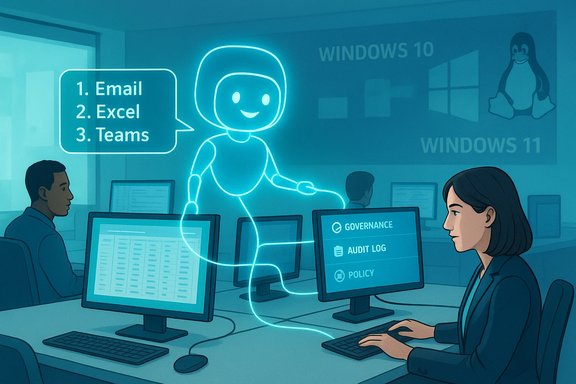
The past year of reporting collected in the briefings and community threads assembled here shows three parallel dynamics shaping the tech workplace and the Windows ecosystem:- A corporate push to embed copilots and agents into email, Office, and productivity flows to reduce “app‑hopping” and automate routine tasks. Vendors and integrators are delivering agent stores, Copilot Studio-style toolchains, and plug‑ins that let assistants act across apps.
- A clear mismatch between employer expectations for AI adoption and employee sentiment: firms use incentives and cash rewards to accelerate tool use while many employees worry about job security, bias, and inadequate retraining.
- Desktop disruption after Microsoft ended mainstream support for Windows 10 on October 14, 2025: enthusiast communities signaled willingness to migrate to Linux or cloud-hosted Windows, and migration-focused distributions and tools recorded sizable interest spikes.
Employers vs. Employees: the disconnect over AI at work
What the headlines say
Conferences and summit reporting framed immediate tensions bluntly: many employers see AI as a lever to capture productivity and cut costs, while employees — particularly frontline, junior or historically under-represented groups — report anxiety about job security, lack of training, and unclear governance. This divergence was visible at industry panels and in practitioner forums.Concrete employer tactics
Companies are using a mix of incentives and governance to accelerate adoption:- Cash, points and leaderboards — spot bonuses, firmwide targets and recognition schemes to make AI use habitual (example: Shoosmiths’ Copilot target unlocking a £1M bonus pot).
- Competitions and “best use” awards to surface reproducible automation templates and internal assets.
- Partner integrations and consultant‑led rollouts that embed firm IP inside Copilots and agent templates, promising measurable time savings.
Employee concerns and real risks
Multiple practitioner reports and surveys reveal recurring worker concerns:- Fear of displacement and loss of apprenticeship: automation of repetitive work reduces on-the-job training opportunities that historically fed leadership pipelines.
- Unequal access to training and tools: early benefit accrues to teams with budget and visibility; without structured reskilling many employees are left behind.
- Governance and data leakage risks: shadow AI usage (employees experimenting on public models) can expose sensitive data unless organizations provide safe sandboxes and clear policies.
The TechPulse: Windows 10 EOL, migration and what that means for Windows admins
The trigger: October 14, 2025
Microsoft’s formal end-of-life for Windows 10 created a definitive operational inflection point. While devices continue to boot, Microsoft stopped mainstream security and feature updates for retail Windows 10 editions on that date, pushing many users into three options: upgrade to Windows 11 where hardware permits, pay for a time-limited Extended Security Updates (ESU) bridge, or migrate to an alternate OS.Community reaction — TechPowerUp poll and migration signals
Community polling and telemetry among enthusiast audiences signalled a notable migration appetite: a significant slice of power users and hobbyists said they were willing to leave Windows rather than buy new hardware or pay for ESU. That directional signal aligned with real-world indicators — Linux distribution download spikes (Zorin OS among them), early increases in Linux share on gaming telemetry, and community migrations to ChromeOS Flex or Linux.- Why this matters to IT teams: migration interest is not a consumer fad — it creates channel pressure, forces re-evaluation of support strategies, and raises the bar for provisioning alternatives for users who lack Windows 11 compatible hardware.
Practical options for administrators
- Inventory and classify devices for Windows 11 compatibility and LOB dependencies.
- Use ESU as a measured, time-limited runway — do not treat it as a strategy.
- Pilot cloud-hosted Windows (Windows 365, AVD) for incompatible endpoints where specialized Windows apps are required.
- Prepare tested Linux/ChromeOS Flex options for lower‑risk user groups; document peripherals and app compatibility before large-scale migration.
Product moves: copilots, Slack-era app-hopping fixes, and Excel’s new import functions
Agents and app-hopping: the promise to reduce context switching
Vendors and vendor partners are converging on the idea of agentic assistants that can act across apps — synthesising email, calendar, docs and ticketing systems so people stop hopping between tools. Early agent platforms (Copilot Studio, Zapier Agents, OpenAI’s Company Knowledge constructs) target precisely that problem: reduce app-hopping, centralise context, and let assistants prepare, summarise and act. The practical benefits are real: fewer context switches, faster meeting prep, and automated first-draft work.But the risks are equally practical: overtrust in agent outputs, data leakage through connectors, and brittle automations that break when source apps change. Responsible rollout requires identity, least‑privilege connectors, auditable logs and human‑in‑the‑loop rules.
Excel: faster imports via Copilot-assisted data loads
Excel’s recent import improvements — conversational import, Copilot that finds tables in PDFs/slide decks and creates refreshable Power Query links — are a significant boon for analysts who spend hours copying and cleaning. The integration shortens extraction cycles and lowers the barrier to build refreshable sources. Administrators should note feature gating: early builds require specific Office/Insider builds and Copilot entitlements, and organisations must set data-access policies to avoid accidental exposure of sensitive content.Key operational points for Excel + Copilot adoption:
- Ensure data intended to be refreshable is formatted as tables and stored in sanctioned cloud locations.
- Configure tenant Copilot controls: whitelisting connectors, logging queries and limiting web access for sensitive tenants.
- Teach analysts to treat AI-assisted imports as assistive, not authoritative — verify dates, numeric formats and provenance.
Partners and platform plays: IBM, consulting assets, and the agentization of IP
IBM’s integration inside Copilot
IBM has moved to embed its consulting assets and prebuilt assistants inside Microsoft Copilot, describing redeployable hours and productivity gains. That integration is a clear example of the “consulting IP as callable agents” trend: instead of shipping static deliverables, consultancies package playbooks and templates as in-app assistants that are invoked inside Word, Excel or Teams.Caveat: vendor-reported metrics (hours saved, dollar valuations) are useful signposts, but they need independent validation — procurement and CIO teams must demand methodologies and baselines for ROI claims before embedding partner agents at scale.
What CIOs should demand
- Transparent ROI measurement methods and access to underlying telemetry.
- Governance primitives: agent registries, ownership, approval workflows, least-privilege connectors and human-in-the-loop thresholds.
- Contractual clarity on IP, portability, and what happens to tenant data used to ground assistant outputs.
Education and immersion: AR/VR in classrooms and the human capital imperative
The education article and practitioner threads argue that AR/VR and simulation can transform learning — but only if teacher capacity, governance and equitable infrastructure are addressed. A staged, four-phase model (foundations → simulation → skill projects → continuous credentials) is sensible, with low-cost AR and offline-first platforms offering pragmatic entry points. However, cost, teacher training and procurement transparency are gating factors.Why this matters for employers: schools and training providers are the supply side of talent pipelines. If K–12 and higher education embed AI literacy, prompt craft and project-based evidence, employers will have more reskilling-ready candidates and less disruptive transitions. Private–public partnerships and accredited micro‑credentials are part of the practical solution.
Strengths — what’s working
- Genuine productivity gains on routine tasks: drafting, summarization, and data extraction scales well with copilots. These are measurable and repeatable wins when paired with human verification.
- Rapid innovation in developer and integration tooling: agent platforms, Copilot Studio and connectivity patterns mean teams can prototype cross-app automation faster than legacy integrations.
- New career pathways: AI ops, model auditors, prompt engineers and data stewards create alternative ladders for technical and domain experts if employers recognize and reward these competencies.
Risks and blind spots — where things can go wrong
- Two‑tier workplace: premium access and early-adopter teams capture disproportionate gains unless upskilling is universal and time-protected.
- Measurement risk and perverse incentives: count‑based rewards (e.g., number of prompts) can encourage quantity over quality unless linked to demonstrable value such as time saved or error reduction.
- Operational fragility and vendor lock‑in: tight coupling of core workflows to a single vendor’s Copilot/agent ecosystem increases switching cost and concentrates risk.
- Regulatory, legal and reputational exposures: data leakage, biased outputs and insufficient audits can produce legal consequences in regulated sectors. Demand explainability and audit trails for HR and customer-facing workflows.
Practical playbook for WindowsForum readers — IT leaders, admins and power users
For IT leaders and procurement teams
- Treat ESU as runway, not destination; plan migrations now.
- Demand ROI transparency and test cases from vendors and integrators; require baseline metrics and independent audits for headline hours/dollar claims.
- Build an agent approval process: register agents, set owners, require SLAs and define human-in-loop gates.
- Harden tenant Copilot settings: connector whitelists, audit logs and data retention policies.
For team leads and managers
- Pair incentives with protected learning time and documented redeployment pathways — rewards alone aggravate fear.
- Convert early wins into reusable templates and runbooks; reward sharing, not just individual usage numbers.
For end users and power users
- Treat agent outputs as a first draft. Verify facts, numerical tables and provenance before using them in client work or compliance documents.
- If migrating away from Windows 10, pilot alternatives (live USBs, VMs) and test peripherals and line-of-business apps before committing.
Flagged claims and necessary caution
- Vendor ROI claims (redeployed hours, dollarized productivity) are frequently promoted; treat them as vendor assertions until you see the methodology and independent verification. IBM and other partners publish headline figures that need auditable backing.
- Community poll results (TechPowerUp’s frontpage poll) reflect an enthusiast audience; they are directional indicators rather than statistically representative population measures. Corroborating telemetry (distro downloads, platform share) gives context but not a definitive market-shift number.
Conclusion — a pragmatic view for Windows professionals
The emerging workplace is neither uniformly dystopian nor unambiguously liberating: it is a contested, high-stakes transition. Copilots, agents and embedded integrations offer real, immediate value — but that value will only be durable if it is paired with governance, measurable outcomes, fair reskilling programs and clear human‑in‑the‑loop accountability. For Windows-oriented IT professionals, the practical priority is to run measured pilots, harden tenant controls, treat ESU as a runway, and insist that vendor promises be backed by verifiable telemetry and auditable governance.Short-term action items that create optionality and reduce risk:
- Audit your inventory and classify devices for Windows 11 compatibility now; use ESU conservatively as you plan migrations.
- Pilot a single, measurable agent use case (e.g., meeting prep or PDF table ingestion) with logging and human review; measure time saved and error rates before scaling.
- Require vendors and consultant partners to publish ROI methodologies, test-case data and governance artifacts before you adopt large-scale integrations.
Source: Benefits Canada.com https://www.benefitscanada.com/news...ries/2026/01/15/where-is-ibm-in-the-ai-craze]
