

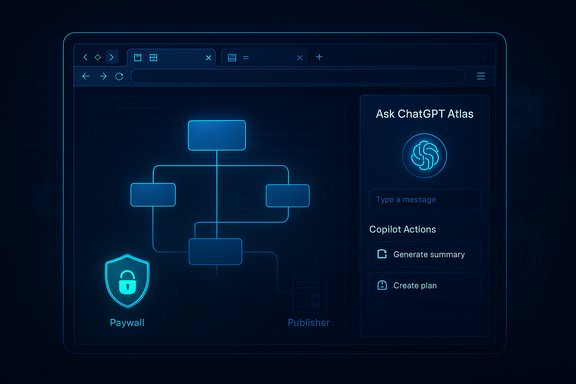
The web browser is no longer just a window onto the internet — it is fast becoming an active, context-aware assistant that reads pages, summarizes content, automates tasks and, in some builds, can take multi‑step actions on your behalf. This new generation of AI‑augmented browsers — from OpenAI’s ChatGPT Atlas to Microsoft’s Edge Copilot Mode, Perplexity’s Comet and vendor integrations of Google’s Gemini — represents a fundamental shift in how people interact with the web. The change promises major productivity gains, but it also concentrates new privacy, security and economic risks in a place most users take for granted: the browser itself.
Background / Overview
Browsers historically did two things: render HTML/CSS/JavaScript and let users navigate between pages. Over the last two years the category has evolved into a platform for a new layer: an assistant that can see and act on the browsing context. Vendors and startups have folded large language models and agentic features directly into the browser UI, offering persistent sidebars, multi‑tab synthesis, optional “memories,” and agent modes that can open tabs, click links, fill forms and even place orders with user permission. These moves convert browsing from a manual, link‑by‑link activity into a conversational, task‑oriented workflow.This article summarizes the practical landscape of AI browsers, verifies key technical claims against primary vendor announcements and independent reporting, weighs the user and enterprise benefits, and examines the security, privacy and economic downsides that follow when browsers gain the ability to behave like an autonomous assistant. Wherever a claim is time‑sensitive or contestable it has been checked against vendor pages and independent press coverage; where verification is incomplete, cautionary language is used.
What exactly is an “AI browser”?
The feature set that defines the new breed
An “AI browser” is best understood as a conventional browser engine wrapped with a reasoning and action layer. Typical capabilities include:- Page‑aware summarization: produce concise, level‑appropriate summaries of long articles and documents.
- Multi‑tab reasoning: synthesize information across open tabs (compare prices, aggregate evidence).
- Agentic actions: with explicit permission, perform multi‑step operations such as filling forms, starting bookings, or unsubscribing from newsletters.
- Persistent assistant UI: sidebars or panes that remain visible while you browse, enabling conversational queries tied to the page context.
- Optional memories: opt‑in storage of context or preferences to make the assistant more helpful across sessions.
Two main technical routes
AI browser capabilities are being implemented via two primary architectures:- Cloud‑hosted models: the browser sends page text, selections or signals to a remote model (Gemini, GPT families, Claude, etc. and receives a processed response. This gives stronger reasoning and up‑to‑date knowledge but transfers user data to vendor infrastructure.
- In‑browser inference: optimized runtimes and smaller models run locally using hardware acceleration (WebGPU, WebNN) and in‑browser frameworks (for example, WebLLM and related projects). This preserves privacy and lowers latency for many tasks but trades off model size and some reasoning depth. Open‑source projects such as WebLLM demonstrate functional, WebGPU‑accelerated in‑browser LLM inference today.
Who’s shipping what — a verified snapshot
OpenAI — ChatGPT Atlas
OpenAI released ChatGPT Atlas as a browser built with ChatGPT at its core, featuring a persistent “Ask ChatGPT” sidebar and an agent mode that can open tabs, click and act to complete tasks for users (agent mode launched in preview for paying tiers and business plans). Atlas launched first on macOS with Windows and mobile versions promised soon; its marketing and product page explicitly position the browser as a platform for agentic workflows and in‑context summarization. Independent reporting confirms the macOS release and the centrality of agent features. Verification notes: OpenAI’s product page describes agent mode, launch platforms and privacy controls; The Guardian and MacRumors corroborated the release and technical scope. Claims about Atlas expanding worldwide and agent availability are supported by OpenAI’s own announcement and contemporary coverage.Microsoft — Edge Copilot Mode and Copilot Actions
Microsoft has integrated a persistent Copilot pane into Edge, called Copilot Mode, enabling multi‑tab summarization and conversational queries across browsing context. Copilot Actions — Microsoft’s agentic capability — can automate tasks like unsubscribing or filling forms and ties into the broader Copilot ecosystem for Microsoft 365. Microsoft’s corporate blog details Copilot Actions, and independent outlets have reported previews and feature rollouts for Edge. Verification notes: Microsoft’s 2024–2025 announcements and the Microsoft 365 blog are authoritative sources for feature names and enterprise controls; coverage from MacRumors confirms the Copilot Mode experience and Actions preview.Perplexity — Comet
Perplexity shipped Comet, a Chromium‑based browser built around an always‑present assistant that summarizes pages, compares products and attempts task automation. Comet has been released on desktop and recently on Android, bringing Perplexity’s assistant more tightly into the browsing surface. Independent coverage and project filings document the product’s availability and design choices. Verification notes: The Verge covered the Android launch; Perplexity’s product materials and third‑party summaries confirm the feature set and platform targets.Google & Chromium ecosystem
Google embeds Gemini capabilities into Search and Chrome’s AI features (Gemini Live, “AI Mode”), surfacing synthesized answers and adding voice/camera multimodal interactions. Several Chromium‑based browsers (including Opera) have announced or integrated Gemini access to offer contextual AI functionality in side panels and assistants. This is an active area of development across Chromium forks and vendors. Verification notes: Vendor announcements and press coverage confirm Gemini’s distribution across Google products and third‑party integration deals with browsers like Opera; details vary by vendor and rollout region.Technical plumbing: how these browsers work under the hood
WebGPU, WebNN and local inference
Running meaningful LLM workloads directly in the browser became practical because of two developments: browser hardware‑acceleration APIs (WebGPU/WebNN) and optimized runtimes such as WebLLM. WebLLM is an open‑source engine that uses WebGPU to perform inference in the browser, supporting several model families and offering OpenAI API compatibility for developers. Demonstrations and GitHub projects show plausible local execution for models in the 1–13B parameter range on modern hardware. Caveat: running large models (tens of billions of parameters) locally still requires significant RAM and GPU resources; practical in‑browser models are typically quantized and optimized for smaller footprints. Projects use service workers, model sharding and fallback to WASM to broaden compatibility across devices.Cloud orchestration and API hybrid models
Many vendors adopt a hybrid approach: do lightweight tasks locally (summaries, token‑level filters), and send only the minimal context to powerful cloud models when needed. This reduces latency for common tasks while keeping the heavy lifting on vendor infrastructure where larger models (70B+) run. Hybrid designs also let vendors apply centralized safety controls, telemetry and billing.Why users and organizations will care — clear benefits
- Productivity: summarization, multi‑tab synthesis and automation collapse repetitive workflows into a single conversational flow, saving time for research, shopping and content work.
- Accessibility: instant rewrites, reading‑level summaries and inline explanations lower barriers for non‑technical users or language learners.
- Context continuity: “memories” and resumable sessions let users pick up complex tasks across sessions without reassembling context manually.
- Platform integration: enterprise Copilot tools offer manageability and policy controls that make AI browsers attractive for knowledge work inside corporate environments.
The risks — security, privacy, and the economics of attention
Agentic actions create a new attack surface
When a browser can open tabs, authenticate sessions and click through interfaces for a user, the potential for misuse increases. Agent features that act while a user is logged into other sites may — in flawed implementations — expose credentials or perform undesired actions. Vendors emphasize red‑teaming and safeguards, but defenses are imperfect and evolve after new attack techniques appear. Users should assume agentic features increase risk and adopt mitigations (use logged‑out agent mode for sensitive tasks, restrict agent permissions, review actions before confirmation). Flagging: any specific claim that an agent cannot be exploited is unverifiable; red‑team results and security audits are vendor‑controlled and should be treated cautiously unless independently validated.Privacy: data flows and model training
Cloud‑based features necessarily send user content to vendor servers for processing; even “non‑identifying” snippets can reveal sensitive information. Vendors provide opt‑out settings and enterprise controls, but default configurations and telemetry practices determine practical privacy outcomes. In‑browser models reduce data egress but are constrained by client hardware. Users and IT teams must choose tradeoffs deliberately.Publisher economics and paywall bypass
AI agents that can read the DOM and reconstruct paywalled content raise complex legal and business questions. Because agentic browsers can, from the browser’s perspective, behave much like a human session and extract page text (even if overlayed by a paywall), publishers’ technical defenses (robots.txt, user‑agent filtering) become less effective. This tension is already the subject of legal, technical and business debate.Verification notes: independent forum analysis and tech reporting document the mechanics and concerns; legal outcomes are unresolved and may change rapidly.
Centralization and competitive effects
Browsers that surface synthesized answers at the top of the page (search + assistant integration) can shift traffic away from third‑party publishers and redistribute ad and subscription revenue. Regulators are already scrutinizing default placements and distribution economics in other contexts; the AI browser era will test these rules further. Expect product changes and regulatory responses to influence incentives and defaults in the coming 12–24 months.Practical guidance — how to use AI browsers responsibly
For everyday users
- Start with conservative permissions: keep agentic actions off by default and enable them only when the task warrants.
- Use private sessions or “logged‑out” agent modes for tasks involving sensitive accounts.
- Audit assistant memories and clear stored context periodically.
- Keep browser and extension ecosystems minimal; third‑party extensions remain a primary vector for compromise.
For IT and security teams
- Treat browser choice as a managed endpoint decision and adopt policies that can disable agent capabilities where unacceptable.
- Build test environments to evaluate agent behavior against corporate workflows and data-handling policies.
- Require enterprise features (audit logs, admin controls, data residency options) before broad rollout.
- Train staff on the limits of agent liability — users should never assume an agent’s actions are infallible.
For publishers and platform operators
- Review DOM exposures and consider server‑side gating for sensitive paywalled materials where appropriate.
- Revisit terms of service and robot exclusions with an eye to agentic extraction mechanics (the legal landscape will evolve).
- Explore product strategies that deliver value beyond raw content access to maintain direct relationships with readers.
Policy, regulation and market implications
The arrival of AI browsers intersects with regulatory work on competition, privacy and platform behavior. Measures that limit default placements or increase transparency around personalization may blunt some anticompetitive effects of assistant‑led discovery. Conversely, the consolidation of model infrastructure with a small set of vendors could heighten systemic risk and regulatory scrutiny. Watch for enforcement actions and revised industry norms addressing how assistants access, synthesize and monetize third‑party content.Caution: predictions about regulatory outcomes are inherently uncertain and should be treated as scenario planning rather than firm forecasts.
Strengths and weaknesses — a balanced assessment
Strengths
- Friction reduction: collapsing multi‑step browsing tasks into a single interaction drives real productivity improvements for research, shopping and administrative tasks.
- Accessibility gains: inline rewriting, context‑aware clarifications and summarization benefit users with diverse needs.
- Platform innovation: mixing local and cloud inference creates a rich set of tradeoffs between privacy, latency and capability, enabling differentiated product designs.
Weaknesses / Risks
- Expanded attack surface: agentic actions raise exploitation risks that browsers were historically insulated from.
- Privacy leakage: cloud calls expose browsing context unless carefully managed; local inference reduces but does not eliminate data risk.
- Economic disruption: synthesized answers and agent‑led discovery can concentrate revenue with assistant providers, undermining some publisher business models.
What to watch next (signals that matter)
- User adoption curves for agent‑enabled features on Windows and mobile platforms — rapid adoption will accelerate both innovation and regulation.
- High‑profile security incidents tied to automated agent actions — these will shape enterprise policy adoption and technical countermeasures.
- Regulatory decisions impacting default placement, personalization transparency or content monetization — any enforcement action will materially affect vendor incentives.
- Progress in in‑browser inference (WebGPU/WebLLM) and device capability — if local LLMs become widely practical, privacy tradeoffs will shift toward on‑device compute.
Conclusion
A new breed of browsers is remaking the web into an interactive, assistant‑driven surface — and the implications are profound. For everyday users and knowledge workers, AI‑augmented browsers promise convenience, speed and accessibility improvements that can materially change workflows. For enterprises and publishers, they present governance, security and economic challenges that cannot be ignored. The right response is pragmatic: adopt AI browser features where they deliver clear, measurable value; treat agent actions as privileged operations; enforce enterprise controls and audits; and expect the regulatory and technical landscape to change fast.This is a multi‑year transformation, not a single product cycle. The browsers that will succeed are those that make assistants useful while giving users and organizations the tools to control what the assistant can see and do. Until independent audits and robust standards catch up with the pace of product launches, cautious, policy‑driven adoption is the responsible path forward.
Source: standard.net Tech Matters: A look at a new breed of browsers
