

Copilot and other generative assistants can turn the blank page from a barrier into a launchpad — but getting consistently useful results requires a method, not magic.
AI brainstorming is now mainstream: Microsoft positions Copilot as an “AI idea generator” for students, creators, professionals, hobbyists, job seekers, travel planners, and everyday organizers, and supplies ready-to-use prompt patterns and workflows to help people turn raw AI output into actionable work.
That positioning rests on two technical and product developments. First, modern large language and multimodal models are faster and better at multi‑step reasoning and contextual synthesis than their predecessors, enabling richer ideation sessions. Second, app-level integrations (Copilot in Word, Whiteboard, Loop, and the browser) make it practical to move from prompt to deliverable without heavy tool hopping.
This article is a hands‑on playbook: practical prompt templates, repeatable workflows, mental models for higher‑quality ideation, plus governance and verification steps to avoid common pitfalls like hallucinations and data leakage. Every method below is actionable inside Copilot or equivalent generative assistants and builds on public best practices and product guidance.
“Context: I’m planning a 700–1,000 word blog post about [TOPIC] for [AUDIENCE]. Give me 15 headline ideas and a one‑sentence summary for each. After that, list the three strongest headlines and expand each into a short outline (intro, three points, conclusion).”
Why it works:
Generates breadth first, then forces the assistant to prioritize and structure finalists so you can draft quickly. Industry examples and Microsoft guidance favor this diverge‑then‑converge approach.
Tweak:
Ask for SEO keyword ideas or CSV‑formatted output to import into a content calendar.
“You are [PERSONA] (e.g., skeptical product manager / first‑time buyer). I am [YOUR ROLE]. React to this product idea and show three different emotional responses (optimistic, skeptical, curious). Summarize differences and suggest two message variations for each persona.”
Why it works:
Role‑play surfaces tone and objection patterns you might miss when ideating alone; Microsoft explicitly recommends role‑play for character‑driven brainstorming.
“Create a mind map for launching a subscription newsletter. Branches: content, distribution, pricing, partnerships, metrics. For each branch, list five concrete sub‑ideas and one KPI. Output as a list of nodes I can paste into a Whiteboard.”
Why it works:
Transforms linear lists into visual clusters so teams can see dependencies and assign action items. Copilot and Loop integrations make converting AI suggestions into sticky notes straightforward.
“Give me 20 product names under 12 characters, no hyphens, that imply eco‑friendly home cleaning. Avoid using [WORD A] and [WORD B]. Prefer playful but professional tone. Rank by memorability.”
Why it works:
Boundaries focus creativity and reduce noise. Prompt engineering research and practitioner templates recommend explicit limits for executable ideas.
“Draft a resume bullet for this achievement: [ACHIEVEMENT]. Then rewrite with stronger action verbs, quantify outcomes, and provide a LinkedIn‑style version and a conservative variant.”
Why it works:
Iterative edits create multiple deliverable‑ready variants. This is a common pattern for job seekers and writers using Copilot.
“Act as a skeptic and list 10 ways this plan could fail (technical, market, human). Prioritize by severity and propose mitigations for the top 3 risks.”
Outcome:
Forces adversarial thinking and reveals blind spots before resources are committed. Practitioners use this as a lightweight red‑team exercise.
“Map the key stakeholders, technical dependencies, and regulatory constraints for this idea. Show three feedback loops and recommend monitoring metrics for each.”
Outcome:
Turns creative ideas into operationally realistic plans by highlighting dependencies and monitoring points. This reduces surprise during execution.
“Describe this project as if it were a garden. Identify three ‘beds’ (areas), what to plant first, and how to ‘water’ each to grow for six months.”
Outcome:
Metaphors prompt unusual reframes and can unblock stuck teams or produce evocative storytelling directions.
“I need a 2,000‑word essay topic and a three‑part thesis outline about renewable energy policy. Provide five options and a short reading list (five academic sources) for each.”
Tip:
Use this to shortlist topics, then verify the reading lists in academic databases before citing. AI can suggest sources but may hallucinate details — always confirm.
“Give me five inciting incidents for a mystery novel set in [CITY]. For each, provide a one‑paragraph scene starter, a unique motive, and two conflicting character goals.”
Tip:
Run a role‑play prompt afterward to test dialogue and emotional reaction.
“Rewrite this resume bullet to emphasize leadership and measurable impact: [ORIGINAL BULLET]. Provide two variants: conservative and bold, and a one‑sentence LinkedIn summary.”
Tip:
Ask for interview‑style behavioral questions based on the bullet and a sample STAR response to prepare for follow‑ups.
“Plan a 5‑day Rome itinerary for slow travel, budget $1,200, including three local food experiences and one off‑the‑beaten‑path day trip. Include transit options and packing checklist.”
Tip:
Double‑check transport times and opening hours from official sources before booking. AI itineraries are a great starting point but require verification.
“Create three mood‑board directions for a minimalist wellness brand: palettes, two visual references, suggested typography pairings, and a one‑line tagline for each direction.”
Tip:
Use Copilot’s design guidance to export thumbnails and then hand off to Figma or Photoshop for vector cleanup and accessibility checks.
Flag: any specific retention windows, pricing, or product‑availability claims mentioned here reflect product documentation and community reporting and should be checked in your account settings or enterprise admin portal for the latest, environment‑specific details before you rely on them operationally.
Source: Microsoft How to Brainstorm with AI | Microsoft Copilot
 Background
AI brainstorming is now mainstream: Microsoft positions Copilot as an “AI idea generator” for students, creators, professionals, hobbyists, job seekers, travel planners, and everyday organizers, and supplies ready-to-use prompt patterns and workflows to help people turn raw AI output into actionable work.That positioning rests on two technical and product developments. First, modern large language and multimodal models are faster and better at multi‑step reasoning and contextual synthesis than their predecessors, enabling richer ideation sessions. Second, app-level integrations (Copilot in Word, Whiteboard, Loop, and the browser) make it practical to move from prompt to deliverable without heavy tool hopping.
This article is a hands‑on playbook: practical prompt templates, repeatable workflows, mental models for higher‑quality ideation, plus governance and verification steps to avoid common pitfalls like hallucinations and data leakage. Every method below is actionable inside Copilot or equivalent generative assistants and builds on public best practices and product guidance.
Why use AI for brainstorming?
AI is not a replacement for human creativity; it’s a force multiplier. Use it to:- Break the blank‑page problem: produce dozens of raw directions in seconds.
- Expand perspective: generate ideas from different voices, personas, or stakeholder viewpoints quickly.
- Scaffold structure: convert vague goals into outlines, checklists, mind maps, or CSV/Excel tables that feed project tools.
- Multimodal ideation: pair headlines with image concepts, alt text, or mood boards when the assistant supports images.
Getting started: a simple, repeatable workflow
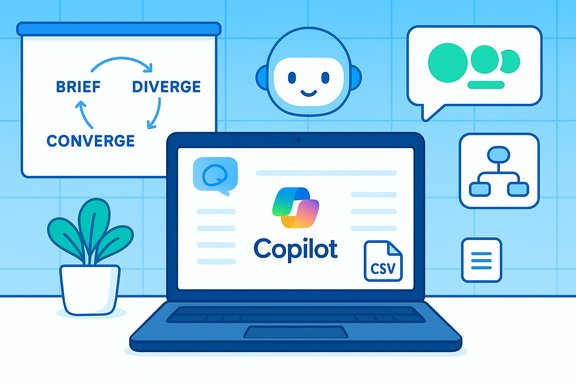
Follow this four‑step loop every time you brainstorm with AI:- Brief the assistant: define objective, audience, tone, constraints (budget, word count, channels). Precise context yields better output.
- Diverge (produce many): ask for a large set of raw ideas or variants without filtering. Use explicit counts (e.g., “Give me 15 headlines and a one‑sentence summary for each”).
- Converge (filter and prototype): pick the top ideas, ask for outlines, pros/cons, or a one‑page proof-of-concept. Use adversarial prompts to test weaknesses.
- Verify and polish: fact‑check any claims, remove or rephrase sensitive details, and finalize tone for publication. Always treat AI output as a draft.
Concrete prompt patterns and templates
Below are battle‑tested prompts you can copy and adapt. Each template includes a short explanation and a practical tweak.1) Rapid idea dump (breadth-first)
Prompt:“Context: I’m planning a 700–1,000 word blog post about [TOPIC] for [AUDIENCE]. Give me 15 headline ideas and a one‑sentence summary for each. After that, list the three strongest headlines and expand each into a short outline (intro, three points, conclusion).”
Why it works:
Generates breadth first, then forces the assistant to prioritize and structure finalists so you can draft quickly. Industry examples and Microsoft guidance favor this diverge‑then‑converge approach.
Tweak:
Ask for SEO keyword ideas or CSV‑formatted output to import into a content calendar.
2) Role‑play & perspective shifts (empathy testing)
Prompt:“You are [PERSONA] (e.g., skeptical product manager / first‑time buyer). I am [YOUR ROLE]. React to this product idea and show three different emotional responses (optimistic, skeptical, curious). Summarize differences and suggest two message variations for each persona.”
Why it works:
Role‑play surfaces tone and objection patterns you might miss when ideating alone; Microsoft explicitly recommends role‑play for character‑driven brainstorming.
3) Mind map / visual brainstorm (best with Loop or Whiteboard)
Prompt:“Create a mind map for launching a subscription newsletter. Branches: content, distribution, pricing, partnerships, metrics. For each branch, list five concrete sub‑ideas and one KPI. Output as a list of nodes I can paste into a Whiteboard.”
Why it works:
Transforms linear lists into visual clusters so teams can see dependencies and assign action items. Copilot and Loop integrations make converting AI suggestions into sticky notes straightforward.
4) Constraint‑driven creativity (names, slogans)
Prompt:“Give me 20 product names under 12 characters, no hyphens, that imply eco‑friendly home cleaning. Avoid using [WORD A] and [WORD B]. Prefer playful but professional tone. Rank by memorability.”
Why it works:
Boundaries focus creativity and reduce noise. Prompt engineering research and practitioner templates recommend explicit limits for executable ideas.
5) Iterative refinement for polished copy
Prompt:“Draft a resume bullet for this achievement: [ACHIEVEMENT]. Then rewrite with stronger action verbs, quantify outcomes, and provide a LinkedIn‑style version and a conservative variant.”
Why it works:
Iterative edits create multiple deliverable‑ready variants. This is a common pattern for job seekers and writers using Copilot.
Advanced brainstorming techniques
When you need higher rigor or novelty, combine prompts with cognitive models.Dialectical thinking (devil’s advocate)
Prompt:“Act as a skeptic and list 10 ways this plan could fail (technical, market, human). Prioritize by severity and propose mitigations for the top 3 risks.”
Outcome:
Forces adversarial thinking and reveals blind spots before resources are committed. Practitioners use this as a lightweight red‑team exercise.
Systems thinking (dependencies & feedback loops)
Prompt:“Map the key stakeholders, technical dependencies, and regulatory constraints for this idea. Show three feedback loops and recommend monitoring metrics for each.”
Outcome:
Turns creative ideas into operationally realistic plans by highlighting dependencies and monitoring points. This reduces surprise during execution.
Metaphor and analogy prompting
Prompt:“Describe this project as if it were a garden. Identify three ‘beds’ (areas), what to plant first, and how to ‘water’ each to grow for six months.”
Outcome:
Metaphors prompt unusual reframes and can unblock stuck teams or produce evocative storytelling directions.
Turning ideas into products: output formats and handoffs
Good brainstorming ends with an output your team can act on. Ask the assistant to produce:- CSV/Excel tables for calendars and schedulers, with columns prefilled (date, platform, caption, CTA).
- Slide‑ready outlines for presentations (title slide, 3–5 point slides, closing slide).
- One‑page briefs with a provenance table tying each factual claim to a source (essential for investor decks and legal review).
Practical examples by user type
Below are compact recipes for common users — prompt seeds you can paste into Copilot.Students
Seed:“I need a 2,000‑word essay topic and a three‑part thesis outline about renewable energy policy. Provide five options and a short reading list (five academic sources) for each.”
Tip:
Use this to shortlist topics, then verify the reading lists in academic databases before citing. AI can suggest sources but may hallucinate details — always confirm.
Writers & bloggers
Seed:“Give me five inciting incidents for a mystery novel set in [CITY]. For each, provide a one‑paragraph scene starter, a unique motive, and two conflicting character goals.”
Tip:
Run a role‑play prompt afterward to test dialogue and emotional reaction.
Job seekers
Seed:“Rewrite this resume bullet to emphasize leadership and measurable impact: [ORIGINAL BULLET]. Provide two variants: conservative and bold, and a one‑sentence LinkedIn summary.”
Tip:
Ask for interview‑style behavioral questions based on the bullet and a sample STAR response to prepare for follow‑ups.
Travel planners
Seed:“Plan a 5‑day Rome itinerary for slow travel, budget $1,200, including three local food experiences and one off‑the‑beaten‑path day trip. Include transit options and packing checklist.”
Tip:
Double‑check transport times and opening hours from official sources before booking. AI itineraries are a great starting point but require verification.
Designers & creatives
Seed:“Create three mood‑board directions for a minimalist wellness brand: palettes, two visual references, suggested typography pairings, and a one‑line tagline for each direction.”
Tip:
Use Copilot’s design guidance to export thumbnails and then hand off to Figma or Photoshop for vector cleanup and accessibility checks.
Safety, privacy, and governance — essential guardrails
AI brainstorming is powerful but not risk‑free. The most important rules:- Do not paste or upload sensitive personal, financial, or classified corporate data into consumer AI chats unless your account and tenant explicitly allow it and the retention policy fits your needs. Microsoft documents that uploaded files may be stored for a limited window in some scenarios — reportedly up to 18 months for certain consumer contexts — and organizations have extra governance controls. Confirm retention and training opt‑out settings in your account.
- Treat all facts, dates, statistics, and quotes from AI as unverified. For any load‑bearing claim (metrics, legal text, medical advice), verify against primary sources or domain experts before acting. Prompt the assistant to list “things to check” to make verification easier.
- Keep a prompt library and versioned records of the AI output and the prompt used. This provenance is valuable for audits, content ownership questions, and dispute resolution.
- Use adversarial prompting (play the skeptic) to surface hidden risks and blind spots. Turn AI into a red team before committing resources.
- For organizations: implement role‑based access, tenant policies, and explicit admin controls before allowing Copilot on sensitive repositories. Several industry reports recommend treating Copilot like any other data access service — with layered governance.
Mitigating hallucinations and factual drift
Hallucinations — plausible but false statements — are the most persistent risk in creative AI workflows. Reduce them with these habits:- Ask the model to cite sources for factual claims and then verify the citations. Use “synthesize and cite” prompts when compiling research briefs.
- Use shorter, constrained prompts for facts (e.g., “List three government sources that confirm [claim]”).
- Cross‑check AI output against at least two independent and authoritative sources before publishing or operationalizing high‑impact content.
- Keep humans in the loop: route outputs to subject‑matter experts for sign‑off on technical or legal claims.
Measuring success: quick metrics for AI brainstorming sessions
Track simple, practical indicators to learn what works:- Idea velocity: number of raw ideas generated per 30‑minute session.
- Conversion rate: percentage of AI ideas that become prototypes, drafts, or experiments.
- Time to first draft: minutes saved compared to previous baseline.
- Verification overhead: time spent fact‑checking AI output (helps weigh speed vs. quality).
Tooling and integrations that make brainstorming practical
Copilot and similar assistants are most useful when paired with tools that capture and operationalize output:- Loop / Whiteboard for visual mind maps and shared canvases.
- Excel/CSV exports for content calendars and social scheduling.
- Design tools (Figma, Photoshop) for cleaning AI‑generated visuals; treat AI images as creative seeds, not final assets.
- Project trackers (Asana, Jira, Trello) to turn AI checklists into assigned tasks and timelines.
A short prompt library to save and reuse
- Brainstorm & diverge: “Act as my brainstorming partner. Generate 12 distinct ideas, group into 3 themes, pick top 3 and list pros/cons + one prototype step each.”
- Skeptic test: “Play the skeptic. List 10 reasons this could fail, rank severity, and propose mitigations for the top 3.”
- Evidence brief: “Summarize attached docs and for each factual claim list the document name + paragraph used as evidence; flag unverifiable claims.”
- Content calendar export: “Create a 4‑week content calendar for [TOPIC], output as CSV with columns: date, platform, caption, hashtags, asset filename, CTA, status.”
Final checklist before you act on AI ideas
- Have I defined the objective, audience, and constraints?
- Did I request breadth before depth (many ideas, then refine)?
- Have I run adversarial and verification prompts for risky assumptions?
- Are any outputs reliant on facts, dates, or numbers that need primary‑source confirmation?
- Did I avoid pasting sensitive or regulated data into a consumer assistant without governance?
Conclusion
AI brainstorming with Copilot or similar assistants is not a silver bullet — it’s a new collaborative muscle. Treated as a structured partner (not an oracle), AI dramatically accelerates ideation, broadens perspectives, and scaffolds the work needed to prototype and publish. Use clear briefs, diversify outputs, converge with critical review, and enforce verification and privacy controls to get the speed benefits without the downside. Practical prompt libraries, exportable outputs (CSV, slides, briefs), and adversarial testing turn ephemeral sparks into reliable, testable projects that teams can build on.Flag: any specific retention windows, pricing, or product‑availability claims mentioned here reflect product documentation and community reporting and should be checked in your account settings or enterprise admin portal for the latest, environment‑specific details before you rely on them operationally.
Source: Microsoft How to Brainstorm with AI | Microsoft Copilot
