

I used to think “copilot” was a marketing word for a fancy autocomplete box. I was wrong — and the quiet, steady arrival of AI copilots inside the apps you open every morning has, for many solo founders and small teams, become the difference between grinding to burnout and reclaiming creative work that actually matters.
AI copilots are no longer niche plugins or experimental labs; they are being built into mainstream productivity software and developer tools so tightly that they live in the same window where you write, schedule, and ship work. Microsoft’s product family — Microsoft 365 Copilot in Word, Excel, PowerPoint, Outlook and Teams; the Copilot app in Windows; and GitHub Copilot inside IDEs — illustrates how vendors are shifting from “one-off AI demos” to continuous, in‑context assistance that sits in your flow of work. These integrations aim to shorten the friction between idea and execution: brainstorm, synthesize, draft, and debug — all without switching context. That transition is exactly what one freelance founder described in a first‑person account shared with me: a long-running niche site owner whose daily workbook included frantic research across multiple tabs, manual coding fixes, and long nights wrestling a “blank page.” After leaning into built‑in copilots — not as a replacement but as a collaborator — that person reported major changes in output, stress, and the kinds of projects they could tackle. Those anecdotal gains mirror trends analysts and vendors are quantifying for enterprises and SMBs: independent TEI/ROI studies and vendor-reported metrics show sizable productivity lifts and time savings when Copilot-style capabilities are adopted thoughtfully.
(Notes: the personal outcomes described are drawn from an individual account and are illustrative. Independent TEI and security analyses underpin the broader claims about productivity, legal exposure, and risk mitigation strategies cited above.
Source: vocal.media The Quiet Revolution in Your Software: How Everyday AI Copilots Became My Secret Weapon for Growth.
 Background / Overview
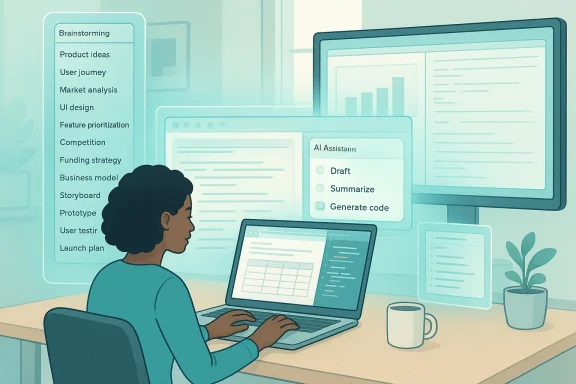
AI copilots are no longer niche plugins or experimental labs; they are being built into mainstream productivity software and developer tools so tightly that they live in the same window where you write, schedule, and ship work. Microsoft’s product family — Microsoft 365 Copilot in Word, Excel, PowerPoint, Outlook and Teams; the Copilot app in Windows; and GitHub Copilot inside IDEs — illustrates how vendors are shifting from “one-off AI demos” to continuous, in‑context assistance that sits in your flow of work. These integrations aim to shorten the friction between idea and execution: brainstorm, synthesize, draft, and debug — all without switching context. That transition is exactly what one freelance founder described in a first‑person account shared with me: a long-running niche site owner whose daily workbook included frantic research across multiple tabs, manual coding fixes, and long nights wrestling a “blank page.” After leaning into built‑in copilots — not as a replacement but as a collaborator — that person reported major changes in output, stress, and the kinds of projects they could tackle. Those anecdotal gains mirror trends analysts and vendors are quantifying for enterprises and SMBs: independent TEI/ROI studies and vendor-reported metrics show sizable productivity lifts and time savings when Copilot-style capabilities are adopted thoughtfully. How modern copilots actually show up in your everyday software
Integrated, not separate: copilots live where you work
The defining trait of the current generation of copilots is integration. They are embedded in the canvas where users already operate:- Word & PowerPoint: Drafting, rewriting, summarizing and turning documents into slide decks without a separate chat window. Copilot can create a first draft, adjust tone, suggest supporting evidence and extract speaker notes.
- Excel: Natural language queries, formula generation and Python integrations that let users ask “explain trends” and get executable analyses. Recent updates expanded Copilot’s capabilities to write Python inside Excel cells for richer analytics.
- Outlook & Teams: Meeting summarization, email drafting and inbox triage become native features — not bolt-ons — so your “assistant” sees the conversation context and responds inside the same app.
- Windows Copilot: A system-level assistant that can create documents, connect to cloud accounts and export results straight to Word, Excel, PowerPoint or PDF from a single chat box. That Windows app continues to receive connectors and export functionality in Insider updates.
- GitHub Copilot / IDE copilots: These work inside editors (VS Code, Visual Studio, JetBrains, Neovim) and can suggest code blocks, entire functions, or debug hints. For many non‑specialist developers, that transforms “hack-it‑til‑it‑works” coding into guided, testable implementations.
Real micro‑tasks where copilots win
The biggest productivity wins aren’t sensational — they are the small tasks that collectively drain time and attention:- Generating multiple fresh article outlines when creativity stalls.
- Summarizing competitor articles or long reports into consolidated bullet lists.
- Trimming long emails to concise, action-oriented replies.
- Turning a code comment into a working function and explaining errors in plain English.
The numbers: measurable gains, but know what those numbers mean
Vendor and analyst studies report strong returns — but it’s important to parse what those studies measure and how that maps to the single‑founder story.- Forrester’s TEI studies commissioned by Microsoft show projected ROIs that vary by scenario, with SMB studies citing ROI ranges that can reach into the low hundreds of percent over three years and enterprise analyses reporting large absolute productivity and revenue impacts. These studies emphasize time saved on routine tasks, faster employee onboarding, and operational efficiencies when Copilot is combined with platform readiness and governance.
- Vendor case studies and internal Microsoft reporting often highlight average time saved per user per month on drafting and summarization tasks — convenient proxies for daily value but not universal guarantees.
What actually changes in your workflow (practical examples)
Brainstorming and dehydration of the blank page
- Use the sidebar or Copilot chat to ask for 8–12 fresh angles on a topic. Instead of a finished article, expect a rapid ideation set you can remix.
- The assistant gives you options and structure; you provide voice, nuance and facts. This “map, not driver” model is what turns block into momentum.
Research and synthesis
- Open three long competitor posts and ask Copilot to compare key arguments and disagreements. It will synthesize common threads and highlight divergences in seconds, saving hours of skimming and note‑taking. This is the same pattern described by the founder who moved from 3–5 tabs to a single research pass.
Email triage and client friction
- Draft a long, detailed reply and have Copilot rewrite it into a crisp, action-focused response with a prioritized call to action. Time saved here can be dramatic — especially when dozens of client communications stack up.
Coding and debugging with GitHub Copilot
- In an IDE, type a comment that describes the desired function. Copilot will often offer a complete function that matches the context (for example, hooking into WordPress functions to auto‑generate alt text). That reduces time spent browsing forums and trial‑and‑error.
- Paste an error message and ask for a plain‑English explanation plus three possible fixes. The assistant becomes an on‑demand tutor, accelerating developer learning curves.
Strengths: where copilots deliver the most value
- Contextual speed: Built into apps, copilots reduce tab‑switching and lost context.
- Democratization of skill: Non‑technical users can ask for Python analysis in Excel or code snippets in Visual Studio without being expert programmers.
- Fatigue reduction & creative amplification: By automating routine parts of work, copilots let humans focus on strategy and creativity — and that can restore job satisfaction for exhausted solo founders and teams.
- Scalable ROI: Analyst work indicates large productivity returns when pilots move to governed, enterprise‑grade deployments — especially where business‑critical processes are targeted first.
Risks, tradeoffs, and why “use with care” matters
The surge in practical utility doesn’t mean low risk. Here are the major categories every Windows user and IT leader must consider — and concernsete reasons to treat them seriously.1) Prompt‑injection and data exfiltration
Prompt‑injection attacks have moved from academic demos into real-world incidents. Security researchers at Varonis disclosed a single‑click exploit dubbed “Reprompt” that abused Copilot’s URL parameter handling to execute prompts and quietly exfiltrate personal data. The attack chain demonstrated how a pre‑filled prompt in a URL could circumvent safety controls and persist beyond the visible chat session — a sobering example of how convenience features can become attack surfaces. Microsoft and others patched specific vectors, but the event underscores that copilots are part of the threat landscape, not immune from it.2) Coding agents and supply‑chain risks
Coding copilots have produced real security incidents in which hidden instructions or crafted repository content caused agents to execute unintended actions. Academic and industry reviews document CVEs and exploit chains that resulted in remote code execution or secret exfiltration from private repos. These risks are acute because a compromised repository or pull request can act as a delivery mechanism for malicious prompts aimed at an automated assistant. For developers, the result can be compromised machines or leaked IP.3) Copyright and licensing exposure
GitHub Copilot’s training on public code raised legal challenges. Several class actions and individual suits alleged that using public repositories as training data violated open‑source licenses or copyright. Courts have so far split on aspects of the claims — judges have dismissed some counts while allowing others to proceed — meaning legal risk hasn’t vanished. For organizations, the lesson is to treat code generation outputs with the same IP scrutiny you’d apply to third‑party code: verify and scan generated snippets for license and provenance issues before using them in production.4) Hallucinations and factual accuracy
LLMs can generate plausible‑sounding but incorrect content. In enterprise contexts this becomes dangerous when a summary or dataset analysis from a copilot is trusted without verification. Copilot features often cite source documents, but users must confirm facts, especially when content affects financials, legal language, or medical claims.5) Data residency and privacy governance
Copilots work by accessing data — calendar entries, files, emails — which raises questions about what leaves your tenant, where it’s processed, and who can see the results. Microsoft and other vendors build controls and tenant isolation, but governance and access control remain the customer’s responsibility. For high‑sensitivity data, enterprises should require explicit tenant grounding, strict connector approvals and role‑based access.Pragmatic mitigation: how to adopt copilots without inviting problems
If your goal is the same as the founder’s — get the help you need without losing control — follow a short checklist that blends security, governance and human workflows.- Start small, with a single high‑value use case. Pick content drafting, meeting summaries, or an automated reporting flow — not every use case at once. A focused pilot yields measured impact and manageable risk.
- Apply least‑privilege connectors. Only enable Copilot connectors (OneDrive, Gmail, Google Drive, etc. when their value in the pilot exceeds the risk, and require explicit opt‑in per user.
- Log and monitor AI interactions. Record prompts, outputs and connector activity. Auditing is critical for incident investigation and performance measurement.
- Train users in prompt hygiene. Teach staff to treat outputs as drafts: verify factual claims, check code snippets, and avoid pasting secrets into prompts. Encourage multiple iterations rather than blind acceptance.
- Integrate security testing for agent pipelines. Use red‑teaming tools (e.g., domain‑specific prompt‑fuzzers and PyRIT‑style frameworks) to simulate prompt‑injection attacks before scaling.
- Scan generated code and content for license and security issues. Treat generated code like any third‑party contribution: run SAST/DAST, license scanning, and code review.
- Use tenant grounding and hold‑back policies for sensitive data. Keep the most sensitive datasets out of automated contexts until you have mature controls and contractual assurances.
Governance & ROI: how to make the investment stick
Pilot projects that move to scale share certain traits:- They measure impact: time saved on specific tasks, reduced ticket volumes, or improved go‑to‑market cycle times.
- They enforce governance: clear connectors, approval workflows and logging.
- They invest in training: “Copilot champions” who help peers learn prompting and vet outputs.
The human factor: what you keep, what you gain
The founder’s most resonant point wasn’t a metric; it was a human one: regaining the joy of work. Copilots take the grunt work out of creative and technical workflows, but they don’t replace the parts of the job that matter most: judgment, relationships, voice and craft.- Use copilots to amplify human skills, not automate judgment.
- Reserve final edits, ethical calls and high‑risk decisions for people.
- Expect the best value from human + copilot teams rather than human versus machine thinking.
Conclusion: where to put your next play
Everyday copilots are not a magic pill, but they are a practical lever if you adopt them with measured governance. The founder’s story shows what’s possible at an individual level: better output, less burnout, and faster technical progress. Analyst studies, vendor documentation and security research validate both the upside and the downside — from measurable ROI to prompt‑injection threats and legal debates about training data. If you’re ready to try this for yourself, take these first steps:- Pick one task where you spend more than two hours a week (email triage, draft outlines, repetitive reporting).
- Try the built‑in copilot in that app and evaluate the time you save over a month.
- Pair the pilot with a simple security checklist: restrict connectors, enable logging, and require human verification for final outputs.
- Scale the approach only after you’ve measured impact and audited safety.
(Notes: the personal outcomes described are drawn from an individual account and are illustrative. Independent TEI and security analyses underpin the broader claims about productivity, legal exposure, and risk mitigation strategies cited above.
Source: vocal.media The Quiet Revolution in Your Software: How Everyday AI Copilots Became My Secret Weapon for Growth.
