

PCMag’s “All About AI” series distills a messy, fast-moving industry pivot into a practical playbook for buyers, explaining why the new class of AI-capable PCs matters, what the hardware metrics actually mean, and which Windows features are likely to change day-to-day workflows.
The PC market is undergoing a definable shift: alongside faster CPUs and more powerful GPUs, manufacturers are adding a third class of silicon — the Neural Processing Unit (NPU) — and vendors and Microsoft are baking OS-level features meant to exploit that hardware. The result is an emergence of the so-called Copilot+ or “AI PC” category, driven by two converging trends: dedicated on-device AI acceleration and deeper integration of AI services into Windows.
This shift matters because it reframes the typical buyer calculus. Buyers no longer evaluate only CPU/GPU specs; they must also consider NPU power (often marketed in TOPS), memory, storage speed, and whether the machine’s firmware and software stack will actually use its AI hardware to deliver tangible benefits. PCMag’s series emphasizes outcomes — faster local transcription, device-level “Recall,” creative co-creation tools, and privacy-preserving local inference — rather than raw vendor claims.
That said, the series also rightly flags material caveats: vendor TOPS claims are not benchmarks; many Copilot+ experiences require coordinated firmware, OS, and app updates; and features like Recall require careful privacy and governance planning. Enterprises face the extra burden of securing agentic automation and proving ROI through disciplined pilots.
Buyers should therefore treat Copilot+ as a practical, emerging platform — compelling where its benefits align with real needs (offline transcription, privacy-focused local inference, creative cocreation), less compelling as a blanket upgrade for general-purpose use. Where Copilot+ delivers real value, it does so by blending silicon, software, and operational rigor; where it doesn’t, vendor claims often outpace independent testing.
Source: PCMag All About AI
 Background / Overview
The PC market is undergoing a definable shift: alongside faster CPUs and more powerful GPUs, manufacturers are adding a third class of silicon — the Neural Processing Unit (NPU) — and vendors and Microsoft are baking OS-level features meant to exploit that hardware. The result is an emergence of the so-called Copilot+ or “AI PC” category, driven by two converging trends: dedicated on-device AI acceleration and deeper integration of AI services into Windows.This shift matters because it reframes the typical buyer calculus. Buyers no longer evaluate only CPU/GPU specs; they must also consider NPU power (often marketed in TOPS), memory, storage speed, and whether the machine’s firmware and software stack will actually use its AI hardware to deliver tangible benefits. PCMag’s series emphasizes outcomes — faster local transcription, device-level “Recall,” creative co-creation tools, and privacy-preserving local inference — rather than raw vendor claims.
What the PCMag Series Says — The Core Takeaways
PCMag’s coverage groups AI-driven PC benefits into approachable categories and offers practical guidance for both consumers and enterprise buyers:- On-device responsiveness and privacy: Local inference can reduce latency and keep sensitive data on the device.
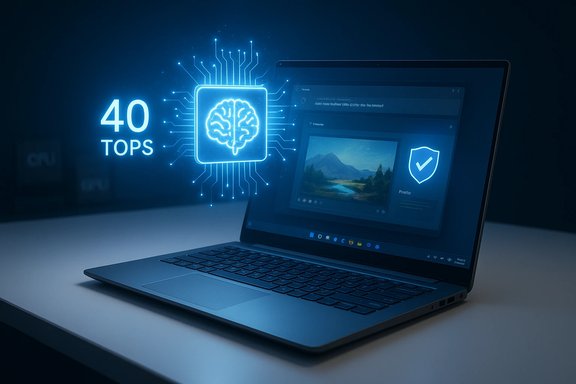
- Copilot+ threshold: Microsoft’s guidance and industry reporting have coalesced around a pragmatic baseline — roughly 40 TOPS of NPU performance — as the level where a useful subset of on-device Copilot experiences becomes practical. Treat this as a shopping heuristic, not a magic number.
- Feature set: Real-world features that feel “new” include Recall (device memory of past content), Cocreator creative tools (e.g., Paint Co-creator), Live Captions & Live Translate, and Windows Studio Effects.
- Buyer guidance: Not every user needs a Copilot+ device; for many users, modern laptops without high-TOPS NPUs remain the best value. For those who care about on-device AI, vendors recommend at least 16 GB RAM and an NPU crossing the Copilot+ TOPS bar.
Technical Reality: NPUs, TOPS, and What They Actually Mean
What is TOPS and why it’s misleading to treat it as a single performance metric
TOPS (trillions of operations per second) is an easy-to-market number that claims to measure raw NPU throughput. In reality, TOPS is a theoretical measure of integer operation throughput and not a direct measure of real-world model inference performance. Actual latency, energy use, and throughput depend on:- Model architecture and size (7B vs 70B parameters behave differently)
- Quantization format (INT8, INT4, etc. and how models are optimized for low-precision math
- Memory bandwidth and how the NPU accesses DRAM or dedicated caches
- Driver, runtime, and OS optimizations (how well the Copilot Runtime maps models to silicon)
- Thermal design and sustained performance under load
What NPUs do well (and what they do not)
NPUs excel at low-precision linear algebra workloads that many quantized language models and multimodal inference tasks require. That makes NPUs practical enablers for:- Real-time speech processing (transcription, translation)
- Background noise suppression and audio enhancements
- Small to medium-sized quantized models (e.g., 7B–13B parameter models tuned for local inference)
- Lightweight generative image features within apps (e.g., Paint Cocreator) when models are distilled and optimized
What Copilot+ Actually Delivers on Windows
Microsoft and OEM partners are positioning a focused set of features as the visible benefits of Copilot+ systems. These features — the ones users are most likely to feel are meaningfully different — include:- Recall: Device-level memory that surfaces prior edits, snippets, and relevant files using natural language search. This feature can dramatically change workflows but also raises local data retention and governance questions.
- Cocreator tools: Localized creative assistants embedded in apps like Paint that can transform sketches into polished images using distilled models.
- Live Captions & Live Translate: Low-latency, on-device speech processing for transcription and translation during calls and recordings.
- Windows Studio Effects: Real-time camera and microphone enhancements for better meeting presence.
Where PCMag’s Coverage Excels
- Outcome-first framing: The series avoids purely technical fetishism and focuses on end-user outcomes — faster meeting summaries, smarter search, local art generation — making the implications of on-device AI accessible to typical buyers.
- Practical buying heuristics: Presenting the 40 TOPS guidance as a practical threshold (with qualifiers) gives readers a usable filter when comparing SKUs. This kind of heuristic is more useful than rote specs lists.
- Balance of benefits and caveats: The coverage highlights both the promise (speed, privacy, offline capabilities) and the limits (vendor benchmark variability, need for independent validation, software rollout timelines).
Risks, Caveats, and What the Series Flags as Unresolved
Marketing vs. reality: vendor claims need independent verification
Vendor claims such as “X% faster than MacBook Air” or “all-day battery life” are often derived under specific test conditions. PCMag stresses that such claims should be validated by independent reviewers testing the exact SKU under realistic mixed-use workloads. Bench conditions, thermal throttling, and task selection all materially influence results.Privacy and Recall: trust is fragile
Features like Recall, which capture and index device activity, raise legitimate questions about local data retention, encryption, and auditability. On-device processing reduces cloud exposure, but it also concentrates potentially sensitive data locally. Enterprises must ask how Recall data is encrypted, how access controls work, and whether audit trails are available before broad deployment. The series urges governance-first pilots.Software and ecosystem readiness
Raw NPU power is useless without applications that use it. Many Copilot+ experiences depend on vendor and app updates; adoption will be uneven across the app ecosystem. The series points out that Copilot+ is as much a software rollout problem as a hardware one.Cost, lifecycle, and environmental concerns
High-end Copilot+ SKUs command a premium and could accelerate upgrade cycles, with implications for total cost of ownership and e‑waste. Enterprises need to quantify actual time saved and the recurring costs of governance, update management, and training. The article stresses that the true ROI depends on operational discipline.Security exposure from agent surfaces
The rise of “agentic” AI (automation agents that interact with systems and APIs) creates new attack surfaces: prompt injection, privilege escalation through connectors, and credential misuse. PCMag’s enterprise guidance recommends treating AgentOps as a first-class operational practice: instrument everything, require least privilege, use short-lived credentials, and run adversarial tests.Practical Advice for Consumers and Buyers
For the casual user (email, web, streaming)
- Stick with a modern midrange laptop. On-device AI features are nice-to-have but rarely transformative for light users.
For privacy-conscious users or frequent travelers
- Prioritize machines with Copilot+ hardware if you need offline transcription, local summarization, or image cocreation without sending data to the cloud. Confirm the actual NPU TOPS for the exact SKU and verify independent battery-life tests.
For hobbyists and local LLM experimenters
- Pick systems with ample RAM (16 GB+, preferably more), a fast NVMe drive, and a known NPU spec. Expect to work with quantized models in the 7B–13B range for responsive local inference.
For enterprise procurement teams
- Run a representative pilot with clear KPIs and instrumented telemetry. Measure time saved, accuracy, and security incidents.
- Define governance before deployment: retention, access controls, auditing, and incident response.
- Treat vendor ROI claims as hypotheses — require validation with your workloads and test across mixed-use scenarios.
- Incorporate AgentOps, adversarial testing, and FinOps controls for agent-driven automation.
Recommended Buying Checklist (Quick Reference)
- Does the SKU specify NPU TOPS and model? (Look for 40+ TOPS for Copilot+ features.
- Is there at least 16 GB RAM (preferably 32 GB if you plan local LLM work)?
- Are firmware and driver update cadences documented by the OEM? Copilot experiences depend on timely updates.
- Are the specific Copilot+ features you care about listed as supported on the SKU? (Recall, Cocreator, Live Translate.
- Are independent reviews available for the exact SKU, testing mixed workloads and real battery life?
The Long View — How AI PCs Fit Into the Broader Ecosystem
AI is becoming a baseline platform capability in the same way integrated GPUs became standard. That does not mean every PC will need a 50-TOPS NPU indefinitely, but expect increasing specialization across device categories:- Ultraportables and battery-focused machines will prioritize efficient NPUs and long runtimes.
- Workstations and gaming rigs will continue to prioritize GPUs for large-model workloads and gaming performance. NPUs will complement GPUs rather than replace them.
- Cloud services will still host the largest models; hybrid architectures (local model + cloud fallbacks) will be common.
Final Assessment — Strengths, Weaknesses, and the Decision for Buyers
PCMag’s “All About AI” series succeeds at clarifying a complex transition. It provides readers with an outcome-oriented lens to evaluate Copilot+ marketing and offers concrete buying advice. Major strengths include practical heuristics (the 40 TOPS rule as a shopping filter), clear lists of meaningful new features, and a sober appraisal of the software and governance work still required.That said, the series also rightly flags material caveats: vendor TOPS claims are not benchmarks; many Copilot+ experiences require coordinated firmware, OS, and app updates; and features like Recall require careful privacy and governance planning. Enterprises face the extra burden of securing agentic automation and proving ROI through disciplined pilots.
Buyers should therefore treat Copilot+ as a practical, emerging platform — compelling where its benefits align with real needs (offline transcription, privacy-focused local inference, creative cocreation), less compelling as a blanket upgrade for general-purpose use. Where Copilot+ delivers real value, it does so by blending silicon, software, and operational rigor; where it doesn’t, vendor claims often outpace independent testing.
Conclusion
The “AI PC” era is not an instantaneous revolution but a pragmatic, multi-year evolution in which NPUs, Copilot+ software, and application support must converge to deliver noticeable gains. PCMag’s “All About AI” series provides a useful compass for navigating that transition: it explains which features matter, offers realistic shopper guidance, and highlights the governance and verification disciplines that separate promising pilots from costly mistakes. For consumers and IT leaders alike, the prudent approach is selective adoption — pilot the features that map to clear productivity or privacy needs, insist on independent validation of vendor claims, and bake governance and operational observability into every rollout.Source: PCMag All About AI
