

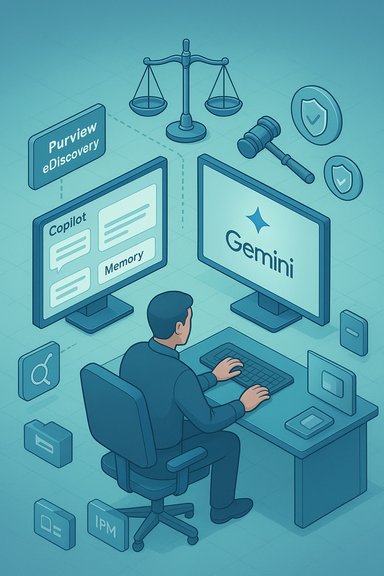
Redgrave LLP’s webinar and white paper make a simple but consequential point for litigation teams, corporate counsel, and Windows-focused IT: the rise of workplace AI — from Microsoft Copilot to Google Gemini and tenant-grounded assistants — creates new classes of discoverable data, and courts will evaluate those artifacts with the same relevance-and-proportionality lens that governs all eDiscovery. The practical upshot is that prompts, chats, saved memories, and model outputs are not merely productivity tools; they are potential evidence. This feature unpacks the Redgrave thesis, verifies the technical claims that make AI data discoverable, assesses practical strengths and risks, and provides a step‑by‑step playbook for legal and IT teams responsible for preservation, collection, and defensible response.
Redgrave’s article “Don’t Rush Past Relevance: Assessing the Discoverability of AI Prompts and Outputs” and the companion webinar, “Beyond the Prompt,” place AI interactions — inputs and outputs — squarely in the discovery conversation. The authors argue courts will ask the familiar discovery question first: is the material relevant? If it is, proportionality and burden follow. They recommend treating AI data like any other ESI (electronically stored information) while accounting for AI‑specific peculiarities such as privacy sensitivity, hidden storage locations, and new retention behaviors. Technical confirmation matters. Microsoft’s own documentation confirms that Copilot interactions (prompts, responses, saved “memories”) are stored in user Exchange mailboxes — specifically in a hidden folder — and that those items are searchable by Purview eDiscovery and by Microsoft Graph APIs. That storage behavior makes Copilot artifacts subject to retention and collection tools already familiar to corporate discovery teams, but the storage location and lifecycle introduce governance gaps that must be addressed.
At the same time, the guidance is conservative by necessity: it assumes product behavior may change and emphasizes confirmation in each tenant. That caution is appropriate given rapid vendor releases. The conservative posture mitigates risk but increases upfront governance cost — a tradeoff many organizations will accept to avoid sanction or disclosure missteps.
For Windows administrators and in-house counsel, the immediate priorities are straightforward and attainable: inventory Copilot-enabled users, test hold scripts against hidden mailbox folders, and integrate Copilot telemetry into your compliance pipelines. Those steps convert a legal problem — potentially sprawling, privacy‑sensitive discovery — into a manageable compliance task. The alternatives are expensive: missed artifacts, production battles, or worse, avoidable sanctions. The next wave of litigation will not be about whether AI exists — it will be about whether organizations treated their AI artifacts with the same discipline they treat email and documents. The time to start is now.
Source: JD Supra [Webinar] Beyond the Prompt: Assessing the Discoverability of AI Prompts and Outputs - January 15th, 1:00 pm - 2:00 pm ET | JD Supra
 Background / Overview
Redgrave’s article “Don’t Rush Past Relevance: Assessing the Discoverability of AI Prompts and Outputs” and the companion webinar, “Beyond the Prompt,” place AI interactions — inputs and outputs — squarely in the discovery conversation. The authors argue courts will ask the familiar discovery question first: is the material relevant? If it is, proportionality and burden follow. They recommend treating AI data like any other ESI (electronically stored information) while accounting for AI‑specific peculiarities such as privacy sensitivity, hidden storage locations, and new retention behaviors. Technical confirmation matters. Microsoft’s own documentation confirms that Copilot interactions (prompts, responses, saved “memories”) are stored in user Exchange mailboxes — specifically in a hidden folder — and that those items are searchable by Purview eDiscovery and by Microsoft Graph APIs. That storage behavior makes Copilot artifacts subject to retention and collection tools already familiar to corporate discovery teams, but the storage location and lifecycle introduce governance gaps that must be addressed. Why AI interactions are now discovery targets
Relevance is still the gatekeeper
The core legal principle has not changed: relevance controls discoverability. AI prompts and outputs are discoverable only to the extent they make a fact of consequence more or less probable. Redgrave illustrates classic scenarios where AI data is material — disciplinary actions for unauthorized AI use, malpractice claims alleging unreasonable reliance on AI, or fraud cases where rejected AI suggestions demonstrate intent. Conversely, for many routine corporate disputes, AI logs will be peripheral and fail a proportionality test.Analogies from search history and browser logs
Courts have treated internet searches and browser history as discoverable in discrete contexts — for example, where misuse of company resources is at issue or a defendant’s state of mind is central. Redgrave draws these analogies purposefully: the same doctrines that allowed discovery of search logs (cases like Helget and Nacco) will inform judges’ assessment of AI interactions. Those precedents create a working playbook: relevance first, burden second, privacy and proportionality third.Technical reality: Where AI data lives, and why that matters
Copilot memories and hidden mailbox storage
Microsoft documents are explicit: Copilot memories (saved memories, inferred details from chats, and certain chat history) are stored in a user’s Exchange mailbox in a hidden folder and are discoverable via Purview eDiscovery and Microsoft Graph. This storage design means Copilot interactions are not ephemeral: they are part of the tenant’s ESI footprint and can be preserved, searched, exported, or deleted using the same tools used for other mailbox items — albeit sometimes using specialized item-class filters. Practical implications:- Copilot artifacts can be put on legal hold and exported via eDiscovery, but they may not appear in normal user views and require targeted search configurations.
- Purview retention rules and label behavior do not always map identically to Copilot memory lifecycles; administrators must validate how retention policies interact with Copilot's backend processes.
Multiplying artifacts: the discovery multiplier effect
One Copilot session can spawn a constellation of artifacts: the prompt, the assistant’s draft, linked tenant files referenced during reasoning, and metadata that ties user identity, timestamps, and model version to the interaction. When a single chat references multiple files or creates derivative content, the scope of review and the number of items for triage can increase sharply — a “multiplier” effect legal teams must budget for. Practical playbooks circulated among practitioners emphasize the need to treat these sessions as compound ESI events rather than isolated logs.Privacy, proportionality, and the limits of preservation
Privacy burdens are heavier with AI chats
AI chats are often more personal than web searches. Users may seek mental-health guidance, private counsel, or jot confidential client facts into prompts. That privacy sensitivity changes the proportionality calculus: even where a prompt is technically relevant, the privacy costs of preserving and producing an entire chat history may outweigh its evidentiary value. Redgrave and other practitioners urge narrow, tailored preservation and heavy reliance on relevance-based filters.Proportionality: a practical framework
- Identify whether AI use is directly at issue (discipline, malpractice, regulatory inquiry).
- If not directly at issue, assess whether the AI data tends to show state of mind, intent, or a disputed fact.
- Evaluate the burden of retrieval (volume, storage location, need for redaction) against the probative value.
- Apply sampling, agreed‑narrow searches, and clawback procedures where full production would be disproportional.
What the Redgrave webinar promises — and what attendees should prepare to ask
Redgrave’s webinar is aimed at translating the article’s principles into practice: preserving and collecting AI data, managing privacy concerns, and learning from browser-history case law. Practitioners should attend with specific technical questions ready: how does the vendor store chat data in our tenant? Can memory items be included in our existing hold scripts? How will retention labels affect Copilot memory? Because vendor behavior and tenant controls evolve rapidly, the webinar is framed as a tactical Q&A to surface product-specific mechanics for each tenant. Note on scheduling: public event pages show the session scheduled for January 15; verify the hosting page and registration to confirm the year/time in your local zone as vendor pages have occasionally displayed inconsistent dates — always use the registration confirmation as the authoritative source.Practical playbook for legal teams and Windows administrators
Below is a concise, ordered set of actions that aligns legal duty, defensible preservation, and IT realities.- Update custodian interviews and hold notices to explicitly ask about AI and Copilot usage.
- Map Copilot-enabled users and connectors in your tenant; inventory who has Mail.Read, Files.Read, or connector scopes.
- Add Copilot memory folders to hold scripts and test exports. Validate that hold scripts search the correct item classes (e.g., IPM.Contact for Copilot memory artifacts). Microsoft documentation shows memory items match contact item classes and can require specific query conditions.
- Use targeted searches (date ranges, keywords, matter context) rather than broad pulls to limit privacy exposure and review costs. Sampling strategies mitigate both burden and over‑disclosure.
- Integrate Copilot telemetry into SIEM and Purview ingestion where possible; if vendor audit coverage is incomplete, augment with custom logging or Graph exports. Practitioners recommend SIEM ingestion to reconstruct chains of custody.
- Where possible, negotiate vendor contractual protections: no‑training clauses for matter data, machine‑readable logs, egress/export rights, deletion guarantees, and audited retention SLAs. Law departments should own these negotiations.
- Train users: enforce human‑in‑the‑loop signoffs for any AI output that will feed client deliverables or regulatory filings. Version prompts and archived outputs as part of the matter file when AI materially informed work product.
Forensics and collection: technical details you must verify
- Locate memory item classes: Copilot memories are often stored under item class IPM.Contact or inside a hidden “CopilotMemory” folder; use Purview’s item-class filters for comprehensive searches. Confirm the exact item-class mapping in your tenant before relying on sampling.
- Confirm retention interactions: Purview retention labels may not uniformly govern Copilot memory lifecycle — test retention behavior in a sandbox tenant and document the results. Microsoft’s retention guidance cautions that retention mechanics for AI apps use background timer jobs and hidden mailbox paths.
- Test export and deletion: deleting chat messages in Purview does not always purge associated Copilot memory artifacts; verify deletions with a test export and confirm the hidden folder state. Microsoft warns that deletion behavior can be asynchronous and that Copilot memory may persist until backend jobs complete.
Risks and failure modes (what to watch out for)
- Over‑collection and privacy harm: Sweeping Copilot exports risk disclosing highly personal or privileged material. Record all redaction efforts and use clawback provisions.
- Shadow AI: Where employees use unmanaged third‑party models outside tenant control, those interactions may be harder to find and present separate compliance and controls issues. Enabling and governing sanctioned tenant assistants may be safer than tolerating shadow tools.
- Audit gaps: Some end‑user actions (custom instructions, certain memory edits) may not produce Purview audit entries today. Relying solely on default audit logs risks missed artifacts; validate vendor audit coverage before assuming completeness.
- Cost of review: The multiplier effect — one prompt spawning many linked files — can balloon review costs. Use proportionality arguments and sampling where full production is disproportional.
Case law lessons and litigation posture
Redgrave’s paper anchors many practical recommendations in search-history case law. Helget and Nacco, among others, teach litigation teams to identify the moment when a party “knew or should have known” about potentially relevant electronic evidence and to act accordingly. These precedents will shape the duty-to-preserve analysis for AI artifacts. In criminal contexts, courts have admitted search queries as state-of-mind evidence; in civil contexts, the bar is often higher. Tailor preservation efforts to the litigation posture: aggressive holds when AI use is central, narrow discovery when AI interactions are tangential. Where courts have declined to impose sanctions for deleted browsing history, the deciding factors often include lack of notice and absence of a retention policy. That principle translates directly: organizations that adopt AI should document policies and retention behaviors now, so they can show reasonable steps to preserve if litigation later arises.Strategic recommendations (legal, IT, security)
- Legal teams: Update litigation hold templates and custodian questionnaires to include AI usage and explicitly reference Copilot, Gemini, and other assistants. Insist on sample exports from IT to validate hold scripts.
- IT teams: Map connector scopes and restrict non-essential connectors; enforce least privilege and require admin consent for agents that access large document stores. Add Copilot artifact checks to backup and forensics procedures.
- Security teams: Treat AI assistants as privileged applications. Log all connector grants, and run adversarial tests in staging tenants to validate that Copilot cannot be coaxed into exfiltrating data through rendering features or external fetches.
- Cross-functional governance: Create an “AI stewardship” group that includes legal, IT, records, and security, and make procurement contingent on contractual protections (no‑training, deletion, logs). Version prompts and templates as controlled assets with owners and retention rules.
Strengths of the Redgrave approach — and where it’s conservative
Redgrave’s framework is pragmatic: it refuses to treat AI data as categorically discoverable and insists on applying relevance and proportionality. That approach prevents overbroad collections and respects privacy. It also provides operational guidance for counsel and IT to update preservation playbooks.At the same time, the guidance is conservative by necessity: it assumes product behavior may change and emphasizes confirmation in each tenant. That caution is appropriate given rapid vendor releases. The conservative posture mitigates risk but increases upfront governance cost — a tradeoff many organizations will accept to avoid sanction or disclosure missteps.
What remains uncertain — and how to manage that uncertainty
- Vendor roadmaps and admin controls will evolve. Rely on live tenant testing rather than vendor FAQ claims when making legal decisions.
- Audit logging gaps and custom instruction accessibility remain areas where technical evidence may be limited; flag these gaps in your hold notice and preserve related backend telemetry where feasible.
- Courts will differ in their willingness to order wide Copilot productions; be prepared to make targeted proportionality arguments and to offer sampling and in-camera review options.
Conclusion
AI tools have graduated from novelties to integral workplace assistants, and with that shift comes a new class of electronically stored information. Redgrave’s analysis is a practical wake-up call: prompts, memories, and assistant outputs can be discoverable, but they are subject to the same relevance and proportionality rules that govern any ESI. The secure path forward combines legal judgment, technical verification, and governance: update hold notices, test eDiscovery exports for Copilot memories, restrict connectors and privileges, negotiate vendor protections, and document every verification step.For Windows administrators and in-house counsel, the immediate priorities are straightforward and attainable: inventory Copilot-enabled users, test hold scripts against hidden mailbox folders, and integrate Copilot telemetry into your compliance pipelines. Those steps convert a legal problem — potentially sprawling, privacy‑sensitive discovery — into a manageable compliance task. The alternatives are expensive: missed artifacts, production battles, or worse, avoidable sanctions. The next wave of litigation will not be about whether AI exists — it will be about whether organizations treated their AI artifacts with the same discipline they treat email and documents. The time to start is now.
Source: JD Supra [Webinar] Beyond the Prompt: Assessing the Discoverability of AI Prompts and Outputs - January 15th, 1:00 pm - 2:00 pm ET | JD Supra
