

Redgrave LLP’s two-part webinar series for in‑house legal and information governance teams — kicking off with “Microsoft 365 Copilot Chat | Key eDiscovery and Information Governance Considerations for In‑House Legal Teams” on December 8 — is a timely, practical briefing that should be treated as required listening for any corporate legal or IG group wrestling with the operational and discovery effects of Microsoft’s rapidly expanding Copilot footprint.
Microsoft’s Copilot family now cuts across the Microsoft 365 platform in multiple forms: a broadly available Copilot Chat experience, distinctly licensed Microsoft 365 Copilot (with Graph-grounded capabilities), and application‑embedded copilots in Word, Excel, Teams and other apps. The two Copilot tiers matter because they create the same basic classes of artifacts (prompts, replies, pages, notebooks, link references and derived files) but differ in entitlement, data‑grounding and administrative controls. Redgrave’s webinar series frames those facts in terms that legal teams can operationalize. Two technical points from Microsoft’s own documentation that every IG or eDiscovery lead must accept as the baseline:
Caution: product updates can change behavior. Always validate tenant behavior against the latest Microsoft 365 message‑center updates and your tenant’s live configuration before making definitive legal conclusions.
The essential takeaway for legal leaders: treat Copilot artifacts as first‑class evidentiary items. Update discovery scoping, retention mapping, vendor contracts and audit pipelines now — and validate everything in a controlled pilot before you rely on Copilot outputs in any contested or regulatory scenario. Doing so converts what could be a discovery liability into a managed capability that preserves productivity gains without sacrificing defensibility.
Source: JD Supra [Webinar] Microsoft 365 Copilot Chat | Key eDiscovery and Information Governance Considerations for In-House Legal Teams - December 8th, 1:00 pm - 2:00 pm ET | JD Supra
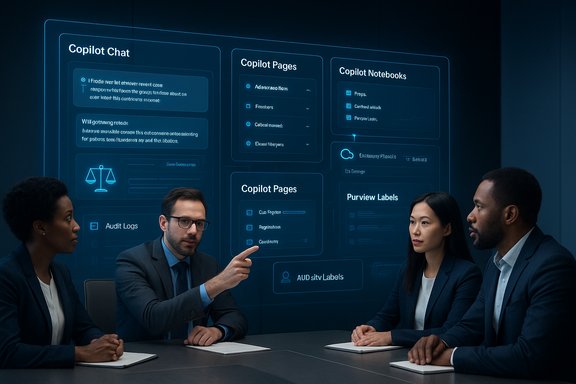 Background / Overview
Microsoft’s Copilot family now cuts across the Microsoft 365 platform in multiple forms: a broadly available Copilot Chat experience, distinctly licensed Microsoft 365 Copilot (with Graph-grounded capabilities), and application‑embedded copilots in Word, Excel, Teams and other apps. The two Copilot tiers matter because they create the same basic classes of artifacts (prompts, replies, pages, notebooks, link references and derived files) but differ in entitlement, data‑grounding and administrative controls. Redgrave’s webinar series frames those facts in terms that legal teams can operationalize. Two technical points from Microsoft’s own documentation that every IG or eDiscovery lead must accept as the baseline:- Copilot memory and saved items are stored in a hidden folder in the user’s Exchange mailbox, which means they behave like other mailbox data for discovery (though with important differences in retention controls).
- Saved memories and some memory-derived details are discoverable through Purview eDiscovery/Content Search, but tenant admins have limited ability to force retention behavior for Copilot memory itself; standard Purview retention labels do not apply to Copilot memory in the same way they apply to other content types.
What Microsoft 365 Copilot Chat actually produces (the artifact taxonomy)
Understanding the new artifact classes is the first step toward defensible preservation and collection. The webinar overview and expert write‑ups surface the following recurring artifact types:- Chat prompts and Chat responses — text exchanges saved as Copilot interaction artifacts in the hidden mailbox store.
- Copilot “Pages” and Notebooks — generated pages (often stored in a .loop or notebook format) and Copilot Notebooks that can create new persistent content objects inside OneDrive/SharePoint.
- Hyperlinked “cloud attachments” — when Copilot cites files, it creates references (links) that point to OneDrive/SharePoint items; these links can dramatically increase the volume of items that are related to a single interaction.
- Saved memories and inferred facts — user‑saved memories and inferences Copilot makes from chat history; these are persisted to the mailbox and can be searched via eDiscovery.
Why this is legally significant: eDiscovery and IG implications
- New, discoverable content stored in unexpected locations. Copilot memory lives in an Exchange mailbox hidden folder, a location many IG programs do not regularly index for matter preservation or export playbooks. That increases the risk that Copilot artifacts are overlooked in early case assessments unless teams update custodian questionnaires, preservation scripts and collection scopes.
- Retention ambiguity — Purview doesn’t cover everything. Microsoft’s documentation explicitly confirms that Purview retention labels and policies don’t apply to Copilot memory in the same way they do to other content; memory lifecycle is governed by Copilot-specific behaviors and admin controls that can differ from tenant-level retention rules. This creates an immediate governance gap for teams that rely on Purview labels as their single source of truth for retention.
- Large, tangential collections from “cloud attachments.” Because Copilot links to and reasons over tenant files, a single Copilot interaction can spawn a large set of related files that must be triaged for responsiveness — a multiplier effect that can materially increase review scope and cost.
- Provenance and hallucination risk. Copilot outputs can summarize or synthesize information drawn from multiple sources. Legal teams need traceability from a generated statement back to the exact documents or chat lines that grounded it; otherwise, a generated summary may be unreliable, inadmissible, or at minimum require additional verification steps. Redgrave calls this out as a central eDiscovery problem: hallucinations without provenance are functionally useless in a legal review.
- Auditability and logging limitations. At the time Microsoft documented Copilot Memory, memory and personalization actions did not generate Purview audit log entries in the same way as other mailbox or Teams activities; that limited audit trail complicates forensic reconstruction and responsibility attribution unless additional logging and SIEM ingestion are configured. Legal teams should not assume parity with existing mailbox or Teams audit trails.
Practical checklist for in‑house legal teams (operational playbook)
Below is a prioritized, sequenced playbook that legal teams can implement immediately to reduce discovery risk and shore up governance around Copilot Chat artifacts.- Inventory and quick triage
- Identify whether Copilot Chat is enabled tenant‑wide or blocked for specific OUs/groups.
- Run a rapid Purview content search for Copilot memory artifacts (searching item class <IPM.Contact> for the CopilotMemory folder, per Microsoft guidance) and produce a baseline report of artifact counts and custodians.
- Preserve and hold
- Update legal hold procedures to explicitly include Copilot memory and Copilot‑generated Pages/Notebooks. Add the Copilot memory folder to your hold scripts and ensure export mechanics are tested.
- Retention and policy alignment
- Reconcile tenant retention policies with Copilot memory behaviors. If you rely on Purview labels for retention, understand where that coverage stops and where Copilot-specific behavior applies. Create a mapped retention policy matrix documenting which artifact classes are covered by existing labels and which require alternative controls.
- Connector & access control
- Lock down Copilot connectors and agent permissions. Limit Copilot access to sanctioned sources and require admin consent for third‑party connectors. This reduces the blast radius of any single interaction.
- Forensic and logging hygiene
- Ensure that any Copilot‑related actions are being ingested into your SIEM or audit pipeline where possible. Where Microsoft audit coverage is thin (e.g., memory actions), augment with configuration changes that provide alternate telemetry.
- Training, process and human review
- Institute mandatory human review for any Copilot‑produced artifact that will be relied upon externally (client deliverables, court filings, regulatory submissions). Require checklists and provenance citations by the reviewer.
- Contract and procurement updates
- When negotiating Copilot or other AI vendor terms, insist on explicit contractual protections: no‑retrain clauses for matter data, deletion and egress guarantees, machine‑readable logs of prompts/responses, and clear breach/notification SLAs. Law departments must own this negotiation.
- Pilot & measure
- Run a constrained pilot (small user group, non‑sensitive matters) for 60–90 days. Measure discovery impact (volume of artifacts per session), accuracy errors needing remediation, and time saved on routine tasks. Use KPIs such as percent of Copilot outputs requiring revision and mean time to triage a flagged artifact.
Technical verification — what Microsoft says and what that means in practice
Legal teams should treat Microsoft’s product documentation as the authoritative technical source while recognizing that product behavior is subject to change. Two technical verifications worth highlighting:- Microsoft confirms that memories are stored in the user’s Exchange mailbox (hidden folder), discoverable via eDiscovery, and that admins can search and delete memory data using Purview eDiscovery and Graph Explorer. This means legal teams can locate and export Copilot memory artifacts with existing eDiscovery tooling — but the mechanics are different enough that playbooks should be explicitly updated.
- Microsoft also states retention policies and Purview labels do not apply uniformly to Copilot memory; admins cannot rely on standard file/retention label behavior to control memory lifecycle in all cases. This is an operational gap requiring compensating controls (manual deletions, governance scripts, policy exceptions, or vendor contractual commitments).
Caution: product updates can change behavior. Always validate tenant behavior against the latest Microsoft 365 message‑center updates and your tenant’s live configuration before making definitive legal conclusions.
Critical analysis — benefits, trade‑offs and the risk calculus
Productivity upside (real and measurable)
- Synthesis and summarization: Copilot can dramatically reduce time spent on routine summarization tasks (meeting recaps, thread summaries, first drafts). For law departments, that can translate to faster internal briefing documents and quicker triage for discovery.
- Contextual grounding: Where Copilot is Graph‑grounded (licensed Copilot experiences), outputs can cite tenant files and calendars and therefore produce recommendations that are more contextually accurate than generic web LLM responses. That grounding is a major advantage for legal workflows when provenance is maintained.
Material governance trade‑offs
- Visibility vs control: Copilot Chat is often enabled by default in many commercial plans; that increases surface area for IG and eDiscovery but also makes Copilot a controllable, auditable alternative to shadow AI use (employees using external LLMs). Redgrave argues — persuasively — that enabling and governing Copilot may be preferable to tolerating unsanctioned external AI.
- Discovery multiplier: Even a single Copilot session can create dozens of related cloud attachments or notebook pages — each of which must be triaged in a legal matter. That multiplier effect increases review cost unless teams invest in smarter filtering and provenance tooling.
- Audit gap and the “black box” risk: If memory actions are not fully auditable in Purview, establishing who asked what and why becomes harder in contentious matters. That weakens defensibility in disputes and regulatory inquiries unless organizations supplement Microsoft logs with SIEM ingestion and explicit operational controls.
Legal/regulatory risk vector
- Regulated data: Health, financial and other regulated data classes are high‑risk candidates for Copilot interactions. If a prompt contains PHI/PII and that content is persisted in a memory folder, disclosure or compliance failures can result. Enterprise DLP and sensitivity labels are necessary, but not sufficient — product behavior and retention boundaries must be tested and contractually guaranteed.
- Contractual and SLA blind spots: The vendor’s public statements on training data, model use and retention are important, but contractual guarantees are critical. Law departments should demand machine‑readable logs, deletion rights and explicit non‑retrain/no‑training clauses for matter data.
Recommended governance architecture for legal teams
Design governance as a layered system that maps directly to eDiscovery responsibilities:- Policy layer: Updated IG policies and acceptable‑use rules specific to Copilot. Explicit guidance on what may never be included in prompts (PII, PHI, client data without redaction).
- Prevention layer: Purview DLP, sensitivity labels, Conditional Access rules and connector policy whitelists to stop unsafe prompt content from being processed.
- Detection layer: SIEM ingestion for Copilot‑related events, automated alerts for suspicious connector grants or high‑volume memory saves, and regular audits of memory folder growth.
- Response layer: Legal hold enhancement that includes Copilot memory exports, a runbook for revocation of connectors and token rotation, and playbooks to reconstruct provenance for disputed outputs.
- Assurance layer: Contract clauses requiring vendor attestations, machine‑readable logs, export SLAs and no‑training commitments for matter data.
How to use the Redgrave webinar as a launchpad (practical next steps)
Redgrave’s webinar series is positioned as a tactical primer for legal teams. Use it to:- Validate your tenant posture (is Copilot Chat enabled? which users?. Register and bring a technical ops lead.
- Obtain vendor‑style checklists and concrete artifacts (sample eDiscovery searches, preservation scripts) that you can test in a sandbox before rolling changes to production.
- Use the webinar Q&A to surface specific product behaviors and ask for tenant‑level test cases (for example: “If we issue a legal hold for custodian X, will Copilot memory items be included in the hold export and how are they labeled?”). The vendor & partner panel will often answer with practical guidance you can codify.
Limits, open questions and unverifiable claims to watch
- Any public statement about retention durations, audit log contents, or export mechanics should be verified in your tenant: Microsoft’s behavior and admin controls have evolved rapidly and vary by release channel and region. Treat vendor roadmaps as indicative, not definitive.
- Some Redgrave and practitioner commentary identifies audit weaknesses and retention ambiguities; Microsoft documentation confirms many of those facts today, but product changes may address some gaps — continue to re‑verify and do not assume permanence.
- If a claim about automatic training or third‑party model routing is material to a client matter, require an explicit contractual attestation. Public statements alone are insufficient for legal risk acceptance.
Conclusion — the governance imperative
Microsoft’s Copilot Chat and the broader Copilot ecosystem represent a meaningful productivity advance, but they are also a structural change to the information environment that in‑house legal teams must manage proactively. The Redgrave webinar series (Part One on Copilot Chat and Part Two extending into Microsoft 365 Copilot and meeting/Teams artifacts) offers a practical entry point to translate high‑level vendor claims into defensible legal procedures, updated hold/playbook scripts, and procurement protections.The essential takeaway for legal leaders: treat Copilot artifacts as first‑class evidentiary items. Update discovery scoping, retention mapping, vendor contracts and audit pipelines now — and validate everything in a controlled pilot before you rely on Copilot outputs in any contested or regulatory scenario. Doing so converts what could be a discovery liability into a managed capability that preserves productivity gains without sacrificing defensibility.
Source: JD Supra [Webinar] Microsoft 365 Copilot Chat | Key eDiscovery and Information Governance Considerations for In-House Legal Teams - December 8th, 1:00 pm - 2:00 pm ET | JD Supra
