

Microsoft’s accelerating rollout of Microsoft 365 Copilot has forced a reckoning in legal and information governance teams: Copilot is no longer an experimental add‑on, it’s a platform that creates new classes of ESI, changes preservation pathways, and demands immediate policy updates from in‑house counsel and IG professionals. On January 26, 2026, Redgrave LLP’s two‑part webinar series — with Part 2 focused squarely on "Key eDiscovery and Information Governance Considerations for In‑House Legal Teams" — makes this reality plain: the Copilot ecosystem spans Teams, SharePoint, Outlook, Viva, and more, and the artifacts it creates can materially affect legal hold, retention, collection, and privilege workflows.
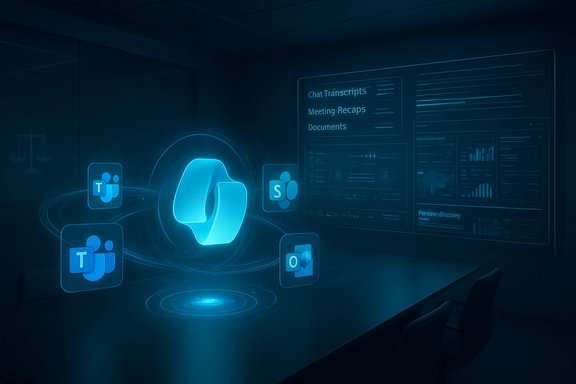
Microsoft 365 Copilot and Copilot Chat are being integrated across core productivity surfaces and enterprise applications. These integrations produce searchable outputs, meeting summaries, threaded chat artifacts, and background retention copies stored by Microsoft’s backend services. The combination of Large Language Models (LLMs), Graph‑based grounding, and new semantic indexing means Copilot’s outputs are often assembled dynamically from multiple enterprise sources — but they also create new, specific storage locations and retention semantics that must be explicitly managed by compliance teams. This article synthesizes Microsoft’s technical guidance with practical legal and governance analysis, flags areas where vendor guidance remains incomplete, and offers step‑by‑step actions that in‑house legal teams should adopt now. Where definitive, verifiable technical claims exist, those are noted and cross‑referenced to Microsoft documentation; where vendor statements are evolving or ambiguous, cautionary language is used.
Cross‑reference: Microsoft’s semantic indexing and Graph grounding guidance make it clear that Copilot’s responses are not arbitrary outputs — they are built from tenant data. That increases the importance of aligning retention and eDiscovery configurations with Copilot’s retrieval behaviors.
Microsoft’s vendor guidance provides mechanics for retention and eDiscovery, but it also places responsibility squarely on organizations to configure, validate, and document those mechanisms. Legal teams that treat Copilot as a new — and distinct — ESI source will be far better prepared for litigation, investigations, and regulatory inquiries than teams that assume Copilot artifacts are covered under legacy Teams/Exchange playbooks. End of article.
Source: JD Supra [Webinar] Microsoft 365 Copilot | Key eDiscovery and Information Governance Considerations for In-House Legal Teams - January 26th, 1:00 pm - 2:00 pm ET | JD Supra
 Overview
Microsoft 365 Copilot and Copilot Chat are being integrated across core productivity surfaces and enterprise applications. These integrations produce searchable outputs, meeting summaries, threaded chat artifacts, and background retention copies stored by Microsoft’s backend services. The combination of Large Language Models (LLMs), Graph‑based grounding, and new semantic indexing means Copilot’s outputs are often assembled dynamically from multiple enterprise sources — but they also create new, specific storage locations and retention semantics that must be explicitly managed by compliance teams. This article synthesizes Microsoft’s technical guidance with practical legal and governance analysis, flags areas where vendor guidance remains incomplete, and offers step‑by‑step actions that in‑house legal teams should adopt now. Where definitive, verifiable technical claims exist, those are noted and cross‑referenced to Microsoft documentation; where vendor statements are evolving or ambiguous, cautionary language is used.Background: what Copilot actually does in Microsoft 365
Microsoft 365 Copilot, Copilot Chat, and extended Copilot experiences
Microsoft 365 Copilot is an umbrella for generative AI features embedded across Microsoft 365 services. This includes Copilot Chat (the conversational interface), Copilot features embedded in Office apps, and specific integrations in Teams meetings, Viva, SharePoint, and other workloads. The product is tightly coupled with Microsoft Graph and a semantic index that supplies context (documents, emails, calendar events, chat history) to the LLM for grounding responses. This grounding is tenant‑specific and limited by user permissions.How Copilot consumes and surfaces enterprise data
Copilot does not simply reprint a single document; it synthesizes information drawn from multiple data stores based on Graph queries and semantic index matches. The semantic index is created for tenants with paid Copilot licenses and enhances retrieval, enabling Copilot to interpret intent and broaden searches for related language patterns across an organization’s content. That retrieval mechanism is central to how Copilot answers prompts — and it’s central to why Copilot outputs can implicate many different sources and versions of the same underlying file.Key technical terms to know (consistent formatting)
- Microsoft 365 Copilot — the enterprise Copilot experience.
- Copilot Chat — the chat-centric conversational interface for Copilot.
- Microsoft Graph — the API surface and indexing mechanism Copilot uses to access tenant data (subject to permissions).
- Semantic index — tenant‑level search index used to ground Copilot responses.
- SubstrateHolds — a hidden Exchange mailbox folder used by Microsoft to store retained Copilot/AI items for compliance purposes (see retention section).
- **ItemClass IPM.SkypeTeams.Message.Copilot.*** — metadata value used to identify Copilot interaction records for eDiscovery.
What Copilot generates: artifacts and where they live
Meeting artifacts and Copilot in Teams
Copilot in Microsoft Teams can produce summaries, action items, and speaker‑attributed notes. Those capabilities are tied to Teams transcription settings: when transcription is enabled, Copilot can include spoken content from transcripts in its outputs and persist that material into the meeting Recap and chat threads. Administrators and meeting organizers control whether Copilot is allowed "During and after the meeting", "Only during the meeting", or "Off". When Copilot runs without a transcript (the “Only during the meeting” mode, with no recording), certain Copilot interactions are ephemeral and do not persist into the meeting recap — but that ephemeral behavior is limited and nuanced. Microsoft documentation plainly lays out these modes and the associated retention/visibility differences. Practical takeaway: Teams meetings are now a dual source for ESI — the conventional chat + recording + transcript layers, and a parallel Copilot interaction layer that may persist depending on transcription and meeting policy settings. Custodians and administrators must treat meeting configuration as an ESI‑control point.Backend storage: the hidden mailbox and compliance searchability
Microsoft stores copies of Copilot and AI app messages in backend Exchange mailboxes when retention policies are configured. Specifically, data copied from Copilot interactions can be stored in a hidden mailbox folder (commonly referenced by Microsoft documentation as SubstrateHolds), and those items are discoverable via eDiscovery tools. Microsoft explains that the backend uses Exchange mailboxes to persist these items for compliance reasons, and that hidden folders are not designed for end‑user or admin direct access but are searchable through eDiscovery. Cross‑referenced note: Microsoft’s Purview guidance reiterates that retention policies specific to Copilot interactions are now separate from Teams chats and require explicit configuration to capture Copilot prompts and responses. That separation is operationally important because organizations that assumed Copilot artifacts were covered by legacy Teams retention may have unprotected Copilot items unless they configure the new Copilot retention locations.Metadata and ItemClass markers
Copilot interaction items are marked with specific ItemClass values (for example, IPM.SkypeTeams.Message.Copilot.*). eDiscovery searches can leverage these ItemClass values to locate Copilot‑generated content across tenant mailboxes. Microsoft Purview documentation explicitly documents this searching mechanism for organizations that need to preserve, collect, or export Copilot interactions.What the vendor says about training, grounding, and privacy — and what to watch for
Microsoft’s published guidance states several affirmative points that matter legally:- Copilot respects Microsoft 365 permissions: the LLM can only ground answers in content the querying user can access.
- Copilot doesn’t train public models on tenant content: Microsoft states that Copilot’s LLM instances are private to tenants and that prompts are not used to train public models.
- Web grounding is admin‑configurable: administrators can enable or disable web grounding; when off, Copilot won’t reference public web content for grounding.
Cross‑reference: Microsoft’s semantic indexing and Graph grounding guidance make it clear that Copilot’s responses are not arbitrary outputs — they are built from tenant data. That increases the importance of aligning retention and eDiscovery configurations with Copilot’s retrieval behaviors.
Immediate legal and information governance implications
1. Preservation and legal hold become multi‑layered
Traditional holds on Exchange mailboxes or SharePoint sites are insufficient if Copilot interactions are not simultaneously captured. Because Copilot interactions may be stored in hidden Exchange folders, preservation strategies must explicitly target those folders or the retention location specific to Copilot interactions. Failure to update holds can result in discoverability gaps where Copilot content — which may contain synthesized summaries or user prompts that are relevant — falls outside the preserved ESI set. Microsoft’s retention documentation and Purview guidance require explicit retention policies for Copilot experiences to ensure preservation.2. Collection and searching require new filters and ItemClass awareness
eDiscovery collections will increasingly need to use ItemClass filters (e.g., IPM.SkypeTeams.Message.Copilot.*) and to include the hidden mailbox locations in search scopes. Purview provides the mechanisms, but only if search architects know to look for these ItemClass values and retention locations. Not all legacy eDiscovery playbooks include these values by default.3. Audit and usage metrics have limitations
Microsoft’s documentation flags auditing gaps: for example, auditing captures Copilot search activity but not necessarily the content of the user prompt or the Copilot response. For prompts and responses, Purview eDiscovery and the AI interaction activity explorer are the recommended sources. That means usage reporting and forensics must rely on multiple data sources to reconstruct events.4. Meeting controls and participant expectations matter
Teams meeting options that permit Copilot use "During and after the meeting", "Only during the meeting", or "Off" change whether Copilot outputs persist in the meeting recap or come from transient speech‑to‑text processing only. A meeting organizer’s selection is therefore an IG control point with immediate legal relevance. Documenting meeting configuration choices in litigation‑prone matters should become routine.5. Third‑party and consumer AI apps present additional risk
Microsoft now distinguishes between enterprise Copilot experiences and third‑party or consumer AI apps (e.g., ChatGPT Enterprise or external AI tools). Retention policies for enterprise Copilot differ from those for external AI applications; when data leaves the tenant (whether via explicit exports, connectors, or user behavior), normal Copilot‑specific retention controls may not capture it. Governance must address cross‑platform interactions explicitly.Practical checklist: what in‑house legal and IG teams must do now
- Inventory Copilot license footprints and integrations across the tenant (Teams, SharePoint, Outlook, Viva, Copilot app).
- Confirm whether Copilot semantic indexing and web grounding are enabled and document the tenant settings.
- Update retention policy architecture to include Microsoft Copilot experiences as a distinct retention location and configure retention labels for cloud attachments referenced by Copilot.
- Add ItemClass filters (e.g., IPM.SkypeTeams.Message.Copilot.*) to standard eDiscovery search templates and test collection/export workflows that include hidden mailbox locations.
- Revise legal hold notices and custodian instructions to explicitly mention Copilot interactions, meeting recaps, and the need to preserve Copilot‑generated outputs or prompts. Include direction on meeting settings.
- Reassess retention periods: ensure Copilot-specific retention policies do not conflict with other holds, and understand that retain policies resolve to the longest applicable retention.
- Audit collection and reporting processes: rely on Purview eDiscovery and the AI Activity Explorer for prompt/response data rather than solely on conventional audit logs.
- Train legal, HR, and business teams on meeting configuration options (Copilot on/off/transcription) and the consequences for discoverability and privacy.
- Insert contractual protections and SLAs with Microsoft (and any AI providers) covering data use, model training assurances, logging, and change notifications for Copilot policies.
- Run a red‑team ESI exercise: simulate a preservation/collection scenario involving Copilot artifacts, collect, and validate that production includes Copilot‑generated outputs and any referenced attachments.
How to run technical validation tests (recommended sequence)
- Create a controlled Copilot interaction in Teams with transcription enabled and record the meeting.
- Create a similar interaction with transcription disabled but Copilot set to “Only during the meeting.”
- Run eDiscovery searches targeting:
- Meeting transcripts and recordings in Teams.
- ItemClass IPM.SkypeTeams.Message.Copilot.* across mailboxes.
- Hidden mailbox folders (SubstrateHolds) through Purview eDiscovery.
- Validate that:
- Copilot outputs (summaries, action items) appear in the meeting recap or the hidden mailbox as expected.
- Prompts/responses are searchable in Purview Content Explorer or eDiscovery exports.
- Test retention expiry and deletion flows by applying a short retention policy to the Copilot location and confirming that deletion traces follow the documentation (including the move to SubstrateHolds and eventual deletion).
Risks, gaps, and realistic limits of vendor guidance
- Audit incompleteness: Microsoft explicitly states that conventional auditing may not capture prompts/responses; relying solely on audit logs risks missing key content. Organizations must supplement audit-based forensics with Purview eDiscovery and AI activity logs.
- Ephemeral interactions create evidential ambiguity: Copilot interactions marked as transient (e.g., personal Copilot use during a meeting without transcription) may not persist, making reconstruction difficult. This ephemeral behavior complicates routine litigation readiness when users interact with Copilot in ad‑hoc ways.
- Vendor promises require contractual teeth: Statements such as “Copilot doesn’t train public models on tenant data” are important but should be backed by contractual clauses, audit rights, and transparency mechanisms. Microsoft’s documentation is explicit in policy but not a substitute for enforceable contract terms.
- Changing feature sets: Microsoft’s Copilot features evolve rapidly (UX redesigns, new connectors, memory features). Governance frameworks must be dynamic and reviewed on a regular cadence — quarterly at minimum — to track new data flows and retention controls.
- Third‑party integrations are an expanded attack surface: Copilot’s ability to reference third‑party content (when enabled) increases the risk of uncontrolled data leaving tenant boundaries. Policies must limit connector use or ensure connectors honor enterprise retention and eDiscovery.
Playbook language samples (for immediate adoption)
Below are concise, operational phrases you can use in legal hold notices, custodian guidance, and policy documents:- “Preserve all Microsoft 365 Copilot interactions, including chat prompts and AI responses, and any artifacts created from Teams meeting recaps or Copilot‑generated summaries. These items may be stored in hidden mailbox locations (SubstrateHolds) and are discoverable via Microsoft Purview eDiscovery.”
- “Do not disable Teams transcription for meetings identified as potentially relevant to current or anticipated litigation without consulting Legal and IT; transcription settings materially affect Copilot’s ability to persist meeting artifacts.”
- “When using Copilot, do not export or share Copilot outputs to consumer AI tools or unmanaged third‑party services absent prior approval from Information Governance.”
Preparing for disputes: discovery strategy and meet‑and‑confers
During early case assessment and in meet‑and‑confers, counsel should:- Identify Copilot licensing and admin settings affecting the producing party’s tenant.
- Disclose whether Copilot-specific retention policies exist and whether they were enabled during the relevant time window.
- Offer to produce Copilot interaction items located via ItemClass filters, subject to privilege review and agreed‑upon metadata fields.
- Be prepared to explain system‑level deletion semantics (e.g., SubstrateHolds behavior) and the difference between visible app state and backend retention state.
Conclusion — an operational imperative, not an academic problem
Microsoft 365 Copilot changes the ESI landscape in three fundamental ways: it creates new artifact classes (Copilot prompts/responses), it alters storage and retention architecture (hidden mailbox SubstrateHolds and separate Copilot retention locations), and it introduces governance control points that did not previously exist (meeting Copilot options, semantic index/Graph grounding, third‑party connectors). The Redgrave webinar on January 26, 2026, underscores the urgency: in‑house legal and IG teams must understand the technical plumbing as well as the legal consequences, update retention and hold procedures immediately, and test eDiscovery collections against Copilot artifacts. Actionable next steps: run the technical validation sequence, update legal hold and custodian guidance to explicitly include Copilot artifacts, reconfigure Purview retention to include Microsoft Copilot experiences, and harden contractual commitments from vendors. These measures will close the immediate compliance gaps and position organizations to respond to Copilot‑era litigation with confidence.Microsoft’s vendor guidance provides mechanics for retention and eDiscovery, but it also places responsibility squarely on organizations to configure, validate, and document those mechanisms. Legal teams that treat Copilot as a new — and distinct — ESI source will be far better prepared for litigation, investigations, and regulatory inquiries than teams that assume Copilot artifacts are covered under legacy Teams/Exchange playbooks. End of article.
Source: JD Supra [Webinar] Microsoft 365 Copilot | Key eDiscovery and Information Governance Considerations for In-House Legal Teams - January 26th, 1:00 pm - 2:00 pm ET | JD Supra
