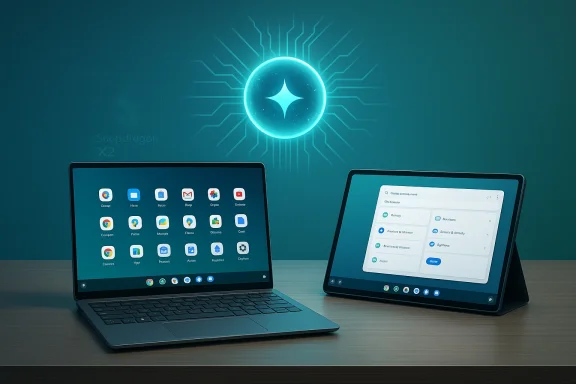
Google’s move to bring Android off phones and onto full desktop PCs has crossed a new milestone: an internal project codenamed Aluminium OS is now the focal point of a multi-year plan to merge Android’s app-rich ecosystem with ChromeOS’s device management and familiarity. What was once a whisper in job postings and leaked videos has become a credible product strategy inside Mountain View, and the implications for Windows and macOS — as well as for IT managers, educators, and Chromebook owners — are already prompting both excitement and hard questions. This article sorts through the verified facts, the credible leaks, and the legal filings that affect the timeline, and explains what Aluminium OS could mean for hardware compatibility, developer work, enterprise deployment, security, and the broader PC market.
Google’s efforts to bring Android to larger screens and traditional PC form factors are not new. Over a decade of experiments — from Android-x86 builds to unofficial desktop modes and OEM solutions like Samsung DeX — has led to repeated attempts to close the gap between mobile-first app ecosystems and desktop UX expectations. Recent signals, however, show this initiative moving from experiments into a formal product trajectory.
Internally labeled “Aluminium” (using the British spelling), the new platform is described in public reporting as an Android-based operating system for laptops, tablets, and other PC form factors that will fold in a stronger AI layer, tighter NPU access, and a desktop-capable UI. The name, job postings, leaked videos, and court-disclosed timelines present a picture of a deliberate, multi-year migration plan rather than a one-off project — but the schedule and scope are still in flux.
Caveat: the exact consumer-facing name, schedule, and device roster are not final. The codename “Aluminium” is treated as internal in many accounts, and Google can change naming and timing.
If you’re a developer, start designing responsive, input-agnostic applications and experiment with on-device AI patterns. If you’re an IT leader, begin inventorying hardware and engaging vendors today. If you’re a consumer, be patient and evaluate Aluminium devices only after reputable testing and clear upgrade promises are available. Above all, treat the current news as a measured signal: Aluminium is real, the ambition is significant, but the journey from internal codename to mass-market platform will take time — and the final product will be shaped as much by legal and enterprise realities as by engineering brilliance.
Source: thepost.co.za Watch out Windows and MacOS ... Here comes Android OS!
 Background
Google’s efforts to bring Android to larger screens and traditional PC form factors are not new. Over a decade of experiments — from Android-x86 builds to unofficial desktop modes and OEM solutions like Samsung DeX — has led to repeated attempts to close the gap between mobile-first app ecosystems and desktop UX expectations. Recent signals, however, show this initiative moving from experiments into a formal product trajectory.Internally labeled “Aluminium” (using the British spelling), the new platform is described in public reporting as an Android-based operating system for laptops, tablets, and other PC form factors that will fold in a stronger AI layer, tighter NPU access, and a desktop-capable UI. The name, job postings, leaked videos, and court-disclosed timelines present a picture of a deliberate, multi-year migration plan rather than a one-off project — but the schedule and scope are still in flux.
What Aluminium OS Is (and Isn’t)
Aluminium OS: a unifying platform
- What it is: A Google project to deliver an Android-based OS designed for laptops, tablets, and desktop-like devices. It combines elements of Android (apps, Play Store, AICore/AI model access) with ChromeOS-style device management and cloud integration.
- What it isn’t (yet): A finished, consumer-ready replacement for ChromeOS. Public reporting and court documents show Aluminium is under active development and testing; timelines reported in leaks and job listings differ from those revealed in legal filings.
Why Google would build Aluminium OS
- To put on-device AI (Gemini and related models) at the center of the PC user experience — offering low-latency AI features that require direct NPU access.
- To let Android apps run natively on laptops and desktops without emulation or clumsy compatibility layers.
- To give Google a unified platform strategy across phones, tablets, and PCs — matching Apple’s “one vendor, many devices” coherence while retaining Android’s open app ecosystem.
Timeline: Hype, Leaks, and Legal Reality
There is no single authoritative timeline available publicly. Instead, the picture is assembled from several credible fragments:- Early public hints and job postings described Google’s plan to develop an “Android-based” OS codenamed Aluminium and suggested a 2026 timeframe for initial rollouts and developer engagement. These postings emphasize AI-first architecture and a range of device tiers from entry-level to premium.
- Leaked demo footage and accidental posts (quickly removed) gave a first look at a desktop UI running Android under a laptop form factor — showing taskbar-like elements, centered launcher, and visible Google Play integration. The footage indicated the UI was more mature than an experiment, but it was clearly a pre-release build.
- Court filings in Google’s antitrust litigation introduced a more cautious schedule: public testing beginning in late 2026 with a commercial, full release potentially deferred into 2028. Those filings also contain commitments around legacy ChromeOS support extending toward the early 2030s to meet existing multi-year guarantees.
Caveat: the exact consumer-facing name, schedule, and device roster are not final. The codename “Aluminium” is treated as internal in many accounts, and Google can change naming and timing.
Key Technical Changes and Promises
Native Android apps, desktop UX
Aluminium OS intends to run Android apps natively on laptop hardware, eliminating the former reliance on containers, emulation layers, or browser-based shortcuts. That native approach promises:- Better performance for apps originally built for mobile.
- Real multitasking with resizable windows, multi-window docks, and drag-and-drop behavior more like a traditional desktop experience.
- A potential uplift in larger-screen UI behaviors, including taskbar and window management optimized for keyboard-and-mouse workflows.
AI-first platform with NPU access
A core technical driver for Aluminium is delivering low-latency, on-device AI experiences by giving apps direct and efficient access to machine learning accelerators (NPU/ML units). Compared with ChromeOS’s current browser-forward approach, deeper Android integration allows:- System-level AI services (model download, licensing, sandboxed inference).
- Local or hybrid model execution (Gemini Nano and similar small-footprint models).
- Improved responsiveness for features like system-wide assistant, contextual summarization, multi-modal interactions, and developer-extensible AI APIs.
Hardware tiers and feature segmentation
Internal documentation and reporting describe multiple Aluminium tiers — from entry-level “AL Entry” devices to premium “AL Premium” and workstation-class offerings. Expect:- Differing hardware requirements: only models with certain NPUs, virtualization features, or modern platform security capabilities will support the full Aluminium experience.
- Some existing Chromebooks will be upgradeable; many older devices will be left on classic ChromeOS and retain security updates for years.
Compatibility and Migration: Who Benefits and Who’s Left Behind
Chromebooks and upgradeability
Google is pursuing a measured migration: Aluminium is not a drop-in replacement for every current Chromebook. Compatibility will likely be gated by:- CPU architecture and virtualization support (x86 and ARM variants will be supported, but older chips may lack required features).
- NPU presence and secure trust chains (for local AI acceleration and model security).
- Firmware and TPM requirements for enterprise-grade security.
- Newer Chromebooks with modern hardware profiles stand the best chance of being offered an upgrade path to Aluminium.
- Many older devices — especially entry-level models common in education — will remain on ChromeOS, with Google planning long-term support for these devices through the end of their committed lifespans.
Enterprise and education migration
For IT administrators, the transition poses substantive planning issues:- Management tooling and policies will need revalidation on the new platform.
- Legacy web-centric workflows and Linux container-based apps on ChromeOS may have different behaviors under Aluminium.
- Device procurement strategies should target specific Aluminium-capable SKUs if native Android apps and local AI are desired long-term.
Developer and Application Ecosystem Impacts
The upside for app developers
- Single codebase for a larger device footprint: Android developers can reach laptop and desktop users without rearchitecting for Windows or macOS.
- Easier distribution: Play Store remains a central distribution channel, simplifying updates and monetization.
- New APIs for desktop-like workflows: developers can leverage multi-window, richer input (mouse/keyboard), and NPU-backed on-device AI APIs.
Potential downsides and friction
- Fragmentation risk: if Aluminium supports different hardware tiers with different features (e.g., optional NPU), developers may need to conditionally support features, increasing QA complexity.
- UX adjustments: mobile-first app layouts will still need reworking for keyboard-and-mouse efficiency and large displays if the platform expects desktop-grade UX.
- Store and policy control: Google’s ability to favor its services or enforce specific store policies on Aluminium could be a friction point — especially in regulated markets.
- Start designing responsive app layouts that gracefully scale from phone to laptop.
- Evaluate on-device ML usage that can be degraded gracefully on devices without NPUs.
- Monitor Google’s developer previews and dev docs for Aluminium-specific APIs.
Security and Privacy Considerations
Hardware-backed AI and model security
Giving apps access to NPUs and local models improves latency and privacy when data processing happens on-device. However, it also raises:- Supply-chain and firmware attack surfaces if model delivery and execution are not tightly sandboxed.
- The need for robust attestation and secure model licensing to prevent model theft or unauthorized inference.
Legacy ChromeOS vs Aluminium update cadence
ChromeOS’s update model and minimal attack surface have been strengths in education. Aluminium’s richer application set and native desktop capabilities mean a broader vulnerability surface that will require:- Frequent security updates.
- Clear enterprise update channels.
- Backwards compatibility commitments for ChromeOS to cover devices that cannot upgrade.
Privacy trade-offs with deeper integration
System-level AI can mean richer contextual features but also wider telemetry if not properly constrained. Enterprises and privacy-conscious users should expect:- Granular controls for AI features (what data is used, where models run).
- Administrative policies to restrict model downloads or cloud fallback.
Legal and Competitive Angles: Why Regulators Are Interested
Google’s long-term strategy to unify its platform across form factors sits at the intersection of product engineering and antitrust scrutiny. Reported legal documents reveal:- Google has articulated a multi-year migration strategy that includes supporting ChromeOS for many years while introducing Aluminium.
- Judges and regulators have examined whether bundling browser, search, and app distribution on a unified platform would entrench Google’s market position.
- Regulatory constraints or mandated changes could reshape the final feature set or preinstalled defaults on Aluminium.
- Google may need to maintain side-by-side ChromeOS support longer than product roadmaps alone would suggest.
How Aluminium OS Could Change the PC Market
Competition with Windows and macOS
Aluminium’s most immediate threat is not necessarily direct Windows feature parity but rather ecosystem displacement:- Chromebook-class simplicity plus native Android apps and on-device AI could sway buyers who want a seamless Google-centric experience.
- For macOS, the risk is less about immediate migration and more about Google offering a more flexible and app-rich option in price-sensitive segments.
- Mature desktop applications and legacy Windows software continue to anchor professional and power-user workflows to Windows.
- macOS’s vertical integration and pro-app ecosystem retain distinct advantages for creative and high-end professional markets.
Pricing and hardware strategy
Google and its hardware partners could offer Aluminium-powered devices across price bands. That flexibility allows:- Entry devices that feature basic Android desktop mode and cloud-centric workflows.
- Premium devices built specifically for AI, with NPUs and robust local model support that justify higher price points.
Practical Advice — What Users and IT Teams Should Do Now
Individual buyers
- If you own a modern Chromebook and care about future-proofing, check whether your device has the NPU/virtualization features that vendors are likely to require.
- If you need mature desktop applications (native Windows or macOS tools), don’t expect Aluminium to replace those workflows immediately.
- If you’re attracted to integrated AI and native Android app support on a laptop, consider waiting for the first developer previews and reputable reviews before upgrading.
IT and procurement teams
- Audit current Chromebook fleet hardware for virtualization, CPU family, and NPU presence.
- Engage vendors for clear upgrade and support commitments related to Aluminium OS compatibility.
- Pilot test critical workflows on any available developer previews or emulators to discover migration blockers early.
Developers and solution vendors
- Begin evaluating UI scaling and input method support for laptop-class Android use.
- Prototype on-device AI features with graceful fallbacks for devices without dedicated NPUs.
- Engage early with Google’s developer previews and enterprise channels to understand management APIs and deployment best practices.
Strengths, Risks, and What Could Go Wrong
Notable strengths
- Native Android on desktop hardware unlocks a massive app ecosystem for laptops without requiring developers to port to new platforms.
- AI-first design with direct NPU access could deliver genuinely transformative features: instant assistant help, local summarization, privacy-friendly inference, and offline-first intelligence.
- Unified platform fuelled by Google services could make cross-device continuity as smooth as Apple’s ecosystem while preserving Android’s open app marketplace advantage.
Potential risks and weaknesses
- Fragmentation and inconsistent feature support between certified Aluminium devices and older Chromebooks will complicate developer targeting and user expectations.
- Regulatory exposure could alter default behaviors, preinstalled services, or distribution models — potentially delaying or blunting the user experience.
- Security surface expansion: richer desktop capabilities mean more attack vectors and a need for stricter update and attestation regimes.
- Enterprise migration pains: management tooling and third-party integrations must be validated and potentially reworked.
Worst-case scenarios
- An overly hasty rollout could leave many early adopters stuck on a half-baked OS with poor app compatibility and security gaps.
- Regulatory interventions could fragment the market further if Google is required to separate key services or offer alternative app stores.
- Hardware fragmentation could produce an “Aluminium divide” wherein only a small set of premium devices provide the full vision while the mass market remains on legacy ChromeOS, causing confusion and mixed perceptions.
Reading Between the Lines: Realistic Expectations
- Expect gradual adoption, not overnight replacement. ChromeOS is likely to be supported in parallel for many years for legacy devices and large institutional deployments.
- The first Aluminium devices will target modern hardware profiles; early compatibility will be better on recent, more capable Chromebooks.
- Google will emphasize AI features as primary differentiator, using the ability to run on-device models and tie into Gemini to market Aluminium as the “AI laptop” choice.
- Regulatory and enterprise requirements will shape packaging, preinstalled services, and device certification criteria, so “what Aluminium is” in January 2026 will not be identical to what it becomes in 2028 or beyond.
Conclusion
Aluminium OS represents the next logical step in Google’s long-term platform play: unify Android’s vast app ecosystem and developer momentum with Chromebook-like manageability and cloud-first workflows, then supercharge the whole stack with on-device AI. The potential upside for end users is real — more capable laptops featuring native Android apps and fast, private AI features — but the migration carries unavoidable complexity: hardware compatibility lines, regulatory scrutiny, and enterprise migration costs.If you’re a developer, start designing responsive, input-agnostic applications and experiment with on-device AI patterns. If you’re an IT leader, begin inventorying hardware and engaging vendors today. If you’re a consumer, be patient and evaluate Aluminium devices only after reputable testing and clear upgrade promises are available. Above all, treat the current news as a measured signal: Aluminium is real, the ambition is significant, but the journey from internal codename to mass-market platform will take time — and the final product will be shaped as much by legal and enterprise realities as by engineering brilliance.
Source: thepost.co.za Watch out Windows and MacOS ... Here comes Android OS!