

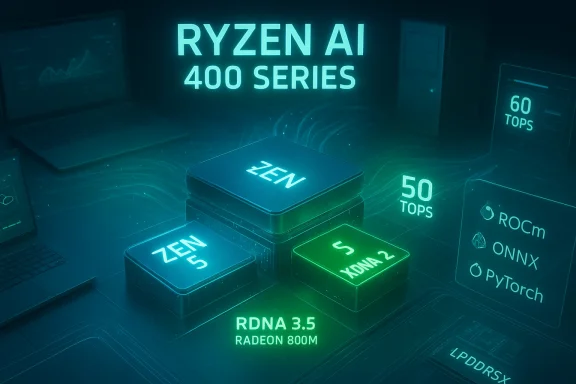
AMD’s push into the “AI PC” era just got louder: the company’s new Ryzen AI 400 and Ryzen AI PRO 400 Series bring Zen 5 CPU cores, RDNA 3.5 iGPUs, and second‑generation XDNA 2 NPUs delivering up to 60 TOPS on mobile parts and 50 TOPS on desktop PRO SKUs—numbers that reposition AMD as one of the most aggressive vendors shipping local AI silicon for Windows PCs today.
AMD unveiled the Ryzen AI 400 family at CES 2026 and expanded the lineup with enterprise‑focused Ryzen AI PRO 400 Series announcements at MWC Barcelona. The architecture mix is familiar but upgraded: Zen 5 CPU cores paired with RDNA 3.5 integrated graphics (the Radeon 800M Series) and an on‑chip XDNA 2 NPU block. AMD’s messaging is straightforward—deliver significantly more on‑device AI throughput so Windows features (like Copilot+ experiences) and third‑party creative and developer tools can run locally, with lower latency and improved privacy compared with cloud‑only alternatives.
This generation changes the local compute baseline. Consumer Ryzen AI 400 Series mobile APUs can hit a peak of 60 TOPS for AI inference on high‑end HX parts, while desktop and PRO variants consistently provide 50 TOPS. Microsoft’s Copilot+ hardware guidance calls out NPUs capable of 40+ TOPS as a baseline for many advanced on‑device features, so AMD’s 50–60 TOPS parts are explicitly designed to exceed that bar and enable more demanding local AI workloads.
Key takeaways:
Notable points:
Points of caution:
Benefits for IT:
A practical rollout strategy:
Source: Windows Central AMD's new Zen 5 chips still have some of the best local AI NPUs I've seen
 Background
AMD unveiled the Ryzen AI 400 family at CES 2026 and expanded the lineup with enterprise‑focused Ryzen AI PRO 400 Series announcements at MWC Barcelona. The architecture mix is familiar but upgraded: Zen 5 CPU cores paired with RDNA 3.5 integrated graphics (the Radeon 800M Series) and an on‑chip XDNA 2 NPU block. AMD’s messaging is straightforward—deliver significantly more on‑device AI throughput so Windows features (like Copilot+ experiences) and third‑party creative and developer tools can run locally, with lower latency and improved privacy compared with cloud‑only alternatives.This generation changes the local compute baseline. Consumer Ryzen AI 400 Series mobile APUs can hit a peak of 60 TOPS for AI inference on high‑end HX parts, while desktop and PRO variants consistently provide 50 TOPS. Microsoft’s Copilot+ hardware guidance calls out NPUs capable of 40+ TOPS as a baseline for many advanced on‑device features, so AMD’s 50–60 TOPS parts are explicitly designed to exceed that bar and enable more demanding local AI workloads.
Overview: what AMD shipped and why it matters
What’s in the lineup
- Ryzen AI 400 Series (consumer): Zen 5 mobile APUs codenamed “Gorgon Point” with XDNA 2 NPUs up to 60 TOPS, Radeon 800M Series iGPUs based on RDNA 3.5, and support for high‑speed LPDDR5X memory (designs up to the 8,000+ MT/s range on laptops).
- Ryzen AI PRO 400 Series (enterprise): The same core silicon adapted for business with added firmware and management features, longer support windows, and enterprise security (AMD PRO technologies). Mobile PRO HX variants hit 60 TOPS, and desktop PRO APUs include the 50 TOPS XDNA 2 NPU in socketed Zen 5 packages.
- Ryzen AI Max+ and Halo developer platforms: Higher‑spec and developer‑focused SKUs / mini‑PCs intended for creators and AI devs, expanding AMD’s ecosystem for on‑device model tuning and testing.
- Software: AMD updated ROCm for Windows and Linux to expand developer access and integration with common inference stacks (ONNX, PyTorch, frameworks used by ComfyUI).
Why TOPS matter (but aren’t the whole story)
TOPS (Trillions of Operations Per Second) is a convenient peak throughput metric for NPUs and often used in marketing, but it is only one axis of performance. Real‑world AI throughput depends on:- Model architecture (sparsity, quantization, operator support)
- Memory bandwidth and system integration (LPDDR5X vs. DDR, iGPU tethering)
- Software stack & driver maturity (optimized kernels, operator fusion)
- Thermal and power limits in the target form factor (thin laptops vs. 45–65W mobile workstations)
Technical deep dive: XDNA 2, RDNA 3.5, and system balance
XDNA 2 NPU: what changed
The XDNA 2 block is AMD’s second‑generation NPU for client PCs. Compared with the first XDNA iteration, XDNA 2 increases theoretical TOPS and is paired with architectural work to improve throughput per watt and expand operator support in hardware. On mobile HX parts AMD quotes up to 60 TOPS, while desktop PRO chiplets are advertised at 50 TOPS. These are substantial gains versus AMD’s earlier desktop APUs (which were in the mid‑teens TOPS range).Key takeaways:
- Higher absolute TOPS broadens the class of models that can be run locally.
- Energy/perf improvements are critical for laptops aiming for multi‑hour AI workloads without constant power delivery.
- Hardware is useful only when the software stack exposes those operators efficiently; AMD is pairing hardware with ROCm and ecosystem tooling to address that gap.
RDNA 3.5 iGPU (Radeon 800M / 890M)
The integrated graphics block (Radeon 800M Series, with 890M at the high end) is based on RDNA 3.5. That yields improved compute performance per watt and better shared memory handling for iGPU + NPU scenarios, which benefits workloads that can partition work between NPU and GPU or require GPU acceleration for pre/post processing steps (video, image pipelines, shaders).Notable points:
- RDNA 3.5 emphasizes texture subsystem and memory compression improvements, which are beneficial in LPDDR5X laptop environments.
- iGPU compute can be useful for non‑AI graphics tasks while the NPU handles inference, creating a balanced on‑device compute story without a discrete GPU for many professional workflows.
Memory and system I/O
AMD is supporting LPDDR5X at very high data rates on mobile SKUs (AMD published support up to the 8,000+ MT/s band on consumer models). Desktop APUs rely on system DDR channels and overall platform I/O; for small form factors and mini‑PCs AMD’s integrated packages aim to provide enough bandwidth to keep NPUs fed, but external memory and PCIe lanes remain a consideration for heavier AI workloads.Mobile vs. Desktop: practical differences
Mobile (laptops) — where AMD pushes 60 TOPS
- HX flagship SKUs (e.g., Ryzen AI 9 HX 475) include 12 cores, robust iGPU instances, and the top‑end 60 TOPS NPU.
- Mobile designs use LPDDR5X in many OEM configurations, increasing memory bandwidth for integrated GPU/NPU cooperation and helping model throughput.
- Thermal and power constraints still apply: sustained 60 TOPS may require higher sustained power budgets and active cooling in workstation‑class designs.
Desktop PRO (socketed Zen 5) — 50 TOPS and management features
- Desktop PRO APUs bring the NPU to standard socketed platforms with 50 TOPS NPU performance in 65W standard TDP APUs and 35W energy‑efficient "GE" variants.
- Enterprise focus: AMD PRO features include firmware attestation, longer lifecycle support, and fleet management compatibility—important for IT buyers deploying Copilot+ capable desktops across organizations.
Mini‑PCs and developer platforms
- AMD is also targeting mini‑PCs and small form factors for creators and developers (Ryzen AI Halo/Max+), aiming to provide a compact, powerful platform for local model development and inference testing without a large discrete GPU.
Software and ecosystem: ROCm, ComfyUI, and Windows integration
The hardware is only as useful as the software that drives it. AMD publicly announced expanded ROCm support for Ryzen AI 400 Series, with Windows builds and integrations targeted to make adoption easier for developers and some consumer tools. Key implications:- ROCm on Windows and Linux opens up standard ML workflows to AMD NPUs; growing driver maturity is essential for performance.
- ComfyUI integration and ONNX/PyTorch compatibility are highlighted, which matters for hobbyist and pro developers who want to run image generation or fine‑tune small models locally.
- Windows Copilot+: Microsoft requires roughly 40+ TOPS to enable many Copilot+ experiences locally; AMD’s parts intentionally exceed that requirement to enable live translation, advanced camera/mic experiences, and other low‑latency features.
Real‑world use cases: where local NPUs add value
Local NPUs make the biggest difference when latency, privacy, or ongoing cloud costs are limiting factors. Practical workloads that benefit now:- Real‑time meeting features: transcription, multi‑language live translation, automatic summarization, and meeting Recall features that run locally for corporate privacy.
- Content creation: AI‑assisted tools in video editors (automatic rotoscoping, scene detection), audio applications (noise reduction, real‑time denoising in DAWs), and image tools (inpainting, neural filters) can leverage NPUs to offload repetitive inference.
- On‑device LLMs and copilots: running smaller LLMs for local assistants, secure code generation, or document analysis becomes feasible without cloud connectivity for many enterprise scenarios.
- Developer & edge inference: compact developer platforms paired with ROCm enable model experimentation, low‑latency edge inference, and rapid prototyping.
Vendor claims vs. independent reality — what to believe
AMD’s marketing and press materials make strong claims—multi‑day battery life, large percentage gains over competitor chips in creation workloads, and definitive Copilot+ enablement. Those statements should be treated as manufacturer‑provided claims until independent third‑party reviews verify them.Points of caution:
- Battery life: “Up to 24 hours” claims are typical marketing maxima based on very specific conditions (low brightness, light workloads). Expect real‑world runtimes to vary widely by chassis, display, and workload.
- Benchmark comparisons: AMD’s internal comparisons often use carefully selected workloads and competitor SKUs; independent lab results can differ when test conditions, thermal limits, and drivers are controlled differently.
- Sustained NPU throughput: Peak TOPS differs from sustained throughput after thermal throttling or power constraints. Mobile thin‑and‑light laptops may not sustain peak NPU clocks for long periods.
- Software maturity: The availability and performance of native XDNA 2 operators in third‑party apps will shape the user experience more than TOPS alone.
Enterprise considerations and risks
For IT managers and procurement teams, the Ryzen AI PRO 400 Series brings promising capabilities but also new evaluation vectors.Benefits for IT:
- Copilot+ readiness: NPUs exceed Microsoft’s Copilot+ baseline, enabling richer on‑device features for knowledge workers.
- AMD PRO stack: enterprise features for security, manageability, and lifecycle support are tailored for fleet deployment.
- On‑prem AI: organizations can reduce cloud egress costs and data exposure by moving some AI workloads to local NPUs.
- Driver & management maturity: early silicon often requires firmware/driver updates; IT teams must plan for extended validation cycles.
- Security surface: NPUs and new firmware increase the attack surface in complex ways; ensure firmware attestation and secure update processes are part of procurement checklists.
- Supplier and software lock‑in: some workloads may be optimized to vendor SDKs (ROCm) or particular models; cross‑platform portability should be validated.
- Thermal profile across form factors: desktop SKUs may deliver more sustained performance, but thin notebooks could trade performance for battery/heat.
Practical buying and deployment checklist
If you’re an IT buyer or professional considering AMD Ryzen AI PRO 400 systems, use the checklist below before committing:- Confirm your target workloads — are they latency‑sensitive (meeting AI features), batch processing (model inference), or creative (video/image)?
- Validate NPU operator support — do your key apps support XDNA 2 acceleration natively, or will they fall back to CPU/GPU?
- Review vendor firmware and management tools — verify AMD PRO features, TPM attestation, and remote management integrations.
- Test sustained performance — request vendor samples and run the same tasks you will deploy at scale to observe throttling and power behavior.
- Audit security update and patch policies — ensure timely firmware/driver updates and secure distribution methods from the OEM.
- Consider mixed platform strategies — for heavy model training or very large models, cloud or discrete GPU nodes may still be necessary.
Developer perspective: what to expect and how to prepare
Developers who want to target XDNA 2 and Ryzen AI machines should plan for an evolving stack:- Get comfortable with ROCm and keep an eye on Windows ROCm releases; they will be essential for native acceleration.
- Use ONNX and quantization toolchains to produce inference‑friendly models—8‑bit and 4‑bit quantized models will be the most practical on NPUs.
- Design for hybrid workloads: pre/post processing on GPU, core inference on NPU, and fallback CPU paths for portability.
- Monitor operator coverage: ensure the NPU supports the ops your models use; missing ops can force software fallbacks and wipe out acceleration gains.
Final analysis: strengths, limitations, and where this fits in the market
Strengths:- Aggressive NPU performance: AMD’s 50–60 TOPS figures materially raise the bar for on‑device AI in PCs, exceeding the Microsoft Copilot+ baseline and outpacing many earlier client NPUs.
- Integrated stack: pairing Zen 5, RDNA 3.5 iGPUs, and XDNA 2 NPUs on a coherent platform simplifies OEM design and can provide balanced workloads across CPU/GPU/NPU.
- Enterprise readiness: PRO variants that add security, manageability, and lifecycle support make adoption in corporate fleets realistic.
- TOPS ≠ experience: peak numbers alone won’t guarantee superior real‑world performance; drivers, software integration, and thermals matter enormously.
- Early software maturity: ecosystem support is improving but still patchy; expect some apps to lag in taking full advantage of XDNA 2.
- Comparative marketing: vendor comparisons to competitor platforms are useful directionally but should be validated by independent reviews and your own workloads.
- For professionals needing low‑latency, private AI (real‑time transcription, local copilots, creative workflows), Ryzen AI 400 and PRO 400 Series PCs are compelling—especially in workstation‑class laptops and desktops where cooling and power allow sustained NPU usage.
- For general consumers, the advantage is less clear unless your daily workload includes heavy local AI tasks; gaming and casual workloads still depend more on CPU/GPU balance and chassis design.
Recommendation and closing thoughts
AMD’s Ryzen AI 400 and Ryzen AI PRO 400 Series represent a significant step toward mainstreaming on‑device AI. If your organization or workflow benefits from reduced latency, improved privacy, or lower cloud dependency for inference tasks, testing AMD’s new silicon is highly recommended as soon as OEM samples are available.A practical rollout strategy:
- Pilot a small fleet of PRO devices in representative workloads.
- Validate software integration and sustained NPU performance under real conditions.
- Measure total cost of ownership versus cloud alternatives—including developer time, model maintenance, and power management.
- Expand if pilot results confirm tangible benefits in productivity, responsiveness, or cost.
Source: Windows Central AMD's new Zen 5 chips still have some of the best local AI NPUs I've seen
