

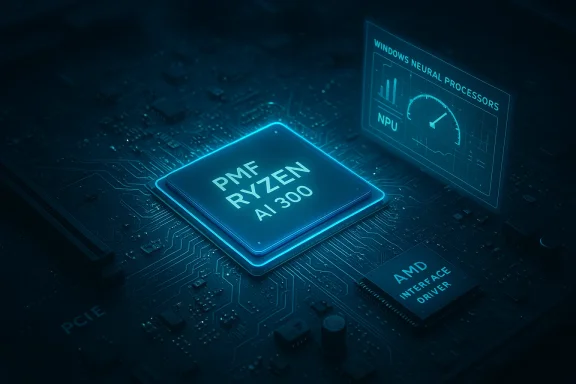
AMD's latest Ryzen chipset driver refresh continues the quiet revolution at the foundation of modern Windows PCs: the July 2024 Ryzen Chipset Driver revision 6.07.22.037 extends official support to the new Ryzen AI 300 "Strix Point" family, adds a dedicated PMF driver for the Ryzen AI line, and introduces broader SoC interface support that — in practical terms — can make the NPU appear as a recognized device in Windows and enable visibility of AI hardware to the operating system and diagnostic tools.
Chipset drivers are the plumbing of PC platform stability: they provide operating systems with clean, supported interfaces to PCI/SMBus, GPIO, power-management features, PSP (Platform Security Processor), USB controllers and other SoC functions. For AMD, the "Ryzen Chipset Driver" package is a composite installer that contains many smaller drivers and support binaries — everything from an AMD Power Plan implementation to low-level UART, SMBus, and platform interface drivers. These packages bridge firmware, OS power management, and feature exposure between the processor, the motherboard firmware (UEFI/BIOS), and Windows.
Historically, AMD's chipset drivers have also carried platform-specific additions: early Ryzen-era packages added a "Ryzen Balanced Power Plan" and RAID/AHCI support for legacy SATA controllers. Community archives and early forum posts show that AMD's chipset bundles have included AHCI, USB 3.0, SB7xx/SB8xx RAID drivers, and Ryzen-specific power-management components since the AM4 era. This continuity helps explain why a single chipset package is still the right distribution mechanism today, even as NPUs and AI accelerators appear across mobile and desktop Ryzen families.
Source: TechPowerUp Latest AMD Ryzen Chipset Drivers 8.01.20.513 Download
 Background
Chipset drivers are the plumbing of PC platform stability: they provide operating systems with clean, supported interfaces to PCI/SMBus, GPIO, power-management features, PSP (Platform Security Processor), USB controllers and other SoC functions. For AMD, the "Ryzen Chipset Driver" package is a composite installer that contains many smaller drivers and support binaries — everything from an AMD Power Plan implementation to low-level UART, SMBus, and platform interface drivers. These packages bridge firmware, OS power management, and feature exposure between the processor, the motherboard firmware (UEFI/BIOS), and Windows.Historically, AMD's chipset drivers have also carried platform-specific additions: early Ryzen-era packages added a "Ryzen Balanced Power Plan" and RAID/AHCI support for legacy SATA controllers. Community archives and early forum posts show that AMD's chipset bundles have included AHCI, USB 3.0, SB7xx/SB8xx RAID drivers, and Ryzen-specific power-management components since the AM4 era. This continuity helps explain why a single chipset package is still the right distribution mechanism today, even as NPUs and AI accelerators appear across mobile and desktop Ryzen families.
What changed in 6.07.22.037: the facts
Release highlights and new drivers
- New device support: AMD added a PMF Ryzen AI 300 Series Driver, explicitly targeted at Strix Point/AI 300 Series processors. This is the driver component intended to enable SoC-specific functionality for Ryzen AI silicon under Windows 11.
- New program-level support: The package adds an AMD Interface Driver suite (AMD PCI, AMD SMBuS, AMD Hetero, AMD RCEC) to expose or unify SoC interfaces across platforms. That enables the OS and higher-level software to interact with AI and power-management features in a more consistent way.
- Bug fixes across multiple components: The release notes list fixes for PT GPIO, AMD PSP, PPM provisioning, USB4 host/controller items, AMS mailbox driver, and SFH1.1 — a broad set of low-level improvements that affect stability and device enumeration.
What Tech press and AMD say
Independent reporting and AMD's own release notes match on the high-level contents: the TechPowerUp coverage noted the addition of Ryzen AI 300 support and the package's role in exposing NPUs to Device Manager and Windows Task Manager; AMD's release notes confirm the specific driver components and program support added. Together these provide two independent confirmations of the same functional change.Why this matters: NPUs, Task Manager, and Windows visibility
The practical, user-facing change that made headlines is the improved recognition of on-chip neural accelerators (NPUs) by Windows. When chipset packages include proper NPU-related drivers and interface components, Windows can enumerate a "Neural processors" device category in Device Manager and — on supported builds — expose NPU metrics in the Task Manager Performance tab. That visibility has three immediate consequences:- Diagnosability: Developers and hobbyists can confirm that the NPU is present, drivers are loaded, and the device can be used for accelerated inference or media/ camera effects rather than guessing from indirect behavior.
- Feature enablement: Certain Windows AI-aware features and OEM-coded camera/effects stacks depend on the OS being able to see an NPU device; driver exposure is often the gating requirement for enabling Windows Studio Effects and similar features.
- Performance and tooling: Visibility in Task Manager and Device Manager opens the door for third-party monitoring tools to track NPU utilization and memory footprint during AI workloads, which matters for developers benchmarking on-device inference.
Technical breakdown: what's inside the installer
The AMD chipset installer is a container for several individual drivers. The 6.07.22.037 package lists the following notable components and their roles:- AMD PMF Ryzen AI 300 Series Driver — provides platform management firmware interfaces and PMF capabilities specific to the AI 300 family. This is the explicit "Ryzen AI" driver entry.
- AMD Interface Driver (AMD PCI, AMD SMBuS, AMD Hetero, AMD RCEC) — a set of interfaces that standardize hardware enumeration and enable cross-layer communications between SoC hardware blocks and software. This is the addition that Tech press highlighted as enabling broader SoC interface support.
- PT GPIO, PSP, USB4 CM, AMS Mailbox, SFH1.1, PPM — assorted firmware/drivers that impact embedded functionality, power management, inter-processor communication, and USB4 behavior. Fixes here improve platform stability and can indirectly affect AI workloads by stabilizing the bus and power environment.
Installation: best practices and gotchas
Pre-install checklist
- Confirm OS and chipset compatibility using the AMD release notes included with the driver package. AMD lists supported chipsets and processors per revision.
- Prefer OEM-provided drivers for laptops and prebuilt systems. OEMs sometimes ship customizations and OEM provisioning that are required for features like camera/Studio Effects and for thermal/power tuning. If you have an OEM laptop (HP, Lenovo, Dell, etc.), review the OEM driver page first.
- Create a restore point and back up critical data before updating chipset-level drivers. These drivers touch core system components. Always have a rollback plan.
- Temporarily disable third-party antivirus during the installer run if you encounter extraction or installer hangs; AMD's installation guide suggests disabling AV as a precaution.
Installation steps (recommended)
- Download the AMD Ryzen Chipset Driver package that matches your OS and platform.
- Run the executable as Administrator; allow extraction to complete and then accept the EULA.
- Use the default install to ensure all components (recommended) are installed — advanced/custom installs can omit components and lead to partial feature exposure.
- Reboot when prompted. A full reboot is often required to finalize driver bindings and firmware handshake.
Known installer issues and troubleshooting
- AMD's own release notes and support pages list several installer/tracking quirks: custom install may fail to upgrade in some cases; the uninstall summary can incorrectly report failure status on non-English OSes; and manual restarts may be required. If the chipset installer fails, use the cleanup procedures referenced in AMD's support documentation before retrying.
- Community threads show that in some cases the NPU becomes visible only after additional driver packages (IPU/NPU stacks) are installed, or after using OEM driver bundles. Some users reported success by installing updated IPU drivers sourced through driver updater tools, but this approach carries risk and should be used cautiously. Third-party driver updaters can provide a stop-gap, but they also increase attack surface and may install unsigned or incorrectly provisioned drivers.
Verification: how to confirm NPU and driver functionality
After installation and reboot, verify the new drivers and an NPU (if present) with these steps:- Open Device Manager (devmgmt.msc) and look for a Neural Processors category; expand it to see an NPU Compute Accelerator Device or a vendor-provided name. If present, the OS has enumerated the NPU.
- Open Task Manager → Performance tab and look for NPU metrics. Windows 11 exposes NPU performance metrics on supported builds when a recognized NPU driver is present. If you do not see NPU metrics but Device Manager shows the device, the OS may not yet integrate the telemetry; this can be a Windows version or driver timing issue.
- Check driver versions in Device Manager (right-click device → Properties → Driver tab) and cross-reference against AMD's release notes. The release notes list specific driver version numbers for each subcomponent; use them to confirm the expected binaries are active.
- For advanced diagnostics, OEM tools and AMD's own developer resources provide NPU test workloads and SDKs. Use vendor-recommended tools to validate functional inference workloads rather than relying purely on Task Manager indicators.
Risks, limitations, and security considerations
- Platform fragmentation: AMD's chipset packages are broad by design; that breadth can cause non-OEM systems to have components that behave differently across laptop/desktop/OEM hardware. For laptops, OEM drivers are often the safest route.
- Installer edge cases: Known installer quirks around custom installs and uninstall logging mean that a failed or partial install can leave the system in an inconsistent state. That inconsistency is especially sensitive with low-level drivers like PSP and PPM. Have rollback and recovery steps at hand.
- Privacy and telemetry: Enabling NPUs and exposing them to Windows makes new telemetry available to the OS and apps (e.g., NPU memory/usage). That’s usually benign for performance diagnostics, but site administrators and privacy-conscious users should be aware that new hardware telemetry channels exist. Review OEM privacy docs and Windows telemetry settings if this concerns you.
- Third-party driver updaters: Community threads report that some users obtained more recent IPU/NPU drivers via third-party driver update tools to force Task Manager visibility. That method is not recommended for most users: unsigned or improperly provisioned drivers can be unstable or compromise platform security. Prefer official AMD or OEM channels.
- Windows version nuances: Some driver functionality depends on Windows 11 OS build and OEM provisioning. For example, Task Manager NPU telemetry improvements have been incremental across Windows 11 releases; older or non-updated Windows builds may not show NPU telemetry even with correct drivers installed. Verify OS build compatibility before pursuing driver-only fixes.
How this shapes the near-term landscape for AI-enabled PCs
The 6.07.22.037 release is another data point in a predictable trend: silicon vendors are integrating dedicated AI accelerators into client SoCs, and driver stacks are evolving to make those accelerators visible and usable in mainstream OSes. For AMD, the combination of PMF drivers and new interface drivers is intended to standardize access to the NPU across family members (Phoenix, Hawk Point, Strix Point, and some desktop APUs). The practical effect is:- OEMs and software vendors can more reliably detect and target on-device AI features.
- Developers get a clearer path to benchmarking on-device inference instead of relying only on CPU or GPU offload.
- End users will see oddities in rollout timing: sometimes functionality lands first in OEM SKUs or after targeted platform firmware updates.
Recommendations for users and IT pros
- For laptop owners (OEM machines): Check the OEM support site first. If the OEM has a curated chipset or platform driver pack, prefer that over the generic AMD package. OEMs often apply thermal, security, and camera provisioning that are necessary for full functionality.
- For DIY desktop builders: The AMD package is usually the correct starting point. Download the AMD Ryzen Chipset Driver that matches your chipset family and OS, run the full install, and reboot. Confirm driver versions against the release notes.
- If you’re chasing NPU visibility: Install the chipset package, reboot, verify Device Manager for a Neural processors category, and then update any IPU/NPU-specific drivers recommended by AMD or your OEM. Avoid third-party driver updaters except as a last resort and only with understanding of the risks.
- For IT admins rolling out images at scale: Test the chipset package on a representative sample of hardware and BIOS revisions. Document known issues from the AMD release notes (uninstall summaries showing failure in non-English OSes, custom-install failures) and include a rollback strategy. Consider slimming images to OEM vendor driver stacks for laptops.
Final analysis: strengths and limitations
Strengths
- Feature enablement: 6.07.22.037 materially enables Ryzen AI 300 hardware and provides interface drivers that reduce fragmentation across SoC functions. This is meaningful for both developers and end users who want on-device AI to be discoverable and usable.
- Breadth of fixes: The package covers a wide range of low-level drivers (PSP, PPM, USB4, GPIO) that contribute to overall platform stability beyond AI-specific use cases. In other words, it’s not a token AI update — it is a platform service pack with AI support included.
- WHQL and vendor release notes: AMD’s release notes are explicit about supported chipsets and known issues, which improves transparency for power users and IT staff.
Limitations and risks
- Uneven visibility and rollout: Device Manager or Task Manager visibility is not guaranteed for every machine after installation. This is a function of OEM provisioning, Windows build, and whether the matching IPU/NPU drivers are present. In practice, some end users still need OEM updates or auxiliary drivers to get full visibility.
- Installer quirks: Known installation and uninstall reporting issues are real and can complicate mass deployment or automated imaging processes. AMD documents these caveats; you should assume additional verification steps when rolling to production.
- Third-party driver risk: Community workarounds involving third-party driver tools have appeared, but they are a double-edged sword — useful as troubleshooting aids for enthusiasts, risky for production environments. Use them with caution.
Conclusion
AMD’s Ryzen Chipset Driver 6.07.22.037 is more than a version number: it represents a real step toward mainstreaming on-device AI in Windows systems by shipping PMF and interface drivers that expose NPUs and unify SoC access. For end users and system integrators, the package brings important bug fixes and a structured path to enabling Ryzen AI silicon in Windows 11 environments. At the same time, expect variability: OEM customization, Windows build dependency, and installer quirks mean that the new capabilities will appear smoothly for some users and require extra steps for others. The prudent path is to use OEM drivers where appropriate, follow AMD’s installation guidance, verify Device Manager/Task Manager enumeration post-install, and keep a tested rollback plan ready before deploying chipset-level updates to production fleets.Source: TechPowerUp Latest AMD Ryzen Chipset Drivers 8.01.20.513 Download
