

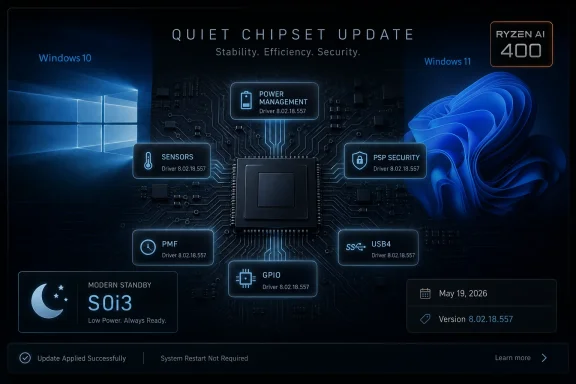
AMD released Ryzen Chipset Driver 8.02.18.557 on May 19, 2026, for supported 64-bit Windows 10 and Windows 11 PCs, adding new program support, bug fixes, and updated platform components for Ryzen, Threadripper, Ryzen AI, and older AMD processor families. The driver is not a glamorous download, and AMD’s release notes do not pretend otherwise. But the update matters because chipset packages are where Windows learns how to treat AMD hardware as a platform rather than a pile of parts. This is the sort of release that rarely wins a benchmark headline but can decide whether a system sleeps properly, enumerates devices cleanly, and behaves like a modern PC.
The version number, 8.02.18.557, is not the story. The story is that AMD is still tending a remarkably broad Windows support matrix that stretches from first-generation Ryzen desktops on Windows 10 to Ryzen AI 400 systems on Windows 11. That breadth is good for users, but it also shows how complicated the Windows PC has become.
A chipset driver used to sound like something that belonged to the motherboard, a low-level utility you installed once after building a PC and then forgot. That mental model is obsolete. AMD’s package now includes power-management components, GPIO drivers, sensor-fusion pieces, USB4 support, PSP security-related components, platform-management framework drivers, 3D V-Cache support, and compatibility layers for current and future silicon.
AMD’s headline notes are spare: bug fixes and new program support. Yet the package contents tell a more interesting story. Ryzen Power Plan and AMD Processor Power Management Support move to 8.0.1.13 with bug fixes, the GPIO2 driver moves to 2.2.0.137 with bug fixes, the PSP driver reaches 5.44.0.0, and the PPM Provisioning File Driver is updated to 8.0.0.62.
That is not a consumer feature list. It is plumbing. But on Windows, plumbing is increasingly where the user experience lives.
But the processor-support table makes the direction of travel obvious. Ryzen AI 300 and Ryzen AI 400 processors are Windows 11-only in this package. First-generation Ryzen desktop processors, Ryzen Threadripper 1000 and 2000, Ryzen 2000G desktop APUs, Ryzen Mobile 2000U chips, and 7th Gen AMD A-Series processors remain Windows 10-only. The driver spans both worlds, but it does not make them equal.
That split is not surprising. Windows 11 is where Microsoft’s current security assumptions, power models, AI PC branding, and OEM validation work now live. AMD can keep older Windows 10 systems on life support, but the newest platform behavior increasingly belongs to Windows 11.
For administrators, this is the practical warning buried inside a routine driver release. Keeping Windows 10 alive is no longer only an operating-system support decision. It is a driver lifecycle decision, a BIOS validation decision, a device-management decision, and eventually a procurement decision.
Platform-management drivers sit between firmware capabilities and Windows policy. They help expose how a system should handle power, thermals, responsiveness, sensors, and vendor-specific behavior. In the AI PC era, that layer becomes more important rather than less.
AMD’s Ryzen AI branding is not just about TOPS numbers or whether a neural processing unit can satisfy Microsoft’s marketing thresholds. It is also about whether the system behaves like a premium mobile device. That means predictable resume, sane idle draw, steady performance under mixed workloads, and a driver stack that knows the difference between a desktop tower, a thin notebook, and a workstation-class mobile platform.
The Ryzen AI 400 support in this release is therefore less about a single driver and more about AMD preparing its Windows stack for the next wave of systems. The chip may get the launch keynote, but the platform driver determines whether the machine feels finished.
That is why a PSP driver update deserves attention even when AMD gives no detailed description of the bug fixes. It touches the part of the system where firmware, Windows security features, device identity, and platform initialization intersect. A fix here may not change a frame rate, but it can matter to secure boot paths, device enumeration, and compatibility with Windows security expectations.
This is also why the driver-update conversation has changed. Users often think about drivers in terms of visible hardware: GPU, audio, Wi-Fi, printer. Chipset drivers increasingly sit closer to the question of whether the system itself can be trusted, resumed, managed, and correctly understood by the operating system.
AMD is not alone in this. Intel and Qualcomm live in the same reality. But AMD’s broad Ryzen installed base makes every low-level maintenance release unusually consequential.
In practice, Modern Standby has been uneven. Some systems handle it well. Others wake in bags, drain batteries, get warm when they should be idle, or behave differently depending on firmware, driver version, device class, and Windows build. Users blame Windows, OEMs blame drivers, driver vendors blame firmware, and everyone is partly right.
AMD’s inclusion of S0i3 support does not magically cure Modern Standby. It does show that low-power idle behavior remains a vendor-tuned platform issue rather than a solved operating-system abstraction. Windows can define the framework, but AMD and OEMs still have to make real hardware behave inside it.
For desktop users, this may sound remote. But power-management logic is not only a laptop concern. The same category of platform coordination affects idle behavior, wake events, boost responsiveness, sensor reporting, and the general choreography between Windows and the motherboard.
But AMD’s known-issues list includes a specific warning: a yellow bang may appear on the AMS Mailbox driver on Ryzen Threadripper 9000 Series processors using WRX90 on Windows 10. In Device Manager language, a yellow bang is the little warning triangle nobody wants to see on a production workstation.
That caveat matters because Threadripper systems are not casual machines. They are often used for rendering, development, engineering, content production, simulation, or other workloads where platform stability is worth more than novelty. A known Device Manager issue on a high-end workstation platform is not necessarily a blocker, but it is something administrators and power users should test before broad deployment.
It also reinforces the broader point: Windows 10 may still be supported, but it is not where all the cleanest edges will be. The newer the silicon, the more likely Windows 11 is to be the validation center of gravity.
That is not catastrophic. It is also not elegant. Driver rollback is supposed to be the escape hatch when a new package causes trouble, and anything that turns rollback into a manual cleanup operation deserves scrutiny.
For most home users, this will never matter. They will install the latest package, reboot, and move on. For anyone managing test rings, golden images, lab machines, or workstation fleets, it matters because rollback friction changes deployment risk.
The other known issues are less dramatic but still telling. AMD notes that some driver names may appear in English on non-English operating systems, and that Ryzen PPKG may occasionally fail to install or upgrade. These are not headline bugs, but they remind us that a chipset package is really a bundle of many installers and components wearing one label.
AMD’s package is usually broader and newer. Motherboard vendors often lag behind, sometimes by weeks or months, but their packages may be validated against a specific board, BIOS branch, embedded controller version, or OEM utility stack. A generic AMD installer is not always worse, and an OEM-hosted driver is not always safer. The problem is that users rarely get enough information to know which distinction matters.
For a standard AM4 or AM5 desktop with no strange peripherals and a stable BIOS, AMD’s direct package is often the practical route. For a laptop, prebuilt business desktop, or workstation with vendor management tools, the OEM channel may be the better first stop. For administrators, neither route should bypass validation.
This is where the PC’s openness becomes both strength and burden. Users can update components independently, but the final platform experience is the composite of AMD drivers, Windows builds, BIOS revisions, OEM utilities, firmware settings, and sometimes vendor services that do not advertise themselves clearly.
The more realistic expectation is stability. Bug fixes in processor power management, GPIO, PSP, PPM provisioning, PMF components, and Ryzen AI drivers are the kind of changes that improve edge cases. They may help a system wake more cleanly, report a device properly, avoid a rare driver conflict, or behave better under a particular power state.
That is still valuable. A PC that is slightly faster on paper but flaky in sleep, inconsistent after resume, or noisy at idle is not a better PC. The more powerful AMD’s silicon becomes, the more platform polish matters.
This is especially true for X3D processors and newer mobile systems. The CPU itself is only part of the experience. Windows has to know how to treat performance preferences, cache-sensitive behavior, thermal envelopes, and firmware hints. Chipset drivers are one of the places those decisions become operational.
But “bug fixes” is not a sufficient explanation for software that touches power management, security processors, platform-management frameworks, and sleep behavior. It tells users that something changed without telling them whether that change matters to their system. It forces enthusiasts, administrators, and journalists to infer significance from version numbers and component names.
That vagueness has consequences. A laptop user wants to know whether a driver addresses standby drain. A workstation admin wants to know whether a PSP or AMS Mailbox change affects device health. A gamer wants to know whether a power-management fix changes boost behavior or stutter. “Bug fixes included” answers none of those questions.
This is not an AMD-only problem. The PC industry has normalized vague low-level changelogs. But as chipset packages become more central to security, energy efficiency, AI PC behavior, and enterprise manageability, the old release-note style looks increasingly inadequate.
AMD’s new chipset driver belongs to that lower, quieter category of change. It will not make Windows 11 look different. It will not give Windows 10 a stay of execution. It will not transform an old Ryzen desktop into a new machine. But it helps keep AMD’s platform stack aligned with the realities of current Windows hardware.
That alignment is increasingly difficult. AMD now has to support AM4, AM5, Threadripper, Threadripper PRO, mobile Ryzen, Ryzen AI, older APUs, and newer workstation platforms across two Windows generations with diverging assumptions. The driver package is the visible artifact of that balancing act.
Microsoft can define the operating-system model, but AMD has to make its silicon legible to that model. OEMs then have to validate the result on shipping machines. If any party does the minimum, the user gets the blameworthy experience that everyone recognizes and nobody owns.
Stable desktop users can treat the driver as routine maintenance, ideally installed when they already have time for a reboot and a quick health check. Laptop users have a stronger reason to pay attention because PMF, S0i3, sensor, and power-management components can affect the daily experience more directly. Threadripper users on Windows 10 should read the known issue carefully before assuming the package is frictionless.
Administrators should put this driver where chipset drivers belong: in a validation pipeline near firmware, storage, endpoint security, and BIOS testing. A chipset package is not just another optional utility. It is a platform update.
 AMD’s Quiet Driver Drop Is Really About Platform Maintenance
The version number, 8.02.18.557, is not the story. The story is that AMD is still tending a remarkably broad Windows support matrix that stretches from first-generation Ryzen desktops on Windows 10 to Ryzen AI 400 systems on Windows 11. That breadth is good for users, but it also shows how complicated the Windows PC has become.A chipset driver used to sound like something that belonged to the motherboard, a low-level utility you installed once after building a PC and then forgot. That mental model is obsolete. AMD’s package now includes power-management components, GPIO drivers, sensor-fusion pieces, USB4 support, PSP security-related components, platform-management framework drivers, 3D V-Cache support, and compatibility layers for current and future silicon.
AMD’s headline notes are spare: bug fixes and new program support. Yet the package contents tell a more interesting story. Ryzen Power Plan and AMD Processor Power Management Support move to 8.0.1.13 with bug fixes, the GPIO2 driver moves to 2.2.0.137 with bug fixes, the PSP driver reaches 5.44.0.0, and the PPM Provisioning File Driver is updated to 8.0.0.62.
That is not a consumer feature list. It is plumbing. But on Windows, plumbing is increasingly where the user experience lives.
Windows 10 Still Gets the Package, But Windows 11 Gets the Future
AMD’s new driver supports both Windows 10 and Windows 11, and that remains important in 2026. Many Ryzen systems still run Windows 10 because they are stable, because the user dislikes Windows 11, or because an organization has not completed migration planning. AMD’s continued support gives those machines another maintenance release rather than leaving them frozen in place.But the processor-support table makes the direction of travel obvious. Ryzen AI 300 and Ryzen AI 400 processors are Windows 11-only in this package. First-generation Ryzen desktop processors, Ryzen Threadripper 1000 and 2000, Ryzen 2000G desktop APUs, Ryzen Mobile 2000U chips, and 7th Gen AMD A-Series processors remain Windows 10-only. The driver spans both worlds, but it does not make them equal.
That split is not surprising. Windows 11 is where Microsoft’s current security assumptions, power models, AI PC branding, and OEM validation work now live. AMD can keep older Windows 10 systems on life support, but the newest platform behavior increasingly belongs to Windows 11.
For administrators, this is the practical warning buried inside a routine driver release. Keeping Windows 10 alive is no longer only an operating-system support decision. It is a driver lifecycle decision, a BIOS validation decision, a device-management decision, and eventually a procurement decision.
The Ryzen AI 400 Line Item Is Small, But It Points Forward
The most forward-looking entry in the package is the addition of AMD PMF Ryzen AI 400 Series Driver support, listed as a Windows 11 component. PMF, or Platform Management Framework, is one of those acronyms that sounds boring until a laptop starts running hot in standby, draining battery overnight, or refusing to balance performance and acoustics gracefully.Platform-management drivers sit between firmware capabilities and Windows policy. They help expose how a system should handle power, thermals, responsiveness, sensors, and vendor-specific behavior. In the AI PC era, that layer becomes more important rather than less.
AMD’s Ryzen AI branding is not just about TOPS numbers or whether a neural processing unit can satisfy Microsoft’s marketing thresholds. It is also about whether the system behaves like a premium mobile device. That means predictable resume, sane idle draw, steady performance under mixed workloads, and a driver stack that knows the difference between a desktop tower, a thin notebook, and a workstation-class mobile platform.
The Ryzen AI 400 support in this release is therefore less about a single driver and more about AMD preparing its Windows stack for the next wave of systems. The chip may get the launch keynote, but the platform driver determines whether the machine feels finished.
The Security Processor Gets Another Quiet Fix
AMD’s PSP driver moves to version 5.44.0.0 with bug fixes. The PSP, or Platform Security Processor, is not something most users interact with directly. It is one of the trust anchors below Windows, involved in platform security functions that users only notice when something fails.That is why a PSP driver update deserves attention even when AMD gives no detailed description of the bug fixes. It touches the part of the system where firmware, Windows security features, device identity, and platform initialization intersect. A fix here may not change a frame rate, but it can matter to secure boot paths, device enumeration, and compatibility with Windows security expectations.
This is also why the driver-update conversation has changed. Users often think about drivers in terms of visible hardware: GPU, audio, Wi-Fi, printer. Chipset drivers increasingly sit closer to the question of whether the system itself can be trusted, resumed, managed, and correctly understood by the operating system.
AMD is not alone in this. Intel and Qualcomm live in the same reality. But AMD’s broad Ryzen installed base makes every low-level maintenance release unusually consequential.
Modern Standby Still Haunts the Windows PC
The package includes AMD S0i3 Filter Driver 1.0.0.12 for both Windows 10 and Windows 11. S0i3 is tied to the world of Modern Standby, one of the most contentious concepts in recent Windows hardware design. Microsoft wanted PCs to behave more like phones: quick to wake, low-power while idle, and capable of background connectivity.In practice, Modern Standby has been uneven. Some systems handle it well. Others wake in bags, drain batteries, get warm when they should be idle, or behave differently depending on firmware, driver version, device class, and Windows build. Users blame Windows, OEMs blame drivers, driver vendors blame firmware, and everyone is partly right.
AMD’s inclusion of S0i3 support does not magically cure Modern Standby. It does show that low-power idle behavior remains a vendor-tuned platform issue rather than a solved operating-system abstraction. Windows can define the framework, but AMD and OEMs still have to make real hardware behave inside it.
For desktop users, this may sound remote. But power-management logic is not only a laptop concern. The same category of platform coordination affects idle behavior, wake events, boost responsiveness, sensor reporting, and the general choreography between Windows and the motherboard.
Threadripper Gets Support, and Also a Warning Label
The driver supports Ryzen Threadripper PRO 3000, 5000, 7000, and 9000 series processors on both Windows 10 and Windows 11. It also supports Ryzen Threadripper 3000, 5000, 7000, and 9000 series processors across both operating systems. That is welcome news for workstation users who often sit awkwardly between consumer driver cadence and enterprise stability expectations.But AMD’s known-issues list includes a specific warning: a yellow bang may appear on the AMS Mailbox driver on Ryzen Threadripper 9000 Series processors using WRX90 on Windows 10. In Device Manager language, a yellow bang is the little warning triangle nobody wants to see on a production workstation.
That caveat matters because Threadripper systems are not casual machines. They are often used for rendering, development, engineering, content production, simulation, or other workloads where platform stability is worth more than novelty. A known Device Manager issue on a high-end workstation platform is not necessarily a blocker, but it is something administrators and power users should test before broad deployment.
It also reinforces the broader point: Windows 10 may still be supported, but it is not where all the cleanest edges will be. The newer the silicon, the more likely Windows 11 is to be the validation center of gravity.
The Rollback Story Is Still More Awkward Than It Should Be
AMD continues to list a downgrade limitation that should make IT departments take notice. After installing AMD Chipset Installer version 7.xx.xx.xx or later, users cannot install version 6.xx.xx.xx or earlier without first uninstalling the newer package, deleting the Qt_Dependencies folder inside AMD’s chipset software directory, and then installing the older package.That is not catastrophic. It is also not elegant. Driver rollback is supposed to be the escape hatch when a new package causes trouble, and anything that turns rollback into a manual cleanup operation deserves scrutiny.
For most home users, this will never matter. They will install the latest package, reboot, and move on. For anyone managing test rings, golden images, lab machines, or workstation fleets, it matters because rollback friction changes deployment risk.
The other known issues are less dramatic but still telling. AMD notes that some driver names may appear in English on non-English operating systems, and that Ryzen PPKG may occasionally fail to install or upgrade. These are not headline bugs, but they remind us that a chipset package is really a bundle of many installers and components wearing one label.
The Motherboard Vendor Question Refuses to Die
Every AMD chipset release revives an old enthusiast debate: should users install the package from AMD directly, or wait for the motherboard vendor’s support page? The answer remains unsatisfying because it depends on the system.AMD’s package is usually broader and newer. Motherboard vendors often lag behind, sometimes by weeks or months, but their packages may be validated against a specific board, BIOS branch, embedded controller version, or OEM utility stack. A generic AMD installer is not always worse, and an OEM-hosted driver is not always safer. The problem is that users rarely get enough information to know which distinction matters.
For a standard AM4 or AM5 desktop with no strange peripherals and a stable BIOS, AMD’s direct package is often the practical route. For a laptop, prebuilt business desktop, or workstation with vendor management tools, the OEM channel may be the better first stop. For administrators, neither route should bypass validation.
This is where the PC’s openness becomes both strength and burden. Users can update components independently, but the final platform experience is the composite of AMD drivers, Windows builds, BIOS revisions, OEM utilities, firmware settings, and sometimes vendor services that do not advertise themselves clearly.
Performance Hunters May Be Looking in the Wrong Place
Some users will install Ryzen Chipset Driver 8.02.18.557 hoping for higher frame rates or better benchmark scores. That is understandable, especially in the Ryzen community, where power plans, CPPC behavior, cache topology, and scheduler awareness have all mattered at different moments. But this release is not pitched as a performance uplift.The more realistic expectation is stability. Bug fixes in processor power management, GPIO, PSP, PPM provisioning, PMF components, and Ryzen AI drivers are the kind of changes that improve edge cases. They may help a system wake more cleanly, report a device properly, avoid a rare driver conflict, or behave better under a particular power state.
That is still valuable. A PC that is slightly faster on paper but flaky in sleep, inconsistent after resume, or noisy at idle is not a better PC. The more powerful AMD’s silicon becomes, the more platform polish matters.
This is especially true for X3D processors and newer mobile systems. The CPU itself is only part of the experience. Windows has to know how to treat performance preferences, cache-sensitive behavior, thermal envelopes, and firmware hints. Chipset drivers are one of the places those decisions become operational.
AMD’s Release Notes Are Accurate, But Too Sparse
AMD deserves credit for publishing a component table. Users can see which drivers changed, which apply to Windows 10 or Windows 11, and which components are marked as bug fixes or new support. In a driver ecosystem where some vendors still treat release notes as decorative filler, that transparency has value.But “bug fixes” is not a sufficient explanation for software that touches power management, security processors, platform-management frameworks, and sleep behavior. It tells users that something changed without telling them whether that change matters to their system. It forces enthusiasts, administrators, and journalists to infer significance from version numbers and component names.
That vagueness has consequences. A laptop user wants to know whether a driver addresses standby drain. A workstation admin wants to know whether a PSP or AMS Mailbox change affects device health. A gamer wants to know whether a power-management fix changes boost behavior or stutter. “Bug fixes included” answers none of those questions.
This is not an AMD-only problem. The PC industry has normalized vague low-level changelogs. But as chipset packages become more central to security, energy efficiency, AI PC behavior, and enterprise manageability, the old release-note style looks increasingly inadequate.
Windows Reliability Is Being Built Below the Desktop
The modern Windows experience is often judged by what users can see: Start menu changes, Copilot branding, Settings app migrations, update prompts, and taskbar tweaks. But the quality of a Windows PC is frequently decided below that layer. Does it sleep correctly? Does it resume instantly? Does Device Manager stay clean? Does the security stack initialize without drama? Does the fan curve behave when the machine is idle?AMD’s new chipset driver belongs to that lower, quieter category of change. It will not make Windows 11 look different. It will not give Windows 10 a stay of execution. It will not transform an old Ryzen desktop into a new machine. But it helps keep AMD’s platform stack aligned with the realities of current Windows hardware.
That alignment is increasingly difficult. AMD now has to support AM4, AM5, Threadripper, Threadripper PRO, mobile Ryzen, Ryzen AI, older APUs, and newer workstation platforms across two Windows generations with diverging assumptions. The driver package is the visible artifact of that balancing act.
Microsoft can define the operating-system model, but AMD has to make its silicon legible to that model. OEMs then have to validate the result on shipping machines. If any party does the minimum, the user gets the blameworthy experience that everyone recognizes and nobody owns.
The Sensible Upgrade Path Is Boring by Design
This release should not send users rushing into a midnight maintenance window. It also should not be ignored as meaningless just because it lacks a flashy feature. The right posture is cautious, practical, and familiar to anyone who has managed Windows hardware for more than a week.Stable desktop users can treat the driver as routine maintenance, ideally installed when they already have time for a reboot and a quick health check. Laptop users have a stronger reason to pay attention because PMF, S0i3, sensor, and power-management components can affect the daily experience more directly. Threadripper users on Windows 10 should read the known issue carefully before assuming the package is frictionless.
Administrators should put this driver where chipset drivers belong: in a validation pipeline near firmware, storage, endpoint security, and BIOS testing. A chipset package is not just another optional utility. It is a platform update.
The Boring Installer Carries the Real Message
The practical lesson from AMD’s 8.02.18.557 release is that Windows hardware support is becoming more continuous, more platform-specific, and less visible to users. The driver is worth understanding not because every user must install it today, but because it shows where the maintenance burden has moved.- AMD Ryzen Chipset Driver 8.02.18.557 supports supported 64-bit Windows 10 and Windows 11 systems across a broad range of Ryzen, Threadripper, and Ryzen AI platforms.
- The release adds new program support, including Windows 11 support for AMD’s Ryzen AI 400 platform-management driver.
- Several components receive bug-fix updates, including processor power management, GPIO2, PSP, PPM provisioning, PMF-8000 series, Ryzen AI, and Ryzen AI MAX-related drivers.
- Windows 10 remains in the package, but newer Ryzen AI components and several modern platform-management features clearly favor Windows 11.
- Threadripper 9000 users on WRX90 with Windows 10 should note AMD’s known issue involving a yellow bang on the AMS Mailbox driver.
- Users who may need to roll back to older 6.xx chipset installers should be aware of AMD’s manual cleanup workaround after installing 7.xx or newer packages.
References
- Primary source: Neowin
Published: 2026-05-19T14:20:11.017216
- Related coverage: amd.com
- Related coverage: techpowerup.com
Latest AMD Ryzen Chipset Drivers 8.05.04.516 Download | TechPowerUp
This driver package contains the chipset drivers for AMD Ryzen processors for best performance and energy-efficient operation on Microsoft Windows.www.techpowerup.com - Related coverage: drivers.amd.com
- Related coverage: nsaneforums.com
AMD releases new Windows 11/10 chipset driver for Ryzen 9000, 7000, 5000, 3000, and more - Software News - Nsane Forums
AMD has released a new Windows 11/10 chipset drivers for several Ryzen processors incuding Ryzen 9000, 7000, 5000, 3000, and more. Last month, AMD released a new chipset driver version 8.01.20.513. The package added Windows 11 25H2 support for several of the included drivers like the 3D V-cache o... nsaneforums.com
- Related coverage: fixguide.blog
- Related coverage: windowsforum.com
AMD Ryzen Chipset Driver 8.02.18.557 Adds AMS Mailbox and S0i3 Support | Windows Forum
AMD has released Ryzen Chipset Driver 8.02.18.557 for 64-bit Windows 10 and Windows 11 systems, bringing bug fixes plus AMS Mailbox and S0i3 filter driver...windowsforum.com - Related coverage: station-drivers.com
Amd Chipsets Ryzen (3XX/4XX/5XX/6XX/8XX/TRX40) drivers Version 8.05.04.516
Windows 10/11www.station-drivers.com
