

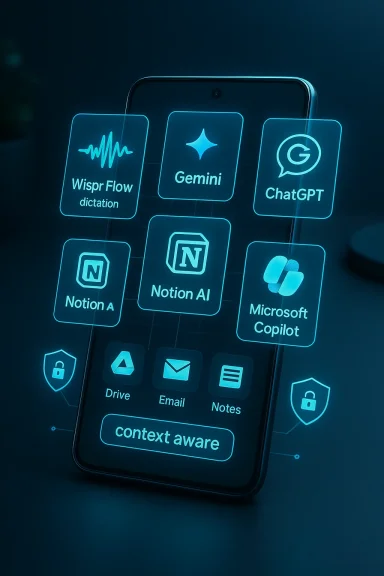
In 2026, the Android ecosystem stopped being just a place to download apps and became the battleground for intelligent tools that actively think with you — transcribing, summarizing, drafting, and taking context-aware actions across the apps you already use. From voice-first dictation utilities to system-level AI assistants, a small set of apps and services is reshaping how people work on phones: they reduce friction between idea and output, let phones shoulder cognitive tasks, and turn short bursts of time into meaningful work sessions. This feature examines five of the most consequential Android tools of 2026 — Wispr Flow, Google Gemini, ChatGPT for Android, Notion AI, and Microsoft Copilot — evaluates what each brings to the table, flags real risks and limitations, and gives practical guidance for readers who want to build a resilient, productive mobile AI toolkit.
Mobile AI in 2026 is about two converging trends. First, models are more capable and more multimodal — they accept voice, images, and long-form context and can act on that input instead of simply replying. Second, ecosystem integration matters more than raw capability: assistants that can read your inbox, analyze a screenshot, or open a calendar event are more useful than stand-alone chatbots that require copy/paste.
Google’s push to fold Gemini across Android, Chromium, Maps and Android Auto illustrates how assistant-level features can become system-level features. These integrations — Gemini Live, Canvas tools and agent capabilities — make the assistant feel like an OS upgrade rather than another app on the home screen.
At the same time, startups and third-party apps are carving valuable niche workflows: real-time voice-first drafting, background meeting transcriptions, and mobile-first agents that run in the background to manage tasks. That combination — ecosystem-level assistants plus specialty apps — is why the right blend of tools can make a midrange Android phone feel like a pocket productivity workstation. Community reporting and industry roundups have repeatedly framed this as a cen ecosystems (Google vs Microsoft vs OpenAI/independents), a backdrop that matters when teams choose tools with governance and data policies in mind.
That said, the same properties that make these tools powerful — deep data access, always-on capture, and learning models — are also the sources of risk. Treat the tools as productivity accelerants, not authorities. Keep human review on critical outputs, enforce governance for enterprise data, and test real-world accuracy before depending on automated transcriptions or decisions.
If you build a small, complementary set of tools around capture, context, creation, and governance, your Android phone in 2026 will be less a pocketable distraction and more a mobile productivity engine — fast, context-aware, and genuinely useful in the workday.
Conclusion
AI on Android in 2026 is no longer about novelty features; it’s about reshaping everyday workflows. The five tools covered here exemplify the new rules: specialize where speed matters (Wispr Flow), integrate where context matters (Gemini), ideate where creativity matters (ChatGPT), structure where knowledge matters (Notion AI), and govern where enterprise matters (Copilot). Taken together — and used with clear policies and human verification — they turn the smartphone into a practical, powerful productivity companion.
Source: Republic World The Must-Have Android Tools of 2026
 Background: why 2026 feels different for Android productivity
Mobile AI in 2026 is about two converging trends. First, models are more capable and more multimodal — they accept voice, images, and long-form context and can act on that input instead of simply replying. Second, ecosystem integration matters more than raw capability: assistants that can read your inbox, analyze a screenshot, or open a calendar event are more useful than stand-alone chatbots that require copy/paste.Google’s push to fold Gemini across Android, Chromium, Maps and Android Auto illustrates how assistant-level features can become system-level features. These integrations — Gemini Live, Canvas tools and agent capabilities — make the assistant feel like an OS upgrade rather than another app on the home screen.
At the same time, startups and third-party apps are carving valuable niche workflows: real-time voice-first drafting, background meeting transcriptions, and mobile-first agents that run in the background to manage tasks. That combination — ecosystem-level assistants plus specialty apps — is why the right blend of tools can make a midrange Android phone feel like a pocket productivity workstation. Community reporting and industry roundups have repeatedly framed this as a cen ecosystems (Google vs Microsoft vs OpenAI/independents), a backdrop that matters when teams choose tools with governance and data policies in mind.
Wispr Flow — Voice AI that turns your phone into a dictation engine
What it claims to do
Wispr Flow positions itself as a voice-first writing layer for mobile and desktop: you speak naturally and Flow returns polished, punctuated text in real time into whatever app you’re using. Originally launched on desktop and iOS, the company has been building an Android app and an on-device keyboard that lets dictation work across messaging apps, email clients, and document editors. The startup’s marketing stresses low friction: no stopping to open a recorder, no copying text between apps — just talk and send.Why it matters
- Speed for thought: Dictation drastically shortens the time between idea and draft. For many professionals the phone is the device of capture; Flow aims to make capture as fast as talking.
- Cross-app insertion: By offering a keyboard-level or system-level input, Flow avoids the clipboard detours that make many voice tools clumsy.
- Multilingual support: Wispr advertises wide language coverage, which is vital for global teams and multilingual users.
Strengths (verified)
- TechCrunch and the vendor’s own site confirm robust multi-platform development, a viable iOS product, and an Android waitlist with early demos of the keyboard approach. The product has attracted investment and traction as a specialized dictation player.
Caveats and risks
- Accuracy vs. real-world accents and noise: Publisher claims of "strong accuracy across accents" are plausible but need independent testing. Voice models still vary when dealing with heavy background noise, overlapping speech, or domain-specific vocabulary; don’t assume flawless transcription in every environment.
- Privacy and data routing: Wispr Flow’s value depends on server-side models for advanced cleanup and formatting. Check whether your dictations are processed locally or sent to cloud servers, and what retention or training policies apply.
- Workflow lock-in: Because Flow tries to be the keyboard for everything, it can be incredibly convenient — and once you rely on it heavily, moving away becomes expensive.
Practical tips
- Try the free tier and compare output quality in meetings and noisy commutes before upgrading.
- Test with your specific jargon and names to measure error rates.
- For sensitive conversations, prefer workflows that explicitly state on-device processing or enterprise data controls.
Google Gemini — The system-level, context-aware assistant
What Gemini offers on Android
Gemini in 2026 is spread across a family of capabilities: a dedicated Gemini mobile app, Gemini Live (voice + screen/camera sharing functionality), and deep integration into Google products like Maps and Android Auto. Gemini’s updates (Gemini 3 and subsequent model drops) emphasize improved reasoning, multimodal inputs, and agentic features (automations that can plan and execute tasks across connected apps). Google has actively rolled Gemini into Android and is expanding what it can do behind the scenes — for example, allowing Gemini to take action in Calendar, Tasks, and Maps during a Live session.Strengths
- Tight Android integration: Gemini can do things other assistants can’t because it’s built into Google’s app stack. That means it can surface Drive attachments, calendar events, and location context more easily.
- Multimodal input: Gemini accepts voice, images and screen shares. Combined with “agents” it can chain actions — schedule, summarize, and follow up — in a single flow.
- Continuity across devices: With Gemini in Android Auto and wearables, context follows the user from phone to car to watch, creating a more continuous assistant experience.
Risks and limitations
- Stability and capacity issues: Community reports in late 2025 and early 2026 documented occasional outages, capacity errors, and model-specific degradation in the app. These transient failures matter when you’re relying on the assistant for time-sensitive work.
- Privacy trade-offs: To provide deep context-aware functionality Gemini often needs access to your Gmail, Drive, or location. For companies and privacy-conscious users, that raises governance and compliance questions.
- Safety in mobility contexts: Even Google leadership has warned against casual use of voice assistants while driving; using Gemini Live in a car should be done with caution and hands-free safeguards.
How to use Gemini well
- Enable fine-grained permissions and audit which apps Gemini can access.
- Use agent capabilities for routine, low-risk automations (e.g., summarize a meeting transcript, add a follow-up item to Tasks) and reserve human review for high-impact decisions.
- Keep expectations calibrated: Gemini is powerful when context is available; it’s less reliable with zero context or on flaky mobile network connections.
ChatGPT for Android — A versatile thinking partner
What the ChatGPT Android app does today
OpenAI’s ChatGPT app remains one of the most flexible and widely used mobile AI tools. The Android client offers the same conversational interface as the web, voice modes, image handling, and model options for subscribers. OpenAI’s release notes show continuous updates to voice handling, model deployments, and mobile-specific improvements. The app supports private "temporary" chats, image-in and multimodal inputs, and is a powerful idea-generation and coding assistant on the go.Strengths
- Multipurpose utility: Brainstorming, outlining, coding help, quick research, and conversational tutoring — ChatGPT is a generalist that often gives the fastest idea-spark on mobile.
- Fast iteration: The app’s UI and voice features make it easy to iterate on prompts while away from a keyboard.
- Ecosystem of plugins and GPTs: Custom GPTs and integrations mean power users can wire the app into specific workflows without relying on a single vendor end-to-end.
Cautions
- Model variability and updates: OpenAI retires and re-issues models (GPT‑4o, GPT‑4.1, GPT‑5 etc.) and behavior shifts with model changes. If you rely on a specific output style or memory behavior, expect occasional changes and read the release notes when models rotate.
- Data governance for enterprise use: ChatGPT is flexible but connectivity and data routing policies matter for regulated data. Enterprise customers should evaluate ChatGPT Enterprise and on-premise connectors where needed.
Practical tips
- Use ChatGPT for ideation, drafts, and quick code sketches; pair it with a second tool for verification or grounding on factual or legal content.
- Enable privacy settings (limited history, temporary chat) when working with sensitive information.
Notion AI — Organize, summarize, and automate on mobile
What changed in 2026
Notion’s 3.2 update brought major mobile AI features: one-tap AI meeting transcription on mobile (including background capture), mobile parity for Notion Agent actions, and expanded model choices inside Notion’s environment. Essentially, the workspace that teams use on the desktop became equally powerful on mobile: transcribe calls, summarize, assign action items, and let agents run automations while you move.Why teams care
- One app for knowledge + action: Notion bundles notes, tasks, databases, and agent-led automations; adding reliable mobile AI notes and agents turns the phone into a true on-the-go knowledge workstation.
- Model flexibility: Notion’s ability to let admins and users pick models (including third-party models) provides teams with governance choices and fallback options.
Strengths
- Background meeting notes: The mobile AI Notes feature lets you continue working while Notion captures and summarizes a meeting — a tangible time-saver for managers and makers.
- Agent ubiquity: Agents that previously required desktop access now run from mobile, enabling quick delegation and search across a company’s knowledge base.
Limitations and considerations
- Bugs at launch: As with any big mobile roll-out, early adopters report version-specific issues and intermittent failures in some builds; test before relying on it for critical meeting capture.
- Permissions and data residency: Notion’s Agents access organizational data, so administrative policies and model selection are important for compliance-minded teams.
Best practices
- Trial AI Notes in low-risk meetings and compare transcripts to a human minute-taker for accuracy.
- Configure model and data permissions at the workspace level before enabling Agents for a wider team.
- Use Notion Agents to surface follow-ups and action items automatically, but keep human verification for deliverables and deadlines.
Microsoft Copilot — Enterprise-grade productivity on Android
What Copilot brings to Android users
Microsoft’s Copilot ecosystem has spread into a dedicated Android app and integrated experiences across Outlook, Word, Excel, and PowerPoint on mobile. The Microsoft 365 Copilot app provides document drafting, smart suggestions, OCR-based image-to-text conversions, and Copilot Chat for enterprise subscribers. Microsoft’s product communication has emphasized mobile widgets, action buttons, and a mobile chat experience tailored for enterprise account governance and Microsoft 365 integration.Why enterprises choose Copilot on Android
- Tight 365 integration: If your organization runs Exchange, SharePoint, and OneDrive, Copilot can access necessary documents and apply enterprise policies out of the box.
- Enterprise controls: Microsoft emphasizes admin-level controls and governance, which is often decisive for regulated industries.
- Mobile-first features for work: From voice catch-up in Outlook to widget-based quick chat, Copilot is optimized for the mobile rhythms of knowledge work.
Considerations and risks
- Branding and user confusion: Microsoft’s rapid rebranding and cross-product Copilot messaging has created confusion among users about which features are part of Copilot and which live in Office apps. That confusion can increase helpdesk calls and adoption friction.
- Potential bloat and forced installs: Aggressive rollout strategies (including automatic Copilot installs on devices with Microsoft 365 desktop apps) have raised user pushback about opt-out and perceived bloatware in consumer contexts. Enterprises should plan communication and training.
Deployment guidance for IT
- Audit where Copiloilboxes, SharePoint) and set conditional access and retention.
- Pilot Copilot widgets with a small volunteer group to collect feedback on mobile UX and edge cases.
- Use Copilot’s admin and analytics tools to measure adoption and where human review is still required.
Putting the five tools together — a pragmatic mobile AI stack
No single app solves all problems. The most productive Android setups in 2026 stitch multiple tools together, with each tool playing a specific role:- Capture and draft (Wispr Flow): fast, voice-first drafting and idea capture.
- Context-aware assistant (Google Gemini): system-level help that knows your apps and locations.
- Ideation and problem-solving (ChatGPT): fast creative and technical assistance.
- Knowledge + execution (Notion AI): meeting capture, structured follow-up, and background agents.
- Enterprise workflows (Microsoft Copilot): secure drafting, document actions, and 365 governance.
- Keep a capture-first app (Wispr Flow or ChatGPT voice) as your default entry point.
- Let Gemini handle context-aware tasks that require access to Google services.
- Use Notion AI as the canonical place for meeting notes and team knowledge.
- Reserve Copilot for documents and mail in enterprise contexts where governance is critical.
- Verify everything: AI suggestions should be paired with a quick human check for facts, figures, legal text, or financial decisions.
Privacy, governance, and the real limits of mobile AI
The new generation of mobile AI tools delivers impressive productivity gains, but the biggest challenges are not technical — they’re policy and expectations.- Data access and consent: Many of these assistants are useful because they can read your email, calendar, or Drive. Organizations should require documented consent, data classification rules, and clear retention policies when enabling assistant access to corporate data.
- Model drift and versioning: Vendors iterate quickly — a model update can change output style or factual accuracy. Teams should designate verification checkpoints, especially when using AI for external communications.
- Security of captured voice and screens: Voice transcriptions and screen captures can include PII; encrypt and route such data through approved channels, and avoid ad-hoc sharing tools.
- Human oversight: AI is fast but fallible. Use a human-in-the-loop for final verification, especially in client-facing or financial workflows.
Quick recommendations (who should use which tool)
- Individual creators and journalists: Wispr Flow + ChatGPT (voice for capture, ChatGPT for rapid rewriting and idea iteration).
- Google ecosystem users and commuters: Google Gemini (context-aware workflows, Maps and Auto integration).
- Startups and cross-functional teams: Notion AI (meeting capture + lightweight agents).
- Enterprises and regulated organizations: Microsoft Copilot (365 integration and admin controls).
- Anyone who needs a single, flexible assistant for ad-hoc tasks: ChatGPT on Android (broad skillset, plugin/custom GPT options).
Final assessment: opportunity vs. caution
2026’s must-have Android tools reflect an important shift: productivity is less about a single app and more about integrated, context-aware assistance. Wispr Flow shows the real value of niche, high-signal tools that solve one friction point extremely well. Google Gemini demonstrates the power of system-level AI that leverages connectivity across apps and devices. ChatGPT continues as the flexible thinking partner, Notion AI brings workspace automation to mobile, and Microsoft Copilot offers a governed path for enterprises.That said, the same properties that make these tools powerful — deep data access, always-on capture, and learning models — are also the sources of risk. Treat the tools as productivity accelerants, not authorities. Keep human review on critical outputs, enforce governance for enterprise data, and test real-world accuracy before depending on automated transcriptions or decisions.
If you build a small, complementary set of tools around capture, context, creation, and governance, your Android phone in 2026 will be less a pocketable distraction and more a mobile productivity engine — fast, context-aware, and genuinely useful in the workday.
Conclusion
AI on Android in 2026 is no longer about novelty features; it’s about reshaping everyday workflows. The five tools covered here exemplify the new rules: specialize where speed matters (Wispr Flow), integrate where context matters (Gemini), ideate where creativity matters (ChatGPT), structure where knowledge matters (Notion AI), and govern where enterprise matters (Copilot). Taken together — and used with clear policies and human verification — they turn the smartphone into a practical, powerful productivity companion.
Source: Republic World The Must-Have Android Tools of 2026
