

When a veteran technology reporter says they’ve stopped leaning on a single assistant and now stitches together a best‑of‑breed AI toolkit, it’s worth paying attention — not because the reporter abandoned ChatGPT entirely, but because their workflow shift underscores a larger truth: models are specialists, applications are the vehicles that make them useful, and the smartest productivity move right now is to pick the right engine for the job, not a single all‑purpose assistant.
The generative AI landscape in 2025–2026 looks less like a single championship ring and more like a motorsport grid: dozens of highly capable contestants, each tuned for a different track. Chatbots such as ChatGPT remain broadly competent across creative writing, data analysis, and ad‑hoc coding, but specialists — whether tuned for deep, long‑context research, agentic multi‑step coding, speech‑to‑text on local hardware, or diagrammatic image generation — frequently outperform the generalist in their domain. The practical consequence is clear: many power users now run a portfolio of tools, choosing a model or app by task rather than defaulting to one subscription.
This approach reveals three immediate market realities:
Practical implications:
Strengths:
Why self‑hosting matters here:
1) Conversational debugging and snippet help
Strengths:
Caveat:
Best practices when using “deep thinking” models:
Practical cost tips:
Key governance recommendations:
That said, the market is fast‑moving. Model names and version numbers will change; vendor packaging will continue evolving; and the economics of app‑level AI fees will remain contested territory. The safest bet for professionals is not to chase every version bump, but to refine resilient workflows with:
In short: don’t abandon ChatGPT — but do stop treating it as the only tool in your box. Build a toolkit, instrument it, and govern it. You’ll be faster, safer, and more productive for the long run.
Source: ZDNET I stopped using ChatGPT for everything: These AI models beat it at research, coding, and more
 Background / Overview
The generative AI landscape in 2025–2026 looks less like a single championship ring and more like a motorsport grid: dozens of highly capable contestants, each tuned for a different track. Chatbots such as ChatGPT remain broadly competent across creative writing, data analysis, and ad‑hoc coding, but specialists — whether tuned for deep, long‑context research, agentic multi‑step coding, speech‑to‑text on local hardware, or diagrammatic image generation — frequently outperform the generalist in their domain. The practical consequence is clear: many power users now run a portfolio of tools, choosing a model or app by task rather than defaulting to one subscription.This approach reveals three immediate market realities:
- Vendors sell both models (via APIs) and chat applications; applications often add their own subscription or “AI tax.”
- Model versions change quickly; obsessing over a minor point release is less useful than designing a resilient workflow that tolerates backend swaps.
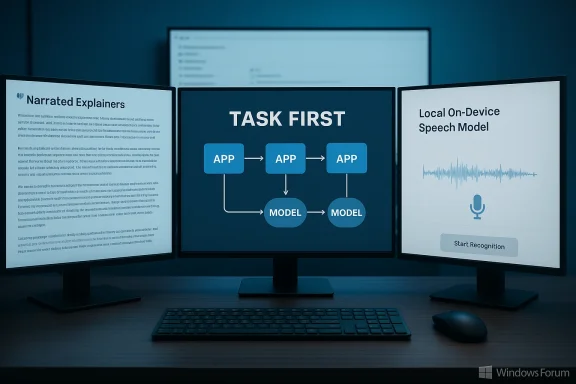
- The best outcome for practitioners is a task‑first, workflow‑driven toolchain: the right app plus the right model for the job.
Why “don’t pick a model first” matters: application vs. model
A central clarification that often gets lost in headline tech debates is this: a chatbot like ChatGPT is an application that calls into a model. That model might be OpenAI’s GPT lineage, Google’s Gemini family, Anthropic’s Claude, or a vendor‑specific fine‑tune. Choosing a chat app because it feels familiar is understandable — but functional choices (Can it ingest my PDFs? Does it run locally? Does it integrate with my IDE?) often matter far more than the name of the model running under the hood.Practical implications:
- If you need audio explainers from dense documents, you want a NotebookLM‑style app that produces narrated explainers, not merely a chat that summarizes text. Some users find Google’s NotebookLM and Gemini family excel at that pipeline.
- If you need agentic, multi‑step coding that reads a whole repo and performs patches, specialized agentic coding services (Codex/GPT‑5.2‑Codex, Claude Code/Opus) frequently beat single‑session chatbot prompts.
- If you want private speech recognition that runs locally, choose apps that bundle an on‑device model (e.g., Parakeet derivatives) rather than cloud‑only transcription services. That can avoid recurring usage fees and address privacy concerns.
Creating explainers and rapid comprehension: NotebookLM + Gemini 3
For journalists, product managers, and researchers who must digest long, dense documents quickly, the workflow that pairs a document‑ingesting notebook with a thinking model is a practical superpower. NotebookLM‑style tools ingest source material and output audio explainers and slide tracks — not finished copy, but fast, trustworthy triangulation on core points and issues. In some hands, this reduces hours of initial summarization to a 10–20 minute pass. Google’s NotebookLM and Gemini models are frequently cited as strong players in this space.Strengths:
- Rapid synthesis of large documents into narrated explainers or slide decks.
- Good at surfacing the big issues and framing follow‑up questions for human reviewers.
- Generated explainers are starting points; they must be fact‑checked before being reused in published materials. The risk of confident hallucination exists even among large models.
Auto‑keywording and archival search: Karakeep + OpenAI models
If you collect articles, notes, and research fragments, being able to search by high‑quality, AI‑generated keywords across your archive is transformational. Self‑hosted archiving tools that call OpenAI APIs — such as Karakeep in practical use — can generate highly usable automatic keywords at modest cost. For one user, the migration of ~24,000 items took months and cost roughly $40 for initial processing and about $5 every couple months since — a reasonable trade‑off for high‑signal metadata on a large personal corpus.Why self‑hosting matters here:
- Self‑hosted tools let you control API keys and avoid vendor‑imposed “AI tax” in third‑party applications.
- You pay the model vendor (OpenAI) for usage; the archive app stays subscription‑free or lower‑cost because it doesn’t embed a paid per‑user AI tier.
Coding: two workflows, two different winners
Coding is where specialization is most obvious: quick editing and conversational debugging favor a different tool than agentic, repo‑scale automation.1) Conversational debugging and snippet help
- For one‑off code review, debugging help, and conversational troubleshooting, ChatGPT Plus running advanced GPT models (e.g., GPT‑5.2 in recent reviews) remains the go‑to for many developers. The Plus tier’s availability and conversational UX make it convenient for iterative problem solving.
- When the task is “read my entire codebase, produce multi‑step changes, run tests, and create production artifacts,” agentic coders such as OpenAI’s Codex (GPT‑5.2‑Codex) and Claude Code (Opus 4.5) dominate. These tools are set up to act as development agents, producing coordinated sprints and completing complex feature work in short timeframes. The reported outcomes include building multiple products and even complete mobile apps in week‑long sprints, albeit at a non‑trivial monthly cost for deep usage.
- Never accept AI code into production without static analysis, unit tests, and human review.
- Log model, model version, prompt, and timestamp for each AI‑generated commit to preserve provenance.
- Prefer paid or enterprise tiers for production workflows where SLAs, data governance, and auditability matter.
Notion, databases, and mixed‑model backends
Notion is a pragmatic example of an app that doesn’t rely on a single model. In practice, Notion may call out to Claude, ChatGPT, Gemini, or other models depending on the task, cost, and latency tradeoffs. People often pay Notion’s add‑on AI pricing (developer‑facing “AI tax”) for integrated capabilities: search, summarization, and database categorization tasks that help turn lists into usable databases. The point here is less vendor loyalty than convenience: if the product plugs into your drafting and planning workflow, paying the app’s AI surcharge can be justified for the time saved.Strengths:
- In‑context drafting and summarization of your own drafts.
- On‑the‑fly database creation and classification for structuring projects.
- You may pay extra for the convenience even if you already hold API access to models yourself. Evaluate cost vs. integration value.
Speech recognition and privacy: on‑device models matter
If your workflow includes sensitive audio or you simply hate subscriptions, on‑device speech recognition models change the equation. Apps that bundle a local variation of speech models (for example, Parakeet derivatives) let you pay once and avoid per‑minute cloud fees. The privacy benefit — audio never leaves the machine — is meaningful for journalists, lawyers, and anyone handling confidential sources or PII.Caveat:
- On‑device models may require modern GPUs or specific hardware to get real‑time performance. Evaluate hardware costs vs. subscription fees.
Deep research: “Thinking” models and compute budgets
Deep research — the kind that asks a model to spend significant compute thinking across long contexts or large codebases — is more expensive and often gated behind higher‑tier plans. Users who paid for deeper operational tiers report spectacular results: creating marketing briefing documents out of raw source code, pulling product features and use cases directly from tens of thousands of lines of code, and then producing narrated slide decks automatically. Those gains come at a price: these capabilities rely on high‑compute models and longer runtime budgets.Best practices when using “deep thinking” models:
- Restrict the model’s scope with strict prompts and verification checklists.
- Validate every factual assertion against primary sources. Studies show LLMs can and do fabricate bibliographic references and confidently inaccurate claims. Humans must verify outputs.
Cost, vendor packaging, and the “AI tax” problem
A recurring complaint from heavy users is the proliferation of AI up‑charges inside applications. Many apps embed AI features but charge separately, layering extra costs on top of the AI model’s own fees. That makes the effective cost of an integrated AI feature higher than simply buying model access yourself. Expect vendors to monetize convenience: the app provides integration and UI while the model vendor captures per‑token revenue, and the app captures the subscription for embedding that model into a usable workflow.Practical cost tips:
- Use self‑hosted or single‑API approaches for heavy, repeated tasks (archiving, keywording).
- Buy app‑level AI only when the integration saves more time than the subscription costs.
- Track monthly usage and compare to standalone API costs to spot overpriced in‑app AI fees.
Risks and governance: hallucinations, IP, and provenance
No matter the model, the same failure modes recur: hallucinations (confidently incorrect statements), invented citations, and unclear IP provenance. Peer‑reviewed audits and independent studies have repeatedly documented citation fabrication and bibliographic errors in generative outputs; in one academic test, nearly 20% of LLM‑produced citations were fabricated or unverifiable. That’s a sobering reminder that even powerful thinking models cannot substitute for human verification in research or journalism.Key governance recommendations:
- Treat all AI outputs as drafts: verify facts, citations, and technical claims.
- Document model usage in editorial or development workflows: model name, version, prompt text, and timestamp.
- For regulated or IP‑sensitive environments, prefer enterprise contracts that include data use, non‑training clauses, and export controls.
How to choose — a practical decision matrix
Here’s a simple, reproducible decision flow for picking tools:- Define the job precisely (research, one‑off code fix, full feature build, audio transcription, image diagram).
- Ask: does the app need access to private data or long context?
- Yes: prefer tools that allow local processing or enterprise‑grade contracts.
- No: a cloud model with a strong provenance story may suffice.
- Cost vs. integration test:
- If integration reduces >2 hours/week of manual work, app subscription is often justifiable.
- If you process many artifacts in batch, buying API access + self‑hosted orchestration can be cheaper long term.
- Validation layer: always add automated checks (tests, SAST, editorial fact checks) before accepting outputs.
Notable strengths and potential blind spots
Strengths (across the ecosystem)- Rapid triage and framing of complex material (NotebookLM‑type workflows).
- Dramatic acceleration of agentic development when models are properly configured.
- Practical, budget‑friendly approaches for private archiving and keywording with self‑hosted tools calling vendor APIs.
- Hallucinations and fabricated citations are real and measurable; they require human verification.
- Vendor packaging frequently layers extra subscription fees over model costs, making “convenience” expensive.
- Free tiers and flash variants optimize for latency and cost, not deep reasoning — they’re great for prototyping but risky for production code.
Concrete recommendations for WindowsForum readers
- Adopt a workflow‑first mindset: list the discrete tasks you want to automate and then map them to the best app + model for each. Start with 2–3 tools and iterate.
- For coding: use IDE‑integrated copilots for quick edits; reserve agentic coding platforms (Codex, Claude Code) for large, repo‑level automation and allocate budget for review pipelines.
- For research and journalism: use NotebookLM or similar document‑ingesting tools for initial briefings, but always verify claims and citations manually.
- For privacy: prefer on‑device speech models if you handle sensitive audio. One‑time cost apps that bundle local models can beat recurring cloud fees and keep your data local.
- Keep test harnesses and provenance logs: model used, prompt, and outputs for every AI‑assisted artifact. This is cheap insurance for auditability and debugging.
Final analysis — where we are and what’s next
We are in an era where the plurality of models is an advantage, not a problem. Specialization permits better outcomes: a model optimized for agentic code orchestration will beat a generalist at that task; a model tuned for summarization and audio explainers will beat a generic chatbot at rapid comprehension.That said, the market is fast‑moving. Model names and version numbers will change; vendor packaging will continue evolving; and the economics of app‑level AI fees will remain contested territory. The safest bet for professionals is not to chase every version bump, but to refine resilient workflows with:
- clear verification steps,
- a small, well‑tested set of tools for each domain, and
- governance practices that guard facts, code, and IP.
In short: don’t abandon ChatGPT — but do stop treating it as the only tool in your box. Build a toolkit, instrument it, and govern it. You’ll be faster, safer, and more productive for the long run.
Source: ZDNET I stopped using ChatGPT for everything: These AI models beat it at research, coding, and more
