

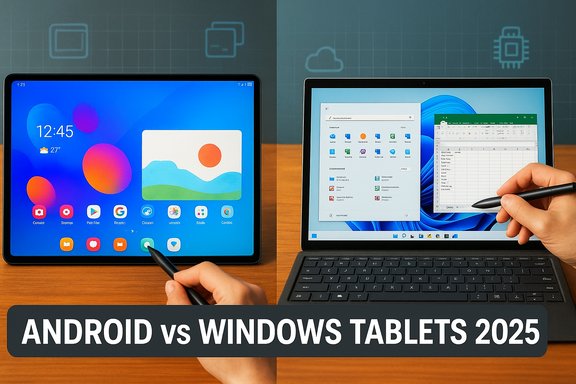
The choice between an Android tablet and a Windows tablet has moved from a simple OS preference into a strategic decision about workflows, peripherals, and long-term value—because in 2025 both platforms offer technically excellent hardware but deliver fundamentally different experiences depending on how you work, play, and connect devices. Herzindagi’s recent roundup captures that tension well: Android tablets promise flexibility, app variety, and media-friendly interfaces, while Windows tablets aim to deliver a PC‑like experience with full desktop apps, stronger multitasking, and deeper Office integration—albeit often at a higher price.
The tablet market today sits at a crossroad where silicon, software, and ecosystem investments shape distinct value propositions. On the Android side, flagship hardware from Samsung, OnePlus, and others pursues high refresh OLED/LCD panels, long battery capacities, and stylus support—features geared toward media consumption and creative workflows. On the Windows side, devices such as Microsoft’s Surface Pro line and several Qualcomm‑powered detachables push a full Windows 11 experience into a tablet form factor, prioritizing compatibility with desktop applications and enterprise needs. These differences affect everything from app choice to peripheral compatibility and update guarantees.
Source: Herzindagi Android Vs Windows Tablet: Which Operating System Delivers the Better Experience?
 Background
The tablet market today sits at a crossroad where silicon, software, and ecosystem investments shape distinct value propositions. On the Android side, flagship hardware from Samsung, OnePlus, and others pursues high refresh OLED/LCD panels, long battery capacities, and stylus support—features geared toward media consumption and creative workflows. On the Windows side, devices such as Microsoft’s Surface Pro line and several Qualcomm‑powered detachables push a full Windows 11 experience into a tablet form factor, prioritizing compatibility with desktop applications and enterprise needs. These differences affect everything from app choice to peripheral compatibility and update guarantees.What each OS is trying to solve
Android: flexibility and media-first design
Android tablets emphasize a familiar, touch-first mobile app ecosystem, often enhanced with vendor layers (One UI, OxygenOS, HyperOS) that add multitasking tools, stylus features, and desktop-like “DeX” modes. Hardware makers pack large batteries and premium displays to make tablets ideal for streaming, drawing, and light productivity. Reviews and buyer guides in 2025 repeatedly highlight Android tablets' multimedia prowess and accessory ecosystems as core strengths.Windows: desktop parity and enterprise readiness
Windows tablets aim to shrink your PC without giving up the desktop. They run full Windows 11, support legacy Win32 applications (with caveats on Arm devices), and target users who need Microsoft 365, enterprise management, or niche desktop software on the go. Recent Windows detachables lean on Qualcomm’s new X family chips for efficiency and battery improvements, bringing more plausible all‑day battery life to the Windows slate form.Hardware and performance: silicon, displays, and battery
Silicon: Arm’s momentum changes the game
Qualcomm’s Snapdragon X family (X Plus / X Elite) has powered a new class of Windows tablets that close the efficiency gap with traditional x86 laptops. Review testing shows significant gains in battery and thermals compared with earlier Intel Surface models, though compatibility with older x86 apps remains the primary friction point on Arm Windows devices. Android flagships lean on high‑end Arm mobile chips (Snapdragon 8 series, MediaTek Dimensity 9300+) that deliver excellent single‑thread and GPU performance for Android workloads and games. These SoCs power long battery runtimes and high frame‑rate displays that benefit creative apps and media playback.Displays: size and fidelity matter
Android manufacturers have pushed the bounds of display size and quality: Samsung’s Galaxy Tab S10 Ultra features a 14.6‑inch Dynamic AMOLED 2X panel, offering vivid colors and high refresh rates ideal for content consumption and drawing. These large panels make Android tablets attractive as portable canvases. Windows tablets tend to offer high‑resolution OLED or LCD options as well, but the value proposition is different: a Surface Pro’s display is designed for accurate color and productivity across desktop apps, often including features like higher peak brightness and touch/pen optimization for creative work in Windows applications. Reviewers note OLED options and high refresh rates on the newest Surfaces as tangible upgrades over previous generations.Battery life: real-world vs. marketing numbers
Battery figures vary widely by workload and display type. Independent testing shows Surface Pro 11 delivering consistent all‑day use in many workloads (real‑world averages around 10–12 hours in several tests), thanks to Arm efficiency gains—though results vary by configuration and usage pattern. Android flagships like OnePlus Pad 3 and top Galaxy Tab models also report long runtimes; OnePlus’s large 12,140 mAh cell and OnePlus lab results match extended playback and mixed‑use scenarios. Always treat single test numbers as indicative; workload, refresh rate, and brightness radically alter outcomes.Software and apps: the decisive user experience difference
App ecosystems: variety vs optimization
- Android delivers massive app variety via Google Play and vendor stores; however, many Android apps are phone‑first and not optimized for tablet screens. This leads to inconsistent tablet experiences for productivity and creative pro apps.
- Windows provides a mature desktop app ecosystem with native Office, Adobe desktop apps, and specialized tools—making it the clear choice where those apps are essential.
Multitasking and windowing
Windows excels at multitasking with robust window management, virtual desktops, and keyboard/mouse-first workflows. Android has improved (multi‑window, split‑screen, vendor multitasking overlays like OnePlus’s Open Canvas or Samsung DeX), but these features are still evolving and occasionally feel inconsistent across apps. For heavy multitaskers, Windows remains superior; for casual split‑screen browsing and note‑taking, Android has become competent and often simpler to operate.Pen and touch: creative workflows
Both ecosystems now ship excellent pen support. Samsung’s S Pen and bundled styluses are a defining Android advantage for artists and note‑takers, with low latency and integrated features. Windows supports high‑precision pens with full driver and pressure control inside desktop creative apps—critical for professionals who rely on Photoshop, Affinity, or CAD tools. The distinction is functional: Android pens are superb for drawing and annotation inside mobile apps; Windows pens unlock the full desktop workflow for creatives who need powerful desktop apps.Ecosystem, cloud, and integration
Personal ecosystem: phone + tablet synergy
- Android tablets integrate tightly with Android phones and Google services—useful for users invested in that ecosystem.
- Windows tablets integrate best with Windows PCs, Microsoft 365, OneDrive, and enterprise identity tools, reducing friction for corporate and mixed‑device households.
Enterprise and device management
Windows holds the advantage for enterprise deployment: domain join, Active Directory/Entra ID compatibility, and rich management tools are built into the platform. Android offers strong MDM and Android Enterprise features, but businesses that depend on legacy Windows apps or native domain integration will favor Windows-based tablets.Security and updates
Windows and Android both ship regular security updates, but their update models differ. Windows provides enterprise‑grade update channels and fine‑grained management; Android update speed depends on OEM commitment and carrier paths. Consumers should verify OEM update promises when buying—long-term firmware support is a key value point for longevity and resale. Several vendor and review sources in 2025 emphasize checking update windows before committing to a tablet purchase.Price, accessories, and total cost of ownership
- Windows detachables frequently require paid accessories—keyboards and pens are often optional and account for a large portion of the effective price. This raises the total cost of ownership for users seeking a laptop replacement.
- Android tablets more commonly include styluses (Samsung’s S Pen is usually bundled on flagship Tab S hardware), and third‑party keyboard options are typically less costly. That said, premium Android tablets can still approach Surface-level pricing when accessories are bundled or top-tier configurations are chosen.
Top models to consider in 2025 (practical comparisons)
Microsoft Surface Pro (11th Edition)
- Who it’s for: professionals, power users, enterprise fleets, creatives who need desktop apps.
- Why it stands out: Full Windows 11, Qualcomm Snapdragon X chips for much improved battery and fanless experience on certain SKUs, excellent display options, and native Office support. App compatibility on Arm has improved with Prism, but heavier legacy apps may still perform worse or be unsupported—verify mission‑critical apps before buying.
Samsung Galaxy Tab S10 Ultra
- Who it’s for: creatives, media consumers, users who prefer Android and want a large canvas.
- Why it stands out: 14.6‑inch Dynamic AMOLED 2X display, S Pen support, high‑capacity battery, and Samsung DeX for a desktop‑like mode. It’s a hardware powerhouse for Android creatives, though app optimization varies by title.
OnePlus Pad 3
- Who it’s for: power users seeking high refresh rates and long battery life without Apple pricing.
- Why it stands out: Large battery and high refresh 3.4K display, compelling multitasking features like Open Canvas, and strong performance for media and less demanding productivity tasks. It’s a top Android pick if you don’t need desktop‑class Windows apps.
Value Windows alternatives from OEMs (Asus, Lenovo)
- Who it’s for: buyers who want Windows portability at a better price than Surface.
- Why they matter: Some OEMs now offer detachable Windows tablets with included keyboards and longer battery claims, often making Windows more accessible. Verify CPU (Arm vs x86), included accessories, and measured battery claims before buying.
Use cases: matching OS to tasks
For students and casual users
Android tablets usually offer the best value: excellent media playback, affordable models in the Fire and budget Android lines, and straightforward note‑taking. Chromebooks remain an alternative for cloud‑centric student workflows, but Android tablets suffice for class notes and streaming.For creators and artists
If your workflow relies on mobile apps like Clip Studio Paint, Procreate‑like Android/iPad apps, and you prioritize pen latency and display size, high‑end Android tablets (Samsung, OnePlus) are excellent. If you need full Photoshop, desktop‑grade color workflows, or specialized creative apps only available on Windows, a Surface or Windows detachable is the better choice.For professionals and enterprise users
Windows tablets are the practical choice: full Microsoft 365, remote desktop, and native support for enterprise tools make them safer bets for corporate environments. Arm‑based Windows devices close the battery/thermals gap, but check app compatibility for mission‑critical software.Buying checklist: 10 practical steps
- Confirm the exact SKU and whether the keyboard/pen are included.
- List your top three apps and verify they have tablet versions or run acceptably (test trials where possible).
- Check OEM update commitments and warranty duration.
- If enterprise, confirm MDM and domain support.
- For creatives, compare pen latency, tilt, and pressure levels in real tests.
- Validate accessory costs (keyboards, styluses, docks).
- Compare measured battery life from independent reviewers under realistic workloads.
- Assess port needs (USB‑C with PD, USB4, microSD, SIM/eSIM).
- Inspect weight and ergonomics for handheld use.
- Verify return policies and retailer warranty options before purchase.
Strengths, risks, and hard trade-offs
Strengths
- Android: Best-in-class displays for media, bundled pen options on many flagships, strong battery for content consumption, lower accessory parity cost in many cases.
- Windows: Full desktop apps and enterprise toolchain, robust multitasking and file system parity with desktops, better out‑of‑box compatibility with business workflows.
Risks and caveats
- Android app fragmentation: Many tablet‑sized apps are ported phone apps that don’t fully utilize large screens—this is the single biggest UX risk for buyers expecting laptop‑like productivity on Android.
- Windows on Arm app compatibility: While Prism and improved emulation help, some legacy apps either run slowly under translation or won’t run at all—validate before adopting.
- Total cost: Optional essentials (keyboard, pen, dock) can make a midrange Surface‑class device cost substantially more than headline prices suggest. Always include accessories in the final comparison.
Final analysis: which OS delivers the better experience?
The “better” experience depends on what you mean by experience:- If “better” means a tablet that is a total replacement for a laptop because you rely on desktop apps and enterprise features, Windows is the clear winner. Modern Arm Windows tablets offer compelling battery and performance and preserve compatibility with the desktop ecosystem—but verify app compatibility on Arm SKUs before committing.
- If “better” means a flexible, media‑first device for streaming, drawing, and casual productivity that offers excellent displays and long battery life at competitive prices, Android is likely the better choice. Hardware is outstanding, but full productivity parity depends on app availability and optimization.
Closing recommendations
- For creative professionals who need desktop Adobe workflows or CAD tools: prioritize a Windows detachable with confirmed desktop app compatibility.
- For artists and media consumers who want the best pen experience and display: choose a premium Android tablet (Galaxy Tab S10 Ultra, OnePlus Pad 3) and check app availability for your preferred creative tools.
- For students and budget buyers: evaluate midrange Android tablets or Chromebooks for price and battery life; prefer Windows only if you need desktop software.
- Always validate the specific SKU, accessory inclusion, and long‑term update policy before purchasing; those are the practical factors that determine whether the device will still be useful a few years from now.
Source: Herzindagi Android Vs Windows Tablet: Which Operating System Delivers the Better Experience?
