

AnduinOS has taken a careful — and increasingly pragmatic — step toward smoother upgrades for its users, announcing a path that makes point releases in the 1.4 series reachable without a full reinstall while the project continues to refine its cross‑fork migration options. What appears at first glance as a routine dot‑release update is in fact the culmination of several design choices: a Flatpak‑first, small‑ISO desktop focused on a Windows‑11‑like GNOME experience; a script‑driven upgrade model that respects Ubuntu’s packaging flow; and a single‑maintainer project philosophy that trades scale for speed and cohesion. The net result is an attractive, lightweight distro that now offers a practical in‑place upgrade route for users on the 1.4.x train — while still requiring cautious planning from anyone upgrading between major forks.
AnduinOS began as a hobbyist project: a curated GNOME spin that mimics Windows 11 visual cues — centered taskbar, rounded corners, translucent surfaces — while keeping the base system tightly aligned with Ubuntu’s package ecosystem. The project intentionally prefers a small ISO and Flatpak‑first approach, pushing GUI apps into sandboxed Flatpaks and keeping the base system minimal and easy to audit. That architecture directly shapes how the team (primarily a single maintainer) handles updates and upgrades.
Technically, AnduinOS does not yet operate from a dedicated upstream package repository of its own; instead it relies on Ubuntu package sources for the system packages and supplements graphical apps with Flatpak. That has practical consequences: the distro uses a small, explicit upgrade utility — do_anduinos_upgrade — to move users between patch‑level releases within the same fork, and it has historically avoided pushing large, opaque, repository‑level migrations that could destabilize installed systems. The official documentation and release notes outline that model: do_anduinos_upgrade is the supported path for point updates, and cross‑fork upgrades (for example, from 1.3.x to 1.4.x) require extra care or a dedicated migration script because they touch the underlying Ubuntu base. What landed in the news cycle recently is the project’s practical opening of a reliable upgrade path for the 1.4 branch and incremental point releases (the 1.4.x series). The maintainer has published dot‑release artifacts and improved the in‑place tooling so users on 1.4.0 / 1.4.1 can expect a straightforward in‑place path to subsequent 1.4 updates without fresh installs. That work matters because 1.4 is a non‑LTS release with a shorter nine‑month support window, so minimizing reinstall friction reduces disruption for early adopters.
The maintainer’s background (publicly reported as a former Microsoft engineer) explains some of the polish and pragmatic tradeoffs — but it does not change the core operational calculus: for mission‑critical deployments, favor LTS branches or distributions with formal support channels. For hobbyists, refurbishers, and single‑user desktop conversions, AnduinOS provides an efficient and well‑designed alternative.
Conclusion: AnduinOS is maturing from a visually focused experiment into a more operationally usable desktop distribution. The opening of a robust point‑release upgrade path for the 1.4 series and the addition of repair utilities reduce the maintenance friction that historically forced frequent reinstalls. That matters for the project’s local user base and for anyone considering AnduinOS as a practical Windows‑looking alternative. Still, because major fork crosses remain a manual, sensitive operation and the project is largely single‑maintainer, cautious rollout, verification of artifacts, and a solid backup strategy remain essential before upgrading any production machine.
Source: Neowin https://www.neowin.net/news/former-...os-project-opens-upgrade-path-to-version-142/
 Background / Overview
AnduinOS began as a hobbyist project: a curated GNOME spin that mimics Windows 11 visual cues — centered taskbar, rounded corners, translucent surfaces — while keeping the base system tightly aligned with Ubuntu’s package ecosystem. The project intentionally prefers a small ISO and Flatpak‑first approach, pushing GUI apps into sandboxed Flatpaks and keeping the base system minimal and easy to audit. That architecture directly shapes how the team (primarily a single maintainer) handles updates and upgrades.Technically, AnduinOS does not yet operate from a dedicated upstream package repository of its own; instead it relies on Ubuntu package sources for the system packages and supplements graphical apps with Flatpak. That has practical consequences: the distro uses a small, explicit upgrade utility — do_anduinos_upgrade — to move users between patch‑level releases within the same fork, and it has historically avoided pushing large, opaque, repository‑level migrations that could destabilize installed systems. The official documentation and release notes outline that model: do_anduinos_upgrade is the supported path for point updates, and cross‑fork upgrades (for example, from 1.3.x to 1.4.x) require extra care or a dedicated migration script because they touch the underlying Ubuntu base. What landed in the news cycle recently is the project’s practical opening of a reliable upgrade path for the 1.4 branch and incremental point releases (the 1.4.x series). The maintainer has published dot‑release artifacts and improved the in‑place tooling so users on 1.4.0 / 1.4.1 can expect a straightforward in‑place path to subsequent 1.4 updates without fresh installs. That work matters because 1.4 is a non‑LTS release with a shorter nine‑month support window, so minimizing reinstall friction reduces disruption for early adopters.
What changed in practical terms
The upgrade command and what it does
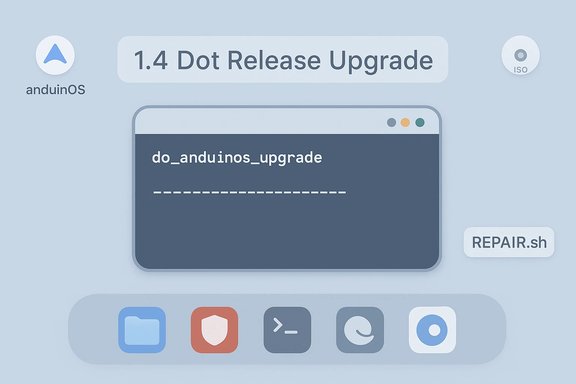
- The canonical command for dot‑release updates is do_anduinos_upgrade. Running this script performs the operations the project currently considers safe for in‑fork updates: package index updates, selective package upgrades, and a few Anduin‑specific patches. The documentation explicitly states this is the supported method for point upgrades and that it will not automatically traverse fork boundaries without additional migration logic. Users should run it from an elevated shell and follow the on‑screen prompts.
- The releases and changelog show the maintainer shipping repair tooling in 1.4.1 (do‑anduinos‑autorepair and REPAIR.sh on ISOs) which reduces the risk of partial or broken upgrades and helps recover systems by comparing installed files with ISO snapshots. These are pragmatic additions for a small project that expects some users to experiment.
What the upgrades do not do (and cannot safely do)
- The current in‑place tooling is not intended to rewrite the base distribution model: it will not convert snap‑to‑flatpak or magically accommodate major base changes that come with moving between different Ubuntu forks. In plain language: a point upgrade inside 1.4 (for example 1.4.0 → 1.4.1 or later) is supported; an in‑place migration from 1.3 → 1.4 is a different class of operation and requires the planned migration scripts or a fresh install. The Anduin documentation and release notes are explicit about that limitation.
- Because the distro relies on Ubuntu packages for much of the lower stack, the usual caveats apply: kernel and firmware updates may change behavior on some hardware, and third‑party PPAs or manually installed packages can complicate upgrades. The maintainers acknowledge these risks and recommend backups and live‑USB testing prior to major moves.
Technical verification — the facts checked
- AnduinOS 1.4 is a released, non‑LTS minor version: project documentation and release notes list 1.4 as a standard (non‑LTS) release, aligned to Ubuntu 25.10, with the expected nine‑month support window. That timeline and support note appear in the official version table and release notes.
- The project exposes an in‑place upgrade script (do_anduinos_upgrade): the documentation and changelog reference the command as the supported mechanism to move between point releases within the same fork. That tooling is documented publicly and present in the release artifacts.
- The GitHub releases page shows active maintenance on the 1.4.x series, with 1.4.1 published and assets that include repair scripts and ISO variants. As of the latest published assets, point releases in 1.4 are being maintained, and the repo contains source tarballs and incremental assets. Users should check the releases page for the most recent build and verify checksums before installation.
- The project is primarily maintained by a single developer who has publicly identified as a former Microsoft software engineer; multiple outlets — including the initial reporting and follow‑ups — have independently corroborated that background. This is a relevant operational fact because a single maintainer model changes the support expectations and release cadence.
Why this matters to users and administrators
For desktop adopters
- Easier point‑release maintenance: If you are already on AnduinOS 1.4.x, you can expect a reasonable, supported path to newer 1.4.x builds without reinstalling. That lowers friction for early adopters who want the latest GNOME or kernel improvements but prefer not to reimage machines.
- Short support window = rapid churn: Because 1.4 is a short‑lived standard release (not an LTS), upgrades will be regular. The presence of a robust point‑release upgrade method reduces reinstall frequency, but users should still plan periodic migration to the next LTS for long‑term stability.
For power users and tinkerers
- A Flatpak‑first model makes GUI upgrades simpler and more sandboxed, reducing some of the headaches associated with mixed packaging systems. But it puts the onus on users to manage any native deb packages or third‑party drivers carefully during an upgrade.
- Repair tools included in recent 1.4.x releases (for example, do‑anduinos‑autorepair and REPAIR.sh) provide a practical recovery path for common post‑upgrade issues, which is a sign the project is learning from its user base and prioritizing resilience over novelty.
For small deployments and refurbishers
- The distro’s small ISO and low‑footprint default make it attractive for refurbishing older hardware or providing a Windows‑like alternative on low‑cost machines. The ability to do quick in‑place point upgrades reduces the labor overhead of maintaining a fleet of 1.4.x installs — but again, plan OS lifecycle around Ubuntu’s support windows.
Strengths: what AnduinOS gets right
- Familiar UX for Windows users: AnduinOS delivers a highly consistent Windows‑11‑style look on GNOME, lowering the barrier for users migrating away from Windows. This is a clear design goal and it’s been executed with careful theming and GNOME extension work.
- Compact, audit‑friendly base: The reliance on Ubuntu package repositories and a small ISO reduces supply‑chain surprise. The project’s public code and explicit use of Flatpak for GUI apps make it easier for security‑conscious users to audit the system or sandbox apps.
- Practical upgrade and repair tooling: The do_anduinos_upgrade command, along with added autorepair scripts, shows a pragmatic approach to maintenance: provide lightweight, recoverable operations rather than forcing users into frequent reinstalls.
- Active, transparent maintenance: Release notes and a public changelog show an active maintainer addressing localization, device support (printers, scanners), and repairability — all positive indicators for a small project.
Risks and caveats
- Single‑maintainer risk: While fast and coherent, a one‑person project can introduce availability risk. If the maintainer’s priorities change, volunteer capacity must be relied upon for long‑term stewardship. Multiple outlets have noted the maintainer’s Microsoft background, which is helpful context but does not negate the risk inherent in single‑maintainer projects. Users deploying AnduinOS in critical settings should treat it as a hobbyist distribution unless an enterprise support channel emerges.
- Cross‑fork upgrade fragility: The project’s current policy avoids automatic cross‑fork upgrades. That design reduces catastrophe risk but places responsibility on operators who want to transition between major bases (e.g., 1.3 → 1.4). The team has signaled it will develop a migration script, but until that script is published and vetted, major upgrades are best carried out via fresh installation or tested image‑based migration.
- Hardware/driver edge cases: Kernel, firmware, and DRM/anti‑cheat interactions still behave as they do on any Linux distribution. Upgrading the kernel or Wayland stack may change GPU behavior or Wake/Sleep handling on particular models; test on a non‑production box before wide deployment.
- Supply‑chain verification: Because community remixes sometimes appear on mirrors, always verify releases against checksums published on the official GitHub Releases page before running upgrades or installing ISOs. The project itself provides SHA‑256 checksums with releases; verify these before trusting an image or script.
Recommended upgrade playbook (practical steps)
- Back up everything: take a disk image and an independent copy of personal files to external media.
- Boot a live USB: test boot, Wi‑Fi, display, audio, printers, and suspend/resume with the target hardware.
- Check installed PPAs and third‑party packages: remove or disable any PPA or hardware‑vendor package that could conflict with the base upgrade.
- Run do_anduinos_upgrade (on in‑fork upgrades): sudo do_anduinos_upgrade and follow prompts. If upgrading across forks, wait for the official migration script or plan a clean install.
- Use autorepair if something goes wrong: the 1.4.x assets include REPAIR.sh and do‑anduinos‑autorepair helpers; consult the release notes and use those before attempting low‑level fixes.
- Snapshot or image after success: create a fresh disk image immediately after a successful upgrade so you can roll back quickly without reimaging from the ISO.
The bigger picture: community tooling, stewardship and trust
AnduinOS sits in a crowded but healthy landscape of Linux remixes and migration‑first distros. What sets it apart is a clear product decision to look and feel like Windows 11 while maintaining a minimal, Flatpak‑centric base. That makes it attractive for users seeking low friction, but it also sets clear expectations: this is a small project with a fast cadence and shorter support windows for standard releases.The maintainer’s background (publicly reported as a former Microsoft engineer) explains some of the polish and pragmatic tradeoffs — but it does not change the core operational calculus: for mission‑critical deployments, favor LTS branches or distributions with formal support channels. For hobbyists, refurbishers, and single‑user desktop conversions, AnduinOS provides an efficient and well‑designed alternative.
Final analysis and headline takeaways
- AnduinOS has made a meaningful operational improvement: the project now supports in‑place upgrades across point releases in the 1.4 series and ships repair tooling to handle common problems. That improves the user experience for early adopters and reduces reinstall churn.
- The distro remains conservative about cross‑fork upgrades: moving from 1.3→1.4 is nontrivial and — despite public promises of a migration tool in development — should be treated as a major migration until the maintainer publishes and heavily documents the process. Treat any claim that cross‑fork, zero‑touch migrations are already safe as unverified until the migration script appears on the official releases page.
- Operational guidance is straightforward and prudent: verify artifacts, test with a live USB, snapshot before and after, and prefer fresh installs for major base changes. AnduinOS’s design choices (Flatpak, small ISO, repair scripts) make these steps easier, but they do not eliminate the need for standard upgrade discipline.
- The single‑maintainer model accelerates feature iteration but increases long‑term risk; organizations should not treat AnduinOS as a vendor‑backed platform unless and until a formal support model or multimaintainer governance is established.
Conclusion: AnduinOS is maturing from a visually focused experiment into a more operationally usable desktop distribution. The opening of a robust point‑release upgrade path for the 1.4 series and the addition of repair utilities reduce the maintenance friction that historically forced frequent reinstalls. That matters for the project’s local user base and for anyone considering AnduinOS as a practical Windows‑looking alternative. Still, because major fork crosses remain a manual, sensitive operation and the project is largely single‑maintainer, cautious rollout, verification of artifacts, and a solid backup strategy remain essential before upgrading any production machine.
Source: Neowin https://www.neowin.net/news/former-...os-project-opens-upgrade-path-to-version-142/
