

Anthropic’s latest update that lets Claude import “memories” from rival assistants like ChatGPT, Google’s Gemini, and others is a small UX change with outsized strategic and technical consequences — it removes a key friction that kept users tied to a single assistant while simultaneously surfacing a raft of privacy, security, and governance questions that both consumers and IT teams must address now.
For the past two years the conversational-assistant market has matured beyond novelty chatbots into everyday productivity tools. One of the persistent user pain points has been context reset: when you switch assistants you often have to re-teach preferences, projects, tone, and other personal signals that earlier chats accumulated. Anthropic’s Claude introduced a memory system months ago, and now the company has added an explicit import flow so users can move the context they built in other assistants into Claude quickly and without rebuilding from scratch.
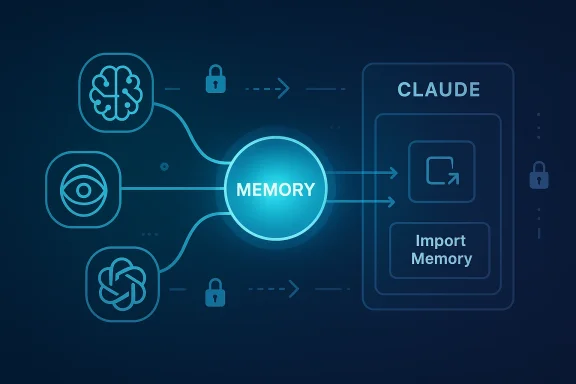
The mechanics are intentionally simple: generate or export the set of memories/preferences from your current assistant, paste or upload that text into Claude’s import UI, and instruct Claude to add it to your memory store. The result is that Claude will persist those distilled preferences and details and use them in later conversations in the same way it uses memories you build in Claude natively. Early testing and how‑to coverage from independent outlets confirms the workflow can take less than a minute for many users, depending on how you obtain the source data.
This is not an isolated experiment: Google’s Gemini has been testing an “Import AI chats” capability, and other players and third-party tools are racing to provide cross-assistant sync and unified memory graphs. That broader trend reframes memory as a portability problem the market is now explicitly solving.
But the feature also commoditizes a category of personal data that previously sat siloed behind platform boundaries. Once memories are portable, the market will rapidly bifurcate into:
Practical next steps are clear: if you’re a consumer, sanitize before you import; if you’re an IT leader, treat imports as a data movement event and update DLP and audit controls accordingly; if you’re a vendor, provide clear, machine-readable audit logs and enterprise-safe export/import options.
Anthropic has opened a gate — the market will now decide whether that gate becomes a conduit for safer, user-centric portability or an unmanaged channel that amplifies the hard problems of data governance in the age of conversational AI.
Source: primetimer.com https://www.primetimer.com/features...d-more-to-claude-in-a-new-gamechanger-update/
 Background
For the past two years the conversational-assistant market has matured beyond novelty chatbots into everyday productivity tools. One of the persistent user pain points has been context reset: when you switch assistants you often have to re-teach preferences, projects, tone, and other personal signals that earlier chats accumulated. Anthropic’s Claude introduced a memory system months ago, and now the company has added an explicit import flow so users can move the context they built in other assistants into Claude quickly and without rebuilding from scratch.The mechanics are intentionally simple: generate or export the set of memories/preferences from your current assistant, paste or upload that text into Claude’s import UI, and instruct Claude to add it to your memory store. The result is that Claude will persist those distilled preferences and details and use them in later conversations in the same way it uses memories you build in Claude natively. Early testing and how‑to coverage from independent outlets confirms the workflow can take less than a minute for many users, depending on how you obtain the source data.
This is not an isolated experiment: Google’s Gemini has been testing an “Import AI chats” capability, and other players and third-party tools are racing to provide cross-assistant sync and unified memory graphs. That broader trend reframes memory as a portability problem the market is now explicitly solving.
What Anthropic shipped — a practical overview
What “memory import” actually does
- Imports distilled memories (preferences, stable facts, working projects, stylistic preferences) rather than every message in a chat log by default. Anthropic’s help documentation describes a workflow where you paste text that represents your stored memories into a dedicated import flow; Claude then ingests and persists that information as it would any other memory.
- Supports copy‑paste and upload of text produced by other assistants or export tools. The import UI accepts pasted text or uploaded files and relies on Claude to parse and store the relevant items. This is meant to be low-friction for end users.
- Is available broadly, including for free users in the initial rollout, which lowers the cost barrier for switching. Coverage and press reports indicate Anthropic has made the import tool available to free-tier accounts as part of its push to attract users.
How users obtain the source memory
There are two common routes:- Use a built-in “export memories” or “tell me everything you know about me” prompt inside the source assistant; that produces a compact text summary that can be pasted into Claude’s importer.
- Run a platform-level data export (for example, OpenAI’s ChatGPT data export) and extract the relevant memory or chat fragments; third-party scripts or tools can help transform JSON exports into the distilled memory format Claude expects. Users on community forums have shared scripts and workflows for this extraction step.
What it does not (necessarily) do
- Import the entire chat archive and every message inline as working memory by default. Several competitors, notably Google in its Gemini tests, are experimenting with importing full conversation histories, which is a different design choice and carries different implications. Anthropic’s approach focuses on memories — user-facing distilled facts and preferences — rather than raw conversation logs. This distinction matters for both privacy and storage.
- Automatically opt you into training or model improvement datasets just because you imported memory into Claude. Product pages and support documentation emphasize that memory import is an opt-in user action; however, the downstream treatment of imported content (whether it’s used for model training or analytics) depends on each provider’s data-use policies and account settings, so verification is required on a per-provider basis. Where such details are unclear, users should assume the more conservative posture and not import sensitive material until they confirm provider policies.
Why this matters — strategic and competitive implications
Anthropic has changed the economics of switching.- Lower switching costs. Context and learned preferences are a major lock-in mechanism. By making it trivial to move memories into Claude, Anthropic reduces the behavioral and technical friction that kept people tied to incumbents. That matters both for consumer adoption and for business customers who run pilot projects with multiple assistants. Industry reporting and community threads have framed the move as a product-level growth lever.
- A tactical acquisition tool. Making import available to free users is an aggressive acquisition play: you can switch, preserve your history, evaluate Claude at no cost, and potentially lock your workflows into Claude’s memory model — and Anthropic wins on convenience and visibility. Early coverage highlights that availability to free users was an explicit part of Anthropic’s roll-out.
- For enterprises, it’s a double-edged sword. On one hand, easier memory migration enables flexible vendor selection and multi-model experiments. On the other hand, it complicates governance: IT teams must now consider cross-assistant data flows and decide whether to permit employees to import or export memory that may contain sensitive IP or customer data. Community and enterprise threads already surface these governance questions.
Privacy, security, and governance — the real risks
Anthropic’s import feature shines a spotlight on hard operational questions.Data leakage and accidental disclosure
Users’ memories can — and do — contain PII, credentials, API keys, and proprietary project details. Importing without cleansing may move highly sensitive material into another provider’s system.- Practical example: someone copies an entire project summary that contains snippets of internal architecture, sample credentials, or test customer data. That data is now in Claude’s memory store; depending on account settings and organizational controls, it could surface in later assistant responses or be accessible to other seats in a business account. Several community posts warn about exactly this scenario and urge careful review before import.
Model training and data retention policies
Not all platforms treat imported or exported content the same way. Some services explicitly use user interactions for model training unless an account-level opt-out is in place; others maintain stricter enterprise-only retention policies.- Coverage shows Google’s approach to “Import AI chats” may involve saving imported content into activity logs; community reporting suggests different providers’ imports can end up in different internal stores with different training and retention characteristics. The precise legal and technical status of imported memories varies by vendor and contract. Always confirm vendor policy before importing material you or your organization cannot risk exposing.
Compliance and data portability
Regulatory frameworks such as GDPR and similar data-protection regimes grant users rights over personal data including portability. Tools that make it easy to export and import memories can empower those rights, but they also place the onus on organizations to track data flows. Enterprises should update documentation, audit trails, and DLP policies to reflect cross-assistant transfers. Anthropic’s help pages recommend users review content before import; IT teams should translate that guidance into policy for managed environments.Prompt-blocking and export restrictions
Not every assistant cooperates equally with export workflows. Community reports show that some users can prompt an assistant to summarize its memories, while others encounter UI or policy blockers that prevent easy extraction. Google’s testing and other forum notes reflect this variability; in some cases platform-level export tooling must be used, which can take time and may be rate- or approval-limited. Plan for that delay in any migration.A closer look at how to do it (practical steps)
The following is a concise, actionable workflow for moving memories from ChatGPT (OpenAI) to Claude. The same general approach applies for Gemini and others with minor variations based on available export options.- In your source assistant, request a succinct export of your memories or run the export tool (for ChatGPT this can be an account-level export). If available, use an official “export memories” command or the built-in data export workflow. Wait for the export to complete if using the platform-level export.
- Review and sanitize the exported text. Remove any credentials, PII, or proprietary excerpts you don’t want copied into a new system. This is critical: once imported, those items become part of Claude’s persistent memory.
- Open Claude’s import UI and paste or upload the cleaned text into the provided field. Follow the prompts to confirm that you want the content added to Claude’s memory. Anthropic’s documentation provides a step-by-step guide for this flow.
- Verify: start a new Claude chat and ask it to summarize the imported memories, or ask targeted questions that exercise the preferences you imported (tone, project names, projects-in-progress). Confirm that non-intended sensitive content did not come over.
- For enterprise administrators: log the event, update your inventory of third-party data flows, and apply any data-loss prevention or retention rules that your organization requires. Treat the import action as a data movement event.
Technical and UX limitations to watch
- Format fragility. Not all exports yield the same structure. Some assistants provide JSON dumps, others provide human-readable summaries. If you paste raw JSON into Claude’s import UI without conversion, parsing may be suboptimal. Many users and third‑party tools have already started building converters.
- Truncation and loss of context. If you paste many thousands of chat messages, platform limits (input length, upload size) might truncate the import. The import flow is optimized for distilled memories, not raw chat megadumps.
- Behavioral drift. Different assistants encode and interpret “memories” differently. Personality cues or bespoke instruction-style memories might be translated imperfectly, resulting in subtle behavioral changes post-migration. Expect to do a short calibration phase where you tweak some memories or add clarifying notes in Claude.
- Blocking or policy enforcement. Some platforms may block or rate-limit exports—users report variability in how cooperative different assistants are when asked to produce a memory dump. If the source platform blocks the export, migration requires platform-specific data-export tools or support requests.
Third-party tooling and the emerging memory ecosystem
The simple import-export pattern will attract an ecosystem of utilities and sync services.- Tools like memory managers and connectors are already promoting cross-platform sync and centralized memory graphs. These utilities promise features such as unified cognitive profiles, automatic extraction and normalization of memories, and connectors to feed a single memory graph into multiple assistants. Early players and projects are visible in community reporting. Such tools can automate cleansing, format conversion, and scheduled synchronization, but they introduce new trust decisions: who holds your unified memory graph?
Recommendations for users and IT teams
For consumers:- Sanitize exports before importing. Remove credentials, customer data, and anything you wouldn’t want saved in another system.
- Start small: import a subset of your memories (tone, display preferences, a few project entries) and validate behavior before committing a full migration.
- Understand the destination provider’s data-use policies and opt out of training if required and available.
- Treat a memory import as a data movement event. Update inventories and logging.
- Implement policy controls that restrict who can export/import assistant data in corporate accounts.
- Use DLP or automated scrubbing where possible for exports destined for import into consumer-grade assistants.
- Include memory portability in supplier risk assessments for AI vendors and require contractual clarity on retention and training-use of imported data.
- Provide clear UI warnings and confirmations during import flows that call out privacy and compliance risks.
- Offer a sanitized, policy-aware export option for enterprise customers that strips sensitive fields automatically.
- Deliver enterprise-grade controls: audit logging, admin approvals, and scoped memory import that excludes certain categories of data.
Critical analysis — strengths, tradeoffs, and open questions
Anthropic’s move is smart product strategy: by removing the single biggest user friction — loss of context — Claude becomes a more viable alternate for anyone unhappy with their current assistant. That’s a practical, user-centered differentiator that aligns with a broader industry push toward portability and user control. Multiple outlets and community threads have framed the feature precisely as a friction‑reducing growth lever.But the feature also commoditizes a category of personal data that previously sat siloed behind platform boundaries. Once memories are portable, the market will rapidly bifurcate into:
- Those who treat memories as personal, portable assets (users and enterprises who want portability and control).
- Those who treat memories as data to be monetized for personalization and training (providers and third-party services that may claim rights to use aggregated imported data).
- Consent ambiguity. Not all users understand what’s in their stored memory. The simplicity of one-click import raises the risk that people will move sensitive or confidential material without realizing it. Community cautionary notes already reflect this problem.
- Auditability gaps. Enterprises will struggle if memory imports are not logged or if providers do not provide enterprise-grade audit trails. The import UI needs to generate machine-readable logs for IT teams; absence of such logs is a governance failure.
- Normalization and fragmentation. Different assistants encode memories differently. Portability presumes a common semantic substrate; without standardization, users will experience inconsistency. Open standards or shared schemas would help, but the market has not yet converged. Early signs show multiple third‑party formats and converters emerging.
The road ahead — standards, UX, and what IT should watch for
Expect rapid iteration and a race to standardize.- Industry players and third parties will push for shared export/import schemas or formal APIs to reduce format fragility. Those standards could make memory portability reliable and auditable; until then, converters and middleware will proliferate.
- UX will evolve to include privacy-preserving defaults: automatic scrubbing, categorized exports (e.g., “personal preferences,” “work projects,” “contacts”), and clear consent pages that detail downstream uses.
- Enterprises will demand enterprise‑grade connectors that integrate with identity, DLP, and audit tooling so memory movements are controllable at scale. If vendors don’t deliver, we’ll see a market for enterprise memory governors and managed migration services.
Conclusion
Anthropic’s memory-import feature is a deceptively simple product move that materially changes the switching calculus in the AI assistant market. It gives users immediate control over their conversational context and removes a major barrier to trying new assistants. At the same time, it forces a reckoning: portability without governance creates real privacy and compliance risks that both individuals and organizations must manage.Practical next steps are clear: if you’re a consumer, sanitize before you import; if you’re an IT leader, treat imports as a data movement event and update DLP and audit controls accordingly; if you’re a vendor, provide clear, machine-readable audit logs and enterprise-safe export/import options.
Anthropic has opened a gate — the market will now decide whether that gate becomes a conduit for safer, user-centric portability or an unmanaged channel that amplifies the hard problems of data governance in the age of conversational AI.
Source: primetimer.com https://www.primetimer.com/features...d-more-to-claude-in-a-new-gamechanger-update/
