

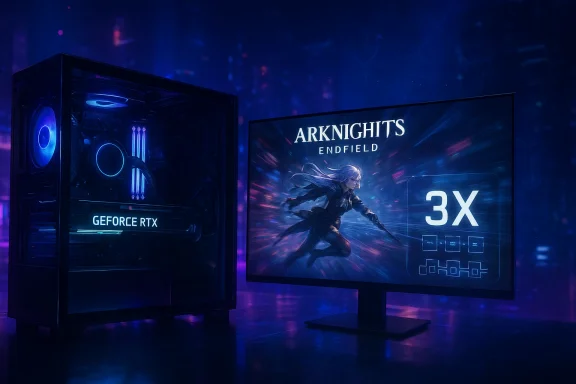
Arknights: Endfield arrives on PC with day‑one support for NVIDIA’s DLSS 4 Multi Frame Generation, a feature NVIDIA says multiplies frame rates by an average of 3X at 4K on GeForce RTX 50 Series GPUs, while the company’s DLSS 4.5 Super Resolution upgrade is available via the NVIDIA app for even higher fidelity.
Arknights: Endfield is a full 3D action‑RPG set in the Arknights universe and launches on PC, PlayStation 5, iOS and Android. The PC release is available via the official Gryphline launcher or the Epic Games Store rather than Steam, and the title ships with published minimum and recommended hardware requirements aimed at mid‑range rigs. NVIDIA has integrated the full DLSS 4 suite—Multi Frame Generation (MFG), DLSS Super Resolution, Frame Generation, and Reflex—into the PC experience at launch. The company’s announcement highlights large performance uplifts on GeForce RTX 50 Series hardware and confirms that DLSS Super Resolution can be upgraded to the second‑generation transformer model introduced in DLSS 4.5 via the NVIDIA app.
Arknights: Endfield’s launch with DLSS 4 Multi Frame Generation underlines how quickly neural rendering is reshaping PC gaming: more frames for less native rendering effort, more options for players to find their preferred speed/quality compromise, and a new set of considerations for developers and hardware vendors. For now, the combination of DLSS MFG and the DLSS 4.5 transformer models promises measurable, immediate benefits—particularly for players with the latest RTX 50 Series GPUs—while reminding us that careful per‑title tuning and measured real‑world testing are still essential.
Source: Wccftech Arknights: Endfield Gets a 3X Performance Boost from DLSS 4 Multi Frame Generation, Says NVIDIA
 Background
Arknights: Endfield is a full 3D action‑RPG set in the Arknights universe and launches on PC, PlayStation 5, iOS and Android. The PC release is available via the official Gryphline launcher or the Epic Games Store rather than Steam, and the title ships with published minimum and recommended hardware requirements aimed at mid‑range rigs. NVIDIA has integrated the full DLSS 4 suite—Multi Frame Generation (MFG), DLSS Super Resolution, Frame Generation, and Reflex—into the PC experience at launch. The company’s announcement highlights large performance uplifts on GeForce RTX 50 Series hardware and confirms that DLSS Super Resolution can be upgraded to the second‑generation transformer model introduced in DLSS 4.5 via the NVIDIA app. What NVIDIA is claiming — the headline numbers
- 3X average frame‑rate uplift at 4K on RTX 50 Series with DLSS 4 Multi Frame Generation enabled (with DLSS Super Resolution set to Performance mode).
- Multi Frame Generation can create up to three additional frames per rendered frame (i.e., up to 4X frame multiplication under the right conditions), the core mechanism behind the 4X and similar headline multipliers.
- DLSS 4.5 introduces a second‑generation transformer model for Super Resolution and a future 6X Dynamic Multi Frame Generation mode; the DLSS 4.5 Super Resolution models are available now via the NVIDIA app, while the 6X dynamic MFG mode is scheduled for later roll‑out on RTX 50 Series hardware.
Overview of the technologies involved
DLSS Multi Frame Generation (MFG)
Multi Frame Generation interpolates AI‑generated frames between traditionally rendered frames, effectively increasing displayed frame rates without proportionally increasing the game’s rendering load. DLSS 4’s MFG can generate up to three intermediate frames between rendered frames, producing as much as a 4X multiplier in ideal scenarios. This differs from previous single‑frame generation approaches by producing multiple synthetic frames in sequence.DLSS Super Resolution (Transformer models)
DLSS 4/4.5 uses transformer‑based neural networks (a class of AI models also used in large language models) to upscale lower‑resolution render targets to full screen resolution while reconstructing detail and temporal stability. DLSS 4.5 introduces Model M and Model L, optimized for Performance and Ultra‑Performance modes respectively, and is distributed through the NVIDIA app as an override for supported games.NVIDIA Reflex
NVIDIA pairs MFG with Reflex to keep input latency low. NVIDIA’s internal testing claims latency can be halved in some scenarios because the GPU can sustain higher frame rates and more consistent frame delivery when frame generation is active. Independent reviewers note that Reflex remains an important part of keeping generated frames responsive.Why Arknights: Endfield is a good showcase for MFG
Arknights: Endfield’s design—built for mobile and console as well as PC—means it contains many mid‑range scenes and UI‑heavy gameplay loops that are friendly to upscaling and interpolation. Additionally, the game’s in‑engine maximum framerate cap (480 fps) and generally modest polygon/lighting complexity relative to the most demanding AAA titles makes it a prime candidate to demonstrate the practical upside of frame generation: achieving ultra‑high frame counts while preserving visual quality. NVIDIA’s 3X at 4K number reflects these conditions on RTX 50 Series silicon.Cross‑verification of the claims
- NVIDIA’s product page and GeForce News entry explicitly announce Arknights: Endfield’s day‑one DLSS 4 support and state the 3X average uplift figure on RTX 50 Series hardware.
- Independent outlets and hands‑on previews (including Wccftech and PC Gamer coverage) repeat NVIDIA’s numbers and confirm the game’s launcher/Epic availability and system requirements, providing corroboration of the launch details and minimum/recommended hardware targets.
- Technical explainers from NVIDIA and review sites confirm how DLSS 4’s MFG works (up to three added frames per rendered frame) and outline DLSS 4.5’s app‑delivered transformer upgrades, validating the mechanism NVIDIA uses to justify 3X and higher multipliers.
Practical implications for players
Performance — the upside
- Systems with GeForce RTX 50 Series GPUs should see substantial frame lifts at 4K when using DLSS Super Resolution (Performance) combined with DLSS 4 MFG—NVIDIA quotes an average 3X uplift on Arknights: Endfield with maxed settings. This opens 4K high‑refresh play on hardware that otherwise couldn’t sustain those framerates at native resolution.
- At lower resolutions many GeForce RTX GPUs can hit the in‑game 480 fps cap when MFG is enabled, because the combination of upscaling and multiple generated frames reduces rendering demand. That’s useful for players who prize maximum refresh rates on ultra‑high Hz monitors.
- The DLSS 4.5 transformer models (available via the NVIDIA app) aim to improve image stability and fidelity in Performance/Ultra‑Performance upscaling modes, making the generated frames appear more consistent and visually pleasing at extreme upsamples.
Visual quality and artifacts — what to expect
- Transformer‑based Super Resolution offers better temporal stability and less ghosting than many earlier approaches, but frame generation still has the potential to introduce interpolation artifacts—especially with very fast motion, complex particle effects, or rapid camera cuts. Test the settings in motion to ensure acceptable results for your tolerance.
- DLSS 4.5’s Model M and Model L are tuned for specific modes (Performance and Ultra Performance), and results can vary by resolution and scene complexity. Reviewers note improved clarity in foliage and small detail on Model M/L but also warn of increased Tensor core usage on older GPUs.
Latency — the important trade‑off
- NVIDIA’s materials and early tests indicate input latency can be reduced in many cases when DLSS MFG is used together with Reflex, because the GPU spends less time on expensive rasterization and can deliver frames more regularly. However, this depends on the balance of CPU vs GPU bottlenecks and the game’s internal latency characteristics. Competitive players should measure latency with their own setups.
Compatibility and performance across GPU generations
- While DLSS Super Resolution works on a wide set of GeForce RTX GPUs, DLSS 4 Multi Frame Generation is targeted at the GeForce RTX 50 Series for maximum efficiency; older RTX 20/30/40 cards may run the upscalers but will either not support MFG fully or will see higher performance cost for DLSS 4.5 transformer models because they lack specialized FP8 acceleration. NVIDIA has been explicit that Model M and Model L can cause heavier performance impacts on pre‑50 Series hardware.
Operational and ecosystem considerations
NVIDIA app overrides vs native in‑game support
NVIDIA’s app provides a convenient way to force upgraded DLSS Super Resolution models and MFG into games that don’t ship native DLSS 4.5 support. This is useful in the short term, but there are trade‑offs:- App‑level overrides can differ from developer‑tuned integrations. Native, per‑title implementations often include bespoke fixes and quality work to avoid artifacts; driver/app overrides are more generic and may not match that level of polish. Users should expect eventual native patches from developers for the best blend of quality and performance.
- The NVIDIA app overlay provides verification flags (overlay indicators showing the active SR model), which helps confirm whether the override is working. Use the overlay to validate settings in‑game.
Driver maturity and early adoption risk
- Cutting‑edge features rolled out at launch sometimes interact with anti‑cheat drivers, overlays, or platform launchers in unforeseen ways. While there is no widespread reporting of enforcement conflicts with DLSS overrides at the moment, early adopters should keep drivers current, test local saves and overlays, and be prepared to toggle app overrides if stability or platform rules (for example, competitive ladders or anti‑cheat policies) require it. Err on the side of caution in ranked or tournament settings.
Power, thermals and cost
- Generating multiple frames and running transformer models increases Tensor core utilization; on older GPUs that lack FP8 efficiency, this can mean higher power draw and thermals for modest gains. Users on pre‑50 Series hardware should monitor GPU temps and consider whether the visual/performance trade‑off is worth the extra power. Independent reviews have flagged higher GPU Tensor use on 20/30 series with DLSS 4.5.
How to enable DLSS 4.5 and MFG for Arknights: Endfield right now
- Install the latest GeForce Game Ready driver recommended for your GPU and update the NVIDIA app. DLSS 4.5 Super Resolution and DLSS overrides are delivered via the NVIDIA app update.
- Open the NVIDIA app and go to Graphics > Global Settings or the per‑game Program Settings for Arknights: Endfield. Enable DLSS Override – Model Presets and choose Recommended or select a specific preset (Model M for Performance, Model L for Ultra Performance).
- In the game’s graphics menu, enable DLSS Super Resolution (Performance) and DLSS Multi Frame Generation if present; if the in‑game options aren’t yet available, the NVIDIA app override can still apply the newer transformer SR model until native in‑game support ships.
- Use the NVIDIA overlay (Alt+Z) to confirm the active SR model and frame generation state. Test with and without MFG to compare perceived quality and responsiveness.
Developer and industry implications
- The ability to retrofit advanced frame‑generation and transformer upscaling via the driver/app layer accelerates the pace at which large numbers of titles can receive AI‑driven performance boosts without waiting for per‑title patches. This lowers the integration bar for older or smaller titles and extends the life of existing content with modern neural rendering.
- However, per‑title quality tuning still matters: developer integrations can optimize optical flow, material handling, and edge cases in ways generic overrides cannot. Expect a two‑tier landscape in the near term: app‑upgraded DLSS 4.5 experiences and native integrated ones where devs have had time to tune.
Risks, caveats and open questions
- NVIDIA’s published multipliers and latency improvements stem from lab testing under controlled conditions. Real‑world results vary with CPU, GPU model, driver, system I/O, scene content, and user settings. Treat the 3X and 4X claims as best realistic estimates under the test configuration, not guarantees across all systems.
- DLSS 4.5’s second‑gen transformer models are more computationally demanding on older Tensor cores (notably pre‑50 Series), and reviewers have documented cases where enabling the newest models reduces performance on older GPUs. Users with RTX 20/30 Series should test presets and may prefer the earlier transformer for balanced results.
- App‑level enforcement of DLSS overrides is convenient but not a substitute for developer QA. In extreme cases, generated frames might mishandle transient effects (explosions, particle systems, or rapidly morphing geometry), producing artifacts that only native, game‑tuned integrations would eliminate. Players who care about pixel‑perfect fidelity should keep an eye on native patches.
- Anti‑cheat or platform constraints: historically, driver‑level interventions (overlays, forced settings) have occasionally caused stability or compatibility problems. There is no widespread evidence of such troubles with DLSS 4.5 at the time of launch, but those playing competitive modes should test and be cautious.
Bottom line for Windows gamers
Arknights: Endfield provides a practical, accessible stage for NVIDIA’s DLSS 4 Multi Frame Generation to demonstrate dramatic FPS uplift on modern RTX 50 Series hardware. For players with compatible GPUs and high‑refresh displays, the 3X at 4K claim is a compelling reason to try DLSS MFG combined with DLSS Super Resolution Performance mode—especially when paired with NVIDIA Reflex to preserve responsiveness. At the same time, the rollout highlights the evolving balance between driver‑level convenience and developer‑tuned integrations: the NVIDIA app lets gamers upgrade many titles quickly to the latest transformer models, but native support will remain the gold standard for maximum quality and stability. Players on older RTX hardware should be mindful of increased Tensor usage and test presets to find the best performance/quality compromise.Quick checklist — getting the best experience
- Update your GeForce Game Ready driver and NVIDIA app before launching Arknights: Endfield.
- Enable DLSS Super Resolution (Performance) and Multi Frame Generation in‑game, or use the NVIDIA app override to force the DLSS 4.5 transformer if native options are missing.
- Use the NVIDIA overlay (Alt+Z) to verify the active SR model and MFG state.
- If you use a pre‑50 Series GPU, test both the older DLSS model and DLSS 4.5 presets; older hardware may experience increased power/heat and less favorable gains.
- Monitor latency (with Reflex) and visual artifacts; switch off MFG if interpolation creates unacceptable visual anomalies for your playstyle.
Arknights: Endfield’s launch with DLSS 4 Multi Frame Generation underlines how quickly neural rendering is reshaping PC gaming: more frames for less native rendering effort, more options for players to find their preferred speed/quality compromise, and a new set of considerations for developers and hardware vendors. For now, the combination of DLSS MFG and the DLSS 4.5 transformer models promises measurable, immediate benefits—particularly for players with the latest RTX 50 Series GPUs—while reminding us that careful per‑title tuning and measured real‑world testing are still essential.
Source: Wccftech Arknights: Endfield Gets a 3X Performance Boost from DLSS 4 Multi Frame Generation, Says NVIDIA
