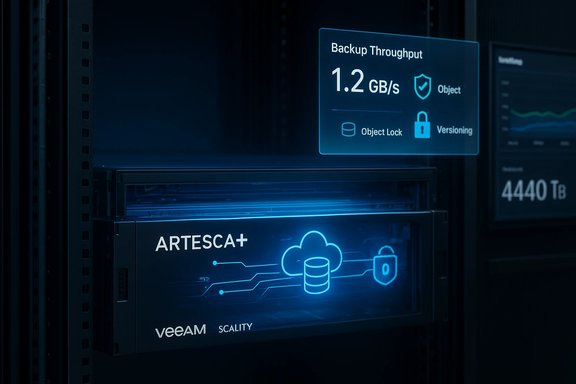
Scality and Veeam have collapsed two historically separate stacks—backup software and backup target—into a single, validated software appliance that runs Veeam Backup & Replication inside Scality ARTESCA on a single x86 host, promising faster time-to-protection, a smaller attack surface, and simpler operations for branch, edge, and mid-market sites.
Scality’s ARTESCA is positioned as an S3 object store purpose-built for backup: compact to deploy, hardened for immutability and cyber resilience, and tuned for the practical needs of backup workflows rather than a general-purpose object platform. The ARTESCA+ Veeam unified software appliance bundles ARTESCA and a Veeam Backup & Replication instance into one software stack running on a validated x86 server—HPE, Dell, Lenovo, or Supermicro are typical choices—so backup administrators no longer have to stand up a separate Windows backup server plus an external S3 target. The pitch is straightforward: reduce deployment complexity, reduce administrative handoffs (storage vs backup teams), and reduce the surface area ransomware actors can attack by keeping the Veeam-to-S3 traffic internal to the appliance. Scality’s launch messaging claims up to a 30% reduction in deployment complexity, time, and infrastructure costs compared with a traditional multi-tier setup; that is a vendor-provided figure and should be evaluated alongside your procurement and operational costs. Why this matters now
The ARTESCA UI exposes:
ARTESCA+ Veeam is a pragmatic product: it accepts some architectural limits in exchange for dramatically lower friction getting to an immutable on‑prem target that speaks the Veeam language out-of-the-box. For Windows-focused IT teams managing distributed sites or those who prefer on‑prem control of sensitive backup data, it is a compelling option worth piloting. Validate vendor claims against your own test workloads—particularly block size, API behavior, and restore rates—and treat the appliance as one element of an overall 3-2-1-1 (or stronger) resilience strategy that includes regular restores, offsite copies, and documented change control. Conclusion: ARTESCA+ Veeam does what it sets out to do—remove coordination overhead and harden the last line of defense for backup data—while giving mid-market IT teams a fast path to immutable, observable, and manageable on‑prem backups. The architecture is sensible and mature for its target audience, but buyers should still test throughput, block-size strategy, and HA needs before rolling to production.
Source: StorageReview.com Scality ARTESCA+ Veeam: Unified Architecture, Faster Time to Protection
 Background / Overview
Scality’s ARTESCA is positioned as an S3 object store purpose-built for backup: compact to deploy, hardened for immutability and cyber resilience, and tuned for the practical needs of backup workflows rather than a general-purpose object platform. The ARTESCA+ Veeam unified software appliance bundles ARTESCA and a Veeam Backup & Replication instance into one software stack running on a validated x86 server—HPE, Dell, Lenovo, or Supermicro are typical choices—so backup administrators no longer have to stand up a separate Windows backup server plus an external S3 target. The pitch is straightforward: reduce deployment complexity, reduce administrative handoffs (storage vs backup teams), and reduce the surface area ransomware actors can attack by keeping the Veeam-to-S3 traffic internal to the appliance. Scality’s launch messaging claims up to a 30% reduction in deployment complexity, time, and infrastructure costs compared with a traditional multi-tier setup; that is a vendor-provided figure and should be evaluated alongside your procurement and operational costs. Why this matters now- Backup strategies increasingly demand immutability, demonstrable recoverability, and lower operational friction.
- Veeam remains a dominant backup control plane for Windows-centric environments; pairing it with a hardened, S3-native target simplifies the on-prem story for teams that do not want to go to cloud for every retention tier.
- ARTESCA’s CORE5 cyber-resilience framework attempts to move immutability from a policy option to an architectural guarantee, which is a meaningful shift for defenders.
How the unified appliance is built and how it behaves
Architecture and deployment model
ARTESCA+ Veeam is a software appliance: a hardened ARTESCA deployment that runs a Windows Server virtual machine (Veeam Backup & Replication) under KubeVirt inside ARTESCA’s Kubernetes control plane. The result is one validated software stack that a channel partner or customer can deploy on supported industry-standard hardware. The S3 service that holds backup objects is bound to internal interfaces by default—no external DNS, and the access keys used by the built-in Veeam instance remain in the appliance. External S3 exposure is opt-in and requires deliberate administrative action. Key design outcomes:- Internal-only S3 path by default, reducing network exposure and simplifying auditing.
- Built-in Veeam instance, managed as part of the appliance and accessible via RDP/VNC when needed.
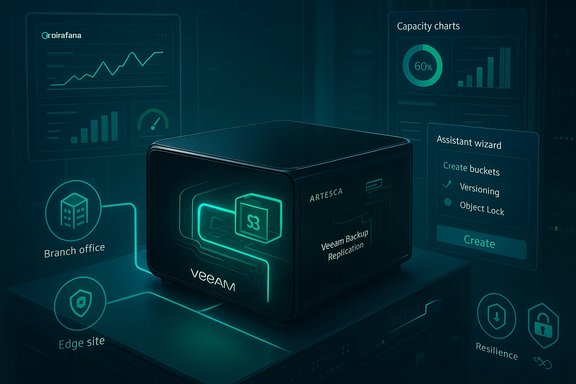
- Guided assistant that creates the ARTESCA account, buckets, enables versioning and Object Lock, configures SOSAPI capacity reporting, and hands off endpoints and credentials to Veeam. The assistant is explicitly designed so a generalist can produce a secure, immutable repository in minutes.
Data path and immutability
Backups from Veeam are written into ARTESCA buckets that have S3 Versioning and S3 Object Lock enabled. On arrival, immutability is enforced at the object and API levels; backend durability uses erasure coding and policy-controlled retention to ensure stored recovery copies are resistant to deletion/overwrite attempts typical of ransomware and malicious insiders. Scality’s CORE5 framework layers protections across API, identity, and architecture to reduce the probability of a successful tamper operation.Usability and day‑one experience
Guided setup and user interface
A major practical advantage of ARTESCA+ Veeam is the guided setup flow: upon first login, the appliance surfaces a partner application page where selecting Veeam launches the Veeam Assistant. The assistant asks minimal, necessary questions and automates account and bucket creation, enables Object Lock and versioning, configures Smart Object Storage API (SOSAPI) reporting for capacity visibility, and produces the endpoint/credentials for Veeam to use. The typical multi-team back-and-forth (storage team creates S3 bucket, backup team adds it to Veeam, validate permissions, adjust DNS) is consolidated into an automated flow. StorageReview’s hands-on testing reported a working immutable repository in minutes.The ARTESCA UI exposes:
- Overview and capacity charts,
- Identity and IAM controls (including LDAP and MFA options),
- Platform and node health with a built-in Grafana instance for advanced metrics,
- Data Management (Accounts, Buckets, Workflows, Locations, Data Services),
- Alerts and email notification wizard.
Veeam integration and common workflows
Once the assistant produces the ARTESCA account and bucket details, add the repository in Veeam Backup & Replication as an S3‑compatible Object Storage repository, point the mount server to the appliance’s built-in Veeam server, and configure object limits and vPower NFS settings if you wish to enable near-instant recovery. Workflows for adding hypervisors (VMware, Hyper-V, Proxmox, Nutanix AHV, etc., creating worker VMs/proxies, and making backup jobs remain standard Veeam operations; ARTESCA simply removes the S3-target friction. StorageReview’s lab notes and Scality’s validated designs show the configuration steps and recommended defaults.Performance, sizing and technical constraints
Right-sized capacities and validated throughput
Scality positions the unified appliance for 20–440 TB usable capacity in the single-node form-factor, tailored for branch and mid-market sites that need more than a scale-up backup appliance but don’t require a multi-node object cluster. The vendor and product pages state those sizing bands, and Scality’s reference documentation includes tested throughput numbers. ARTESCA’s validated design documents report single-node reference speeds for Veeam workloads using Veeam’s default 1 MB block size and typical compression assumptions:- Up to 5.5 TB/h backup throughput (1 MB block, single-node, standard config)
- Up to 4 TB/h restore throughput (1 MB block, single-node)
Larger block sizes (for example 4 MB) increase throughput proportionally in the tested configurations. Those capacity and throughput numbers are published in vendor-validated documentation and are consistent with the StorageReview lab observations used in the early coverage.
- Veeam’s default block size is 1 MB, which balances object count and storage API calls; vendors and testbeds often recommend larger block sizes (4 MB) to reduce the number of objects and improve throughput for object targets, but that changes API call profiles and dedupe behavior. Veeam’s documentation explains these trade-offs and the historical guidance to consider larger blocks for object targets.
SOSAPI and efficient capacity reporting
ARTESCA supports Veeam’s Smart Object Storage API (SOSAPI), allowing Veeam to query capacity, repository footprints, and usage without heavy manual reconciliation. SOSAPI improves integration and reporting in Veeam consoles and is part of the unified setup the assistant automates. The validated design and vendor docs include recommended task limits, network sizing (25 GbE in some reference architectures), and compression assumptions used to derive throughput numbers.Security and resilience: what you get by default
Default secure posture
The appliance is designed with sensible defaults that favor security:- Internal‑only S3 endpoints (no DNS exposure and credentials remain inside the appliance unless an admin explicitly enables external access).
- S3 Versioning + Object Lock enabled by the assistant, making objects immutable at the S3 API level on write.
- CORE5 cyber resilience: a vendor framework that combines API-level controls, identity plane protections (IAM, MFA), and architectural immutability/erasure-coding to reduce the risk from ransomware and insider threats.
Disaster resiliency and multi-node options
The ARTESCA product family supports multi-node topologies (1, 3, or 6 nodes are typical scale-out options), and ARTESCA as a platform can be deployed as a multi-node cluster when you need higher resilience or greater capacity than the single-node unified appliance provides. The unified ARTESCA+ Veeam SKU is intentionally single-node for simplicity, but customers can adopt the broader ARTESCA multi-node cluster while keeping Veeam as the control plane in a separate deployment pattern if they need stronger fault tolerance. This is an important architectural guardrail to remember: the unified appliance trades some horizontal resilience for deployment simplicity.Where ARTESCA+ Veeam fits—and where it doesn’t
Strengths and the right fit
- Branch office / edge / mid-market datacenters that need 20–440 TB usable and want a rapid, low‑friction path to an immutable on‑prem target will find this attractive.
- Teams with limited storage expertise: the assistant and unified UI lower the knowledge barrier for secure S3 deployments.
- Security-conscious shops that want default immutability, internal-only endpoints, and integrated observability (Grafana) without standing up separate monitoring stacks.
Limitations and guardrails
- Single-node resilience: the unified appliance in its initial form is single-node. For mission-critical operations demanding no single point of failure, plan to deploy ARTESCA as a multi-node cluster and treat Veeam as a separate control plane, or use externally-validated HA designs.
- Scalability ceiling: the 20–440 TB usable sizing is explicit—customers with multi-petabyte needs will follow ARTESCA’s other deployment models.
- External exposure is opt-in: although this is a security positive, it limits scenarios where you might want a remote site or cloud service to push/pull data without a controlled configuration step.
- Vendor claims (e.g., “up to 30% cost reduction”) should be validated in your procurement context; vendor percentages reflect a comparison to a generic multi-tier baseline and depend on hardware choices, support contracts, and service integration.
Practical recommendations for Windows and Veeam administrators
- Start with the assistant and verify immutability: let the assistant create the ARTESCA account and bucket, then confirm S3 Versioning and Object Lock are active from the ARTESCA Data Browser.
- Align block sizes to your workload: test both 1 MB (Veeam default) and 4 MB block sizes in a representative pilot. Larger blocks generally yield higher throughput and fewer objects but change API call and storage behavior. Use Veeam KBs and vendor guidance when choosing.
- Use SOSAPI where available: configure SOSAPI reporting so Veeam has accurate capacity and repository health metrics without manual reconciliation.
- Treat the single-node unified appliance as a time‑to‑protection and operational-simplicity play: if you need higher availability, plan a multi-node ARTESCA cluster and a separate Veeam control plane.
- Perform restore drills: immutability and immutability defaults are necessary but not sufficient—schedule and document restore tests to satisfy internal SLAs and regulatory objections.
- Keep Veeam patched and consider v13: Veeam released efficiency improvements around immutability-related API calls starting in v13; consult Veeam KBs and plan upgrades accordingly, as they can materially reduce API load against object targets.
Business and operational implications
The unified appliance reduces the number of distinct products an IT team must support—no separate Windows backup host, no separate S3 target, and no separate “glue” between them—translating to a smaller operational footprint, fewer coordination errors, and (vendor claims aside) potentially lower TCO for the typical mid-market deployment. Scality’s channel-friendly packaging also makes it easier for resellers to size and deliver a repeatable offering. Operational wins:- Faster time-to-protect for remote/branch sites,
- Fewer networking dependencies (less external traffic for backup windows),
- Unified observability and alerting on a single dashboard.
- Single-node appliances reduce administrative complexity but shift some resilience responsibility back to the customer: hardware replacement and rebuild processes must be tested.
- Lock-in considerations: the unified appliance is software-defined and can run on common x86 hardware, but customers should still validate restore-to-alternate targets (cloud or third-party object stores) as part of their disaster recovery plan.
How this compares with alternatives
- Traditional multi-tier Veeam + S3: offers maximum architectural flexibility and multi-site resilience, but requires more integration work and increases the attack surface due to exposed endpoints and cross-team handoffs.
- Scale-up backup appliances (single-box dedupe targets): can be simpler to operate for small shops but often lack modern S3 immutability primitives and can be more expensive per-TB at certain scales.
- Cloud-managed immutable vaults (Veeam Data Cloud Vault and similar): offer offsite immutable copies with predictable pricing but introduce cloud egress, long-term cost considerations, and dependence on the cloud provider’s region availability.
Roadmap and what to watch
Scality and Veeam both signaled ongoing improvements: Scality is iterating on ARTESCA’s multi-node capabilities and the assistant experience, while Veeam’s platform updates (v13 and beyond) continue to optimize object‑target efficiency and reduce immutability-related API load. Customers planning deployments should:- Confirm the ARTESCA+ Veeam appliance supports the Veeam version they intend to run (SOSAPI, Object Lock, and other integrations can be version-dependent).
- Track Veeam KBs describing API behavior changes across versions; upgrades can materially change object-target performance and operational guidance.
Final analysis — strengths, trade-offs, and decision criteria
Strengths- Time-to-protection and simplicity: the assistant and unified UI remove many of the typical friction points between backup and storage teams. In lab testing, a working, immutable repository can be created in minutes.
- Secure-by-default posture: internal-only endpoints, credential isolation, mandatory immutability configuration, and CORE5 design principles make the solution a strong candidate where operational security matters.
- Performance for the target class: validated throughput numbers (up to 5.5 TB/h backup on a single node with 1 MB blocks) show the appliance can support meaningful backup windows at mid‑market scale.
- Single-node constraint: the unified appliance prioritizes simplicity over high-availability; mission-critical installs should plan a different deployment topology or run ARTESCA multi-node with an external Veeam control plane.
- Vendor claims vs. real-world TCO: vendor numbers (e.g., “up to 30% cost reduction”) are useful directional signals but must be validated against local procurement, support contracts, and hardware choices.
- Operational discipline still required: immutability does not replace restore drills, documented change control, and separation of duties; these are procedural requirements that remain crucial.
- Is your usable capacity need within 20–440 TB? If yes, the unified appliance is in-range.
- Do you value simplified provisioning and a smaller attack surface over built-in multi-node HA? If yes, the appliance is a good fit.
- Do you need multi-petabyte scale or continuous, multi-site HA? If yes, plan ARTESCA multi-node clusters or alternative architectures.
- Can you commit to scheduled restore tests and documented operational procedures? If no, immutability alone will not guarantee recoverability.
ARTESCA+ Veeam is a pragmatic product: it accepts some architectural limits in exchange for dramatically lower friction getting to an immutable on‑prem target that speaks the Veeam language out-of-the-box. For Windows-focused IT teams managing distributed sites or those who prefer on‑prem control of sensitive backup data, it is a compelling option worth piloting. Validate vendor claims against your own test workloads—particularly block size, API behavior, and restore rates—and treat the appliance as one element of an overall 3-2-1-1 (or stronger) resilience strategy that includes regular restores, offsite copies, and documented change control. Conclusion: ARTESCA+ Veeam does what it sets out to do—remove coordination overhead and harden the last line of defense for backup data—while giving mid-market IT teams a fast path to immutable, observable, and manageable on‑prem backups. The architecture is sensible and mature for its target audience, but buyers should still test throughput, block-size strategy, and HA needs before rolling to production.
Source: StorageReview.com Scality ARTESCA+ Veeam: Unified Architecture, Faster Time to Protection