ASUS NUC 16 and Dell Pro Desktop Drive Windows 365 Cloud PC Endpoints

  • Thread Author
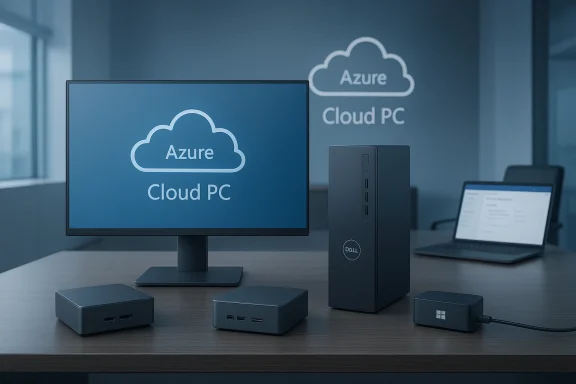
Dell desktop setup with monitor displaying Azure Cloud PC logo.
Microsoft has found two new hardware allies in its bid to make the cloud PC the default endpoint in many workplaces: ASUS and Dell will ship dedicated Windows 365 Cloud PC devices alongside Microsoft’s own Windows 365 Link hardware, expanding a product category that promises simpler management, tighter control over data, and a smaller local attack surface — but which also raises questions about network dependence, vendor lock‑in, and total cost of ownership.

Background / Overview​

The cloud PC concept is straightforward: instead of running the full Windows desktop locally, an endpoint device boots directly into a cloud‑hosted Windows instance (a Cloud PC). The device’s local operating environment is minimalist — enough to attach peripherals, network, and authentication — while applications, user profiles, and data live in Azure. Microsoft has been selling the idea and the service under the Windows 365 banner for several years, and in 2025 introduced its own Windows 365 Link mini‑PC to demonstrate the model end‑to‑end.
This week’s announcements broaden the hardware ecosystem. Microsoft’s Windows Experience blog and OEM briefings preview two partner devices targeted at enterprises: the ASUS NUC 16 for Windows 365 and the Dell Pro Desktop for Windows 365. Both are compact, can drive multiple displays, and are built around a locked‑down client OS that intentionally stores no user data locally. Microsoft says the Cloud PC device software will also add conveniences such as Bluetooth pairing during the out‑of‑box experience and customizable sign‑in branding for organisations. These changes position the devices as turnkey endpoints for organisations that want to centralise desktop compute and management in Azure rather than on physical machines.

What Microsoft, ASUS and Dell are shipping (and what they won’t yet tell you)​

The new devices — the public facts​

  • ASUS NUC 16 for Windows 365 — ASUS describes this as a tiny 0.7‑liter mini‑PC that can be mounted behind displays and drive up to three displays. Microsoft’s announcement and ASUS’ CES coverage indicate support for DDR5 memory, Wi‑Fi 6E, 2.5GbE Ethernet, Bluetooth 5.3, HDMI, USB‑C and USB‑A ports. ASUS’ wider NUC 16 family includes models built around Intel Core Ultra processors, but Microsoft and ASUS have not published exact CPU SKUs for the Windows 365 variant. The device is slated for general availability in Q3 2026 in the US and Europe.
  • Dell Pro Desktop for Windows 365 — Dell’s preview materials call this a fanless, compact desktop aimed at quiet operation and durability. Dell confirms support for up to three displays and emphasises flexible mounting and enterprise manageability through Microsoft Intune. Like ASUS, Dell has not released a full spec sheet for the Windows 365 edition; Microsoft’s blog references Intel N‑series processors for Dell’s Cloud PC device.
  • Microsoft Windows 365 Link — Microsoft’s own Windows 365 Link (first sold in 2025) remains available. It’s a compact, fanless device with Wi‑Fi 6E, Bluetooth 5.3, multiple USB ports and dual‑4K display capability. The Link demonstrated Microsoft’s initial hardware design and formed the baseline user expectations for boot‑to‑cloud endpoints.

What is confirmed by multiple sources​

  • All three devices are purpose‑built to boot into a Cloud PC experience and are tightly integrated with Intune for management.
  • Microsoft has updated the Cloud PC device OS to support Bluetooth pairing during setup and custom branding on sign‑in screens, features intended to smooth rollouts at scale.
  • OEM positioning emphasises reduced local attack surface (no local apps/data) and simpler lifecycle for IT: deploy the device, enrol with Intune, and assign a Cloud PC profile.

Items vendors are still vague about (and why that matters)​

  • Exact processors and memory configurations for the Windows 365 SKUs are not fully disclosed by OEMs in the early previews. ASUS’ general NUC 16 family includes Intel Core Ultra chips; Dell references Intel N‑series, and Microsoft uses the phrase “latest Intel processor” for some materials. That ambiguity makes direct perf comparisons — particularly for video encoding/decoding or local media handling during Teams calls — hard for IT buyers to evaluate today.
  • Local multimedia offload and remote protocol specifics. Vendors confirm local support for video codecs and hardware acceleration for conferencing, but organisations should demand detailed benchmarks for real‑world workloads (video conferencing, local USB peripherals, audio DSP, webcams) before widescale deployment.
  • Pricing and bundling. OEMs are publishing availability windows but not full commercial packaging; Windows 365 subscription costs, Azure infrastructure spend, and selected device pricing combined will determine real TCO.
Because those exact numbers and SKU details are not yet public for the partner devices, any vendor claims about performance or cost‑savings should be treated as provisional until detailed specs and price lists arrive.

Why Microsoft and OEMs are pushing Cloud PC devices now​

There are several concurrent market and strategic drivers behind this push:
  • Analysts have been clear that Desktop‑as‑a‑Service (DaaS) — hosted desktops delivered from the cloud — is moving from niche to mainstream. Industry analyst commentary in recent DaaS studies predicts accelerating adoption through 2027 as economics, remote work, and vendor offerings mature. Gartner’s DaaS guidance (summarised in public press coverage) suggests virtual desktops will become cost‑effective for a broad majority of workers by 2027 and could represent a primary workspace for a materially larger share of the workforce. That shift creates an opportunity for cloud‑first endpoints to replace or augment traditional PCs.
  • The market shake‑up in virtualization software licensing after Broadcom’s acquisition of VMware has motivated some organisations to reconsider their VDI strategies. Broadcom’s licensing changes and ported product bundles have led to customers re‑evaluating whether they should keep on‑premises VDI stacks, move to hyperscaler DaaS offerings, or adopt alternative architectures. That uncertainty opens the door for Microsoft (Windows 365) and Azure‑centric device offerings.
  • OEMs want to expand their endpoint portfolios beyond conventional laptops and desktops. Mini‑PCs and NUC‑style devices boardroom deployments, kiosks, hot‑desking, and managed office spaces — all of which map well to a Cloud PC form factor.

Practical benefits for IT (the sell)​

  • Simpler management and faster redeployment. With the OS image and user data in Azure, provisioning becomes an exercise of assigning a Cloud PC image and Intune policy rather than imaging a local disk and reinstalling apps. Devices can be reassigned and reused quickly.
  • Reduced data exposure on lost or stolen devices. If an endpoint doesn’t store user files, data exfiltration risk from physical theft is lower; IT can wipe access centrally by de‑provisioning the associated Cloud PC instance.
  • Lower endpoint support footprint. Thin, locked devices have fewer moving parts, fewer patch paths, and fewer user‑installed apps to troubleshoot.
  • Predictable lifecycle and refresh. OEMs can supply compact, low‑power hardware designed for long life in a managed estate, simplifying replacement cycles and potentially improving sustainability metrics.

The technical and operational tradeoffs (the realities)​

These benefits come with non‑trivial tradeoffs IT must weigh.

1) Network dependence and user experience​

A Cloud PC is effectively a streamed or remotely hosted desktop experience. That means:
  • Connectivity is critical. Latency, packet loss, and bandwidth constraints directly affect perceived responsiveness for interactive tasks (office apps, collaboration) and can further degrade GPU‑accelerated workloads. Organisations must audit LAN/WAN and home‑user broadband to ensure consistent performance.
  • Offline scenarios are constrained. These devices are built around being always‑connected. Local productivity during network outages will be limited compared to a fully offline laptop, which matters for field operations, travel, and some frontline roles.
  • Video conferencing requires careful design. While vendors say the devices will offload some encoding/decoding locally, complex conferencing topologies may still be sensitive to jitter and throughput. Expect to test real workloads (Teams/Zoom calls, shared screens, webcam use) to validate QoE.

2) Peripherals and local device support​

  • USB and specialized peripherals. Thin clients historically struggle when organisations rely on specialised USB devices (scanners, measurement equipment, dongles). While Windows 365 device firmware and protocol stacks are improving, IT must validate each peripheral class.
  • Local AI/NPU acceleration. Many advanced Copilot+ or Windows AI features rely on local NPUs. Cloud PC devices may not include on‑device NPUs the way new Copilot+ PCs do, which limits some local AI experiences unless Microsoft’s streaming paths extend those features.

3) Cost model and vendor lock‑in​

  • Shifting costs to subscriptions. Windows 365 subscription fees and Azure compute/storage charges create a predictable monthly spend, but long‑term TCO depends on user density, workload sizing, and reserved capacity choices. In many scenarios thin clients plus Windows 365 will be cheaper to operate than fully provisioned laptops—especially for task or seasonal workers—but that’s not universal.
  • Vendor lock‑in risk. The combination of Microsoft’s cloud services, Intune management, and closed client OS means switching away would have migration costs. Organisations that want vendor flexibility should plan exit strategies and test multi‑cloud or multi‑VDI architectures.

4) Security is both stronger and different​

  • Reduced local attack surface lowers some risks — but cloud‑centric architectures raise other exposure vectors: identity compromise, misconfigured cloud access, and dependence on the hypervisor/cloud provider security posture. Robust identity and conditional access controls become essential.
  • Firmware and supply‑chain risk. Even a thin client has firmware and firmware update processes; attackers targeting firmware or the device provisioning chain could undermine the trust model.

How to evaluate Cloud PC devices in your environment: a practical checklist​

  1. Map user personas. Identify which workers are best suited for Cloud PCs (call center, help desk, frontline, hot‑desk) and which are not (designers, engineers needing local GPUs, disconnected field roles).
  2. Network readiness audit. Measure latency, jitter, and available bandwidth across typical work locations and home networks. Test using representative workloads not synthetic benchmarks.
  3. Pilot with real workloads. Deploy a small fleet to power users who can provide measurable feedback: Teams calls, multi‑monitor sessions, peripheral‑heavy workflows.
  4. Cost scenario modelling. Build a 3‑year TCO model including device costs, Windows 365 seats, Azure compute/storage, network upgrades, and helpdesk savings.
  5. Security and identity design. Implement conditional access, MFA, device attestation, endpoint monitoring, and a cloud‑first incident response plan.
  6. Peripheral and hardware validation list. Test all specialized hardware (card readers, biometric devices, industrial scanners) before committing.

Use cases where Cloud PC devices shine​

  • Hot‑desking and shared workspaces. Devices that can mount behind displays and be swapped across users simplify flexible‑workspace strategies.
  • Call centers and kiosks. Predictable device functionality and centralised desktop images reduce user churn and on‑floor support.
  • Regulated environments with strict data locality rules. If the Cloud PC architecture and Azure tenancy meet regulatory requirements, organisations can reduce local endpoint risk while retaining controlled data residency.
  • Seasonal or temporary staffing. Rapid provisioning and re‑assignment of Cloud PC profiles can be far quicker than procuring, imaging, and securing traditional laptops.

Strategic implications: how this changes the endpoint market​

  • OEMs competing for the post‑PC desktop. ASUS and Dell joining Microsoft’s partner ecosystem signals the start of a broader commodity market for Cloud PC endpoints. Expect other OEMs to follow with tailored designs for verticals (retail, healthcare, manufacturing).
  • Hyperscaler consolidation. The shift from on‑premises VDI to DaaS places hyperscalers and their cloud services at the centre of endpoint strategy. Microsoft is positioning Windows 365 and Azure to capture a substantial portion of that transition.
  • Pressure on on‑prem VDI vendors. Changes to VMware’s product and licensing strategy under Broadcom have accelerated re‑evaluation. Organisations migrating away from older on‑prem stacks may choose Windows 365, Azure Virtual Desktop, or alternatives like Citrix (where still appropriate), depending on workloads and contractual constraints.

Security deep dive: what you gain and what you must add​

  • Gains
    • Minimal local attack surface means stolen devices are less likely to yield data.
    • Centralized policy and telemetry via Intune allow consistent enforcement and faster remediation.
    • Hardware‑mediated device attestation can be used to establish stronger trust chains at sign‑in.
  • Must‑have controls
    • Strong identity and credential safeguards. Passwordless MFA, conditional access policies, and continuous session verification.
    • Network segmentation and SASE. Traffic engineering to ensure Cloud PC traffic uses appropriate security stacks and low‑latency paths.
    • Cloud hygiene. Azure tenant hardening, subscription governance, role‑based access, and vigilant monitoring of resource usage to detect anomalies.

Risks that deserve explicit attention​

  • Silent performance failures. Poorly provisioned Azure sizing or a rushed migration can create invisible performance bottlenecks that erode user trust.
  • Subscription inflation. Aggressive cloud consumption or poor pooling strategies can lead to subscription and infrastructure costs that outstrip savings on device maintenance.
  • Regulatory and audit complexity. Sensitive data policies, eDiscovery, and forensics in a cloud PC model require retooling of compliance workflows.
  • Single‑vendor exposure. Consolidating on a single cloud provider and management stack increases dependence on that vendor’s roadmap, pricing, and support quality.

A short buyer’s playbook (three‑month plan)​

  1. Month 0–1: Discovery
    • Classify users into personas, conduct network readiness sampling, and identify pilot candidates.
  2. Month 1–2: Pilot
    • Purchase or arrange evaluation devices (Windows 365 Link and a partner device) and run a 30–60 day pilot focused on collaboration workloads, peripheral interoperability, and multi‑display setups.
  3. Month 2–3: Financial and security validation
    • Run cost modelling and security posture checks. Confirm Azure sizing and Intune configuration. If results meet thresholds, expand to a defined business unit.

Conclusion — what to watch next​

The arrival of ASUS’ NUC 16 for Windows 365 and Dell’s Pro Desktop for Windows 365 marks a pivotal moment: Cloud PC devices are transitioning from a Microsoft proof‑point into an OEM‑backed category. For enterprises, this means new choices — and new decisions. The architecture can simplify management and reduce endpoint risk, but those gains are contingent on robust networks, disciplined identity/security design, and careful cost management.
Organisations should not treat these devices as a plug‑and‑play cure for endpoint complexity. Instead, run measured pilots, test real workloads, and model long‑term economics alongside security and compliance impacts. If you already run a strong cloud strategy, these devices can be an efficient next step toward a cloud‑centric workplace. If your environment depends on offline, high‑GPU, or specialised peripherals, expect a hybrid future where Cloud PC devices complement rather than replace traditional endpoints.
In short: the Cloud PC endpoint era is accelerating, but success will come to organisations that pair enthusiasm with rigorous technical and financial validation.

Source: theregister.com NUC, NUC! Who’s there? ASUS with a thin client for cloud PCs
 

Microsoft just pushed the Windows 365 strategy from proof‑of‑concept toward product category by announcing two OEM Cloud PC endpoints — the ASUS NUC 16 for Windows 365 and the Dell Pro Desktop for Windows 365 — devices that boot directly into a locked‑down client, pair tightly with Microsoft Intune and Entra, and are targeted for general availability in Q3 2026. ([blogs.windows.com]s.com/windowsexperience/2026/02/26/announcing-new-cloud-pc-devices-designed-for-windows-365/)

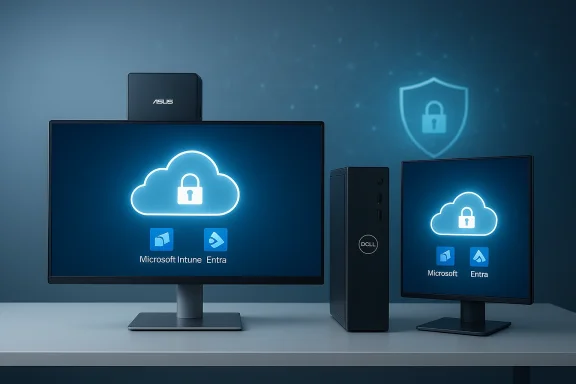
Cloud security depicted on dual monitors for Microsoft Entra/Intune device management.Background / Overview​

Microsoft introduced the idea of purpose‑built Cloud PC endpoints with the Windows 365 Link, positioning a new device class that boots straight to a streamed Windows desktop in the cloud. The latest announcement expands that model by bringing mainstream OEM partners into the fold, signaling Microsardize and scale the “boot‑to‑cloud” endpoint category for enterprises.
The two devices announced — the ASUS NUC 16 and the Dell Pro Desktop — are explicitly marketed for enterprise scenarios such as hot‑desking, contact centers, frontline work, and regulated environments. Both emphasize compact form factor, silent or fanless operation, multi‑display support, and tightly controlled local environments that block local apps and persistent data by design. Microsoft calls the preinstalled client operating system Windows CPC (Cloud PC Client), a minimal, locked OS that receives automatic updates and is intended to be centrally managed.

Why this matters now​

Enterprises have long juggled the tradeoffs between device manageability, security, and end‑user experience. Cloud PCs promise to simplify endpoint lifecycle and reduce local attack surfaces by keeping data and compute in Azure while leaving only a thin client on the desk. By bringing major OEMs into the Cloud PC device category, Microsoft is attempting to move the concept from a Microsoft‑only experiment to an industry standard — making it easier for IT teams to adopt a consistent procurement, security, and management model across a broader set of vendors and geographies.
At the same time, these devices expose the model’s Achilles’ heels: network dependency, subscription economics, and questions about offline resiliency and application compatibility for specialized workloads. Those tradeoffs will define whether Cloud PC endpoints become a mainstream replacement for traditional desktops or remain a niche option for regulated, distributed, or highly managed environments.

The devices: what Microsoft, ASUS and Dell actually announced​

ASUS NUC 16 for Windows 365 — compact, mountable, multi‑display​

  • Form factor: Ultra‑compact mini‑PC ~0.7 liters, designed to be mounted behind displays or tucked into dense workspace deployments.
  • Display support: Advertised support for up to three displays via HDMI and USB‑C ports.
  • Management & Security: Ships with Windows CPC, enrolls in Microsoft Intune and enforces a locked‑down environment with no local admin, no local apps and no persistent local data.
  • Target availability: Planned general availability in the United States and Europe in Q3 2026.
ASUS’ modern NUC line already targets both creator and enterprise customers with high‑density AI and connectivity options; the Windows 365 variant repurposes that platform for a thin, secure, centrally managed endpoint. ASUS marketing emphasizes mountability and low footprint as tools to reduce clutter in dense office or retail spaces.

Dell Pro Desktop for Windows 365 — fanless, durable, enterprise‑oriented​

  • Form factor: Vertical, compact, and fanless for quiet operation suitable for shared spaces and regulated environments.
  • Display support: Also supports up to three displays and multiple mounting options to optimize desk and kiosk deployments.
  • Processors: Dell references Intel N‑series (low‑power) processors as the platform class; exact SKUs and performance bins were not published at announcement time.
  • Target availability: Microsoft’s announcement lists a broader rollout for Dell, targeting 58 countries in Q3 2026.
Dell’s positioning centers on durability, quiet operation, and enterprise manageability — messaging that aims Cloud PC endpoints at regulated industries and large fleets where standardized provisioning and lifecycle support matter.

Technical deep dive: Windows CPC, hardware, and connectivity​

Windows CPC (Cloud PC Client)​

Microsoft’s announcement confirmed that these devices ship with a minimal client OS — Windows CPC — that is intentionally limited (no local apps, no persistent local data, no local admin). Windows CPC is designed for automatic updates and to simplify compliance and telemetry under tenant control. Microsoft also provided a short roadmap of Windows CPC features scheduled for release, including Bluetooth pairing during out‑of‑box experience and tenant branding options targeted for Q2 2026. These are deliberately light OS capabilities to keep the endpoint focused on connecting to Windows 365 Cloud PCs rather than acting as a full workstation.

Hardware platforms and unspecified details​

Both OEMs described the devices in platform class terms (NUC 16 / N‑series) without publishing final SKUs, memory or storage configurations for Cloud PC devices. That means:
  • Final CPU models, core counts, and thermal/power envelopes are not yet public and may vary by market or SKU. Any claim about exact processor SKUs must be treated as provisional until vendors publish full spec sheets.
  • Connectivity promises (Wi‑Fi 6E, 2.5GbE, multiple USB ports) appear in vendor materials for NUC 16 retail variants; the Cloud PC variants prioritize the connectivity most relevant to remote desktops (Ethernet stability, USB peripherals and multi‑display outputs). That said, buyers should validate per‑SKU I/O when ordering.

Display and peripheral support​

Both devices explicitly state support for up to three displays and a range of USB and audio ports suitable for common enterprise peripherals. Multi‑display support is a key requirement for many knowledge‑worker and frontline supervisor workflows and is consistent with the expectation that the endpoint must feel like a regular desktop session for users.

Management, identity, and security: the enterprise story​

Microsoft frames these Cloud PC endpoints as security‑first, centrally managed devices that reduce local attack surface and make provisioning predictable.
  • Management: Intended to enroll in Microsoft Intune for configuration, update control and lifecycle management, enabling IT to manage these endpoints through existing M365/Intune tooling.
  • Identity & Authentication: Microsoft highlights integration with Microsoft Entra and passwordless options, including Micros FIDO2 keys for secure sign‑in flows. That reduces password exposure at the client and aligns with modern zero‑trust posture.
  • Data residency & footprint: The devices intentionally prevent local data persistence and block local administrative elevation, which simplifies compliance for regulated data use cases where local caching or removable media is problematic.
These design choices mean IT can treat Cloud PC endpoints more like managed network appliances: secure by default, limited local surface area, and predictable update behavior. That lowers the day‑to‑day remediation burden but increases dependency on Azure and Microsoft cloud services for availability and patching.

Strengths and potential benefits​

  • Faster provisioning and lower hands‑on time: Because endpoints boot to a controlled client and enroll automatically, IT can provision boxed devices quickly at scale and maintain consistent configurations across multiple OEMs. This reduces imaging complexity and the need for bespoke endpoint management scripts.
  • Smaller local attack surface: Locked OS and no local apps means fewer vectors for ransomware, data exfiltration, or persistent malware on the endpoint itself. For organizations with strict data controls, this is a meaningful security win.
  • Predictable helpdesk experience: With compute in Azure, common problems tied to local OS drift or misconfiguration are reduced; many issues are consolidated to the cloud image or network layers, simplifying support playbooks.
  • Consistent user experience across locations: Employees move between desks or sites, sign in, and receive their Cloud PC immediately, which improves hot‑desking usability and reduces friction in distributed workplaces.

Risks, limits, and real‑world caveats​

  • Network dependency is central: Cloud PCs require consistently reliable, lows to Azure. In offices with poor connectivity, or for remote users on flaky home broadband, the user experience will suffer — and those performance degradations manifest as application lag, poor video conferencing, or session drops. This is a fundamental limitation of boot‑to‑cloud endpoints. Enterprises must treat network provisioning and QoS as first‑class concerns.
  • Subscription and total cost of ownership (TCO): Windows 365 places compute and storage costs in the cloud on a per‑user subscription model. While hardware costs may fall, the recurring cloud fees and outbound egress or Azure consumption for disk and compute can make long‑term TCO higher than traditional PCs in some scenarios. Budgeting models must incorporate license, compute, storage, and network costs, not just hardware.
  • Vendor lock‑in and management dependencies: Because the client and management model center on Microsoft services (Windows CPC, Intune, Entra), organizations heavy on alternative MDM/UEM stacks or non‑Microsoft identity systems will face integration and operational questions. Migrating or blending environments increases complexity.
  • Not for all workloads: GPU‑heavy applications, offline workflows, or specialized local peripherals (hardware dongles, nimay not work well in a pure Cloud PC design without additional architecture (e.g., GPU‑backed Cloud PC SKUs, local gateway devices, or hybrid approaches). Buyers should inventory real workloads and pilot before large‑scale moves.
  • Incomplete specs at announcement: Microsoft and OEMs have published form factor, management and availability commitments but not final SKUs, official pricing, or detailed regional warranty/support terms. Organizations should treat early announcements as pre‑purchase intelligence and wait for full spec sheets before firm procurement.

Realistic enterprise deployment scenarios​

These devices are not one‑size‑fits‑all replacements for every desktop. They fit several practical scenarios immediately:
  • Contact centers and dense hot‑desking: Centralized Cloud PC images and minimal clients minimize on‑site footprint and simplify shift changes.
  • Frontline and retail kiosks: Fanless, mountable endpoints with locked clients reduce tampering risk and simplify remote management.
  • Highly regulated industries (healthcare, finance, government): Where local data persistence is restricted, Cloud PC endpoints limit local data exposure and simplify compliance audits.
  • **Geographically distributed small offices where IT presence dized devices that auto‑enroll in Intune can be shipped and provisioned remotely with less onsite labor.
Less-suitable scenarios include high‑end content creation, large local data processing tasks, or workflows requiring local GPUs for rendering or model training, unless the organization pairs the endpoint with GPU‑enabled Cloud PC SKUs in Azure.

Practical checklist for IT teams considering Cloud PC endpoints​

  • Network readiness: validate office WAN bandwidth, latency to Azure regions, and plan QoS for RDP/AV traffic.
  • Licensing & cost model: model Windows 365 compute tiers, Azure storage, Intune, and endpoint hardware costs over 3–5 years.
  • Pilot plan: pick a line of business (e.g., contact center) with predictable apps and pilot 50–200 users under production load.
  • Application compatibility: test critical apps for latency sensitivity, peripheral compatibility (printers, scanners, smartcard readers), and third‑party VPNs.
  • Security posture: define identity flows (Entra, FIDO2), conditional access policies, and device compliance baselines in Intune.
  • Support workflow: update helpdesk runbooks for cloud‑image vs. client issues and define escalation paths for Azure incidents.
This sequential approach reduces the risk of a failed large‑scale rollout and helps quantify the actual end‑user experience under production conditions.

Market context and competition​

Microsoft’s move follows an industry re‑examination of thin clients and endpoint design in the era of hybrid work. Competitors and adjacent vendors (VDI players, thin‑client manufacturers, and cloud desktop providers) have been positioning similar offerings — but Microsoft’s advantage is the vertical integration of the OS, identity, and management stack. OEMs like ASUS and Dell bring hardware scale, distribution, and enterprise service channels that make Cloud PC endpoints a realistic procurement option for large customers. Media reporting and vendor briefings highlight that Microsoft’s goal is substituting a small, locked endpoint plus subscription desktop for mores.

What remains unverified or provisional (caution)​

  • Exact processor SKUs, memory configurations, and per‑region SKUs for the Cloud PC variants have not been published. Any claims about specific CPU models or memory capacities are provisional until ASUS and Dell publish final product pages and spec sheets. Buyers should wait for full product documentation before signing purchase orders.
  • Final pricing and Windows 365 bundle options are likewise unpublished in the announcement. Microsoft and OEM channels typically disclose commercial programs and volume licensing details closer to general availability. Until those are public, organizations cannot finalize TCO.

Recommendations: how to evaluate these devices for your environment​

  • Start with a focused pilot: choose a business group whose work is largely office‑task centric, has predictable application sets, and where hot‑desking or shared devices offer clear administrative savings. Measure latency, user satisfaction, and helpdesk metrics for 90 days.
  • Build a network remediation plan: if your office WAN or local networking is underprovisioned, factor the networking spend into your Cloud PC migration cost model. Include redundancy and local breakouts where needed.
  • Negotiate commercial certainty: when vendors publish SKUs, insist on test units, defined replacement SLAs for global deployments, and clear warranty and spare part logistics. For regulated industries, confirm data residency and audit reporting capabilities in writing.
  • Consider hybrid models: mix Cloud PC endpoints for predictable, managed roles and keep traditional PCs where local compute, GPUs, or offline work are necessary. This hybrid approach often yields the best balance of cost, control, and user experience.

Conclusion​

Microsoft’s partnership with ASUS and Dell to produce the ASUS NUC 16 for Windows 365 and Dell Pro Desktop for Windows 365 marks a meaningful evolution in the Cloud PC story: from Microsoft‑only proof point to a potential industry category. The OEM devices deliver clear benefits for standardized provisioning, improved security posture, and simpler endpoint lifecycle management — especially for frontline, contact center, and regulated deployments.
However, the success of this model hinges on careful, pragmatic planning: robust and redundant networking; accurate TCO analysis that includes ongoing cloud costs; and honest workload compatibility testing. With full specifications, pricing, and commercial programs still pending, enterprise IT leaders should treat this announcement as a strong signal of direction and an opportunity to pilot the approach — not as an immediate, wholesale replacement plan for all desktop fleets.
For organizations that can solve the network and management prerequisites, the new Cloud PC endpoints could simplify operations and tighten security. For others, they are an intriguing tool to incorporate into a hybrid endpoint strategy where the promise of "boot‑to‑cloud" desktops is balanced with the pragmatic realities of enterprise workloads, costs, and resilience.

Source: Windows Report https://windowsreport.com/microsoft...d-dell-pro-desktop-for-windows-365-cloud-pcs/
 

Back
Top