

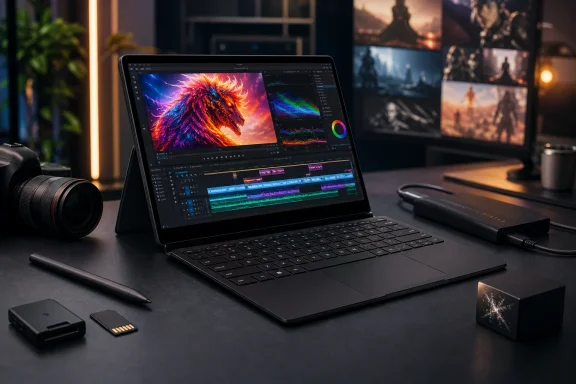
Asus has begun the broader rollout of the ProArt PZ14, a premium Windows 11 detachable that takes direct aim at Microsoft’s latest 13-inch Surface Pro with a more ambitious formula: a faster 18-core Snapdragon X2 Elite, a larger 75 Wh battery, a 14-inch 144 Hz OLED touchscreen, and a creator-focused bundle of pen, keyboard, and software features. The result is not a conventional Surface clone. It is an attempt to redefine the high-end Windows tablet as a serious mobile studio rather than simply a thin productivity PC.
The ProArt PZ14 arrives with a correspondingly steep price. At $2,499 in the United States, it occupies an elite tier where buyers will expect a display, chassis, battery, input experience, and application compatibility that all justify the premium. Asus delivers several hardware advantages on paper, but the device also exposes the compromises still attached to Windows on ARM—and to high-performance detachable design.
For Windows enthusiasts watching the evolution of the Copilot+ PC market, this launch is significant. Microsoft established the modern Windows detachable category with Surface Pro, but Asus is showing that the category no longer belongs exclusively to Microsoft’s conservative hardware approach.
The Asus ProArt PZ14 succeeds the ProArt PZ13, moving from a smaller 13.3-inch class design to a 14-inch convertible built around Qualcomm’s newer Snapdragon X2 platform. Its core promise is straightforward: provide the flexibility of a tablet, the utility of a laptop, and enough performance for demanding creative work without requiring a traditional clamshell notebook.
That positioning shapes nearly every specification. The PZ14 is a Windows 11 Home device with a detachable Bluetooth keyboard, a stand cover, pen support, fast connectivity, a full-size SD card reader, and a rear camera. It is clearly designed for photographers, artists, video editors, and mobile professionals who may want to review, organize, edit, and present work away from a desk.
The main headline is the processor. Asus uses Qualcomm’s Snapdragon X2 Elite X2E-88-100, an 18-core chip with an Adreno X2-90 integrated GPU, up to 4.7 GHz boost clocks, 53 MB of cache, and an 80 TOPS Hexagon NPU. That is a far more aggressive silicon choice than the lower-tier Snapdragon X2 Elite configurations found in some competing detachables.
In practical terms, the PZ14 is not merely competing against the compact 12-inch Surface Pro. Its display size, component choices, and price point put it closer to Microsoft’s 13-inch Surface Pro 12th Edition models equipped with Snapdragon X2 processors. The naming can be confusing, but the competitive intent is not: Asus wants the PZ14 to be the more powerful, more visually capable Windows tablet.
That is an important distinction. A product name such as “Snapdragon X2 Elite” does not identify performance on its own. Qualcomm now offers multiple X2 Elite versions with substantially different CPU core counts, graphics configurations, NPU ratings, boost behavior, and memory bandwidth options.
The ProArt PZ14’s configuration includes:
Still, the direction is clear. Asus has not selected the chip simply to meet the Copilot+ PC baseline. It has selected a platform intended to make the PZ14 feel more like a workstation-class tablet.
That is a sensible balance for the form factor. Completely fanless tablet designs are attractive for noise and simplicity, but they can struggle under extended rendering, code compilation, gaming, high-resolution photo exports, or repeated AI processing. The PZ14’s active cooling gives Asus a better chance of maintaining performance in longer creative sessions.
However, the 25 W ceiling also defines the device’s limits. This is not a replacement for a dedicated-GPU creator laptop. The PZ14 can be expected to handle lightweight to moderate 4K editing, image processing, mobile design work, and AI-assisted tasks well, but it will not provide the same sustained 3D rendering, effects acceleration, or GPU compute performance offered by an Nvidia RTX-powered ProArt laptop.
The stronger Snapdragon chip is therefore meaningful, but it should be viewed as a way to make the Windows tablet experience less compromised—not as proof that the PZ14 eliminates the need for a more powerful workstation.
For a Windows detachable, that is an unusually complete display package. The larger screen provides more room for an editing timeline, reference image, browser workspace, or split-screen productivity layout. The 16:10 aspect ratio is also better suited to documents and creative applications than the increasingly common 16:9 format.
A 144 Hz refresh rate may initially sound like a gaming-oriented feature, but it has real value for more than fast-paced games. Higher refresh rates make scrolling, pen movement, window animations, and timeline navigation feel more immediate. Artists and video editors also benefit from smoother motion presentation and clearer playback while working with high-frame-rate footage.
There are caveats. OLED remains vulnerable to image retention or burn-in when static interface elements are displayed at high brightness for very long periods. Windows users who keep timelines, toolbars, taskbars, spreadsheets, or application panels on screen all day should use sensible OLED protections, avoid unnecessary peak brightness, and enable available pixel-refresh safeguards.
The display’s peak-brightness figure is also not the same as sustained full-screen brightness. HDR peak brightness measurements typically apply to limited portions of the screen. It is still an excellent specification, but creators should wait for independent testing before assuming the panel will maintain 1,000 nits across a bright white canvas or outdoor editing session.
Asus quotes battery figures of up to:
For creative professionals, battery capacity can also mean fewer compromises during a shoot, flight, client presentation, or day of note-taking. A device that retains a workable charge after multiple hours of browsing, media review, cloud synchronization, stylus use, and occasional rendering is more valuable than one that only wins a standardized video loop test.
Yet there is an unavoidable trade-off. Larger batteries increase weight, cost, and charging demands. Asus addresses the last point with support for 100 W wired charging, although buyers should verify the charging hardware included with their exact retail package.
The tablet-only measurement deserves emphasis. A detachable can look extraordinarily light on paper until the keyboard, stand cover, pen, charger, SD card, and external storage are added. The complete travel kit will be heavier and occupy more space than the slate alone.
Still, the approach has practical strengths. The PZ14 can be used in several modes:
Nevertheless, this is a welcome step for a premium Windows detachable. A device marketed to traveling creators should tolerate more than a pristine office environment. The aluminum unibody, Nano Black finish, splash resistance, and active cooling arrangement all reinforce the idea that Asus expects the PZ14 to be used outside a desk-bound workflow.
The dual USB-C approach is also useful, though the unequal port speeds deserve attention. The 40 Gbps USB4 port is the one likely to matter most for high-speed external SSDs, docks, displays, and professional peripherals. Users should consult the port labeling and manual before assuming that both Type-C ports offer identical capabilities.
However, buying a premium Windows on ARM PC still requires more software awareness than buying an x86 laptop from Intel or AMD.
Emulation can solve many ordinary application needs, but it is not equal to native support. It can impose a performance overhead, complicate troubleshooting, and create unexpected limitations in extensions or drivers. For a buyer spending $2,499, the sensible approach is to verify every essential application, plug-in, USB device, VPN client, and workflow component before purchasing.
This is especially important for the creator market. A tablet can have a superb OLED panel and excellent CPU performance, but a single incompatible audio interface, color-management utility, camera tethering tool, or editing plug-in can derail the intended workflow.
The bigger concern is configuration availability. The device is reportedly limited to 16 GB of RAM in the United States, Ireland, and the United Kingdom, while Canada alone offers a 32 GB version for an additional CAD 500.
That regional split is difficult to justify for a ProArt-branded device. Sixteen gigabytes remains adequate for everyday productivity, browsing, illustration, light photo editing, and many media tasks. But a high-end creator tablet with an 18-core processor, large OLED display, and $2,499 price tag should not force most global buyers into the lower memory option.
Because the memory is soldered LPDDR5X, it cannot be upgraded later. This is not a minor purchasing detail; it is a long-term platform decision.
For users working with large Photoshop documents, multiple browser profiles, 4K video timelines, RAW batches, local AI models, virtual machines, or memory-heavy creative tools, 32 GB should be the preferred configuration. The lack of broad availability risks making the ProArt PZ14 feel under-configured in exactly the markets where its price is hardest to defend.
Microsoft retains important strengths, however. Surface Pro has a mature accessory ecosystem, a distinctive hinge-and-keyboard design, broad retail presence, polished Windows integration, and long-standing recognition in the detachable market. Surface devices also tend to benefit from Microsoft’s close control over firmware, driver tuning, and first-party Windows experiences.
The Asus approach is more feature-rich, but it is also more complex. A 14-inch OLED panel, larger battery, fan, SD reader, rear camera, and higher-end processor create a stronger spec sheet, yet each addition also introduces potential weight, cost, thermal, support, and battery-life trade-offs.
The PZ14’s real advantage is that it treats the detachable not as an ultra-light secondary PC, but as a primary creative computer. That makes it more compelling for the right buyer—and potentially excessive for someone who only wants a lightweight tablet for Office, browsing, streaming, and handwritten notes.
Its strengths are clear: unusually strong Arm performance, a display designed for serious visual work, excellent battery capacity, modern connectivity, useful cameras, and a more complete mobile-creator feature set than most Windows tablets offer.
The risks are equally clear. At $2,499, the PZ14 is expensive. The 16 GB RAM limitation in major markets weakens its professional credentials, Windows on ARM compatibility still requires careful validation, and the detachable form factor cannot fully substitute for a laptop with dedicated graphics in intensive production work.
Even with those caveats, Asus has delivered an important message to the Windows hardware market. The Surface Pro category no longer needs to be defined by compromise, conservative specifications, or modest performance targets. The ProArt PZ14 demonstrates that a Windows 11 tablet can be fast, color-accurate, expandable, battery-conscious, and genuinely creator-oriented—provided buyers are willing to pay for the vision.
The ProArt PZ14 arrives with a correspondingly steep price. At $2,499 in the United States, it occupies an elite tier where buyers will expect a display, chassis, battery, input experience, and application compatibility that all justify the premium. Asus delivers several hardware advantages on paper, but the device also exposes the compromises still attached to Windows on ARM—and to high-performance detachable design.
For Windows enthusiasts watching the evolution of the Copilot+ PC market, this launch is significant. Microsoft established the modern Windows detachable category with Surface Pro, but Asus is showing that the category no longer belongs exclusively to Microsoft’s conservative hardware approach.
 Overview: A Surface Pro Rival Built for Creators
The Asus ProArt PZ14 succeeds the ProArt PZ13, moving from a smaller 13.3-inch class design to a 14-inch convertible built around Qualcomm’s newer Snapdragon X2 platform. Its core promise is straightforward: provide the flexibility of a tablet, the utility of a laptop, and enough performance for demanding creative work without requiring a traditional clamshell notebook.That positioning shapes nearly every specification. The PZ14 is a Windows 11 Home device with a detachable Bluetooth keyboard, a stand cover, pen support, fast connectivity, a full-size SD card reader, and a rear camera. It is clearly designed for photographers, artists, video editors, and mobile professionals who may want to review, organize, edit, and present work away from a desk.
The main headline is the processor. Asus uses Qualcomm’s Snapdragon X2 Elite X2E-88-100, an 18-core chip with an Adreno X2-90 integrated GPU, up to 4.7 GHz boost clocks, 53 MB of cache, and an 80 TOPS Hexagon NPU. That is a far more aggressive silicon choice than the lower-tier Snapdragon X2 Elite configurations found in some competing detachables.
In practical terms, the PZ14 is not merely competing against the compact 12-inch Surface Pro. Its display size, component choices, and price point put it closer to Microsoft’s 13-inch Surface Pro 12th Edition models equipped with Snapdragon X2 processors. The naming can be confusing, but the competitive intent is not: Asus wants the PZ14 to be the more powerful, more visually capable Windows tablet.
The Snapdragon X2 Elite Advantage
An 18-core detachable is an unusual proposition
The X2E-88-100 is one of Qualcomm’s higher-end Snapdragon X2 Elite variants. It combines 18 CPU cores with the stronger X2-90 integrated graphics configuration, rather than the lower X2-85 graphics used in several 12-core X2 Elite models.That is an important distinction. A product name such as “Snapdragon X2 Elite” does not identify performance on its own. Qualcomm now offers multiple X2 Elite versions with substantially different CPU core counts, graphics configurations, NPU ratings, boost behavior, and memory bandwidth options.
The ProArt PZ14’s configuration includes:
- 18-core Qualcomm Oryon CPU
- Up to 4.7 GHz boost frequency
- 53 MB cache
- Adreno X2-90 integrated GPU
- 80 TOPS Hexagon NPU
- LPDDR5X memory with up to 152 GB/s bandwidth
- Support for modern graphics APIs including DirectX 12.2 Ultimate, Vulkan, and OpenCL
Still, the direction is clear. Asus has not selected the chip simply to meet the Copilot+ PC baseline. It has selected a platform intended to make the PZ14 feel more like a workstation-class tablet.
Thermal headroom matters as much as core count
A detachable with an 18-core processor can only sustain its promise if its cooling design holds up. Asus rates the PZ14’s thermal design for up to 25 W TDP and uses a single-fan system that is intended to remain silent under light loads through its 0 dB cooling behavior.That is a sensible balance for the form factor. Completely fanless tablet designs are attractive for noise and simplicity, but they can struggle under extended rendering, code compilation, gaming, high-resolution photo exports, or repeated AI processing. The PZ14’s active cooling gives Asus a better chance of maintaining performance in longer creative sessions.
However, the 25 W ceiling also defines the device’s limits. This is not a replacement for a dedicated-GPU creator laptop. The PZ14 can be expected to handle lightweight to moderate 4K editing, image processing, mobile design work, and AI-assisted tasks well, but it will not provide the same sustained 3D rendering, effects acceleration, or GPU compute performance offered by an Nvidia RTX-powered ProArt laptop.
The stronger Snapdragon chip is therefore meaningful, but it should be viewed as a way to make the Windows tablet experience less compromised—not as proof that the PZ14 eliminates the need for a more powerful workstation.
A 14-Inch 144 Hz OLED Display Changes the Equation
More than a spec-sheet win
The ProArt PZ14’s display is arguably its strongest differentiator. Asus equips the detachable with a 14-inch OLED touchscreen running at 2,880 x 1,800 pixels in a 16:10 aspect ratio. It supports a 144 Hz refresh rate, variable refresh rate technology, a claimed HDR peak brightness of up to 1,000 nits, and an anti-reflective treatment.For a Windows detachable, that is an unusually complete display package. The larger screen provides more room for an editing timeline, reference image, browser workspace, or split-screen productivity layout. The 16:10 aspect ratio is also better suited to documents and creative applications than the increasingly common 16:9 format.
A 144 Hz refresh rate may initially sound like a gaming-oriented feature, but it has real value for more than fast-paced games. Higher refresh rates make scrolling, pen movement, window animations, and timeline navigation feel more immediate. Artists and video editors also benefit from smoother motion presentation and clearer playback while working with high-frame-rate footage.
Creator-oriented color claims
Asus positions the PZ14 as a ProArt product, which means color credibility matters. The company advertises:- 100% DCI-P3 color gamut coverage
- Delta E below 1 factory calibration target
- Pantone validation
- VESA DisplayHDR True Black certification
- OLED-level deep blacks and high contrast
- Stylus support with up to 4,096 pressure levels
- Anti-reflective coating claimed to reduce glare
There are caveats. OLED remains vulnerable to image retention or burn-in when static interface elements are displayed at high brightness for very long periods. Windows users who keep timelines, toolbars, taskbars, spreadsheets, or application panels on screen all day should use sensible OLED protections, avoid unnecessary peak brightness, and enable available pixel-refresh safeguards.
The display’s peak-brightness figure is also not the same as sustained full-screen brightness. HDR peak brightness measurements typically apply to limited portions of the screen. It is still an excellent specification, but creators should wait for independent testing before assuming the panel will maintain 1,000 nits across a bright white canvas or outdoor editing session.
Battery Capacity: A Clear Hardware Lead, Not a Guaranteed Runtime Lead
The PZ14 contains a 75 Wh battery, a large capacity for a tablet-first Windows device. Compared with a 53 Wh reference point, that capacity is indeed about 41% larger. It gives Asus a tangible advantage in the engineering battle between thinness, performance, and untethered use.Asus quotes battery figures of up to:
- 22 hours of Full HD local video playback
- 16 hours of web browsing
- 16 hours of video streaming
Why 75 Wh matters anyway
The battery’s value is not simply that it may last longer in ideal scenarios. It gives the system more room to run the processor at meaningful power levels without immediately undermining portability. That matters for an Arm-based Windows tablet that is intended to run heavier native workloads.For creative professionals, battery capacity can also mean fewer compromises during a shoot, flight, client presentation, or day of note-taking. A device that retains a workable charge after multiple hours of browsing, media review, cloud synchronization, stylus use, and occasional rendering is more valuable than one that only wins a standardized video loop test.
Yet there is an unavoidable trade-off. Larger batteries increase weight, cost, and charging demands. Asus addresses the last point with support for 100 W wired charging, although buyers should verify the charging hardware included with their exact retail package.
Design, Portability, and the Real Meaning of “2-in-1”
Despite its 14-inch screen and 75 Wh battery, the PZ14 tablet portion weighs approximately 1.74 pounds and measures around 0.35 inches thick. That is impressively portable for the specification level, especially when compared with many 14-inch creator laptops.The tablet-only measurement deserves emphasis. A detachable can look extraordinarily light on paper until the keyboard, stand cover, pen, charger, SD card, and external storage are added. The complete travel kit will be heavier and occupy more space than the slate alone.
Still, the approach has practical strengths. The PZ14 can be used in several modes:
- Tablet mode for sketching, annotation, touch interaction, and handheld media work.
- Laptop mode with the detachable keyboard and stand cover.
- Portrait-oriented use for reading, reviewing documents, or working in narrow spaces.
- Second-screen or pen-display use through Asus GlideX features.
Durability is unusually ambitious
Asus lists both IP52 dust and water resistance and testing aligned with MIL-STD-810H procedures. Those claims do not make the PZ14 ruggedized in the same way as a field tablet designed for construction or industrial use. IP52 means limited dust protection and resistance to dripping water at certain angles, not submersion protection or carefree use in severe weather.Nevertheless, this is a welcome step for a premium Windows detachable. A device marketed to traveling creators should tolerate more than a pristine office environment. The aluminum unibody, Nano Black finish, splash resistance, and active cooling arrangement all reinforce the idea that Asus expects the PZ14 to be used outside a desk-bound workflow.
Ports and Connectivity Are Better Than the Usual Tablet Compromise
One of the PZ14’s more practical advantages is that Asus has not treated connectivity as an afterthought. The device includes:- Two USB4 Type-C ports
- One port rated for 40 Gbps
- A second Type-C connection rated at 5.8 Gbps
- A full-size SD card reader
- Wi-Fi 7
- Bluetooth connectivity
- Dual speakers with Dolby Atmos support
- Dual microphones with AI noise cancellation
The dual USB-C approach is also useful, though the unequal port speeds deserve attention. The 40 Gbps USB4 port is the one likely to matter most for high-speed external SSDs, docks, displays, and professional peripherals. Users should consult the port labeling and manual before assuming that both Type-C ports offer identical capabilities.
The Windows on ARM Question Still Matters
The ProArt PZ14 is a powerful Windows on ARM device, but that remains an important qualifier. Snapdragon X2 Elite performance can be excellent in native Arm64 software and in workloads that use Qualcomm’s NPU effectively. Windows 11 itself is well suited to Arm, and the broad move toward native builds has made the platform substantially more practical than its earlier generations.However, buying a premium Windows on ARM PC still requires more software awareness than buying an x86 laptop from Intel or AMD.
Where the PZ14 should excel
The PZ14 should be particularly well suited to:- Microsoft 365 productivity work
- Web applications and browser-based workflows
- Photo review and organization
- Digital drawing and handwritten notes
- Video calls and Windows Studio Effects
- Local AI features supported by Copilot+ PCs
- Modern native applications optimized for Arm
- Media playback and content consumption
- Lighter photo and video work in compatible creative applications
Where caution is still warranted
Compatibility gaps have narrowed, but they have not disappeared. Older utilities, specialized drivers, legacy plug-ins, niche peripherals, enterprise security tools, anti-cheat systems, and certain professional applications may not run natively—or may not run at all.Emulation can solve many ordinary application needs, but it is not equal to native support. It can impose a performance overhead, complicate troubleshooting, and create unexpected limitations in extensions or drivers. For a buyer spending $2,499, the sensible approach is to verify every essential application, plug-in, USB device, VPN client, and workflow component before purchasing.
This is especially important for the creator market. A tablet can have a superb OLED panel and excellent CPU performance, but a single incompatible audio interface, color-management utility, camera tethering tool, or editing plug-in can derail the intended workflow.
Price, Configurations, and the Regional RAM Problem
The ProArt PZ14 is priced at $2,499 in the United States, CAD 2,899 in Canada, €2,759 in Ireland, and £2,299 in the United Kingdom. These are premium prices even in a premium category.The bigger concern is configuration availability. The device is reportedly limited to 16 GB of RAM in the United States, Ireland, and the United Kingdom, while Canada alone offers a 32 GB version for an additional CAD 500.
That regional split is difficult to justify for a ProArt-branded device. Sixteen gigabytes remains adequate for everyday productivity, browsing, illustration, light photo editing, and many media tasks. But a high-end creator tablet with an 18-core processor, large OLED display, and $2,499 price tag should not force most global buyers into the lower memory option.
Because the memory is soldered LPDDR5X, it cannot be upgraded later. This is not a minor purchasing detail; it is a long-term platform decision.
For users working with large Photoshop documents, multiple browser profiles, 4K video timelines, RAW batches, local AI models, virtual machines, or memory-heavy creative tools, 32 GB should be the preferred configuration. The lack of broad availability risks making the ProArt PZ14 feel under-configured in exactly the markets where its price is hardest to defend.
ProArt PZ14 Versus Surface Pro: Where Asus Wins and Where Microsoft Still Has Leverage
The PZ14 wins the specification contest in several visible areas:| Category | Asus ProArt PZ14 advantage |
|---|---|
| Processor | 18-core Snapdragon X2 Elite X2E-88-100 |
| Display | 14-inch 2.8K 144 Hz OLED |
| Battery | 75 Wh capacity |
| Creator features | SD card reader, rear camera, ProArt software |
| Connectivity | USB4, Wi-Fi 7, multiple Type-C ports |
| Durability | IP52 rating and enhanced environmental testing |
| Cooling | Active single-fan design for sustained workloads |
The Asus approach is more feature-rich, but it is also more complex. A 14-inch OLED panel, larger battery, fan, SD reader, rear camera, and higher-end processor create a stronger spec sheet, yet each addition also introduces potential weight, cost, thermal, support, and battery-life trade-offs.
The PZ14’s real advantage is that it treats the detachable not as an ultra-light secondary PC, but as a primary creative computer. That makes it more compelling for the right buyer—and potentially excessive for someone who only wants a lightweight tablet for Office, browsing, streaming, and handwritten notes.
Final Assessment
The Asus ProArt PZ14 is one of the most ambitious Windows detachable PCs yet released. Its 18-core Snapdragon X2 Elite, 75 Wh battery, 14-inch 144 Hz OLED display, active cooling, full-size SD card reader, and creator-focused software make it a credible alternative to the Surface Pro for users who want more than a portable productivity machine.Its strengths are clear: unusually strong Arm performance, a display designed for serious visual work, excellent battery capacity, modern connectivity, useful cameras, and a more complete mobile-creator feature set than most Windows tablets offer.
The risks are equally clear. At $2,499, the PZ14 is expensive. The 16 GB RAM limitation in major markets weakens its professional credentials, Windows on ARM compatibility still requires careful validation, and the detachable form factor cannot fully substitute for a laptop with dedicated graphics in intensive production work.
Even with those caveats, Asus has delivered an important message to the Windows hardware market. The Surface Pro category no longer needs to be defined by compromise, conservative specifications, or modest performance targets. The ProArt PZ14 demonstrates that a Windows 11 tablet can be fast, color-accurate, expandable, battery-conscious, and genuinely creator-oriented—provided buyers are willing to pay for the vision.
References
- Primary source: Notebookcheck
Published: 2026-07-23T23:20:00+00:00
Loading…
www.notebookcheck.net - Related coverage: windowscentral.com
Surface Pro with Snapdragon X2 is now available with a noticeable graphics bump | Windows Central
Better graphics and OLED options breathe new life into Microsoft's flagship 2-in-1.www.windowscentral.com - Related coverage: qualcomm.com
Snapdragon X2 Elite: Performance Leap
Experience a leap in performance with Snapdragon X2 Elite. Discover enhanced speed and efficiency for next-gen laptops. Explore its capabilities today.www.qualcomm.com - Related coverage: eatyourbytes.com
Loading…
www.eatyourbytes.com - Related coverage: siliconcat.net
Loading…
siliconcat.net - Related coverage: nanoreview.info
Loading…
nanoreview.info