

ASUS’s ProArt GeForce RTX 5080 OC Edition makes a persuasive case that a premium Blackwell graphics card does not need to resemble an industrial cooling appliance. Reviewed on July 21, 2026, the creator-focused card combines the full GeForce RTX 5080 specification with a restrained black-and-gold design, a 2.5-slot cooler, USB Type-C display output, and dimensions that remain compatible with NVIDIA’s small-form-factor guidelines. Its central achievement is not a dramatic increase in frame rates over other RTX 5080 cards, but the concentration of high-end gaming, AI, and creative performance into a comparatively practical 304 mm package.
The GeForce RTX 5080 arrived in January 2025 as the second-fastest consumer graphics card in NVIDIA’s Blackwell generation. It replaced the RTX 4080 family at the high end, sitting below the much larger and more expensive RTX 5090 while targeting enthusiasts who wanted uncompromised 4K gaming without moving all the way to NVIDIA’s flagship.
Blackwell’s desktop launch also marked a change in how NVIDIA framed GPU progress. Traditional rasterization remained important, but the company increasingly emphasized neural rendering, AI-assisted image reconstruction, frame generation, and accelerated creative workloads as equally important measures of performance.
That represents a moderate increase in conventional shader resources over the RTX 4080’s 9,728 CUDA cores. The more consequential architectural changes lie in Blackwell’s AI processing, ray-tracing pipeline, memory subsystem, and media engines.
The RTX 5080 retains 16GB of memory, but exchanges the RTX 4080’s GDDR6X for 30Gbps GDDR7. The resulting 960GB/s of memory bandwidth is substantially higher than the 716.8GB/s available to the RTX 4080, helping with high-resolution textures, ray-tracing workloads, content creation, and data-intensive AI operations.
ASUS already offers several interpretations of the RTX 5080. ROG Astral models pursue maximum cooling and enthusiast features, TUF Gaming emphasizes rugged construction, Prime covers a broader mainstream segment, and the Noctua Edition prioritizes extremely low noise. ProArt occupies a different position: high performance presented in a professional, space-conscious design intended to work equally well in gaming PCs and creator workstations.
That distinction matters because the high-end graphics market has become increasingly homogeneous. Many board-partner cards use similar triple-fan layouts and achieve performance within a few percentage points of one another, leaving buyers to differentiate them by cooler behavior, warranty, software, physical compatibility, and price.
The aesthetic is particularly suitable for professional systems placed in studios, offices, editing suites, or shared workspaces. It can also complement the growing number of enthusiast builds based on natural materials, dark aluminum, and low-RGB presentation.
This is not merely a matter of taste. A card designed to disappear into a workstation can appeal to customers who would otherwise consider professional GPUs simply because conventional GeForce models look out of place in client-facing environments.
Nevertheless, the branding communicates a useful priority hierarchy:
“Compact” remains relative. A 304 mm card is still substantial compared with older two-slot GPUs, and buyers must account for its power cable, case fans, front-mounted radiators, storage cages, and motherboard layout. Within the RTX 5080 category, however, these measurements are notably restrained.
The ProArt’s 2.5-slot format is therefore valuable for several system types:
Prospective buyers should follow a simple compatibility process:
Its default boost specification is 2,700MHz, compared with NVIDIA’s 2,617MHz reference boost clock. ASUS GPU Tweak III can enable an OC mode rated at 2,730MHz, although real operating frequencies remain dynamic and depend on temperature, voltage, workload, and available power.
That is not a criticism of the ProArt. A conservative factory overclock suits a compact product because it avoids trading significant power and noise for marginal performance.
The more useful benefit is sustained behavior. A well-designed cooler can help the GPU maintain its opportunistic boost clocks during long gaming sessions, rendering jobs, or AI processing without repeatedly colliding with thermal limits.
Higher bandwidth benefits workloads that repeatedly move large quantities of data between memory and the processor. These include high-resolution rasterization, complex ray-traced scenes, GPU rendering, high-bitrate video processing, and some local AI models.
The limitation is capacity. Sixteen gigabytes is generous for mainstream gaming but less future-proof for professional rendering, advanced AI, and heavily modified 4K games than the RTX 5090’s 32GB. No cooler or factory overclock can compensate when an application’s working set exceeds the available frame buffer.
ASUS therefore faces a difficult engineering balance. The ProArt must move enough air through a relatively slim heatsink to control a high-power processor, yet it must avoid the intrusive acoustics that would undermine its professional positioning.
A compact cooler can still perform effectively when its fin density, heat pipes, contact surfaces, and airflow paths are designed as a complete system. The compromise is that smaller thermal mass leaves less margin for absorbing sudden bursts of heat before fan speeds rise.
Case airflow consequently becomes part of the graphics card’s cooling system. A strong front-to-back or bottom-to-top path allows the ProArt to ingest cooler air and expel heat efficiently; a sealed glass enclosure with restricted intakes can make the same card run warmer and louder.
A thinner card may operate several degrees warmer than an oversized four-slot model while still delivering virtually identical performance. For many buyers, that is a rational exchange: a small thermal increase buys better compatibility, accessible expansion slots, and a less cumbersome build.
The ProArt’s engineering proposition depends on precisely that trade. It does not seek the lowest number on a temperature chart at any cost; it seeks controlled, sustainable cooling in a form factor people can actually use.
That places the card firmly in the high-end 4K class. It is also extremely capable at 2560×1440, although fast CPUs become increasingly important as resolution falls and frame rates rise.
This context is important for RTX 40-series owners. An RTX 4080 or RTX 4080 Super user may see insufficient native-performance improvement to justify a costly replacement, while an RTX 3080 or RTX 3080 Ti owner receives a far broader upgrade in speed, memory, ray tracing, efficiency per frame, and feature support.
The most natural gaming audiences are therefore:
The visual result can be striking, particularly when the GPU already provides a healthy base frame rate. Path-traced games that would otherwise run at modest speeds can become fluid enough for high-refresh displays.
However, generated frames do not replace the need for strong native rendering. Input responsiveness is still related to the rate at which the game engine renders real frames, and image stability depends on the quality of motion vectors, reconstruction, interface handling, and the underlying DLSS implementation.
DLSS 4 should therefore be treated as a sophisticated performance multiplier, not as permission to ignore native frame rates. The RTX 5080’s strength is that it begins with a powerful rendering foundation before applying neural reconstruction and frame generation.
That future has arrived unevenly. A limited but growing selection of showcase games uses extensive path tracing, while most titles continue to mix rasterization with selected ray-traced effects.
The ProArt cooler does not change GB203’s ray-tracing throughput, but it determines how reliably that throughput remains available during long sessions. Path tracing can sustain very high GPU utilization, making thermal consistency particularly relevant.
For Windows gamers, the software ecosystem remains one of NVIDIA’s strongest advantages. DirectX 12 Ultimate, shader execution reordering, DLSS Ray Reconstruction, Reflex, and game-specific RTX integrations form a stack that extends beyond basic hardware specifications.
The benefits are significant, but they create new variables in graphics tuning. Users must now consider reconstruction modes, generated-frame ratios, latency controls, sharpening, and application-specific artifacts in addition to traditional quality presets.
That makes review methodology more complicated. A single “frames per second” number can represent native frames, reconstructed frames, generated frames, or some combination, and those experiences are not directly interchangeable.
This gives artists, editors, designers, streamers, and developers access to GeForce performance without adopting a visually aggressive gaming card or paying for a professional GPU whose additional memory, certifications, and support model they may not require.
Blackwell also advances media support around modern codecs and high-quality encoding. For Windows creators working in applications that properly expose these engines, hardware acceleration can reduce export times and preserve CPU capacity for other tasks.
The dual-encoder arrangement is especially relevant to high-resolution production. It can accelerate supported workloads by dividing frames or streams between dedicated hardware blocks instead of forcing the general-purpose shader array to perform all video processing.
Local AI is more complicated. ASUS advertises 1,801 AI TOPS, reflecting Blackwell’s support for low-precision Tensor operations, but theoretical throughput does not determine whether a model can run. Memory capacity, software optimization, quantization, context length, and framework support can matter more.
The 16GB frame buffer suits image generation, inference, smaller language models, and experimental development. Large models, extensive fine-tuning, and high-resolution professional scenes may still force users toward an RTX 5090, a professional RTX product, cloud compute, or multi-GPU infrastructure.
This differs from gaming-oriented cards that commonly provide three DisplayPort connections and one or two HDMI ports. The ProArt trades one conventional DisplayPort for Type-C, reflecting the connection patterns of modern creator monitors and portable displays.
It can also support portable monitors that use Type-C as their primary input. That is useful for on-location editing, compact production systems, monitoring tools, and secondary reference displays.
Buyers should not assume the port turns the graphics card into a full Thunderbolt dock. Display output, USB data, power delivery, and alternate-mode capabilities are separate functions, and their availability depends on the GPU, cable, display, and exact implementation.
For gamers, this supports the continuing shift toward 4K displays above 144Hz. For creators, it helps with high-resolution panels, deep color, multi-monitor arrangements, and displays that combine production-oriented resolution with smoother desktop refresh rates.
The connector selection is one of the clearest examples of ProArt differentiation. It changes how the card fits into a workflow rather than merely changing how it looks.
An 850-watt recommendation is reasonable for a high-end CPU and RTX 5080, but total capacity is only one part of power-supply selection. Build quality, transient response, connector design, cable gauge, age, efficiency, and rail configuration also matter.
A native cable from a suitable ATX 3.x power supply is generally cleaner than an adapter because it reduces the number of connections and simplifies cable management. The included adapter remains valid when installed correctly, but three separate power leads are preferable to heavily daisy-chained connections.
The ProArt’s reduced height may assist cable clearance compared with unusually tall custom cards. Even so, builders should inspect the connector after routing the cable and again after closing the case.
That has practical consequences for workstation planning. Offices running several systems may need stronger ventilation, and compact builds must exhaust heat rather than repeatedly recirculating it through the GPU cooler.
Undervolting can improve the balance. A carefully tuned voltage-frequency curve may reduce power and noise while preserving most of the card’s performance, although stability testing is essential and results vary from chip to chip.
It is particularly compelling for mixed-use systems. A PC can run Adobe applications, Blender, local AI tools, game development software, and current AAA games without switching hardware platforms or maintaining separate machines.
Price remains decisive. If the ProArt carries a large premium over the RTX 5080 Founders Edition or similarly compact alternatives, buyers must decide how much value they assign to Type-C, styling, dimensions, and ASUS’s cooler implementation.
The caveat is operational support. GeForce products generally do not replace professional RTX cards where certified drivers, error-correcting memory, larger frame buffers, virtualization features, guaranteed application support, or specialized service agreements are required.
Businesses should classify workloads before purchasing. A designer editing video and rendering moderate Blender scenes has different requirements from an engineering team running certified CAD software or a research group training memory-intensive models.
Its success depends less on benchmark dominance than on whether buyers consider its particular feature combination difficult to replicate.
The ProArt counters with a conventional triple-fan design, higher factory clocks, creator-oriented aesthetics, USB Type-C, and ASUS software. It may also be easier to integrate into builds where the Founders Edition’s airflow pattern or availability presents difficulties.
Performance alone is unlikely to justify a substantial premium. The decision turns on connectivity, fit, acoustics, appearance, regional availability, and support.
The ProArt’s defense is efficiency of design. If it delivers nearly the same real-world frame rates while preserving expansion slots and fitting more cases, the larger card’s thermal advantage may be irrelevant to many users.
A maximum-size cooler makes sense for buyers who prioritize silence above all else or plan extensive manual tuning. It makes less sense when the system must also accommodate capture hardware, storage controllers, network adapters, or compact-case constraints.
The RTX 4080 and RTX 4080 Super remain capable alternatives on the used market. They lack Multi Frame Generation and DisplayPort 2.1b, and their GDDR6X subsystem provides less bandwidth, but their native performance remains sufficient for many 4K workloads.
An RTX 4080 owner should upgrade only for a clearly defined need. An RTX 3080 owner, by contrast, receives a more transformative improvement in frame rate, memory capacity, encoding, ray tracing, and AI features.
Users should watch latency, interface rendering, image stability, and base-frame-rate requirements rather than focusing only on promotional frame-rate multipliers. The best implementations will combine a strong native foundation with reconstruction and generation that remain visually stable during rapid movement.
Future software could make 16GB feel either well judged or unnecessarily restrictive. Better streaming, compression, quantization, and memory management may extend its useful life, while larger assets and local AI workloads could expose the limit sooner.
Competing manufacturers are also refining slim triple-fan coolers. As compact RTX 5080 options multiply, buyers will compare not just dimensions but fan character, hotspot temperatures, connector placement, warranty terms, and actual availability.
The card’s dual identity should age well if ASUS and NVIDIA maintain that software foundation. A premium creator GPU is only as useful as the applications able to exploit its encoders, Tensor cores, ray-tracing hardware, and display interfaces.
The ASUS ProArt GeForce RTX 5080 OC Edition succeeds by treating physical practicality as a premium feature. It cannot transform the RTX 5080’s 16GB capacity, 360-watt power envelope, or modest generational rasterization gains, but it packages Blackwell’s strongest capabilities into a disciplined 2.5-slot design with creator-friendly connectivity and none of the visual excess associated with many enthusiast cards. For Windows users building a compact workstation that must also deliver first-class 4K gaming, the ProArt is one of the clearest expressions of what the RTX 5080 can be: not the fastest card at any cost, but a powerful, adaptable GPU engineered to fit into a real system.
 Background
The GeForce RTX 5080 arrived in January 2025 as the second-fastest consumer graphics card in NVIDIA’s Blackwell generation. It replaced the RTX 4080 family at the high end, sitting below the much larger and more expensive RTX 5090 while targeting enthusiasts who wanted uncompromised 4K gaming without moving all the way to NVIDIA’s flagship.Blackwell’s desktop launch also marked a change in how NVIDIA framed GPU progress. Traditional rasterization remained important, but the company increasingly emphasized neural rendering, AI-assisted image reconstruction, frame generation, and accelerated creative workloads as equally important measures of performance.
From RTX 4080 to RTX 5080
The RTX 5080 uses NVIDIA’s GB203 processor, a 45.6-billion-transistor design manufactured on the company’s customized TSMC 4N process. The full configuration contains 10,752 CUDA cores, 84 fourth-generation ray-tracing cores, 336 fifth-generation Tensor cores, and a 256-bit memory interface.That represents a moderate increase in conventional shader resources over the RTX 4080’s 9,728 CUDA cores. The more consequential architectural changes lie in Blackwell’s AI processing, ray-tracing pipeline, memory subsystem, and media engines.
The RTX 5080 retains 16GB of memory, but exchanges the RTX 4080’s GDDR6X for 30Gbps GDDR7. The resulting 960GB/s of memory bandwidth is substantially higher than the 716.8GB/s available to the RTX 4080, helping with high-resolution textures, ray-tracing workloads, content creation, and data-intensive AI operations.
Why custom RTX 5080 designs matter
NVIDIA’s Founders Edition established an unusually compact reference point for the RTX 5080, making size a more visible competitive issue for board partners. Custom cards can improve cooling, acoustics, power delivery, or appearance, but those improvements often produce three-and-a-half-slot or four-slot products that are difficult to install in conventional systems.ASUS already offers several interpretations of the RTX 5080. ROG Astral models pursue maximum cooling and enthusiast features, TUF Gaming emphasizes rugged construction, Prime covers a broader mainstream segment, and the Noctua Edition prioritizes extremely low noise. ProArt occupies a different position: high performance presented in a professional, space-conscious design intended to work equally well in gaming PCs and creator workstations.
A More Focused Kind of Premium GPU
The ProArt RTX 5080 OC does not attempt to compete through excessive lighting, an enormous shroud, or an aggressive factory overclock. Its premium character instead comes from construction, proportions, connectivity, and visual restraint.That distinction matters because the high-end graphics market has become increasingly homogeneous. Many board-partner cards use similar triple-fan layouts and achieve performance within a few percentage points of one another, leaving buyers to differentiate them by cooler behavior, warranty, software, physical compatibility, and price.
Understated rather than anonymous
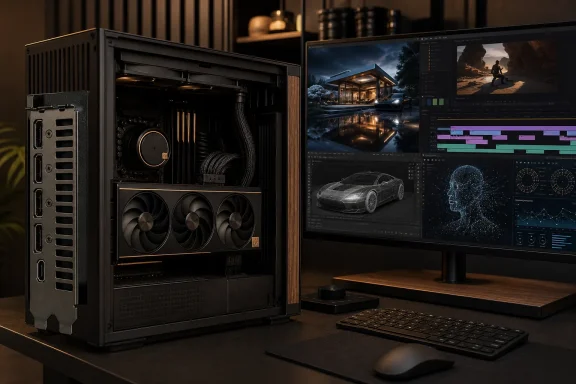
ASUS uses a predominantly black finish with subtle metallic accents and wood-patterned detailing associated with the wider ProArt product family. The result is recognizable without being visually loud, and it avoids the angular armor, illuminated logos, and oversized branding commonly attached to gaming hardware.The aesthetic is particularly suitable for professional systems placed in studios, offices, editing suites, or shared workspaces. It can also complement the growing number of enthusiast builds based on natural materials, dark aluminum, and low-RGB presentation.
This is not merely a matter of taste. A card designed to disappear into a workstation can appeal to customers who would otherwise consider professional GPUs simply because conventional GeForce models look out of place in client-facing environments.
A practical product identity
The ProArt label does not transform the RTX 5080 into an enterprise-certified workstation accelerator. It remains a GeForce product, with GeForce hardware positioning, consumer support policies, and a choice between NVIDIA Game Ready and Studio drivers.Nevertheless, the branding communicates a useful priority hierarchy:
- The card emphasizes controlled acoustics and manageable dimensions rather than maximum possible power limits.
- Its appearance fits professional and gaming environments without requiring separate variants.
- Its display connections accommodate modern creator hardware more naturally than the standard output arrangement.
- Its full RTX 5080 processor preserves gaming performance rather than sacrificing graphics capability for a slimmer cooler.
- Its bundled support bracket acknowledges the mechanical realities of installing a heavy modern GPU.
Compact Dimensions Are the Headline Feature
At 304 mm long, 126 mm tall, and 50 mm thick, the ProArt RTX 5080 occupies 2.5 expansion slots. ASUS identifies it as SFF-ready, meaning it fits within NVIDIA’s published guidelines for enthusiast-class small-form-factor graphics cards.“Compact” remains relative. A 304 mm card is still substantial compared with older two-slot GPUs, and buyers must account for its power cable, case fans, front-mounted radiators, storage cages, and motherboard layout. Within the RTX 5080 category, however, these measurements are notably restrained.
Why 2.5 slots matter
Slot thickness affects more than whether the side panel closes. A four-slot graphics card can block PCI Express expansion, restrict airflow to adjacent devices, interfere with capture cards, and complicate access to motherboard headers.The ProArt’s 2.5-slot format is therefore valuable for several system types:
- A video editor can retain access to a capture or high-speed networking card.
- A workstation builder can avoid placing the GPU directly against the case floor.
- A compact-PC owner gains more options for sandwich-layout and console-style enclosures.
- A multi-purpose desktop can preserve usable expansion without dropping to a lower GPU class.
- A builder using a vertical mount has more clearance between the graphics card and side panel.
Case compatibility still requires planning
An SFF-ready badge is not a promise that the card will fit every small enclosure. Case manufacturers measure clearance differently, while internal obstructions can reduce the nominal maximum length.Prospective buyers should follow a simple compatibility process:
- Measure the available distance from the rear expansion slots to the first front obstruction.
- Confirm that the case supports at least three physical slot positions around the primary PCI Express slot.
- Reserve additional space for the 16-pin power cable and avoid forcing the cable against the side panel.
- Check whether a radiator, pump, reservoir, or bottom intake fan intrudes into the GPU area.
- Verify that the power supply can deliver the required current through a native cable or correctly installed adapter.
- Ensure that intake and exhaust airflow can remove approximately 360 watts of graphics heat under sustained load.
The Blackwell Hardware Inside
ASUS does not alter the fundamental RTX 5080 configuration. The ProArt model carries 10,752 CUDA cores and 16GB of GDDR7 memory running at 30Gbps across a 256-bit bus.Its default boost specification is 2,700MHz, compared with NVIDIA’s 2,617MHz reference boost clock. ASUS GPU Tweak III can enable an OC mode rated at 2,730MHz, although real operating frequencies remain dynamic and depend on temperature, voltage, workload, and available power.
A modest factory overclock
The approximately 3% increase in advertised boost frequency should not be mistaken for a matching improvement in every application. Modern NVIDIA GPUs frequently operate above their listed boost clocks when thermal and electrical conditions allow, meaning the practical difference between two RTX 5080 cards is usually narrower than their specification tables suggest.That is not a criticism of the ProArt. A conservative factory overclock suits a compact product because it avoids trading significant power and noise for marginal performance.
The more useful benefit is sustained behavior. A well-designed cooler can help the GPU maintain its opportunistic boost clocks during long gaming sessions, rendering jobs, or AI processing without repeatedly colliding with thermal limits.
GDDR7 is central to the upgrade
The RTX 5080’s GDDR7 subsystem supplies 960GB/s of memory bandwidth. That figure approaches one terabyte per second without requiring the wider memory bus used by some previous flagship GPUs.Higher bandwidth benefits workloads that repeatedly move large quantities of data between memory and the processor. These include high-resolution rasterization, complex ray-traced scenes, GPU rendering, high-bitrate video processing, and some local AI models.
The limitation is capacity. Sixteen gigabytes is generous for mainstream gaming but less future-proof for professional rendering, advanced AI, and heavily modified 4K games than the RTX 5090’s 32GB. No cooler or factory overclock can compensate when an application’s working set exceeds the available frame buffer.
Cooling a 360-Watt GPU in 2.5 Slots
The RTX 5080 carries a 360-watt total graphics power rating, 40 watts higher than the RTX 4080. Nearly all of that electricity ultimately becomes heat inside or immediately around the PC.ASUS therefore faces a difficult engineering balance. The ProArt must move enough air through a relatively slim heatsink to control a high-power processor, yet it must avoid the intrusive acoustics that would undermine its professional positioning.
Triple-fan thermal design
The card uses a three-fan cooling assembly built around ASUS’s axial-fan approach. Multiple fans distribute airflow across the heatsink, allowing the cooler to cover the GPU, memory, and power-delivery components without relying on one very large, high-speed fan.A compact cooler can still perform effectively when its fin density, heat pipes, contact surfaces, and airflow paths are designed as a complete system. The compromise is that smaller thermal mass leaves less margin for absorbing sudden bursts of heat before fan speeds rise.
Case airflow consequently becomes part of the graphics card’s cooling system. A strong front-to-back or bottom-to-top path allows the ProArt to ingest cooler air and expel heat efficiently; a sealed glass enclosure with restricted intakes can make the same card run warmer and louder.
Thermal expectations
Temperatures in the 60s or low 70s Celsius under sustained gaming are not inherently concerning for a modern RTX GPU. The more useful questions are whether clock speeds remain stable, whether memory and power components stay within appropriate limits, and whether fan noise remains acceptable.A thinner card may operate several degrees warmer than an oversized four-slot model while still delivering virtually identical performance. For many buyers, that is a rational exchange: a small thermal increase buys better compatibility, accessible expansion slots, and a less cumbersome build.
The ProArt’s engineering proposition depends on precisely that trade. It does not seek the lowest number on a temperature chart at any cost; it seeks controlled, sustainable cooling in a form factor people can actually use.
Gaming Performance and DLSS 4
At native resolution, the ProArt performs like an overclocked RTX 5080 should. Its lead over a reference card is expected to remain modest because both products use the same fully enabled GB203 configuration and the same 16GB memory capacity.That places the card firmly in the high-end 4K class. It is also extremely capable at 2560×1440, although fast CPUs become increasingly important as resolution falls and frame rates rise.
Native rendering still defines the baseline
Rasterized performance remains the cleanest way to compare GPUs because it does not depend on game-specific AI features. In conventional rendering, the RTX 5080 offers a meaningful advance over the RTX 4080, but it does not universally replace the previous-generation RTX 4090 as a raw-rendering champion.This context is important for RTX 40-series owners. An RTX 4080 or RTX 4080 Super user may see insufficient native-performance improvement to justify a costly replacement, while an RTX 3080 or RTX 3080 Ti owner receives a far broader upgrade in speed, memory, ray tracing, efficiency per frame, and feature support.
The most natural gaming audiences are therefore:
- Owners of RTX 20-series and RTX 30-series cards seeking a major 4K upgrade.
- New system builders who want high-end performance without the RTX 5090’s size and price.
- Players using demanding ray tracing or path tracing at high resolutions.
- Users combining a high-refresh 4K display with AI-assisted rendering.
- Enthusiasts who need strong gaming and creator performance from one card.
Multi Frame Generation changes perceived performance
DLSS 4 introduces Multi Frame Generation for RTX 50-series GPUs. Rather than generating only one interpolated frame between traditionally rendered frames, the system can produce multiple AI-generated frames, greatly increasing displayed frame rates in supported games.The visual result can be striking, particularly when the GPU already provides a healthy base frame rate. Path-traced games that would otherwise run at modest speeds can become fluid enough for high-refresh displays.
However, generated frames do not replace the need for strong native rendering. Input responsiveness is still related to the rate at which the game engine renders real frames, and image stability depends on the quality of motion vectors, reconstruction, interface handling, and the underlying DLSS implementation.
DLSS 4 should therefore be treated as a sophisticated performance multiplier, not as permission to ignore native frame rates. The RTX 5080’s strength is that it begins with a powerful rendering foundation before applying neural reconstruction and frame generation.
Ray Tracing and Neural Rendering
Blackwell’s fourth-generation RT cores improve the handling of increasingly complex ray-traced geometry. The architecture is designed for a future in which games rely less on isolated reflections or shadows and more on fully integrated neural and path-traced pipelines.That future has arrived unevenly. A limited but growing selection of showcase games uses extensive path tracing, while most titles continue to mix rasterization with selected ray-traced effects.
The practical value of better RT hardware
More capable ray-tracing hardware helps maintain performance as developers increase ray counts, geometry complexity, and lighting accuracy. It also reduces the degree to which users must compromise image quality to enable advanced illumination.The ProArt cooler does not change GB203’s ray-tracing throughput, but it determines how reliably that throughput remains available during long sessions. Path tracing can sustain very high GPU utilization, making thermal consistency particularly relevant.
For Windows gamers, the software ecosystem remains one of NVIDIA’s strongest advantages. DirectX 12 Ultimate, shader execution reordering, DLSS Ray Reconstruction, Reflex, and game-specific RTX integrations form a stack that extends beyond basic hardware specifications.
Neural rendering introduces new trade-offs
AI reconstruction can produce a cleaner image than older temporal upscalers, especially when rendering internally at a lower resolution. Ray Reconstruction can also replace multiple hand-tuned denoisers with a learned model that attempts to preserve detail across reflections, shadows, and indirect lighting.The benefits are significant, but they create new variables in graphics tuning. Users must now consider reconstruction modes, generated-frame ratios, latency controls, sharpening, and application-specific artifacts in addition to traditional quality presets.
That makes review methodology more complicated. A single “frames per second” number can represent native frames, reconstructed frames, generated frames, or some combination, and those experiences are not directly interchangeable.
A Creator Card Without Workstation Restrictions
The ProArt RTX 5080’s strongest argument may be its ability to combine gaming and professional acceleration. It supports NVIDIA’s Studio driver branch, CUDA, OptiX, NVENC, and the broader RTX software ecosystem used by creative applications.This gives artists, editors, designers, streamers, and developers access to GeForce performance without adopting a visually aggressive gaming card or paying for a professional GPU whose additional memory, certifications, and support model they may not require.
Video production advantages
GB203 contains two ninth-generation NVENC encoders and two sixth-generation NVDEC decoders. That hardware is useful for parallel exports, live streaming, transcoding, video effects, and high-resolution editing workflows.Blackwell also advances media support around modern codecs and high-quality encoding. For Windows creators working in applications that properly expose these engines, hardware acceleration can reduce export times and preserve CPU capacity for other tasks.
The dual-encoder arrangement is especially relevant to high-resolution production. It can accelerate supported workloads by dividing frames or streams between dedicated hardware blocks instead of forcing the general-purpose shader array to perform all video processing.
Rendering, AI, and local development
CUDA and OptiX remain important in 3D rendering, simulation, effects, and scientific software. The RTX 5080’s substantial compute resources and fast GDDR7 memory make it a powerful desktop accelerator for applications that fit inside 16GB.Local AI is more complicated. ASUS advertises 1,801 AI TOPS, reflecting Blackwell’s support for low-precision Tensor operations, but theoretical throughput does not determine whether a model can run. Memory capacity, software optimization, quantization, context length, and framework support can matter more.
The 16GB frame buffer suits image generation, inference, smaller language models, and experimental development. Large models, extensive fine-tuning, and high-resolution professional scenes may still force users toward an RTX 5090, a professional RTX product, cloud compute, or multi-GPU infrastructure.
USB Type-C Is More Than a Convenience
ASUS equips the ProArt with one HDMI 2.1b output, two DisplayPort 2.1b connections, and one USB Type-C display output. Up to four displays can operate simultaneously.This differs from gaming-oriented cards that commonly provide three DisplayPort connections and one or two HDMI ports. The ProArt trades one conventional DisplayPort for Type-C, reflecting the connection patterns of modern creator monitors and portable displays.
Better alignment with professional displays
USB Type-C can simplify connections to displays designed around laptops and creative workstations. Depending on the display and implementation, a Type-C video connection may be more convenient than using a dedicated adapter from DisplayPort.It can also support portable monitors that use Type-C as their primary input. That is useful for on-location editing, compact production systems, monitoring tools, and secondary reference displays.
Buyers should not assume the port turns the graphics card into a full Thunderbolt dock. Display output, USB data, power delivery, and alternate-mode capabilities are separate functions, and their availability depends on the GPU, cable, display, and exact implementation.
DisplayPort 2.1b prepares for demanding panels
DisplayPort 2.1b support positions the card for high-resolution, high-refresh monitors. Display Stream Compression may still be involved at the most demanding combinations of resolution, refresh rate, bit depth, and chroma format, but the interface offers greater flexibility than the DisplayPort 1.4a outputs found on RTX 40-series cards.For gamers, this supports the continuing shift toward 4K displays above 144Hz. For creators, it helps with high-resolution panels, deep color, multi-monitor arrangements, and displays that combine production-oriented resolution with smoother desktop refresh rates.
The connector selection is one of the clearest examples of ProArt differentiation. It changes how the card fits into a workflow rather than merely changing how it looks.
Power, Cabling, and System Requirements
ASUS recommends an 850-watt power supply, while the card uses a single 16-pin connector. The package includes an adapter that accepts three conventional PCIe power plugs for systems without a native compatible cable.An 850-watt recommendation is reasonable for a high-end CPU and RTX 5080, but total capacity is only one part of power-supply selection. Build quality, transient response, connector design, cable gauge, age, efficiency, and rail configuration also matter.
Installing the 16-pin connection correctly
Modern high-power connectors demand careful installation. The plug must be fully seated, the cable should not be sharply bent immediately after the connector, and the side panel must not apply lateral pressure that gradually loosens the connection.A native cable from a suitable ATX 3.x power supply is generally cleaner than an adapter because it reduces the number of connections and simplifies cable management. The included adapter remains valid when installed correctly, but three separate power leads are preferable to heavily daisy-chained connections.
The ProArt’s reduced height may assist cable clearance compared with unusually tall custom cards. Even so, builders should inspect the connector after routing the cable and again after closing the case.
Electricity and heat cannot be separated
A graphics card consuming roughly 300 to 360 watts during demanding work releases a comparable amount of heat into its surroundings. In a small room, extended gaming or rendering can measurably increase ambient temperature.That has practical consequences for workstation planning. Offices running several systems may need stronger ventilation, and compact builds must exhaust heat rather than repeatedly recirculating it through the GPU cooler.
Undervolting can improve the balance. A carefully tuned voltage-frequency curve may reduce power and noise while preserving most of the card’s performance, although stability testing is essential and results vary from chip to chip.
Enterprise and Consumer Impact
The ProArt RTX 5080 sits between enthusiast gaming hardware and professional workstation equipment. That positioning broadens its appeal, but it also requires buyers to understand what the product does not provide.Consumer implications
For consumers, the main benefits are straightforward: strong 4K gaming, advanced ray tracing, DLSS 4, creator acceleration, and a more manageable physical design. The card can anchor a premium Windows desktop without dictating the use of an enormous full tower.It is particularly compelling for mixed-use systems. A PC can run Adobe applications, Blender, local AI tools, game development software, and current AAA games without switching hardware platforms or maintaining separate machines.
Price remains decisive. If the ProArt carries a large premium over the RTX 5080 Founders Edition or similarly compact alternatives, buyers must decide how much value they assign to Type-C, styling, dimensions, and ASUS’s cooler implementation.
Business and studio implications
Small studios may see the ProArt as a cost-effective production accelerator, especially when their software is optimized for CUDA or NVENC. Multiple compact systems equipped with GeForce cards can deliver substantial rendering and encoding capacity without the acquisition cost of professional workstations.The caveat is operational support. GeForce products generally do not replace professional RTX cards where certified drivers, error-correcting memory, larger frame buffers, virtualization features, guaranteed application support, or specialized service agreements are required.
Businesses should classify workloads before purchasing. A designer editing video and rendering moderate Blender scenes has different requirements from an engineering team running certified CAD software or a research group training memory-intensive models.
Competitive Position
The ProArt RTX 5080 competes on several fronts at once. It faces NVIDIA’s own Founders Edition, other ASUS RTX 5080 models, compact partner cards, the RTX 5090, older RTX 40-series products, and high-end Radeon alternatives.Its success depends less on benchmark dominance than on whether buyers consider its particular feature combination difficult to replicate.
Against the Founders Edition
The RTX 5080 Founders Edition remains a formidable comparison because NVIDIA’s compact reference cooler, clean styling, and baseline pricing are difficult for board partners to beat. When available near its official price, it offers the essential Blackwell experience with minimal excess.The ProArt counters with a conventional triple-fan design, higher factory clocks, creator-oriented aesthetics, USB Type-C, and ASUS software. It may also be easier to integrate into builds where the Founders Edition’s airflow pattern or availability presents difficulties.
Performance alone is unlikely to justify a substantial premium. The decision turns on connectivity, fit, acoustics, appearance, regional availability, and support.
Against larger custom cards
ROG Astral, TUF Gaming, and Noctua models can offer lower temperatures, quieter operation, more elaborate power delivery, or greater overclocking headroom. They also occupy more space and may cost considerably more.The ProArt’s defense is efficiency of design. If it delivers nearly the same real-world frame rates while preserving expansion slots and fitting more cases, the larger card’s thermal advantage may be irrelevant to many users.
A maximum-size cooler makes sense for buyers who prioritize silence above all else or plan extensive manual tuning. It makes less sense when the system must also accommodate capture hardware, storage controllers, network adapters, or compact-case constraints.
Against the RTX 5090 and RTX 4080
The RTX 5090 offers dramatically more compute capability and 32GB of memory, making it the stronger professional and AI option when budget, power, and space are secondary. It is also a different class of purchase, with far higher system requirements and substantially greater cost.The RTX 4080 and RTX 4080 Super remain capable alternatives on the used market. They lack Multi Frame Generation and DisplayPort 2.1b, and their GDDR6X subsystem provides less bandwidth, but their native performance remains sufficient for many 4K workloads.
An RTX 4080 owner should upgrade only for a clearly defined need. An RTX 3080 owner, by contrast, receives a more transformative improvement in frame rate, memory capacity, encoding, ray tracing, and AI features.
Strengths and Opportunities
The ProArt RTX 5080’s advantages form a coherent package rather than a collection of disconnected extras.- The 2.5-slot, 304 mm design makes high-end Blackwell performance practical in more cases and preserves valuable expansion space.
- The full GB203 configuration delivers excellent 4K gaming, ray tracing, CUDA, rendering, and media performance.
- Thirty-gigabit GDDR7 provides 960GB/s of bandwidth, strengthening high-resolution and data-intensive workloads.
- USB Type-C display output distinguishes the card from gaming-first alternatives and better serves modern creator monitors.
- The restrained appearance suits studios, offices, and non-RGB systems without looking generic.
- Dual ninth-generation NVENC engines create opportunities for streaming, transcoding, and high-resolution video production.
- Studio and Game Ready driver options allow one Windows system to switch priorities without changing hardware.
- SFF compatibility creates opportunities for compact workstations that previously required a lower-performance GPU.
Risks and Concerns
No RTX 5080 design can escape the platform’s underlying compromises, and the ProArt adds pricing and thermal questions of its own.- Sixteen gigabytes may become restrictive in advanced AI, professional rendering, and unusually memory-heavy games before the GPU itself becomes obsolete.
- A 360-watt graphics card still demands strong case ventilation, even when its physical dimensions qualify as compact.
- The factory overclock is too small to justify a major price premium by performance alone.
- Multi Frame Generation can inflate displayed frame rates without proportionally improving input responsiveness.
- The 16-pin connector requires careful seating and cable management, particularly in narrow cases.
- Type-C replaces a third DisplayPort output, which may inconvenience users with existing multi-DisplayPort arrangements.
- GeForce drivers and support do not satisfy every requirement associated with certified professional workstations.
- A slimmer cooler may need higher fan speeds than oversized alternatives under sustained rendering or path-tracing loads.
- Regional pricing and availability can undermine the product’s value relative to the Founders Edition or competing partner models.
What to Watch Next
The long-term value of the ProArt RTX 5080 will be shaped as much by software as by hardware. Blackwell’s most distinctive features depend on developer adoption, driver quality, application optimization, and the practical usefulness of neural rendering outside a small group of showcase titles.Wider DLSS 4 adoption
More games are likely to add Multi Frame Generation, Transformer-based reconstruction, and Ray Reconstruction over the card’s lifespan. The quality of those implementations will determine whether RTX 50-series exclusivity becomes a compelling reason to upgrade or simply another optional graphics setting.Users should watch latency, interface rendering, image stability, and base-frame-rate requirements rather than focusing only on promotional frame-rate multipliers. The best implementations will combine a strong native foundation with reconstruction and generation that remain visually stable during rapid movement.
Memory pressure
The 16GB capacity deserves close attention as games, AI applications, and creative tools evolve. GDDR7 bandwidth is excellent, but bandwidth and capacity solve different problems.Future software could make 16GB feel either well judged or unnecessarily restrictive. Better streaming, compression, quantization, and memory management may extend its useful life, while larger assets and local AI workloads could expose the limit sooner.
Pricing and compact competition
The ProArt’s appeal will ultimately depend on its street price relative to the Founders Edition and other SFF-ready RTX 5080 cards. A modest premium can be defended through connectivity, styling, and construction; a large premium is much harder to justify.Competing manufacturers are also refining slim triple-fan coolers. As compact RTX 5080 options multiply, buyers will compare not just dimensions but fan character, hotspot temperatures, connector placement, warranty terms, and actual availability.
Driver and Windows ecosystem development
NVIDIA’s Studio and Game Ready drivers will continue to influence stability and application performance. Windows updates, DirectX improvements, creative-software releases, and AI framework support may unlock capabilities that are not fully reflected in launch-era benchmarks.The card’s dual identity should age well if ASUS and NVIDIA maintain that software foundation. A premium creator GPU is only as useful as the applications able to exploit its encoders, Tensor cores, ray-tracing hardware, and display interfaces.
The ASUS ProArt GeForce RTX 5080 OC Edition succeeds by treating physical practicality as a premium feature. It cannot transform the RTX 5080’s 16GB capacity, 360-watt power envelope, or modest generational rasterization gains, but it packages Blackwell’s strongest capabilities into a disciplined 2.5-slot design with creator-friendly connectivity and none of the visual excess associated with many enthusiast cards. For Windows users building a compact workstation that must also deliver first-class 4K gaming, the ProArt is one of the clearest expressions of what the RTX 5080 can be: not the fastest card at any cost, but a powerful, adaptable GPU engineered to fit into a real system.
References
- Primary source: www.guru3d.com
Published: 2026-07-21T07:10:00+00:00
Loading…
www.guru3d.com - Related coverage: gamesradar.com
Loading…
www.gamesradar.com - Related coverage: notebookcheck.net
Loading…
www.notebookcheck.net - Related coverage: asus.com
Loading…
www.asus.com - Related coverage: pcgamer.com
Loading…
www.pcgamer.com - Related coverage: igorslab.de
Loading…
www.igorslab.de