

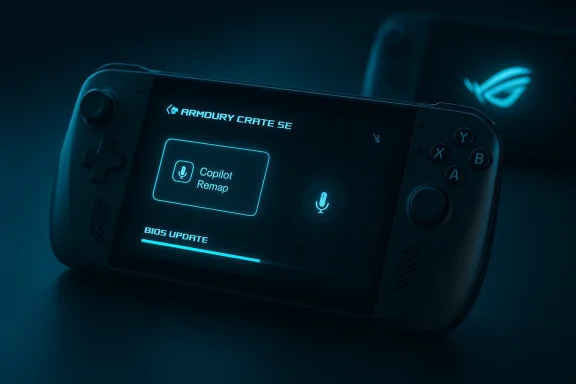
ASUS’s latest firmware and Armoury Crate SE roll‑out for the ROG Xbox Ally family gives owners a practical opt‑out from Microsoft’s in‑game Copilot assistant while delivering several stability and usability fixes that matter for everyday handheld play.
The ROG Xbox Ally and ROG Xbox Ally X exist at the intersection of PC openness and Xbox-first handheld UX: Windows 11 as the platform, ASUS for hardware tuning and device management, and Microsoft supplying the Xbox Full Screen Experience and cloud/service features. That hybrid model means some features (like Copilot, Xbox app changes and system-level AI services) are controlled by Microsoft, while ASUS handles BIOS, drivers, and Armoury Crate behavior. The most recent ASUS maintenance wave focuses the visible device controls and firmware that actually shape day‑to‑day usability. Microsoft’s gaming Copilot feature — an in‑context AI assistant available via Game Bar and the Xbox mobile app — is a headline capability in the Xbox ecosystem, but it’s also controversial. Copilot can accept voice or typed queries and, with permission, analyze screenshots to provide tips, walkthroughs, or game‑state awareness. That capability is attractive on a cramped handheld screen, but it raises practical concerns: accidental activation, microphone privacy, occasional hallucinations or inaccurate guidance, and UI friction for users who simply want their mapped library button to behave like a library button. ASUS’s update addresses those exact friction points by letting users remove the default key mapping that summons Gaming Copilot, along with other under‑the‑hood fixes.
For Ally owners, the right short‑term play is conservative: back up, apply Armoury Crate SE and BIOS updates in the recommended order, reassign the Copilot mapping if the assistant isn’t your thing, and test standby/resume and controller emulation in your regular games. Long term, keep an eye on Default Game Profiles and NPU features; they promise noticeable battery and quality improvements, but the gains will materialize only if Microsoft, ASUS and game developers coordinate on driver, service and title support.
Microsoft’s AI ambitions for gaming are still early: useful in the right moments, imperfect in many others. ASUS’s update is a reminder that hardware makers can — and should — provide the controls players want while those services evolve.
Source: Windows Central Xbox Ally update lets you avoid Microsoft's "Gaming Copilot" AI
 Background: why this update matters now
The ROG Xbox Ally and ROG Xbox Ally X exist at the intersection of PC openness and Xbox-first handheld UX: Windows 11 as the platform, ASUS for hardware tuning and device management, and Microsoft supplying the Xbox Full Screen Experience and cloud/service features. That hybrid model means some features (like Copilot, Xbox app changes and system-level AI services) are controlled by Microsoft, while ASUS handles BIOS, drivers, and Armoury Crate behavior. The most recent ASUS maintenance wave focuses the visible device controls and firmware that actually shape day‑to‑day usability. Microsoft’s gaming Copilot feature — an in‑context AI assistant available via Game Bar and the Xbox mobile app — is a headline capability in the Xbox ecosystem, but it’s also controversial. Copilot can accept voice or typed queries and, with permission, analyze screenshots to provide tips, walkthroughs, or game‑state awareness. That capability is attractive on a cramped handheld screen, but it raises practical concerns: accidental activation, microphone privacy, occasional hallucinations or inaccurate guidance, and UI friction for users who simply want their mapped library button to behave like a library button. ASUS’s update addresses those exact friction points by letting users remove the default key mapping that summons Gaming Copilot, along with other under‑the‑hood fixes.What ASUS shipped: the update breakdown
ASUS published a cluster of firmware and Armoury Crate SE updates for its Ally family. The headline items reported by OEM and press coverage are:- models: ROG Ally (RC71), ROG Ally X (RC72), ROG Xbox Ally (RC73YA), and ROG Xbox Ally X (RC73XA).
- Armoury Crate SE software update (reported around v2.1.20.0 in press writeups and subsequent incremental packages in the same cadence).
- Remappable Gaming Copilot and Push‑to‑Talk: The Armoury Crate SE Keymap → Action menu now lets you remove or reassign the default mapping that activates Gaming Copilot, preventing accidental launches and microphone activation. This effectively lets users' behavior without uninstalling Copilot components.
- Improved Modern/Extreme Standby logic: Firmware adjustments improve the handheld’s Modern Standby accuracy (ASUS notes that certain BIOS reor later are required for the full behavior). This targets resume/reliability issues observed in early builds.
- UI scaling fix for ACSE at 900p: Armoury Crate SE’s UI could extend beyond the UI; the update fixes that so overlays and ACSE windows scale correctly at lower resolutions.
- Stability/BSoD fix for Xbox 360 controller emulation: A reported Blue Screen of Death tied to Xbox 360 controller emulation was patched to prevent crashes during certain emulation scenarios.
Gaming Copilot: what it is, why ASUS’s remap matters
How Gaming Copilot works in practice
Gaming Copilot is a hybrid feature: a local UI (Game Bar overlay or mobile app) that can accept text/voice and — with explicit permission — upload screenshots for image‑grounded assistance. The heavy reasoning and multimodal analysis typically route to cloud models, while the UI and microphone interface live on the client. For handheld users, Copilot aims to be a second‑screen or quick‑help assistant so you don’t have to alt‑tab into a br# Practical problems end users reported- Accidental activation: the library button or other shortcuts could summon Copilot mid‑game and enable the mic unexpectedly.
- Microphone privacy: Copilot’s push‑to‑talk behavior and quick‑microphone access made some owners wary.
- Hallucinations and verbosity: Copilot sometimes returns plausible‑sounding but incorrect tips (the classic AI hallucination problem) and tends to be chatty, which is a poor fit for users who want a short hint.
Why the remap fix is meaningful
By adding a dedicated option in Armoury Crate SE to reassign the Copilot shortcut, ASUS gives way to stop accidental activations and to reclaim the library button for a more traditional function. It’s a pragmatic, user‑focused change: rather than forcing users to uninstall or block Copilot globally, ASUS lets players customize their hardware mapping and gameplay posture while still leaving the feature available for those who want it. This is the kind of OEM-level control most handheld owners have been asking for since Copilot’s beta appearances.How this fits the wider Xbox + ASUS roadmap
Microsoft and ASUS have signaled that handheld‑specific work will continue across several vectors:- Default Game Profiles: A Microsoft‑distributed, per‑title set of TDP and FPS targets that automatically tune titles for better battery/performance tradeoffs when the device is on battery power. This is a server‑side distribution that Armoury Crate applies locally and was published as a preview covering ~40 titles at launch. The initiative aims to reduce manual tuning for handheld players.
- Ally X NPU features (Auto SR and creator tools): The Ally X’s integrated NPU is slated to enable system‑level upscaling (Automatic Super Resolution), AI‑assisted highlight reels, and other inference‑heavy features that can improve perceived fidelity or provide creator workflows with lower CPU/GPU cost. Those features will require coordinated driver, OS and service updates.
- Xbox Full Screen Experience (FSE) and Xbox app improvements: Microsoft is iterating on FSE to reduce desktop overhead and make the Xbox PC app a more console‑like home on handhelds. ASUS updates complement those Microsoft‑side changes by smoothing device‑side behavior.
- Back up save files and create a Windows restore point before any BIOS or firmware update. Firmware updates can change low‑level behavior; a recovery image is good insurance.
- SE first (the Command Center app and the SE shell), then install any BIOS/firmware updates ASUS recommends for your SKU. Armoury Crate usually exposes the software roll‑out and command center alerts.
- After updating, open Armoury Crate SE → Keymap → Action and check the mapping for the Library key and any Copilot or Push‑to‑Talk entries. Reassign or remove the mapping to prevent accidental Copilot activation.
- If you rely on Modern Standby behavior, confirm your BIOS is at or beyond the revision ASUS documented BIOS v317 or later). Test sleep/resume behavior and report any anomalies to ASUS support if they persist.
- If you experienced the Xbox 360 emulation BSOD previously, validate the bluescreens during your typical controller workflows after the update. If problems persist, capture a minidump and contact ASUS support.
Strengths of the update — why this is a win for users
- User empowerment: The remappable Copilot shortcut is a straightforward, customer‑centric change. It respects user preferences without forcing Copilot removal.
- Practical stability fixes: The Modern Standby logic improvements and the Xbox 360 emulation BSOD patch address real, reproducible pain points that reduce interruptions to gameplay.
- UI polish: Fixing Armoury Crate SE scaling below 900p is a small but meaningful quality of life improvement for users who play at nonstandard resolutions or use scaling settings.
- Continued feature momentum: ASUS’s synchronous Armoury Crate and BIOS cadence shows OEM commitment to iterative improvements (per‑core power controls, Radeon Chill integration, etc., which matters for the handheld’s long‑term viability.
Risks, unresolved issues and caveats
- Copilot’s accuracy and telemetry: Copilot sometimes hallucinates or gives incomplete/incorrect guidance, especially for niche titles. The assistant can upload screenshots to Microsoft’s servers for analysis (with permission), which raises privacy and telemetry questions for sensitive users. ASUS’s remap reduces accidental activation but does not change Copilot’s data flow model. Users who are privacy conscious should review Xbox and Copilot settings, and consider disabling microphone permissions for Copilot where feasible.
- Fragmentation of update streams: The Ally family receives firmware (BIOS), Armourindows, and Xbox app updates — sometimes in overlapping cadences. Mis‑aligned updates can create temporary regressions or UI inconsistencies (community threads have documented Armoury Crate update problems in the past). Always apply updates in the recommended order and keep recovery options ready.
- AI feature promises versus measured results: NPU marketing (TOPS figures) and promises of Auto SR or local Copilot inference are promising, but real‑world benefits depend on driver maturity, game support, and thermal headroom. Treat headline TOPS numbers as one input — independent benchmark validation is still essential.
- Potential behavior changes after remapping: Some third‑party tools and game overlays expect the library/Copilot binding; changing it may affect workflows that relied on the default mapping. Test keybindings in your most‑used titles after remapping.
Deeper analysis: the politics of OEM control vs. cloud AI
ASUS’s decision to put a remain Armoury Crate is a small technical change with broader implications. It underscores a recurring pattern in modern PC ecosystems: features shipped by platform owners (Microsoft) interact with OEM hardware mappings and user expectations, and OEMs can reclaim agency for their customers by adding local controls.- On one hand, Microsoft’s Copilot experiments (vision + voice + account integration) are useful innovations that could meaningfully reduce context switching while gaming. It’s a logical extension of Copilot across productivity and entertainment surfaces.
- On the other hand, AI assistance that’s overly chatty, inaccurate, or permission‑hungry will annoy more users than it helps. OEMs have a responsibility to give users the means to tune that experience for a given device class — handhelds need shorter, low‑latency interactions and tight privacy hygiene. ASUS’s remap is a pragmatic response to that reality.
What journalists, reviewers and enthusiasts should watch next
- Independent benchmarks for Default Game Profiles' battery/performance claims across a variety of titles and firmware revisions. Microsoft’s initial examples are promising but vendor‑provided; independent validation will determine how broadly they apply.
- Real‑world tests of Auto SR and NPU‑driven features on the Ally X: whether image quality or frame‑time improvements are perceptible without major power/thermal penalties.
- The pace and stability of Armoury Crate SE updates: the software is the primary control surface for the Ally family, and frequent but flaky updates can erode the user experience. Community reports suggest some installers have had rough edges in prior waves.
- Microsoft’s telemetry and privacy disclosures for Gaming Copilot — particularly how screenshot uploads are handled, retention policies, and whether on‑device inference reduces cloud transmissions on Copilot+ machines.
Final verdict: a pragmatic, user‑first maintenance wave
ASUS’s recent update is an important patch that does what good OEM maintenance should do: fix stability problems, tidy up UI quirks, and return control to users. The ability to remap or disable the Copilot shortcut is a small change with outsized practical impact for handheld owners who were tired of accidental mic activations or awkward assistant popups mid‑session. It doesn’t settle the longer AI questions — accuracy, telemetry, and the utility of on‑device inference — but it does lower the friction for players while those platform debates play out.For Ally owners, the right short‑term play is conservative: back up, apply Armoury Crate SE and BIOS updates in the recommended order, reassign the Copilot mapping if the assistant isn’t your thing, and test standby/resume and controller emulation in your regular games. Long term, keep an eye on Default Game Profiles and NPU features; they promise noticeable battery and quality improvements, but the gains will materialize only if Microsoft, ASUS and game developers coordinate on driver, service and title support.
Microsoft’s AI ambitions for gaming are still early: useful in the right moments, imperfect in many others. ASUS’s update is a reminder that hardware makers can — and should — provide the controls players want while those services evolve.
Source: Windows Central Xbox Ally update lets you avoid Microsoft's "Gaming Copilot" AI
