

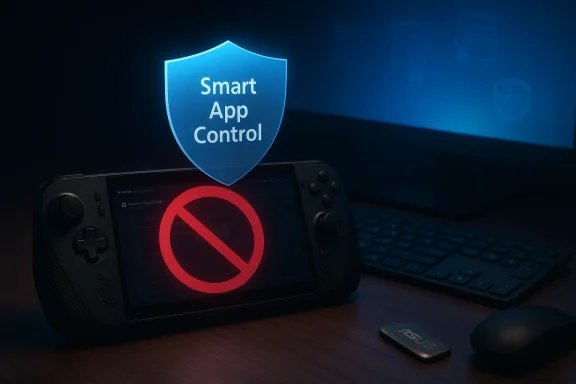
Microsoft’s latest Windows 11 servicing wave has left a swath of ROG Ally and Xbox Ally owners staring at dead controls: the OS’s Smart App Control feature is blocking ASUS’s critical utility, Armoury Crate SE, and that prevents the Ally family’s built-in gamepad, quick-access buttons, and power profiles from working until the app can run again. Multiple community reports and hands‑on tests show the problem is reproducible after the recent update, and the only reliable workaround reported so far is to temporarily disable Smart App Control, repair or reinstall Armoury Crate SE, then reboot.
The ROG Ally and the Xbox‑branded Ally series ship with a heavily integrated user experience that depends on Armoury Crate SE to translate device buttons into desktop input, expose performance modes and per‑core power controls, and apply firmware and driver updates. When Armoury Crate is blocked, the handheld’s “desktop mode” input mapping and Command Center functionality can fail, leaving owners forced to use a mouse and keyboard to control what is designed to be a controller-first device. ASUS documents Armoury Crate SE as the canonical system utility for these models.
Microsoft’s Smart App Control (SAC) is a defensive layer in Windows 11 designed to block unknown or suspicious applications before they run, using a mixture of code‑signature checks, cloud reputation, and machine‑learning heuristics. SAC deliberately errs on the side of prevention: unknown or uncommon binaries and helper components can be blocked outright if they lack a recognized reputation or signed certificate chain. That conservative posture is the root cause of the misclassification at play here.
Community posts, hands‑on testing by mainstream outlets, and the troubleshooting flow circulating among Ally owners make the situation clear: SAC is identifying one or more Armoury Crate components (services, DLLs, or helper installers) as untrusted and preventing the app from executing or updating itself. The immediate symptom is repeated Smart App Control notifications and an Armoury Crate SE “Oops” or repair prompt that cannot complete because the underlying component is blocked.
Important technical points to understand:
Practical mitigation steps if you disable SAC:
This particular outage is not an argument against SAC’s intent. It is instead a reminder that prevention‑first models require reliable vendor channels and reversible local controls. Without those, security can paradoxically harm usability and force users into risky workarounds. The long‑term solution is collaborative: Microsoft should provide vendor whitelisting and reversible toggles, while OEMs should ensure their installers and helper stacks adhere to the signature and packaging expectations SAC enforces. Until that coordination catches up, owners of specialized Windows devices like the ROG and Xbox Ally family will continue to face friction between security and functionality.
Source: Retro Handhelds Windows 11 Update Breaks ROG Xbox Ally Controls, Here’s How to Fix It - Retro Handhelds
 Background / Overview
The ROG Ally and the Xbox‑branded Ally series ship with a heavily integrated user experience that depends on Armoury Crate SE to translate device buttons into desktop input, expose performance modes and per‑core power controls, and apply firmware and driver updates. When Armoury Crate is blocked, the handheld’s “desktop mode” input mapping and Command Center functionality can fail, leaving owners forced to use a mouse and keyboard to control what is designed to be a controller-first device. ASUS documents Armoury Crate SE as the canonical system utility for these models. Microsoft’s Smart App Control (SAC) is a defensive layer in Windows 11 designed to block unknown or suspicious applications before they run, using a mixture of code‑signature checks, cloud reputation, and machine‑learning heuristics. SAC deliberately errs on the side of prevention: unknown or uncommon binaries and helper components can be blocked outright if they lack a recognized reputation or signed certificate chain. That conservative posture is the root cause of the misclassification at play here.
Community posts, hands‑on testing by mainstream outlets, and the troubleshooting flow circulating among Ally owners make the situation clear: SAC is identifying one or more Armoury Crate components (services, DLLs, or helper installers) as untrusted and preventing the app from executing or updating itself. The immediate symptom is repeated Smart App Control notifications and an Armoury Crate SE “Oops” or repair prompt that cannot complete because the underlying component is blocked.
What exactly is breaking — symptoms and scope
- Armoury Crate SE shows an error such as “There was an issue with the connections to Armoury Crate SE. Please open Armoury Crate SE for repairs and try again,” or simply refuses to launch.
- Windows Security / Smart App Control toasts indicate that components (for example, ROG Live Service or specific DLLs) have been blocked.
- Owners report loss of controller-driven mouse input, non-functioning quick keys, and in some cases inability to install firmware updates from Armoury Crate because installers are blocked mid‑run.
- Attempts to run Armoury’s uninstaller or repair flow sometimes also fail because the same components are blocked at pre‑execution time.
Why Smart App Control is flagging Armoury Crate
Smart App Control enforces an “allowlist‑first” model informed by:- Code signing and certificate reputation — apps and installers signed with recognized CAs and seen in Microsoft’s telemetry are allowed more readily.
- Cloud reputation and telemetry — SAC consults cloud intelligence to decide whether an app is commonly observed and safe.
- Heuristic behavior patterns — installers or helpers that attempt driver installation, low‑level hardware access, or dynamic code loading may match patterns common to toolkits used by malware.
Important technical points to understand:
- SAC can block helper DLLs and services that an app needs to repair itself, which can put the whole app into a partially blocked state.
- Historically, once SAC is turned off, earlier Windows builds required a reinstall to return to the evaluation/on state; Microsoft has acknowledged that limitation and is rolling changes to make SAC more flexible in preview channels. That change was in preview in late 2025 and is expected to reach broader channels during 2026.
The practical fixes right now — step‑by‑step
If Armoury Crate SE is blocked and your device’s built‑in controls are not responding, the steps owners have consistently used to restore functionality are straightforward but come with security trade‑offs. You will need a mouse and keyboard to perform these steps because the normal controller-driven UI may be unusable while the app is blocked. The following sequence is the field‑tested approach many owners and outlets have published and reproduced.- Switch to Desktop Mode and plug in a mouse + keyboard.
- Open the Start menu and search for Windows Security, then open it.
- Select App & browser control.
- Click Smart App Control settings.
- Set Smart App Control to Off. You may be prompted for an administrator password to confirm. (support.microsoft.com)
- Restart the ROG Ally / Xbox Ally.
- Once Windows is back, open Armoury Crate SE and allow it to run any repair/update cycles. If Armoury Crate still fails:
- Use ASUS’s official uninstall tool or the model‑specific uninstall instructions to remove Armoury Crate SE completely.
- Reboot.
- Download and reinstall the latest Armoury Crate SE build for your model from ASUS support, then allow it to complete updates while SAC is still off.
Short‑term alternatives and workarounds
- Some users reported short success by temporarily turning off Wi‑Fi while Armoury Crate performed local repairs, suggesting SAC’s cloud checks (or update fetch logic) can create race conditions. If you try this, keep SAC off, complete the repair/install locally, then re-evaluate. This is a fragile workaround and not a universal solution.
- If you have another device, download the correct Armoury Crate SE installer for your Ally model onto a USB drive from ASUS support, copy it to the Ally, and run it locally after disabling SAC. ASUS’s official pages list the supported versions and provide the installer/uninstaller guidance for Ally models.
- If you rely on the handheld UI for urgent gameplay (e.g., competitive matches), consider having a secondary input method (compact Bluetooth keyboard or USB-C hub) on hand until a permanent fix is released.
Security tradeoffs — what you lose and how to mitigate risk
Disabling Smart App Control reduces a proactive layer of leak‑proof protection. SAC’s model blocks unknown installers and helper components before they execute; when you turn it off, that pre‑execution guard is gone. You still have Microsoft Defender (or any third‑party AV you run), but SAC’s strict pre‑execution allowlist is what prevents many novel attack vectors from launching in the first place.Practical mitigation steps if you disable SAC:
- Ensure Microsoft Defendey AV) is enabled and up to date.
- Only reinstall Armoury Crate SE and firmware from official ASUS support for your exact model — do not use repackaged installers from third‑party sites.
- Re‑enable other layered defenses: Secure Boot, BitLocker (if appropriate), and Controlled Folder Access to protect private data.
- After you restore the device and ASUS or Microsoft releases a fix, re‑enable SAC if your build allows it; if not, consider the timing of a clean OS reinstall vs. the security posture you need.
Why vendors and Microsoft need to do better — analysis and recommendations
This incident is a textbook ecosystem failure: a defensive OS control designed to stop malware collides with a vendor‑supplied helper stack that is essential to device functionality. The result is degraded device usability for users who did nothing wrong. There are three broad responsibilities here:- Microsoft must refine SAC’s signal model and add practical override/whitelist tooling for OEM-supplied system helpers that are shipped on OEM images. The company has started making SAC more flexible in preview builds, but a predictable vendor whitelisting channel—ideally with a vendor attestation workflow—would avoid future outages.
- ASUS should verify and, if necessary, reissue signed updates for Armoury Crate SE that explicitly address SAC compatibility on Ally models or publish step‑by‑step guidance tailored to SAC interactions, including an officially signed reinstall package for Ally users. ASUS’s support pages already document Armoury Crate SE installation and uninstall flows; this incident means those pages must add SAC‑specific guidance and possibly a one‑click recovery tool.
- Microsoft and OEMs should jointly publish clearer remediation documentation for field troubleshooting: a short KB that outlines the safe ways to temporarily disable SAC (and how to re-enable it when the fix is available) plus vendor-signed installers that SAC can recognize as trusted.
What to monitor next — how to know when the problem is genuinely fixed
- Microsoft release notes: watch for Windows update notes or an updated Windows Security article that mentions changes to SAC’s lifecycle or a targeted fix for false positives affecting OEM helpers. Microsoft’s support and Learn pages explain SAC and its modes; changes there are meaningful indicators.
- ASUS service bulletins or Armoury Crate SE changelogs: a new Armoury Crate SE build that specifically calls out SAC compatibility or a signed repackage for the Ally family is a sign the vendor has addressed the packaging/certificate issue. ASUS’s FAQ for Ally devices lists Armoury Crate SE install/uninstall guidance and will be the place to announce device‑specific fixes.
- Community confirmation threads: once a patch lands, look for multiple independent confirmations from Ally owners who re-enable SAC and report successful operation. Community validation matters because SAC’s behavior depends on cloud reputation and telemetry that can be shaped by broad usage.
A short checklist for Ally owners (quick reference)
- If Armoury Crate is blocked and built‑in controls are dead:
- Connect mouse + keyboard.
- Open Windows Security → App & browser control → Smart App Control settings → set Off, then reboot.
- Open Armoury Crate SE and run repair. If that fails, uninstall and reinstall Armoury Crate using ASUS’s official uninstall tool and the latest SE installer for your model.
- After functionality is restored, monitor Microsoft and ASUS channels before re‑enabling SAC. If you can’t re‑enable SAC from your build, plan whether you will accept the security trade‑off or wait for Microsoft's toggle fix in a later build.
- Only install Armoury Crate and firmware from ASUS support pages for your exact Ally model; avoid third‑party repacks.
Final analysis — what this says about AI‑driven protections on Windows
Smart App Control represents a new generation of OS protections that use cloud intelligence and heuristics to stop threats at the outset. That design reduces risk in many scenarios, but it also raises the bar for vendor/OEM coordination: vendor tools that install drivers, register services, or ship complex helper stacks must maintain clear, stable reputation signals and signing practices that SAC recognizes.This particular outage is not an argument against SAC’s intent. It is instead a reminder that prevention‑first models require reliable vendor channels and reversible local controls. Without those, security can paradoxically harm usability and force users into risky workarounds. The long‑term solution is collaborative: Microsoft should provide vendor whitelisting and reversible toggles, while OEMs should ensure their installers and helper stacks adhere to the signature and packaging expectations SAC enforces. Until that coordination catches up, owners of specialized Windows devices like the ROG and Xbox Ally family will continue to face friction between security and functionality.
Conclusion
If your ROG Ally or ROG Xbox Ally controls went quiet after a Windows 11 update, you are not alone. The practical fix right now is to temporarily disable Smart App Control, repair or reinstall Armoury Crate SE, and reboot — a blunt but effective remedy until Microsoft and ASUS coordinate a permanent fix. That workaround restores device function but comes with meaningful security trade‑offs, and owners should apply it only while taking other defensive steps and monitoring vendor advisories. Microsoft has acknowledged SAC’s lifecycle limitations and is testing a toggle that will make SAC easier to manage without a full reinstall; when that capability and any targeted patches reach production builds, owners should move promptly to re‑enable the protection. In the meantime, maintain vigilance: only install vendor‑provided updates, keep Defender and other protections active, and watch ASUS and Microsoft release notes for a durable remediation.Source: Retro Handhelds Windows 11 Update Breaks ROG Xbox Ally Controls, Here’s How to Fix It - Retro Handhelds
