

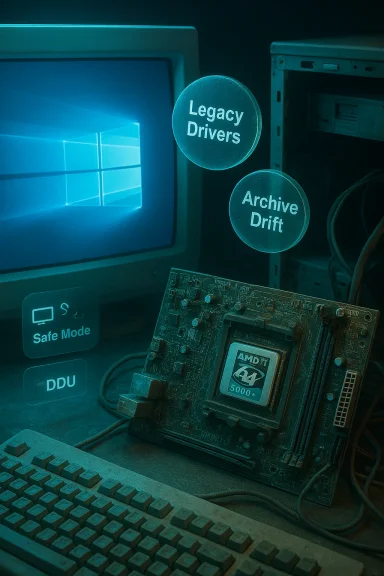
If you still have an AMD Athlon 64 X2 5000+ tucked into a Socket AM2 build and you're hunting for “AMD Athlon 64 X2 Windows 10 drivers,” the short version is: the CPU itself needs no special Windows 10 driver, but the rest of the platform (motherboard chipset, on‑board graphics, audio and NIC) is the critical factor — and those components live in the legacy driver era. This guide explains the Athlon 64 X2 5000+ specifications, what “drivers for Windows 10” actually means for an AM2-era system, how to approach driver installation safely, and the practical risks and trade‑offs of running a decade‑old platform on a modern OS.
The Athlon 64 X2 5000+ is a mid‑2000s dual‑core desktop CPU that is 64‑bit capable and meets the instruction‑set requirements needed by contemporary Windows versions, but the real compatibility questions are about chipset and device drivers for the Socket AM2 motherboards that host these CPUs. Modern Windows (Windows 10 and later) can run on many older AMD CPUs, but chipset and peripheral drivers are often provided only as legacy downloads (Vista/7 era) by motherboard vendors or as generic Microsoft drivers that offer basic functionality. That difference determines whether you get a working, stable, and secure desktop, or a system that’s fragile, missing features, or exposed to risk.
However, if you value security, multimedia support, modern web experiences, or any serious gaming, the hardware will be a limiting factor. The platform lacks modern instruction set extensions (SSE4, AVX, etc.) and multimedia offload found on newer hardware. Moreover, running a legacy, EOL OS like Windows 10 after October 14, 2025 increases risk exposure; Microsoft no longer issues security patches for the OS itself and many vendors will not test drivers against an unsupported baseline. For enterprise or security‑sensitive environments, the correct long‑term choice is to migrate to supported hardware or enroll in an official Extended Security Updates program only as a temporary stopgap.
Running an AMD Athlon 64 X2 5000+ on Windows 10 is possible and sometimes perfectly sensible for specific use cases, but it’s a platform problem rather than a CPU problem: the chipset and device drivers determine whether the system is robust, performant and safe. Start with Windows Update and your motherboard vendor’s downloads, keep backups, and treat archival Catalyst installs as an advanced last resort. If security, modern multimedia, or sustained stability matter, plan a hardware refresh — it will be the cleanest, least risky, and ultimately most cost‑effective solution.
Source: Born2Invest https://born2invest.com/?b=style-237448012/
 Overview
The Athlon 64 X2 5000+ is a mid‑2000s dual‑core desktop CPU that is 64‑bit capable and meets the instruction‑set requirements needed by contemporary Windows versions, but the real compatibility questions are about chipset and device drivers for the Socket AM2 motherboards that host these CPUs. Modern Windows (Windows 10 and later) can run on many older AMD CPUs, but chipset and peripheral drivers are often provided only as legacy downloads (Vista/7 era) by motherboard vendors or as generic Microsoft drivers that offer basic functionality. That difference determines whether you get a working, stable, and secure desktop, or a system that’s fragile, missing features, or exposed to risk.Background: Athlon 64 X2 5000+ — what it is and what it supports
Technical snapshot (verified)
- AMD Athlon 64 X2 5000+ — dual‑core processor, 2.6 GHz.
- Socket AM2 platform (multiple silicon steppings exist: Windsor, Brisbane and BE variants). Production nodes range from 90 nm down to 65 nm depending on the revision.
- Typical TDP values reported between ~65 W and ~89 W depending on model/stepping; 512 KB L2 cache per core is common.
- The Athlon 64 family implements SSE2 and the NX (no‑execute) bit; those instruction/feature flags are required by modern Windows installers. In short: the CPU supports the low‑level features Windows needs.
The real driver problem: CPU vs chipset vs peripherals
CPUs rarely need "drivers"
A CPU like the Athlon 64 X2 is recognized by Windows via the CPU features reported by the microcode/BIOS and by the OS kernel; there is no separate “AMD Athlon 64 X2 Windows 10 driver” to download the way you get GPU or audio drivers. If your machine boots into Windows 10, the processor is already being used by the OS with native kernel support.Chipset, integrated graphics, audio and networking are the issues
- Socket AM2 motherboards use AMD (and sometimes NVIDIA partner) chipsets from the mid‑2000s (for example, AMD 690/700/770/780/790 series and legacy southbridges like SB600/SB700). Vendor driver packages for those chipsets were created for Windows Vista/7 or earlier. You’ll often find legacy chipset drivers on motherboard vendor pages and archives, not in current AMD downloads. Community archives and driver portals mirror similar guidance: for AM2 platforms you should prefer motherboard/OEM drivers or accept Windows’ built‑in generic drivers for functionality.
- Integrated (northbridge) graphics on AM2 motherboards were often ATI/AMD or NVIDIA IGPs; AMD moved those families into legacy support long ago. For display drivers, Windows Update often supplies a Microsoft‑signed legacy driver that gives a usable desktop but omits vendor control panel features. If you require vendor features (hardware acceleration for older codecs, Catalyst control center options), archived Catalyst packages are available but are legacy and may require manual INF matching to your exact device ID. Community best practice is: try Windows Update first, then check OEM drivers for your exact board model, and only as a last resort use archived packages with careful precautions.
Cross‑checked facts (why you should trust these claims)
- TechPowerUp’s CPU database documents the Athlon 64 X2 5000+ physical and architectural specs (clock speed, cores, socket, TDP). These entries are the canonical hardware spec source used by many enthusiasts.
- Wikipedia and AMD architecture documentation confirm Athlon 64 family support for SSE2 and NX — the low‑level features that Windows checks prior to installation. That explains why the CPU itself is not a blocker for Windows 10.
- Community and archived vendor guidance — preserved downloads and forum walkthroughs — consistently recommend Windows Update or OEM drivers first for legacy Radeon/IGP parts and only archived Catalyst/Crimson/Catalyst 15.7.1 packages as an advanced manual option. Those operational workflows have been cross‑checked in multiple community archives maintained by enthusiasts.
Practical guide: getting an AM2 system working under Windows 10 (safe, conservative workflow)
If your objective is a stable, secure daily‑driver system on Windows 10, follow this ranked approach. The numbered workflow below synthesizes vendor guidance and community best practice.- Inventory and snapshot your current system.
- In Device Manager, open each device and copy the Hardware Id (for PCI devices this is PCI\VEN_xxxx&DEV_yyyy). Save those strings in a text file for later reference.
- Make a full image backup or at minimum create a System Restore point. Display stack changes can render a system unbootable.
- Try Windows Update (lowest risk).
- Settings → Update & Security → Windows Update → Check for updates → View optional updates → Driver updates.
- If Microsoft offers a signed driver for display, audio or network, install and test. Microsoft‑signed drivers prioritize stability and kernel signing compliance. Many community threads recommend this as the first step.
- If Windows Update fails, check the motherboard vendor (OEM) support page for your exact model.
- OEM packages are often the safest for laptops and branded desktops because they contain vendor‑specific hotkeys, power management modules and INF entries matched to subsystem IDs. If an OEM Windows 10 driver exists for your exact board, prefer it.
- Advanced: use archived AMD packages only if you need legacy features.
- Popular archived packages include Catalyst 15.7.1 as one of the last builds known to include HD5000 family support; Adrenalin packages are the modern stack but may not list AM2‑era IGPs. Always prefer AMD’s archive pages or OEM archives, not random repackagers.
- Clean the prior driver state before attempting an archival install.
- Boot to Safe Mode and run Display Driver Uninstaller (DDU) to fully remove remnants of prior AMD/NVIDIA stacks. DDU is the community‑standard cleanup tool and reduces partial‑install failures.
- Manual INF verification and install (advanced).
- Extract the archived AMD package (many AMD installers self‑extract to C:\AMD). Inspect Display.Driver.inf with a text editor and search for your exact PCI\VEN & DEV string. If the INF includes your hardware ID, you can use Device Manager → Update driver → Browse my computer → Let me pick from a list → Have Disk… and point to the INF. If it does not, do not* proceed unless you can re‑sign the driver; editing INFs and installing unsigned kernel drivers is risky.
- Verify digital signatures and keep a rollback plan.
- Right‑click the installer file → Properties → Digital Signatures to confirm AMD/OEM signature. Keep the installer and a bootable recovery disk to revert if needed. If you must temporarily disable signature enforcement to test, do so only in a controlled environment and re‑enable it promptly.
Step‑by‑step numbered checklist for the display driver (condensed)
- Backup disk image + System Restore point.
- Record PCI vendor/device IDs for your display adapter.
- Attempt Windows Update → Optional driver updates. Test.
- If not satisfactory, download OEM driver for your exact board model. Test in normal mode.
- If you must use archived AMD Catalyst: extract package, verify INF contains your VID/PID.
- Use DDU in Safe Mode to remove old drivers. Reboot.
- Device Manager → Have Disk… → Point to INF and install. Reboot and test.
- If kernel errors occur, boot to Safe Mode, restore the previous image, or uninstall the driver.
What you’ll gain — and what you’ll likely lose
Strengths (what’s feasible)
- A basic, functional Windows 10 desktop experience is realistic on an Athlon 64 X2 + AM2 board using Microsoft’s built‑in drivers or OEM packages. Expect stable desktop compositing, office productivity, and legacy video playback.
- If the motherboard vendor provides a Windows 10 package for your SKU, you may get near‑full platform feature parity (audio, NICs and power management) without risky manual installs.
- For tinkering, archival Catalyst packages can restore older Catalyst Control Center features and legacy OpenGL behavior — useful for retro gaming or restoring old workflows — if you understand the installation risk and INF matching.
Limitations and risks (what you lose)
- No modern hardware acceleration: AM2‑era integrated graphics and legacy discrete GPUs will not supply reliable HEVC/AV1 hardware decode or modern DirectX 12/Vulkan features. Don’t expect modern gaming performance.
- Driver signing and security: installing archived/unsigned drivers undermines Windows kernel protections. Given Windows 10 reached end of support on October 14, 2025, running an unsupported OS with unsigned legacy drivers substantially increases exposure to kernel‑level threats. For production machines or sensitive data, this is a poor long‑term plan.
- Vendor abandonment: AMD classed many of the older IGP and Radeon families as legacy; official updates stopped years ago. Community archives and OEM pages are the only realistic provenance for those legacy packages. Using repackaged installers from untrusted sites is dangerous and commonly flagged by veteran users.
Critical analysis: is it worth keeping an AM2 Athlon 64 X2 system on Windows 10?
If your goal is nostalgia, retro apps or a lightweight office machine, keeping an Athlon 64 X2 system alive on Windows 10 is possible and often practical — but only with careful expectations and conservative driver choices (Windows Update → OEM). The CPU and basic platform can run everyday tasks adequately.However, if you value security, multimedia support, modern web experiences, or any serious gaming, the hardware will be a limiting factor. The platform lacks modern instruction set extensions (SSE4, AVX, etc.) and multimedia offload found on newer hardware. Moreover, running a legacy, EOL OS like Windows 10 after October 14, 2025 increases risk exposure; Microsoft no longer issues security patches for the OS itself and many vendors will not test drivers against an unsupported baseline. For enterprise or security‑sensitive environments, the correct long‑term choice is to migrate to supported hardware or enroll in an official Extended Security Updates program only as a temporary stopgap.
Alternatives and upgrade paths
- Replace the GPU / add a discrete GPU with current driver support: If your board has a PCIe x16 slot, adding a modern low‑end discrete GPU will dramatically improve graphics/multimedia support and allow you to use current AMD/NVIDIA drivers that are still maintained for Windows 10/11. This is often the fastest upgrade for users wanting improved video playback and light gaming.
- Migrate to a newer motherboard & CPU (AM3/AM4): For a modest cost you can move to a CPU/chipset that has active vendor support for modern Windows versions and features. That’s the recommended path if you need long‑term security and feature parity.
- Keep the machine isolated: For retro uses, consider keeping the AM2 box on a segmented network with limited access and offline backups. That reduces exposure if you continue running Windows 10 past EOL.
Final recommendations — quick checklist
- If you want the safest route: accept Windows Update’s Microsoft‑signed drivers or OEM drivers for your exact board; do not install unsigned repackaged drivers.
- If you must use archived AMD Catalyst/Crimson packages: follow a conservative advanced workflow — backup, DDU, INF check, Have Disk manual install — and test on a non‑critical machine first.
- Consider a small hardware refresh (add a supported low‑end discrete GPU or upgrade the motherboard) as the most practical path to regain modern multimedia and security support.
- If you continue using Windows 10, be mindful of its end‑of‑support status (October 14, 2025): plan to upgrade to Windows 11 or enroll in an ESU program if you must stay on Windows 10 temporarily.
Running an AMD Athlon 64 X2 5000+ on Windows 10 is possible and sometimes perfectly sensible for specific use cases, but it’s a platform problem rather than a CPU problem: the chipset and device drivers determine whether the system is robust, performant and safe. Start with Windows Update and your motherboard vendor’s downloads, keep backups, and treat archival Catalyst installs as an advanced last resort. If security, modern multimedia, or sustained stability matter, plan a hardware refresh — it will be the cleanest, least risky, and ultimately most cost‑effective solution.
Source: Born2Invest https://born2invest.com/?b=style-237448012/
