

If you’re hunting a “cheap” or quick download for AMD Radeon HD 8670M drivers for Windows 10 (64‑bit) — or for Windows 7, 8, XP or Windows 11 — pause: legitimate drivers do exist, but the right package and the safest installation path depend on whether your HD 8670M lives in a branded laptop with switchable graphics or a simpler system, and on the fact that the HD 8670M is a legacy mobile GPU that AMD moved into archival support years ago. Rushing to third‑party “discount” driver outlets is a frequent cause of broken installs, unsigned kernel files, and even system instability; instead, follow a conservative, source‑first workflow and verify the exact driver package before you run any installer. For reference: the HD 8670M is a 2013‑era mobile Radeon whose specifications and final AMD driver families are documented in official archives and well‑known GPU databases.
The Radeon HD 8670M is a mobile GPU introduced in 2013 and later marked end‑of‑life for active feature development. It’s a small, power‑constrained GCN‑generation mobile chip designed for mainstream laptop gaming and multimedia rather than modern high‑end workloads. TechPowerUp and similar GPU databases list the HD 8670M’s core counts, clocks and memory configurations, and confirm that the part is now a legacy product. That hardware reality matters: AMD no longer builds new feature drivers for HD‑era mobile GPUs the way it does for current Radeon RX and Adrenalin families.
AMD’s own driver pages for the HD 8670M family show that the last broadly distributed Catalyst / Crimson era packages are the correct official references for these GPUs. AMD’s product support area keeps legacy downloads (Catalyst 14.x and late Catalyst/adrenalin era files) and notes that some drivers were published in 2014–2015 for this mobile family. If you need Windows 10 compatibility for an HD 8670M, the practical packages to check include the late Catalyst/Catalyst‑derived driver builds and the 15.200.* display driver branch AMD published in 2015 — but you must pick the build that matches your exact laptop vendor and hardware ID.
Source: Through The Fence Baseball Top 97 x undefeated white Online Nike Air Max 97 Undefeated White Men s AJ1986 100 US
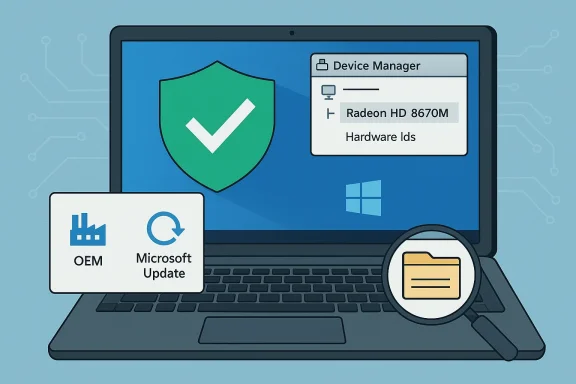 Background / Overview
The Radeon HD 8670M is a mobile GPU introduced in 2013 and later marked end‑of‑life for active feature development. It’s a small, power‑constrained GCN‑generation mobile chip designed for mainstream laptop gaming and multimedia rather than modern high‑end workloads. TechPowerUp and similar GPU databases list the HD 8670M’s core counts, clocks and memory configurations, and confirm that the part is now a legacy product. That hardware reality matters: AMD no longer builds new feature drivers for HD‑era mobile GPUs the way it does for current Radeon RX and Adrenalin families. AMD’s own driver pages for the HD 8670M family show that the last broadly distributed Catalyst / Crimson era packages are the correct official references for these GPUs. AMD’s product support area keeps legacy downloads (Catalyst 14.x and late Catalyst/adrenalin era files) and notes that some drivers were published in 2014–2015 for this mobile family. If you need Windows 10 compatibility for an HD 8670M, the practical packages to check include the late Catalyst/Catalyst‑derived driver builds and the 15.200.* display driver branch AMD published in 2015 — but you must pick the build that matches your exact laptop vendor and hardware ID.
Where legitimate HD 8670M drivers come from (and why that matters)
- AMD’s official archive: The primary, authoritative source for any Radeon driver is AMD’s own support/download pages and the “previous drivers” archive that lists Catalyst/Crimson/Adrenalin packages tied to specific product pages. For HD 8670M, AMD lists Catalyst‑era packages (for Windows 7/8 and some later, vendor‑specific builds). Always check the AMD product page for the HD 8670M first.
- Your OEM (laptop vendor) support page: On laptops the manufacturer often supplies customized drivers te‑graphics components, hotkey utilities, power profiles and firmware compatibility tweaks. For brand notebooks these OEM packages are often the safest and most compatible choice — especially for hybrid graphics systems where the AMD package alone will not enable vendor-specific features. Community guidance and archival forum advice strongly recowhen available.
- Microsoft Update / Microsoft Update Catalog: Windows Update frequently offers a Microsoft‑signed driver that is conservative but stable. For users who only need a functional desktop and safe, signed display output, the Microsoft driver is the least risky path on Windows 10. Many community experts list Windows Update as the first step.
- Reputable archives (TechPowerUp, Softpedia, DriverFusion/DriverMax lists): These sites host historical driver packages and can be useful when AMD or OEM pages don’t have the exact file. They are secondary sources — helpful for version numbers and packaging — but any download from such sites should be validated (digital signature, checksum) because they sometimes repackage installers. For the HD 8670M you’ll find legacy display driver versions such as 15.200.1045 / 15.200.1055 / 15.200.1065 commonly referenced in 2015 builds.
Cross‑checking and verification: what to look for before you download
Before you touch an installer, do this inventory and verification work:- Record the GPU hardware ID from Device Manager (Properties → Details → Hardware Ids). Save the PCI\VEN_1002&DEV_xxxx string in a text file — it guarantees you’re matching the correct INF entry.
- Confirm the driver package explicitly lists your hardware ID in the driver’s INF (Display.Driver.inf in the extracted package). If the INF doesn’t list your device, do not* force the install.
- Verify digital signatures and signer names on the downloaded installer (right‑click → Properties → Digital Signatures) and compare the reported signer to AMD or your OEM.
- Check file version, date, and release notes in at least two independent places (AMD product page plus a reputable archive or database) before trusting an archived binary. Many community threads and driver‑safety guides insist on these steps because repackaged files are a frequent vector for unsigned kernel code.
Why “cheap driver” sites are a real risk
- Many non‑vendor “one‑click” driver sites or marketplace ads repackage old installers, modify INFs, or bundle additional executables. Those changes may leave drivers unsigned or introduce unwanted background services. Forum moderation logs and community advisories repeatedly warn that repackaged drivers are a common source of system instability and security problems. Avoid any site that doesn’t provide SHA256 checksums or a clear digital signature trail.
- Laptops with switchable graphics (PowerXpress, AMD hybrid solutions) are particularly fragile: the wrong generic driver can remove vendor integration and leave the discrete GPU unusable or the machine unable to switch GPUs correctly. Community reports and Microsoft support threads document many cases where users installed the “wrong” Catalyst build and ended up with partial installs or a Microsoft Basic Display Adapter fallback. If your laptop originally shipped with a vendor‑branded AMD driver, prefer that vendor’s package.
Which official HD 8670M driver builds are commonly used
After cross‑checking AMD’s archives and multiple driver indexes, the builds most commonly referenced for Windows 10 compatibility include:- Catalyst / AMD 15.200.* (2015) series: Several 15.200.x builds were published in mid‑2015 and are commonly used for HD‑era mobile GPUs on later Windows 10 installs. Community archives list 15.200.1045 / 15.200.1055 / 15.200.1065 as candidate binaries for the HD 8670M. These files are archived and available through AMD and secondary driver sites; verify signatures before installing.
- Catalyst 14.4 and other early Catalyst packages: Older Catalyst installers targeted Windows 7/8 and some Windows 8.1 users. They may be relevant for OEM laptops that shipped with those packages originally. AMD’s product page lists Catalyst 14.4 for the HD 8670M family as a historical release.
A conservative, step‑by‑stepw (Windows 10 x64) — follow this in order
- Back up and prepare
- Create a System Restore point and, if practical, a full disk image. Driver changes to the display stack can make recovery difficult.
- Record device details
- Open Device Manager → Display adapters → right‑click your Radeon device → Properties → Details → Hardware Ids. Copy PCI\VEN_1002&DEV_xxxx to a text file.
- Try Windows Update first (lowest risk)
- Settings → Update & Security → Windows Update → Check for updates → View optional updates → Driver updates. If a Microsoft‑signed Radeon driver is offered, install it and test display, multi‑monitor, and video playback. This is t Check OEM support page (especially for laptops)
- Enter your exact model on the vendor site (Dell/HP/Lenovo/Asus/Acer). If an OEM Windows 10 driver exists, prefer it — it may include switchable‑graphics, hotkeys, and battery/power integration.
- If you must use an AMD archived driom AMD or verify any mirror
- Get the package that corresponds to your GPU family on AMD’s archived product pages (HD 8670M product page lists Catalyst 14.x and related packages). If AMD’s site doesn’t have the exact Windows 10 package, use a reputable archive and verify the signature.
- Clean the driver state before a legacy install
- Boot to Safe Mode and use Display Driver Uninstaller (DDU) or AMD Cleanup Utility to remove remnants of prior installs. This step reduces partial‑install failures. Community guides repeatedly recommend DDU before manual installs.
7ed driver INF - Extract the AMD installer (it often self‑extracts to C:\AMD). Open Display.Driver*.inf and search for your saved Hardware ID string. If found, proceed; if not, stop. Do not manually edit INFs unless you understand driver signing and re‑signing.
- Manual install (if necessary)
- Device Manager → Update driver → Browse my computer → Let me pick from a list → Have Disk → point to the extracted INF. This is the surgical install method and usually avoids installing vendor utilities you don’t need.
- Verify post‑install
- Reboot and confirm driver version in Device Manager → Driver tab. Check for digital signature and that the driver is not listed as “unsigned.” Test display modes, video acceleration, and hybrid switching (if applicable).
- Pause Windows Update temporarily
override a manual install with Microsoft‑signed drivers. If you need to validate a specific driver, hide or pause automatic driver updates while testing.
Common failure modes and how to troubleshoot them
- Installer fails with “package error” or refuses to run: this frequently happens with old Catalyst installers on modern Windows 10 builds. Try extracting the package and using the manual INF method. If the installer refuses to run due to missing prerequisites, confirm Windows Update is fully patched and that the system isn’t behind vendor platform updates. Community threads show users often need to try an OEM installer instead for laptops.
- Driver is installed but shows as “unsigned” in Device Manager: don’t trust unsigned display drivers. If an installer produces an unsigned driver, remove it and return to a signed Microsoft or OEM package. Unsigned kernel drivers are a security and stability red flag.
- Hybrid/switchable graphics not working (discrete GPU not used): install the OEM package if one exists. Laptop vendors often implement switchable graphics with a vendor‑specific driver stack that generic AMD packages don’t replace cleanly.
When Windows XP or Windows 7 are part of the equation
If you’re working with legacy OSes (Windows 7 or XP) — often the case for older notebooks repurposed for older apps — the late Catalyst 2013–2015 families (Catalyst 13.x through 15.7.1) are the historically correct packages. For Windows 7 specifically, community consensus and archival driver indexes commonly point to Catalyst 15.7.1 as a broadly compatible final unified driver for many HD‑era GPUs, but again check the exact GPU/device ID and OEM requirements for laptops. Remember: Microsoft and AMD both reduced active support for these older OSes, so use these packages with care and with backups in place.Practical example: the short checklist to get an HD 8670M running on Windows 10 x64
- Step 1: Create a System Restore point and backup important data.
- Step 2: Copy the GPU hardware ID (Device Manager → Details → Hardware Ids).
- Step 3: Try Windows Update and the OEM support page for a tested driver.
- Step 4: If neither works, download AMD’s archived 15.200.* driver package (verify signature), extract it, and open the INF to confirm your hardware ID.
- Step 5: Use DDU in Safe Mode to remove old drivers.
- Step 6: Install using the manual “Have Disk” INF method or run the AMD installer if it’s a verified OEM/AMD signed package.
- Step 7: Reboot, verify the driver’s digital signature, and test.
Alternatives and longer‑term options
- If the HD 8670M can’t be made stable under Windows 10 due to OEM switchable‑graphics complications, consider running the machine under Windows 7 (if the machine originally targeted that OS and you accept the security tradeoffs), or use the Microsoft Basic Display Adapter for safe, minimal desktop use.
- For aging hardware used for daily work, a hardware refresh (an inexpensive modern ultraportable or a used laptop with a supported GPU) may cost less in time and troubleshooting than wrestling with legacy drivers and unstable kernels.
- Consider upgrading to a newer supported GPU platform if you need consistent gaming, hardware acceleration, or driver support for modern titles.
Final analysis — strengths, risks, and practical recommendations
Strengths:- The HD 8670M is adequately supported by archived AMD Catalyst driver families; you can reasonably restore hardware acceleration and correct resolution behavior by choosing the correct archived build and following a careful install workflow. AMD’s product pages and legacy archives are the authoritative sources to confirm supported versions.
- Downloading from unverified, “cheap driver” sites is the single biggest hazard: altered INF files, unsigned kernel drivers, bundled adware, and a higher probability of unstable installs. Community moderation logs and safety guides emphatically recommend avoiding these sources and preferring AMD, OEM, or Microsoft Update Catalog downloads.
- Start with Windows Update and your OEM support page. If you must use an archived AMD package, verify identity, signatures, and hardware ID mappings before installing. Use DDU to create a clean driver state, install in Safe Mode only when advised, and always keep a verified system image to roll back to. If installer errors persist on a laptop, suspect OEM‑level switchable graphics conflict and prefer vendor drivers.
Conclusion
You will find official, workable drivers for the AMD Radeon HD 8670M — but there is no legitimate “cheap” shortcut that avoids the verification steps. For Windows 10 (64‑bit), the commonly used late Catalyst/15.200.* driver builds are the practical choices when Windows Update or OEM drivers aren’t available; however, installing them safely requires careful verification of the device hardware ID, a clean driver state, and attention to digital signatures. When in doubt, prefer Microsoft‑signed drivers or the OEM package for your exact laptop model. Rushing to third‑party “discount” driver downloads is a false economy: the time and risk saved up front can easily cost you system instability, security exposure, or lengthy recoveries. Follow the safe workflow above, verify everything against AMD’s archive and a reputable driver database, and keep a tested backup before you proceed.Source: Through The Fence Baseball Top 97 x undefeated white Online Nike Air Max 97 Undefeated White Men s AJ1986 100 US
