

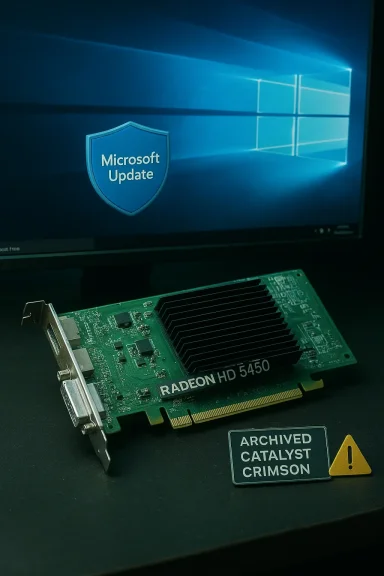
The AMD Radeon HD 5450 sits in a strange but familiar category for Windows users in 2026: old enough to be legacy, but still common enough in office desktops, media PCs, and hand-me-down systems that people keep asking the same question—what is the safest way to run it on Windows 10, and what should be archived before those files disappear into the internet fog? The short answer is that AMD still hosts the HD 5450 driver page and labels the card as a legacy product, with Windows 10 32-bit and 64-bit download options still visible on the official support page, but the long answer is more nuanced: the right driver depends on your OS build, the machine’s age, and how much risk you are willing to accept for a card that AMD no longer develops. (amd.com)
Background — full context
The HD 5450 launched as an entry-level Radeon HD 5000-series GPU and survived far longer in the market than its designers probably expected. It became popular because it was cheap, low-power, passively cooled in many variants, and suitable for HDMI output, basic desktop acceleration, and multi-monitor support. Years later, many users discovered that the card’s usefulness had less to do with raw performance and more to do with driver continuity, motherboard compatibility, and whether a system could still be made stable under modern versions of Windows.That continuity is now limited. AMD’s official support material says the HD 5000 family is a legacy line, and the HD 5450 product page shows legacy Windows 10 driver choices rather than current Adrenalin releases. On the specific HD 5450 download page, AMD presents Windows 10 32-bit and 64-bit options and lists legacy packages such as Catalyst Software Suite 15.7.1 WHQL and Crimson Edition 16.2.1 Beta, while also noting that no additional driver releases are planned. (amd.com)
The broader policy matters just as much as the download page. AMD’s Windows 10 support article makes a hard distinction between families that are supported under Windows 10 and those that are not. It states that Radeon HD 6000 and HD 5000 series have driver support for Windows 10 and DirectX 11, while HD 4000 series and older are not certified for the Windows Display Driver Model required by Windows 10. That is why the HD 5450 is in a middle zone: old, legacy, and frozen in time, but not completely abandoned the way earlier Radeon generations were. (amd.com)
At the same time, Microsoft’s driver ecosystem has shifted. Windows 10 continues to favor Windows Update and signed, vendor-provided packages, but Microsoft also now states that support for Windows 10 ended on October 14, 2025. That does not erase the operating system overnight, but it does change the meaning of “safe”: the OS itself is no longer receiving free security fixes, and archival driver decisions now matter even more because they are being made in a post-support environment. (support.microsoft.com)
Why HD 5450 still matters in 2026
The HD 5450 remains relevant for one simple reason: huge numbers of users do not need a modern GPU to display email, browse the web, or keep an older desktop alive.The card’s enduring use cases
For many systems, the HD 5450 is still doing one or more of the following jobs:- driving a secondary monitor
- enabling HDMI output on older desktops
- powering an office PC with no gaming ambitions
- serving as a fallback card after integrated graphics failure
- providing a quiet, low-wattage solution for home theater systems
- keeping a business workstation usable until replacement budgeting arrives
What changed since the card’s prime
A lot has changed around it:- Windows 10 matured, then reached end of support in October 2025. (support.microsoft.com)
- AMD moved older Radeon families into legacy support paths. (amd.com)
- Newer browsers and apps expect newer graphics features.
- Driver signature enforcement became more central to installation success. Microsoft notes that driver packages are verified through digital signatures, and that older kernel-mode binaries may not load if they rely on signing assumptions from pre-Windows 10 eras. (learn.microsoft.com)
- The web and media stack evolved, leaving many “just enough graphics” cards outside the comfortable center of compatibility.
What AMD officially supports
The first rule of driver hunting is simple: trust the vendor’s own page before trusting mirrors, forum attachments, or “driver packs” from people you do not know.The official AMD HD 5450 page
AMD’s HD 5450 support page is still live and explicitly lists legacy Windows 10 downloads. It presents the HD 5450 as part of the Radeon HD 5000 series and surfaces legacy packages, including:- Radeon Software Crimson Edition Beta 16.2.1
- Catalyst Software Suite 15.7.1 WHQL
The Windows 10 support policy
AMD’s Windows 10 support article helps frame the card’s place in the lineup. It says:- Radeon HD 5000 series has driver support for Windows 10 and DirectX 11. (amd.com)
- Radeon HD 4000 series and older do not have driver support for Windows 10. (amd.com)
- Users on supported products should install the latest AMD Catalyst driver for Windows 10 to enable the full feature set. (amd.com)
Legacy does not mean identical across systems
One of the most common traps is assuming the same driver will behave identically on every machine. It won’t. OEM desktops, laptop variants, and cards with different memory configurations can all behave differently. In the AMD community discussions, users repeatedly report that the HD 5450 can be recognized yet still fail to produce stable output, or that Windows 10 sees the card only partially after the wrong package is installed. (community.amd.com)Safe legacy options for Windows 10
When users ask for the “safe” HD 5450 driver, they usually mean one of three things: the most stable package, the easiest install path, or the least likely source of malware and system conflict.Option 1: Official AMD legacy package
The safest first choice is the official AMD legacy package listed on the HD 5450 support page. For most users, that means starting with the WHQL package before even considering beta software. WHQL certification is not a guarantee of perfection, but it is a better default than a beta package from the same legacy era. (amd.com)Option 2: Microsoft’s generic display driver as a baseline
If the goal is simply to get a machine booting and displaying correctly, Windows can use the Microsoft Basic Display Adapter or a comparable generic path before the vendor driver is added. Microsoft explains that Windows can install recommended drivers automatically and that if Windows Update cannot find one, users should check the hardware manufacturer’s site for a compatible driver. (support.microsoft.com)This is often the most practical path for troubleshooting.
Option 3: Device Manager manual install
Microsoft still supports manual driver installation through Device Manager. The process is straightforward:- Download the driver from the manufacturer.
- Open Device Manager.
- Right-click the display adapter.
- Choose Update driver.
- Select Browse my computer for drivers.
- Point Windows to the extracted AMD package. (support.microsoft.com)
Option 4: Archival only, not production use
The archival option is to download and preserve the package without necessarily installing it. That sounds boring, but it is often the smartest decision in 2026. If you have an older PC that is stable right now, capturing the last known-good package for your hardware is frequently better than chasing marginal gains from uncertain sources later.What “archival” should mean
Archival does not mean hoarding random executables. It means preserving the right evidence, metadata, and recovery path.What to archive
If you maintain an HD 5450 system, the archive should ideally include:- the exact AMD driver package version
- the package name and release date
- the checksum, if available
- a copy of the install log
- the system’s Device Manager hardware ID
- motherboard chipset drivers
- BIOS version and date
- a restore point or system image
- notes about whether the driver was installed cleanly
Why that matters
Legacy graphics troubleshooting often fails not because the driver is missing, but because nobody remembers which one actually worked. A machine that boots fine today can become unbootable after an automatic update, a reset, or a disk repair. Archiving the known-good package reduces dependence on the internet, and it also provides a way to prove what was installed if the machine later becomes unstable.Best archival practices
Good archival habits include:- keeping the installer offline on a second drive or USB stick
- storing a text note with the exact GPU model
- keeping screenshots of Device Manager and Display settings
- preserving the motherboard and PSU model
- saving the Windows build number used at install time
- documenting whether the card is OEM, retail, or passively cooled
Installation methods that actually work
Legacy driver installations fail for predictable reasons, and most of them are avoidable.Clean install versus over-install
If a new AMD driver will not install over an old one, the first instinct should be cleanup, not panic.- Remove existing AMD graphics software.
- Reboot.
- Let Windows fall back to a basic display driver.
- Install the official AMD legacy package manually.
- Reboot again.
Manual selection inside Device Manager
Many HD 5450 users report success only when they manually browse to the extracted driver folder and select the display driver rather than the whole suite. Microsoft documents that manual driver update path explicitly, and it is often the cleanest way to avoid bundled utilities you do not need. (support.microsoft.com)When Windows says “best driver already installed”
That message is not always a dead end. It sometimes means Windows has matched the device to a generic or preexisting driver, not that the AMD package cannot work. In those cases, a clean uninstall followed by a manual install usually gives better results than repeatedly clicking “update.”Common installation failure points
Typical problems include:- stale AMD registry entries
- older display driver remnants
- broken display detection during setup
- outdated chipset drivers
- mismatched 32-bit and 64-bit packages
- incorrect Windows build assumptions
- signature enforcement conflicts
- faulty HDMI/DVI adapters
- power supply limitations on older PCs
What not to do
Avoid these common mistakes:- downloading “driver fix” utilities from third-party sites
- installing beta packages before trying WHQL
- mixing drivers from laptop and desktop variants
- assuming a Windows 11 workaround will translate back to Windows 10
- forcing random INF files without knowing the hardware IDs
- treating every legacy package as interchangeable
Windows 10 realities in 2026
This topic has changed because Windows 10 itself has changed.End of support changes the calculus
Microsoft states that Windows 10 support ended on October 14, 2025. That makes driver stability more important, not less, because users who remain on Windows 10 are now weighing legacy compatibility against an OS that is no longer being broadly serviced for free. (support.microsoft.com)Windows Update is still useful, but limited
Microsoft still recommends Windows Update for most driver updates, including video cards, but it also says that if Windows Update cannot find drivers, users should turn to the hardware manufacturer. (support.microsoft.com)For HD 5450 owners, that means Windows Update is worth checking, but AMD’s legacy page remains the primary source of truth.
Driver signing remains a gatekeeper
Microsoft’s driver-signing documentation explains that digital signatures are used to verify the integrity and source of a package. Older driver binaries may not load cleanly if their signing assumptions do not fit modern Windows requirements. (learn.microsoft.com)That is one reason old GPU packages can feel random: the hardware is old, but the trust model around drivers keeps moving.
Microsoft Basic Display Adapter as a safety net
The generic Microsoft display path is not a performance solution, but it is a valuable fallback. Microsoft and related documentation describe it as the default display driver behavior used to keep the system usable before vendor drivers are installed. (learn.microsoft.com)For archival work, that fallback is the difference between “machine visible” and “machine blind.”
Lessons from real-world legacy cases
Forum history is full of people trying to rescue old Radeon cards with mixed success. The recurring pattern is instructive.Stable in Safe Mode, unstable in normal mode
When a machine works in Safe Mode but fails after the vendor driver loads, the driver stack, not the raw display output, is often the problem. Microsoft’s troubleshooting guidance and the broader driver-installation model both support a staged approach: basic display first, then the vendor package, then only the needed extras. (support.microsoft.com)Wrong package, wrong assumptions
A common AMD community theme is that the HD 5450 may be detected but not fully supported by the newest software. Users often report that modern Adrenalin packages do not help, while the older legacy packages remain the only realistic path. (community.amd.com)Hardware versus software is not always a clean split
A legacy card may fail because of the driver, but it may also fail because the motherboard slot, power supply, BIOS, or cable chain has changed. AMD community guidance repeatedly points users toward checking whether the monitor is plugged into the correct port, whether the PSU is sufficient, and whether the machine has integrated graphics that can be used as a fallback. (community.amd.com)The hidden cost of old systems
The real burden of keeping an HD 5450 alive is not the driver itself; it is the stack around it.- old motherboards
- aging capacitors
- weak PSUs
- outdated chipsets
- abandoned vendor utilities
- browser video workloads that have become heavier than the GPU was ever designed for
Archival strategy for collectors, technicians, and IT admins
This is the part many articles skip, but it is where the HD 5450 story becomes useful.If you maintain older systems professionally
For small IT shops and repair technicians, the HD 5450 is a template for how to handle all legacy hardware:- preserve the final WHQL package
- document exact OS build and patch level
- test with only the required driver components
- save an offline recovery image
- keep the motherboard chipset package with the video package
- note whether automatic driver replacement is disabled
If you are a collector
Collectors should care about more than whether the machine boots.- Keep the original installation media if possible.
- Archive OEM driver discs.
- Photograph the GPU sticker and board layout.
- Record the BIOS version.
- Store the original package in a read-only archive.
- Avoid “upgrading” simply because newer software exists.
If you are a home user
For home users, the simplest rule is usually the best:- install the official AMD legacy package if you need it
- otherwise keep the generic driver and don’t disturb a stable machine
- image the system before experimenting
- write down what works before you forget
A practical risk hierarchy
In order of lowest risk to highest risk:- keep the Microsoft generic driver
- install AMD’s WHQL legacy package
- install AMD’s beta legacy package
- use an untrusted mirror
- force-install random community builds
Strengths and Opportunities
The HD 5450 still has a few strengths that matter in a legacy context.- Low power draw makes it viable in compact and older systems.
- Passively cooled versions remain attractive for silent builds.
- Official legacy packages still exist on AMD’s support site. (amd.com)
- Windows 10 manual driver installation is straightforward through Device Manager. (support.microsoft.com)
- Microsoft’s generic display driver provides a fallback when the vendor driver misbehaves. (learn.microsoft.com)
- The card is adequate for basic display tasks where modern GPU features are unnecessary.
- Archival value is high because these packages are increasingly harder to find in trustworthy form.
Risks and Concerns
There are also real downsides, and they matter more in 2026 than they did even a few years ago.- Windows 10 is now out of support, so the platform itself is no longer receiving free security updates. (support.microsoft.com)
- AMD no longer plans new HD 5450 driver releases. (amd.com)
- Beta legacy packages can be less stable than WHQL packages. (amd.com)
- Driver-signing constraints can block older packages on modern Windows builds. (learn.microsoft.com)
- Third-party download sites introduce malware and tampering risk.
- Old hardware can fail intermittently, making driver debugging misleading.
- OEM variants may behave differently from retail boards.
- Power supply and cable issues are easy to mistake for driver failure.
What to Watch Next
Even though the HD 5450 itself is frozen in time, its ecosystem is still shifting around it.AMD’s support page behavior
Watch the official HD 5450 page for any structural changes, since legacy pages sometimes get reorganized even if the packages remain available. (amd.com)Windows compatibility pressure
As Windows 10 support ages out, expect more legacy hardware owners to confront the same question: stay on an old but functional system, or replace the GPU and possibly the PC. Microsoft’s end-of-support status makes that trade-off more urgent. (support.microsoft.com)Security and trust concerns
The older a driver gets, the more important digital trust becomes. Microsoft’s driver-signing model is not going away, and legacy packages that rely on older assumptions will increasingly be a source of friction. (learn.microsoft.com)Archive before you need it
If you still run an HD 5450, the best time to archive the driver is before you reinstall Windows, not after.Replacement planning
Eventually, most users will need to move to a newer card or integrated graphics solution. The legacy path can keep the system alive, but it cannot restore modern support.The HD 5450 is not a card to celebrate for speed, and it is not a card to trust blindly in a modern environment. But as a legacy display adapter in Windows 10, it remains one of those quiet pieces of hardware that rewards patience, careful archiving, and disciplined installation habits. AMD’s official legacy downloads, Microsoft’s manual driver tools, and a cautious preference for WHQL over beta together form the safest practical path; beyond that, the real work is preserving the exact package and configuration that keep an old machine usable without turning it into a troubleshooting project. (amd.com)
Source: born2invest.com https://born2invest.com/?b=style-231428912/
Last edited:
