

Microsoft has confirmed that an August 2025 security update intended to close a Windows Installer privilege‑escalation hole instead changed MSI repair behavior in ways that produced unexpected User Account Control (UAC) prompts and silent repair failures for many non‑administrator users across a broad range of client and server Windows releases.
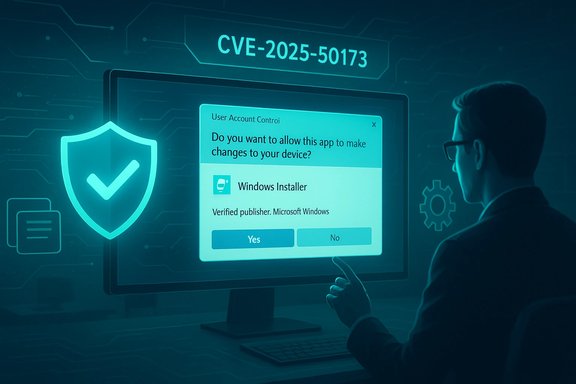
Microsoft shipped a security hardening to the Windows Installer (msiexec/Installer service) in the August 2025 cumulative packages. The change was explicitly intended to remediate a vulnerability tracked as CVE‑2025‑50173 by enforcing that certain Windows Installer repair and advertising flows must trigger UAC elevation (credential/consent) rather than run silently under a standard user context. The fix closed a real attack surface where an authenticated local user could coerce repair/advertising logic into running privileged actions without administrator consent. However, the hardening also reclassified some historically user‑safe repair flows as requiring elevation, producing compatibility regressions. Those regressions were widely observed in the field and were documented by Microsoft as a known issue shortly after the August rollup.
The UAC prompts episode is a useful case study in real‑world risk management: security improvements matter, but their deployment must account for the vast ecosystem of installer semantics and enterprise automation that endpoints still rely on today.
The platform remains safer for the fix, but the experience reaffirms that secure defaults and reliable update mechanics must coexist with clear, fast options for admins to preserve business continuity when unexpected regressions occur.
Source: BetaNews Microsoft fesses up to Windows update that caused UAC prompts
 Background
Microsoft shipped a security hardening to the Windows Installer (msiexec/Installer service) in the August 2025 cumulative packages. The change was explicitly intended to remediate a vulnerability tracked as CVE‑2025‑50173 by enforcing that certain Windows Installer repair and advertising flows must trigger UAC elevation (credential/consent) rather than run silently under a standard user context. The fix closed a real attack surface where an authenticated local user could coerce repair/advertising logic into running privileged actions without administrator consent. However, the hardening also reclassified some historically user‑safe repair flows as requiring elevation, producing compatibility regressions. Those regressions were widely observed in the field and were documented by Microsoft as a known issue shortly after the August rollup. What changed technically
The Windows Installer model — long standing expectations
For decades, many installers used a mixed model: a per‑machine (machine‑wide) installation writes shared binaries and machine‑scoped registrations, while a per‑user configuration step runs on first launch or via advertised shortcuts to populate user profile items, COM registrations, and user tokens. Historically, many of those per‑user operations executed without elevation because they only touched user scoped locations. Administrators and ISVs built deployment processes and installer authoring around this expectation.The hardening: stricter authentication/elevation checks
The August 2025 update augmented the decision logic inside the Windows Installer's repair and advertising codepaths. The Installer now evaluates additional signals and in some cases treats previously user‑safe actions as machine‑scope—thereby triggering UAC elevation. When elevation is required, administrators see the Consent UI; standard users see a credential box. If credentials are not available (for example, in lab or classroom shared accounts), the repair aborts and returns errors such as MSI Error 1730.Security rationale
The change was not a cosmetic tweak. Microsoft documented that the hardening addressed CVE‑2025‑50173, an elevation‑of‑privilege risk in Windows Installer. The engineering choice prioritized prevention of a practical local‑attack vector even though it increased the chance of compatibility breakage. This is a classic security‑vs‑compatibility tradeoff: fixing an exploit path can change long‑standing operational semantics that software and deployment tooling assume.Scope: who and what was affected
Microsoft’s release notes and follow‑on support content list a broad set of client and server versions that received the August packages. Affected client branches include multiple Windows 11 and Windows 10 channels, and the server list covers modern server SKUs as well as several older server servicing paths. The regression was not limited to a single SKU or channel — it was visible across enterprise, education and consumer fleets that installed the August rollups. Common real‑world triggers Microsoft and community reporting identified include:- Running silent MSI repair commands (for example, msiexec /fu).
- Launching applications that perform per‑user configuration on first run (documented examples include several Autodesk products).
- Windows Installer runs performed during Active Setup or at user logon.
- Deployments via Configuration Manager (ConfigMgr/SCCM) that depend on MSI “advertising” or per‑user configuration.
- Environments where Secure Desktop is enabled, which can surface the new prompts.
Timeline and Microsoft’s response
- August 12, 2025 — Microsoft shipped the cumulative packages that included the Windows Installer hardening (KB5063878 among other servicing family identifiers). The security change was integrated into multiple servicing branches.
- Early September 2025 — Reports of UAC prompts and silent repair failures mounted in community forums and vendor support channels. Microsoft published a Known Issue advisory confirming the behavior and explaining the security rationale.
- September 2025 — Microsoft issued follow‑on updates and guidance that narrowed the conditions requiring UAC elevation. After those updates, UAC prompts were required only if the target MSI contained an elevated custom action. Administrators were also given an allowlist mechanism to exempt specific MSI product GUIDs from the new enforcement in managed environments.
- October 28, 2025 and later — Microsoft refined the behavior further so that UAC prompts are required only when elevated custom actions actually execute during the repair flow rather than merely being present in the package. These refinements removed the unexpected prompts for additional legitimate applications.
Microsoft’s mitigations and the interim workarounds
Microsoft’s published guidance and field actions included several parallel mitigations, each with tradeoffs.- Known Issue Rollback (KIR) and Group Policy: Microsoft provided KIR artifacts (an MSI and associated ADMX/policy guidance) to allow IT admins to selectively revert the behavioral change for targeted device groups while keeping the security content of the update installed. This is the recommended surgical enterprise mitigation to restore compatibility for critical workloads.
- Allowlist / SecureRepair keys: Administrators were given a registry‑based opt‑out mechanism (for example, SecureRepairPolicy and SecureRepairWhitelist keys under machine policy paths) to permit specific product codes to perform repair operations without prompting for credentials. Microsoft explicitly warned that this removes a defense‑in‑depth control for those MSI packages.
- Run as administrator: Microsoft and multiple outlets recommended running affected apps with explicit elevation (right‑click → Run as administrator) when feasible as a stopgap measure. This is operationally awkward at scale and reduces the principle of least privilege, but it resolves immediate user‑facing prompts for isolated cases.
- Vendor coordination and repackaging: ISVs were advised to reauthor installers to avoid fragile per‑user repair semantics (for example, make configuration fully per‑machine or defer per‑user setup to an out‑of‑process first‑run step). This is the safest long‑term approach but requires vendor action.
Risk analysis: benefits and costs
Notable strengths of Microsoft’s approach
- The hardening fixed a clear, classified vulnerability (CVE‑2025‑50173) and closed an elevation path that could be exploited by a local adversary. That reduces the platform’s local attack surface and is an objectively positive security outcome.
- Microsoft provided multiple mitigation mechanisms (KIR, allowlist, follow‑on servicing) that allowed administrators to balance security and compatibility per workload. The staged refinements in September and October demonstrate iterative response to field telemetry and developer feedback.
Significant risks and downsides
- Compatibility regressions: The change reclassified legitimate repair flows, producing UAC prompts and silent failures that broke end‑user workflows, automation and enterprise provisioning pipelines (ConfigMgr/SCCM advertising). These regressions increase helpdesk load, cause lost productivity and can force unsafe shortcuts.
- Prompt fatigue and behavioral risk: More frequent credential prompts encourage users to accept elevation reflexively, creating a behavioral security risk. If users see UAC frequently for benign tasks, the control’s deterrent value diminishes.
- Allowlist tradeoff: The registry allowlist and KIR are pragmatic but remove the protection for whitelisted MSIs; any exceptions must be carefully governed. Mistakes in allowlisting can reintroduce the original exposure. Microsoft explicitly warned about the defense‑in‑depth loss for allowlisted items.
- Operational complexity: Many enterprises rely on advertised MSI behavior and unattended repairs. Deploying KIR, inventorying affected MSIs, and coordinating vendor repackaging impose nontrivial operational costs. Smaller organizations and unmanaged users may lack resources to safely apply selective mitigations.
Practical guidance — what IT admins should do now
- Inventory and triage:
- Identify MSI‑based applications in your environment that rely on per‑user configuration, advertising, Active Setup or silent repairs.
- Prioritize critical workloads and user groups (CAD, design engineering, labs, education) that reported early issues.
- Pilot the Microsoft KIR:
- Deploy Known Issue Rollback packages to a small, representative pilot ring via SCCM/Intune/GPO. Validate that the KIR restores expected behavior without removing the security update.
- Monitor telemetry and helpdesk tickets closely during the pilot.
- Use allowlist sparingly and with controls:
- If you must add MSI product GUIDs to the SecureRepairWhitelist, document approvals, scope the policy narrowly, and track windows update inventory to remove exceptions when vendor fixes are available.
- Engage ISVs:
- Request installer repackaging or guidance from vendors whose installers trigger the new elevation semantics (notably Autodesk examples). Ask for per‑machine installers or first‑run, out‑of‑process configuration options.
- Communicate to helpdesk and users:
- Prepare runbooks explaining why UAC prompts may appear and how to escalate, how to run apps elevated when appropriate, and how to avoid risky shortcuts like disabling UAC entirely.
- Long‑term: revisit deployment patterns:
- Avoid relying on MSI advertising patterns that require background per‑user repair at first run. Consider modern packaging and deployment models (MSIX, per‑machine installers, first‑run deferred configuration).
Practical guidance — what consumers and power users should do
- If you see unexpected UAC prompts, follow Microsoft’s short‑term guidance: try running the app as administrator for the task, or check for the latest Windows updates that may refine the behavior. Microsoft’s KB and Release Health notes were updated during fall 2025 with clarifications and refinements.
- Keep applications and installers updated; vendors often release repackaged installers to avoid MSI repair semantics that conflict with elevated security checks.
- For unmanaged or home systems, avoid lax workarounds (like disabling UAC). Instead, follow vendor guidance or use local admin elevation only when necessary and with awareness of the security tradeoffs.
Broader implications for update quality and trust
This episode is one of several high‑visibility update regressions over the last two years that underline a persistent tension in modern OS servicing:- Faster cadences and more complex stacks increase the likelihood that a security fix will touch long‑standing, widely relied upon behaviors.
- The platform vendor’s responsibility extends beyond fixing the bug — communication, selective rollbacks (KIR) and surgical mitigation options are essential to preserve enterprise operations and user trust.
- Microsoft’s response shows maturity in tooling (KIR, policy artifacts) and incremental servicing, but the repeated need for emergency rollbacks and out‑of‑band fixes erodes confidence among admins who must manage large, diverse fleets. Community and enterprise telemetry remain crucial to catching regressions that automated testing misses.
Final assessment
The August 2025 Windows Installer hardening fixed a genuine security weakness. The tradeoff — unexpected UAC prompts and repair failures across many legitimate scenarios — produced real operational pain. Microsoft’s iterative response (documented advisories, KIR, allowlist, and subsequent servicing refinements that narrow when elevation is required) was appropriate and eventually reduced the compatibility surface, but the incident highlights enduring gaps in large‑scale update validation and the cost of rapid servicing in heterogeneous environments. For IT teams, the path forward is pragmatic: inventory affected installers, pilot KIR or allowlists cautiously, prioritize vendor fixes or repackaging, and keep deployments staged rather than blanket. For Microsoft, the technical decision was defensible; the operational fallout shows that future hardenings must be paired with even more comprehensive pre‑release compatibility testing and rapid, well‑scoped mitigation tooling to preserve both security and availability.The UAC prompts episode is a useful case study in real‑world risk management: security improvements matter, but their deployment must account for the vast ecosystem of installer semantics and enterprise automation that endpoints still rely on today.
The platform remains safer for the fix, but the experience reaffirms that secure defaults and reliable update mechanics must coexist with clear, fast options for admins to preserve business continuity when unexpected regressions occur.
Source: BetaNews Microsoft fesses up to Windows update that caused UAC prompts
