

Microsoft’s announcement that Azure RemoteApp would “launch next week” was more than a simple product update — it was a public milestone in Microsoft’s strategy to deliver Windows apps in the cloud, allowing traditional Windows line‑of‑business software to be hosted centrally in Azure and streamed to users on nearly any device. The BetaNews piece and contemporaneous Microsoft posts announced that Azure RemoteApp would reach general availability on December 11, 2014, with pay‑as‑you‑go pricing, a 30‑day trial for preview customers, and two service tiers aimed at task workers and productivity users.
Microsoft framed Azure RemoteApp as a cloud‑native successor to on‑premises Remote Desktop Services (RDS) and a simpler, lower‑cost route to application virtualization for organizations unwilling or unable to re‑engineer legacy Windows apps for multiple platforms.
Key facts from Microsoft’s announcement and independent coverage:
But the service’s eventual retirement demonstrates the real cost of platform dependency. Organizations that used RemoteApp enjoyed short‑term gains but later needed to migrate workloads once Microsoft consolidated its remote desktop portfolio around AVD and Cloud PC offerings. The lesson is simple: cloud platform choices must always include migration planning and contingency budgets.
Source: BetaNews https://betanews.com/article/micros...-week-allowing-for-cloud-deployment-of-apps/]
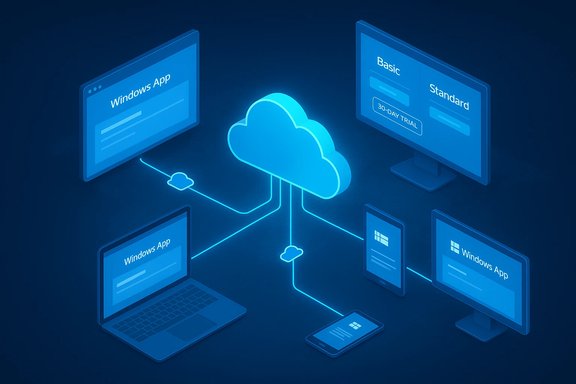 Background: what the December 2014 announcement actually said
Microsoft framed Azure RemoteApp as a cloud‑native successor to on‑premises Remote Desktop Services (RDS) and a simpler, lower‑cost route to application virtualization for organizations unwilling or unable to re‑engineer legacy Windows apps for multiple platforms.Key facts from Microsoft’s announcement and independent coverage:
- Azure RemoteApp reached general availability (GA) on December 11, 2014.
- Preview customers were automatically migrated to a 30‑day free trial before conversion to paid plans.
- Microsoft published two paid tiers — Basic and Standard — with per‑user pricing designed around usage hours, plus hourly overages and monthly caps (Basic started at $10/user/month for 40 hours, Standard $15/user/month for 40 hours; overage and capped rates were published in Microsoft’s price tables). These figures were reported consistently across Microsoft’s blog, BetaNews and major tech press.
Overview: what Azure RemoteApp promised to deliver
Azure RemoteApp was sold as an application virtualization and delivery service that simplified many of the traditional burdens of VDI and RDS. Microsoft’s pitch centered on three promises:- Device and platform reach — a corporate Windows app could be consumed on phones, tablets, Macs and PCs without rewriting it for each platform.
- Operational simplicity — Microsoft would manage the host image, scale, and SLA while customers focused on packaging apps and user assignments.
- Cost predictability with usage controls — the hourly + capped billing model aimed to make occasional and seasonal usage economical.
Technical breakdown: how Azure RemoteApp worked
Architecture and deployment models
Azure RemoteApp supported two basic deployment models:- Cloud collections — apps hosted entirely on Azure session hosts, fully managed by Microsoft.
- Hybrid collections — session hosts that could connect back to on‑premises infrastructure for authentication and data access, allowing enterprises to keep sensitive resources on‑prem while delivering apps from the cloud.
Pricing mechanics and user licensing
Microsoft’s pricing model intentionally emphasized low entry cost and predictable overage protection:- Base monthly fee included 40 hours of access per user.
- Hourly overage (after 40 hours) charged at published per‑hour rates.
- After a specified cap (80 hours in some plans), billing was capped so users could continue to connect without additional charges for the month.
Practical use cases and early enterprise reactions
Azure RemoteApp’s early adopters and coverage highlighted practical scenarios where app streaming made immediate sense:- Legacy LOB applications that were difficult or expensive to repackage for macOS or mobile could be hosted centrally and accessed by diverse endpoint devices.
- Seasonal or task worker scenarios, where usage is intermittent and a capped hourly billing model could yield cost savings over permanent desktops.
- BYOD environments and mobile workforces, where IT wanted to centralize app management and reduce endpoint data exposure.
What BetaNews reported (and how that matched Microsoft’s message)
The BetaNews story — headlined around the imminent launch — reiterated the core GA facts: the December 11 GA date, the 30‑day conversion for preview users, the Basic/Standard pricing dichotomy, and the promise of cross‑platform access for Windows apps. That coverage mirrored Microsoft’s own messaging and the pricing table that was widely published in December 2014. Contemporaneous community discussion threads and archives captured reader reactions and supplemental guidance, reinforcing the takeaways but also raising practical questions around management, client compatibility, and how RemoteApp fit into the broader Windows cloud strategy at the time.Critical analysis: strengths, measurable benefits, and strategic sense
Strengths and what Microsoft did well
- Lowered engineering barriers for app reach. RemoteApp removed the need to recompile or port Windows desktop apps to multiple client platforms. For many enterprises that saved months of work and delivered immediate productivity gains.
- Managed service model. By taking on the operational burden — patching, scaling, hosting — Microsoft reduced the overall operational complexity compared with self‑hosted RDS farms.
- Flexible billing for intermittent workloads. The inclusion of capped hours and per‑hour rates was pragmatic, enabling organizations with variable usage to avoid paying for idle capacity.
- Integration with Azure identity and networking. Support for Azure Active Directory and virtual networks allowed enterprises to leverage their existing identity fabric and secure back‑end connectivity.
Business and operational wins
- Faster time to remote access for legacy apps.
- Simplified patching and image lifecycle management.
- Improved device flexibility for mobile and distributed workforces.
Risks, limitations, and why the product’s life cycle matters
Performance, latency and UX sensitivity
Application remoting is highly latency‑sensitive. Even with RDP optimizations, heavy graphic apps, real‑time media, or highly interactive workflows exposed the limits of session‑based streaming. Microsoft’s architecture reduced much of the friction, but customers still needed to:- Plan network paths and connectivity (ExpressRoute, SD‑WAN) for geographically distributed users.
- Conduct realistic user density testing to avoid overstating consolidation benefits.
Licensing, compliance and application support
Microsoft’s support for Office within RemoteApp required specific licensing considerations (Office 365 ProPlus vs. traditional Office licenses) and the production use of certain apps could be limited by publisher agreements. These licensing subtleties were repeatedly called out by industry coverage and required admins to verify app‑vendor compatibility and licensing before broad deployment.Vendor direction and product lifecycle risk
A critical, often‑underappreciated risk with cloud‑hosted platform bets is product lifecycle. Azure RemoteApp itself was retired later — Microsoft’s lifecycle documentation lists Azure RemoteApp’s retirement date as August 31, 2017, and Microsoft subsequently pivoted customers toward other offerings such as Azure Virtual Desktop (formerly Windows Virtual Desktop) and Windows 365 Cloud PC for different use cases. That lifecycle outcome is essential context for any organization contemplating reliance on a single cloud service for long‑term app delivery. Readers should treat single‑vendor cloud services as strategic choices that carry product continuity risk. Because of that retirement, the historical RemoteApp story becomes a case study in how cloud product roadmaps evolve and the importance of migration planning and contingency strategies.The aftermath and where the market went: RemoteApp → AVD → Windows 365
After Azure RemoteApp’s GA and its period of availability, Microsoft consolidated and evolved its desktop- and application‑delivery portfolio:- Azure RemoteApp was wound down and Microsoft steered customers toward Azure Virtual Desktop (AVD) for flexible session and host‑pool management; AVD supports RemoteApp streams and multi‑session Windows 10/11 images and offers more granular workload control.
- Microsoft also developed Windows 365 Cloud PC, a per‑user Cloud PC SaaS that emphasizes persistent, per‑user desktops and simplified provisioning for knowledge workers.
- The modern Windows App client, platform integrations, and ongoing investments in RDP/AVD/Cloud PC reflect Microsoft’s iterative approach to remote work and cloud desktop delivery.
Practical guidance for IT teams (then and now)
If you were evaluating Azure RemoteApp at launch (or looking at equivalent cloud app delivery options today), follow these practical steps:- Inventory your apps and categorize by compatibility: task apps, productivity apps, and GPU/latency‑sensitive apps.
- Run pilot collections with realistic user loads to measure sign‑in times, app responsiveness and profile mounting overhead.
- Validate licensing: confirm publisher‑approved ways to host applications in cloud sessions (e.g., Office 365 ProPlus licensing and support).
- Design network paths for low latency and consider ExpressRoute or SD‑WAN for distributed offices.
- Build a migration and exit plan: document how to export images, user mappings and data should a service be retired or replaced. Microsoft’s own product lifecycle signal for RemoteApp underscores this necessity.
What listeners and administrators should watch in any cloud app‑delivery announcement
- Clear GA dates and trial conversion paths. Microsoft’s December 11, 2014 date and the automatic conversion of preview accounts to a trial were good examples of how to handle preview → GA transitions.
- Billing model granularity. Hourly overage, caps and minimums materially affect TCO for mixed workloads. The Basic/Standard model RemoteApp published in 2014 is an early template for this approach.
- Migration support and exit options. The ultimate retirement of RemoteApp exemplifies why administrators should demand clear migration paths and data portability options from cloud vendors.
Strengths and weaknesses revisited: measured verdict
Azure RemoteApp’s initial launch was strategically sound for its moment. It offered a pragmatic path to put legacy Windows apps onto modern, multi‑platform endpoints without massive reengineering. The pricing model acknowledged variable usage patterns and lowered entry friction for many organizations.But the service’s eventual retirement demonstrates the real cost of platform dependency. Organizations that used RemoteApp enjoyed short‑term gains but later needed to migrate workloads once Microsoft consolidated its remote desktop portfolio around AVD and Cloud PC offerings. The lesson is simple: cloud platform choices must always include migration planning and contingency budgets.
SEO note: why this history matters for modern cloud app delivery searches
Searchers looking today for phrases like “Azure RemoteApp launch”, “cloud app delivery Azure”, “Azure RemoteApp pricing” or “deploy Windows apps in the cloud” may land on archival coverage. Those queries are still valuable: they reveal the evolution of Microsoft’s desktop‑as‑a‑service thinking and help administrators map historical choices (RemoteApp) to current alternatives (Azure Virtual Desktop, Windows 365). Historical context prevents repeated mistakes — especially around licensing, performance expectations and migration planning.Final takeaways and a cautionary note
Microsoft’s December 2014 GA of Azure RemoteApp was a notable step toward cloud‑delivered Windows applications — an idea that shaped later offerings and enterprise expectations. The original BetaNews coverage captured the immediate practicalities and pricing details that enterprises needed to evaluate the service, and independent outlets corroborated Microsoft’s claims at the time. However, the history of Azure RemoteApp also highlights a critical caution: cloud services evolve, consolidate, and sometimes retire. The official lifecycle records show Azure RemoteApp’s retirement in August 2017, and Microsoft’s desktop and app delivery portfolio has been rearchitected since then around Azure Virtual Desktop and Windows 365. That lifecycle outcome should be factored into any long‑term cloud strategy. Treat product launches as the first step, not the final guarantee; plan migrations and document exit strategies accordingly. The BetaNews headline — “Microsoft Azure RemoteApp launches next week allowing for cloud deployment of apps” — was accurate as a snapshot of December 2014 reality. The broader story that followed is the one enterprises must study: promising cloud features and sensible pricing are only part of the equation; the full decision must weigh performance, licensing, vendor roadmaps and the discipline to prepare for change.Source: BetaNews https://betanews.com/article/micros...-week-allowing-for-cloud-deployment-of-apps/]
