

PCMag Australia’s roundup of “The Best AI Image Generators for 2026” captures a practical moment in a fast-moving market: a small set of feature-rich, web-accessible services now dominates everyday creative workflows, but the real story is about trade-offs — integration, moderation, provenance, and the governance work that organizations must do before they trust these tools with branded, sensitive, or high-stakes imagery.
AI image generation has moved from laboratory demos into mainstream creative work and enterprise pipelines. Modern generators are not just single-shot text-to-image engines: most leading services support iterative conversational editing, targeted inpainting, multi-panel composition, and integration into authoring tools such as PowerPoint, Photoshop, and web design suites. That shift changes how visuals are produced — faster iterations, closer ties to document workflows, and new legal and operational risks for teams that publish those images.
The PCMag Australia piece highlights the practical angle: which generators make it easiest for non-experts to get good results, how those services were tested, and which capabilities (photorealism, editing, text in images, multi-panel narratives) matter most in real-world use. The testing framework used by reviewers focuses on three consistent scenarios — basic scenes, complex actions (multi-panel comics), and text/diagram generation — and places particular emphasis on localized edits rather than end-to-end reimagining. That method intentionally mirrors how designers and knowledge workers use generators in practice.
Strengths:
Strengths:
Strengths:
Strengths:
Caveats and verification note:
Source: PCMag Australia The Best AI Image Generators for 2026
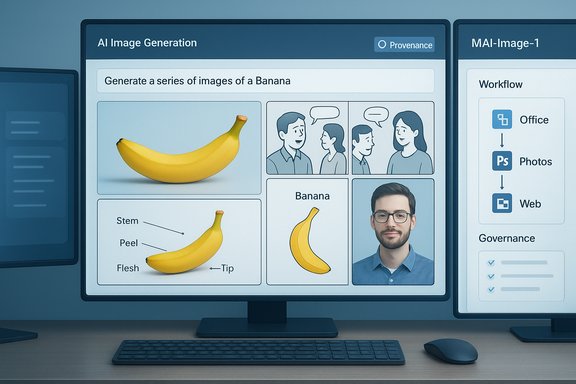 Background / Overview
AI image generation has moved from laboratory demos into mainstream creative work and enterprise pipelines. Modern generators are not just single-shot text-to-image engines: most leading services support iterative conversational editing, targeted inpainting, multi-panel composition, and integration into authoring tools such as PowerPoint, Photoshop, and web design suites. That shift changes how visuals are produced — faster iterations, closer ties to document workflows, and new legal and operational risks for teams that publish those images.The PCMag Australia piece highlights the practical angle: which generators make it easiest for non-experts to get good results, how those services were tested, and which capabilities (photorealism, editing, text in images, multi-panel narratives) matter most in real-world use. The testing framework used by reviewers focuses on three consistent scenarios — basic scenes, complex actions (multi-panel comics), and text/diagram generation — and places particular emphasis on localized edits rather than end-to-end reimagining. That method intentionally mirrors how designers and knowledge workers use generators in practice.
How the testing works (what PCMag and other hands-on reviews used)
The practical testing methodology the review teams used is grounded in repeatable, scenario-driven prompts:- Basic scenes: photorealistic interior shots and object-rich compositions to test lighting, object coherence, and texture fidelity.
- Complex action: multi-panel comics or storyboards that require narrative coherence across frames and a final reveal or twist to check consistency.
- Text and diagrams: labeled procedural diagrams and instruction-style imagery to evaluate in-image typography and label placement.
- Editing: local inpainting and “fix-this-spot” changes to test how well a generator performs targeted edits without re-synthesizing the entire image.
The notable contenders and what they deliver
The landscape is a mix of general-purpose multimodal engines and specialist models. Several themes are useful to understand before diving into vendor-by-vendor notes:- Integration matters: Services embedded into authoring apps (Office, Photoshop, or web builders) reduce friction and are often the practical pick for business users.
- Editing-first vs. synth-first models: Some engines are tuned for iterative in-place edits (conversational editing), while others excel at novel artistic synthesis.
- Moderation and policy differences: Content and likeness rules vary by vendor and product tier; the practical ability to generate images of real people or NSFW content is often restricted or explicitly allowed depending on the service and its governance settings.
Gemini family (Nano Banana / Gemini 2.5 Flash Image)
Why it’s notable: Google’s Gemini image models — referenced in product and press rollouts under nicknames like Nano Banana or Gemini 2.5 Flash Image — are repeatedly singled out for conversational editing and iterative fidelity. Adobe and other authoring integrations surfaced support for Gemini variants, positioning them as editing-first engines inside design workflows. Reviewers note Gemini’s strength in obeying explicit edit prompts across multiple iterations.Strengths:
- Conversational editing that shortens iteration loops.
- Strong alignment when instructed to preserve identity or maintain constraints.
- Product integrations (Adobe Firefly/Photoshop tie-ins) that push Gemini into real authoring pipelines.
- Some reviewers flagged trade-offs in text rendering and occasional “over-smoothing” artifacts on fine texture detail.
- Model and codename references (e.g., “Nano Banana Pro”) can come from channel or vendor shorthand rather than formal public model cards; treat such labels as product nicknames unless confirmed by vendor documentation.
Microsoft Copilot / MAI-Image-1
Why it’s notable: Microsoft’s strategy is product-first: embed the image model tightly into Copilot, Bing Image Creator, Designer, and Office so that image generation becomes a contextual part of document creation. The model reported as MAI‑Image‑1 aims for photorealism and rapid iteration inside workflow surfaces. Early testing and community polls rank MAI-Image-1 highly for perceived quality and product fit.Strengths:
- Deep integration with Microsoft 365, enabling in-context edits and export to PowerPoint and Designer.
- Low-latency, iterative generation options tailored for productivity workflows.
- Enterprise governance pathways and tenant-grounded capabilities make Copilot a pragmatic choice for regulated environments when paired with proper contracts.
- Microsoft has not published exhaustive model cards for all productized models at launch; some enterprises require more provenance detail before wide-scale adoption.
- Moderation behavior and regional rollout (EU availability, regulatory compliance) can vary by jurisdiction.
OpenAI / ChatGPT image modes (GPT‑4o and DALL·E lineage)
Why it’s notable: OpenAI’s multimodal GPT series combines conversational refinement with image creation and editing features. ChatGPT’s image capabilities are pragmatic for transformations, character reimagining, and iterative dialogues that produce usable images within chat flows.Strengths:
- Conversational context and multi-step refinement.
- Integration with content-credentialing efforts (C2PA-like metadata in product surfaces).
- Broad availability and a plurality of third-party integrations.
- Moderation and policy guardrails remain a deciding factor for likeness, public figures, and sensitive topics.
Midjourney (V7) and Specialist Engines
Why it’s notable: Midjourney remains the creative pick for stylized work — concept arts, mood boards, and community-driven aesthetic exploration. Its Draft Mode and V7 improvements improve speed-to-idea while maintaining the platform’s signature look. Specialist engines like Ideogram (for typography-heavy outputs), Seedream (high-res photorealism), and Recraft (logo/vector focus) each serve distinct creative niches.Strengths:
- Midjourney: rich artistic styles and community collaboration features.
- Specialist engines: higher-fidelity performance on constrained tasks (text rendering, vector-friendly output).
- Some high-quality specialist models may exist primarily as API or community-driven projects rather than fully managed, feature-rich web services.
Grok and NSFW / real-person generation policies
Why it’s notable: Content moderation policies differ widely. Some services explicitly prohibit creating images of real, identifiable people, while others permit it with caveats. The PCMag summary called out Grok as permissive for NSFW generation while Copilot enforces stricter rules on likeness. These are important differences for users who intend to generate images of real people or adult content; they are also strong triggers for legal, ethical, and reputational risk.Caveats and verification note:
- Moderation policies and product behavior change rapidly, and vendor documentation or terms of use should be consulted for current restrictions, especially on likeness, public figures, and sexually explicit content. Any assertion about a specific product’s permissiveness should be verified against that vendor’s public policy page at the time of use.
Strengths — what’s improved and why it matters
- Productivity integration: embedding image generation into Office, Photoshop, and design apps significantly lowers the time to final asset. When Copilot or a Gemini-backed plug-in can “fix the sky” or “crop for slide,” the generator becomes a true creative tool rather than an isolated toy.
- Conversational editing: the era of multi-turn fixes — “remove the vase, warm the lighting, keep the face unchanged” — turns image creation into an iterative craft accessible to non-designers. This reduces the need for deep tool expertise for many routine tasks.
- Specialization and aggregation: the market now includes both broad multipurpose engines and specialist services for typography, vector output, and multi-image contextual editing. Aggregators and workflow platforms make it easier to compare models side-by-side, which matters for teams deciding which tool to adopt.
Risks and limitations — legal, technical, and operational
- Provenance and copyright exposure
- Many vendors do not publish a complete dataset manifest; that lack of transparency creates legal uncertainty for commercial reuse and rights clearance. Enterprises should require written licensing terms and dataset provenance when procurement is considered.
- Moderation, likeness, and reputational risk
- Services implement different policies for generating images of real people, public figures, or explicit content. Misuse (harassment, impersonation, disinformation) is a well-documented harm vector. The PCMag review warns explicitly against creating fake images used to harass or mislead. Governance controls and human-in-the-loop moderation are essential for high-risk use cases.
- Bias and representational fairness
- Evaluations show non-uniform performance across skin tones and cultural signals in some models. Debiasing work reduces but does not eliminate these gaps; teams should test models with representative prompts and reference images relevant to their audience.
- Detection and forensics: it’s getting harder
- As generators improve, visual telltale signs become fewer. Forensic detectors and assistant tools are not yet a perfect bulwark; models trained to describe images may not reliably identify synthetic origins. That weakness has real-world harms when generated content is used in political or social campaigns. Verification requires layered human and technical checks.
- Vendor SLAs, regional availability, and regulation
- The EU AI Act and other regional rules shape product availability, and vendors may delay launches or alter features to meet compliance demands. Commercial teams should confirm regional parity and contractual obligations before rolling out a single-vendor solution across geographies.
Practical recommendations for Windows users and IT teams
- Start with a pilot: run a two-to-four-week pilot with the top two services that meet your needs (one editing-first, one synthesis-first). Measure latency, text-in-image fidelity, moderation false positives/negatives, and export workflows.
- Preserve provenance: save prompts, model names, and any content credentials/metadata with every exported image. That practice eases copyright inquiries and fact-checking.
- Contractual protections: require explicit non-training clauses or commercial licensing terms for enterprise agreements when handling customer data, trademarks, or brand assets.
- Human-in-the-loop review: require legal and brand-review sign-off on any AI-generated asset destined for public publication.
- Accessibility and alt text: generate and manually verify alt text for AI images used in public-facing sites to maintain compliance and accessibility standards.
- Maintain an approved prompt/playbook library: store tested prompts that produce consistent brand-aligned results and reduce variability across teams.
Prompt examples and test suite your team should run
- Photorealistic product shot (basic scene)
- “Photorealistic product photo of a matte black wireless headset on a white table, shallow depth of field, softbox lighting, 50mm lens, 1:1 aspect, visible brand-free logo area for later watermarking.”
- Multi-panel comic (complex action)
- “Create a 3-panel comic: Panel 1 – character finds a strange device; Panel 2 – device glows and levitates; Panel 3 – the twist: device is a tiny garden with a city inside. Maintain consistent character appearance across panels.”
- Diagram with labels (text test)
- “Instruction diagram showing how to set up a home router: label power port, Ethernet port, status LEDs, and step numbers for physical installation. Use clear legible sans-serif labels, high contrast.”
- Identity fidelity test (real-person safeguards)
- Upload two reference photos, then: “Generate a headshot in studio lighting that preserves the subject’s facial proportions and skin tone; do not alter face shape; replace background with neutral grey. Preserve identity markers such as eyeglasses.”
What didn’t make the cut (and why)
Not all well-known engines were included in the highlighted list: some high-quality models such as community distributions of Stable Diffusion or certain Midjourney-style projects may perform competitively on image quality but lack the extra features (editor integrations, enterprise governance, content credentials) reviewers prioritized. That omission is practical: this roundup focuses on full-service, web-accessible generators that fit into production workflows with minimal setup. Users who prefer specific artistic styles or open-source control may still prefer generators not emphasized in this list.Final analysis — who should pick what
- Choose Microsoft Copilot / MAI-Image-1 if you are Office-centric and need in-app productivity, tenant-aware governance, and easy export into slides and documents. The product integration yields the biggest day-to-day gains for enterprise content teams.
- Choose Gemini-family models (Nano Banana / Gemini 2.5 Flash variants) if your workflow needs tight conversational editing and you want a model that’s integrated into creative authoring suites for iterative photo edits. Confirm behavior for identity preservation with representative tests.
- Choose Midjourney or specialist engines when aesthetic range, stylized art, or community-driven styles are the priority; use these for concept art rather than brand-critical photoreal headshots.
- For NSFW or highly permissive content needs, verify vendor policy carefully and prefer services that explicitly document their content rules; some services (noted in reviews) are more permissive, but such permissiveness carries legal and reputational risk and often requires using dedicated platforms that explicitly permit adult content. Exercise caution and contractual clarity.
Caveats, gaps, and unverifiable claims
- Model codenames such as “Nano Banana Pro” sometimes circulate in reporting and social channels before formal vendor documentation is published. Treat these as product nicknames or internal build names until a vendor publishes an official model card or product page. Where vendor documentation is lacking, require third-party audits or pilot tests before taking marketing claims at face value.
- Numerical performance claims (e.g., “X outputs per second” or “Y microseconds latency under load”) should be validated by controlled benchmarking on representative infrastructure. Vendor latency claims are directional but vendor- and network-dependent.
- Policy behavior (what is allowed or blocked) changes frequently; a generator that permits a type of content today may block it in the next release. Always reconfirm the vendor’s current content and likeness policies before use in contested or high-risk domains.
Conclusion
The PCMag Australia roundup is a pragmatic guide for 2026-facing creators: the best AI image generators are those that combine quality with integration, governance, and editing finesse. For Windows users and enterprise teams, the right decision is rarely the one with the prettiest examples — it’s the service that fits into existing authoring tools, provides provable rights and provenance, and can be governed operationally. That means running targeted pilots, saving provenance, and insisting on contractual safeguards before putting AI-generated visuals in public-facing or revenue-generating contexts. The technology is powerful and increasingly accessible, but responsible adoption — not blind enthusiasm — is what turns capability into consistent value.Source: PCMag Australia The Best AI Image Generators for 2026
