

AI personal finance assistants have moved from novelty chatbots to practical, everyday tools — but choosing the right one depends less on model hype and more on where your financial data lives, how auditable you need the output to be, and how much privacy control you require. view
AI assistants such as ChatGPT, Google Gemini, Microsoft Copilot, and Anthropic Claude now tackle three core personal finance functions: explain complex concepts in plain language, extract and summarize information from documents and spreadsheets, and automate repetitive tasks like budget templates or spreadsheet formulas. These capabilities are implemented differently across platforms, and those product design choices — context window sizes, authenticated connectors, and contractual privacy controls — are the decisive factors for personal finance use.
All four assistants els with retrieval or connector layers to access user documents when permitted. That connectivity is what lets them convert a redacted bank CSV into a categorized monthly budget, summarize a multi‑page 401(k) plan PDF, or draft a short, polite email to HR — but it also introduces governance and privacy tradeoffs that should guide adoption.
AI personal finance assistants are now valuable productivity tools when matched to your data environment and used with clear governance. They shorten the path from document to decision, but the risk of convincing mistakes and privacy exposure means they should augment — not replace — human verification and professional advice.
Source: AOL.com Comparing AI personal finance assistants: ChatGPT, Gemini, Copilot and Claude
AI assistants such as ChatGPT, Google Gemini, Microsoft Copilot, and Anthropic Claude now tackle three core personal finance functions: explain complex concepts in plain language, extract and summarize information from documents and spreadsheets, and automate repetitive tasks like budget templates or spreadsheet formulas. These capabilities are implemented differently across platforms, and those product design choices — context window sizes, authenticated connectors, and contractual privacy controls — are the decisive factors for personal finance use.
All four assistants els with retrieval or connector layers to access user documents when permitted. That connectivity is what lets them convert a redacted bank CSV into a categorized monthly budget, summarize a multi‑page 401(k) plan PDF, or draft a short, polite email to HR — but it also introduces governance and privacy tradeoffs that should guide adoption.
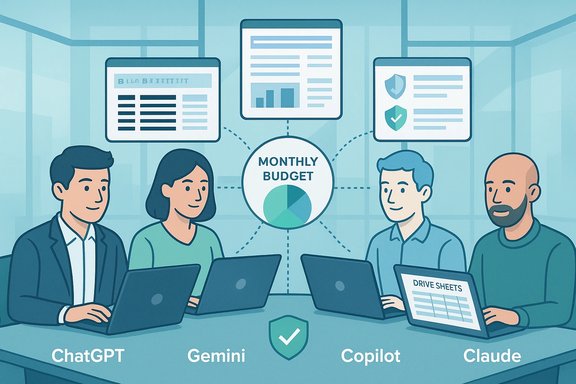 Quick comparative snapshot
- Chatst** for learning, drafting, and ideation; broad plugin ecosystem and flexible prompts make it ideal for plain‑English explanations and iterative drafting.
- Gemini — Best for Google Workspace users; seamless Drive, integrations and web grounding make it fastest for turning PDFs and emails into working spreadsheets.
- Microsoft Copilot — Best for Microsoft 365 and Windows users; tenant grounding, ep Excel automation are designed for auditable, in‑tenant finance workflows.
- Claude (Anthropic) — Best for very long documents and conservative summaries; large context windows ature make it suited to multi‑year statements and regulator‑style narratives.
Deep dives: strengths, shortcomings, and real‑world fit
ChatGPT — the flexible generalist
What it does well- Converts messy meeting nocted CSV into readable budgets and follow‑ups quickly.
- Excellent at plain‑English explanations (e.g., Roth vs. Traditional IRAs, vesting schedules).
- Extensible via plugins and Custom GPTs that can add authenticated connectors or export flows when configured securely.
- ChatGPT Plus is commonly listed at $20/month for consumers, which buys priority access and advanced features. This consumer tier is documented by OpenAI.
- Ungrounded chat sessions can return out‑of‑date or confidently wrong numbers (hallucinations). Always verify computed totals programmatically in a spreadsheet.
- Data use: OpenAI may use consumer chats to improve models unless you opt out; account‑level controls exist to dr content. Verify your plan’s data controls before uploading any regulated documents.
- Individuals who want a conversational tutor, drafting workspace, or a hub to prototype finance tasks and then formalize them in Sheets/Excel.
Google Gemini — Workspace‑native, web‑grounded
What it does well- Converts Drive‑stored PDFs and emails into Sheets with formulas and scenario tabs quickly.
- Web grounding makes it convenient for pulling recent mortgage rates, FX quotes, or market headlines into a planning note.
- Gemini’s premium consumer tier (GemiOne AI Premium) has been positioned around $19.99/month in public reporting — a price band that aligns with the broader consumer competition.
- Full value is realized when documents already live in Google Drive — storing sensitive finance docs in Drive introduces governance tradeoffs you must plan for. Google’s “Personal Intelligence” features are opt‑in and the company states connected app data is referenced for the task and not used to train Gemini directly, although details of review and retention policies vary by feature and region. Confirm settings before enabling.
- Users whose finance workflows are Drive/Sheets centric and who value fast exports to spreadsheets and web‑grounded facts.
Microsoft Copilot — tenant‑grounded Office automation
What it does well- Deep Excel automation (formula suggestions, pivot creation, even Python integration in Excel for advanced analysis).
- Copilot is embedded into Word, Excel, Outlook, Teams and can use Microsoft Graph to surface user‑permitted emails, calendar events and documents for context. That tenant grounding enables audit logs and administrative controls that matter for regulated workflows.
- Microsoft lists a published per‑user price for Microsoft 365 Copilot around $30/user/month (annual billing) for enterprise plans; licensing and bundling are complex and require checking SKU details before procurement.
- Copilot’s advantages shrink if your data doesn’t live inside Microsoft 365 (personal bank apps, mobile‑only banking, or Drive‑centric workflows).
- Licensing fragmentation means you must confirm whether the Copilot features you expect (work grounding vs. chat-only) are included in your tenant’s plan.
- Windows and Microsoft 365 users who need tenant isolation, admin auditing, and heavy Excel automation inside a corporate or tightly managed personal environment.
Claude (Anthropic) — long context and conservative oull
- Designed for long‑document ingestion with very large context windows; well suited to multi‑page plan documents, long multi‑year statements, and regulatory language that benefits from conservative, auditable summaries.
- Anthropic’s commercial products default to not using customer inputs/outputs to train models unless explicitly opted in, offering an enterprise posture that many procurement teams value.
- Anthropic documents show availability of context windows up to 1M tokens for some enterprise tiers and warn about premium pricing for very long requests; evaluate token economics if you plan ing.
- Heavy long‑context processing is costlier due to token pricing; public usage metrics are lower than larger consumer assistants, which can make third‑party user reports rarer. Anthropic recommends testing throughput and pricing for batch workflows.
- Users who must process many long PDFs and prefer a conservative, auditable summarization posture — for example, retirees reviewing multi‑year plan disclosures or fiduciary reports.
Practical finance tasks to test right away
Below are concrete tasks and a recommended short pilot to evaluate which assistaBudget audit from a bank CSV- Step 1: Export a cleaned bank CSV; redaction checklist: remove account numbers, SSNs, and full card numbers.
- Step 2: Upload the cleaned CSV to two assistants (e.g., ChatGPT and Gemini/Copilot) and ask: “Group expenses, flag subscriptions, and show a simple monthly budget.” Verify totals in Excel/Sheets and reconcile line counts.
- Summarize a 401(k) plan PDF
- Step 1: Upload the plan PDF to Claude and to ChatGPT (or Gemini if it lives in Drive).
- Step 2: Ask for “five action items to discuss with my advisor” and verify any fee figures or vesting percentages directly against the PDF. Claude often gives a conservative, traceable summary ts.
- Debt repayment scenario planning
- Upload a spreadsheet of debts (balances, interest rates, monthly payments) and ask each assistant to model the debt‑snowba and show months-to‑payoff and total interest. Always treat the AI output as a draft and verify the for.
- “Summarize this 401(k) plan PDF and list five action items I can discuss with my advisor. Keep bullets under 12 words.”
- “From this cleaned bank CSV, group expenses, flag subscriptions, and show a simple monthly budget.”
Safety and privacy checklist (must‑do before you paste anything)
- Strip sensitive identifiers before uploading: account numbers, SSNs, full statements with routing numbers.
- Use OAuth connectors where available (read‑only scopes) rather than copy‑pasting credentials. Always choose least privilege.
- Turn on account security: strong password, MFA, and review privacy/data‑use controls for your vendor account.
- Confirm non‑training or data residency clauses before uploading regulated data (OpenAI, Anthropic and Google all provide settings or commercial contractual options; check your plan).
- Keep a human approval gate for anything that moves money or affects tax filings; treat AI output as a draft.
- Monitor token or usage costs during pilots — heavy long‑document workflows can exceed simple subscription fees.
- OpenAI: consumer chats may be used to train models by default; users can opt out of training via account data controls.
- Anthropic (Claude): commercial offerings do not use customer inputs for training by default unless the customer opts in; public consumer tiers differ.
- Google Gemini: Personal Intelligence and app access are opt‑in; Google states connected app data is referenced for the task and not directly used to train the model, but retention and internal review practices should be confirmed in your settings. ([blog.google](Gemini introduces Personal Intelligence: designed to surface only data a user has permission to access via Microsoft Graph; enterprise tenants get admin/audit controls and procurement options for governance.
Critical analysis: strengths, risks, and procurement realities
Strestants deliver now)- Real productivity gains on routine tasks: drafting budgets, summarizing PDFs, and automating spreadsheet work save time and reduce clerical friction. Multiple hands‑on reports show measurable time savings when assistants are matched to the user’s ecosystem.
- Ecosystem le’s Sheets export, Microsoft’s Excel automation, and Anthropic’s long‑context rooms deliver clear task‑level advantages for specific workflows.
- Governance options are improving: enterprise plans increasingly offer non‑training clauses, tenant isolation, and audit trails that are vital for regulated tasks.
- Hallucinations: polished prose can hide miscomputed interest, invented fee numbers, or incorrect jurisdictional tax rules. Hallucination risk is highest when sessions are ungrounded or when the model synthesizes tax/legal conclusions without citations. Always verify.
- Privacy and training defaults: consumer chat defaults often allow model improvement using user content. If you plan to feed sensitive documents, insist on enterprise commercial terms or use products that explicitly exclude training by default.
- Cost volatility: subscription parity at ~$20/month for consumer tiers masks large differences in token economics and enterprise packaging. Heavy use — especially with long contextsts well beyond a simple monthly subscription. Anthropic’s long‑context pricing and OpenAI’s tiered model limits are examples of this variability.
- Procurement complexity: especially for Microsoft Copilot, SKU fragmentation and it essential to verify exactly which features and governance guarantees are included in your purchased plan.
- Fixed numbers for context windows, single‑ecific internal model rollouts should be treated as provisional. Vendors update packaging and models often; verify vendor documentation at decision time.
A pragmatic rollout plan (7–14 day pilot)
- Define the two highest‑value finance tasks (e.g., summarize 401(k) plan PDF; run cleaned bank CSV into a categorized monthly budget).
- Create redacted test artifacts (r, SSNs) and a verification checklist (line counts, totals, formulas).
- Run identical prompts across two assistants: one for drafting (ChatGPT or Gemini) and one for verification (Claude or a citation‑forward tool). Compare accuracy, time saved, and cost.
- Track token/usage during the pilot and estimate monthly cost for scaled usage. Include token pricing for Claude if processing many long PDFs.
- Decide based on fit and governance: where data lives (Drive vs OneDrive/SharePoint), whether tenant logs or non‑training contracts are required, and whether you want a conservative summarizer for long documents.
Final verdict — choose, pilot, and pair
- Pick ChatGPT if you want the most flexible drafting environment, fast plain‑English explanations, and a broad plugin ecosystem to build automations. Verify data‑use settings if you’re processing sensitive documents.
- Pick Gemini if your workflows are Drive/Sheets centric and you need quick exports and web‑grounded facts; use Personal Intelligence only with careful privacy settings. ([blog.google](Gemini introduces Personal Intelligence Copilot if your finance data lives in Microsoft 365 and you need tenant controls, Purview auditing, and heavy Excel automation. Confirm the Copilot SKU and tenant features before rollout.
- Pick Claude if you must process vth a conservative, auditable output posture and you are prepared to model token costs.
AI personal finance assistants are now valuable productivity tools when matched to your data environment and used with clear governance. They shorten the path from document to decision, but the risk of convincing mistakes and privacy exposure means they should augment — not replace — human verification and professional advice.
Source: AOL.com Comparing AI personal finance assistants: ChatGPT, Gemini, Copilot and Claude
