

Best Buy has quietly dropped the price on select Surface Pro models—most notably a Snapdragon X Plus–powered Surface Pro variant—bringing an attention‑grabbing early Black Friday price down to roughly $699.99 and re‑igniting frantic comparison shopping across outlets and forums. This isn’t just another markdown: it’s a rapid re‑evaluation of the value proposition for Microsoft’s Copilot+ Surface line, especially for buyers who want an ultra‑portable 2‑in‑1 that also claims meaningful on‑device AI acceleration. The deal and the review coverage that promoted it have already become focal talking points among readers and deal‑hunters, even as a few important SKU and spec details remain worth verifying before anyone clicks “Buy.”
Background / Overview
Microsoft’s Surface Pro lineup has been through several reinventions; the latest generation expands the family into a clearer two‑tier product set: a compact 12‑inch Surface Pro (marketed in some materials as “Surface Pro 12‑inch”) and the larger 13‑inch Surface Pro 11 family with multiple panel and Snapdragon X‑series CPU options. The device family spans mainstream, productivity‑oriented SKUs with the Snapdragon X Plus (an efficient Oryon‑based part) up to higher‑end configurations using the Snapdragon X Elite. Both chips pair a Qualcomm Hexagon NPU with Adreno graphics and promise substantially better power efficiency compared with many comparable x86 ultralight designs. What matters for shoppers in this specific sale:- The headline price—$699.99—appears against a historical MSRP near $899–$1,099 depending on model and storage. Best Buy currently lists a 12‑inch Snapdragon X Plus model at $699.99 (device‑only), which aligns with the sale coverage.
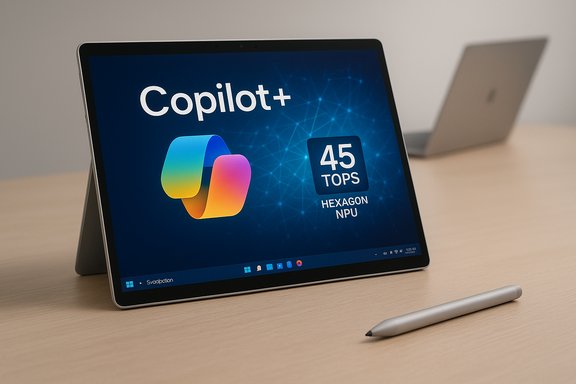
- Key silicon claims include a Qualcomm Hexagon NPU rated at 45 TOPS (trillion operations per second), which Microsoft and Qualcomm use to justify Copilot+ and on‑device AI features such as Studio Effects, live transcription/translation, and low‑latency image processing. The Microsoft tech spec pages and Qualcomm coverage corroborate the 45 TOPS figure for Snapdragon X‑series NPUs.
- Display, memory, and storage vary by SKU: the compact 12‑inch model uses a 2196 × 1464 LCD panel at ~90Hz, while the larger 13‑inch Pro options offer both LCD and OLED panels at higher resolution and up to 120Hz in some configurations. Removable storage (user‑exchangeable rSSD / M.2 modules) appears in several 11th‑edition Surface Pro SKUs—an increasingly rare but practical design choice.
What the Windows Central piece said — and how it lines up with vendor specs
Windows Central’s deal write‑up called out a $699.99 Best Buy price on a Surface Pro 11 (Snapdragon X Plus) SKU and highlighted the device’s balance of speed, battery life, and design, while noting a few omissions like the lack of human presence detection and an anti‑reflective AR coating. That coverage aggregated reviewer praise (including a top score cited in the piece) and framed the sale as an early Black Friday opportunity ending November 9, 2025. Cross‑checking the article’s key spec claims against Microsoft’s published tech pages and major reviews reveals both alignment and a few mismatches worth calling out:- NPU and Copilot+ claims: Microsoft’s official Surface Pro tech specs list a Qualcomm Hexagon NPU rated at 45 TOPS, a figure echoed in Qualcomm and third‑party coverage; that supports the article’s headline about on‑device AI acceleration. Verified.
- CPU and clock speeds: Windows Central mentions a 3.4 GHz CPU figure for the Snapdragon X Plus SKU. Qualcomm’s product literature and chip breakdowns note Snapdragon X Plus variants with advertised boost or multi‑core ceilings around 3.4 GHz depending on part number and OEM binning. This is broadly consistent, but measured clock behavior in the field will vary by SKU, thermal limit, and firmware. Practically accurate but workload‑dependent.
- Display and size: the article references a “12‑inch LCD 2196 × 1464” resolution while other Windows Pro 11 descriptions and Microsoft pages emphasize a 13‑inch, 2880 × 1920 PixelSense Flow option (OLED/LCD) for some Pro 11 SKUs. The discrepancy indicates Windows Central likely conflated or summarized multiple Surface models (the new 12‑inch Surface Pro and the 13‑inch Pro 11 family are distinct SKUs). Buyers must confirm the exact SKU before purchase because the display, weight, ports, and price often vary between 12‑inch and 13‑inch models.
- Storage/RAM: the Windows Central deal blurb mentions 16GB RAM and 512GB storage for the on‑sale unit; Best Buy’s live listings show the $699.99 price appearing on specific 12‑inch/256GB SKUs in some channels and sometimes on 256GB/512GB variants in others. In short, the price applies to particular SKUs—and those SKUs are not uniform across retailers. Confirm the exact capacity and whether the SSD is removable before purchasing.
The technical center: Snapdragon X Plus, Hexagon NPU, and what 45 TOPS actually buys you
Qualcomm’s Snapdragon X family is built around Oryon CPU cores and a Hexagon NPU that, in marketing materials and vendor spec sheets, is often quoted at 45 TOPS for the X Plus and Elite chips. That NPU rating measures peak integer‑based tensor throughput under ideal conditions and is a useful indicator of on‑device inference capability—but it’s not a magic number that directly maps to every real‑world AI task. What 45 TOPS means practically:- Low‑latency inference: local features like background effects, camera filters, live transcription, and some forms of image editing can run with lower latency and without cloud roundtrips.
- Privacy / offline benefits: tasks that don’t need cloud connectivity can remain on device, which matters for enterprise and privacy‑sensitive workflows.
- Performance ceiling: while 45 TOPS is competitive for the category, it doesn’t guarantee parity with cloud GPU performance or large multimodal models. Heavy generative tasks still benefit from server‑side accelerators or larger local NPUs.
Strengths: where this Surface wins
- Portability and build quality. The Surface form factor, kickstand, and pen support remain best‑in‑class for users who want a real tablet experience with a full Windows 11 PC behind it. The compact 12‑inch options are particularly compelling for travelers and students.
- On‑device AI features. With a 45 TOPS Hexagon NPU, Copilot+ capabilities (studio camera effects, live captions, local image editing) are meaningfully faster and more private than comparable cloud‑first workflows. For many users these features are productivity multipliers rather than gimmicks.
- Battery life / efficiency. Snapdragon X‑series devices have repeatedly shown class‑leading efficiency: real‑world mixed‑use battery life often outperforms many ultralight x86 laptops, especially during browser‑heavy or video tasks. Independent reviews place mixed‑use battery expectations in the all‑day range for typical productivity workloads.
- Repairability / upgrade path. Several 11th‑edition Surface models ship with a removable rSSD door (M.2 or Gen4 module) that allows storage upgrades or replacements without invasive disassembly, which is a practical life‑cycle advantage in a market that increasingly favors sealed units.
Risks and limitations — what to look out for before you buy
- Windows on Arm compatibility. Some legacy or niche x86 apps don’t emulate perfectly and may show reduced performance or incompatibility. Buyers who rely on specialized plugins, drivers, or older enterprise software must validate those apps on Arm (native ARM64 builds are ideal). Windows Central and other outlets repeatedly advise app testing for mission‑critical workflows.
- Accessory cost and overall out‑the‑door price. Surface devices are commonly device‑only in sale listings—keyboards and pens are usually extra. A bargain device price can evaporate if you need the Flex Keyboard, Surface Slim Pen, and a charging adapter. Budget $150–$350 extra if you want a keyboard and pen included.
- SKU confusion and inconsistent listing details. The media tends to use shorthand like “Surface Pro 11” while retailers simultaneously list 12‑ and 13‑inch SKUs with different names. That leads to inconsistent spec reporting (e.g., 12‑inch LCD at 2196 × 1464 vs 13‑inch 2880 × 1920 OLED). Always confirm the exact model number, capacity, and display option on the checkout page. Do not assume the low price applies to a larger‑panel or higher‑capacity SKU without checking.
- Firmware and software caveats. Isolated reports have surfaced about firmware toggles or battery‑related behavior; new hardware generations sometimes require a few firmware updates to reach expected stability and battery performance. Check for immediate updates after unboxing.
How the $699.99 deal fits in the market — apples, oranges, and asterisks
At $699.99, the Surface becomes a direct value competitor against mid‑range MacBooks, iPad Pros (with keyboard bundles), and Intel/AMD thin‑and‑light notebooks. But the comparison is nuanced:- Against MacBook Air (M‑series): Apple often retains single‑thread and optimized app advantages in pro creative tasks. Microsoft’s Surface offers tablet form factor and pen support that Apple doesn’t match in macOS, and the Surface’s NPU brings local AI for Windows features. The deciding factor is often app ecosystem and whether your workflows are Arm‑native.
- Against similarly priced Windows laptops: Many clamshell Windows PCs will offer discrete GPU options or more generous ports but lack the tablet hinge/pen ecosystem. If your workflow benefits from pen input or tablet mode, the Surface can be a better fit despite similar price points.
- For gamers: the Surface’s integrated Adreno GPU is fine for casual and mid‑range gaming but not a substitute for discrete graphics when you need AAA framerates or GPU‑accelerated pro rendering. Be pragmatic about expectations.
A practical buying checklist (step‑by‑step)
- Confirm the exact SKU on the product page: size (12" vs 13"), display (LCD vs OLED), RAM (16GB vs 32GB), storage (256/512/1TB), and CPU (X Plus vs X Elite).
- Check the seller and warranty: prefer Best Buy sold‑and‑shipped, Microsoft Store, or major retailers with easy returns. Avoid third‑party marketplace listings unless you verify seller reputation.
- Verify the price‑break details (offer end date, whether the keyboard/pen is included). Treat any quoted sale end date in press articles as indicative—confirm on the retailer page before purchase. If the retail listing doesn’t show an “offer ends” date, assume the markdown can disappear without notice.
- Run an app compatibility list: install or trial your most important apps where possible; for enterprise users, insist on a validation image for fleet purchases.
- Update firmware and Windows immediately after setup: many post‑launch stability improvements arrive as firmware and driver packages.
Verdict and buying guidance
This discounted Surface proposition is compelling but conditional. The hardware—particularly the integration of Qualcomm Oryon CPU cores and a 45‑TOPS Hexagon NPU—represents a legitimate step forward for Windows tablets and on‑device AI. For students, frequent travelers, mixed‑use creatives, and anyone who will use the tablet form factor plus pen input daily, the Surface Pro family is now a more affordable, better‑rounded option when the right SKU falls into the low‑seven‑hundreds price band. Caveats remain. If you rely on legacy x86 apps, Windows on Arm compatibility is the principal risk; if you prefer a plug‑and‑play laptop experience without additional keyboard/pen purchases, factor those costs in; and if you demand desktop‑class GPU performance for heavy rendering or AAA gaming, this isn’t the right form factor.In short:
- Buy this deal if you want a tablet‑first PC with long battery life, pen support, and usable local AI features, and you confirm the SKU matches your needs.
- Pass if your workflow depends on legacy x86 apps that don’t run reliably under emulation, or if you need discrete‑class GPU power.
Final take
The Surface Pro family’s latest generation—backed by Qualcomm’s Snapdragon X family and Microsoft’s Copilot+ ambitions—has matured into a serious contender for people who require both mobility and a full Windows experience. A sub‑$700 entry point on the right SKU is a rare value moment that should be treated as exactly that: a time‑sensitive opportunity to get a device that delivers a unusually strong blend of portability, battery life, and on‑device AI.That said, the headlines and deal blurbs occasionally blend SKUs and specs together. Verify the EXACT model number, capacity, and whether accessories you need are included before committing. The price is attractive, the hardware foundation is credible (45 TOPS NPU; Snapdragon X Plus/X Elite silicon), and for the right buyer this is a pragmatic way to get a future‑oriented Copilot+ Surface into daily use without paying the typical premium.
If the checkout shows the $699.99 price on the precise model you want, and your core apps are compatible with Windows on Arm, this early Black Friday markdown represents one of the better value propositions in Windows hardware right now.
Source: Windows Central https://www.windowscentral.com/hard...here-nothing-else-deserves-the-word-favorite/
