

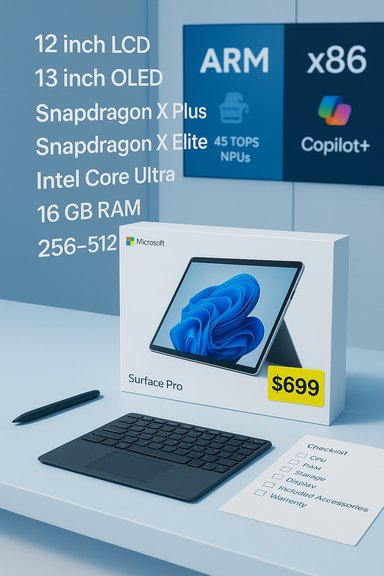
Best Buy’s headline‑grabbing $699 Surface Pro markdown has stirred the usual mix of excitement and caution among Windows shoppers — it can be a genuine value if you buy the right SKU, but the deal also exposes familiar traps: ambiguous model names, accessory costs that stack up quickly, Windows‑on‑ARM compatibility quirks, and early‑ship firmware wrinkles that can affect battery and thermal behavior.
Microsoft’s Surface Pro line has split into multiple, sometimes confusing SKUs in recent generations: compact 12‑inch tablet‑first options and larger 13‑inch Pro models with different display panels (LCD vs OLED), CPU families (Snapdragon X Plus, Snapdragon X Elite, or Intel Core variants), and storage/RAM permutations. Retail markdowns often cite a single “Surface Pro” label while actually applying only to specific configurations, which is the root of many buyer mistakes.
The latest Surface family also pushes Microsoft’s Copilot+ vision: on‑device AI acceleration driven by Qualcomm Hexagon NPUs (commonly marketed at “45 TOPS”), intended to make features like live transcription, Studio Effects, and local summarization faster and more private than cloud‑only alternatives. That promise is real in many light‑to‑medium tasks, but it depends on software optimization and does not magically replace cloud GPUs for heavy generative workloads.
The complication: retailers and review outlets sometimes conflate SKUs (12" vs 13", LCD vs OLED, X Plus vs X Elite), so the attractive price may be limited to a low‑end display or smaller SSD, or may exclude the keyboard and pen that make the device usable as a laptop replacement. Confirming the exact SKU is the single most important step before you buy.
Always match the SKU code on the product page to Microsoft’s specification table. If the retailer’s page lacks a clear model number, don’t assume the quoted specs are correct.
What 45 TOPS buys you in practice:
Also note that early‑ship firmware variations have produced isolated reports of battery management or thermal behavior that required updates. The practical step: update Windows and firmware immediately after first boot and re‑test battery behavior before making a final judgment.
Buy now if:
Use the checklist in this piece, verify the SKU on the retailer page, test your critical software immediately, and update firmware on day one. Do those things and the $699 Surface Pro pick can be one of the best value plays in the Windows laptop market — but skip them, and you might be buying the wrong device at the right price.
Source: Thurrott.com Surface Pro purchasing advice
 Background
Microsoft’s Surface Pro line has split into multiple, sometimes confusing SKUs in recent generations: compact 12‑inch tablet‑first options and larger 13‑inch Pro models with different display panels (LCD vs OLED), CPU families (Snapdragon X Plus, Snapdragon X Elite, or Intel Core variants), and storage/RAM permutations. Retail markdowns often cite a single “Surface Pro” label while actually applying only to specific configurations, which is the root of many buyer mistakes.The latest Surface family also pushes Microsoft’s Copilot+ vision: on‑device AI acceleration driven by Qualcomm Hexagon NPUs (commonly marketed at “45 TOPS”), intended to make features like live transcription, Studio Effects, and local summarization faster and more private than cloud‑only alternatives. That promise is real in many light‑to‑medium tasks, but it depends on software optimization and does not magically replace cloud GPUs for heavy generative workloads.
Why this deal matters — and why it’s complicated
A sub‑$700 Surface Pro SKU is notable because it brings tablet‑first hardware, pen support, and on‑device AI into a price band usually occupied by basic clamshell ultrabooks or larger‑scaled Chromebooks. For students, travelers, and pen‑centric creators, that’s compelling — if the unit you buy matches your needs and your software actually runs well on the platform.The complication: retailers and review outlets sometimes conflate SKUs (12" vs 13", LCD vs OLED, X Plus vs X Elite), so the attractive price may be limited to a low‑end display or smaller SSD, or may exclude the keyboard and pen that make the device usable as a laptop replacement. Confirming the exact SKU is the single most important step before you buy.
What to check before you click “Buy”
Short version: verify SKU, processor, RAM, storage, display, included accessories, seller, warranty, and return policy. Don’t assume the low price covers everything you need.- Confirm the exact model number and SKU on the retailer’s product page — not the review blurb. Retailers sometimes list multiple variants under similar names.
- Check CPU family: Snapdragon X Plus, Snapdragon X Elite, and Intel Core Ultra are materially different in performance and compatibility. Pick the platform that matches your apps.
- Verify RAM and storage. For most buyers, 16 GB RAM is the practical minimum; creators and power users should aim for 32 GB if the SKU supports it. Storage should be 512 GB or higher if you keep large local media libraries.
- Confirm the display option (12" LCD vs 13" OLED), resolution, and refresh rate; the panel choice affects weight, color fidelity, and battery life.
- Check whether the keyboard and Slim Pen are included. Headline prices often exclude these, adding $150–$350 to the real out‑the‑door cost.
- If buying a cellular (5G) SKU, verify supported bands for your carrier and international destinations. Band mismatches can render “always‑connected” models much less useful abroad.
- Prefer well‑known sellers (Microsoft Store, Best Buy, large retailers), and confirm return windows and warranty coverage. Third‑party marketplace listings carry more risk.
Why SKU confusion is common — and how to avoid it
Retailers and coverage blur product families into shorthand labels (e.g., “Surface Pro 11” or “Surface Pro”), while Microsoft’s own site lists dozens of configuration permutations. That means a $699 listing might refer to a compact 12‑inch Snapdragon X Plus model with 256 GB, while a second page with the same name sells a 13‑inch OLED X Elite with 512 GB for $999.Always match the SKU code on the product page to Microsoft’s specification table. If the retailer’s page lacks a clear model number, don’t assume the quoted specs are correct.
Technical deep dive: NPUs, “45 TOPS,” and what that actually means
Qualcomm’s marketing and Microsoft’s spec pages often headline the NPU throughput in TOPS (trillions of operations per second), commonly quoted at 45 TOPS for recent Snapdragon X family chips on Surface devices. That number measures theoretical peak tensor throughput in integer operations and is useful for comparing relative NPU capacity across chips. It’s not, however, a direct measure of real‑world application performance.What 45 TOPS buys you in practice:
- Low‑latency inference for small models powering functions like noise suppression, background replacement, live transcription, and some image edits. These tasks are faster and more private when handled locally.
- Better responsiveness for Copilot+ features that interact with local files and short prompts, reducing cloud roundtrips.
- Replace server GPUs or large‑scale cloud inference for heavy generative models. If your workflow requires large‑scale image generation, model fine‑tuning, or GPU‑heavy rendering, a cloud workflow or a discrete‑GPU workstation is still required.
Windows‑on‑ARM: compatibility realities
Windows 11 runs on ARM with a compatibility layer that executes x86 and x64 applications via emulation. Emulation has improved greatly, but not every application behaves identically to native Intel/AMD builds. This is particularly important for:- Older enterprise packages and bespoke tools that rely on legacy installers, kernel drivers, or specialized plugins.
- Performance‑sensitive plugins (audio DSPs, certain Photoshop filters) that may run slower or exhibit quirks under emulation.
- Make a critical‑apps list: test or validate vendor compatibility notes for any software you can’t live without.
- For enterprise or fleet purchases, insist on an image validation or pilot deployment to catch driver/plugin issues early.
- If guaranteed native compatibility is essential, choose an Intel/AMD SKU or a competitor that runs native x86/x64 code.
Battery life and performance — temper expectations
Snapdragon X‑series Surface SKUs are designed for efficiency: independent lab and real‑world testing consistently show strong mixed‑use battery life that often outlasts many x86 ultralights, particularly for browser, office, and video tasks. However, Microsoft’s “up to” lab numbers are not universal guarantees — display brightness, background tasks, and real workloads reduce runtime.Also note that early‑ship firmware variations have produced isolated reports of battery management or thermal behavior that required updates. The practical step: update Windows and firmware immediately after first boot and re‑test battery behavior before making a final judgment.
Accessory and total cost of ownership (TCO)
Surface devices are frequently sold as “device‑only” packages. If you want laptop functionality, add:- Surface Keyboard or Signature Keyboard: $100–$300 depending on model.
- Surface Slim Pen 2: typically $100–$150.
- Protective folio, sleeve, or dock: $50–$200.
Budget an extra $150–$350 to get a fully usable Surface Pro out the door; this can erase much of the headline deal’s perceived savings if you need a keyboard and pen.
- Warranty and accidental damage protection if the device will be used heavily on the road.
- Removable storage options: some units ship with removable SSD modules that ease future upgrades — a practical life‑cycle advantage. Confirm whether your chosen SKU has a removable module.
Buying scenarios — pick the Surface that matches your life
Different buyers value different tradeoffs. These are practical recommendations based on the Surface family’s strengths and limitations.1. Students and commuters
- Pick: Surface Laptop 13.8" or a 12" Surface Pro with Snapdragon X Plus, 16 GB RAM, 256–512 GB SSD.
- Why: Light weight, long battery life, and Copilot features that speed research and writing. Budget for a keyboard if you need laptop posture.
2. Creators and note‑heavy workflows
- Pick: Surface Pro 13" with Snapdragon X Elite (or OLED panel option), 16–32 GB RAM, 512 GB+ SSD, and Slim Pen 2.
- Why: Tablet‑first form factor and pen latency make it ideal for sketching, ideation, and light image editing. For sustained heavy video rendering, consider a workstation with discrete GPU.
3. Frequent travelers and road warriors
- Pick: Snapdragon X SKU with optional 5G, 16 GB RAM and 256–512 GB storage.
- Why: Fanless efficiency, long battery life, and always‑connected options reduce dependency on airport Wi‑Fi. Verify cellular band support before international travel.
4. Enterprise or legacy‑app users
- Pick: Intel/AMD SKUs or Surface Laptop/Pro variants with Core Ultra where x86 compatibility and driver support are critical.
- Why: Avoid unpredictable behavior under emulation for mission‑critical software. Pilot the device in small fleets before wide rollout.
Alternatives to consider
- Apple MacBook Air (M‑series): superior native app performance and strong resale value; better for pro creative apps that are Apple‑native.
- Intel/AMD ultrabooks: more predictable x86 compatibility and better options for discrete GPUs when sustained CPU/GPU throughput is required.
- Larger workstation laptops or cloud‑backed workflows for heavy generative AI, 3D rendering, or long encoding jobs. On‑device NPUs are great for interactive tasks but not a replacement for server GPU scale.
Step‑by‑step checklist before purchase
- Confirm exact SKU and model number on the retailer page.
- Verify CPU family and whether it’s ARM (Snapdragon) or x86 (Intel/AMD).
- Ensure RAM and storage meet your long‑term needs; pick 16 GB as a practical baseline.
- Check display type (LCD vs OLED), resolution, weight, and refresh rate.
- Confirm whether keyboard, pen, and charger are included. If not, add their cost to your budget.
- For cellular SKUs, match bands to your carrier(s).
- Read recent forum and review threads for firmware or early‑ship issues on the specific SKU.
- Buy from a reputable seller and verify return and warranty terms.
Red flags and when to walk away
- The seller’s listing omits a model number or shows inconsistent specs across pages.
- The price seems too good to be true on a high‑end configuration that other retailers show at a much higher price — likely a SKU mismatch.
- The listing is third‑party marketplace new or “fulfillment by” without clear warranty documentation.
- You rely on niche legacy apps or specialized drivers that you cannot validate on ARM. In that case, prefer x86 models.
Firmware, updates, and first‑day setup tips
- Immediately check Windows Update and the Surface firmware/driver page after first boot. Many post‑launch patches target battery management and stability.
- Run your critical apps and peripherals on day one to spot compatibility or performance issues while the return window is still open.
- If you rely on a dock or multi‑monitor setup, confirm port behavior with your exact SKU; USB‑C and Thunderbolt support can vary by model.
Final analysis — who should buy this kind of Surface right now?
The Surface Pro family’s current generation is a strong proposition for buyers who value portability, pen input, premium build, and local AI features. For students, frequent travelers, and creators who use mainstream apps that are ARM‑friendly or have native ARM builds, the Surface can provide real day‑to‑day benefits in battery life and responsiveness. The $699 price point on certain SKUs is a rare value moment if the unit matches your needs and you factor in accessory costs.Buy now if:
- You prioritize tablet‑first workflows and pen input.
- Your critical apps are ARM‑compatible or you can tolerate emulation.
- You verify the SKU and confirm included accessories or budget for them.
- You depend on niche legacy x86 apps, drivers, or plugins that are untested on ARM.
- You need sustained discrete‑class GPU performance or long heavy‑render sessions.
- You want the lowest total cost of ownership including keyboard and pen and can find a comparable Intel/AMD laptop that bundles input devices.
Conclusion
The Surface Pro sale narrative is a tidy example of the modern PC buyer’s dilemma: headline prices and marketing copy make exciting promises, but the real decision comes down to matching a specific SKU to your workflows, confirming compatibility for mission‑critical software, and factoring in the often‑overlooked accessory and warranty costs. When you do that work, Surface’s blend of long battery life, pen support, and on‑device AI can be a decisive advantage. When you skip it, a bargain can quickly become regret.Use the checklist in this piece, verify the SKU on the retailer page, test your critical software immediately, and update firmware on day one. Do those things and the $699 Surface Pro pick can be one of the best value plays in the Windows laptop market — but skip them, and you might be buying the wrong device at the right price.
Source: Thurrott.com Surface Pro purchasing advice
