• Thread Author
I switched to a local LLM for these 5 tasks and the cloud version hasn’t been worth it since.
When you pay for an AI subscription every month, you expect reliability, speed, and enough value to justify the bill. But for a growing number of everyday workflows, a local large language model can deliver the same practical usefulness without the recurring cost, rate limits, or privacy trade-offs. The shift is especially compelling for tasks that are repetitive, sensitive, or entirely offline by nature.
This is not a story about local models replacing frontier cloud systems across the board. It is about the point where good enough becomes better because the economics, privacy profile, and convenience of local AI line up more cleanly with what most people actually do.
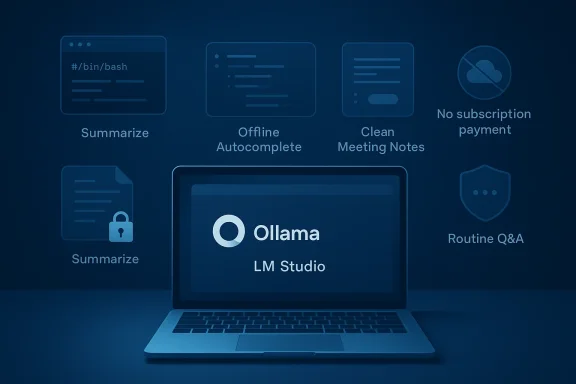
Blue laptop display showing Ollama “LM Studio” with icons for summarizing, offline autocomplete, and security features.Background​

The appeal of cloud AI is obvious: powerful models, polished interfaces, and minimal setup. Early consumer chatbots made their case by being easy to access and astonishingly capable at a wide range of tasks, from writing to reasoning to coding. For many users, that convenience outweighed concerns about privacy, cost, or dependence on an internet connection.
Over time, though, the cracks became easier to see. Monthly plans added up, usage caps appeared, and advanced features were frequently gated behind premium tiers. Even when the AI was excellent, the experience could still be interrupted by throttling, limited context windows, or a model that simply wasn’t the best fit for a narrow but common task.
Local LLMs changed the conversation by making offline inference practical on consumer hardware. Tools such as Ollama, LM Studio, and other local runtimes lowered the barrier to entry, while model families like Llama, Mistral, Gemma, and DeepSeek made it increasingly realistic to run useful assistants on a laptop or desktop. The result is a new division of labor: cloud AI for heavyweight tasks, local AI for the things you do all the time.
That split matters because most AI usage is not exotic. Most users are not asking for graduate-level theorem proving or giant multi-document analysis sessions. They want a shell script, a summary, a better email draft, a quick coding explanation, or a transcription workflow that does not leak private content to a remote server.
The MakeUseOf argument is essentially that the value proposition has matured. For a set of daily tasks, a local model is no longer a compromise that feels like a hobby project. It is a practical default, and in many cases, the smarter one.

Why Local LLMs Suddenly Make Sense​

The biggest reason local AI is having a moment is that it solves the annoyances people actually encounter. Rate limits, login friction, unstable pricing, and “please try again later” messages are not abstract drawbacks; they are workflow interruptions. When you are in the middle of work, a service that disappears behind a quota wall loses a lot of its shine.
There is also a growing comfort gap around data handling. Cloud providers may promise privacy protections, but the fundamental architecture still involves sending prompts, files, or transcript data to an external service. For personal notes, confidential documents, internal code, or meeting audio, that can feel like an unnecessary exposure.
Local AI also benefits from a simple psychological advantage: it feels owned. Once you have a model running on your machine, it is available whenever you want it, without subscriptions, usage ceilings, or policy changes that arrive from nowhere. That sense of control is one of the strongest selling points of on-device intelligence.

The Economics Are Hard to Ignore​

Subscription fatigue is real, and AI is now part of that same monthly bill problem. If your cloud chatbot is only helping with low-stakes, repetitive tasks, paying forever begins to feel disproportionate to the value delivered. A local model changes the cost structure from recurring to largely upfront.
That does not mean local AI is free in an absolute sense. Hardware, storage, and electricity still matter. But for many users, the marginal cost of one more prompt is effectively zero, and that is a huge advantage when AI becomes a daily utility rather than an occasional luxury.

Why Privacy Is More Than a Buzzword​

Privacy is often treated like a marketing slogan, but the practical implications are concrete. Every prompt can contain identifiers, internal terminology, customer names, file paths, or personal details that reveal much more than the user intended. A local model keeps that context on-device, which is especially valuable for work and personal finance.
The difference is even more meaningful when AI is asked to process files rather than just answer questions. A local workflow means your contract, transcript, or source code can be processed without leaving your machine. That risk reduction alone can make local AI a better fit even if the model is not absolutely state of the art.
  • No recurring subscription for routine use
  • No rate-limit interruptions during work
  • No dependency on the provider’s uptime
  • No need to upload sensitive files
  • No policy surprises after you build your workflow

Task 1: Writing Shell Scripts Without Googling Every Command​

One of the strongest use cases for a local LLM is shell scripting. You describe a repetitive system task in plain English, and the model returns a working Bash or Python script that handles the boring parts for you. That is already useful, but it becomes especially attractive when the task touches your own machine.
A cloud model can write a shell script just fine, but it may also see more context than you want to expose. File paths, naming conventions, internal folder structures, and server identifiers can all leak into the prompt. A local model gives you the same convenience with none of that exposure.
The real productivity gain is not just the script itself. It is the reduction in cognitive friction. Instead of pausing to remember syntax, you can move from intent to execution in one step, then inspect and refine the script if needed.

Why This Beats Manual Searching​

Traditional command-line work often means bouncing between terminal and browser, which slows everything down. A local LLM compresses that workflow into a single interface, and that matters when the task is small but repeated frequently. Renaming files, compressing directories, scheduling maintenance, and moving folders become faster because the model handles the scaffolding.
There is also a learning benefit. Good local models can explain flags, arguments, and edge cases, which makes them useful for both experts and people who are still gaining confidence with Linux or Unix tools. In practice, that makes the model part tutor, part pair programmer, and part automation engine.
  • Generate Bash or Python scripts from plain English
  • Explain command-line flags in plain language
  • Reduce the need to paste internal paths into a cloud service
  • Speed up repetitive maintenance tasks
  • Help debug small scripting mistakes on the spot

Task 2: Summarizing Sensitive Files Without Sending Them Anywhere​

Document summarization is where privacy concerns become impossible to ignore. Contracts, HR documents, medical records, tax statements, and personal financial files are not the kind of material most people want processed by a remote service. With a local model, the workflow stays on your hardware from start to finish.
The core idea is simple: the file goes in, the summary comes out, and the content never has to touch a third-party server. That is a materially different privacy posture from cloud AI, even when the vendor has strong policies and compliance claims. For highly sensitive material, not leaving the device is the cleanest answer.
This is also one of the easiest tasks for local AI to make useful. Summarization does not always require the deepest reasoning or the largest context window. It often requires structure, consistency, and enough linguistic competence to preserve the important bits while compressing the rest.

Private Pipelines Are the Real Advantage​

A local document pipeline can do more than summarize. It can classify files, extract action items, generate abstracts, and create searchable notes from personal archives. When built with tools like LangChain and a local runtime, it becomes a private information assistant rather than a cloud dependency.
That matters because users often underestimate how much their documents reveal about them. Even an ordinary PDF can include names, account numbers, dates, internal project references, and metadata that should not be exposed casually. Local processing removes the uncomfortable need to trust a provider with material you would not email to a stranger.
  • Summarize contracts and reports privately
  • Extract action items from personal documents
  • Build searchable notes from local PDFs
  • Keep medical and financial content off remote servers
  • Avoid creating a permanent cloud copy of sensitive material

Task 3: Offline Coding Help That Understands Your Setup​

Coding is one of the clearest areas where local AI has earned credibility. The best cloud models can still out-reason many local ones on difficult problems, but a local coding assistant is often more than sufficient for the majority of day-to-day work. Utility functions, boilerplate generation, syntax reminders, and basic debugging are exactly the kind of tasks where local LLMs shine.
The privacy argument is especially strong here. Source code can contain business logic, API credentials, architectural clues, and proprietary implementation details. Sending that to a cloud service may be acceptable for hobby work, but it becomes a serious concern in commercial environments.
There is also a latency advantage that users feel immediately. A local coding assistant does not have to round-trip through the internet, which can make autocomplete and line-by-line assistance feel noticeably snappier. That tight feedback loop helps keep you in flow.

The Everyday Coding Cases Add Up​

A lot of programming time is spent on tasks that are not intellectually exotic. You are not reinventing compiler theory; you are stitching together APIs, correcting syntax, generating repetitive structures, or asking what a library function does. A local model can handle those moments comfortably.
It is also helpful for context-specific work. If the model is paired with your editor and project files, it can stay aligned with your environment instead of offering generic guidance. That makes it better at “what does this project expect?” questions, which are often more valuable than abstract coding advice.
  • Generate boilerplate and helper functions
  • Explain unfamiliar library syntax
  • Debug stack traces and common errors
  • Work offline on private or proprietary repositories
  • Keep development data on-device

Task 4: Turning Messy Meetings Into Clean, Usable Notes​

Meeting transcription and summarization are a natural fit for local AI because they combine privacy, repetition, and predictable structure. A local pipeline built from speech-to-text tools such as Whisper and a local LLM can capture conversations, summarize them, and keep the entire workflow under your control.
This matters in both enterprise and personal contexts. Internal meetings often include strategy, personnel issues, client details, or unfinished ideas that should not be sent to a cloud service by default. A local note-taking pipeline means you can capture that information without creating another outside dependency.
The quality does not need to be perfect to be worthwhile. For internal notes, action items, and lightweight summaries, a reliable local pipeline is often more useful than a “smarter” cloud tool that introduces governance headaches. Good enough is often the correct standard here.

Why Local Transcription Changes the Workflow​

Once transcription happens locally, you can build a private archive of meetings that is searchable and reusable. That makes it easier to extract decisions, find action items, or revisit a conversation without replaying the whole recording. The model becomes a document-processing layer rather than just a chatbot.
Chunking also helps a lot. Breaking long transcripts into smaller pieces, summarizing each part, and merging the results keeps the workflow efficient and usually accurate enough for internal use. It is not glamorous, but it is highly practical.
  • Transcribe meetings without uploading audio
  • Summarize long recordings into action items
  • Create private archives of conversations
  • Reduce manual note-taking effort
  • Support internal workflows without cloud exposure

Task 5: A Personal Assistant That Never Needs the Internet​

The last major win for local LLMs is the simplest one: answering routine questions. Explaining an error message, rewriting an email, deciphering a Linux command, or helping brainstorm a response does not usually require a frontier cloud model. It requires a competent assistant that is immediately available.
This is where the economics of local AI become especially compelling. Once the model is installed and running, the cost of another query is close to nothing. That means you can ask small questions constantly without worrying about quota pressure or a bill climbing in the background.
There is also a convenience factor that cloud tools often overlook. A local assistant boots quickly, stays online during outages, and works wherever your device works. For ordinary productivity, that reliability may matter more than raw benchmark performance.

When “Fast Enough” Is Better Than “Best”​

Many cloud AI features are impressive in demos, but day-to-day use is full of mundane requests. If the task is to rewrite a paragraph, explain a terminal error, or draft a quick reply, a local model does not need to be the smartest thing on the planet. It just needs to be consistent, quick, and available.
That is why smaller but capable models can be a better fit than people assume. Models like Mistral 7B or Gemma can deliver plenty of value for the routine work that consumes most AI interactions. For many users, the trade-off is sensible.
  • Answer routine questions offline
  • Rewrite emails and short messages
  • Explain command-line errors
  • Provide quick brainstorming help
  • Avoid logins, rate limits, and ongoing subscription costs

Where Cloud AI Still Wins​

Local LLMs are not a universal replacement, and pretending otherwise would be misleading. For highly complex reasoning, very large context windows, the latest frontier capabilities, and live internet access, cloud models still hold a meaningful advantage. Some tasks simply demand more compute, more scale, or tighter product integration than a consumer machine can provide.
That is especially true for users working on research-heavy, code-heavy, or multiturn analytic tasks. A powerful cloud model can often handle broader context and deliver stronger performance on difficult prompts. If you need the best answer rather than the best convenience, cloud AI still has a place.
The smarter view is not that one side has “won.” It is that the market has split into tiers. Cloud AI remains the premium end of the spectrum, while local AI is increasingly the best tool for the everyday middle.

The Performance Gap Is Narrowing, Not Disappearing​

Open-source model progress has been steady, and that changes the calculus. As model families improve, the gap between cloud and local use narrows for common workloads, even if the frontier still leads on hard problems. That means the practical question is less “Can a local model beat the cloud?” and more “Does it need to?”
For many users, the answer is no. If the task is bounded, repetitive, or private, a local model can be the right tool even when it is not the most impressive one in absolute terms. Utility beats novelty more often than AI vendors like to admit.
  • Better for very large contexts
  • Better for internet-connected research
  • Better for difficult reasoning chains
  • Better for cutting-edge code generation
  • Better when you need maximum accuracy over convenience

The Hardware Reality Check​

Local AI has become more accessible, but it has not become frictionless. Hardware still shapes the experience, and users with weaker machines may need to settle for smaller models or slower responses. That is a real limitation, not a minor footnote.
Still, the threshold is lower than many people expect. You do not necessarily need a high-end GPU to start using local LLMs productively. Many lightweight or quantized models run well enough on consumer hardware to handle the five tasks that matter most to everyday users.
The practical lesson is that “local” does not have to mean “impossibly demanding.” It means choosing the right model for the job, then being realistic about what your machine can deliver.

Choosing the Right Model Matters More Than Chasing Benchmarks​

A smaller model that runs smoothly is often more useful than a large model that struggles. If you are waiting forever for output, the theoretical quality advantage starts to evaporate. Local AI works best when it is responsive, stable, and aligned with the task instead of merely being impressive on paper.
That is why tools like LM Studio and Ollama have such appeal: they make experimentation easier. You can swap models, test behavior, and settle on a setup that fits your hardware and workflow.
  • Smaller models can be more practical than bigger ones
  • Responsiveness matters more than benchmark prestige
  • Consumer hardware is often enough for daily tasks
  • Quantized models improve accessibility
  • Model choice should match the workflow, not the hype

Strengths and Opportunities​

Local LLMs are winning because they are solving mundane problems in a more elegant way than cloud AI often can. They reduce cost, improve privacy, and stay available when you need them most. For many users, that combination is enough to justify a permanent shift for everyday tasks.
  • Lower long-term cost for repetitive use
  • Better privacy for files, code, and conversations
  • Offline availability during travel or outages
  • No rate limits interrupting a workflow
  • Faster turnaround for lightweight tasks
  • Greater control over prompts, files, and outputs
  • Flexible model choice depending on hardware and need

Risks and Concerns​

The local AI story is attractive, but it should not be romanticized. Local models can lag behind the cloud on quality, and setting them up still takes effort. If users overestimate what they can do, they may end up disappointed or unsafe.
  • Weaker reasoning on complex tasks
  • Hardware constraints on older systems
  • Setup complexity for nontechnical users
  • Maintenance burden when models or tools change
  • Potential hallucinations that require careful review
  • Limited internet access compared with cloud-connected tools
  • Security risks if users mismanage local files or models

Looking Ahead​

The next phase of local AI will likely be defined by usability rather than raw capability. Better packaging, more efficient models, and tighter integration into desktop apps will matter as much as benchmark gains. The more invisible local AI becomes, the more attractive it will be to people who simply want useful software that does not depend on a subscription.
There is also a strong chance that hybrid workflows become the default. Users will keep cloud models for heavyweight research and local models for daily operational work. That division is likely to feel less like a compromise and more like sensible specialization.
  • More consumer-friendly local AI apps
  • Smaller, faster, more efficient models
  • Better editor and OS integration
  • More private document workflows
  • Hybrid setups that mix local and cloud tools
The bigger story is not that cloud AI is failing. It is that it is becoming less necessary for a large slice of everyday work. For scripting, private summaries, offline coding, meeting notes, and general assistance, local LLMs have crossed the threshold from novelty to utility. That is why so many users are discovering that the cloud version of AI is no longer the obvious default it once was.

Source: MakeUseOf I switched to a local LLM for these 5 tasks and the cloud version hasn't been worth it since
 

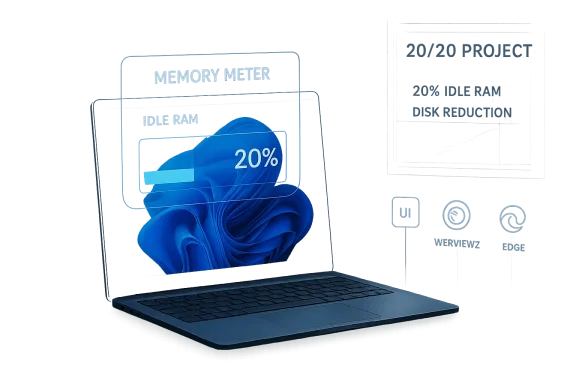
Windows 11’s memory footprint has become one of the operating system’s most persistent pain points, and Microsoft is once again signaling that it wants to do something about it. The latest push comes with familiar language: lower overhead, better efficiency, and a more responsive desktop experience. But the new effort also revives memories of an earlier, unfinished internal initiative often described as the 20/20 project, a plan that reportedly aimed to cut idle memory use and disk footprint by 20 percent before it stalled. That tension between ambition and reality is what makes this moment notable: Microsoft is promising optimization again, but the trade-offs that derailed earlier attempts have not disappeared.

A digital visualization related to the article topic.Overview​

Microsoft has spent years trying to reconcile two competing truths about Windows 11. On one hand, the platform must remain broadly compatible, feature-rich, and modern enough to support cloud services, AI features, and a sprawling application ecosystem. On the other hand, users increasingly expect a desktop operating system to feel lean, fast, and predictable, especially on devices with 8GB or 16GB of RAM where idle overhead is very noticeable. The result is a product that can feel simultaneously advanced and heavier than it should be.
That tension is not new. Windows has long evolved by layering new technologies over older ones, and Windows 11 is especially illustrative because it blends Win32, UWP, WinUI, and web-based components. Microsoft has publicly documented WinUI 3 performance considerations, and its own WebView2 documentation shows the company is actively giving developers tools to manage memory more aggressively when apps are inactive. Those are not the signs of a company ignoring performance; they are the signs of a company wrestling with a complex architecture in public.
The reason the discussion keeps resurfacing is simple: memory usage is one of the most visible metrics for ordinary users. A machine that appears to be “doing nothing” but still consumes several gigabytes of RAM creates the impression of bloat, even when some of that memory is being used intelligently for caching, background services, security, or latency reduction. Microsoft has repeatedly argued that performance is not just about shrinking numbers, but about improving responsiveness and reliability across a wide range of hardware. That is true, but it does not erase the emotional appeal of a lower idle footprint.
What makes the current moment interesting is that Microsoft appears to be acknowledging the perception problem more directly than before. The company has been emphasizing faster updates, smaller feature downloads, and broader platform optimization in its official messaging, while the ecosystem around Windows continues to shift toward memory-hungry frameworks like Electron and WebView2. In other words, the platform is being asked to become lighter while the software stack around it keeps getting more complex. That is a difficult equation, not a marketing slogan.

Background​

The so-called 20/20 project matters because it captures a longstanding Microsoft instinct: the belief that the next major release should not only add capabilities, but also remove waste. According to the reporting referenced in the current discussion, the initiative aimed to reduce both idle memory usage and disk footprint by 20 percent. That is an ambitious but not absurd goal for a large operating system team, especially one trying to prove that modern Windows can still be efficient on mainstream hardware. The fact that it never fully landed says a lot about the difficulty of OS-level optimization.
Historically, Microsoft has periodically launched performance drives when Windows users became frustrated with heft, latency, or sluggish boot times. Some of those efforts yielded tangible improvements, especially when tied to specific subsystems such as Edge, update delivery, or memory management behaviors. Microsoft has also documented improvements in Windows update fundamentals and in its browser stack, including efficiency mode and resource controls in Edge. Those efforts show that the company can produce measurable gains when the scope is narrow and the success criteria are clear.
The unfinished nature of the 20/20 project is more revealing than the target itself. Reducing RAM consumption often requires deep compromises: trimming features, simplifying code paths, suspending background tasks, or limiting how much the system preloads in the name of responsiveness. That can clash with Microsoft’s broader strategy, which increasingly emphasizes cloud connectivity, AI integration, and consistent web-style UI experiences across devices. It is hard to optimize aggressively while also adding more services that expect to be always available. That is the central dilemma.

Why the old plan stalled​

The most plausible explanation is not technical impossibility but product strategy. A lower-memory Windows may have meant fewer built-in conveniences, reduced visual polish, or less flexibility for modern app frameworks. Microsoft has spent years moving parts of the shell and its apps toward web technologies and newer UI layers, and those choices are rarely free in memory terms. If the company was unwilling to give up visible features, the plan would naturally become harder to complete.
The current revival therefore reads less like a clean reboot and more like a continuation of an old argument. Microsoft still wants Windows to feel modern, but it also knows that users notice when background load creeps upward year after year. That makes the renewed optimization push credible, but only if it is treated as a series of engineering trade-offs rather than a one-time cleanup campaign.

What Actually Drives RAM Usage​

A lot of the frustration around Windows 11 comes from a mismatch between how users think memory should work and how the operating system actually uses it. Windows will often cache aggressively, keep security and indexing services ready, and hold data in memory so applications launch faster later. That means “used RAM” is not always “wasted RAM,” but it still looks alarming when users compare task manager screenshots or watch idle memory climb after startup. Microsoft’s own guidance on performance emphasizes that startup apps, visual effects, malware, and background processes all affect system responsiveness.
At the same time, the modern app ecosystem has made the issue worse. Electron and WebView2-based applications can consume substantial memory because they embed browser engines or multi-process rendering models instead of using lean native UI stacks. Microsoft’s WebView2 documentation explicitly discusses techniques like suspend and memory usage target levels to reduce consumption when a web component is inactive, which is a strong hint that memory pressure is a real design concern in the first place. When the platform itself needs “low memory” APIs for web containers, the overhead question is already baked into the stack.
The other part of the story is fragmentation. Windows 11 is not one UI framework but several. Win32 remains essential for compatibility, UWP still exists in parts of the ecosystem, WinUI is the modern path Microsoft wants developers to take, and web technologies are now embedded in many first-party and third-party experiences. That means different rendering systems, different runtime dependencies, and different memory behaviors can coexist on the same desktop. The platform becomes more capable, but also more expensive to maintain efficiently.

The hidden cost of hybrid UI​

Hybrid UI stacks are not merely inelegant; they are expensive in the ways users feel most. They can increase process count, multiply working sets, and force the operating system to keep multiple frameworks alive at once. That is especially noticeable on systems with limited RAM or on laptops where every extra megabyte affects battery and thermals. Microsoft’s own WinUI documentation stresses profiling, performance analysis, and keeping frames fast, which underscores how much effort is required to keep a modern UI smooth.
The implication is that Windows 11’s memory consumption is partly structural, not simply a matter of careless coding. If Microsoft wants a meaningfully lower footprint, it will need to be selective about which technologies get used where, and that is where the business trade-off begins to bite. Users want fewer resources used, but the company also wants consistent UX, faster delivery, and easier maintenance. Those goals are not always compatible.

Microsoft’s Renewed Efficiency Push​

The latest optimization talk suggests Microsoft is trying to reclaim the narrative around Windows performance. That matters because Windows 11 has often been criticized for feeling more resource-intensive than users expect, especially on midrange laptops and older desktops. By framing the effort as an ongoing priority rather than a one-off patch, Microsoft is signaling that efficiency is now part of product strategy again, not merely an engineering afterthought.
What is new here is the context. Microsoft is no longer optimizing only for “Windows as an operating system,” but for Windows as a platform hosting Copilot, cloud-connected experiences, and modern app layers. That broadens the optimization problem substantially. The company can reduce memory usage in one place and then reintroduce it through another feature, so the public experience becomes a moving target. This is why users are skeptical.
The involvement of Windows leadership also matters. Reporting suggests former Windows chief Mikhail Parakhin publicly praised current Windows + Devices head Pavan Davuluri for pushing performance-oriented improvements. Even if the comments themselves are only part of the picture, the signal is clear: Microsoft’s leadership knows efficiency has become a competitive issue again. In practical terms, that could mean more attention to background services, UI framework consolidation, and app-level memory guidance.

Leadership and messaging​

Microsoft’s messaging matters because performance work is often invisible until it succeeds. A new feature is easy to promote; shaving 300MB from idle memory use is harder to market but much easier for users to appreciate. That is why leadership buy-in is important: it helps prevent optimization from being dismissed as boring maintenance. If the company wants a genuine efficiency story, it must keep it visible long enough for users to notice the difference.
The challenge is that users will judge the effort by concrete outcomes, not by aspirational language. If Task Manager still shows heavy background usage, or if first-party apps continue to behave like browser shells, then the messaging will feel hollow. In that sense, Microsoft is now on the hook for measurable results, not just promises.

The Enterprise Angle​

For enterprise customers, Windows efficiency is not a cosmetic issue. It affects device lifecycles, deployment standards, helpdesk load, VDI performance, and the number of laptops a company can keep productive on modest hardware. Microsoft knows this, which is one reason its official Windows guidance continues to emphasize reliability, update fundamentals, and performance improvements across the platform. A small reduction in idle overhead can translate into fewer complaints and less pressure to replace devices early.
Enterprises also feel the impact of framework choices more acutely than consumers do. WebView2-heavy experiences, browser-driven app shells, and AI-infused workflows can all increase memory needs across fleets of machines. Microsoft’s own WebView2 APIs include explicit controls for reducing memory consumption when the component is inactive, which suggests the company expects developers to manage this responsibly. That is good news, but it also shifts some burden to third parties and internal app teams.
There is also a longer-term procurement effect. If Windows 11 can be made leaner, companies may be more willing to standardize on existing hardware instead of upgrading immediately to higher-memory systems. If it cannot, then memory becomes one more justification for refresh cycles, especially as AI-enabled workloads become more common. In the enterprise, efficiency is budget control.

Fleet management implications​

IT administrators care about predictable baselines. When Windows updates or first-party apps quietly increase idle memory use, fleet-wide performance characteristics shift and support costs rise. Even modest gains in OS efficiency can stabilize those baselines, making it easier to plan for mixed hardware and limited budgets. That is why the enterprise audience will watch this optimization push closely.
The flip side is that enterprise environments often rely on Microsoft’s newer web and cloud layers, so optimization cannot come at the cost of manageability or security. If Microsoft trims too aggressively, it risks undermining the very features that make Windows valuable in managed environments. That is the balancing act the company has to solve.

The Consumer Experience​

For consumers, the debate is more emotional, but no less important. Most people do not care whether a process is native, web-based, or hybrid; they care whether their laptop wakes quickly, stays responsive, and does not feel clogged after a few hours of use. Windows 11’s memory usage becomes visible in exactly those moments, especially on 8GB systems where background load can crowd out everything else.
The consumer problem is amplified by the modern software landscape. Everyday apps increasingly include browsers inside them, and Microsoft itself is no exception. Edge has developed sophisticated resource controls and efficiency features, but that also acknowledges the underlying reality: browsers are powerful, and power comes at a memory cost. When the same philosophy spreads into system apps and shell components, Windows starts to look less like an operating system and more like a container for browsers and services.
This is why public sentiment can turn quickly. A user does not need a benchmark to decide whether a system feels heavy. They only need to notice that a machine with plenty of RAM still seems busy at idle, or that an app takes longer than expected to settle. Microsoft can point to background caching and technical nuance, but perceived bloat is still a real product problem.

Why perception matters​

Perception matters because it shapes buying behavior. A laptop that “feels faster” can be more appealing than one with better specs on paper, and that influences how people judge Windows as a whole. If Microsoft can visibly reduce the idle footprint, even by a modest amount, that improvement could have outsized psychological value.
The consumer market also has less patience for explanation than the enterprise market does. Telling home users that unused RAM is “good RAM” may be technically true, but it does not necessarily reduce frustration. That means Microsoft’s optimization effort must produce not just internal efficiency, but a felt improvement in everyday use.

The Role of Web Technologies​

One of the biggest reasons Windows 11 feels heavier than older versions is the increased use of web technologies inside desktop experiences. Microsoft has widely embraced WebView2 for embedding web content in apps, and that move brings consistency and developer speed, but it also imports browser-style memory behavior into places users once expected to be lightweight. When a system UI or a Microsoft app uses a web layer, it may be easier to build, but not necessarily cheaper to run.
Electron adds another layer to the problem. It has made cross-platform app development easier for countless vendors, yet each Electron app can carry a significant process and memory overhead. That is a practical trade-off, not a theoretical one. Users often see it first in the form of high RAM usage from communication tools, productivity apps, and helper apps that should arguably not behave like full browser environments.
Microsoft can influence the ecosystem, but it cannot dictate every developer’s stack. The best it can do is make the native path attractive, provide better performance tooling, and ensure its own apps set a good example. That is why WinUI 3, better profiling support, and memory-management guidance for WebView2 all matter. They are not isolated developer niceties; they are part of Microsoft’s attempt to keep Windows from drifting too far toward web-wrapper sprawl.

A platform-level problem​

This is not simply about one app using too much RAM. It is about an ecosystem where the easiest way to ship cross-device software often involves web layers, and where the operating system itself increasingly contains web-powered surfaces. If Microsoft wants Windows 11 to feel lighter, it must address not only the OS, but the incentives that push developers toward heavier frameworks. That is a platform problem, not a patch problem.

Competition and Market Pressure​

Microsoft’s renewed interest in efficiency also reflects external pressure. Competing operating systems, especially on laptops and ARM devices, often benefit from the perception that they are simple, smooth, and power-efficient. Windows has traditionally won on compatibility and breadth, but in a market where battery life and responsiveness are increasingly central, the company cannot afford to be seen as the heavy option.
The pressure is especially relevant as Microsoft pushes Copilot+ PCs and AI-centric hardware narratives. These devices are supposed to represent the future of Windows: faster, smarter, and more capable. But if the underlying operating system feels bloated, the marketing message gets undermined. Buyers do not separate the OS from the machine; they experience them as one product.
There is also a reputational issue. Microsoft has spent years arguing that Windows 11 is improving reliability, update speed, and efficiency. Those claims are important, but they need a visible payoff. If the platform keeps adding features while users keep asking why idle memory is still so high, the company risks sounding like it is describing a different product than the one people actually use.

Why rivals benefit from the status quo​

When Windows looks bloated, competitors gain an easy talking point. They can emphasize simplicity, lower overhead, and tighter integration without having to solve the same compatibility burden. Microsoft understands that compatibility is a strength, but it is also an optimization tax. Every legacy promise makes aggressive slimming harder.
That does not mean Windows is doomed to be heavier forever. It means Microsoft must prove that compatibility and efficiency can coexist at a scale competitors do not have to manage. If it can do that, it strengthens the whole Windows story. If it cannot, the market will keep punishing it for being the system that does everything but uses too much memory while doing it.

Strengths and Opportunities​

Microsoft’s renewed optimization effort has real upside if it is sustained and measured. The company already has the technical tooling, documentation, and platform control needed to make meaningful improvements, and it has clear incentive to do so now that users are paying close attention to idle memory and responsiveness. If the effort is executed well, it could improve the day-to-day experience without requiring a dramatic redesign.
  • Better idle responsiveness on mainstream laptops and desktops.
  • Lower perceived bloat in Task Manager and startup behavior.
  • Improved battery life on mobile systems through lighter background load.
  • Stronger enterprise confidence in existing hardware lifecycles.
  • More room for AI features if Microsoft reclaims memory elsewhere.
  • Better developer guidance around WebView2 and WinUI usage.
  • A clearer performance story for Windows 11 overall.
The biggest opportunity is narrative as much as engineering. Microsoft can use this moment to show that it is serious about the feel of Windows, not just the feature list. That would help the company defend Windows 11 against criticism that it has become too busy, too layered, and too willing to trade efficiency for novelty.

Risks and Concerns​

The risk is that Microsoft tries to improve efficiency without making meaningful structural changes. If optimization work remains incremental while new services and web-powered features continue to expand, users may see little net benefit. That would repeat the pattern of earlier efforts that were promised, discussed, and then largely absorbed by the platform’s ongoing growth.
  • Feature trade-offs could slow innovation if Microsoft is too aggressive.
  • Fragmentation may continue if Win32, WinUI, and web stacks remain uneven.
  • Developer dependence on Electron/WebView2 could keep memory use elevated.
  • User skepticism may grow if visible improvements are small.
  • Enterprise expectations may outpace what the OS can realistically deliver.
  • AI and cloud integration may add back the very overhead Microsoft removes.
  • Optimization could become cosmetic if it focuses on metrics rather than experience.
There is also the danger of oversimplifying memory usage in public messaging. Some idle RAM is healthy, and not every process growth is a problem. But if Microsoft leans too hard on that argument, it risks alienating users who are asking for a product that simply feels leaner. The company has to be careful not to explain away the issue when it should be solving it.

What to Watch Next​

The next few months will reveal whether this is a genuine platform priority or another short-lived optimization narrative. The best indicator will be whether Microsoft ships measurable changes in idle footprint, app launch behavior, and overall UI responsiveness across common hardware tiers. If those metrics improve and stay improved, the effort will deserve attention; if not, the 20/20 comparison will only become more pointed.

Key signals to monitor​

  • Windows update notes that mention performance or memory reductions.
  • Changes to first-party apps that reduce WebView2 dependence where possible.
  • WinUI 3 adoption progress across Microsoft and partner software.
  • Edge and WebView2 memory tooling being used more aggressively by developers.
  • Task Manager idle baselines on 8GB and 16GB systems after updates.
  • Enterprise feedback on refresh cycles and device longevity.
  • Copilot and AI feature rollout to see whether new services offset gains.
The most important question is not whether Microsoft can trim memory usage in a lab. It is whether those gains survive contact with a product roadmap that keeps demanding more from the same platform. That is where the unfinished 20/20 project becomes the right comparison: the technical goal was easy to state, but hard to reconcile with everything else Microsoft wanted Windows to be.
If Microsoft can finally make Windows 11 feel lighter without stripping away the modern features users and enterprises expect, it will have solved one of the operating system’s most politically difficult problems. If it cannot, then the company will keep revisiting the same tension every time memory usage becomes a headline again. Either way, the real story is no longer whether Windows can be improved; it is whether Microsoft can prove that efficiency still matters when the platform keeps growing in every other direction.

Source: Windows Report https://windowsreport.com/windows-11-optimization-plans-echo-microsofts-unfinished-20-20-project/
 

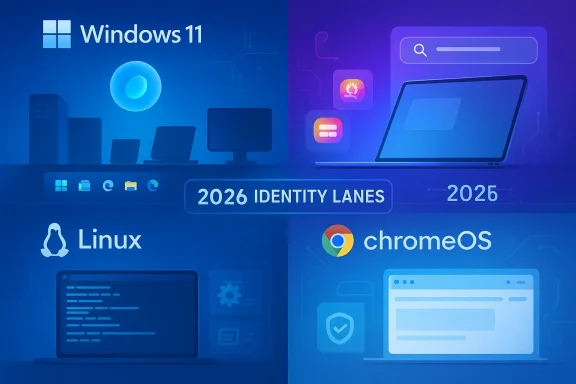
Apple’s macOS now has a fresher design, stronger Apple Intelligence integrations, and a newer hardware story than the one many buyers remember from just a few years ago. But if the question is which desktop operating system is the “ultimate winner” in 2026, the answer is still less about a single champion and more about which platform fits the job. Windows remains the broadest, most compatible choice; macOS is the most polished; Linux is the most flexible; and ChromeOS remains the simplest and most secure for cloud-first users. The real surprise is that each platform has sharpened its identity rather than converging into one universal winner.

A digital visualization related to the article topic.Background​

The modern desktop OS battle is no longer just about menus, file browsers, and a few bundled apps. It is really a contest over ecosystems, silicon strategy, cloud services, security models, and AI features, with each platform optimizing for a different kind of user. Windows still dominates through breadth of hardware support and software compatibility, while Apple uses tight vertical integration to make macOS feel cohesive from the moment a user powers on a Mac. Linux continues to appeal to developers, tinkerers, and privacy-minded users, and ChromeOS has leaned into low-maintenance computing and managed-device simplicity.
The source article’s framing is especially useful because it highlights how much the definition of “best” has changed. In earlier years, the answer might have been “the one with the most apps,” but in 2026 buyers are comparing AI support, battery life, security posture, hardware value, and workflow design. Apple’s latest macOS Tahoe 26 release underscores that shift, with Liquid Glass, stronger Spotlight, and deeper Apple Intelligence hooks now at the center of the Mac pitch. Microsoft is making a similar argument from the other side, positioning Windows 11 and Copilot as a platform where AI, productivity, and device variety all meet.
ChromeOS and Linux occupy a different part of the map. ChromeOS has long marketed itself around automatic updates, a read-only core, verified boot, and restrictions on executable files, all of which make it appealing to schools, fleets, and users who want less maintenance. Linux, meanwhile, thrives because it refuses to be one thing: it can be a general-purpose desktop, a server foundation, a developer workstation, or a highly customized environment. The absence of a single hardware vendor is both Linux’s greatest strength and its biggest adoption barrier.
What has changed most is the hardware layer underneath the OS layer. Apple’s transition to Apple silicon has made macOS less about compatibility caveats and more about energy efficiency, unified performance, and on-device capabilities. Windows has answered with Copilot+ PCs and NPUs that deliver more than 40 TOPS, while ChromeOS leans on always-on simplicity and Linux leans on community-driven hardware support that varies by distribution and vendor. The result is that the OS comparison is now inseparable from the device strategy behind it.
That makes the “winner” question more editorial than technical. A design studio, a corporate fleet, a student laptop program, and a gaming rig each reward different qualities. The sensible conclusion is not that one platform has beaten the others outright, but that each has become more specialized, more polished, and more opinionated about the kind of work it wants to do best.

macOS: Polished, Integrated, and Still the Premium Benchmark​

macOS Tahoe 26 is a reminder that Apple still treats the desktop as a carefully managed product rather than an open-ended platform. The new Liquid Glass visual language brings translucency to parts of the interface, while refinements to the Dock, menus, sidebars, and app chrome try to make the Mac feel both modern and familiar. Apple’s own messaging emphasizes not just aesthetics, but productivity and continuity across iPhone, iPad, and Mac.
The most obvious advantage macOS has is consistency. Apple controls the hardware, the software, the silicon roadmap, and much of the surrounding services layer, which means fewer fragmented experiences than on Windows or Linux. That is why macOS often feels finished in a way that is hard to define but easy to notice: window animations are smooth, settings are increasingly coherent, and even system-level searches through Spotlight are positioned as a core part of the workflow rather than an optional convenience.

The Mac experience is still built around cohesion​

Apple’s strength is not merely polish for its own sake. The company wants the Mac to be a node in a wider Apple system, and that matters to consumers who already own an iPhone or Apple Watch. Features like continuity, shared messaging, and device handoff make the Mac more valuable when paired with other Apple products than it would be in isolation. That ecosystem lock-in can be a downside, but it is also a practical advantage for users who want low-friction interoperability.
There is also a clear hardware story here. Apple’s M4 and M5 chips continue the company’s emphasis on performance per watt, and Apple has used those launches to argue that its systems are both powerful and efficient. The company’s own claims point to substantial gains in AI tasks and pro workloads, which matter for creatives and mobile professionals more than raw benchmark bragging rights do.
  • Strong integration across Apple devices
  • Excellent battery life on modern MacBooks
  • Very consistent interface design
  • Better-than-average built-in apps for consumers
  • Strong reputation for reliability and security
  • Clean path from entry-level to pro hardware

The Mac app story is broader than it used to be​

Apple’s built-in apps remain one of macOS’s underrated strengths. Photos, iMovie, GarageBand, Notes, Mail, Pages, Reminders, Calendar, and Safari create a coherent starter kit that reduces the need for early third-party purchases. For many buyers, that matters as much as processor choice, because the entry cost of being productive on day one is lower.
But macOS still carries one old weakness in a new era: gaming. The platform has improved, and Apple has put more attention into performance and graphics, yet the mass market for PC games remains centered on Windows. Linux has narrowed some of that gap through compatibility layers, but macOS still lacks the same broad gaming translation story, and that limits how “universal” the Mac can be.

Windows: The Broadest Ecosystem and the Most Flexible Default​

Windows remains the default desktop OS for the world’s widest hardware range, and that breadth still matters more than any single feature. If someone needs a budget laptop, a workstation tower, a hybrid 2-in-1, a gaming desktop, or a business machine with IT controls, Windows almost always has an option. That matters not because every Windows PC is excellent, but because the platform gives buyers unmatched choice across price and form factor.
Microsoft’s current strategy is to make Windows feel smarter without giving up that ecosystem breadth. Copilot is now tightly woven into the Windows 11 experience, and Microsoft is pushing AI features across search, productivity, image editing, and voice interaction. The company’s messaging increasingly treats Windows 11 as an AI operating system rather than merely a desktop shell, especially on Copilot+ hardware with dedicated NPUs.

Windows wins on compatibility and familiarity​

The most important reason Windows still leads in practical terms is software compatibility. Enterprise tools, creative applications, specialty hardware, legacy programs, and most games are still most likely to support Windows first. That means a user can buy a Windows machine with relatively little anxiety about whether a must-have application will run properly.
The interface also remains deeply familiar to a huge global user base. The Start menu, taskbar, Snap layouts, and broad window-management options give Windows an organizational language that most people already understand, even if they do not love every part of it. Microsoft has improved Snap layouts and Snap groups substantially, making multitasking more deliberate and visible than it used to be.
  • Largest software compatibility base
  • Broadest hardware choice
  • Best overall gaming support
  • Strong business and enterprise tooling
  • Familiar interface for most users
  • Deep integration with Microsoft 365 and Copilot

Windows is becoming an AI platform, but the transition is uneven​

Microsoft is clearly trying to make AI a first-class part of Windows rather than a bolt-on feature. Copilot can be launched by voice, can interact across tasks, and is positioned as a productivity companion rather than a separate app. On Copilot+ PCs, the NPU becomes part of the value proposition, not just a spec sheet item.
Still, Windows has a persistent tension between flexibility and consistency. The same openness that makes it powerful also creates variation in driver quality, update behavior, vendor utilities, and interface clutter. For enterprise IT teams, that is manageable; for everyday consumers, it can feel messy compared with the more curated Apple experience. That is the price of being the platform that does everything.

Linux: The Most Flexible and the Least Prescriptive​

Linux is the champion of users who want control, transparency, and choice. Unlike macOS and Windows, it is not tied to one vendor’s design philosophy, and unlike ChromeOS, it is not built around a cloud-first product model. That makes it ideal for developers, sysadmins, privacy advocates, and hobbyists who want to shape their desktop around specific needs rather than accept a locked-in workflow.
The tradeoff is obvious: flexibility comes with fragmentation. One Linux distribution may feel polished and familiar, while another may be spartan, quirky, or highly specialized. Desktop environments such as GNOME and KDE each offer distinct visions of usability, and that variety is a strength for the community but a barrier for mainstream users who prefer a single recommended path.

Linux is powerful because it is not one product​

This category is hard to score with the same ruler used for Windows or macOS. Linux can be a minimal command-line workstation, a highly graphical desktop, a gaming platform, or the basis for a developer laptop that mirrors server environments closely. That adaptability makes it the most intellectually satisfying platform for many technical users.
It also performs well on older hardware, especially when paired with lightweight distributions. Users who want to keep aging PCs useful often turn to Linux because it can extend device life and reduce software bloat. That makes Linux both a sustainability story and a freedom story.
  • Choose a distribution that matches your skill level.
  • Pick a desktop environment that fits your workflow.
  • Decide whether you need LTS support or a faster update cycle.
  • Install the applications you actually use, not a vendor bundle.
  • Tune the system for performance, privacy, or development use.

The Linux desktop is better than its reputation​

A decade ago, the Linux desktop was often described as a niche hobby. That reputation is less fair now. GNOME, Kubuntu, Ubuntu Desktop, and similar environments have become much more usable, and software distribution through app stores and package managers has become more accessible. The ecosystem is still uneven, but it is no longer an afterthought.
The bigger issue is not capability; it is standardization. If the average buyer wants one machine, one vendor, one support number, and one obvious path forward, Linux still asks for more engagement than most people are willing to give. That keeps it from mainstream dominance even as it remains the most adaptable option of the four.

ChromeOS: Simplicity, Security, and Managed Efficiency​

ChromeOS is still the quiet specialist in this comparison. It is not trying to be a full replacement for every kind of desktop workload. Instead, it is optimized for web apps, cloud services, education, shared devices, and organizations that want a lower-maintenance fleet with strong baseline security.
Google’s security pitch is unusually direct. ChromeOS updates automatically in the background, uses a read-only core system, blocks traditional executable files, and relies on verified boot and application verification as part of its defensive model. That makes it appealing for users who value predictability over configurability.

ChromeOS is built around low friction​

ChromeOS shines when the goal is to minimize IT overhead. Devices update themselves, the interface stays relatively simple, and the system avoids many of the installation and maintenance decisions that burden Windows and Linux users. That makes it especially attractive for schools, public-sector deployments, and businesses that want an appliance-like experience.
Google has also extended support windows and positioned ChromeOS as a sustainability play, with long automatic update periods and device longevity messaging. That is important because hardware replacement cycles are a major hidden cost in fleet management. A system that stays secure and supported longer can save real money.
  • Automatic updates reduce admin burden
  • Read-only design limits malware persistence
  • Good fit for schools and shared devices
  • Strong browser-centric workflow
  • Long support windows improve lifecycle economics
  • Works best when cloud apps are central

ChromeOS is still limited by its own philosophy​

ChromeOS has improved, but its identity remains narrow. The platform is strongest when users live in browsers, web apps, and Google services; it is weaker when buyers need niche desktop software, advanced creative suites, or heavyweight local workflows. Some users can bridge the gap with Linux apps or Android software, but that does not fully erase the platform’s constraints.
That is why ChromeOS often wins in one specific lane and loses in broader comparisons. It is superb for the right user, but it rarely becomes the most capable choice across the entire desktop market. In other words, ChromeOS is a very good answer to a narrow question rather than the universal answer to computing itself.

AI Features: The New Battlefield for Desktop OS Buyers​

AI has become the most visible new differentiator in desktop operating systems, even if the practical benefits are still uneven. Apple is pushing Apple Intelligence as a privacy-conscious, on-device-enhanced feature set. Microsoft is packaging Copilot as the everyday AI layer for Windows. Google has its own AI ambitions across Chrome and ChromeOS, though the desktop OS story there remains more browser-centric than system-centric.
The important shift is that AI is no longer being marketed as a separate app you can ignore. It is increasingly embedded in the OS experience, from image generation and text rewriting to search, summaries, and workflow assistance. That changes the stakes for hardware, too, because local inference, NPUs, and power efficiency all matter more than they did before.

Apple, Microsoft, and Google are making different AI bets​

Apple’s pitch is privacy and integration. It wants AI to feel native, calm, and deeply embedded in the operating system without making the Mac look like a science project. Microsoft’s pitch is utility and ubiquity: Copilot can be called into service across everyday Windows activities, from writing and productivity to image editing and voice interactions. Google’s strength remains its cloud and browser intelligence, which fits ChromeOS’s broader model but does not always translate into the same desktop-level visibility.
For consumers, this means AI features are becoming a reason to choose hardware as much as software. A buyer considering a MacBook Air, a Windows Copilot+ laptop, or a Chromebook is no longer just asking about speed or battery life. They are also asking whether the machine can help draft, summarize, search, organize, or generate content in a way that feels useful rather than gimmicky.

Why AI matters more for laptops than desktops​

AI features are most compelling when they fit into portable, battery-sensitive devices. That is one reason Apple’s M-series and Microsoft’s Copilot+ push matter so much: they connect software features to mobile silicon strategy. A desktop OS can advertise AI all day, but if the underlying machine is noisy, power-hungry, or inconsistent, the pitch weakens quickly.
That also means AI may further separate premium machines from budget models. The best AI experience on Windows or macOS may depend on newer hardware, while older systems remain capable but less feature-rich. In practical terms, the OS war may increasingly become a hardware refresh cycle disguised as a software revolution.

Gaming and Creative Work: Where the Rankings Split Fastest​

Gaming is still the cleanest divide between these platforms. Windows remains the dominant gaming platform because developers build for it first and because the ecosystem of drivers, launchers, anti-cheat support, and storefront integration is unmatched. Linux has made progress through compatibility layers and Steam-driven efforts, but macOS still trails because Proton-style Windows translation is not available there.
Creative work is more nuanced. macOS has long been the favorite of many photographers, video editors, musicians, and designers because of its built-in apps, color consistency, and hardware integration. Windows counters with broader software compatibility and workstation flexibility, while Linux serves niche creative and production workflows for users who are comfortable building a more custom stack.

The best OS depends on the kind of creation​

A musician working inside GarageBand or Logic-adjacent workflows may be happiest on a Mac. A video editor who needs a wide choice of NVIDIA-powered rigs or specialist software may prefer Windows. A developer building containerized or open-source pipelines may gravitate to Linux because the environment feels closer to deployment targets.
That is why “creator-friendly” is a slippery term. The best operating system for creative work is not always the one with the slickest interface; it is the one that disappears in front of the tools that matter most. Sometimes that means macOS, sometimes Windows, and sometimes Linux.
  • Windows for the widest game library
  • macOS for polished consumer creativity
  • Linux for technical and custom workflows
  • ChromeOS only for lighter web-oriented creation
  • Hardware matters as much as the OS itself

Gaming still reveals platform priorities​

Microsoft continues to treat gaming as a core reason to buy Windows, and that is rational. The platform has the deepest game catalog, the broadest driver support, and the strongest compatibility story for modern PC gaming ecosystems. Apple has improved GPU capabilities and focused more on performance, but the platform gap remains significant.
Linux’s gaming position is more interesting than macOS’s because the community has built tools that can run a surprising number of Windows games. But even that success underscores the larger point: Linux gaming is often a technical achievement, while Windows gaming is simply the default. That difference matters when a user wants low-friction entertainment rather than a project.

Security, Updates, and Manageability: The Hidden Decider​

Security is one of the few categories where ChromeOS can make a serious claim to leadership, especially in managed environments. Its automatic updates, read-only design, and verified boot model reduce the number of ways an attack can persist. Google’s own security materials make the argument that these characteristics significantly lower the need for traditional antivirus software.
macOS has a strong reputation for security and stability, too, and Apple continues to emphasize privacy as a product feature. Windows, however, faces the greatest complexity because it serves such a broad market and must balance compatibility with security requirements like TPM 2.0 and Secure Boot. Linux can be extremely secure, but only when the distribution, configuration, and update discipline are handled well.

Update models reflect each platform’s philosophy​

Windows is built for flexibility, which means updates often have to accommodate a wide range of hardware and vendor software. That can create friction, but it also makes Windows broadly deployable. macOS updates arrive as part of Apple’s tightly controlled release cycle, while ChromeOS favors frequent background updates and a controlled software surface. Linux distributes responsibility across distros, package maintainers, and users themselves.
For enterprises, manageability often matters more than raw feature count. A platform that can be patched, configured, monitored, and replaced at scale saves money even if it is less flexible for enthusiasts. That is one reason ChromeOS has a strong business case, and why Windows remains central in corporate IT even when alternatives are technically elegant.

Consumer trust and enterprise control are not the same thing​

Consumers often think of security as malware protection and password hygiene. Enterprises think of security as policy enforcement, lifecycle control, device attestation, and predictable patch timing. The “best OS” changes dramatically depending on which of those definitions you care about most.
  • ChromeOS is strongest on low-maintenance security
  • macOS is strong on privacy and consistency
  • Windows is strongest on enterprise tooling and breadth
  • Linux is strongest when expertly administered
  • Security always depends on user behavior, not just OS design

Strengths and Opportunities​

The current market is unusually healthy because each platform has a clear lane and room to improve. That means buyers are not choosing between four clones; they are choosing between four philosophies of computing. The strongest opportunity for users is to match the OS to the workload instead of treating any one platform as a default victory.
  • Windows has the best compatibility story for gaming, business software, and broad hardware choice.
  • macOS offers the most coherent hardware-software experience and the best cross-device integration for Apple users.
  • Linux gives advanced users the most control, the most transparency, and the widest room for customization.
  • ChromeOS provides the easiest fleet management and a strong security baseline with minimal maintenance.
  • AI features are becoming genuinely useful when paired with the right hardware and workflows.
  • Apple silicon, Copilot+ PCs, and modern Chromebook design keep pushing energy efficiency forward.
  • Stronger built-in apps on all four platforms reduce the need for immediate third-party spending.

Risks and Concerns​

The biggest risk is that buyers may overvalue marketing language and undervalue actual workflow fit. AI branding, design refreshes, and spec-sheet wars can obscure the more important question of whether the machine will run the software and peripherals a user actually needs. The result can be expensive mismatch, especially for buyers attracted by glossy demos.
  • Windows can still feel fragmented because of vendor overlays, driver differences, and update complexity.
  • macOS remains constrained by Apple’s hardware ecosystem and weaker gaming support.
  • Linux can intimidate mainstream users because of fragmentation and support variability.
  • ChromeOS can be too limited for advanced offline and pro-grade desktop workflows.
  • AI features may be overpromised relative to real everyday value.
  • Vendor lock-in remains a concern on both Apple and Google ecosystems.
  • Older hardware support and long-term software availability can vary sharply across all platforms.

Looking Ahead​

The most important trend to watch is whether AI becomes a real productivity multiplier or just a new checkbox on the spec sheet. Apple, Microsoft, and Google are all positioning AI as a core part of the operating system, but the practical payoff will depend on how naturally these tools fit into daily use. If the features feel intrusive or fragile, users will tune them out; if they save time reliably, they may become indispensable.
The second major trend is hardware specialization. Windows machines will keep spanning every price point, Macs will continue emphasizing efficiency and integration, Linux desktops will remain the playground for customization, and ChromeOS will stay focused on simplicity and fleet stability. That means the market may become more polarized, not less, even as the interfaces themselves grow more polished.
What to watch next:
  • Mac hardware refreshes that extend Apple silicon’s lead in battery life and on-device AI.
  • Windows Copilot+ adoption beyond the early enthusiast and premium-laptop crowd.
  • Linux desktop improvements around app distribution, onboarding, and hardware compatibility.
  • ChromeOS enterprise growth as organizations look for lower support costs and longer device lifecycles.
  • Gaming compatibility advances on Linux and Apple’s continued efforts to narrow the gap.
  • Security and update policies as vendors balance convenience with user control.
The real winner, then, is not any one operating system in isolation. The winner is the buyer who understands that each platform now does its best work when matched to a specific type of user, device, and workload. Windows still rules by range, macOS by refinement, Linux by freedom, and ChromeOS by simplicity—and in 2026, that may be the healthiest outcome the desktop market has had in years.

Source: PCMag UK Windows vs. macOS vs. Linux vs. ChromeOS: The Ultimate Winner Revealed
 

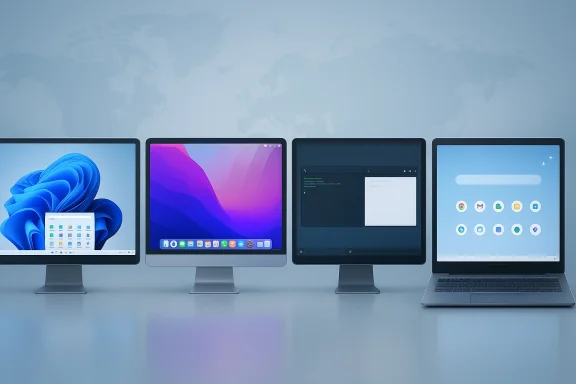
Apple’s macOS now has a fresher design, stronger Apple Intelligence integrations, and a newer hardware story than the one many buyers remember from just a few years ago. But if the question is which desktop operating system is the “ultimate winner” in 2026, the answer is still less about a single champion and more about which platform fits the job. Windows remains the broadest and most compatible choice, macOS is the most polished, Linux is the most flexible, and ChromeOS remains the simplest. The real story is that each OS has improved in the ways that matter most to its core audience, while also exposing the trade-offs that keep none of them from dominating every use case. That is why the best answer is nuanced rather than tribal.

A digital visualization related to the article topic.Overview​

The PC desktop market in 2026 is not the same contest it was even two or three years ago. Windows still dominates global desktop share, but the edges are shifting as Windows 10 support ends, Windows 11 adoption accelerates, Linux inches upward, and ChromeOS continues to carve out its niche. StatCounter’s January 2026 desktop data still shows Windows far ahead, with macOS, Linux, and ChromeOS all far behind in share terms, but the relative mix matters because market share and user satisfaction are no longer the same thing.
That distinction is important because a desktop OS is no longer judged only by what it can do. It is judged by how much friction it creates while doing ordinary things: logging in, updating, switching apps, moving windows, resuming after sleep, or getting out of the user’s way. That is where the competition has become more psychological than technical. Microsoft, Apple, Google, and the Linux community are all selling different versions of “less annoyance,” and that framing is shaping how people decide which system feels best.
Windows has the broadest software compatibility, the biggest hardware ecosystem, and the strongest enterprise lock-in. macOS has a tighter integration story and a polished user experience that many people find easier to trust day to day. Linux continues to win over developers, tinkerers, privacy-focused users, and gamers who want more control. ChromeOS appeals to schools, light users, and buyers who value simplicity over power. In other words, the “best” operating system depends heavily on what sort of frustration you are most willing to tolerate.

Why the debate has changed​

The most interesting shift in the last few years is that every desktop platform now has to defend its defaults. Windows is criticized for being noisy and heavy. macOS is criticized for being increasingly opinionated and visually busy. Linux is criticized for fragmentation and occasional rough edges. ChromeOS is criticized for limitations outside its comfort zone. Nobody gets a free pass just because they are familiar.
That is why a comparison article like this still matters. It is not simply a feature checklist. It is a snapshot of how desktop computing feels in 2026, and that feeling is shaped by trust, continuity, and how much the platform respects the user’s time. The winner is not always the most powerful OS; sometimes it is the one that causes the fewest bad moments.

The real stakes for consumers and enterprises​

For consumers, the decision is emotional as much as practical. People remember whether their last laptop felt annoying, whether updates interrupted them, whether the interface changed too much, and whether the system felt like it was helping or managing them. For enterprises, the issue is more operational: supportability, fleet consistency, app compatibility, and security policy.
That divide matters because an OS can look different depending on where you sit. A consumer may prize polish and comfort. An IT department may prize predictability and device management. A developer may prize package managers and terminal workflows. A gamer may care about kernel-level latency, driver maturity, and anti-cheat support. The “winner” in each category is not the same.

Windows: The Default That Has to Earn Its Keep​

Windows remains the platform most people think of first, and for good reason. Its compatibility footprint is unmatched, its OEM ecosystem is enormous, and its enterprise presence gives it an advantage that no rival can easily replicate. But dominance is not the same as affection. Windows 11 has spent much of its life trying to prove it is more than a marketing refresh on top of a familiar base.
The strongest argument for Windows is still breadth. If you need legacy software, mainstream peripherals, enterprise tools, gaming compatibility, and a large support ecosystem, Windows is the least risky choice. It is also the easiest platform to buy into because the hardware range is so wide. You can spend a little or a lot, and there will be a Windows machine built for that budget.

Where Windows still wins​

Windows excels where availability matters more than elegance. If you want the broadest app support, the widest hardware choice, and the most straightforward path for gaming and business software, Windows is still the practical answer. It is also the only mainstream desktop OS that really spans consumer, enterprise, education, creator, and gamer categories at full scale.
The downside is that this breadth comes with complexity. Windows often feels like a platform trying to serve too many masters at once. Power users want control. Enterprises want policy. Consumers want simplicity. Microsoft’s AI ambitions want visibility. That tension is exactly why Windows so often feels busy, even when it is technically competent.

The Windows 11 problem​

Windows 11’s biggest issue has never been a lack of capability. It has been the feeling that the OS increasingly asks users to adapt to Microsoft’s priorities. The taskbar redesign, the push toward Microsoft accounts, the prominence of Copilot, and various UI decisions have all created the impression that Windows is becoming less user-owned and more platform-managed.
That perception matters. When users feel the system is prescriptive, they stop viewing new features as helpful and start viewing them as interruptions. The result is not immediate defection; it is hesitation, delayed upgrades, and a warmer reception for alternatives. Even users who never leave Windows may become more skeptical of every new change.

Why enterprises still stay​

Enterprise buyers do not choose operating systems the way enthusiasts do. They choose based on fleets, contracts, compatibility, and support costs. Windows remains deeply embedded in that world, and that makes it hard to displace. Even when IT teams dislike a change, they often have to absorb it because the cost of switching is much higher than the cost of adapting.
That said, Windows has to keep proving that it is worth the friction. Microsoft’s more recent emphasis on servicing, faster fixes, and less disruptive update behavior is important because enterprises care more about continuity than spectacle. The desktop OS that causes fewer work interruptions wins trust, and trust is currency.

Key strengths​

  • Unmatched software compatibility
  • Massive hardware choice
  • Strong gaming support
  • Enterprise standardization
  • Deep peripheral and driver ecosystem
  • Broad price range from budget to premium
  • Best overall “does everything” option

macOS: The Polished Alternative With Real Constraints​

macOS continues to be the clearest proof that a desktop OS can feel coherent even when users disagree with some of its decisions. Apple’s control over hardware and software lets it build a more unified experience than Windows can usually match. That coherence remains macOS’s biggest competitive advantage, especially for people who care about consistency, battery life, and a quieter day-to-day experience.
At the same time, macOS is not a universal answer. It remains tied to Apple hardware, which limits affordability and upgrade flexibility. It also imposes Apple’s design philosophy on the user more strongly than Windows does. For some buyers, that is a feature. For others, it is a constraint they simply accept because the experience is good enough to outweigh the lock-in.

Why macOS feels better to many users​

The best thing about macOS is not one specific feature. It is the system’s overall sense of finish. Animations are generally smooth, integration between hardware and software is tight, and routine tasks often feel calmer than they do on Windows machines. That polish matters because it reduces the number of moments when the user feels like the machine is fighting back.
macOS also benefits from Apple’s product storytelling. Users buy into the whole package: laptop design, trackpad quality, display calibration, battery life, and OS consistency. That combination creates a perception of quality that is difficult for Windows OEMs to match because they are not all building from the same playbook.

Where Apple’s control helps and hurts​

Apple’s control is both its strength and its constraint. It lets the company optimize aggressively, but it also narrows consumer choice. You can’t pick from dozens of hardware vendors or build a cheap macOS laptop in the same way you can build or buy a budget Windows PC. That matters if price sensitivity is a major factor.
The other limitation is flexibility. macOS is famously less open to workflow customization than Windows or Linux. Power users can still do plenty with it, but the system is less forgiving if you want to radically reshape the desktop. For many users, that is a tolerable trade. For others, it is a deal-breaker.

macOS in the 2026 comparison​

In 2026, macOS looks especially strong in consumer and creator segments. It is easy to recommend for people who prioritize battery life, video work, development in Apple’s ecosystem, and a well-controlled desktop experience. It is less compelling for buyers who want the cheapest entry point or the widest possible game library.
The interesting competitive twist is that Windows and macOS are now fighting over more similar territory than before: premium productivity. Windows wants to look cleaner and more intentional. Apple wants to keep the Mac feeling premium without becoming too restrictive. That tension is good for users, because it forces both companies to keep improving.

Key strengths​

  • Best overall polish
  • Excellent hardware-software integration
  • Strong battery and power-efficiency reputation
  • Great for creative work
  • Cleaner user experience
  • Very stable mainstream workflow
  • Strong ecosystem continuity with iPhone and iPad

Linux: The Power User’s Choice That Keeps Maturing​

Linux is still the most misunderstood of the four major desktop platforms. Many people think of it as a hobbyist environment, but that view undersells how much it has improved. On desktop, Linux is now a genuine option for gamers, developers, privacy-minded users, and anyone who values customization over convenience. Its market share is still modest, but its influence is much larger than the raw numbers suggest.
The biggest reason Linux keeps gaining attention is that it has become more practical. Modern distributions are easier to install, easier to update, and better supported by a growing list of hardware and software layers. Projects like Proton and Wine have done a great deal to remove the old “can I even run my apps?” question from the conversation. That has made Linux feel less theoretical and more usable for ordinary people.

Why Linux keeps growing​

Linux appeals because it offers control. You can shape the desktop, swap components, choose lighter or heavier environments, and avoid many of the vendor-imposed decisions that frustrate users on Windows or macOS. For technical users, that freedom is not just a bonus; it is the point.
The recent growth in Linux desktop usage is also tied to a bigger cultural shift. A growing number of users are simply tired of being nudged, tracked, or forced into platform decisions they didn’t ask for. Linux offers a cleaner bargain: more responsibility in exchange for more autonomy.

The practical ceiling​

For all its strengths, Linux still has a ceiling on the mainstream desktop. Compatibility remains the biggest issue. Some software vendors do not support it, some hardware still behaves better on Windows, and some users simply do not want to learn a different way of doing common tasks. That friction matters.
Distribution fragmentation is another challenge. Linux is not one desktop experience but many. That diversity is a strength for enthusiasts and a weakness for mass-market adoption. If you already know what you want, Linux is terrific. If you want something that simply “just works” with minimal research, Linux can still ask more of you than Windows or macOS.

Gaming and creator use cases​

Linux is not just a server OS anymore, and that matters. Gaming support has improved enough that it now deserves real consideration, especially on Steam-oriented systems and handheld devices. Wine 11.0 and related compatibility work have continued to make the Linux gaming conversation more credible. That is important because gaming is often the deciding factor for home users who otherwise might be open to switching.
For creators, the picture is mixed. Linux can be excellent for certain developer workflows, media pipelines, and command-line-heavy tasks. But if your livelihood depends on a specific commercial app, Windows or macOS may still be the safer path. Linux is strongest when the workflow is flexible enough to fit its strengths.

Key strengths​

  • Maximum customization
  • Strong privacy and control appeal
  • Excellent developer environment
  • Growing gaming support
  • Lightweight options for older hardware
  • Community-driven innovation
  • Great fit for technically confident users

ChromeOS: Simplicity as a Product Strategy​

ChromeOS occupies a very different place in the desktop market. It is not trying to be the most powerful operating system, and it is not pretending to compete head-to-head with Windows or macOS for every task. Instead, it wins by making a narrower promise: low-maintenance computing that is fast, safe, and easy to manage.
That strategy continues to work well in education, lightweight home use, and environments where web apps are enough. ChromeOS is especially attractive when the user values speed of setup, low admin overhead, and a simple mental model. It is a system designed to make computer ownership feel less intimidating.

Why ChromeOS matters​

ChromeOS matters because it proves that many users do not need a full desktop kitchen sink. They need a browser, basic files, account sync, and a machine that updates without drama. For that audience, the simplicity is not a limitation; it is the feature.
Google’s long-term challenge is that ChromeOS still struggles to escape its own identity. It is very good at what it does, but what it does is narrower than what a conventional PC often needs to do. That makes it ideal for some buyers and frustrating for others.

Where ChromeOS fits best​

ChromeOS is strongest in schools, families, light productivity, and users who spend most of their time in the browser. It also works well where centralized management matters. IT teams like predictable, low-maintenance devices, and ChromeOS has built a lot of its value proposition around that fact.
The system’s weakness is that it can feel too constrained once users want local software flexibility, advanced multimedia workflows, or specialized Windows and Mac applications. ChromeOS is not broken; it is simply opinionated. That opinion works beautifully for the right user and poorly for the wrong one.

The market reality​

Globally, ChromeOS remains a small desktop player, but its regional and institutional relevance is much larger than its share suggests. In markets where budget, simplicity, and manageability matter, it remains a serious contender. It also benefits from the fact that its main rival on low-cost hardware, Windows, can sometimes feel heavier than buyers want.
That makes ChromeOS an important pressure point on Microsoft. Even when buyers don’t switch to Linux or macOS, they may still choose ChromeOS if they only need the basics and want less hassle. That is how ChromeOS quietly influences the broader market.

Key strengths​

  • Very simple to use
  • Low maintenance
  • Strong in education
  • Fast boot and update behavior
  • Good for web-first users
  • Easy device management
  • Low-friction computing

The Hardware Equation​

One of the biggest reasons this debate never ends is that operating systems are not abstract. They are experienced through hardware, and hardware quality changes everything. A brilliant OS on weak hardware can feel bad. A decent OS on excellent hardware can feel excellent. That is why the Windows-vs.-macOS-vs.-Linux-vs.-ChromeOS conversation always mixes software preferences with device economics.
Windows is the most hardware-flexible option by far. macOS is the most tightly integrated. Linux spans everything from bargain laptops to enthusiast desktops. ChromeOS sits at the low-maintenance, low-complexity end of the spectrum. The right choice depends on whether you are buying a machine, building a system, or managing a fleet.

Unified memory, battery life, and perception​

Apple’s unified memory and tight platform integration give macOS devices a reputation for efficiency that Windows machines still struggle to match at the low end. That does not mean Windows is inherently inefficient; it means Apple’s integration gives its laptops a clean story that buyers can feel. Microsoft and OEMs have to work harder to create that same perception because they have more combinations to support.
This is where user experience becomes marketing. If a cheap Windows laptop feels sluggish, it reflects on Windows. If a Mac feels smooth, it reflects on macOS and Apple’s hardware. The OS alone does not create the impression, but it strongly shapes it.

Why low-end hardware matters so much​

The low end is where platforms make first impressions. Students, first-time buyers, budget-conscious families, and small businesses all tend to start there. If the machine feels annoying, users may never give the platform a fair second look. If it feels reliable, they may stay in that ecosystem for years.
That is why Windows 11 performance on modest hardware remains strategically important. If Microsoft can make the platform feel lighter and more respectful of resources, it improves not just user satisfaction but also the perception of value across the entire ecosystem.

Device ecosystems and lock-in​

macOS benefits from ecosystem lock-in in a good way: users who already own iPhones, iPads, and AirPods often feel pulled toward the Mac. Windows has a different kind of lock-in: workplace standards, app compatibility, and the sheer availability of devices. Linux has community lock-in, where users become attached to customization and control. ChromeOS has simplicity lock-in, where users appreciate how little they need to manage.
Those are not interchangeable advantages. They shape how difficult it is for users to leave once they are comfortable. In that sense, the real competition is not just between operating systems but between habits.

Key points​

  • Hardware experience shapes OS perception
  • Apple’s integration gives macOS an efficiency advantage
  • Windows has the widest hardware range
  • Linux can scale from lightweight to advanced
  • ChromeOS wins on simplicity and low maintenance
  • Budget devices are crucial to platform perception
  • Ecosystem lock-in matters as much as features

Gaming, Productivity, and Creator Workflows​

A desktop OS only becomes the “best” choice if it serves actual workflows well. For gamers, that means drivers, anti-cheat, storefront support, latency, and game compatibility. For productivity users, it means multitasking, window management, file handling, and app availability. For creators, it means media tools, color consistency, rendering support, and plug-in ecosystems.
Windows still dominates gaming for a reason. The game library is biggest there, and most commercial support assumes Windows first. Linux has made serious progress, but not enough to eliminate friction for every title. macOS has a decent gaming story in some niche areas, but it is still not the default choice for serious PC gamers.

Gaming: Windows still leads​

For gaming, Windows remains the safest recommendation. It has the broadest support, the best driver coverage, and the most predictable compatibility with mainstream launchers and anti-cheat systems. That alone keeps it ahead, even as Linux narrows the gap for some players.
Linux gaming is no longer a curiosity, though. Thanks to Proton, Wine, and better driver support, it has become a viable platform for many users. But “viable” is not the same as “least hassle,” and gaming buyers often choose the easiest path rather than the most technically interesting one.

Productivity: Windows and macOS split the field​

Productivity is where the comparison gets closer. Windows offers more multitasking flexibility and better legacy support. macOS offers a calmer desktop and strong app consistency. The right answer depends on whether the user values versatility or polish.
ChromeOS can work for productivity if the workflow is web-centric, but it reaches its limits quickly in more specialized environments. Linux is excellent for technical productivity and development-oriented workflows, but it remains a heavier lift for non-technical users.

Creators: macOS has the edge, but not always​

For creators, macOS often wins on polish, media workflows, and hardware consistency. Many creative professionals trust the Mac because the experience is stable and the ecosystem is well understood. Windows, however, remains stronger for certain specialized software categories, hardware expansion, and budget-sensitive creators.
Linux is the wildcard. It can be excellent for developers, audio engineers, and users who are comfortable customizing their stack, but it is not the easiest path for commercial creative suites. ChromeOS is generally too limited for this category unless the user’s work is primarily browser-based.

Ranked by common workflow fit​

  • Gaming: Windows
  • General productivity: Windows or macOS
  • Creative work: macOS, with Windows close behind in some professional niches
  • Developer workflows: Linux, then Windows and macOS depending on tooling
  • Web-first school and light office use: ChromeOS

Market Share vs. User Satisfaction​

It is tempting to treat market share as proof of superiority, but that is too simplistic. Windows leads because of historical momentum, enterprise standardization, and broad compatibility. That does not automatically mean it is the most beloved system. Similarly, ChromeOS can be ideal for a narrow audience without ever becoming dominant.
The more useful question is whether each platform’s market share still reflects user needs or merely old decisions. In Windows’ case, the answer is both. In macOS’ case, the answer is that Apple has carefully translated user satisfaction into loyalty. In Linux’ case, the answer is that adoption is still constrained by familiarity and support. In ChromeOS’ case, the answer is that the audience is intentionally limited.

Why the numbers don’t settle the argument​

StatCounter’s global desktop data still shows Windows far ahead in 2026, with macOS, Linux, and ChromeOS trailing by a wide margin. But user choice is increasingly segmented. A school district’s choice is not the same as a developer’s, and a creator’s choice is not the same as a family’s. One system can be the market-share leader and still not be the emotional leader.
That is why desktop OS debates endure. The numbers explain what is installed. They do not fully explain what users love, tolerate, or reluctantly accept.

The emotional layer matters​

The platforms that win hearts usually reduce friction in obvious ways. macOS often feels calmer. ChromeOS feels simpler. Linux feels empowering. Windows feels familiar and capable, but sometimes too busy. That is the emotional map each vendor must work with.
Microsoft seems to understand this better than it did during the earliest Windows 11 phase. The company’s recent emphasis on cleaning up the experience, reducing intrusive AI, and restoring some controls suggests a shift from feature chasing toward trust rebuilding. That is a healthy move, because user patience is a finite resource.

Key takeaways​

  • Market share is not the same as satisfaction
  • Windows leads in breadth, not necessarily delight
  • macOS wins on coherence
  • Linux wins on control
  • ChromeOS wins on simplicity
  • Different users define “best” differently
  • Trust is now a key competitive metric

Strengths and Opportunities​

There is no single desktop OS that is perfect for everyone, but each platform has strengths that map to real opportunities. The best companies in this space are not just shipping features; they are reducing the day-to-day reasons users get annoyed. That is where the next phase of competition will be won.
  • Windows can reclaim goodwill by becoming less intrusive, more efficient, and more respectful of user control.
  • macOS can continue converting its polish advantage into loyalty, especially among premium laptop buyers.
  • Linux can keep expanding by making power and customization feel less intimidating to mainstream users.
  • ChromeOS can grow by staying laser-focused on simplicity, education, and low-maintenance device management.
  • Microsoft can benefit if it treats reliability as a selling point rather than a background expectation.
  • Apple can benefit if it keeps the Mac coherent without making it feel more closed.
  • The market as a whole benefits when the major players are forced to compete on usability instead of just marketing.

Risks and Concerns​

The biggest risk across all four platforms is overconfidence. When a platform leader assumes users will tolerate friction because they have nowhere else to go, dissatisfaction compounds. That is especially dangerous in a market where hardware and software buyers now have more credible alternatives than they did a decade ago.
  • Windows risks alienating users if AI and system policy continue to feel forced.
  • macOS risks appearing too restrictive if Apple keeps tightening control without adding enough flexibility.
  • Linux risks staying too fragmented for mainstream users who want predictable support.
  • ChromeOS risks remaining too limited for users who eventually outgrow it.
  • All four platforms risk underestimating how much daily annoyance influences buying decisions.
  • Enterprise buyers may stay put longer than consumers, but they still respond to support pain and update frustration.
  • Consumer users are especially sensitive to visual clutter, interruptions, and confusing change.

Looking Ahead​

The next phase of the desktop OS wars will likely be less about dramatic redesigns and more about refinement. Microsoft appears to be learning that Windows cannot win only by adding features; it has to become calmer and less self-directed. Apple will keep betting on coherence and premium hardware. Linux will keep proving that flexibility can become mainstream-adjacent when the tooling improves. ChromeOS will continue to own the low-maintenance niche where “good enough” is actually a strong selling point.
What to watch next is not just headline features, but whether each platform becomes easier to live with over time. The winning OS in 2026 is not necessarily the one with the longest list of capabilities. It is the one that best balances power, trust, and predictability for the kind of user who matters most in each segment.
  • Windows: watch for more visible reductions in clutter, faster servicing, and better user control.
  • macOS: watch for whether Apple keeps balancing polish with flexibility.
  • Linux: watch for continued gains in gaming, hardware support, and beginner-friendly distros.
  • ChromeOS: watch for whether Google can widen use cases without losing simplicity.
  • Enterprise adoption: watch for which platform best reduces support load and upgrade pain.
The ultimate winner, then, is not a single operating system. It is the platform that best matches its audience while causing the fewest regrets. In 2026, that answer still changes depending on who you ask — but the gap between “best overall” and “best for me” has never been more important.

Source: PCMag Windows vs. macOS vs. Linux vs. ChromeOS: The Ultimate Winner Revealed
Source: PCMag Australia Windows vs. macOS vs. Linux vs. ChromeOS: The Ultimate Winner Revealed
 

Back
Top