

The AI coding editor market has shifted from novelty to necessity, and that makes the free-tier question more important than ever. Cursor remains one of the most compelling paid options at $20 per month, but its Hobby plan is deliberately tight, with limited agent requests and tab completions rather than the open-ended experience many developers want. That tension has pushed more people to look seriously at free Cursor alternatives, and the result is a surprisingly crowded field with very different trade-offs. GitHub Copilot, Windsurf, Cline, Void, and Zed each chase the same promise from a different angle, but one of them stands out not because it has the most features, but because it feels like the editor and the AI were designed together from the beginning.
The appeal of Cursor is easy to understand. It collapses a lot of the friction in modern development by making code generation, refactoring, and multi-file edits feel like part of the editor itself rather than a separate chatbot bolted onto the side. That is why many developers describe it as the first AI coding tool that feels genuinely native rather than merely convenient. The free alternatives have to compete with that experience, not just with the sticker price.
What makes this discussion interesting is that “free” means several different things in practice. GitHub Copilot Free is genuinely $0, but it caps usage at 2,000 completions and 50 chat requests per month. Cline is open source, but you still pay for the model API. Windsurf and Cursor both offer free plans, but those plans are intentionally constrained enough to steer serious users toward paid tiers. Zed’s free tier is similarly limited, yet the editor itself is unusually fast and clean, which changes how those limits feel.
That distinction matters because AI coding tools are no longer just about autocomplete. The modern benchmark includes codebase awareness, multi-file editing, terminal access, task automation, and increasingly, agent-style workflows that can execute steps without constant human prompting. That is the real Cursor comparison. If an alternative only replaces inline suggestions, it may be useful, but it is not fully in the same category.
The MakeUseOf piece gets at a real developer frustration: the best free option may not be the one with the strongest marketing, the broadest model support, or even the largest feature checklist. Sometimes the right answer is the tool that makes the whole environment feel coherent. That is why Zed is the surprise pick here, even though it is not the obvious “maximize features” choice.
The limitation is that Copilot Free behaves like an on-ramp, not a destination. GitHub’s own pricing pages show the free plan as a bundle of capped usage: 2,000 completions and 50 chat requests per month, including Copilot Edits. The Pro plan, by contrast, unlocks unlimited completions, coding agent capabilities, and broader model access. In other words, the free version is designed to demonstrate value, not replace the paid product.
The bigger omission is structural. Copilot Free lacks the deeper agent workflow that Cursor users tend to care about most, and it does not give the same sense of autonomous multi-file work. As a result, it covers the “assistant” part of the category better than the “coding agent” part. That is a meaningful gap for anyone building beyond small scripts or isolated changes.
Where Windsurf gets tricky is the free tier. The reported 25-credit monthly allowance is thin enough that most serious users will hit a wall quickly, which changes the emotional math of the tool. A free plan that runs out after a handful of meaningful sessions can feel less like a product and more like a preview.
The downside is that Windsurf is still trying to justify its own place in a crowded market. If you want a strong AI-first editor and do not mind paying, it looks competitive. If you want a truly free long-term solution, its constraints become hard to ignore. It is promising, but not liberating.
That distinction makes Cline especially attractive to developers who want flexibility more than predictability. If you have access to a model like Claude 3.5 Sonnet or another strong code model, Cline can create files, edit across a codebase, execute terminal commands, and even browse websites. In practical terms, that pushes it much closer to a genuine agent workflow than many people expect from an open-source extension.
At the same time, Cline’s economics are not magically free. Depending on the model and how aggressively you use it, API costs can become comparable to a subscription. That is why Cline often feels like a power-user option rather than a universally cheaper one. Cheap is possible; free is not the usual outcome.
That local-model option is the big differentiator. For developers worried about sending code to external APIs, the ability to run models locally is a meaningful advantage, even if the experience is not always as polished as the commercial leaders. In enterprise terms, that can matter as much as raw capability.
The problem is maturity. Compared with Cursor, the project still appears early-stage, especially when tasks become multi-step or require more nuanced orchestration. In practice, that means Void is appealing as a privacy-first experiment, but not yet the default pick for complex AI-heavy workflows. Good idea, uneven execution.
What separates Zed from the pack is that AI is not just attached to the editor; it is woven into it. The blog’s recent pricing shift also shows that Zed is thinking seriously about sustainability, moving from prompt-based limits to token-based usage while still offering 50 hosted prompts per month on the free side. That makes the free tier real, but not unlimited, and it frames AI as part of the product economy rather than as a temporary giveaway.
The streaming-edit behavior is especially notable. Rather than presenting a static diff after the model finishes, Zed shows changes as they happen, which makes the process feel transparent and easier to trust. For AI coding, trust is not a soft nice-to-have; it is part of the product’s core design.
This also reveals a broader industry pattern. AI coding tools are increasingly competing on workflow design, not just on model quality. That is why the same developer can prefer one tool for short bug fixes, another for larger refactors, and a third for privacy-sensitive work. The best tool is often the one that fits the shape of your project, not the one with the loudest headline feature.
There is also a philosophical difference. Cursor and its rivals often advertise capabilities first and editor quality second. Zed seems to reverse that order, starting from a premium editor and then layering AI into the core experience. That is a smarter bet if the long-term goal is to make AI coding feel natural rather than exceptional.
That does not mean Zed is universally better than everything else. It means the editor itself earns trust, which makes the AI layer feel more credible. In a market where lots of tools are trying to look smarter, that restraint is refreshing. Sometimes the real advantage is simply not getting in the way.
For enterprises, the stakes are different. Privacy controls, policy enforcement, and predictable licensing matter more than whether one editor streams diffs elegantly. Cursor’s Teams and Enterprise offerings, for example, are built around centralized billing, privacy controls, SSO, and governance features, which is exactly what larger organizations usually need. Free tools can be useful for experimentation, but they rarely solve the administrative layer that procurement teams care about.
It is also likely that pricing models will keep changing. Zed’s move toward token-based accounting shows that vendors are searching for sustainable ways to offer AI features without pretending the underlying compute is free forever. Cursor’s tiering, Copilot’s quota structure, and Windsurf’s credit approach all point in the same direction: the free tier is becoming a funnel, not a full solution.
Source: MakeUseOf I tried every free Cursor alternative and one of them took me by surprise
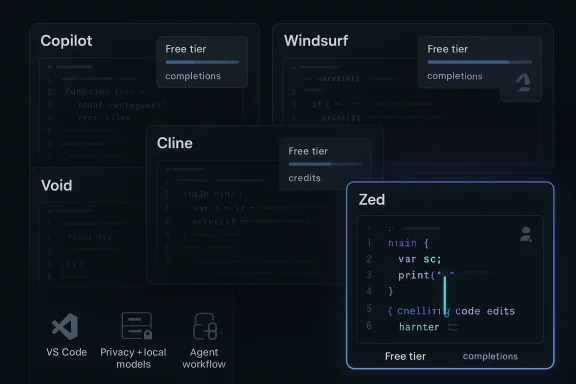 Overview
The appeal of Cursor is easy to understand. It collapses a lot of the friction in modern development by making code generation, refactoring, and multi-file edits feel like part of the editor itself rather than a separate chatbot bolted onto the side. That is why many developers describe it as the first AI coding tool that feels genuinely native rather than merely convenient. The free alternatives have to compete with that experience, not just with the sticker price.What makes this discussion interesting is that “free” means several different things in practice. GitHub Copilot Free is genuinely $0, but it caps usage at 2,000 completions and 50 chat requests per month. Cline is open source, but you still pay for the model API. Windsurf and Cursor both offer free plans, but those plans are intentionally constrained enough to steer serious users toward paid tiers. Zed’s free tier is similarly limited, yet the editor itself is unusually fast and clean, which changes how those limits feel.
That distinction matters because AI coding tools are no longer just about autocomplete. The modern benchmark includes codebase awareness, multi-file editing, terminal access, task automation, and increasingly, agent-style workflows that can execute steps without constant human prompting. That is the real Cursor comparison. If an alternative only replaces inline suggestions, it may be useful, but it is not fully in the same category.
The MakeUseOf piece gets at a real developer frustration: the best free option may not be the one with the strongest marketing, the broadest model support, or even the largest feature checklist. Sometimes the right answer is the tool that makes the whole environment feel coherent. That is why Zed is the surprise pick here, even though it is not the obvious “maximize features” choice.
GitHub Copilot Still Sets the Baseline
GitHub Copilot Free is the most frictionless way to get into AI-assisted coding. It is backed by one of the biggest developer ecosystems on the planet, and it integrates into familiar environments like VS Code, JetBrains, Neovim, and Xcode. For people who just want smart suggestions without changing their workflow, that portability is a real advantage.The limitation is that Copilot Free behaves like an on-ramp, not a destination. GitHub’s own pricing pages show the free plan as a bundle of capped usage: 2,000 completions and 50 chat requests per month, including Copilot Edits. The Pro plan, by contrast, unlocks unlimited completions, coding agent capabilities, and broader model access. In other words, the free version is designed to demonstrate value, not replace the paid product.
Why the Free Tier Feels Smaller Than It Looks
Those quotas sound generous until you start using them in a real project. A few active coding sessions, some refactors, and a bit of back-and-forth debugging can burn through the monthly allowance quickly. That means Copilot Free is excellent for sampling AI coding, but much less compelling for sustained development.The bigger omission is structural. Copilot Free lacks the deeper agent workflow that Cursor users tend to care about most, and it does not give the same sense of autonomous multi-file work. As a result, it covers the “assistant” part of the category better than the “coding agent” part. That is a meaningful gap for anyone building beyond small scripts or isolated changes.
- Best for: developers who already live in VS Code or another supported editor.
- Strongest point: very low friction and strong baseline suggestions.
- Weak point: usage caps arrive fast in real work.
- Biggest omission: no true Cursor-style agent experience on the free tier.
Windsurf Tries to Do It All
Windsurf is the most obvious Cursor analogue on the list because it starts from a VS Code fork and adds AI directly into the editor experience. That makes the transition feel familiar for anyone who has already adopted Microsoft’s ecosystem, and the polished interface helps it feel more mature than many open-source experiments. The feature that matters most is Cascade, which provides multi-file editing with codebase awareness, a direct attempt to compete with Cursor’s higher-end workflow.Where Windsurf gets tricky is the free tier. The reported 25-credit monthly allowance is thin enough that most serious users will hit a wall quickly, which changes the emotional math of the tool. A free plan that runs out after a handful of meaningful sessions can feel less like a product and more like a preview.
The Hidden Strength of Familiarity
The upside is that Windsurf minimizes migration pain. If you are coming from VS Code, the layout, extensions, and general workflow are close enough that you can focus on the AI layer instead of learning a new editor from scratch. That matters because productivity tools fail most often when they force users to adopt too many new habits at once.The downside is that Windsurf is still trying to justify its own place in a crowded market. If you want a strong AI-first editor and do not mind paying, it looks competitive. If you want a truly free long-term solution, its constraints become hard to ignore. It is promising, but not liberating.
- Best for: developers who want the closest visual and workflow match to Cursor.
- Strongest point: clean transition from VS Code and real multi-file AI work.
- Weak point: free usage is too limited for heavy development.
- Market position: a credible paid alternative that uses free access as a teaser.
Cline Shows What Open Source Can Do
Cline is arguably the most interesting “free” alternative because it redefines the category. It is open source, runs inside VS Code, and supports multiple AI providers, which means you are not locked into a single vendor’s stack. The trade-off is that you supply your own model access, so the tool itself is free while the underlying inference is not.That distinction makes Cline especially attractive to developers who want flexibility more than predictability. If you have access to a model like Claude 3.5 Sonnet or another strong code model, Cline can create files, edit across a codebase, execute terminal commands, and even browse websites. In practical terms, that pushes it much closer to a genuine agent workflow than many people expect from an open-source extension.
The Real Question: Cost or Control?
For many users, Cline’s biggest strength is not the feature list. It is the ability to shape the setup around budget, privacy, and model preference rather than around a vendor’s subscription ladder. That makes it a good fit for developers who are comfortable experimenting and tuning their stack.At the same time, Cline’s economics are not magically free. Depending on the model and how aggressively you use it, API costs can become comparable to a subscription. That is why Cline often feels like a power-user option rather than a universally cheaper one. Cheap is possible; free is not the usual outcome.
- Best for: developers who want open-source flexibility and model choice.
- Strongest point: genuine agent-style capabilities inside VS Code.
- Weak point: total cost depends on the API you connect.
- Ideal user: someone comfortable managing usage and model settings.
Void Focuses on Privacy and Familiarity
Void is another VS Code-based option, but its pitch is different. Instead of competing primarily on breadth or aggressive agent behavior, it aims to be a privacy-conscious editor that still supports modern AI workflows. You can connect providers like OpenAI, Anthropic, and Google, or go local with tools such as Ollama or LM Studio.That local-model option is the big differentiator. For developers worried about sending code to external APIs, the ability to run models locally is a meaningful advantage, even if the experience is not always as polished as the commercial leaders. In enterprise terms, that can matter as much as raw capability.
Where Void Wins and Where It Struggles
Void benefits from the VS Code ecosystem, which means familiar themes, keybinds, and extensions carry over naturally. That lowers the adoption barrier and makes it feel like an editor a developer can actually live in, not just test for a weekend. The AI chat and codebase-aware features also handle straightforward tasks well enough to be useful.The problem is maturity. Compared with Cursor, the project still appears early-stage, especially when tasks become multi-step or require more nuanced orchestration. In practice, that means Void is appealing as a privacy-first experiment, but not yet the default pick for complex AI-heavy workflows. Good idea, uneven execution.
- Best for: privacy-focused developers and local-model enthusiasts.
- Strongest point: flexible provider support, including local inference.
- Weak point: less polished in complex tasks.
- Market value: proves that “free” can also mean “self-directed.”
Zed Is the Wildcard
Zed is the surprise because it is not a VS Code fork and not a web-first AI wrapper. It is a code editor built from scratch in Rust, and that architectural choice changes the entire experience. Large files open quickly, typing remains fluid, and the editor feels aggressively optimized in a way many Electron-based tools simply do not.What separates Zed from the pack is that AI is not just attached to the editor; it is woven into it. The blog’s recent pricing shift also shows that Zed is thinking seriously about sustainability, moving from prompt-based limits to token-based usage while still offering 50 hosted prompts per month on the free side. That makes the free tier real, but not unlimited, and it frames AI as part of the product economy rather than as a temporary giveaway.
Why the UX Matters More Than the Quota
Zed’s real advantage is that it changes the perceived value of each interaction. Instead of waiting for a heavy interface to catch up, you get a responsive editor that makes the AI interactions feel lighter and more integrated. That alone can make a modest free quota feel more usable than a larger quota in a clunkier environment.The streaming-edit behavior is especially notable. Rather than presenting a static diff after the model finishes, Zed shows changes as they happen, which makes the process feel transparent and easier to trust. For AI coding, trust is not a soft nice-to-have; it is part of the product’s core design.
- Best for: developers who care about editor performance and AI integration.
- Strongest point: exceptionally fast core editor experience.
- Weak point: smaller ecosystem than VS Code.
- Why it stands out: AI feels native rather than layered on top.
The Free-Tier Economy Is the Real Story
The biggest lesson from comparing these tools is that “free” is a spectrum, not a promise. Copilot Free gives the widest mainstream reach, but with strict monthly caps. Windsurf offers a polished AI editor, but the free quota is tiny. Cline gives you serious power, but you pay the model provider. Void promises privacy and flexibility, but still requires setup and patience. Zed keeps the experience clean and fast, while limiting AI prompts enough to preserve the business model.This also reveals a broader industry pattern. AI coding tools are increasingly competing on workflow design, not just on model quality. That is why the same developer can prefer one tool for short bug fixes, another for larger refactors, and a third for privacy-sensitive work. The best tool is often the one that fits the shape of your project, not the one with the loudest headline feature.
Sequentially, the Trade-Offs Usually Look Like This
- Try the lowest-friction tool first, usually Copilot Free, to learn what you actually use.
- Move to a more AI-native editor, such as Windsurf or Zed, if workflow coherence matters more than extension compatibility.
- Switch to Cline if you want the most agent-like behavior and are willing to manage API costs.
- Use Void if local inference and privacy are more important than polish.
- Upgrade only when the free tier becomes a real bottleneck rather than a theoretical one.
Why Zed Won the Surprise Contest
Zed is the surprise because it does not win by being the most generous. It wins by being the most thoughtful. The editor feels fast enough that AI assistance becomes part of the rhythm of coding instead of an interruption, and the streaming edit model makes changes feel legible in real time. That can matter more than having a larger quota on paper.There is also a philosophical difference. Cursor and its rivals often advertise capabilities first and editor quality second. Zed seems to reverse that order, starting from a premium editor and then layering AI into the core experience. That is a smarter bet if the long-term goal is to make AI coding feel natural rather than exceptional.
The Editor Can Be the Product
For many developers, AI is no longer the headline. It is the feature that makes an editor worth using every day. If the underlying editor is sluggish or visually messy, the AI has to work harder to compensate. Zed avoids that trap by being excellent at the basics.That does not mean Zed is universally better than everything else. It means the editor itself earns trust, which makes the AI layer feel more credible. In a market where lots of tools are trying to look smarter, that restraint is refreshing. Sometimes the real advantage is simply not getting in the way.
Enterprise Versus Consumer Impact
For individual developers, the decision often comes down to cost and habit. If you already use VS Code and want the easiest possible path, Copilot Free is the least disruptive entry point. If you want a more ambitious workflow and can tolerate some constraints, Windsurf or Cline becomes attractive. If you care deeply about editor speed and aesthetics, Zed can feel like a better daily driver even with fewer prompts.For enterprises, the stakes are different. Privacy controls, policy enforcement, and predictable licensing matter more than whether one editor streams diffs elegantly. Cursor’s Teams and Enterprise offerings, for example, are built around centralized billing, privacy controls, SSO, and governance features, which is exactly what larger organizations usually need. Free tools can be useful for experimentation, but they rarely solve the administrative layer that procurement teams care about.
What Enterprises Will Actually Care About
- Identity and access management for seat control and SSO.
- Policy enforcement to control how AI tools are used across teams.
- Auditability so code generation does not become a compliance blind spot.
- Data handling for codebase privacy and model routing.
- Predictable cost rather than variable API usage.
Strengths and Opportunities
The current crop of free Cursor alternatives is stronger than many developers expect, and that is good news for the broader ecosystem. Competition is forcing these tools to specialize, whether that means portability, privacy, raw performance, or agent behavior. The result is a market where developers can choose based on workflow rather than branding alone.- More choice for developers who do not want a single AI editor to define their workflow.
- Lower barriers to entry for people curious about AI coding but unwilling to pay up front.
- Open-source flexibility through tools like Cline and Void.
- Performance innovation from editors such as Zed.
- Easier migration from existing environments through VS Code-based alternatives.
- Better specialization across privacy, agent automation, and UI responsiveness.
- Healthy pressure on paid products to justify their pricing and limits.
Risks and Concerns
The free-tier boom has a downside: the word “free” can hide very different economic realities. Some products are free only until you actually use them, while others shift cost to the model provider or to your time spent configuring the setup. That can make comparison shopping misleading if you only look at feature lists.- Usage caps can make otherwise good tools feel frustratingly small.
- API-based pricing can quietly become subscription-level spending.
- Early-stage instability may affect open-source or newer editors.
- Ecosystem gaps can make migration painful for VS Code-heavy users.
- Privacy trade-offs remain unclear unless you run local models.
- Feature fragmentation means no single free tool wins on every axis.
- Overpromising remains a risk in a market that sells AI magic faster than reliability.
Looking Ahead
The next phase of this market will likely be defined by three questions: which tools can sustain real usage without punishing users, which editors can integrate AI without becoming bloated, and which vendors can build trust around code privacy and governance. Those pressures will shape both consumer adoption and enterprise procurement. The tools that survive will probably be the ones that make AI feel less like a feature and more like infrastructure.It is also likely that pricing models will keep changing. Zed’s move toward token-based accounting shows that vendors are searching for sustainable ways to offer AI features without pretending the underlying compute is free forever. Cursor’s tiering, Copilot’s quota structure, and Windsurf’s credit approach all point in the same direction: the free tier is becoming a funnel, not a full solution.
What to Watch Next
- Whether Zed expands its AI ecosystem without compromising speed.
- Whether Cline becomes easier to tune for mainstream developers.
- Whether Windsurf relaxes free-tier limits or sharpens its paid pitch.
- Whether Copilot Free gains new workflow features beyond basic quotas.
- Whether privacy-first tools can match commercial polish without losing their core identity.
Source: MakeUseOf I tried every free Cursor alternative and one of them took me by surprise
