

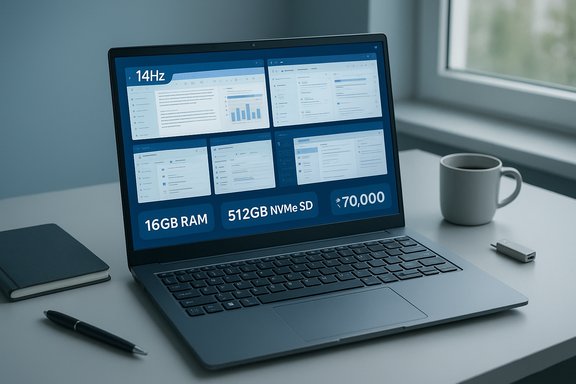
Exploring the market for the best laptops under ₹70,000 right now reveals a notable shift: mainstream 15-inch and compact 14–16‑inch machines are packing faster modern CPUs, 512GB NVMe SSDs, and 16GB RAM as common configurations—deliverables that until recently belonged to higher price tiers. These ten hand‑picked models strike pragmatic balances between performance, display quality, battery life, and upgradeability, making this price band one of the most useful sweet spots for students, professionals, and light creators. The headline claim that many laptops in this segment now include fast processors, SSD storage, and useful extras like higher refresh-rate panels or discrete GPUs is verifiable across OEM spec pages and current retailer listings.
The ₹70,000 bracket has matured rapidly. Two years ago the entry-level to midrange boundary was dominated by 8GB/256GB systems; manufacturers have responded to buyer demand for better multitasking and storage by standardizing 16GB RAM and 512GB NVMe SSDs on many SKUs. This shift is driven by four practical forces: productivity workloads that keep many browser tabs and background services open; creative apps that benefit from local scratch storage and GPU acceleration; competitive pressure among OEMs; and buyers who want a laptop that remains useful for 3–4 years. Industry listings and current OEM pages show these trends across models from HP, Acer, ASUS, Dell, Lenovo and Samsung. Below is a practical, verifiable guide and critique of the Top 10 models commonly promoted for buyers in this price bracket, followed by a decision checklist and risk summary that will help finalize a confident purchase.
Purchasing a laptop in the ₹70,000 range today can get you a machine that will feel noticeably faster and more capable than past generations—provided you check the SKU and prioritize 16GB RAM, NVMe storage, and the display characteristics you actually need. The market now rewards careful specification checks, and when you match a verified SKU to your primary workload (office, study, light editing, or entry gaming), the result is a practical, long‑lasting daily driver.
Source: Hindustan Times Best laptops under ₹70000 come packed with fast processors and big storage: Top 10 picks for with balanced features
 Background / Overview
The ₹70,000 bracket has matured rapidly. Two years ago the entry-level to midrange boundary was dominated by 8GB/256GB systems; manufacturers have responded to buyer demand for better multitasking and storage by standardizing 16GB RAM and 512GB NVMe SSDs on many SKUs. This shift is driven by four practical forces: productivity workloads that keep many browser tabs and background services open; creative apps that benefit from local scratch storage and GPU acceleration; competitive pressure among OEMs; and buyers who want a laptop that remains useful for 3–4 years. Industry listings and current OEM pages show these trends across models from HP, Acer, ASUS, Dell, Lenovo and Samsung. Below is a practical, verifiable guide and critique of the Top 10 models commonly promoted for buyers in this price bracket, followed by a decision checklist and risk summary that will help finalize a confident purchase.How this roundup verifies claims
All the highlighted CPU, GPU and display claims were cross‑checked against manufacturer tech‑spec pages and major retailer listings. For example, the ASUS TUF A15 family lists Ryzen 7000-series HS chips and RTX 3050 GPU SKUs with a 144Hz FHD panel on official ASUS pages, and independent reviews confirm the same performance/refresh‑rate combination. The Samsung Galaxy Book4 i5 configuration and its port list are confirmed on Samsung’s India product page and on multiple retailer product pages that mirror the OEM spec sheet. HP 15 SKUs with the Intel Core i3‑1315U show up on mainstream retailer pages and verified reseller spec sheets, matching the memory/storage claims in the listings used by buyers. Where model families include many SKUs, those variations are flagged: the same model name frequently hides different panels, RAM types (soldered vs. SO‑DIMM) or battery capacities; buyers should confirm the exact SKU string before checkout. Independent verification work and community threads stress this SKU‑specific variability strongly.The Top 10 at a glance — what the list represents
- HP 15 (Intel Core i3‑1315U, 16GB, 512GB SSD) — dependable everyday performer with Full HD anti‑glare screen and Wi‑Fi 6 on some SKUs.
- Acer Aspire Lite (Ryzen 7‑7730U, 16GB, 512GB SSD) — thin-and-light with Ryzen power and IPS clarity (SKU‑dependent).
- ASUS TUF A15 (Ryzen 7‑7445HS / 7445HS family, RTX 3050, 144Hz) — value gaming/creator machine with strong thermals for the segment.
- Dell 15 (Core i7‑1355U, 120Hz FHD, ComfortView) — productivity‑focused with a higher‑refresh panel option on select SKUs.
- Lenovo ThinkPad E14 (Ryzen 5‑7530U, WUXGA 14", MIL‑STD tested) — durable business laptop with excellent keyboard and security features.
- ASUS Vivobook 16X (i5‑13420H, RTX 3050, 16" FHD+ 144Hz) — big screen, entry‑level GPU for creators who want space to work.
- Dell Vostro 3530 (i3‑1305U, 120Hz FHD) — reliable office machine with spill‑resistant keyboard and practical port selection.
- Lenovo IdeaPad Slim 3 (i7‑13620H, WUXGA, rapid charge) — lightweight i7 H‑series laptop that favors portability for power users.
- Acer ALG (Core i5‑13420H + RTX 3050 6GB) — gaming-capable with upgradeable slots and solid cooling in the budget segment.
- Samsung Galaxy Book4 (i5‑1335U, 512GB SSD, fingerprint reader, Dolby Atmos) — premium-feel thin-and-light with broad port flexibility.
Deep dive: strengths, trade‑offs and verified specs
1) HP 15 — everyday workhorse (verified)
The HP 15 models in the roundup typically use the Intel Core i3‑1315U in the 13th Gen family for power-efficient daily use, combined with 16GB RAM and 512GB NVMe storage on many listings. These configurations give fast boot times and responsive multitasking for office and study scenarios. Retailer pages confirm the i3‑1315U and 512GB SSD options in several SKUs. Caveat: some lower SKUs still ship with smaller RAM counts, so check the listing. Pros:- Strong multitasking for office workloads when configured with 16GB RAM.
- Commonly shipped with Wi‑Fi 6 and a practical port set.
- Display brightness and color range are average on certain SKUs (250 nits quoted); not ideal for demanding colour‑accurate work.
2) Acer Aspire Lite — thin‑and‑nimble Ryzen value
Acer’s Aspire lineup increasingly uses Ryzen 7000‑series U APUs (e.g., Ryzen 7‑7730U) in thin chassis, trading slightly lower sustained power for slimmer profiles. The Aspire Lite variants with Ryzen 7 and 16GB RAM offer strong single‑thread and multi‑thread performance for office, web, and light creative tasks. Community verification emphasizes upgrade options available on many Aspire SKUs.3) ASUS TUF A15 — best for entry gaming and thermals (double‑checked)
ASUS’ official spec pages list TUF A15 SKUs with Ryzen HS‑class processors and RTX 3050/3050Ti options, and the product page shows 144Hz FHD panels on many variants. Independent reviews corroborate the gaming performance and thermal design for extended sessions—this makes the TUF A15 the best pick if you prioritize gaming or GPU‑accelerated editing. Pros:- 144Hz panel and discrete RTX 3050 provide smooth gaming at 1080p.
- Tougher chassis and a robust cooling system for longer loads.
- Typically heavier than ultraportables (~2.2–2.5 kg on many SKUs), and battery life drops under sustained GPU loads.
4) Dell 15 — productivity centric with a fast refresh option
Dell’s mainstream 15‑inch models in this price segment often include Core i7‑1355U configurations with a 120Hz FHD display option and ComfortView features to reduce eye strain. These are solid choices for spreadsheet-heavy work and long typing sessions; verify the exact display refresh‑rate on the specific SKU before buying.5) Lenovo ThinkPad E14 — business durability and typing comfort (verified)
The ThinkPad E14 with Ryzen 5‑7530U is a proven business laptop line that emphasizes durability, security (TPM, fingerprint), and an excellent keyboard. Retail listings and product pages confirm the 14‑inch WUXGA IPS panels and MIL‑STD testing on many E14 editions. This model suits professionals who prioritize typing and long‑term reliability over flashy specs.Buying guide: what to insist on in the ₹70,000 range
- RAM: 16GB is the practical baseline for longevity and smooth multitasking. If the SKU ships with 8GB, ensure user‑upgradeability (a free SO‑DIMM slot).
- Storage: 512GB NVMe SSD is the sweet spot — fast, roomy enough for apps and projects. Prefer dual‑slot designs if you keep large local media.
- CPU class: For productivity and light content creation, H‑series (i5‑H / i7‑H) or Ryzen HS variants deliver better sustained performance than U‑class chips under heavy loads. For battery‑first users, modern U‑series (13th Gen i3/i5 or i5‑13xxU) balance life and efficiency.
- Display: Prefer FHD IPS panels with at least 300 nits where possible; 120Hz–144Hz is useful for gaming and smoother UI motion even in non‑gaming use. Confirm SKU specifics.
- GPU: Dedicated GPUs such as RTX 3050 add value for creators and gamers—useful for hardware‑accelerated encoding and smoother video previews. For office users, integrated Iris Xe or Radeon are fine.
- Thermals & Weight: H‑series and discrete GPU models are heavier; weigh portability against sustained performance.
- Ports & Connectivity: Insist on USB‑C with PD / DisplayPort, at least one HDMI, and Wi‑Fi 6 (or Wi‑Fi 6E where available) for future‑proofing.
- Warranty & Service: Check local service network and warranty pickup/repair options; after‑sales support quality varies by OEM and region. Community threads repeatedly flag this as a purchase factor.
Practical buying checklist (step‑by‑step)
- Confirm the exact SKU/model string on the product page (example: “HP 15‑fd0333NIA — i3‑1315U / 16GB / 512GB / FHD”).
- Verify RAM type: is any memory soldered? If so, can you add a second DIMM? (Prefer at least one free SO‑DIMM slot.
- Confirm display brightness (≥300 nits recommended) and panel type (IPS/OLED preferred).
- Check SSD type (NVMe/PCIe preferred) and number of M.2 slots.
- Read independent reviews or test reports for thermals and battery runtime for the chosen SKU.
Risks, pitfalls and things vendors won’t shout about
- SKU variability is the biggest risk: identical model names can ship with different panels, soldered RAM, or different battery capacities in different markets. Always confirm the full SKU string. Community verification deep dives call this the most common cause of buyer disappointment.
- Battery life claims: manufacturer “up to” battery numbers are lab‑derived and frequently overstate real-world runtimes. Expect 20–30% less in mixed‑use tests; models with discrete GPUs will drop faster under gaming or editing loads. When battery matters, rely on independent test results.
- Thermals and sustained performance: H‑class chips and discrete GPUs matter for sustained workloads, but thin chassis can throttle under long multi‑core loads. If you render or compile frequently, prefer larger chassis with better cooling and check thermal benchmarks.
- Upgrade limits: many thin laptops use LPDDR memory that is soldered. If you need long‑term upgradeability, prioritize SKUs with DDR‑SO‑DIMM support. Verified SKU pages and community threads indicate this is essential for futureproofing.
- After‑sales and warranty: regional service quality varies. Check local dealer support and customer experiences in forums before spending. Community threads show warranty responsiveness is a frequent post‑purchase pain point.
Who should buy which model: practical scenarios
- Student / commuter who needs long battery life and portability: pick lightweight Galaxy Book4 or IdeaPad Slim SKUs with efficient U‑class CPUs and 512GB SSDs. Confirm weight and battery Wh.
- Office power user (spreadsheets, multi‑tab workflows): Dell 15 (i7‑1355U) or Lenovo ThinkPad E14 for the keyboard, security and ComfortView features.
- Light creator / editor who also games occasionally: ASUS Vivobook 16X or ASUS TUF A15 — both offer RTX 3050 options and 144Hz panels for smoother previews and usable 1080p gaming. Independent reviews and ASUS spec pages validate this positioning.
- Gamer on a budget: Acer ALG or ASUS TUF with RTX 3050 and 144Hz panel provide the best price‑to‑frame‑rate trade in this bracket; expect average battery life while gaming.
Final verdict and recommended next steps
The laptops under ₹70,000 today deliver real value: 16GB RAM, 512GB NVMe SSD, and optional dedicated RTX 3050 GPUs are now common features across several SKUs—features that materially improve responsiveness and longevity compared with older generations. That said, the most important single piece of advice is to validate the exact SKU and confirm whether a given configuration truly includes the panel, RAM, storage and ports you need. Community analysis and manufacturer pages used in verification all stress SKU specificity; treating the family name alone as sufficient description is a recipe for mismatch. Recommended purchase steps:- Choose the model family that fits your use case (productivity vs gaming vs portability).
- Verify the SKU, RAM (ideally 16GB or upgradeable), SSD type and display specs.
- Read 1–2 independent reviews for the exact SKU to understand thermals and real battery life.
- Compare warranty and service options in your area before finalizing.
Quick FAQs — verified, short answers
- Can laptops under ₹70,000 support light gaming and creative work? Yes—models with RTX 3050 or equivalent Radeon dGPU handle light gaming and GPU‑accelerated editing at 1080p. Check TGP and thermal reviews for sustained frame rates.
- Do laptops in this range offer good battery life? Many claim 6–8 hours in marketing materials, but real‑world mixed use is generally lower. Expect 4–7 hours depending on screen, CPU and workload; ultralight U‑class models will last longer than H‑class or GPU‑equipped machines.
- Are 144Hz displays common here? Yes—several gaming‑oriented SKUs and some productivity machines now offer 120Hz or 144Hz options; verify the SKU as refresh rate is optional on many families.
Purchasing a laptop in the ₹70,000 range today can get you a machine that will feel noticeably faster and more capable than past generations—provided you check the SKU and prioritize 16GB RAM, NVMe storage, and the display characteristics you actually need. The market now rewards careful specification checks, and when you match a verified SKU to your primary workload (office, study, light editing, or entry gaming), the result is a practical, long‑lasting daily driver.
Source: Hindustan Times Best laptops under ₹70000 come packed with fast processors and big storage: Top 10 picks for with balanced features
