

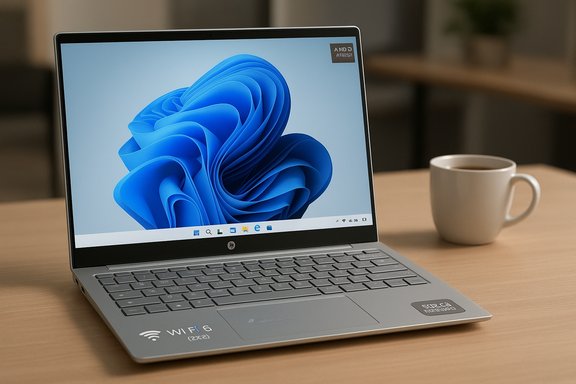
Herzindagi’s recent buyer guide spotlights a set of HP Windows 11 laptops aimed squarely at efficient productivity, and the headline claim is simple: configurations pairing an AMD Ryzen 7 class processor with 16 GB RAM and a 512 GB SSD deliver a compelling balance of speed, multitasking headroom and storage for professionals. The guide highlights a compact, high-efficiency design that emphasizes long battery life (a 3‑cell, ~43 Wh battery with an advertised up to 11 hours 30 minutes runtime and fast‑charge capability), a micro/mirror‑edge display driven by AMD Radeon graphics, and modern connectivity like Wi‑Fi 6 (2x2) and Bluetooth 5.3, all running Windows 11 Home for a familiar productivity experience. These claims align with current HP Pavilion Aero and Pavilion 13/15 family SKUs that HP and retailers list as high‑efficiency, work‑focused machines.
HP’s recent consumer and ultra‑portable lines—particularly the Pavilion Aero 13 and the Pavilion 14/15 families—have been positioned as "work-first" Windows 11 laptops that emphasize thinness, battery life and AMD’s efficient Ryzen mobile silicon. Across retailer pages and HP’s product listings the recurring combination is:
These HP configurations deliver a pragmatic productivity platform for most users: modern AMD mobile processors, 16 GB RAM, and 512 GB NVMe storage provide a smooth everyday Windows 11 experience while keeping weight and battery life competitive. Where the guide’s headline specs diverge across product pages (battery Wh, charge times, or minor wireless differences), that divergence is down to SKU variants and regional configurations—so the final step before clicking “buy” is a SKU‑level check against the manufacturer’s spec sheet and a trusted hands‑on review.
Source: Herzindagi 5 Best HP Windows 11 Laptop For Efficient Productivity
 Background / Overview
HP’s recent consumer and ultra‑portable lines—particularly the Pavilion Aero 13 and the Pavilion 14/15 families—have been positioned as "work-first" Windows 11 laptops that emphasize thinness, battery life and AMD’s efficient Ryzen mobile silicon. Across retailer pages and HP’s product listings the recurring combination is:- AMD Ryzen 7 (and Ryzen 5 variants) for multi‑threaded productivity.
- 16 GB RAM as the practical sweet spot for multitasking.
- 512 GB NVMe SSD for responsive OS/app loads and adequate on‑device storage.
- 3‑cell battery packs in the 41–43 Wh range (depending on SKU).
- Fast charging support and modern wireless stacks (Wi‑Fi 6 / Bluetooth 5.3).
The headline specifications — what’s credible and what needs caution
Verified technical points (what multiple sources confirm)
- Processor / RAM / Storage: HP offers Pavilion Aero and Pavilion 13/15 SKUs with AMD Ryzen 7 class mobile chips matched to 16 GB of RAM and 512 GB NVMe SSD options—configurations widely available at HP’s shop and through multiple retailers. These setups are well suited for spreadsheets, browser‑heavy workflows, Office suites, light multimedia editing and VM testing at small scale.
- Display & GPU: The micro‑edge or narrow‑bezel displays on these models commonly use an IPS/WUXGA (1920×1200 / 1920×1080) panel and rely on integrated AMD Radeon graphics. That combo provides good color reproduction and battery efficiency for productivity and streaming.
- Wireless: Shipping wireless modules listed are Wi‑Fi 6 (2x2) and Bluetooth 5.3, which match product pages and retailer descriptions—important for future‑proofed wireless performance and accessories.
Claims that vary across SKUs and require scrutiny
- Battery capacity and runtime: The guide’s statement of a 3‑cell, 43 Wh battery and up to 11h30m runtime is accurate for some Pavilion Aero SKUs (13‑inch systems), but other Pavilion 15 family SKUs carry a 41 Wh pack and different runtime estimates. HP’s official product pages show both 41 Wh and 43 Wh batteries depending on model and region, and the advertised runtime depends heavily on test conditions (video playback vs. web browsing vs. office tasks). Consumers should verify the battery Wh and the test methodology for any specific SKU before treating the number as an everyday expectation.
- Fast‑charge time: The guide claims fast charge up to 50% in 30 minutes. HP literature for Pavilion Aero models frequently advertises 50% in 30 minutes for specific SKUs; however, some Pavilion 15 entries and other HP pages report approx. 50% in 45 minutes. That discrepancy highlights the importance of confirming the exact SKU and region because fast‑charge claims can differ by battery chemistry, power adapter and manufacturing batch.
Why these configurations make sense for productivity users
Performance-per-watt focus
HP’s choice to combine Ryzen mobile silicon with 16 GB of RAM and a fast NVMe SSD is a pragmatic approach for most knowledge‑worker scenarios. AMD’s mobile Ryzen chips—particularly the Zen 3/4 mobile lines used in Pavilion Aero and similar SKUs—offer:- Strong multi‑core throughput for parallel productivity tasks (compilation, spreadsheets, browser tabs).
- Efficient power usage that improves battery life compared with an equivalently performing larger‑chip alternative.
- Integrated Radeon graphics that handle display acceleration and light content creation without the power / thermal cost of a discrete GPU.
Practical benefits for daily workflows
- Faster boot and resume times from the 512 GB NVMe SSD.
- 16 GB RAM enables comfortable multitasking—multiple browser windows, remote desktop sessions and Office documents—without frequent disk swapping.
- The micro‑edge display format gives larger screen area in a smaller footprint, improving portability without sacrificing usable desktop space.
- Modern wireless (Wi‑Fi 6, BT 5.3) reduces latency and improves reliability in crowded wireless environments and with Bluetooth peripherals.
Critical analysis — strengths and tradeoffs
Strengths
- Excellent balance of portability and power. These HP SKUs prioritize thinness and battery life while offering enough CPU and RAM to handle real productivity workflows.
- Responsive storage and memory. NVMe SSDs and 16 GB RAM deliver a noticeably snappier experience than entry‑level configurations with HDDs or 8 GB RAM.
- Modern connectivity and OS. Wi‑Fi 6 and Bluetooth 5.3 plus Windows 11 Home give a contemporary, secure and feature‑rich environment for hybrid work.
- Strong OEM value features. HP often bundles software utilities (battery management, display control) and inclusion of fast‑charge support that materially improves real‑world usability.
Tradeoffs and risks
- Battery life variability. Manufacturer battery runtime figures are often optimistic and measured under controlled conditions. Real‑world productivity workloads (web browsing with many tabs, video conferencing, virtualization) will typically yield lower numbers. Verify battery Wh and read independent battery tests if long runtime is critical.
- SKU fragmentation and regional differences. The same model family can ship with different batteries, chargers and wireless modules across markets; that creates confusion for buyers who assume one spec everywhere. Confirm the SKU code before buying.
- Upgradability limits. Many modern ultra‑thin HP designs solder RAM or limit access to internal slots. If the unit uses onboard LPDDR5/LPDDR5X, upgrading RAM later may be impossible—buy the right capacity up front. Check serviceability and memory configuration.
- Thermal and sustained performance. Thin chassis equal constrained cooling. The devices perform well for bursty workloads but may throttle for sustained multi‑hour heavy tasks (video export, large compiles). For heavy, sustained workloads, a larger chassis with better cooling is a safer bet.
Practical buying checklist — what to confirm before you buy
- Check the exact SKU/model number and confirm:
- Battery capacity (Wh) and advertised runtime for the region you buy in.
- Fast‑charge figure (30 vs 45 minutes to 50%).
- Verify whether RAM is soldered or upgradable; if soldered, order the desired RAM at purchase.
- Confirm port selection (USB‑C with PD/DisplayPort, HDMI 2.1, number of USB‑A ports, SD slot), especially if you use dongles or external displays.
- Inspect display specs (resolution, touchscreen or not, color gamut) and pick the panel that matches your use (creatives need wider gamut, business users may prefer higher brightness).
- Review warranty and local service options; thin, sealed devices can cost more to repair.
Alternatives within HP and outside the brand
Within HP
- HP Pavilion Aero 13 (Ryzen 7 / Ryzen 5) — if ultra‑lightweight and long battery life are the priority, the Aero line is specifically engineered for that balance. Expect 43 Wh packs and 11+ hour marketing numbers on the Aero 13 SKUs.
- HP Pavilion 15 (Ryzen 7 / Ryzen 5) — slightly larger screen, sometimes different battery chemistry (41 Wh), and different fast‑charge numbers depending on the SKU; better for users who want larger display area without moving to a full‑size workstation.
- HP Envy / Spectre series — premium builds, often with better display options (OLED), but at a higher price and sometimes with similar thermal compromises in ultra‑thin configurations. Consider if a premium finish and higher‑end display are priorities.
Cross‑brand alternatives
- Lenovo Slim / Yoga 7 — strong battery life and often more robust docking/port options.
- Dell Inspiron / XPS (13 or 15) — XPS remains a benchmark for premium small form factor Windows laptops; Dell’s thermal and display options are excellent but at higher cost.
- Acer Swift / Swift X — often competitive on price and performance for productivity users; Swift X adds discrete GPU options if lightweight GPU work is needed.
How to interpret battery and fast‑charge numbers in real life
- Manufacturers test video playback or light web browsing in controlled labs to reach their maximum runtime numbers. If your day includes active content creation, continuous conferencing, or developer builds, expect substantially less battery life.
- Fast‑charge 50% in 30 minutes typically applies when the battery is cold and the device is in standby or powered off; charging while the system is loaded (Zoom, multiple monitors) will extend charge times.
- Check independent reviewers for real‑world battery tests on the exact SKU you’re considering—those tests show more realistic expectations than vendor lab numbers.
Recommended approach for Windows power users
- If maximum portability and real‑world multi‑tasking are your top priorities, order a Ryzen 7 + 16 GB + 512 GB configuration but confirm the battery Wh and that RAM is not soldered (or accept the soldered RAM as the price of weight savings).
- If you rely on heavy, sustained CPU/GPU workloads, consider a thicker chassis in HP’s Envy/OMEN or a Dell XPS/workstation alternative with better cooling and a larger battery.
- Factor in external display needs: confirm the laptop supports DisplayPort over USB‑C and if it supports externals at full refresh/resolution for your workflow.
Final verdict — who should buy these HP configurations
HP’s Ryzen‑based Pavilion Aero and many Pavilion 13/15 SKUs present an excellent, practical value proposition for mobile professionals, hybrid workers and students who need:- Responsive day‑to‑day performance (fast OS and app load times),
- Comfortable multitasking (16 GB RAM),
- Portability with meaningful battery life, and
- Modern connectivity for a Windows 11 productivity environment.
Quick buyer checklist (summary)
- Confirm SKU model number and region.
- Verify battery Wh and claimed fast‑charge time.
- Check whether RAM is soldered or upgradable.
- Confirm display type and color gamut for creative work.
- Look for independent battery/thermal reviews before purchase.
These HP configurations deliver a pragmatic productivity platform for most users: modern AMD mobile processors, 16 GB RAM, and 512 GB NVMe storage provide a smooth everyday Windows 11 experience while keeping weight and battery life competitive. Where the guide’s headline specs diverge across product pages (battery Wh, charge times, or minor wireless differences), that divergence is down to SKU variants and regional configurations—so the final step before clicking “buy” is a SKU‑level check against the manufacturer’s spec sheet and a trusted hands‑on review.
Source: Herzindagi 5 Best HP Windows 11 Laptop For Efficient Productivity
