

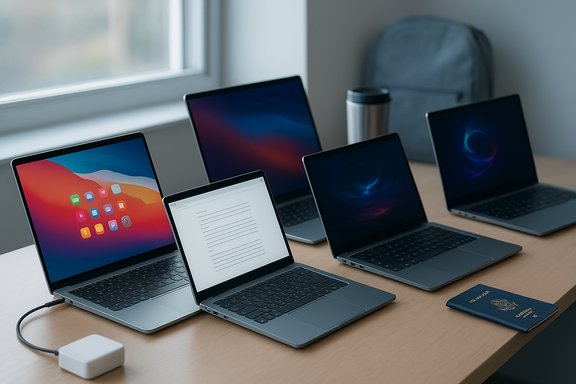
Thin-and-light laptops have moved well beyond being mere ultra-portable companions; today’s best models deliver balanced performance, solid battery life, and refined cooling in svelte, travel-ready housings — making them viable for everything from daily office work to light gaming and creative chores.
Thin-and-light laptops (often marketed as ultrabooks or ultraportables) now target a broad set of users: professionals who travel, students carrying devices between classes, and even gamers who prioritize mobility. The recent consumer roundups that list the “best thin and light laptops” emphasize three converging trends: more efficient CPUs and NPUs, widespread adoption of fast NVMe SSDs, and better display options (IPS and OLED) at lower weights. Manufacturers pair these hardware gains with improved thermals and refined firmware to keep fans quieter and surfaces cooler during real-world use.
This feature distills the practical takeaways from a popular 10‑model roundup and then adds independent analysis, verification notes, and buyer guidance. It verifies common specs where possible, highlights recurring strengths across the segment, and calls out the trade-offs buyers must understand before committing.
A cautious note: many of the specific model claims in public roundups are SKU-dependent. When a review or shopping list calls out a model name without a SKU, treat it as a family-level recommendation, not a single guaranteed configuration. Verify the exact SKU, check independent lab reviews for thermals and battery numbers, and confirm warranty/service terms before purchase.
Source: Hindustan Times Best thin and light laptops: Top 10 picks packed with advanced features and more for gaming and everyday tasks
 Background / Overview
Thin-and-light laptops (often marketed as ultrabooks or ultraportables) now target a broad set of users: professionals who travel, students carrying devices between classes, and even gamers who prioritize mobility. The recent consumer roundups that list the “best thin and light laptops” emphasize three converging trends: more efficient CPUs and NPUs, widespread adoption of fast NVMe SSDs, and better display options (IPS and OLED) at lower weights. Manufacturers pair these hardware gains with improved thermals and refined firmware to keep fans quieter and surfaces cooler during real-world use.This feature distills the practical takeaways from a popular 10‑model roundup and then adds independent analysis, verification notes, and buyer guidance. It verifies common specs where possible, highlights recurring strengths across the segment, and calls out the trade-offs buyers must understand before committing.
What the roundup says — at a glance
The roundup highlights ten thin-and-light laptops spanning mainstream workhorses, a premium MacBook Air entry, one portable gaming option, and several strong Windows ultrabooks. Representative models and the typical configurations presented include:- HP Laptop 15 — AMD Ryzen 3, 8 GB LPDDR5, 512 GB SSD, Full HD display — lightweight daily driver.
- Apple MacBook Air (2025, M4) — M4 SoC, 16 GB Unified Memory, 256 GB SSD, 13.6" Liquid Retina — premium ultralight with long battery life.
- MSI Bravo 15 — Ryzen 7 4800H + Radeon RX5500M, 8 GB DDR4, 512 GB NVMe SSD, 144 Hz FHD — portable gaming option.
- ASUS Vivobook 15 — 13th Gen Intel Core i5, 16 GB RAM, 512 GB SSD, 15.6" FHD — practical multitasker.
- Dell Inspiron 3493 — 10th Gen Core i3, 4 GB DDR4, 1 TB HDD — budget everyday machine.
- Acer Aspire 3 — 12th Gen Core i3, 8 GB RAM, 512 GB SSD, 14" FHD IPS — travel-ready mainstream pick.
- Lenovo IdeaPad Slim 3 — 12th Gen Intel, 16 GB LPDDR5, 512 GB SSD, 1.37 kg — ultra-light productivity.
- Acer Aspire Lite — Ryzen 5, 16 GB DDR4, 512 GB SSD — metal-chassis value pick.
- Dell Inspiron 3530 — 13th Gen Core i3, 8 GB DDR4, 512 GB SSD, 120 Hz panel — crisp display and bundled security.
- Acer Aspire Go 14 — Intel Core Ultra 5 125H, 16 GB DDR5, 512 GB NVMe, 14" WUXGA IPS — modern hybrid performance with backlit keyboard and noise-cancelling microphone.
Why thin-and-light laptops matter now
Mobility without compromise
Modern thin-and-light designs minimize bulk while delivering components that are capable enough for most productivity tasks. Advances in chip architecture — including efficient multi-core designs and integrated NPUs on some Intel Core Ultra and ARM platforms — make on-device AI features, long runtimes, and snappy responsiveness more common.Greater choice across price bands
You no longer have to choose strictly between portability and performance. The market now contains:- sub‑$500 budget ultralight options for students and casual users,
- $600–$1,000 mainstream machines with 16 GB RAM and 512 GB NVMe SSDs,
- premium ultraportables (including Apple silicon MacBook Airs and Intel Core Ultra OLED laptops) that target professionals who want the best battery and display quality.
Better real-world battery and thermals
Battery chemistry plus smarter power management (NPUs handling inference, dynamic power scaling, and variable refresh displays) has improved battery life in practical use cases. However, manufacturer “up to” numbers often overstate real-world results; independent testing typically shows lower but still class-leading runtimes for top performers.Deeper look at the listed models — verification and practical notes
Apple MacBook Air (2025, M4)
- What stands out: Industry-leading power efficiency, class-leading battery life, extremely light build (just over 1 kg), and a high-quality Liquid Retina display.
- Practical verification: The M4-based MacBook Air is consistently reported by reviewers to deliver excellent mixed-use battery life (many tests show 16–18 hours on light workloads), and the unified memory architecture gives smooth multitasking at 16 GB. Storage and RAM are fixed at purchase; internal upgrades are not possible.
- Caveat: macOS ecosystem and upgrade limits (no user upgrade for RAM or SSD after purchase).
HP Laptop 15 (Ryzen 3 variant)
- What stands out: Affordable, Full HD display, and a 1.59 kg portable profile suitable for students and office tasks.
- Practical verification: Ryzen 3 SKUs of mainstream 15‑inch HP models generally balance price and battery life for everyday workloads, though many low-cost SKUs come with soldered RAM or 8 GB baseline.
- Caveat: Not built for modern gaming; check RAM upgrade options if longevity matters.
MSI Bravo 15 (portable gaming)
- What stands out: A 144 Hz panel and discrete Radeon RX5500M — an unusual but welcome inclusion in a lighter-than-average gaming shell.
- Practical verification: Portable gaming laptops can hit the sweet spot between outright desktop replacements and ultraportables; however, battery life and thermals are the trade-offs. Expect shorter unplugged runtimes under load.
- Caveat: Slim chassis gaming models may throttle under sustained heavy loads and surface temperatures can be elevated.
Lenovo IdeaPad Slim 3 and ASUS Vivobook series
- What stands out: Many configurations offer 16 GB RAM, lightweight builds (around 1.4 kg), practical feature sets (Eye Care mode, Alexa, SO‑DIMM in some SKUs).
- Practical verification: These families are designed for a mainstream audience and offer solid bang-for-buck; many SKUs permit RAM or storage upgrades — check exact SKU for soldered vs DIMM memory.
- Caveat: Variation across SKUs is significant; confirm panel type (FHD vs HD) and whether the RAM is upgradeable.
Acer Aspire Go 14 (Core Ultra 5 125H)
- What stands out: Modern many‑core hybrid CPU with 14 cores, DDR5 memory, WUXGA display, and features aimed at remote work (noise-cancelling mic).
- Practical verification: Core Ultra class chips bring NPUs and hybrid cores to thin laptops, improving AI feature responsiveness and endurance. Integrated graphics perform well for office and media tasks but are limited for gaming.
- Caveat: Integrated graphics limit gaming and heavy GPU-accelerated editing performance.
Strengths common across the best thin-and-light laptops
- Portability: Most models weigh between 1.2–1.8 kg; many under 1.5 kg deliver a true travel-ready experience.
- Fast storage: NVMe SSDs (commonly 512 GB) are baseline, ensuring quick boot and app responsiveness.
- High-quality displays: Full HD is standard; many premium units include OLED or high-refresh IPS panels for better color and fluid UI.
- Improved battery life: Smarter SoCs and larger battery cells produce all-day use on typical office workloads for many models.
- Modern connectivity: USB-C with charging/display support, Wi‑Fi 6/6E (and some Wi‑Fi 7 on premium SKUs), and HDMI or USB‑A retained in many designs.
Risks and trade-offs buyers must know
SKU fragmentation — verify the model code
One of the single biggest risks today is SKU variability. The same model name often includes widely different internals across regions or retailers (Intel vs AMD, soldered LPDDR vs SO‑DIMM DDR, FHD vs HD panel). Always confirm the exact SKU code on the OEM page and the retailer listing.Thermals and sustained performance
Thin chassis have limited thermal headroom. Under sustained CPU- or GPU-heavy workloads the CPU may throttle — yielding lower multi-thread performance than thicker laptops with larger cooling systems.Repairability and upgradeability
To hit thin-and-light weight and power targets manufacturers frequently solder RAM and use glued batteries. This reduces upgradability and raises long-term costs if you need more memory or a failed battery replacement.Battery-life claims vs reality
Manufacturers’ “up to” battery numbers are lab-derived. Real-world mixed-use workloads (documents, tabs, video calls) deliver lower runtimes, though top performers still lead the pack.AI and NPU marketing
NPUs and TOPS numbers are increasingly marketed as a must-have, but their practical impact varies by user:- They materially improve on-device AI features (noise suppression, transcription, local summarization) and can reduce CPU energy during inference.
- NPUs are not a substitute for discrete GPUs when it comes to creative workflows like 3D rendering or heavy GPU training tasks.
Practical buying checklist — what to confirm on the product page
- Exact SKU/model number and region listing.
- CPU family and TDP class (U, H, or Core Ultra) — this influences sustained performance and thermals.
- RAM: 16 GB recommended; check if it’s soldered (LPDDR) or user-upgradeable (SO‑DIMM).
- Storage: NVMe SSD (512 GB minimum for a smooth experience).
- Display: FHD (1920×1080) minimum; prefer IPS or OLED for color fidelity and outdoor/office use.
- Battery capacity in Wh and vendor-stated runtime; compare with independent reviews for real-world numbers.
- Ports: USB-C with charging and display out, HDMI for external monitors, and headphone jack if you rely on wired audio.
- Weight and dimensions — check the listed “starting at” weight which can vary by configuration.
- Warranty and service options, especially if buying in a region with limited OEM support.
Top use-case picks (practical recommendations)
- Best for battery-first portability: Apple MacBook Air (M4) — unrivaled efficiency and battery life among ultraportables.
- Best Windows balance of portability and expandability: Lenovo IdeaPad Slim 3 or ASUS Vivobook 15 — many SKUs offer SO‑DIMM slots.
- Best value metal ultrabook: Acer Aspire Lite (verify AL15 SKU) — premium build at accessible price points.
- Best portable gaming compromise: MSI Bravo 15 (or similar Ryzen + mid-range discrete GPU) — decent frame rates at 1080p but expect reduced battery life.
- Best all-around 14-inch Windows ultraportable: Acer Aspire Go 14 (Core Ultra) — modern features, backlit keyboard, and compact chassis.
How to test a thin-and-light laptop in-store (or immediately after delivery)
- Verify SKU and BIOS/firmware version against the OEM website.
- Run a 30–60 minute mixed workload: web browsing, streaming, document edits. Observe surface temps and fan noise.
- Check display brightness at full and 50% — confirm anti‑glare and color uniformity.
- Use Task Manager or Activity Monitor to validate installed memory and storage type (NVMe vs SATA).
- Plug in USB-C monitor and confirm video output if that’s a required use.
- Run a battery drain test (screen at typical brightness, Wi‑Fi on) and compare observed runtime with vendor claims and independent tests.
Final verdict — balanced guidance for buyers
The current generation of thin-and-light laptops genuinely delivers across usability, portability, and — increasingly — performance. Most users will be well served by prioritizing these three items when purchasing: 16 GB RAM (or upgradable memory), a 512 GB NVMe SSD, and a Full HD IPS/OLED display. For those who value battery and ecosystem integration above all else, a premium Apple M4 MacBook Air remains the clearest pick. Windows buyers should focus on SKU details (to avoid mismatched expectations) and prioritize models that preserve some upgradability where longevity is important.A cautious note: many of the specific model claims in public roundups are SKU-dependent. When a review or shopping list calls out a model name without a SKU, treat it as a family-level recommendation, not a single guaranteed configuration. Verify the exact SKU, check independent lab reviews for thermals and battery numbers, and confirm warranty/service terms before purchase.
Conclusion
Thin-and-light laptops have matured into a practical product class that suits wide real-world needs: travel-ready students, hybrid workers, creators on the go, and even gamers seeking mobility. The best models combine fast NVMe storage, sensible RAM, and efficient processors — and now often include on-device AI acceleration for improved background tasks and conferencing. The smart buyer will look past marketing blurbs to confirm precise SKUs, verify whether RAM is upgradable, and temper battery expectations by consulting independent tests. With these precautions, it’s possible to get a lightweight laptop that does most of what a heavier, more power-hungry machine does — but with far less strain on your backpack.Source: Hindustan Times Best thin and light laptops: Top 10 picks packed with advanced features and more for gaming and everyday tasks
