

Virtual machine hosting has matured from niche lab tooling into the backbone of modern application delivery — and in 2026 the landscape is both broader and more practical than ever for developers, small businesses, and enterprises. This feature surveys nine top VM hosting services, verifies key technical claims, and gives a pragmatic playbook for choosing the right provider. It summarizes the user-supplied overview of virtual machine hosting while updating and cross-checking pricing, architecture, and performance claims against vendor documentation and independent reports.
Virtual machines (VMs) are software instances that emulate physical servers, each running its own guest OS and isolated resources. They remain a cornerstone for testing, multi-OS development workflows, and production workloads that demand isolation, consistent resource allocation, and the ability to run legacy or specialized software. Virtualization brings major advantages — improved hardware utilization, rapid provisioning, and safer testing sandboxes — but it also invites trade-offs in cost, complexity, and maintenance responsibilities.
The nine providers profiled here span the cheap and practical (developer-focused VPSes) to hyperscale IaaS platforms built for complex enterprise workloads. Each recommendation is grounded in current vendor docs, pricing pages, and technical notes to ensure readers get verifiable, up-to-date facts they can act on. Where third‑party claims differ from vendor materials, those conflicts are flagged and explained.
Source: HostingAdvice.com 9 Best Virtual Machine Hosting Services (2026)
 Background / Overview
Virtual machines (VMs) are software instances that emulate physical servers, each running its own guest OS and isolated resources. They remain a cornerstone for testing, multi-OS development workflows, and production workloads that demand isolation, consistent resource allocation, and the ability to run legacy or specialized software. Virtualization brings major advantages — improved hardware utilization, rapid provisioning, and safer testing sandboxes — but it also invites trade-offs in cost, complexity, and maintenance responsibilities.The nine providers profiled here span the cheap and practical (developer-focused VPSes) to hyperscale IaaS platforms built for complex enterprise workloads. Each recommendation is grounded in current vendor docs, pricing pages, and technical notes to ensure readers get verifiable, up-to-date facts they can act on. Where third‑party claims differ from vendor materials, those conflicts are flagged and explained.
How this guide is organized
- Detailed reviews and quick takeaways for each of the nine providers
- A technical primer on virtualization types and how they affect hosting
- A decision framework to match provider strengths to real-world use cases
- Practical notes on pricing, migration, security, and support
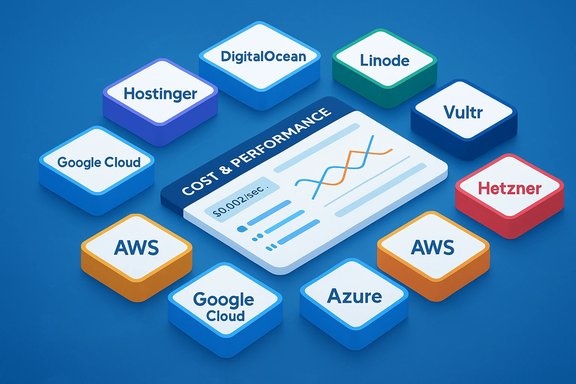
The 9 Best Virtual Machine Hosting Services (2026) — Quick list
- Hostinger — best budget VPS with modern features for developers and SMBs.
- DigitalOcean — predictable Droplets and developer-friendly API.
- Linode — straightforward pricing and high-memory / GPU options for mid-sized projects.
- Vultr — high-frequency CPU and NVMe-backed plans at competitive price points.
- Hetzner Cloud — aggressive pricing for European-based cloud servers (noted in comparative sections).
- Amazon Web Services (EC2) — hyperscale options, broad instance families, advanced optimization tools.
- Microsoft Azure VMs — best enterprise integration for Windows, hybrid cloud, and SAP workloads.
- Google Cloud Platform (Compute Engine) — flexible custom machine types and competitive spot/commitment discounts.
- IBM PowerVM (IBM Power Systems) — for AIX, IBM i, and enterprise consolidation with advanced RAS features.
1) Hostinger — Best budget VPS with modern tooling
Why Hostinger ranks here
Hostinger’s VPS lineup is optimized for cost-conscious developers and small businesses that still need modern infrastructure features: NVMe storage, KVM-based VPS (Linux templates), and a 1 Gbps network profile on many plans. Hostinger publicly lists NVMe SSD storage, free weekly backups, a 1 Gbps network speed, and an AI assistant feature for VPS management on its pricing pages. These are current product claims from Hostinger’s documentation.Key features
- NVMe SSD storage and global data center choices.
- Free weekly backups bundled with VPS plans.
- Public API and 1 Gbps networking on VPS plans.
- AI assistant tools for configuration guidance noted in vendor copy and recent reviews.
Pricing snapshot (verified)
Hostinger advertises multiple VPS tiers with promotional pricing that can bring entry-level plans into the low single-digit range when paid on longer terms; exact price depends on term and promotions. Vendor pages list the technical attributes above but emphasize that “all plans are paid upfront” and promotional prices vary by billing cycle. For current per-month numbers, consult Hostinger’s pricing page because host promotions change frequently.Best for
- Developers and SMBs that need a low-cost but capable VPS and are comfortable managing the OS and security (Hostinger VPS is largely unmanaged).
Caveats
- Unmanaged VPS means you’re responsible for OS updates, security hardening, and monitoring.
- Promotional pricing often requires multi‑year prepayment; watch renewal rates.
2) DigitalOcean — Developer-first Droplets with simple pricing
Why it stands out
DigitalOcean’s Droplets are explicitly marketed as VM instances with simple, predictable pricing and a strong developer experience: one-click apps, an intuitive control panel, and per-second billing for Droplets (announced for 2026, confirmed in DigitalOcean docs). These attributes make DigitalOcean a favorite for single-node apps, CI workers, and predictable staging environments.Key features
- Per-second billing with a 60-second minimum (reduces waste on short-lived workloads).
- Multiple Droplet classes (Basic, CPU-Optimized, General Purpose, Memory-Optimized, Storage-Optimized) including NVMe options.
- 99.99% SLA on paid offerings and developer tooling (API, CLI, Terraform provider).
Best for
- Startups and developers who want straightforward VM pricing and fast provisioning.
Caveats
- For very large scale, the big three hyperscalers offer wider global footp rints and enterprise-level managed services.
3) Linode — Predictable plans and robust mid-market options
Why it’s here
Linode continues to present a clear pricing sheet for standard and high‑memory VMs, plus GPU-capable plans and transparent bandwidth allowances. Their published pricing is easy to compare for mid-market projects.Key features
- Dedicated high‑memory and GPU plan families; predictable monthly/hourly rates.
- Competitive bandwidth allowances and straightforward, no‑surprise billing model.
Best for
- Businesses that need a balance of price transparency and performance without hyperscaler complexity.
4) Vultr — Low-cost, high-frequency compute with NVMe
Why it matters
Vultr’s Cloud Compute and High Frequency offerings give small teams a low-cost route to NVMe-backed VMs. Their pricing grid is explicit and includes sub-$5 plans for very light workloads.Key features
- High Frequency (newer CPU generations), NVMe storage on premium tiers, global POPs.
Best for
- Cost‑sensitive projects that still need modern CPU and NVMe storage.
5) Hetzner Cloud — European value champion (note on region and TCO)
Hetzner’s Cloud Servers are regularly chosen for aggressive price/performance in European regions. Hetzner isn’t always the default for global, multi-region deployments, but for EU-based projects that need raw CPU and storage at low cost, it’s frequently the most economical option. (Vendor documentation and community benchmarks are the usual sources for specific Hetzner pricing and network details.6) Amazon Web Services (EC2) — Hyperscale, breadth, and optimization tools
Why EC2
AWS EC2 remains the go‑to platform when workloads require global scale, an enormous catalog of instance types, or advanced features such as Savings Plans, custom vCPU controls, and Nitro-level optimizations. AWS documents multiple instance families and examples where Arm‑based Graviton instances deliver significant price/performance improvements.Key features
- Wide instance families (general purpose, compute-optimized, memory-optimized, accelerated, bare metal).
- Savings Plans and Reserved Instances for predictable workloads (deep discounts for commitments).
- Rich marketplace of prebuilt AMIs, strong hybrid tooling, and global availability zones.
Best for
- Enterprises or teams that need multi-region deployments, advanced networking, and deeply integrated managed services.
7) Microsoft Azure — Enterprise Windows integration and hybrid capabilities
Why Azure is here
Azure is the default for organizations that rely on Microsoft ecosystems (Active Directory, Windows Server, SQL Server) and for hybrid on-prem-to-cloud migrations. Microsoft’s VM selector and Copilot-assisted tooling help customers match VM SKUs to workload needs, and Azure explicitly positions itself for SAP workloads and enterprise migrations. Azure documentation confirms a VM selector tool and resizing guidance for workloads — and Microsoft markets Azure as a primary platform for SAP migrations.Key features
- Deep Windows and enterprise stack integration, specialized VM families for SAP and large databases, hybrid cloud features (Azure Arc), and enterprise compliance coverage.
Best for
- Organizations standardized on Microsoft products and businesses that need certified SAP, Oracle, or SQL Server hosting on cloud VMs.
8) Google Cloud Platform (Compute Engine) — Flexible machine shapes and cost controls
The angle
Compute Engine gives you fine-grained "custom machine types" so you only pay for the vCPU and memory you actually need. Google’s pricing page states that custom machine types can save “as much as 40%” compared with stepping to a larger predefined instance in some shapes; independent editorials sometimes cite comparable figures, and third‑party roundups have reported similar ranges. The frequently‑quoted “up to 42%” saving appears in third‑party summaries; Google’s own documentation uses a conservative “as much as 40%,” so readers should treat any precise percentage as workload-dependent and verify with the Google Cloud Pricing Calculator for their exact configuration.Key features
- Custom and predefined machine types, granular billing, Spot VMs, and an extensive set of managed services.
Best for
- Teams that value granular sizing, strong container/Kubernetes integration, and integrated ML/AI tooling.
Caveat about the “42%” claim
- The specific "42% higher cost-for-performance" number comes from third‑party coverage and varies with workload and instance generation. Google’s documentation explicitly mentions “up to ~40%” savings for custom shapes in some cases; the precise benefit depends entirely on how closely a custom shape matches your workload. Treat vendor and editorial claims as directional and run workload-level cost-performance tests before committing.
9) IBM PowerVM — Specialized virtualization for AIX, IBM i, and enterprise consolidation
Why IBM PowerVM remains relevant
IBM PowerVM is a hypervisor-style virtualization solution designed for IBM Power Systems and is the leading choice when customers must consolidate AIX, IBM i, and specific Linux workloads with enterprise RAS (Reliability, Availability, Serviceability) features. IBM positions PowerVM for mission-critical workloads that benefit from live partition mobility, advanced isolation, and the Power11 architecture. IBM’s product literature highlights RAS, consolidation, and enterprise uptime features.Best for
- Large enterprises running AIX, IBM i, or workloads that are certified on IBM Power platforms.
Virtualization primer — Types and what they mean for hosting
Full virtualization (hypervisor / Type 1)
- Uses a hypervisor such as VMware ESXi or KVM to create fully isolated VMs with their own virtual hardware.
- Best for heterogenous OS needs, high isolation, and production server workloads.
Paravirtualization
- Guest OS is aware of the hypervisor and can cooperate to improve I/O and scheduling.
- Useful for performance-sensitive server clusters where guests can benefit from optimized drivers.
OS-level virtualization (containers)
- No separate guest kernels; containers share the host kernel (e.g., LXC, Docker).
- Extremely efficient for Linux-only workloads but not suitable when you need different kernels or strict isolation between guests.
Pros & cons of virtual servers — a practical checklist
- Pros:
- Lower cost than dedicated hardware for similar flexibility.
- Rapid provisioning and easy snapshots/backups.
- Multiple OS choices and root access on most VPS/cloud VMs.
- Cons:
- More expensive than shared hosting for tiny workloads.
- You’re responsible for OS-level security and maintenance on unmanaged VPS plans.
- For extreme scale or special hardware (some GPU or mainframe-class workloads), not all providers are equally suitable.
How to choose: a decision framework
- Define the workload profile: CPU-bound, memory-bound, I/O-bound, GPU acceleration, or latency-critical.
- Map to provider strengths:
- Small developer workloads: Hostinger, DigitalOcean, Vultr.
- Predictable mid-market apps: Linode, Hetzner.
- Large scale/multi-region/enterprise: AWS, Azure, GCP.
- Legacy AIX/IBM i: IBM PowerVM.
- Validate cost using vendor calculators and run a short-term proof of concept on spot/low-cost instances.
- Factor in support SLAs, compliance requirements (GDPR, HIPAA), and migration complexity.
Migration, backups, and security: practical advice
- Backups: Prefer providers that include scheduled snapshotting; otherwise, implement automated offsite backups. Hostinger advertises weekly backups on VPS plans — verify retention windows before trusting them for business continuity.
- Security: Harden VMs (SSH keys, firewall rules, intrusion detection) and use cloud provider IAM and network segmentation features.
- Migration: Use provider tools (images, migration assistants, or third‑party tools) and expect to iterate on sizing after a profiling period.
Pricing and vendor claims — verification notes
- Pricing moves quickly. All per‑month and promotional numbers must be checked directly on the vendor pricing pages before purchase. Vendor docs are the source of truth for technical guarantees (e.g., Hostinger’s 1 Gbps network claim).
- Cost-performance statements (e.g., Google custom shapes “up to 40%” saving) are workload dependent. HostingAdvice and similar roundups sometimes publish specific percentages (e.g., “up to 42%”), but those are editorial summaries; verify by profiling your real workload and using official calculators.
Final recommendations — pick by priority
- If budget + simplicity matter: start with Hostinger or DigitalOcean and keep an eye on snapshot/backups and renewal pricing.
- If you need price transparency and mid-market performance: Linode or Hetzner provide predictable TCO and clear pricing tables.
- If you run mission‑critical or enterprise workloads and need global reach: AWS, Azure, or Google Cloud provide the most capabilities, but with higher operational complexity. Cross-validate claims (pricing and performance) across vendor calculators and run pilot tests.
- If you maintain legacy IBM stacks: IBM PowerVM is purpose-built for Power Systems consolidation and RAS-centric uptime.
Conclusion
Virtual machine hosting in 2026 is flexible: from budget VPS providers that make modern NVMe, API, and AI-assistant features available to small teams, through mid-market clouds that emphasize pricing clarity, up to hyperscale platforms that provide global presence, fine-grained sizing, and enterprise services. This guide verified vendor claims where possible and flagged areas where third‑party summaries differ slightly from primary documentation (notably the precise cost‑performance percentage attributed to Google Cloud’s custom machine types). Your best host depends less on hype and more on measured decisions: profile your workload, use vendor pricing calculators, test with a short pilot, and pick the provider whose documented SLAs, feature set, and cost model align with your long‑term needs.Source: HostingAdvice.com 9 Best Virtual Machine Hosting Services (2026)
